Within the Manufacturing module of Odoo 19, a robust Reporting function allows users to examine and track many facets of their production operations. This feature helps firms make well-informed decisions by offering insightful information about operations conducted over a given period of time. Users can access comprehensive information including Work Orders, Manufacturing Orders, Production Analysis, and Overall Equipment Effectiveness (OEE) under the Reporting menu. These reports provide important information that supports ongoing manufacturing operations improvement by highlighting productivity, equipment performance, and process efficiency.
Through in-depth analytics and real-time insights, comprehensive reporting in Odoo 19 Manufacturing gives companies total access into their manufacturing processes. Numerous information on work orders, production performance, inventory consumption, expenses, quality control, and overall manufacturing efficiency are available through the Manufacturing module. Manufacturers may track material usage, detect bottlenecks, monitor productivity, and make well-informed decisions to enhance operational performance with the help of these reporting tools. Odoo 19 gives businesses improved control over resources, schedules, and production quality while streamlining manufacturing operations with configurable dashboards and integrated reporting options.
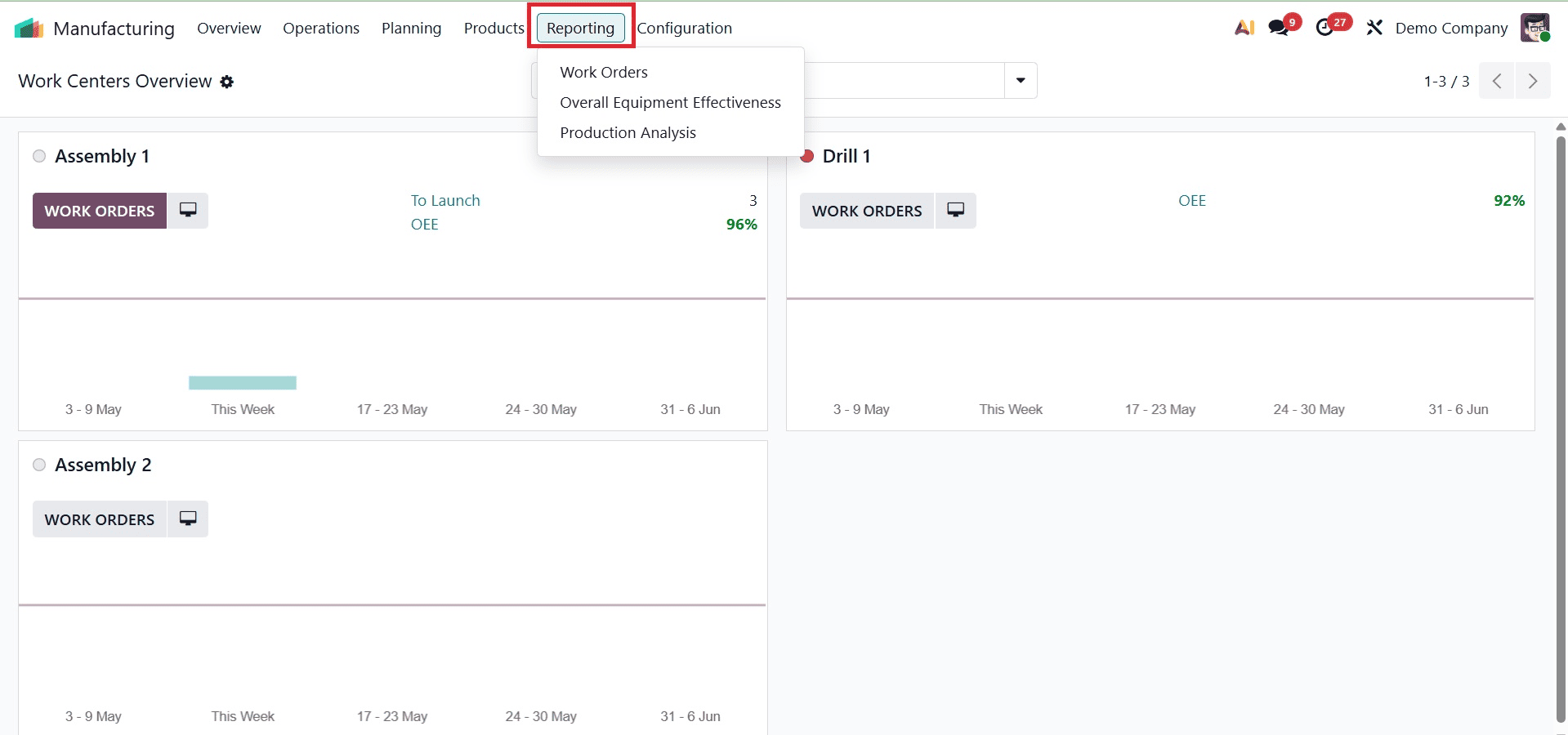
Work Orders
The "Work Orders" reporting feature allows for efficient analysis of work orders generated within the module. This application allows for thorough insights by offering a variety of view options, such as Graph, Pivot, List, and Gantt formats. Below is an illustration of the graphical view.
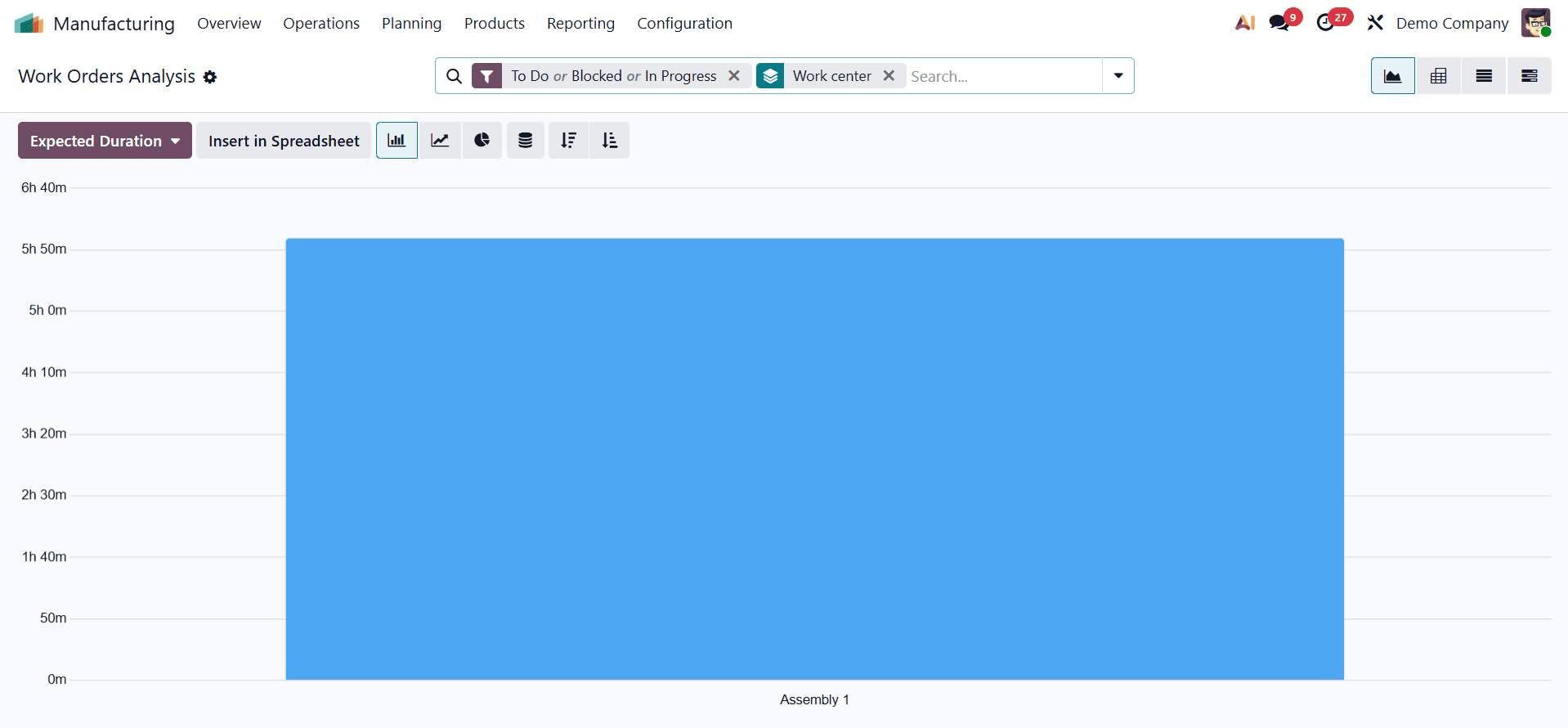
Both ascending and descending sorting options are available, and the graph layout can be adjusted to show data as a line chart, pie chart, or bar chart. Ready, Waiting, Pending, In Progress, Done, Late, and Start Date are just a few of the work order stages on which Odoo's built-in filters can assist in producing reports. You may also arrange reports by Work Center or Product using the "Group By" function. You may produce reports that are specifically tailored to your analysis needs thanks to the fully adjustable Filters and Group By options.
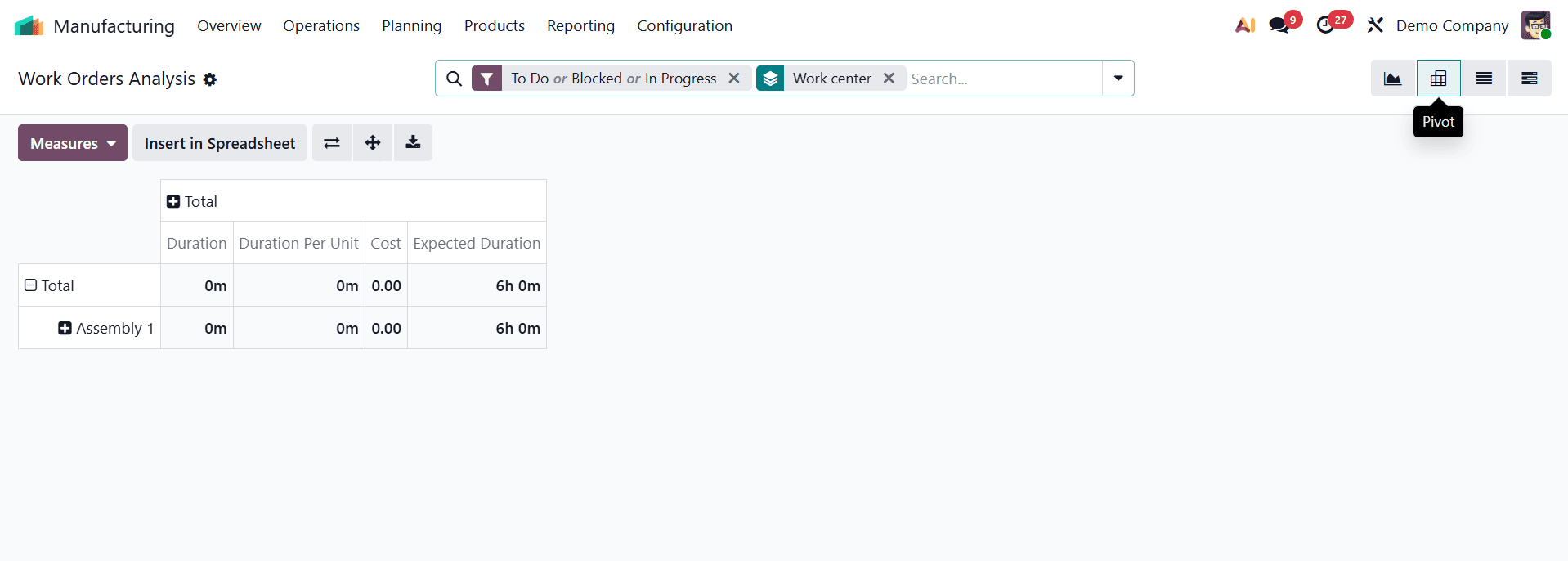
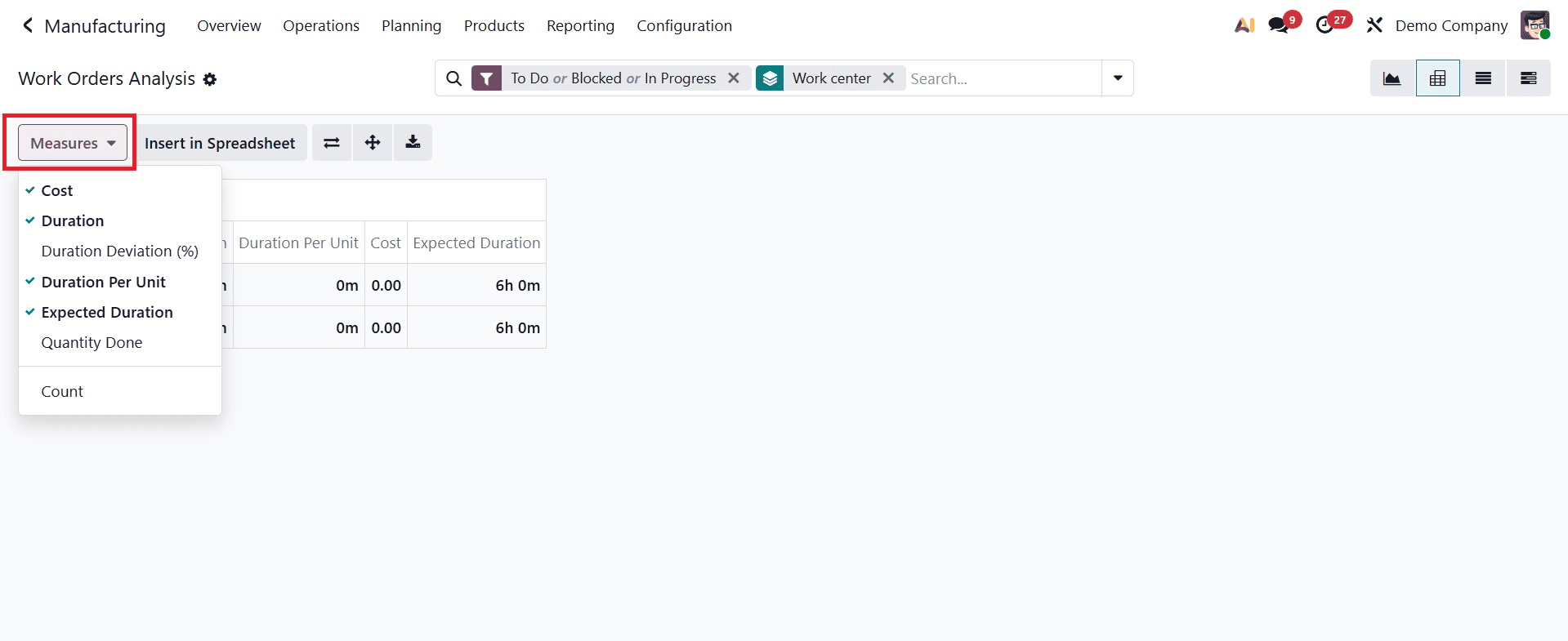
By choosing other metrics as Carried Quantity, Cost per Hour, Duration, Duration Deviation, Duration per Unit, Expected Duration, Quantity, and Worksheet Page, the Pivot Table view may be enhanced. The Insert in Spreadsheet option makes it simple to add the information to a spreadsheet for a more thorough study.
Overall Equipment Effectiveness
The OEE reporting tool allows you to evaluate the overall equipment effectiveness (OEE) of your company's work centers. With the help of this platform, you can create reports that are sorted by user, work center, or cause of loss, offering insightful information about operational effectiveness.
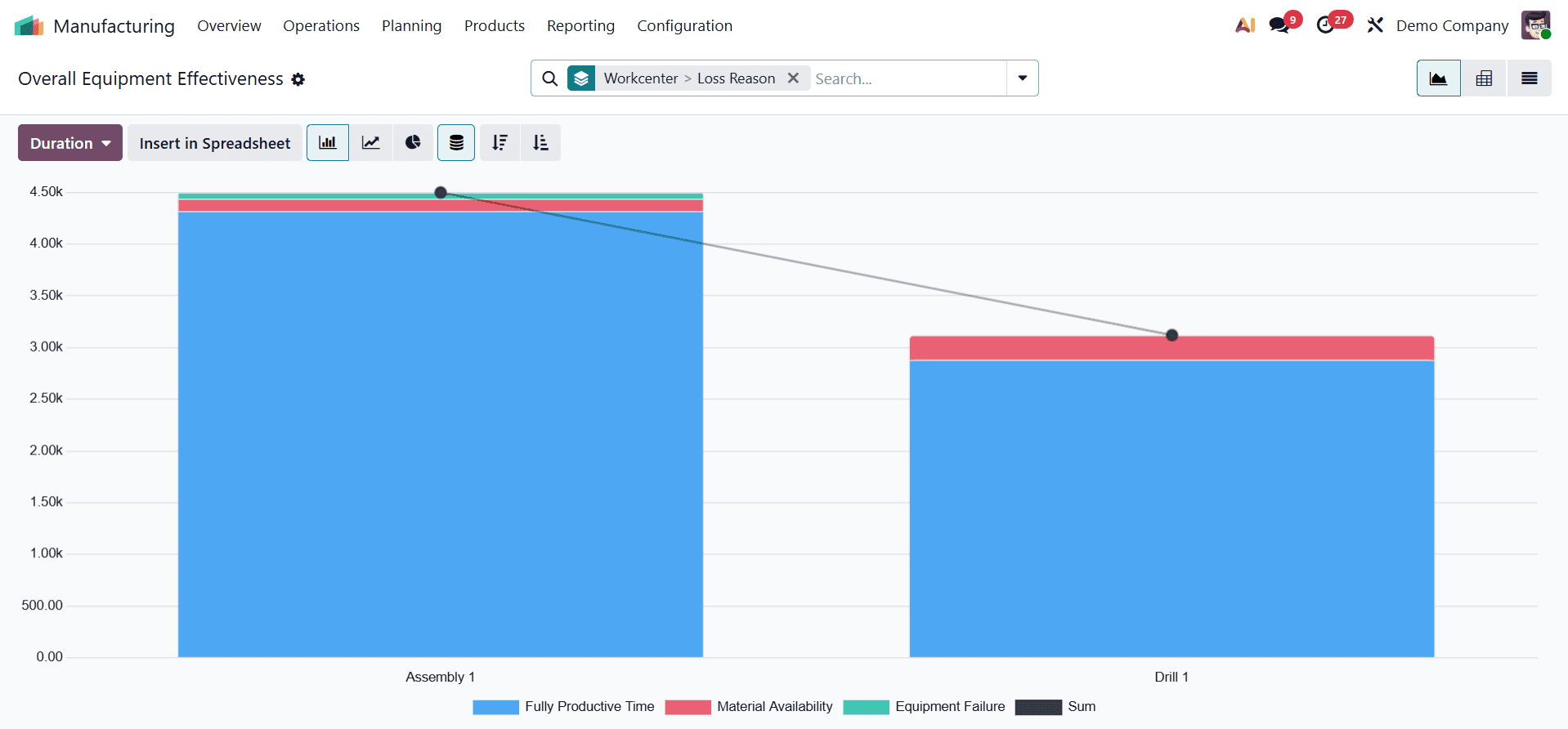
You can use filters like Availability Losses, Performance Losses, Quality Losses, Fully Productive, and Date to improve the report's accuracy. These filters aid in the data's refinement for a more thorough and insightful analysis.
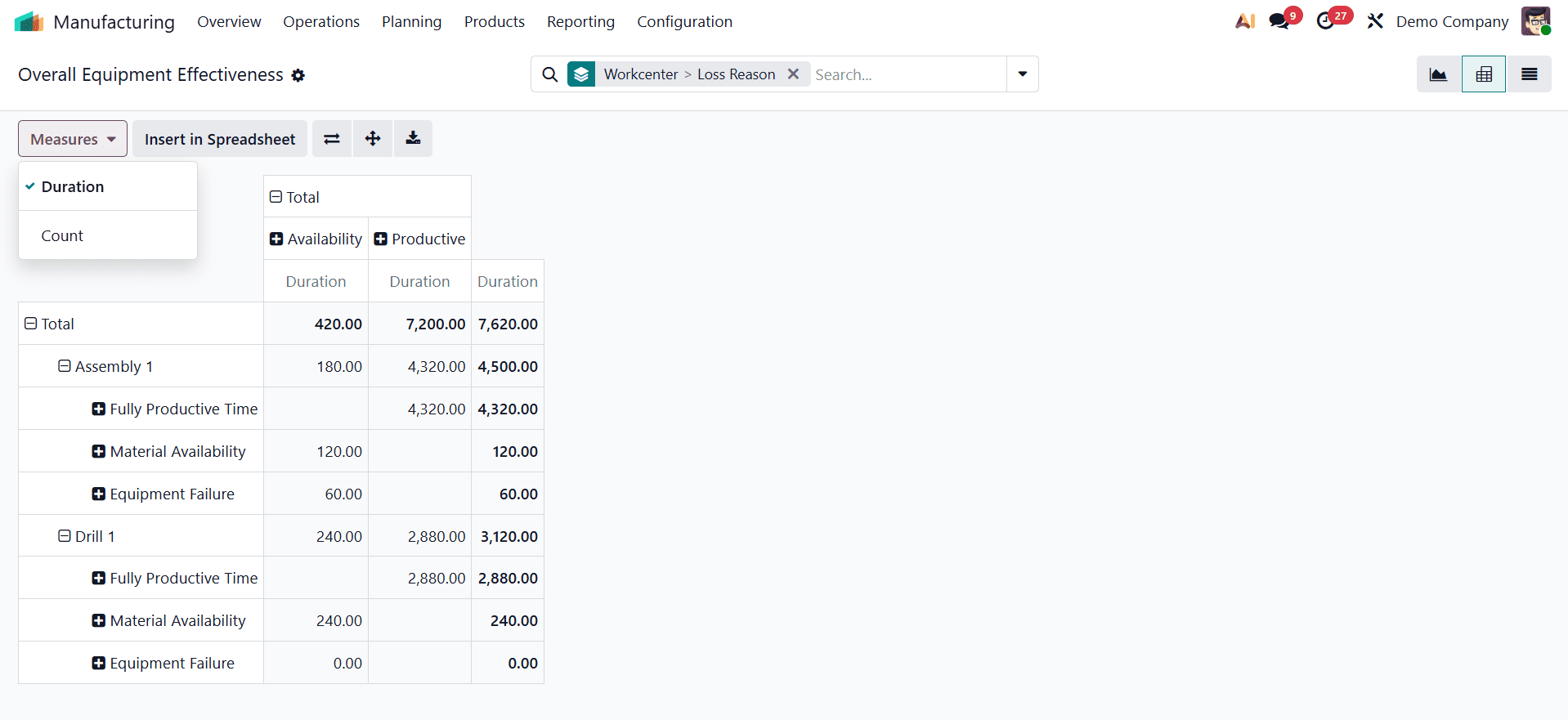
A more focused and perceptive study is made possible by the report measures' ability to display data according to Duration, and Count.
Production Analysis
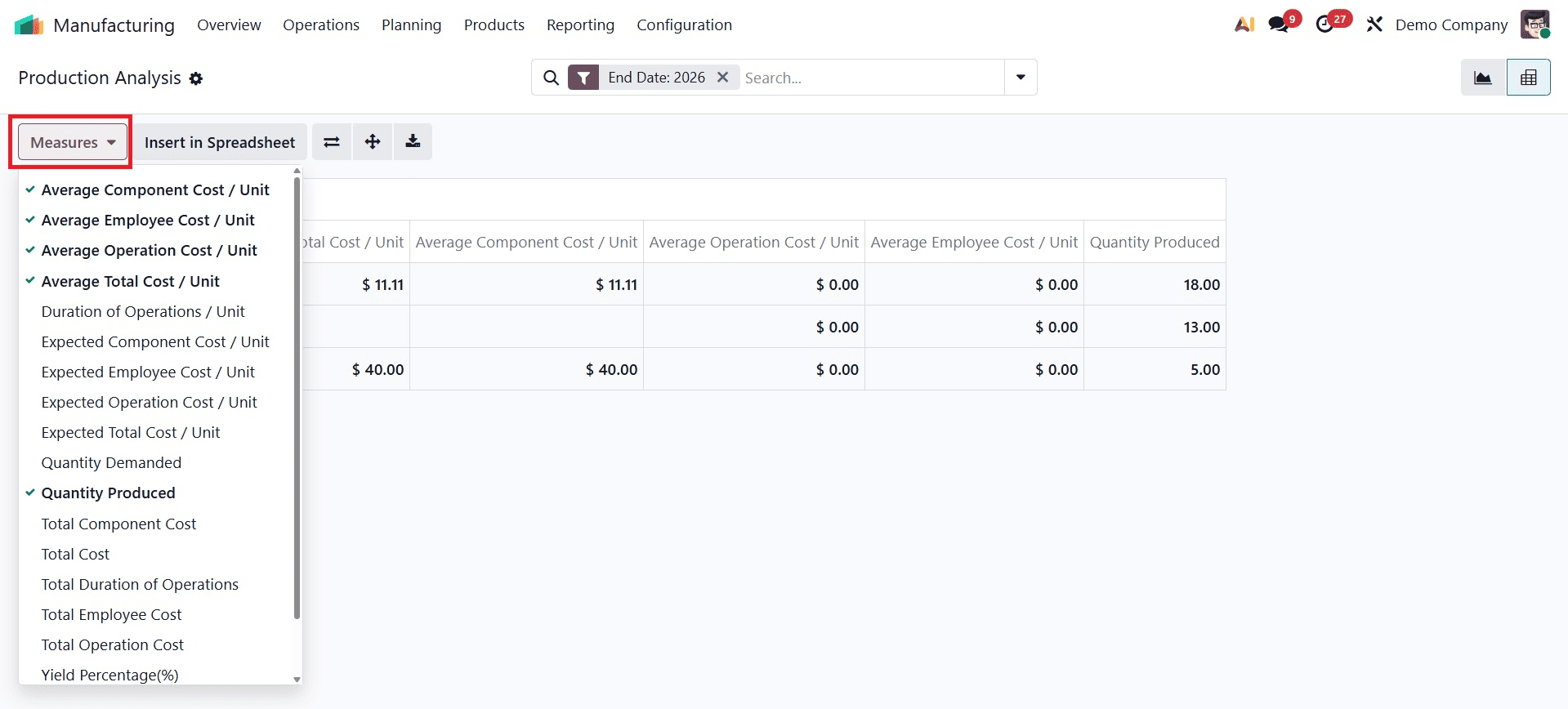
You can use the Production Analysis option found under the Reporting menu to examine production performance across various time periods, such as daily, weekly, monthly, or annual. This tool provides useful insights into production trends by creating comprehensive reports depending on parameters like product and finish date.
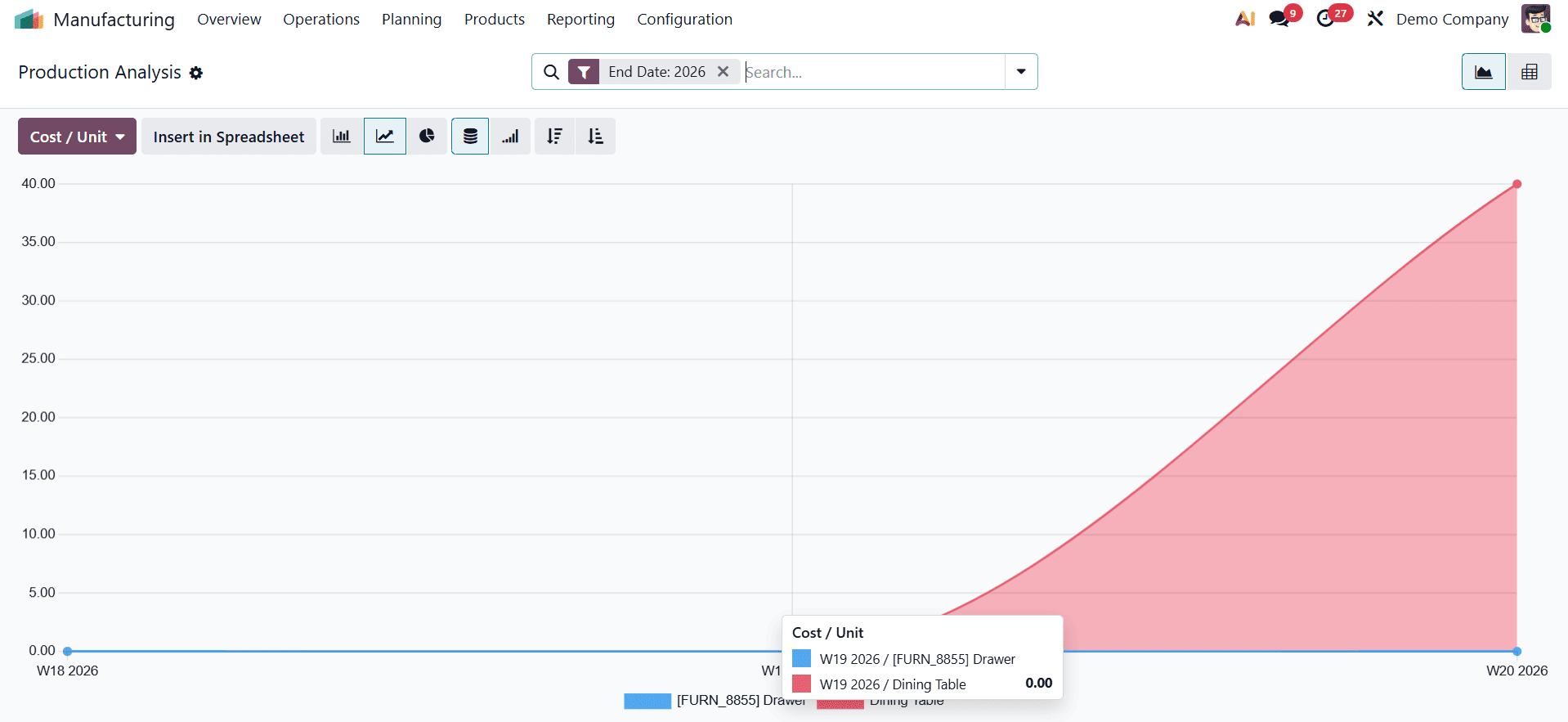
You can create production reports that show the timetable for each product's completion by using the End Date as a filter. This will make it easier for you to monitor and assess production results.
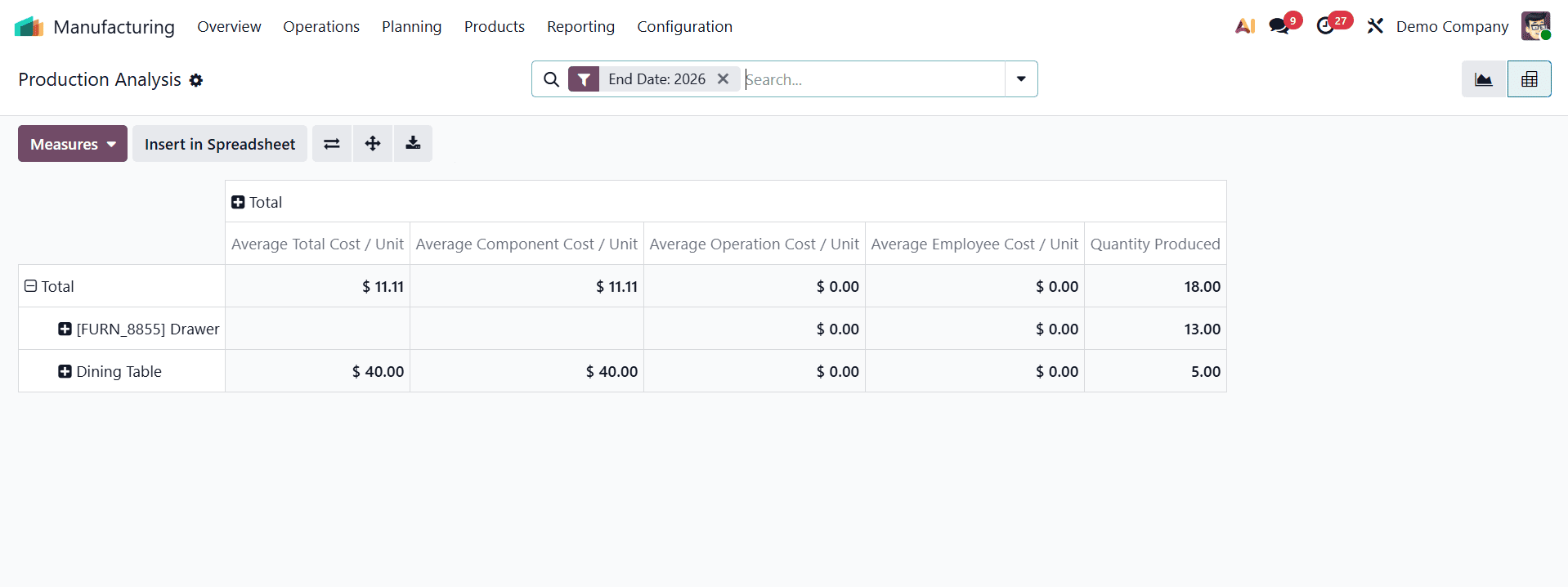
Average Component Cost per Unit, Average Operation Cost per Unit, Average Subcontracting Cost per Unit, and Average Total Cost per Unit are some of the metrics you may use in this report to obtain more in-depth understanding. To provide a thorough analysis of production performance and costs, other metrics such as By-Products Total Cost, Duration of Operations per Unit, Quantity Produced, Total Component Cost, Total Cost, Total Duration of Operations, Total Operation Cost, Total Subcontracting Cost, and Count can be added.
All things considered, Odoo's manufacturing reporting features offer a thorough summary of production activity. Through customizable filters, precise measurements, and a variety of visualization options, these tools facilitate decision-making in a variety of contexts, from tracking work orders and measuring equipment efficiency to assessing production costs and timeframes.
Odoo 19 Manufacturing's comprehensive reporting is essential for enhancing decision-making and operational effectiveness in manufacturing companies. The technology assists firms in streamlining processes and cutting down on inefficiencies by offering precise and up-to-date data on production operations, inventory movement, expenses, and performance measures. Odoo 19's sophisticated reporting features allow companies to more precisely monitor important manufacturing metrics, analyze trends, and boost productivity. All things considered, these reporting technologies facilitate enhanced resource management, better planning, and ongoing expansion in contemporary manufacturing settings.
To read more about What are the Reporting features of Odoo 18 Manufacturing, refer to our blog What are the Reporting features of Odoo 18 Manufacturing.