Keeping solid and long-lasting client relationships is crucial for growth and success in the cutthroat business world of today. Communication is essential for establishing trust, offering assistance, and ensuring consumer satisfaction. Voice over Internet Protocol (VoIP) has developed into a powerful tool that lets businesses stay in touch with their clients and communicate more efficiently and effectively. VoIP differs from traditional phone systems in that it has advanced features like call recording, automated replies, CRM system integration, and mobility support that make it easier for companies to communicate with customers from anywhere at any time.
In the digital age, VoIP has become an essential tool for building and maintaining customer relationships by improving response, promoting personalized conversations, and expanding accessibility.
Smooth communication is essential for effective collaboration in today's rapidly evolving work environment. It not only boosts output but also promotes growth. With its integrated VoIP (Voice over Internet Protocol) solution, Odoo 19, which recognizes the pressing demand for efficient communication tools, is anticipated to revolutionize business communications and boost team productivity.
To facilitate voice and video calls directly from the Odoo platform, an integrated communication system known as Odoo 19 VoIP was developed. A unified communication experience across numerous Odoo modules, such as CRM, Sales, Project Management, and others, is offered by this interface. By leveraging this capability to streamline their communication procedures, businesses can increase overall operational efficiency.
Odoo 19 VoIP has several powerful features that can significantly increase productivity and teamwork. Here are some key benefits:
- Increased Efficiency
Odoo 19 VoIP eliminates the need to switch between apps in order to communicate via text and audio. Enabling users to make and receive calls directly from the Odoo platform, it improves process efficiency and saves time. Because of this seamless integration, all communication-related procedures may be controlled from a single interface, reducing complexity and expediting operations.
- Enhanced Collaboration
One of the nicest advantages of Odoo 19 VoIP is the ability to make video calls. This feature enables face-to-face conversations, which are crucial for effective collaboration, especially for remote teams or businesses that communicate with clients from around the globe. Video chats bridge the gap caused by physical distance and facilitate real-time problem-solving and a more cohesive work environment.
- Improved Customer Service
Odoo 19 VoIP allows businesses to make and receive calls from customers directly within the Odoo platform. This integration speeds up issue response while enabling a more personalized customer care experience. Because customer support representatives have immediate access to customer records and histories, they can provide informed and efficient service.
- Savings of Money
Traditional phone systems can be expensive because of the cost of the hardware, maintenance, and services. Odoo 19 VoIP, which provides a cloud-based communication option, removes these costs. Because internal calls are free and outgoing calls have significantly lower fees, it is an affordable choice for businesses of all sizes.
- Increased Mobility
Through mobile apps and web browsers, users may use Odoo 19 VoIP to make and receive calls while they're on the go. This function, which keeps workers connected and productive no matter where they are, would be extremely helpful to employees who travel regularly or work remotely.
The Most Recent Odoo 19 VoIP Features
Odoo 19 continuously updates its VoIP features to stay on the cutting edge of technology. Some of the latest upgrades include:
- Better video calls
Odoo 19's enhanced video call quality has made video calls smoother and crisper. These improvements make virtual meetings more engaging and effective, more like in-person conversations.
- Better Call Recording
An improved call recording feature in Odoo 19 allows businesses to record calls and save them in the platform for later use. This tool is invaluable for training, quality control, and compliance.
- New Call Forwarding Choices
Odoo 19 now offers more flexible call forwarding options, allowing calls to be routed to the appropriate team members based on their availability or expertise level. By ensuring that calls are handled efficiently and by the right personnel, this raises customer satisfaction.
To utilize Odoo 19 VoIP, you must have an active Odoo subscription and the VoIP module activated. The setup process includes configuring your VoIP settings, selecting a reliable supplier, and ensuring SIP clients integrate smoothly. This is a thorough guide:
Obtain an Odoo subscription, verify that your active Odoo subscription includes the VoIP module. If not, you can upgrade your plan to include this feature. Then, activate the VoIP Module. Now, turn on the VoIP module by going to your Odoo account's Apps section. This will result in the integration of VoIP features throughout your Odoo platform.

The right configuration is necessary for optimal performance. Select the appropriate country for your VoIP service and configure SIP (Session Initiation Protocol) settings to ensure compatibility with your communication devices.
Verify that your VoIP setup is compatible with SIP clients. This step is crucial for high-quality voice and video calls. During this configuration stage, careful attention to detail ensures a dependable and efficient communication system.

This VoIP module has made calling a customer in Odoo really easy. Making phone calls with business partners is made easier by the phone icon at the top of the screen.
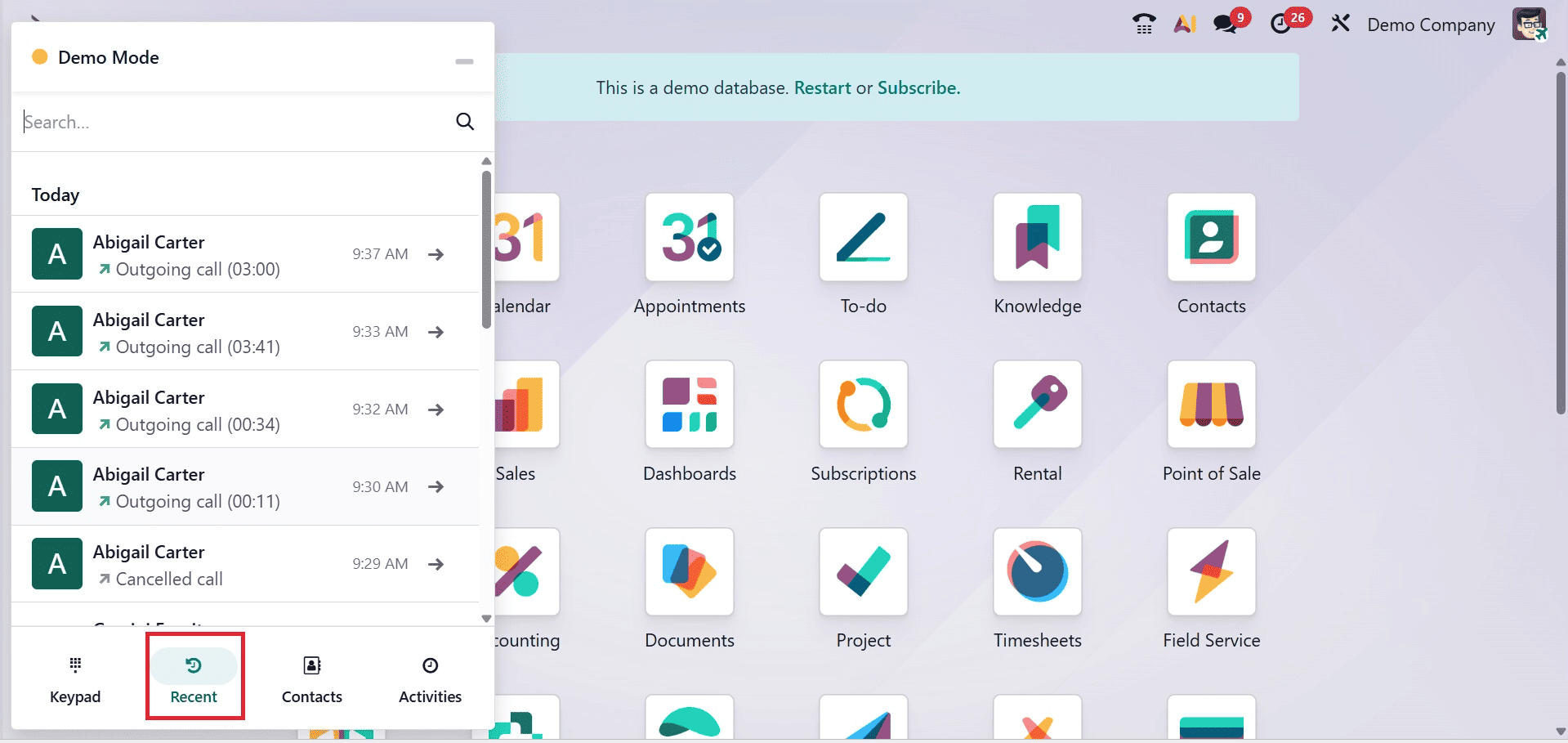
When that phone sign is clicked by the user. There, a tiny VoIP window will appear. Contact, Next Activities, and Recent are the three tabs that make up the interface. The Recent tab displays the most recent call history, as illustrated in the illustration below.

Odoo 19 VoIP improves customer relationships by allowing calls to be placed and received directly within the CRM and other Odoo modules, providing agents with immediate access to customer history for personalized service, recording all interactions for a comprehensive client view, and automating follow-ups and communication logs to ensure timely contact and speed up the sales cycle.
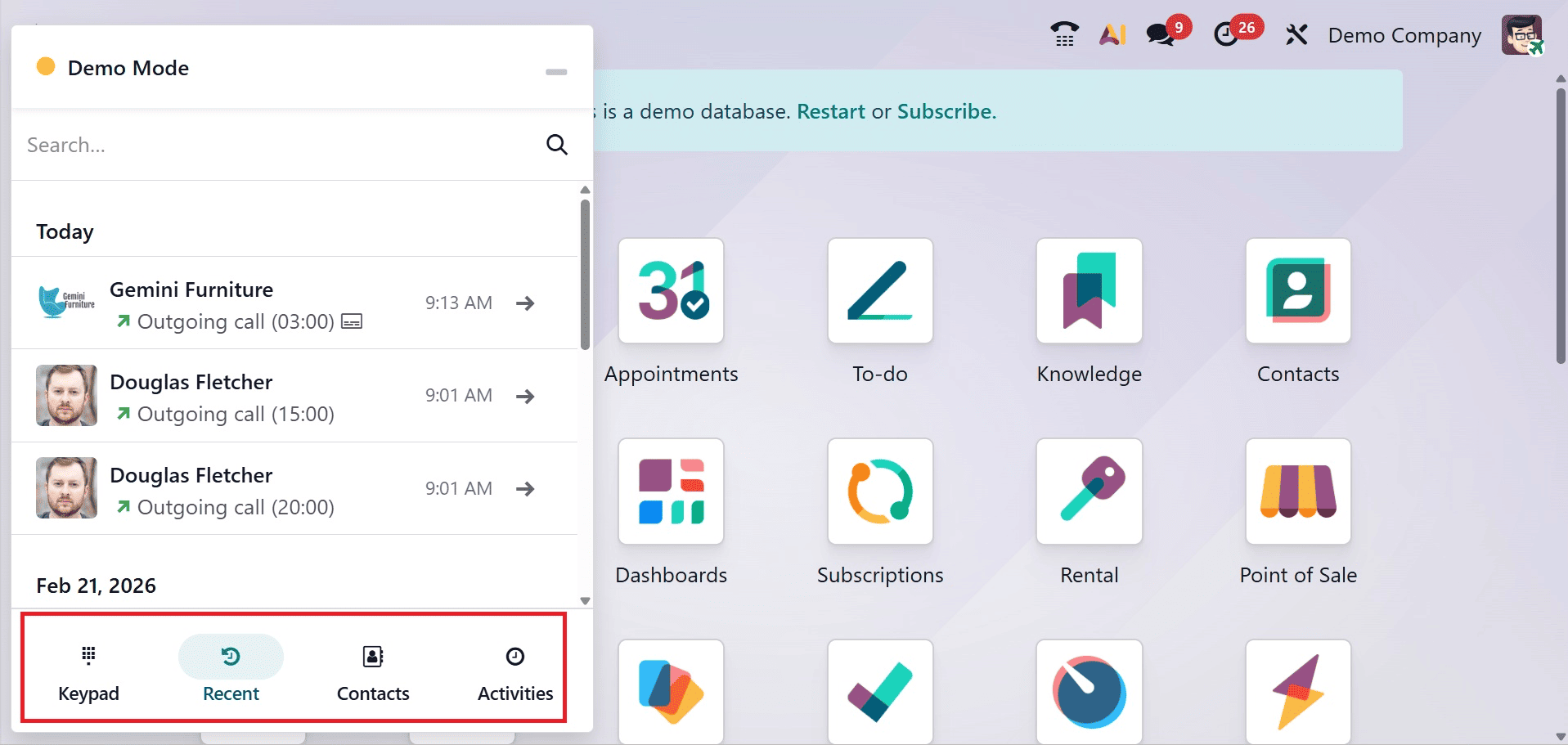
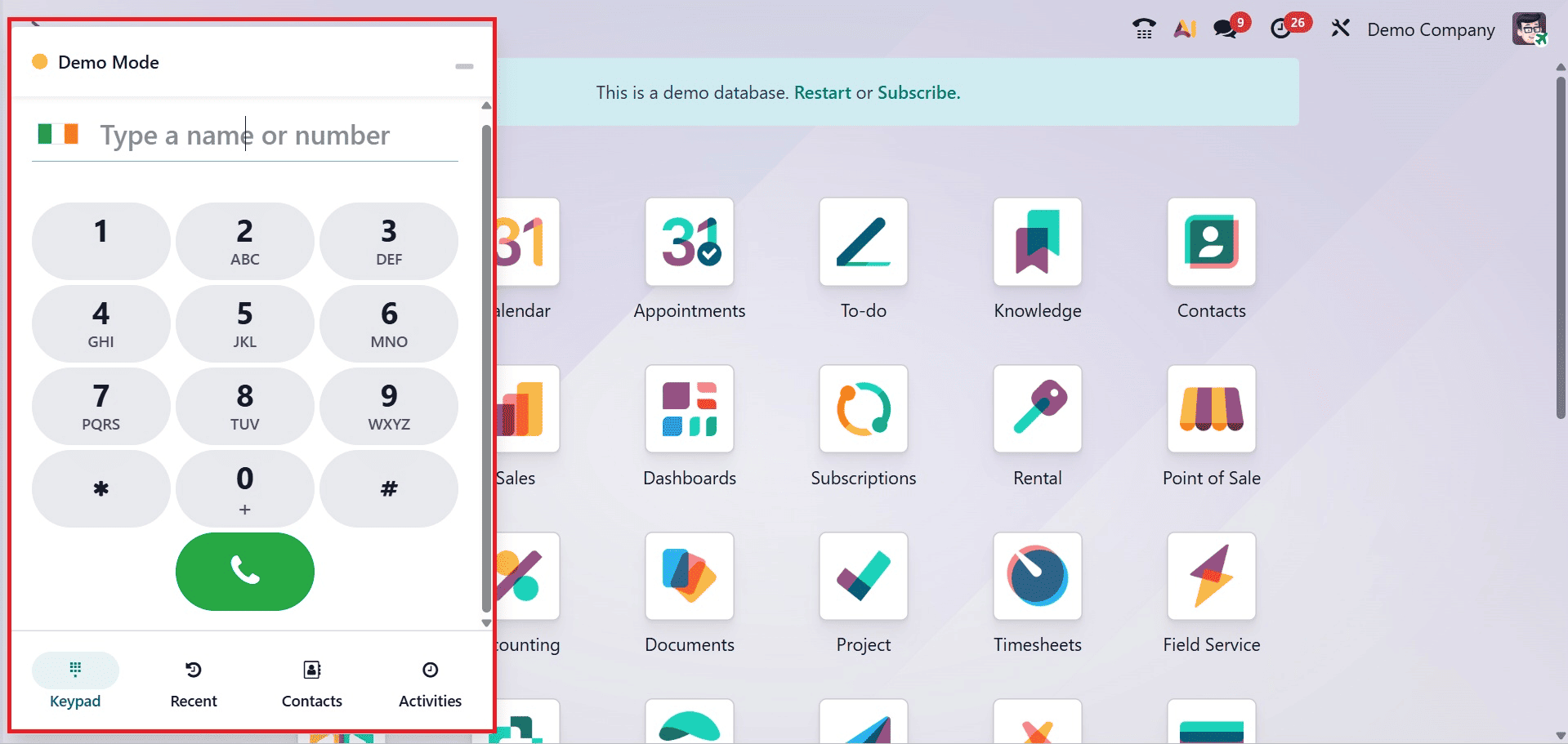
You have the keypad, recent, contacts, and next activities options, as shown in the screenshot above.
To call the customer about a scheduled activity, click the (phone) button. To dial a different number, click the (keypad) symbol.
Here, customers can choose to hold, mute, and transfer calls to another number.

Users can switch the call to a different number by clicking the Transfer Icon.
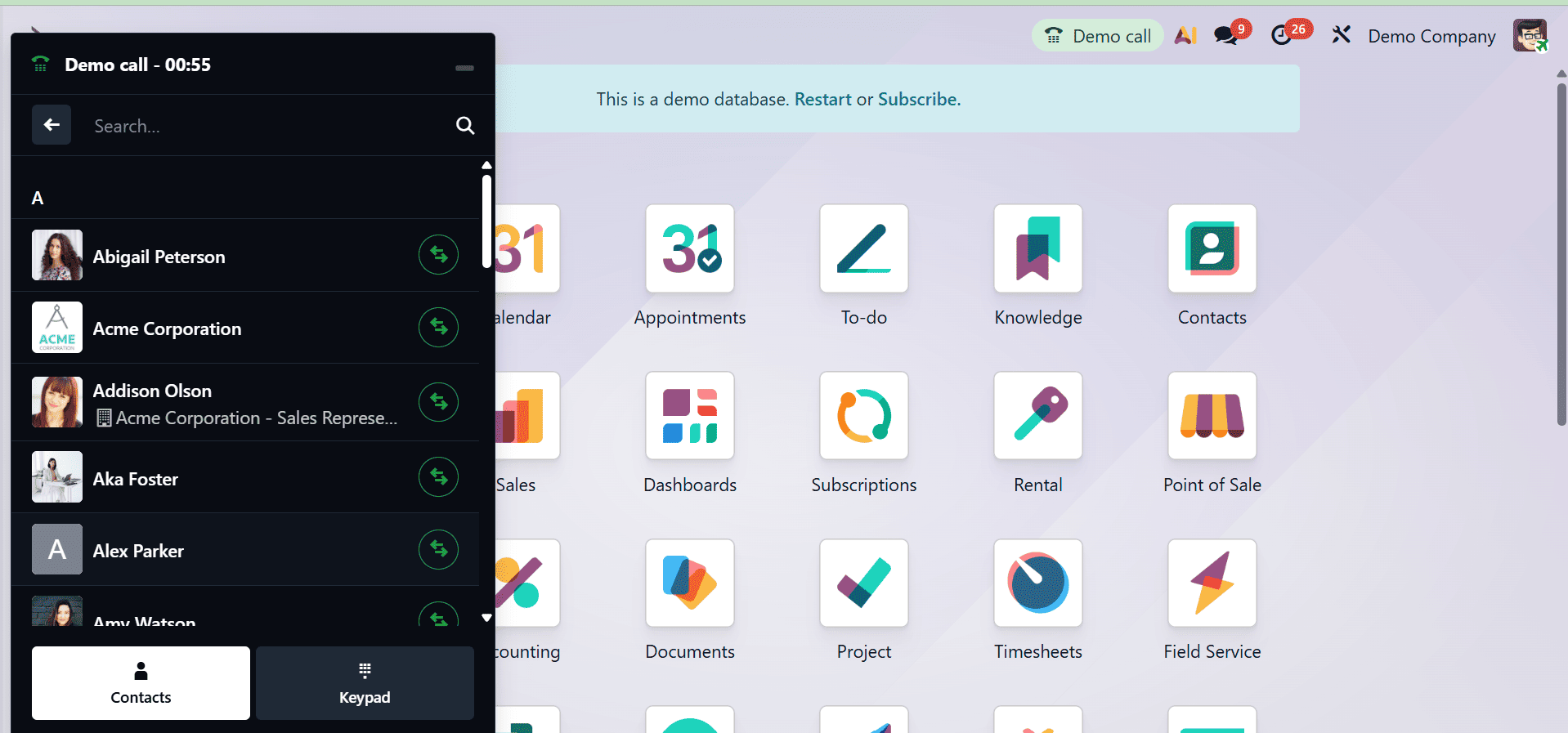
The next symbol mute aids in call muting. Additionally, the hold icon keeps the call going. Users can make a new contact for the phone number by clicking on the Create Icon.
The VoIP widget's Recent tab displays the user's call history. This includes both outgoing and incoming calls. Clicking on any number will initiate a call.
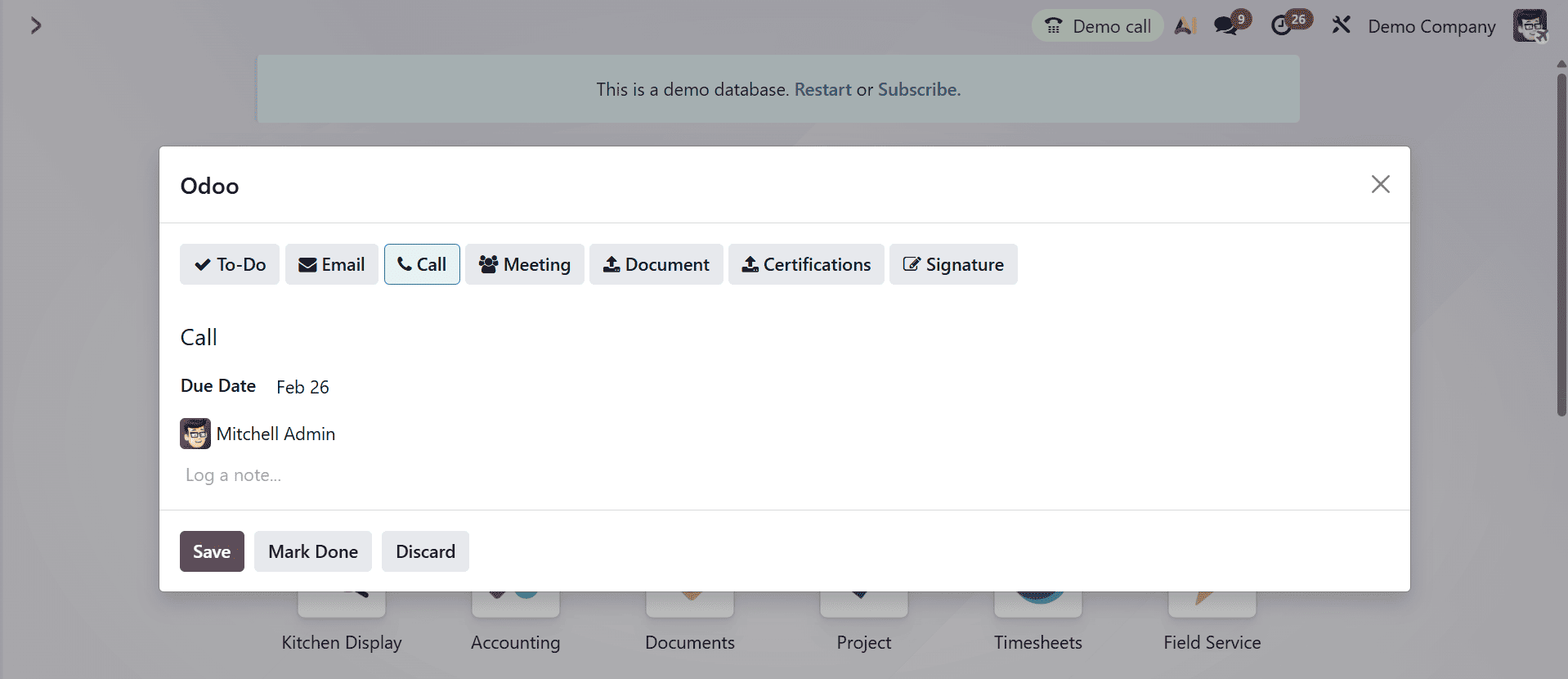
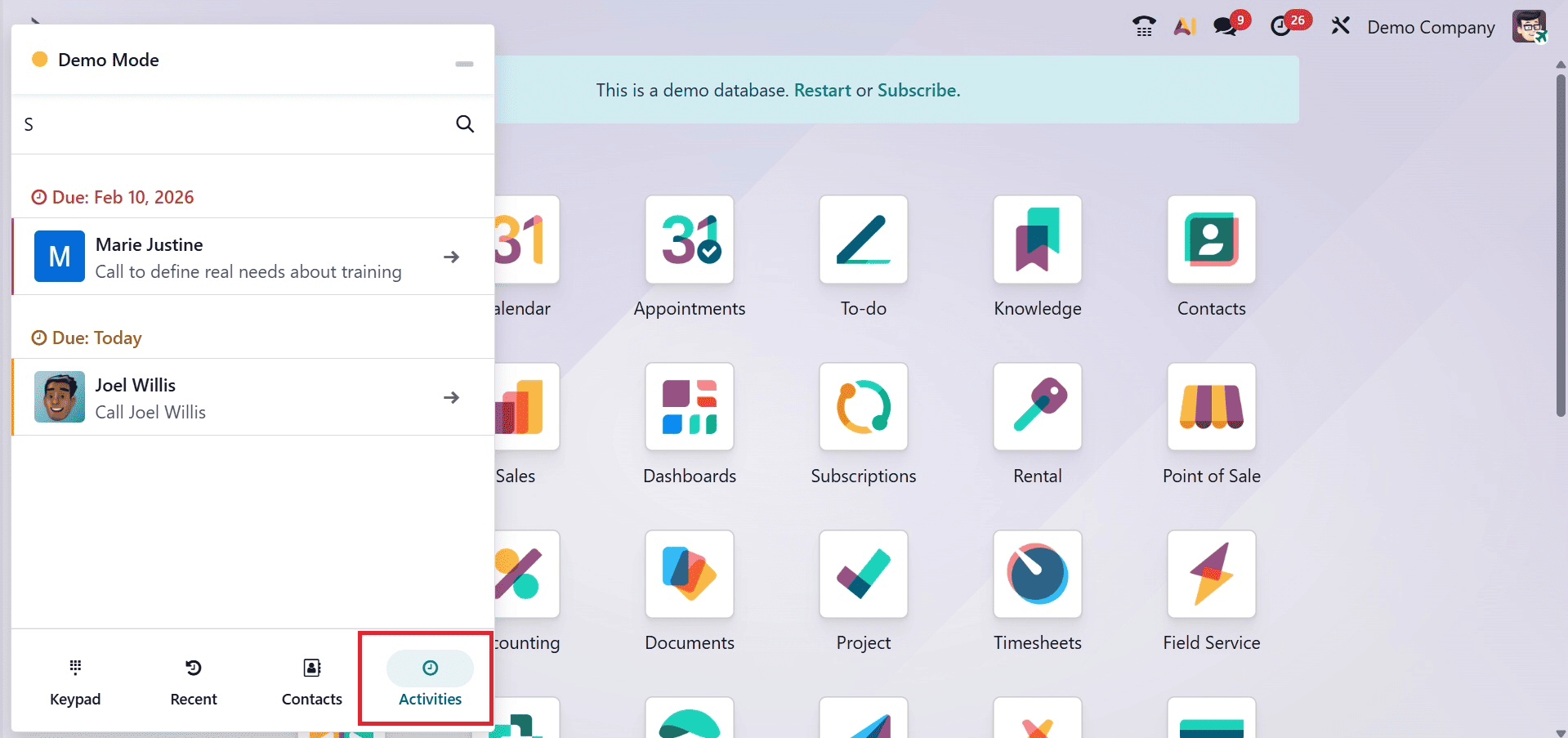
Under the Activities tab of the VoIP widget, a user can see which calls are assigned to them and which are scheduled to be completed for the day.
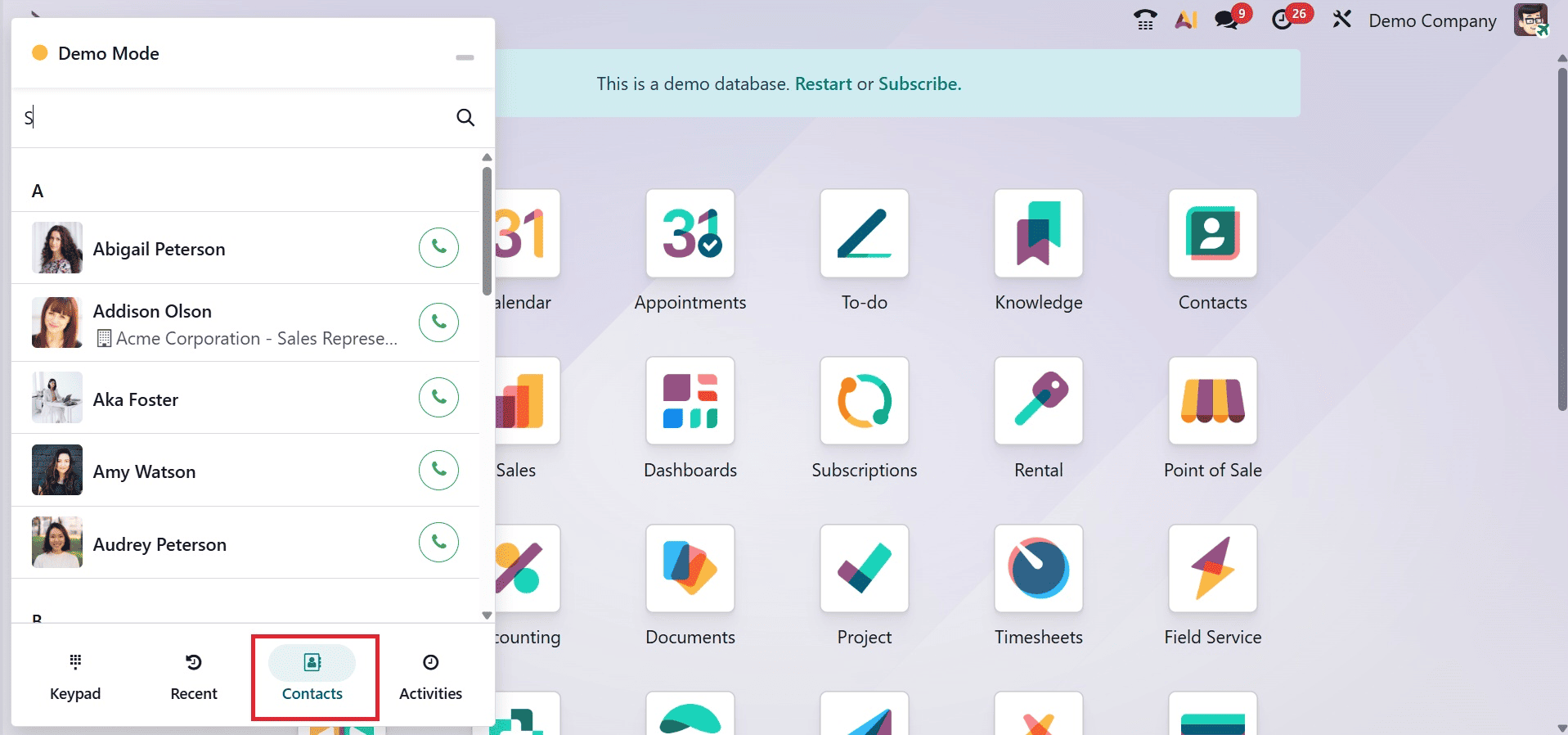
The VoIP widget's Contacts tab allows the user to access a contact in the Contacts app. Any contact with a saved phone number can be called by selecting it from the VoIP widget's Contacts tab.
This integrated strategy improves teamwork, shortens problem response times, and creates a more efficient and informed client experience.
Odoo 19's VoIP features are groundbreaking for business communication. By directly incorporating voice and video calling functions, the Odoo platform offers a reliable, efficient, and affordable communication solution. The regular updates and enhancements keep the system at the forefront of technology, providing businesses with the tools they need to thrive in today's fast-paced environment. Whether it is by promoting internal collaboration, increasing customer service, or enabling greater mobility, Odoo 19 VoIP is a powerful friend in advancing business success.
To read more about How VoIP is Useful to Maintain Customer Relationships in Odoo 18, refer to our blog How VoIP is Useful to Maintain Customer Relationships in Odoo 18.