Many people consider Odoo a highly adaptable and user-friendly ERP platform that offers a wide range of business applications, including CRM, sales, inventory, and accounting. With the release of Odoo 19, the platform has advanced, offering enhanced functionality, a redesigned user interface, and additional interactive features intended to increase productivity throughout enterprises. Odoo 19's support for real-time changes across many modules is a notable improvement, enabling teams to act swiftly and decisively.
Among the views Odoo provides, the Kanban view is particularly useful for project management, task tracking, and sales pipeline visualization. Kanban boards make it simple for users to keep an eye on workflows, transfer objects between stages, and quickly spot bottlenecks. These boards are now even more active in Odoo 19, where modifications made by one user are immediately visible to others. By removing the need to manually reload pages, this auto-refresh feature keeps everyone on the same page, promoting more seamless cooperation and quicker reaction times.
This is an example of a custom patch that allows the crm.lead Kanban board to automatically reload anytime the lead count rises. This method guarantees that your project or sales teams never have to manually reload the website in order to view the most recent information on the board.
This hack allows the Kanban board to periodically check the overall amount of leads in the system. The board will instantly refresh and display the new record as soon as a new lead is added. When several people are working together to create or update leads at the same time, this is quite helpful. It increases overall workflow efficiency, gets rid of delays, and lowers the chance of missing important changes.
This system is also lightweight and simple to maintain. Only the crm.lead Kanban view is impacted; other Odoo Kanban boards are untouched. By balancing responsiveness and server load, the interval-based technique makes sure that the board updates often enough to be nearly real-time without overtaxing the server with pointless queries.
Let's now examine the real implementation of the code:
JS Code
/** @odoo-module **/
import { KanbanController } from "@web/views/kanban/kanban_controller";
import { patch } from "@web/core/utils/patch";
import { useService } from "@web/core/utils/hooks";
import { onMounted, onWillUnmount } from "@odoo/owl";
patch(KanbanController.prototype, {
    name: "crm_lead_increment_refresh",
    setup() {
        super.setup?.(...arguments);
        if (this.props.resModel !== "crm.lead") {
            return;
        }
        const orm = useService("orm");
        const action = useService("action");
        let previousCount = null;
        let interval = null;
        onMounted(() => {
            interval = setInterval(async () => {
                const count = await orm.searchCount("crm.lead", []);
                // refresh only if count increased
                if (previousCount !== null && count > previousCount) {
                    await action.doAction(
                        { type: "ir.actions.client", tag: "reload" },
                        { replaceLastAction: true }
                    );
                }
                previousCount = count;
            }, 5000);
        });
        onWillUnmount(() => {
            if (interval) clearInterval(interval);
        });
    },
});
By enabling the Kanban board to automatically identify and display new leads as they are added, this hack improves Odoo's KanbanController, especially for the crm.lead model. It makes use of two crucial Odoo services: action, which reloads the Kanban view whenever an update is required, and orm, which counts the overall number of leads in the system. The code creates a 5-second window where the lead count is continuously tracked after the Kanban page loads. The board automatically refreshes to ensure that newly created leads appear immediately if the current number of leads exceeds the previous count. When nothing changes, the previousCount variable acts as a checkpoint to prevent needless reloads. Furthermore, upon quitting the view, onWillUnmount is utilized to delete the interval, preventing.
Include this JavaScript file in your custom module and add it to the assets section of the manifest. After that, the auto-refresh feature will work as intended. Below, let's look at a real-world example:
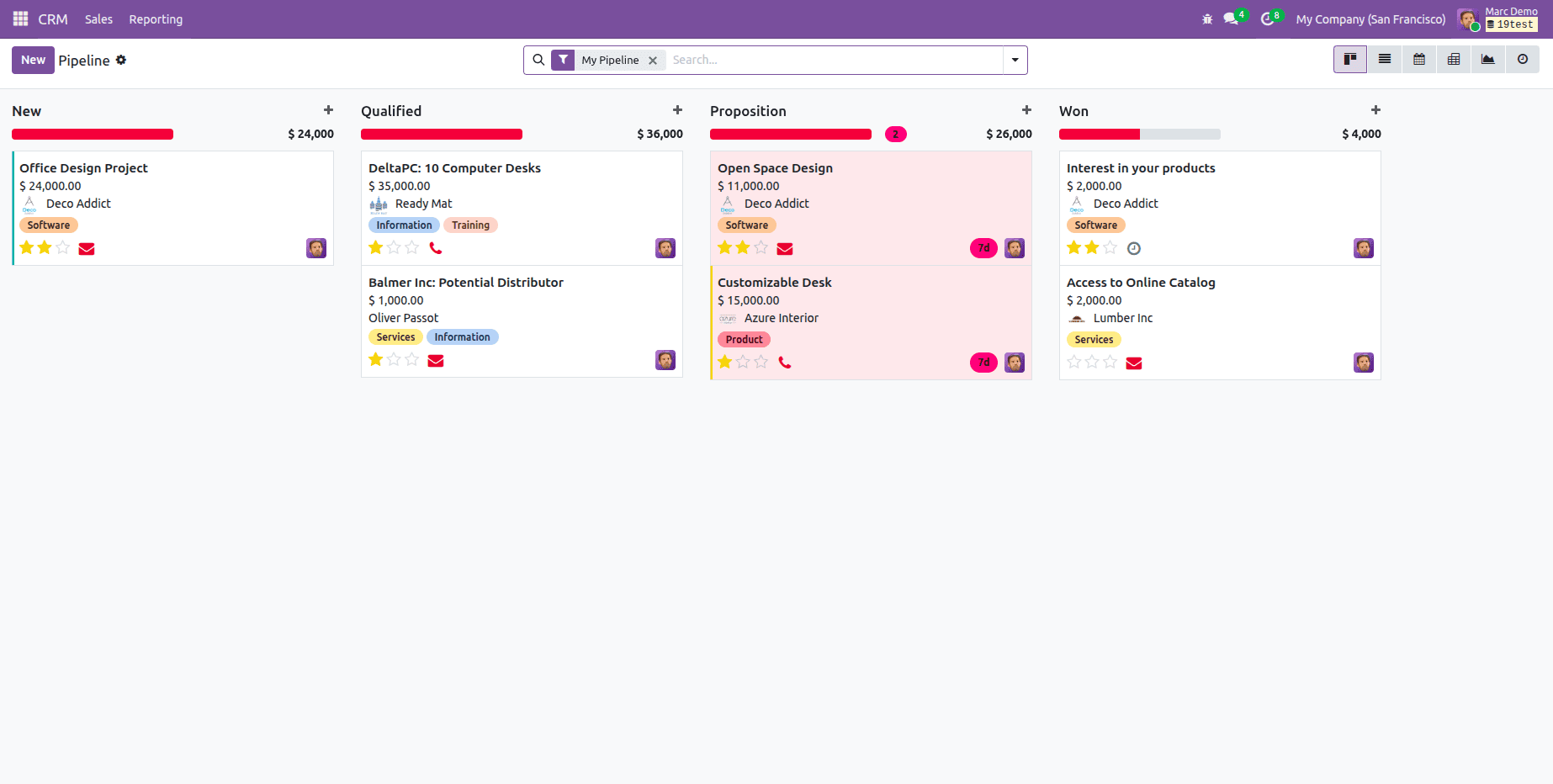
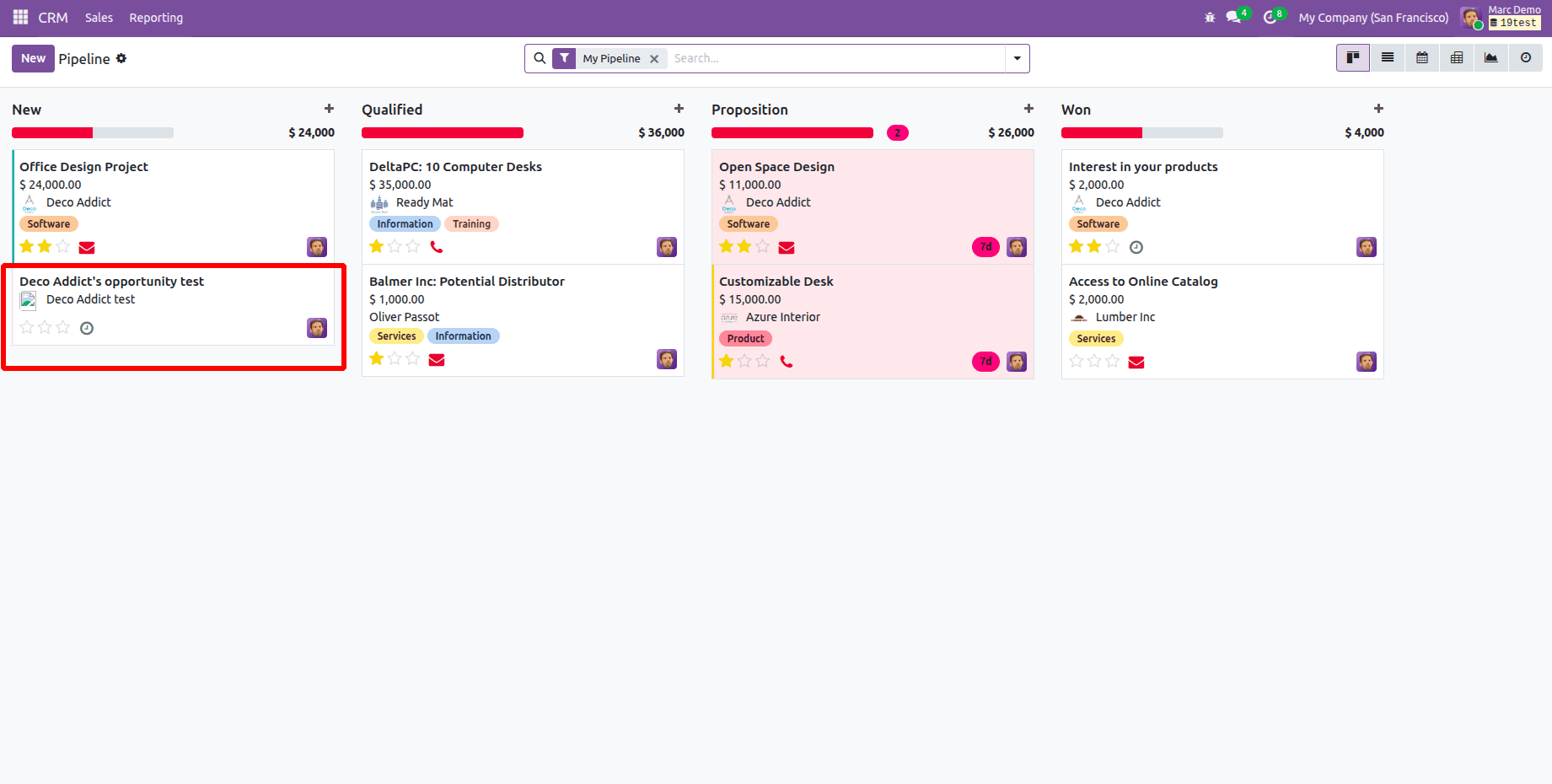
Here's an illustration of how the lead appears immediately in Marc Demo's CRM Kanban view without the need for a manual refresh:
The Marc demo Kanban view is as shown in the figure before creating the new lead.
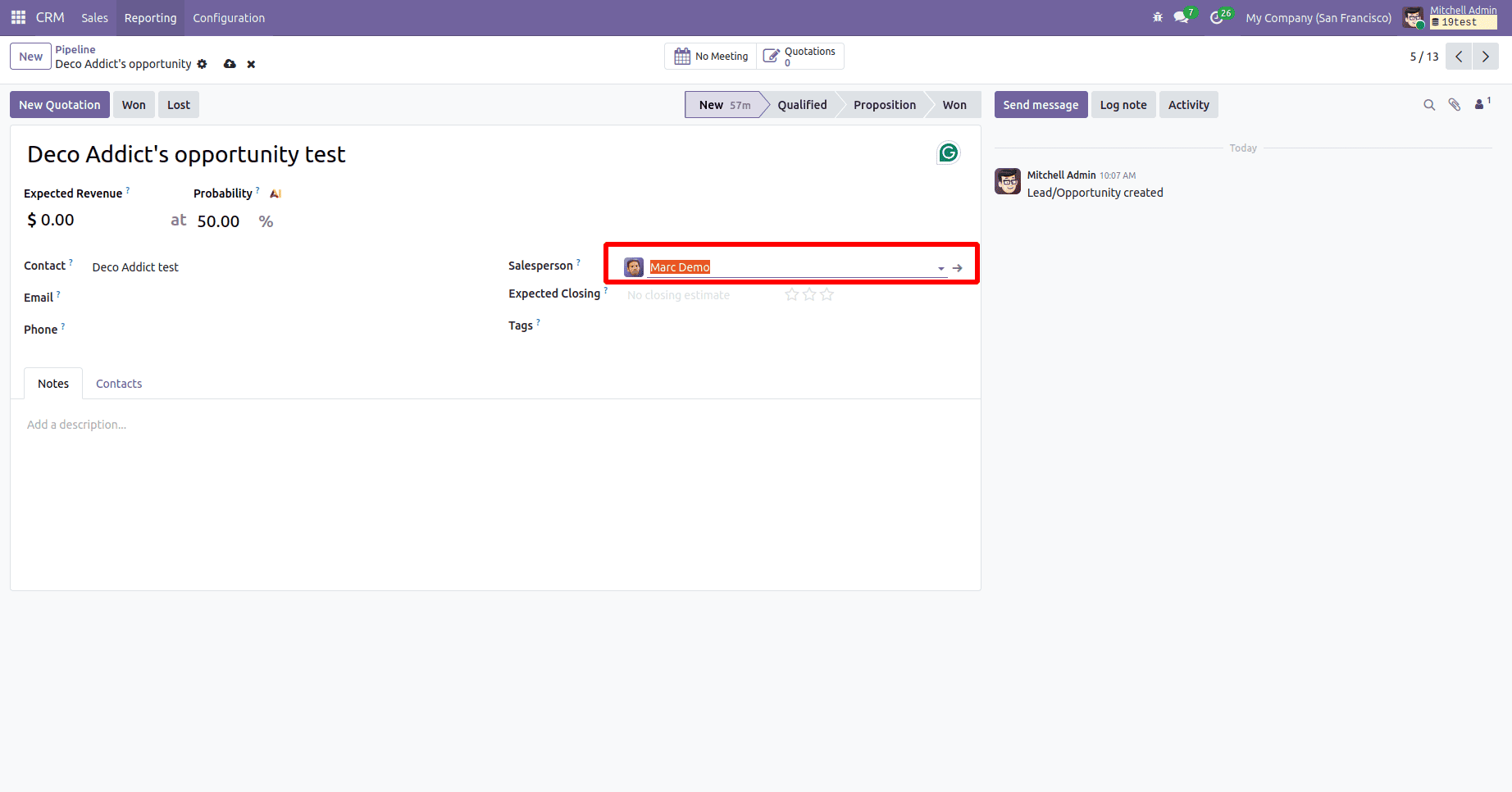
After creating a lead for a customer and designating "Marc Demo" as the salesperson, the administrator hits "Save," as seen in the figure below.
Following that, Marc Demo's session will immediately show the new lead in his CRM Kanban view without requiring a manual refresh, as seen below.
This technique greatly increases team visibility and participation by providing an easy, effective way to create Kanban boards in nearly real time. For example, agents can view new tickets as soon as they are submitted in the Help Desk or Customer Support module without having to manually reload the page. It can also be used for project management activities, sales pipelines, or any module where workflow is improved by real-time changes. Despite its simplicity, the interval-based method is lightweight, simple to deploy in Odoo Enterprise, and offers a workable option for companies looking to boost team responsiveness and productivity.
To read more about Overview of Real-Time Kanban Boards in Odoo 18 with Auto Updates, refer to our blog Overview of Real-Time Kanban Boards in Odoo 18 with Auto Updates