Fiscal configuration plays a crucial role in ensuring accurate tax computation, regulatory compliance, and reliable financial reporting. In Odoo 19 Accounting, fiscal categories have undergone an important structural improvement to offer businesses greater flexibility and control over how tax rules are applied. One of the most significant changes is that fiscal categories are now managed at the account level, allowing different tax rates to be applied to accounts within the same category without duplicating fiscal categories. This enhancement is particularly valuable in complex tax environments, such as fleet expense management in countries like Belgium, where multiple tax treatments may apply within a single expense category.
In earlier versions of Odoo, fiscal categories were tightly coupled with uniform tax behavior. If businesses needed to apply different tax rates or fiscal rules to accounts that logically belonged to the same category, they were often forced to create multiple duplicate categories. This approach increased configuration complexity, made maintenance more difficult, and raised the risk of inconsistencies. By moving fiscal category behavior directly to accounts, Odoo 19 eliminates unnecessary duplication and enables more granular fiscal control while keeping the chart of accounts clean and well-organized.
One can easily configure fiscal categories directly from the Configuration menu in the Odoo 19 Accounting module. This centralized setup allows accounting teams to define fiscal logic once and apply it consistently across multiple accounts. Businesses can now maintain a single fiscal category, such as Fleet Expenses or Non-Deductible Tax, while assigning different rates or rules to individual accounts within that category, depending on local regulations or operational requirements.
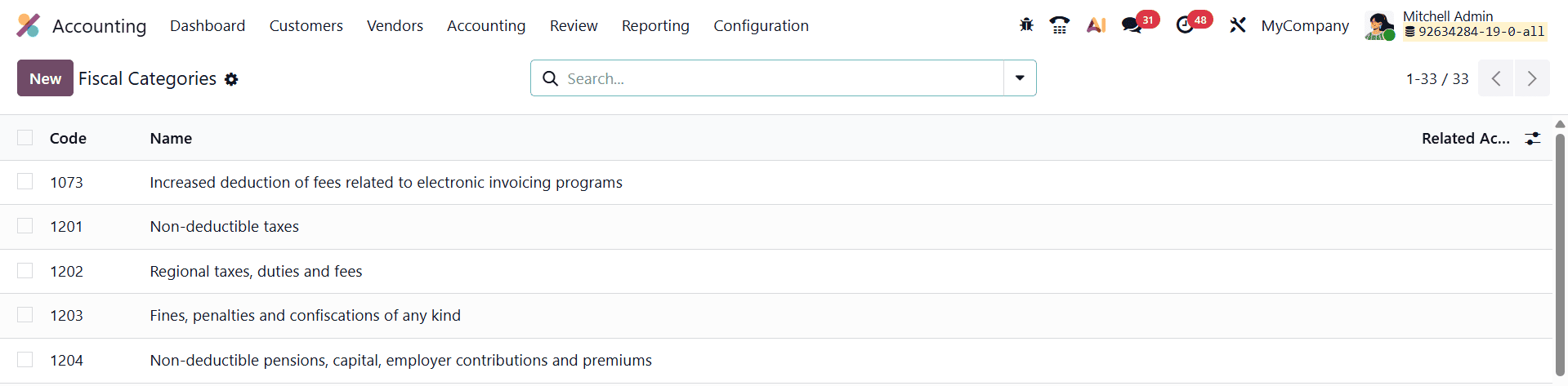
When opening the Fiscal Categories configuration window, users are presented with several essential fields that define how each category functions. One of the primary fields is the Code, which allows users to assign a unique numerical or alphanumeric identifier, such as 1201.
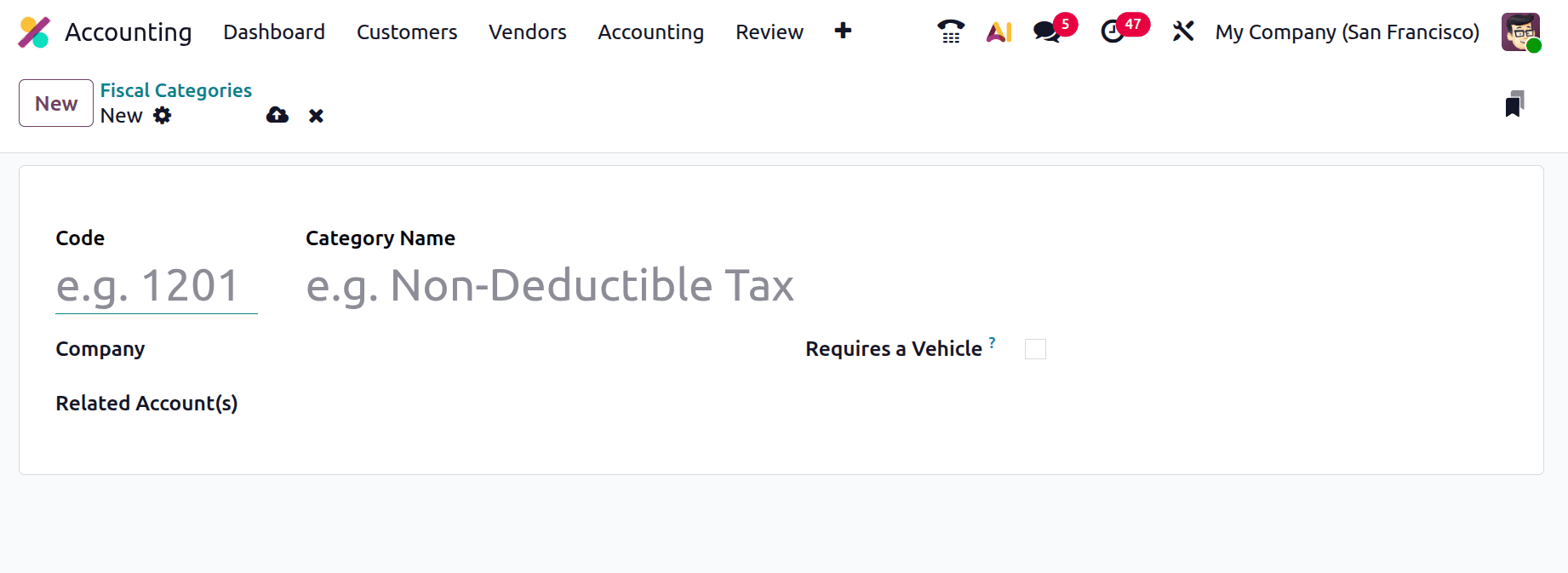
This Code will be mainly used for reporting, filtering, and internal accounting analysis in Odoo Accounting. Using structured codes helps businesses maintain clarity and consistency, especially when managing a large number of fiscal categories across multiple departments or legal entities.
The Category Name field defines the descriptive title of the fiscal category. Names such as Fleet Expenses, Non-Deductible Tax, or Entertainment Expenses clearly communicate the fiscal purpose of the category. A well-defined category name helps accounting teams quickly understand the nature of the expenses or revenues associated with it and ensures accurate classification across transactions, reports, and audits.
Another important field is the Company field, which links the fiscal category to a specific company in a multi-company environment. This ensures that fiscal rules are applied only within the relevant legal entity and prevents cross-company misapplication of tax logic. In organizations managing multiple companies under the same Odoo database, this feature is critical for maintaining compliance with country-specific tax regulations and internal accounting standards.
The Related Account(s) field is where the major enhancement of Odoo 19 becomes evident. This field allows users to associate one or more ledger accounts with a fiscal category. Once linked, these accounts automatically inherit the fiscal behavior and tax treatment defined by the category. This setup allows businesses to group accounts logically while still applying different tax rates or fiscal rules at the account level. For example, multiple fleet-related expense accounts can be grouped under a single Fleet Expenses category, while still accommodating variations in tax deductibility or VAT rates across those accounts.
This account-level association significantly improves flexibility and accuracy. Instead of creating separate fiscal categories for each variation in tax treatment, businesses can maintain a unified fiscal structure and manage complexity where it belongs—at the account level. This results in cleaner configurations, reduced redundancy, and easier long-term maintenance of fiscal settings.
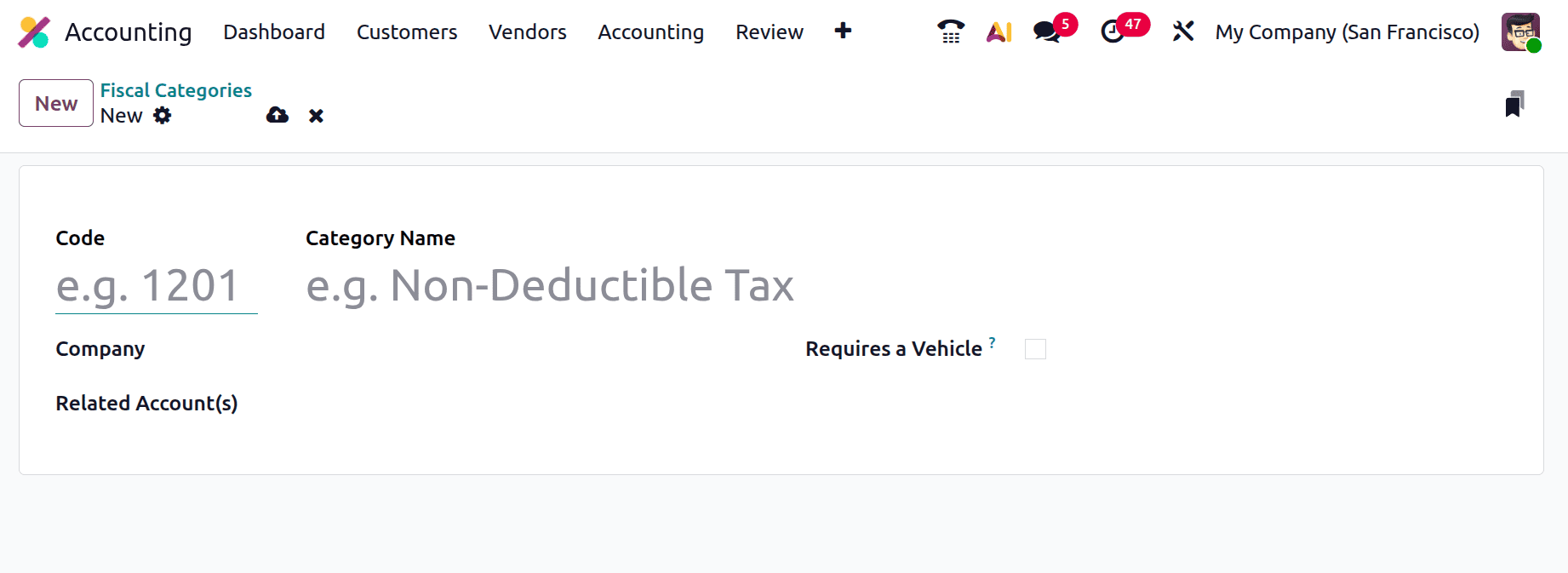
An additional and highly practical feature in fiscal category configuration is the Requires a Vehicle option. This field is particularly useful for organizations that manage vehicle-related expenses, such as logistics companies, sales-driven organizations, or businesses with large corporate fleets. When this option is enabled, Odoo ensures that only expenses linked to a registered vehicle can be assigned to that fiscal category. This helps enforce compliance with tax regulations that require vehicle identification for certain deductions or special tax rates.
For example, in some regions, fleet expenses may be partially deductible or subject to special VAT rules depending on vehicle usage. By enabling the Requires a Vehicle option, businesses can accurately track which expenses qualify for specific fiscal treatments and avoid incorrect tax claims. This feature not only improves compliance but also enhances transparency and traceability during audits or financial reviews.
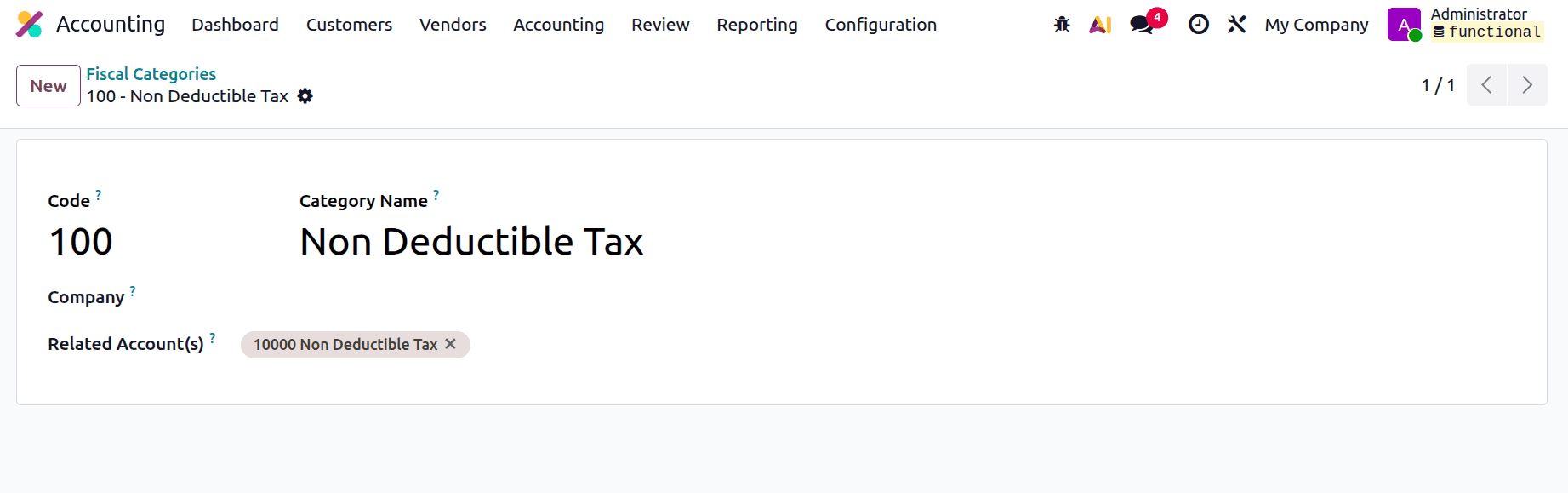
Here, a new Fiscal Category was created named Non-Deductible Tax. Here, the Related account i s also named as “Non Deductible Tax”. Save the created Fiscal Category.
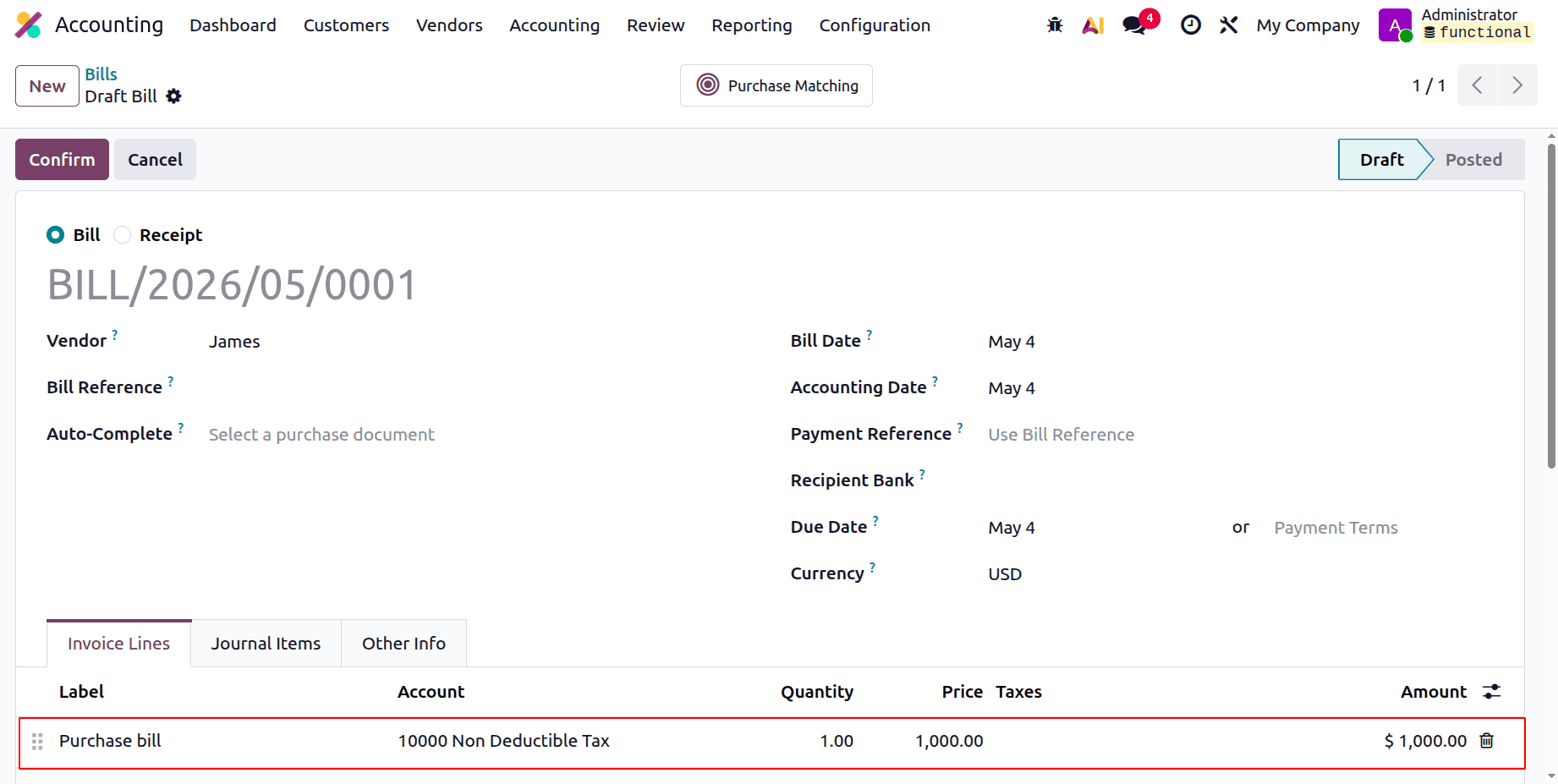
Let's create a new bill. Here, the Vendor is James, and add the product. Here, the chosen account is the same one that we mentioned inside the Fiscal category. Then confirm the bill.
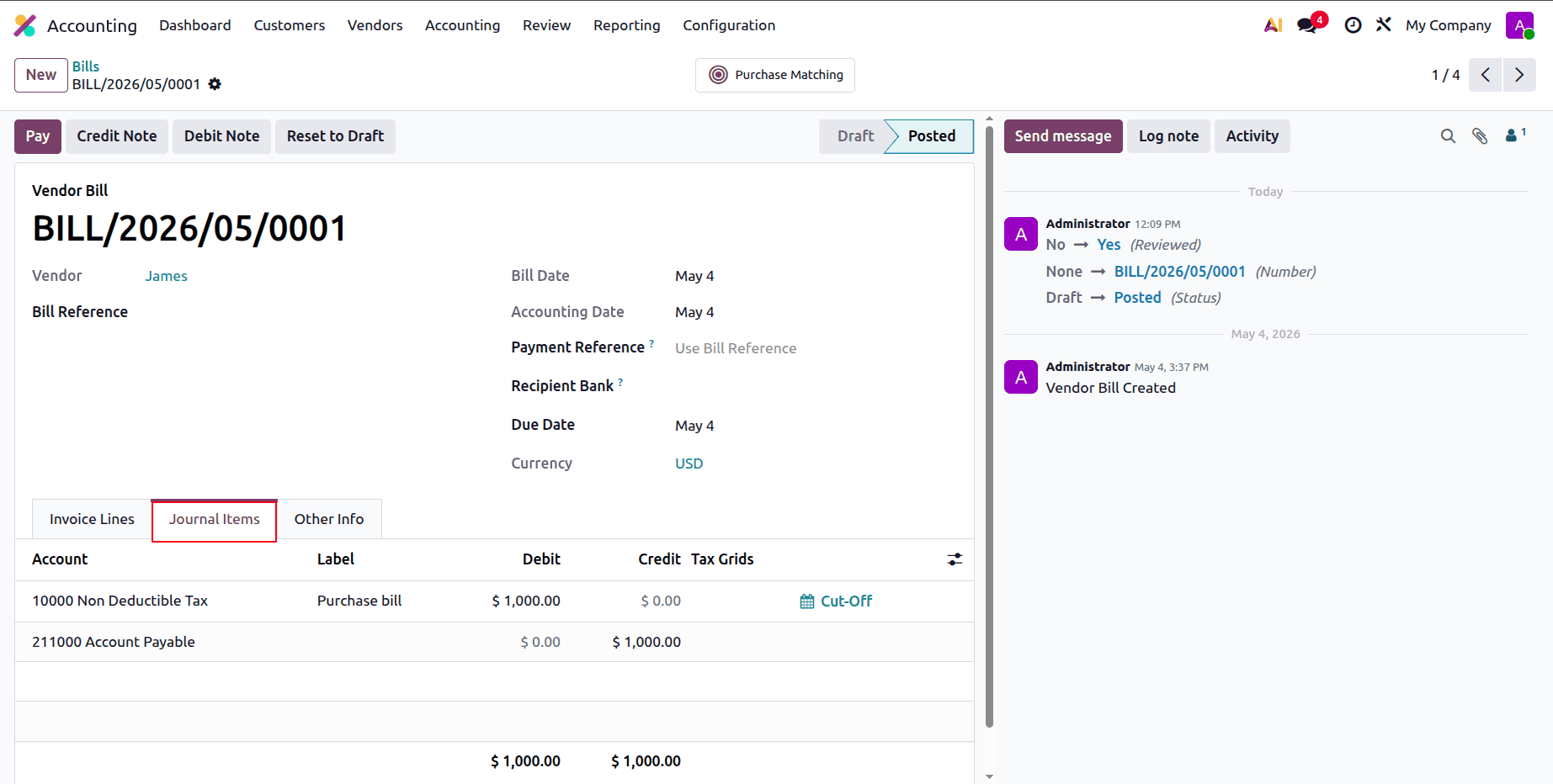
Let's check the Journal Items. Here,e the Non-Deductible Tax account is debited, and the Account Payable is credited with the total amount.
The redesigned Fiscal Categories framework in Odoo 19 provides a more streamlined and adaptable approach to managing region-specific and industry-specific tax treatments. Businesses operating across multiple countries or sectors often face varying tax regulations, deduction rules, and reporting requirements. Odoo 19’s flexible fiscal category configuration allows companies to adapt quickly to these complexities without restructuring their accounting setup or duplicating configurations unnecessarily.
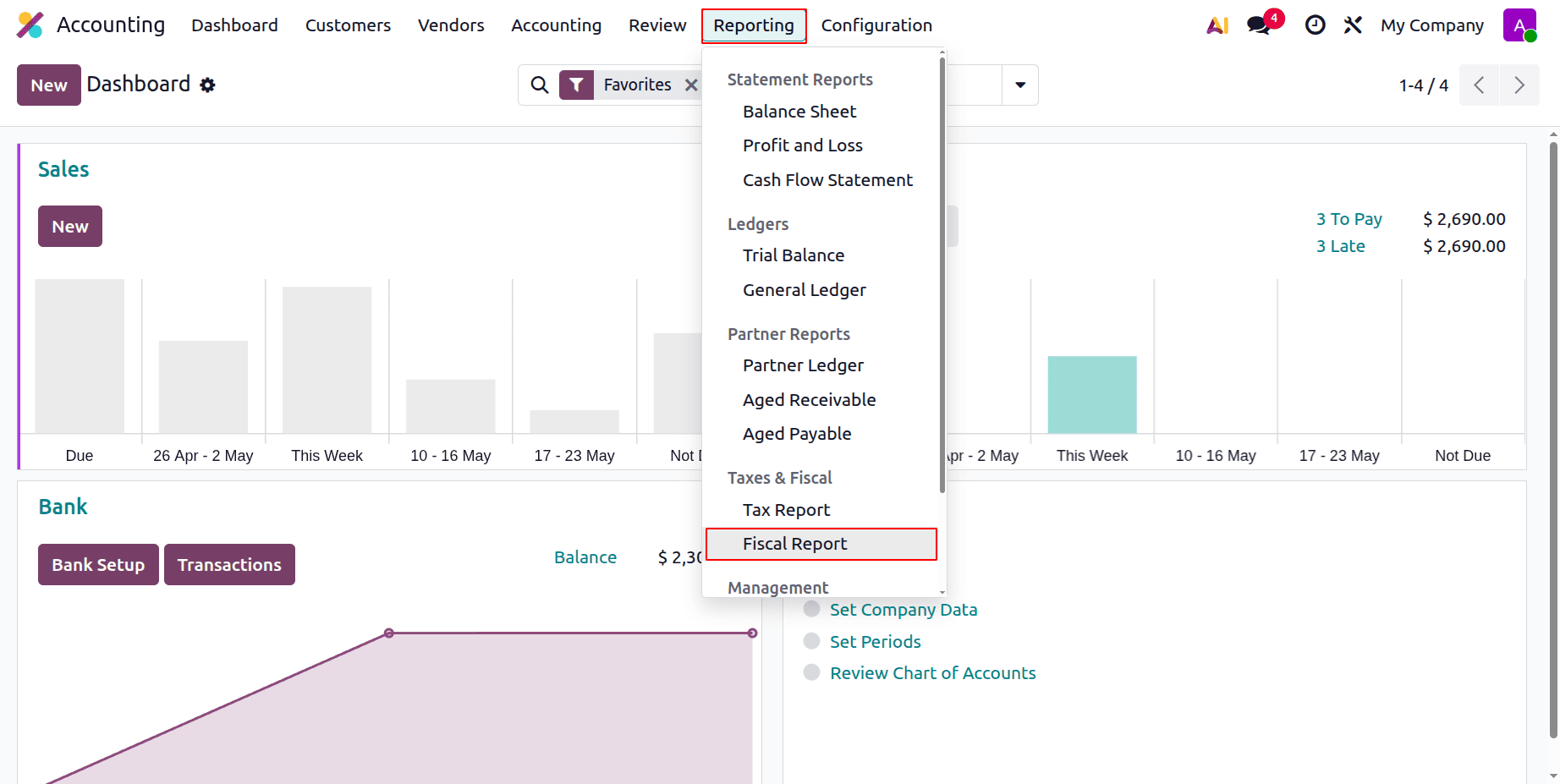
Let's check the Fiscal Report next. This is available in the Reporting menu under the Taxes & Fiscal section.
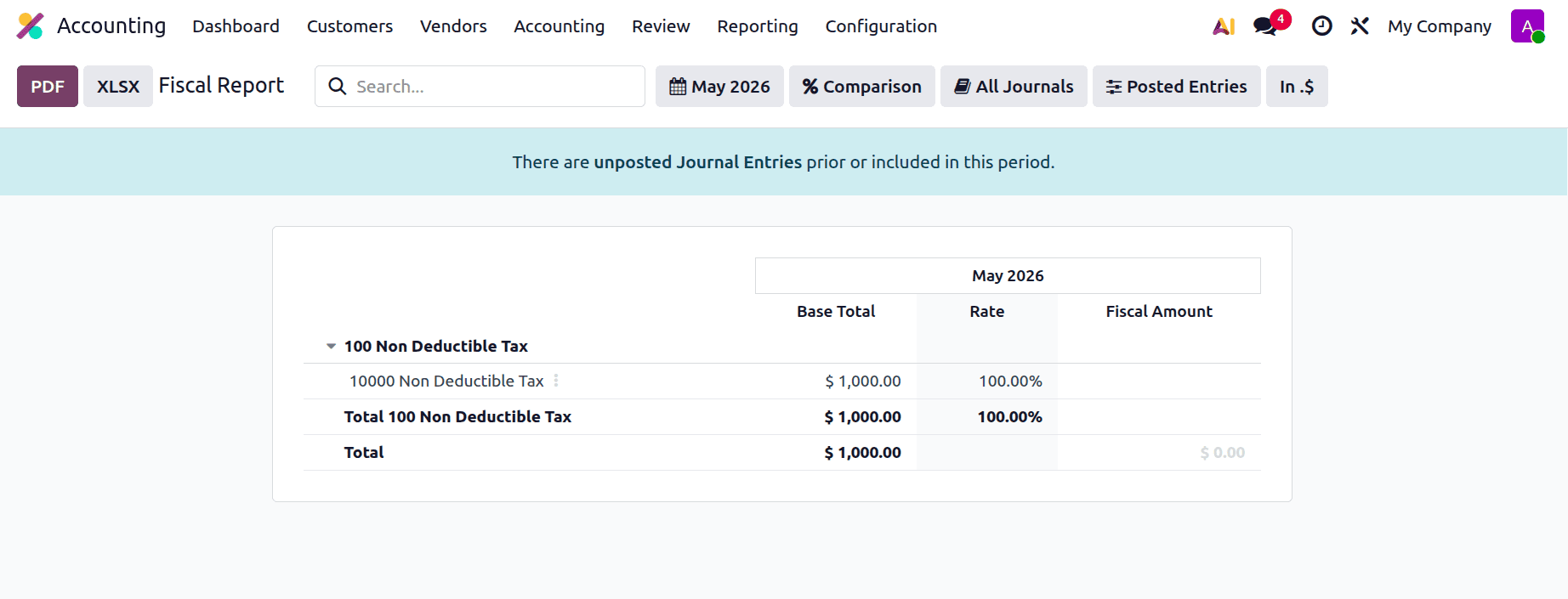
The Fiscal report will be shown below. This shows the account, base total, rate, and the fiscal amount.
From a reporting perspective, the improved fiscal category system also enhances financial accuracy. Since fiscal behavior is clearly defined and consistently applied at the account level, financial statements, tax reports, and analytical views reflect correct tax treatments. This reduces manual adjustments, minimizes errors, and supports better decision-making based on reliable financial data.
In addition, the new approach simplifies ongoing maintenance. Changes in tax legislation, company policies, or accounting practices can be handled by updating account-level settings rather than redesigning fiscal categories. This makes Odoo 19 particularly suitable for businesses operating in dynamic regulatory environments, where flexibility and responsiveness are essential.
Overall, Managing Fiscal Categories in Odoo 19 is more efficient, precise, and scalable than in previous versions. By shifting fiscal logic to accounts while maintaining centralized category management, Odoo 19 strikes a balance between simplicity and flexibility. Businesses benefit from reduced configuration complexity, improved tax accuracy, and stronger compliance controls, all while maintaining a clear and organized accounting structure. This enhancement reinforces Odoo 19’s position as a robust and future-ready accounting solution for businesses of all sizes.
To read more about How to Enable and Use the Accounting Firms Mode in Odoo 19 Accounting, refer to our blog How to Enable and Use the Accounting Firms Mode in Odoo 19 Accounting.