The Odoo 19 Follow-up Levels feature in the Accounting module helps businesses automate and streamline the management of overdue customer payments. It enables organizations to define a structured payment reminder process based on invoice due dates and customer outstanding balances. Using configurable follow-up stages, Odoo automatically triggers reminder emails, follow-up letters, SMS notifications, or internal actions according to predefined delay periods. Each follow-up level can include customized communication templates, responsible users, automatic activities, and collection instructions to improve receivable management efficiency. The feature is tightly integrated with Customer Invoices, Accounts Receivable, and Partner records, allowing accountants to monitor payment status and follow-up history directly from the system. By automating debt collection workflows and reducing manual tracking efforts, Follow-up Levels in Odoo enhance cash flow management, improve customer communication, minimize overdue receivables, and support a more organized financial collection process throughout the organization.
Configuring Follow-up Levels
In Odoo 19, Follow-Up Levels can be configured directly from the Accounting module to automate overdue payment reminders and improve receivable management efficiency. The configuration menu allows accountants to define multiple follow-up stages based on invoice due dates and customer payment delays. Each level can include automated email reminders, SMS notifications, follow-up letters, internal notes, and scheduled activities for the responsible user. Businesses can customize delay periods, communication templates, and collection actions according to their financial workflow requirements. This automated follow-up mechanism reduces manual tracking efforts, improves customer payment communication, minimizes overdue invoices, and enhances cash flow management. By integrating Follow-Up Levels with Customer Invoices and Partner records, Odoo 19 provides a centralized and streamlined approach to payment collection management.
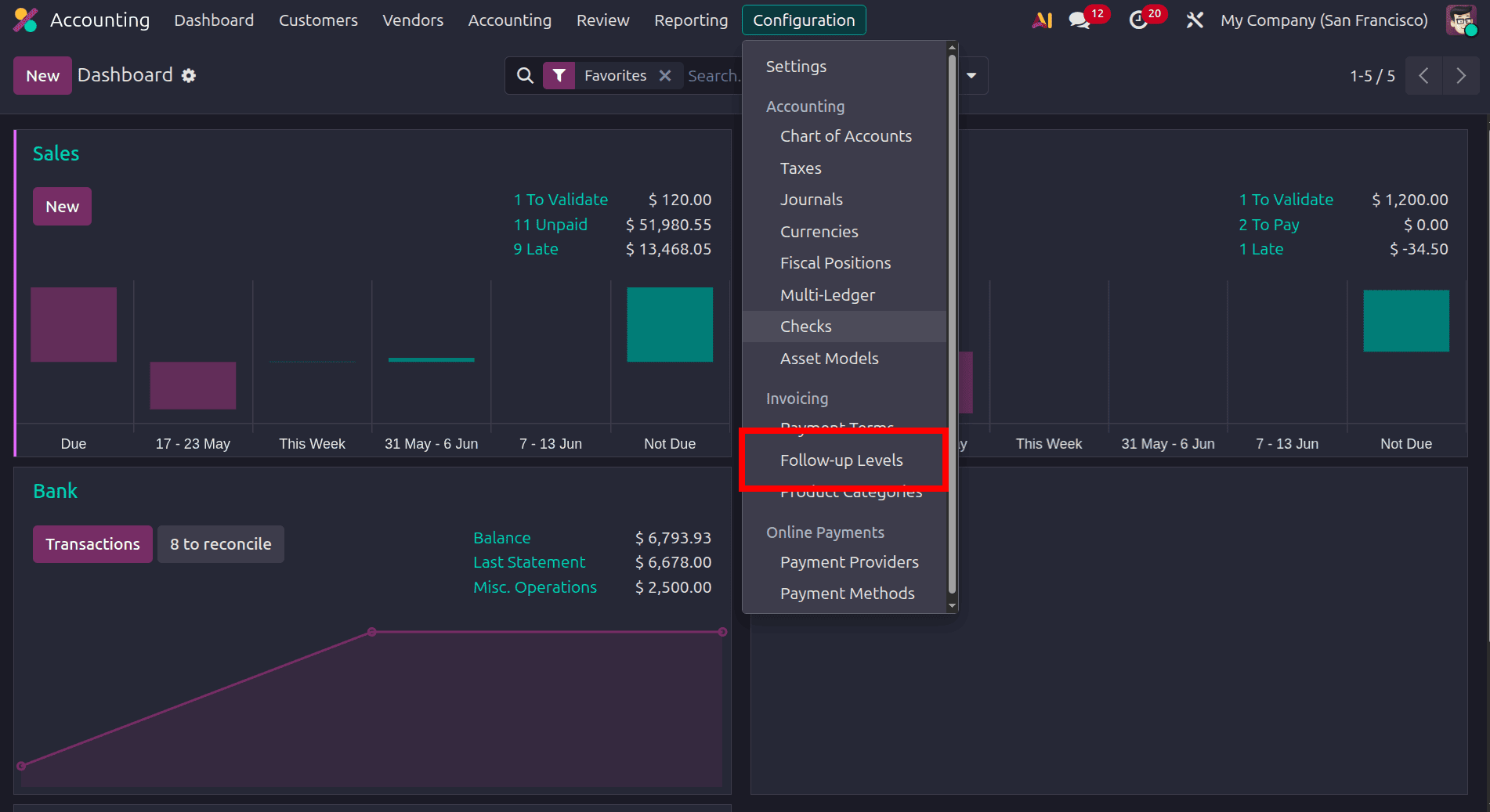
Then, we can see all the follow-up levels that are already created. To create a new follow-up level.
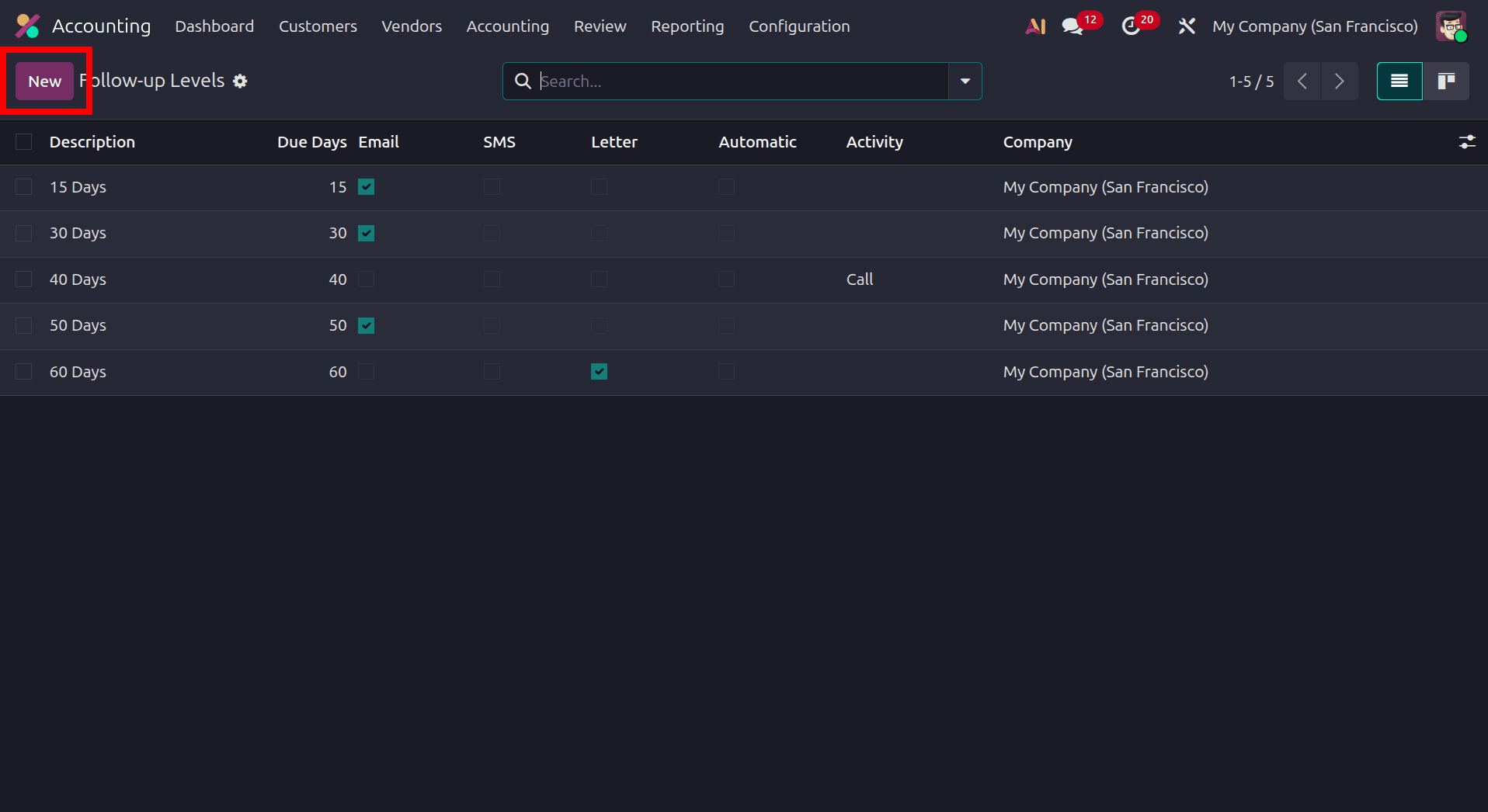
We can add the name of the follow-up and the field Reminder 0 after the due date, which defines the delay period for triggering the payment reminder action. The value “0” is fully configurable and represents the number of days after the invoice due date when the follow-up reminder should be sent to the customer. If the value is set to 0, Odoo automatically sends the reminder on the exact due date of the invoice. Then, under the Action section, we have email, sms, and letter. If we are sending the reminder by email, enable the checkbox; similarly, we can use the SMS and Letter options. If we enable email, there will be the option to add the email template to share with the customer.
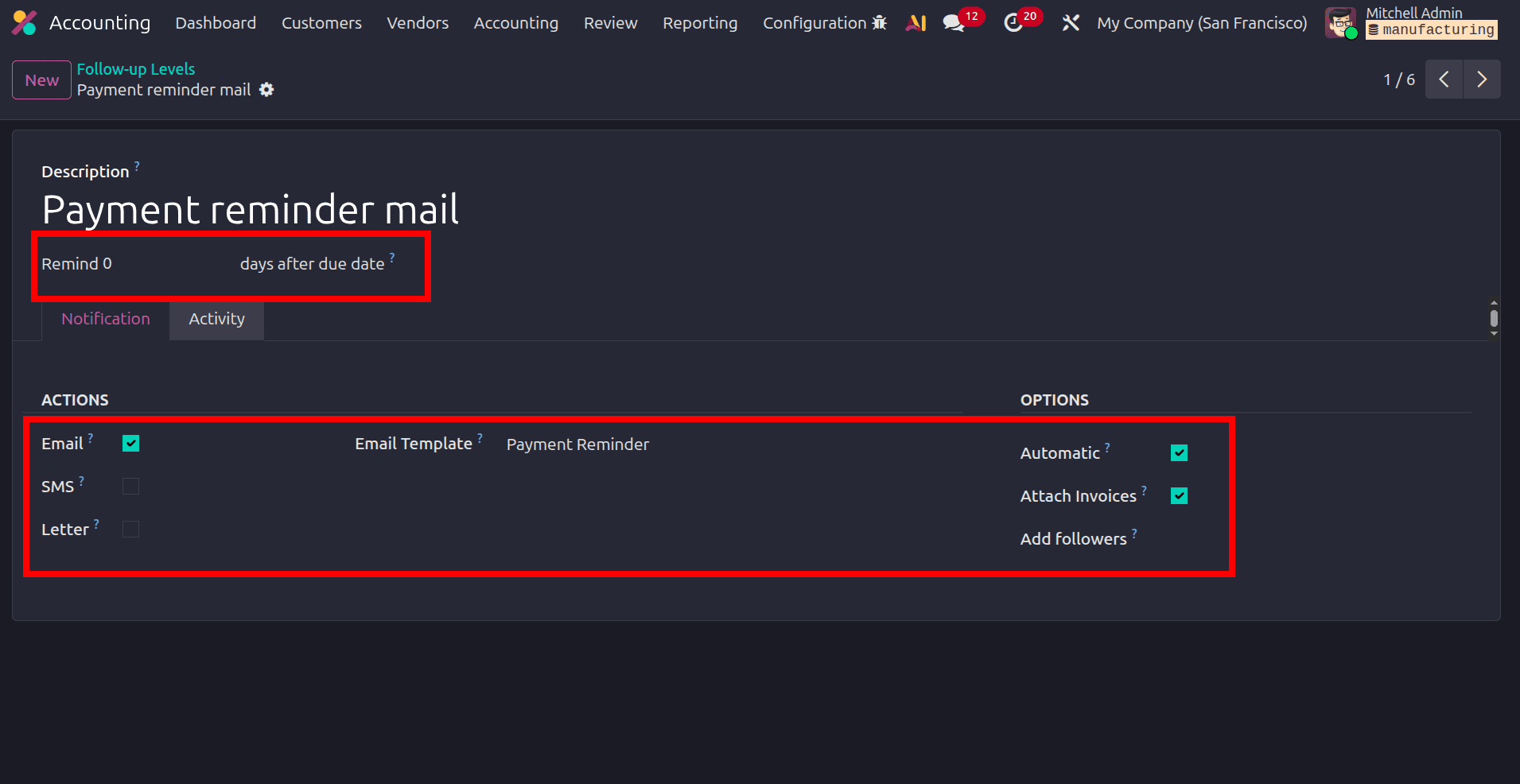
Under the Actions section, there is the option Email, which we can use to send an email reminder to the customer if we enable the checkbox, Email Template, which specifies the template used for the email content, usually containing invoice and payment details. If SMS is enabled, we can send an SMS reminder to the customer's phone number. When the letter is generated, it generates a printable letter (PDF) that can be mailed to the customer. If enabled Automatic, Odoo will send reminders automatically once the conditions are met, without manual intervention. The Attach invoices option can be used to share the invoice along with the reminder. If the configurations are added, click the save button and save it.
To check how the configured follow-up levels work, move to the list of invoices and create a new invoice for a customer.
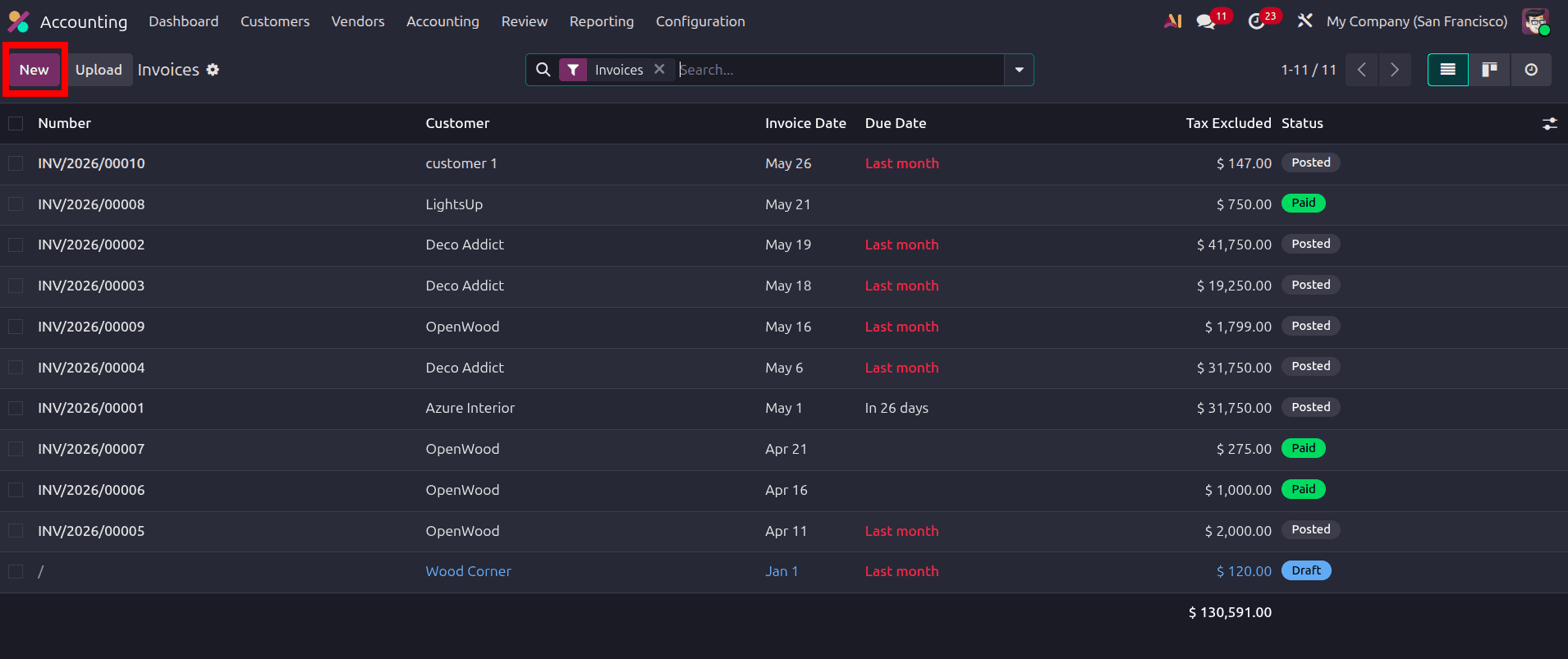
Click the New button and create a new customer invoice. In the invoice, once the product details and customer details are added, there will be the option to add the due date of the invoice.
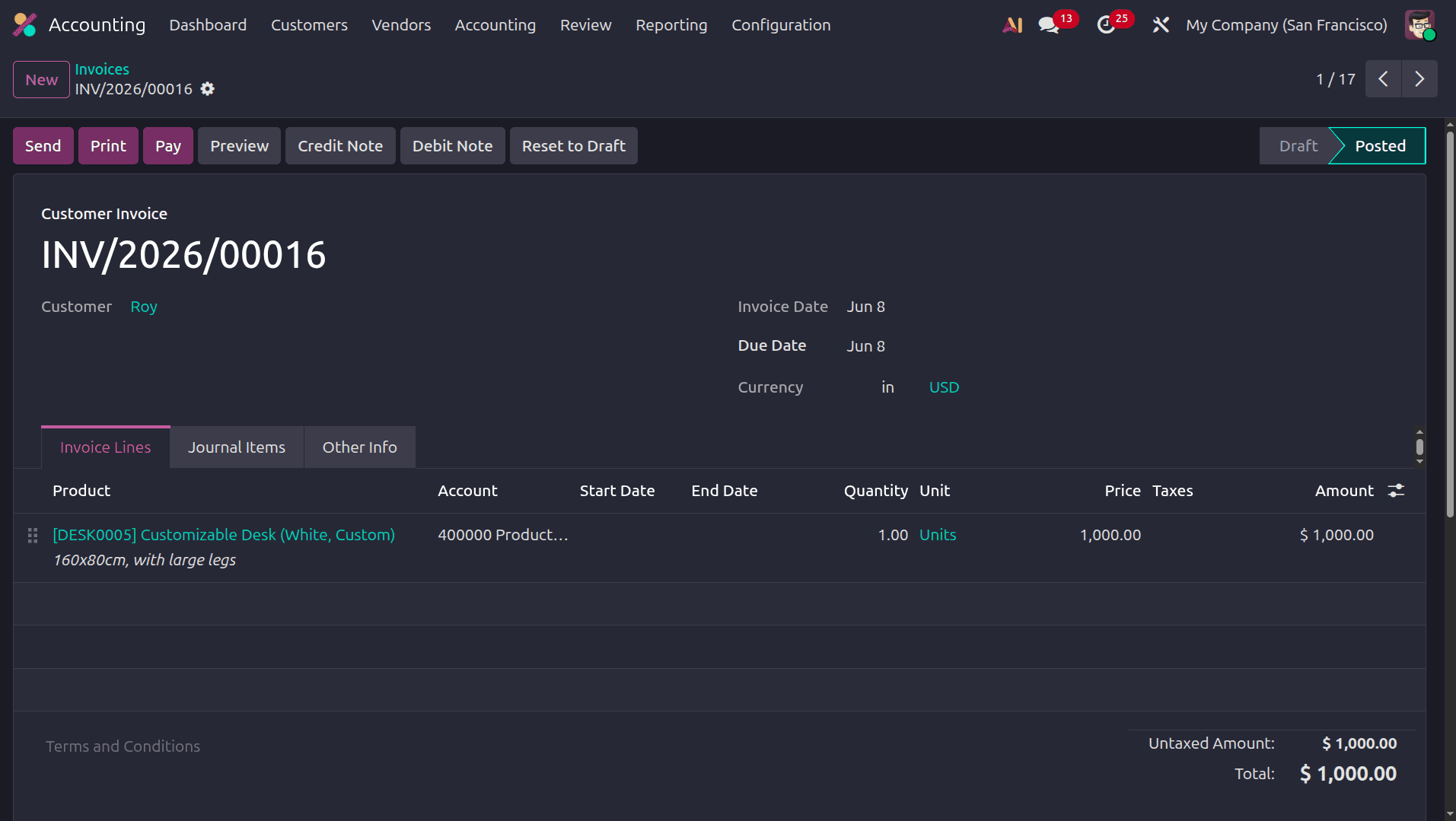
Click the confirm button and confirm the invoice. Then, after this, when we move back to the list view of the invoice, there will be the due dates. We can set the due date directly, or we can add the payment term, and the due date will be added as per the payment term.
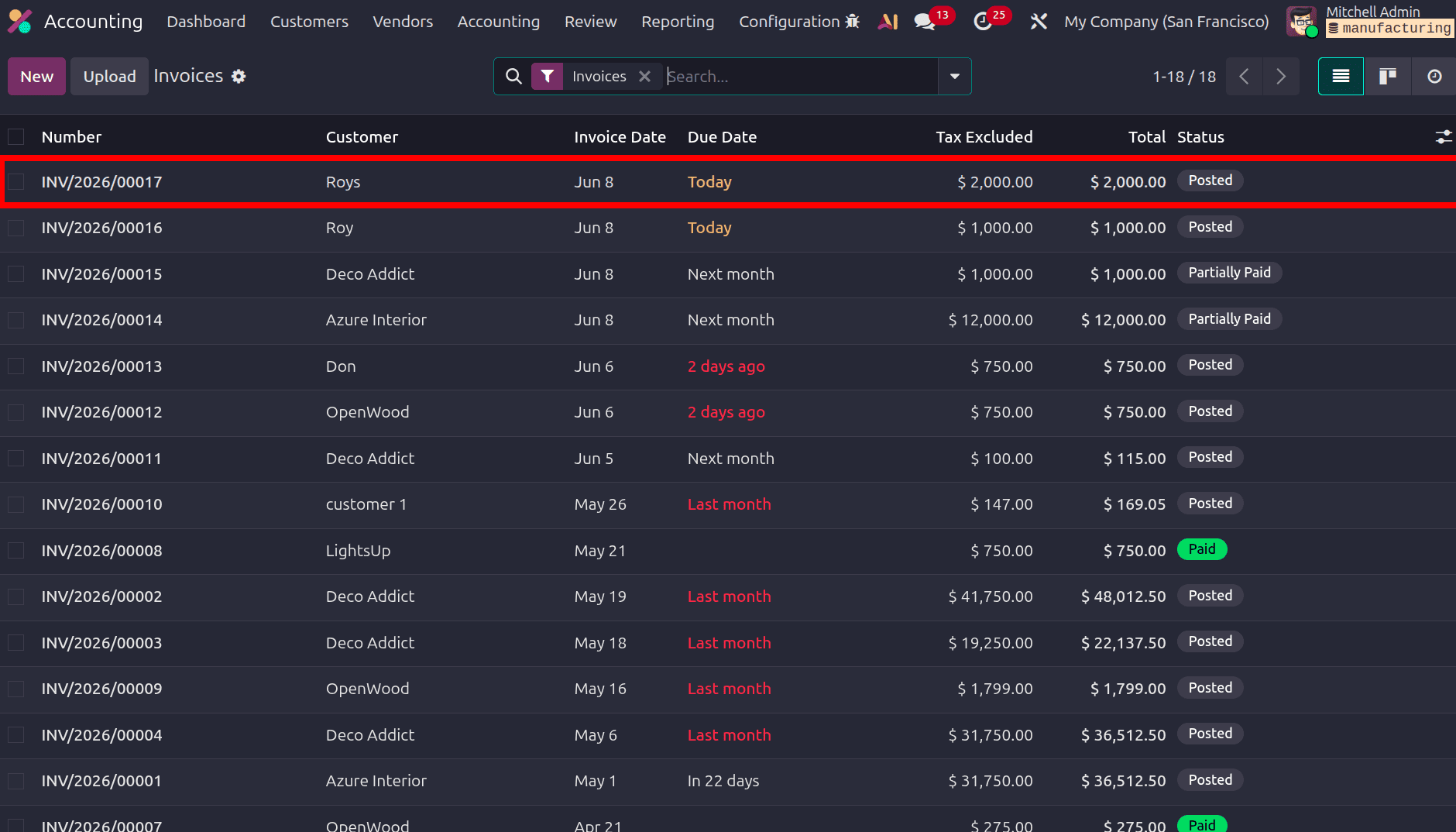
In the list view, we can see the due date of the invoice as today. Then, after a few days, when we move to the customer and open their specific account, we can see the follow-up as per the due date of the invoice.
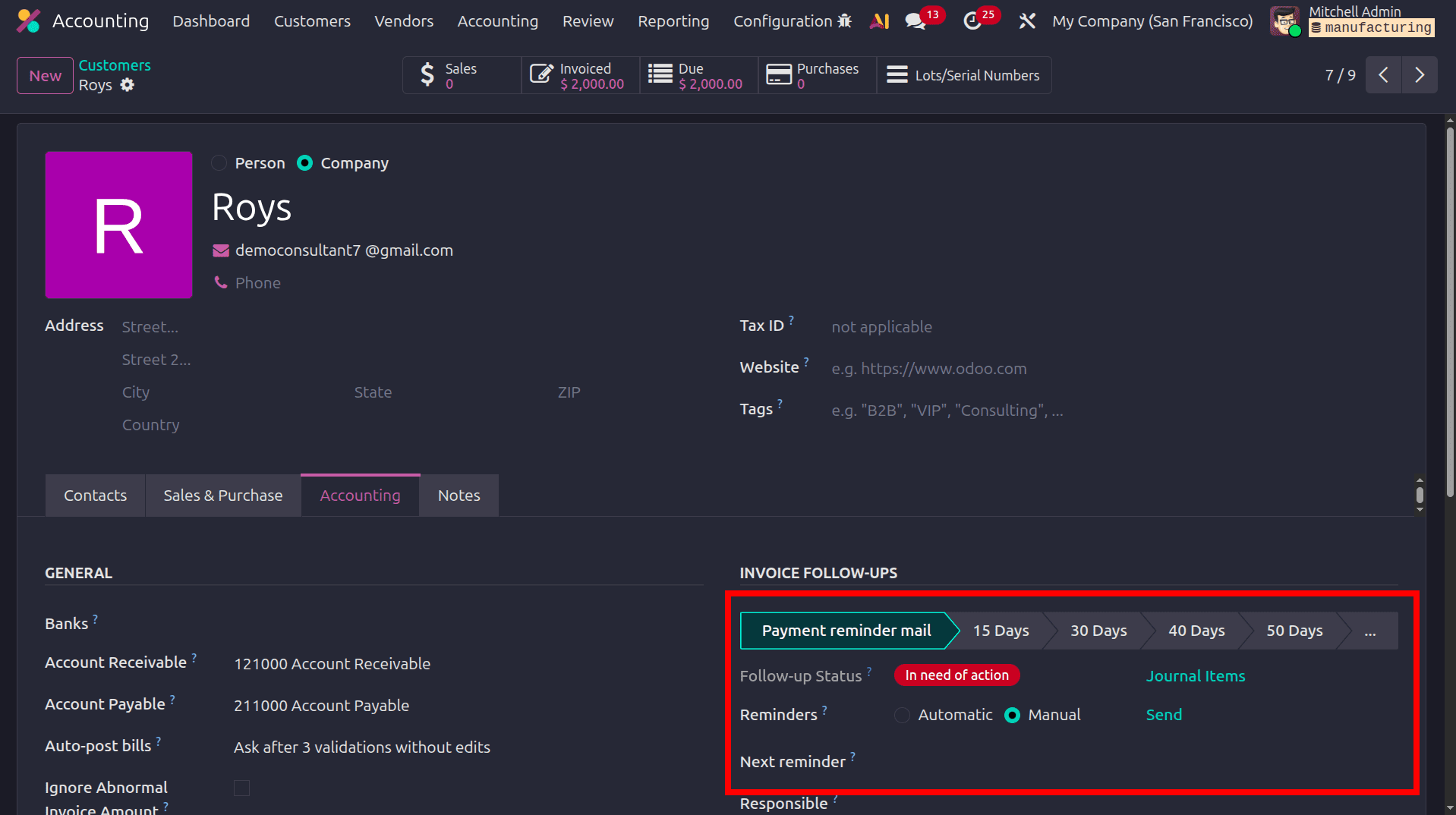
Here we can see that for the follow-up ‘Payment reminder mail’ which we have created, follow-up status as In need of action. For the field Reminders, there are two options: Automatic and Manual. If we set this as automatic, the reminder will be shared with the customer automatically. Here, the reminders are set as manual, so click the send button to share the reminder with the customer. And the customer will receive the reminder in their emails.
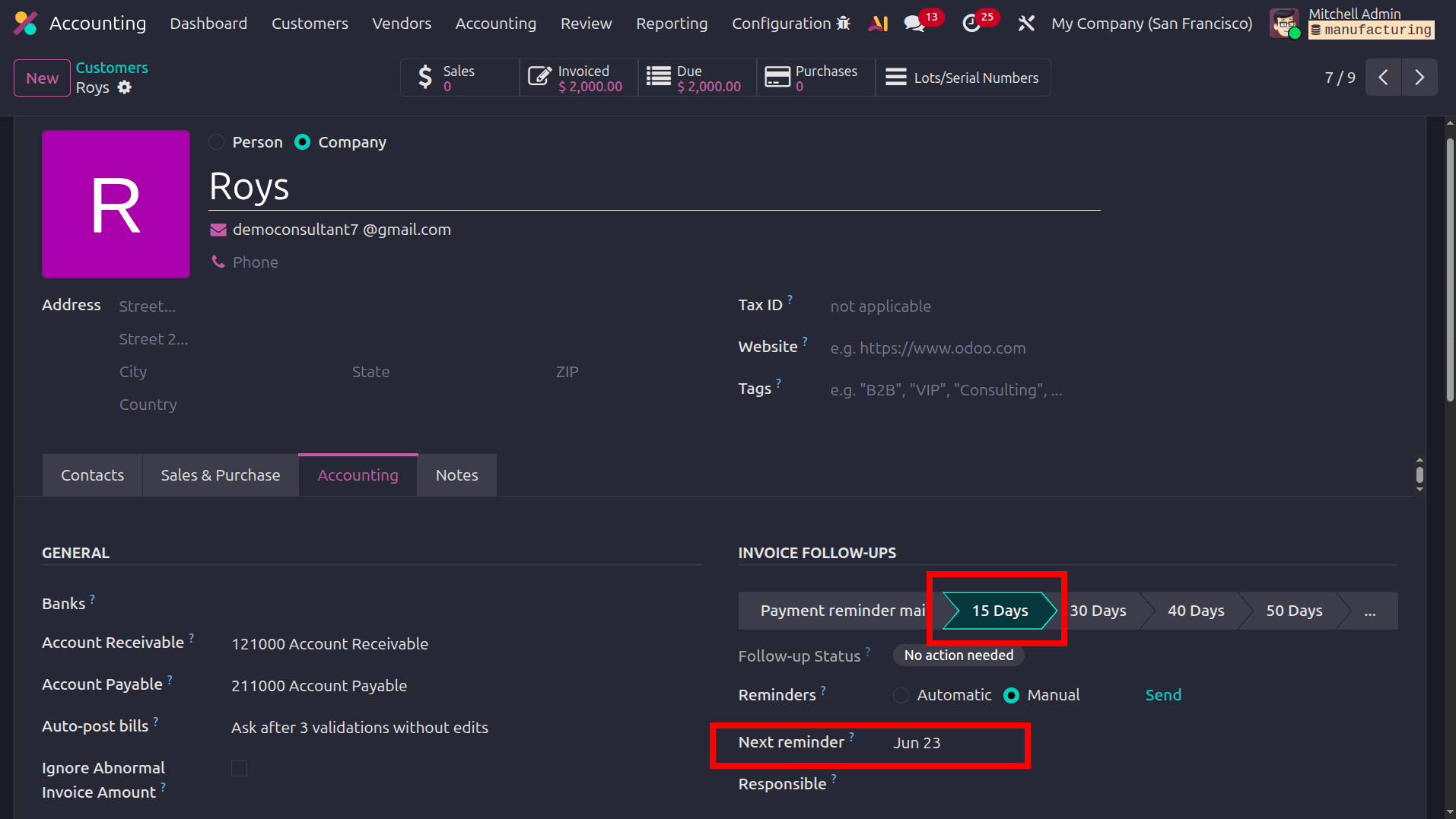
Then Odoo will automatically set the next reminder as per the next follow-up levels, which are already configured.
Odoo 19's Follow-Up Levels feature within the Accounting module provides a powerful, automated approach to managing overdue Customer Invoices and Accounts Receivable. By configuring structured follow-up stages with customized delay periods, email templates, SMS notifications, and printable letters, businesses can significantly reduce manual intervention in their debt collection workflows. The seamless integration with Partner records and the ability to toggle between Automatic and Manual reminder modes give accountants complete control over the payment collection process. With real-time follow-up status tracking and automated scheduling of next reminders, Odoo ensures improved cash flow management, minimized overdue receivables, and a more efficient, organized receivable management experience across the organization.
To read more about Overview of Follow-up Levels and Follow-up in Odoo 18, refer to our blog Overview of Follow-up Levels and Follow-up in Odoo 18.