Employees’ salaries can be determined by the proper determination of wages, which take into account their job positions, salaries, allowances, deductions, and other factors. The proper determination of wages guides an organization on how to pay its employees.
Odoo is an efficient open-source ERP solution that offers a host of business management functionalities. Organizations can make use of Odoo to carry out different activities, including those in HR, which involve employee management, attendance tracking, and payroll management, among others. Of the many modules in Odoo, the Payroll module helps in handling employee salaries.
According to payroll, it refers to the amount of money paid by the company to the employees. In order to calculate the salary of an employee, there are various factors that need to be considered, such as salary, the number of hours put in work, overtime payments, and others. With the proper configuration of the settings, companies will be able to automate the process of salary calculation.
When an employee gets hired in a company, an employment contract is usually made to specify important parameters such as designation, salary, working environment, and others. This information can be configured in Odoo, which will help the software in calculating the salary of an employee.
The Payroll module in Odoo assists you in making different configurations for different salary structures and payroll for different job positions. Once this configuration is done, you may use it to generate the salary slip of the employee automatically.
In this article, we will see how to configure the salary structure and payroll rules in Odoo and the usage of such configurations for generating the salary slip of the employees.
Before moving towards any configuration process, you need to install the Payroll module from the Apps menu. Once this module is installed, you may move forward and configure payroll details of different employees.
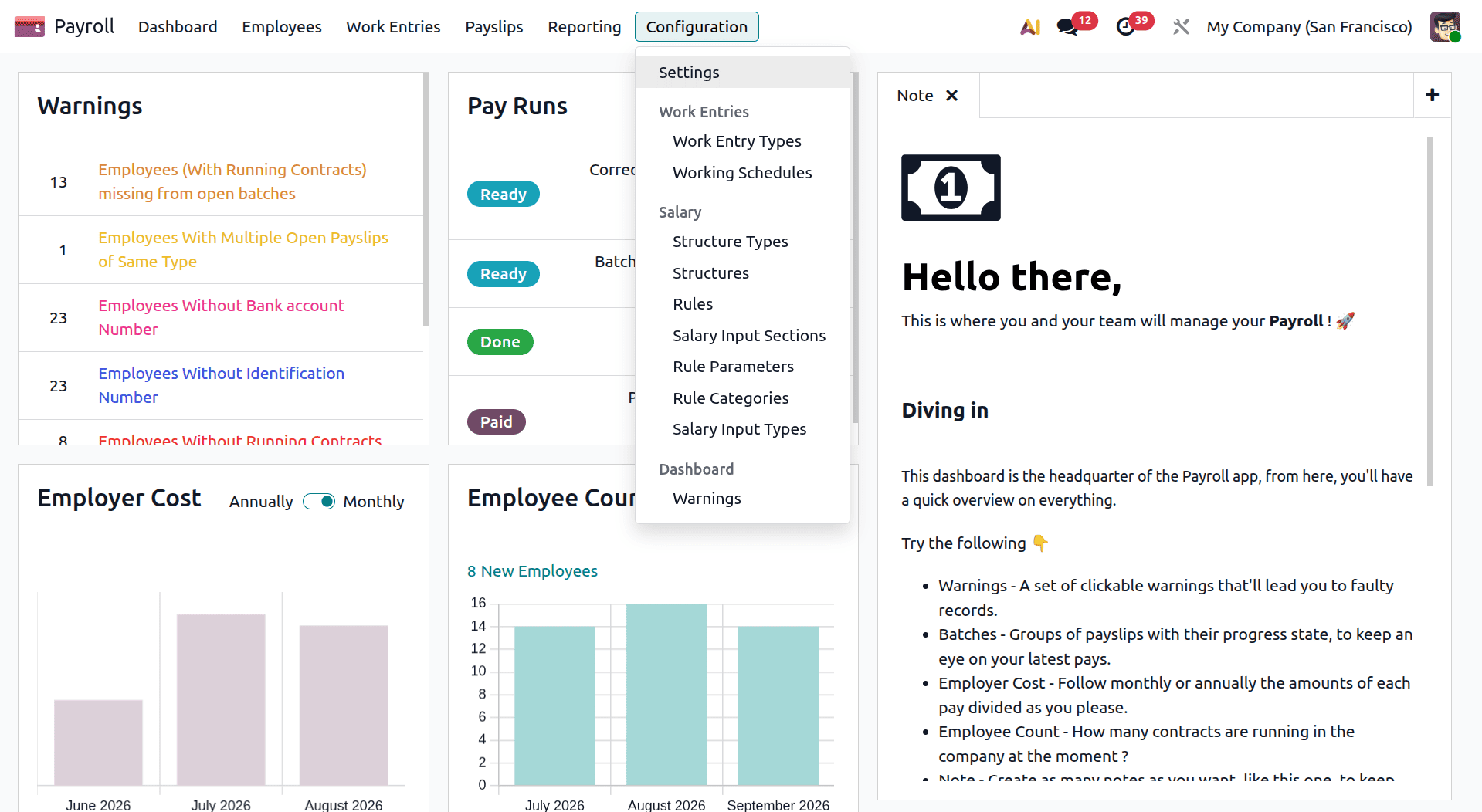
Before processing payments of the employees, it is possible to set up the payroll structures in Odoo based on the internal compensation rules.
These consist of Salary Structures and Salary Structure Types, Salary Rules, Salary Rule Parameters, Other Input Types, and the Salary Package Configurator that may be employed for defining the employee benefits, personal information, etc.
Each structure has its own function concerning the management and calculation of the employee salaries. The first structure to configure is the Salary Structure Type because it sets the main parameters for payroll processing.
Salary Structure Type
Salary Structure Type is a parameter specifying the basic principle of the calculation of the salary of an employee. The importance of this parameter is especially high when drawing up a contract of employment because the correct type of salary structure should be set in order to process the salary correctly.
For instance, one can establish separate types of salary structures for regular employees, workers, and trainees. Odoo provides the possibility to specify if the selected structure is based on the hourly rate or on the monthly salary.
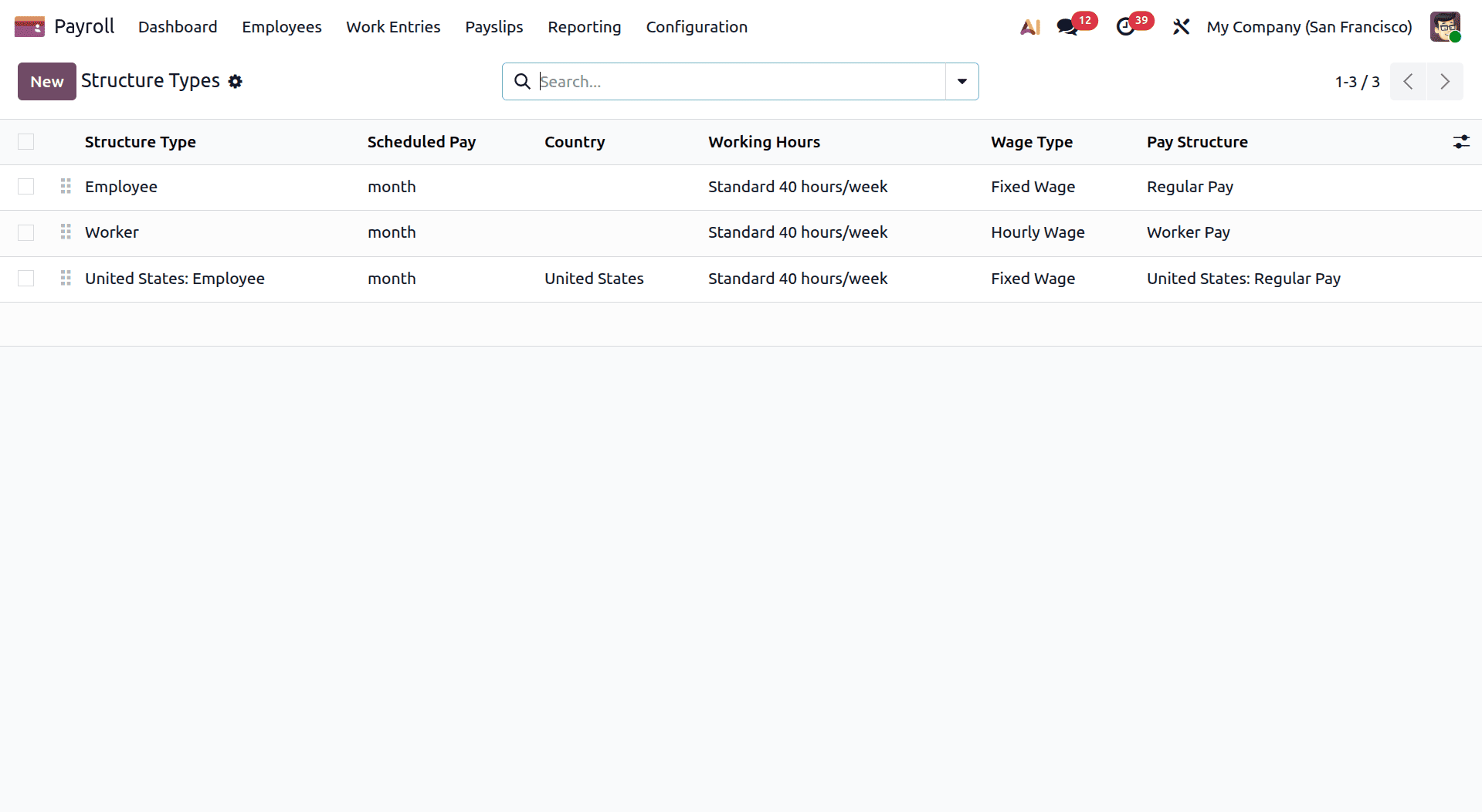
Salary Structure Type List allows one to get acquainted with the existing payment structures, which include information on the type of the structure, payment types, payments scheduled, and work schedule. Thus, it is convenient for managing the various salary structures in the company.
Creation of the new salary structure type is achieved by pressing the New button.
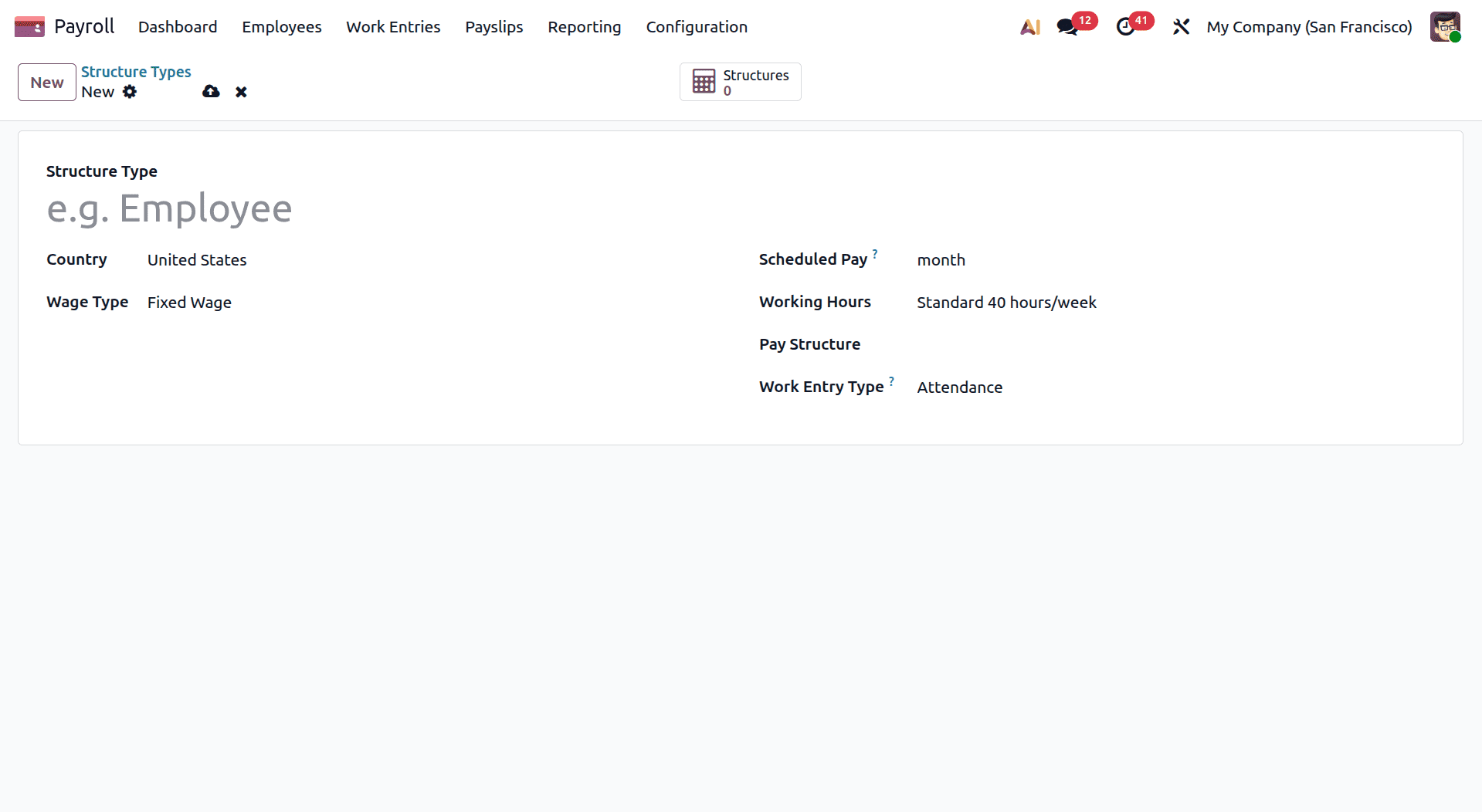
For setting up the new Salary Structure Type, one needs to fill in the Structure Type along with the required country in the respective fields. In Wage Type, selection of the wage as an hourly wage or a fixed monthly wage can be done.
Setting up Default Scheduled Pay can also be done with possible pay schedules like monthly, quarterly, annual, weekly, biweekly, or bimonthly. Then, entering the Work Entry Type, Pay Structure, and Working hours becomes possible according to the requirements of the payroll scheme.
After filling in all the required information, click on Save to set up the new salary structure type.
Structure
The Salary Structure module in Odoo gives the capability of creating different salary structures based on the job positions of the employees and the conditions of paying the salaries. A structured salary is important in preparing payslips since it indicates how the salary of each individual is to be calculated in each payroll period.
After connecting the salary structure to the details of the employee, Odoo uses the salary calculation rules to calculate the salary of the employee depending on his or her job position.
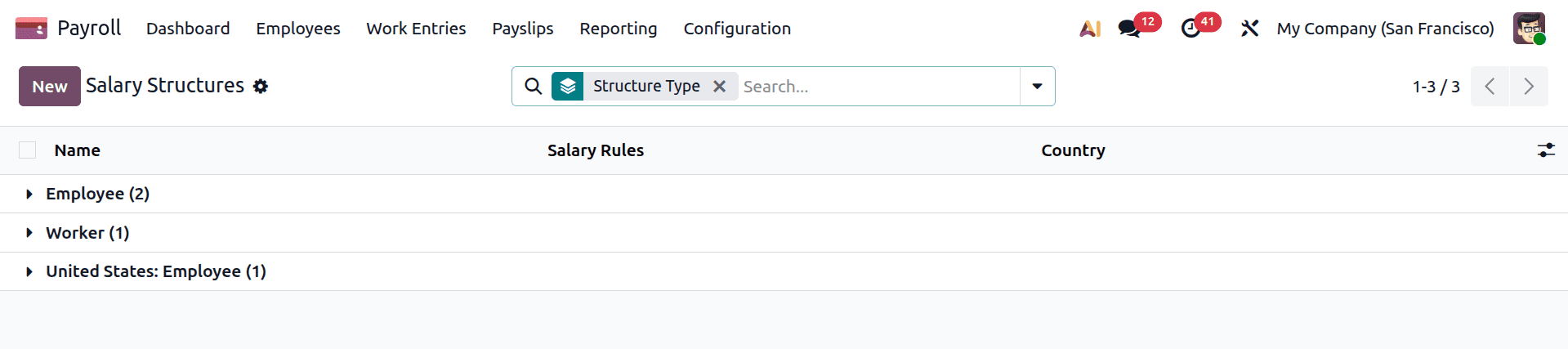
Under the “Salary Structures” tab, users can see all the different wage structures set up within Odoo, which is very convenient when selecting an option from the list. To create a new wage structure, click on “New.”
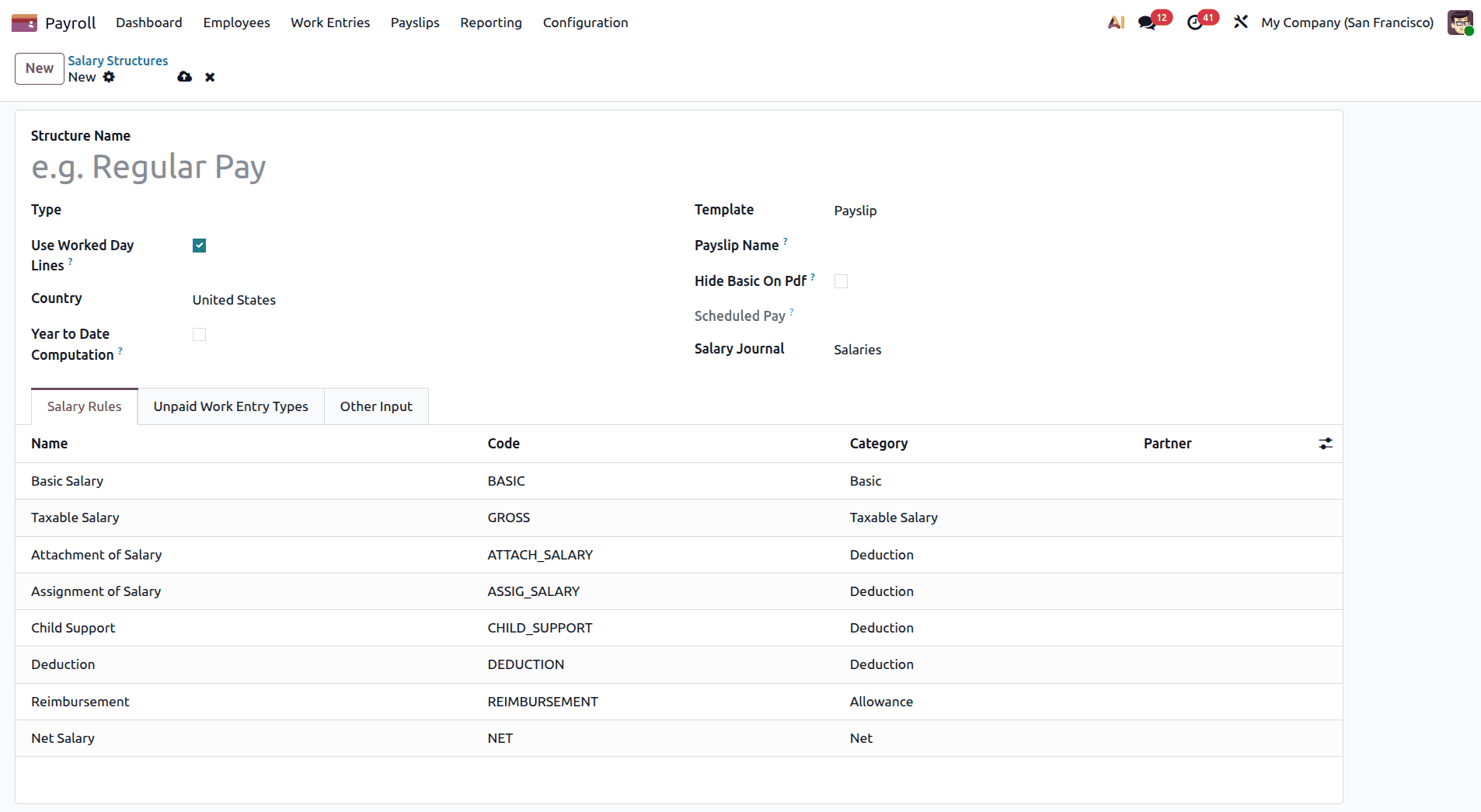
In case of building a new salary structure, the Structure Type and name of the structure should be selected first. Later on, you may set up the settings like Scheduled Pay, Report Method, Country, and Salary Journal as per your payroll needs.
Salary rules may be generated through the Configuration menu and included in the Salary Rules module within the structure. Such rules govern how the various parts of an employee’s salary are calculated.
Once you have entered all of the necessary information, click on Save to save the salary structure. Next, you will be able to set up the Unpaid Work Entry Types linked to this salary structure.
Salary Rule
Clear regulations concerning salaries become necessary when setting the total remuneration for an employee. The regulations become clear when it comes to how all the factors making up the salary should be calculated. All the regulations will affect the total net salary in one way or another.
All the payroll rules that have been defined will be available under the Salary Rules option found within the Configuration menu of the Payroll module in Odoo. This makes it easy for you to define and customize the rules as per your payroll requirements.
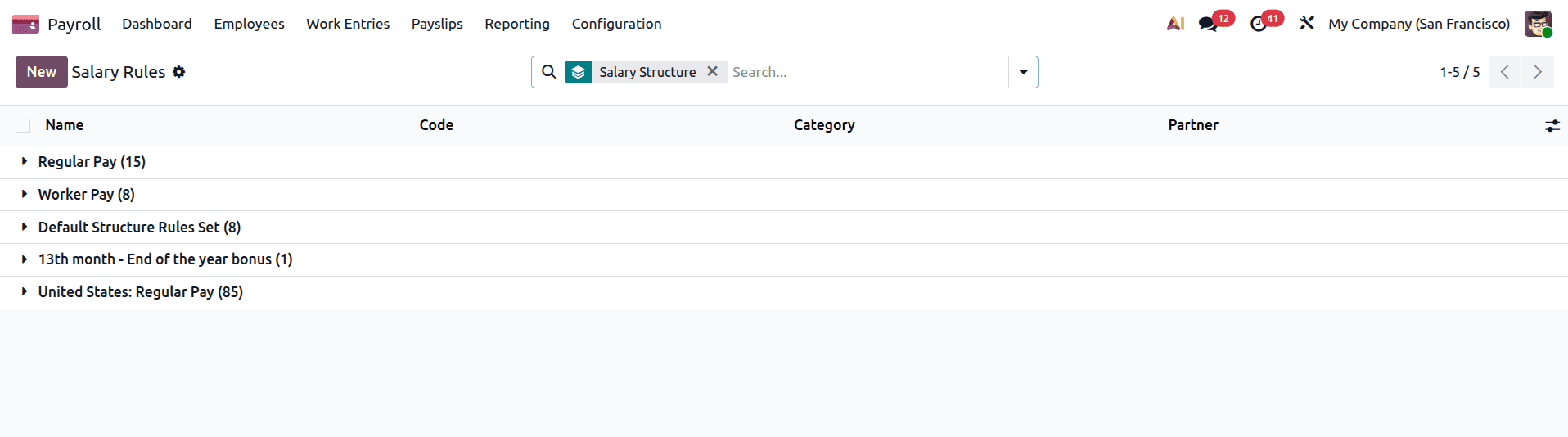
Creating a salary rule involves clicking on the “New” button and providing the necessary information. These rules can later be used to assign a particular salary structure that will be used while developing employees’ salaries. Salary rules are used to define the computation process of each salary element based on the set-up payroll rules.
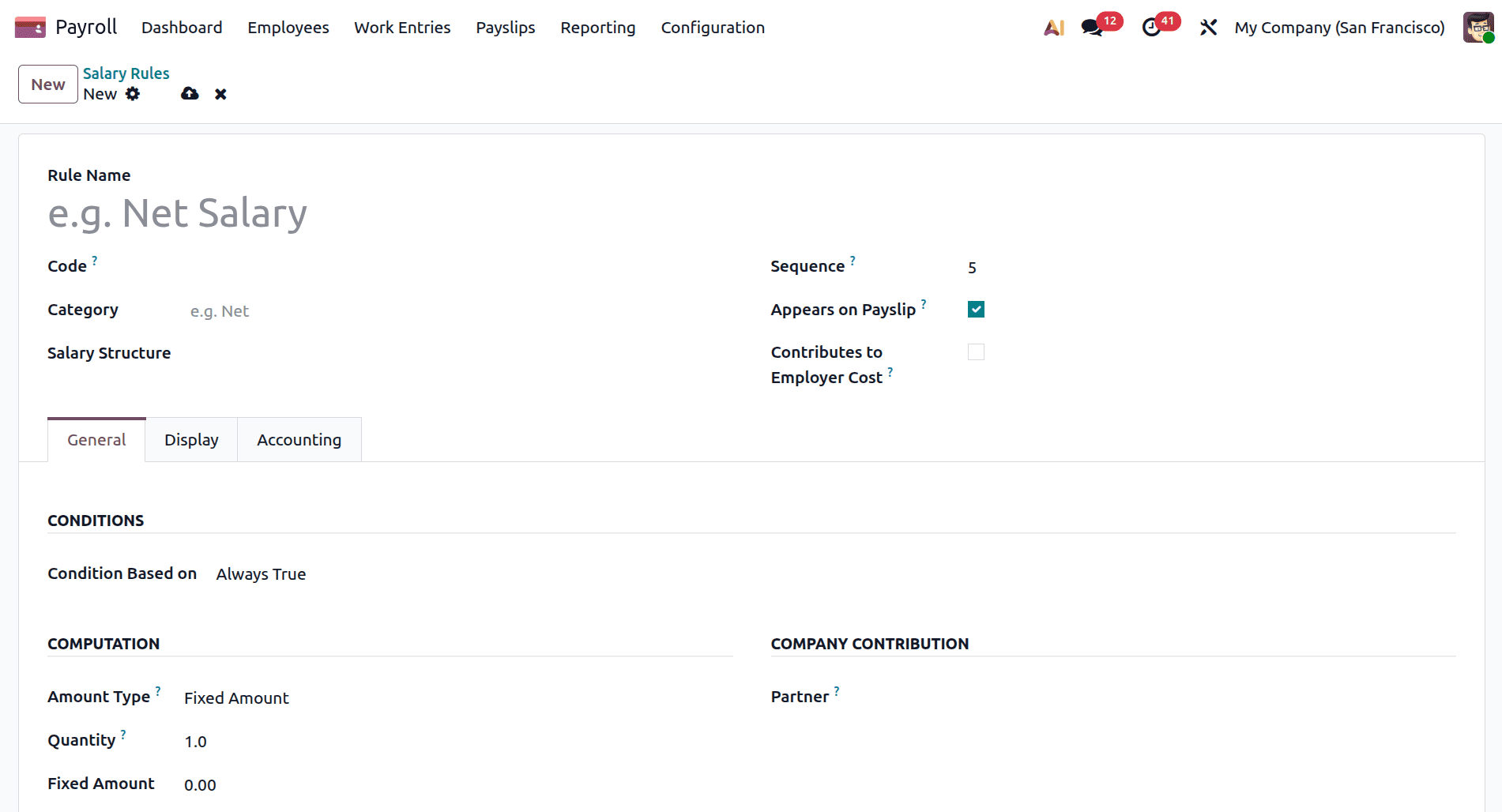
Provide a name for the salary rule along with choosing the right Pay category from the list such as Basic, Bonus, Allowance, Code, Sequence, or Salary structure. The use of these Pay Categories makes it easier for Odoo to categorize various elements of the salary of employees.
In the General tab, one may give the necessary information along with configuring the salary rule depending upon the needs of the payroll process.
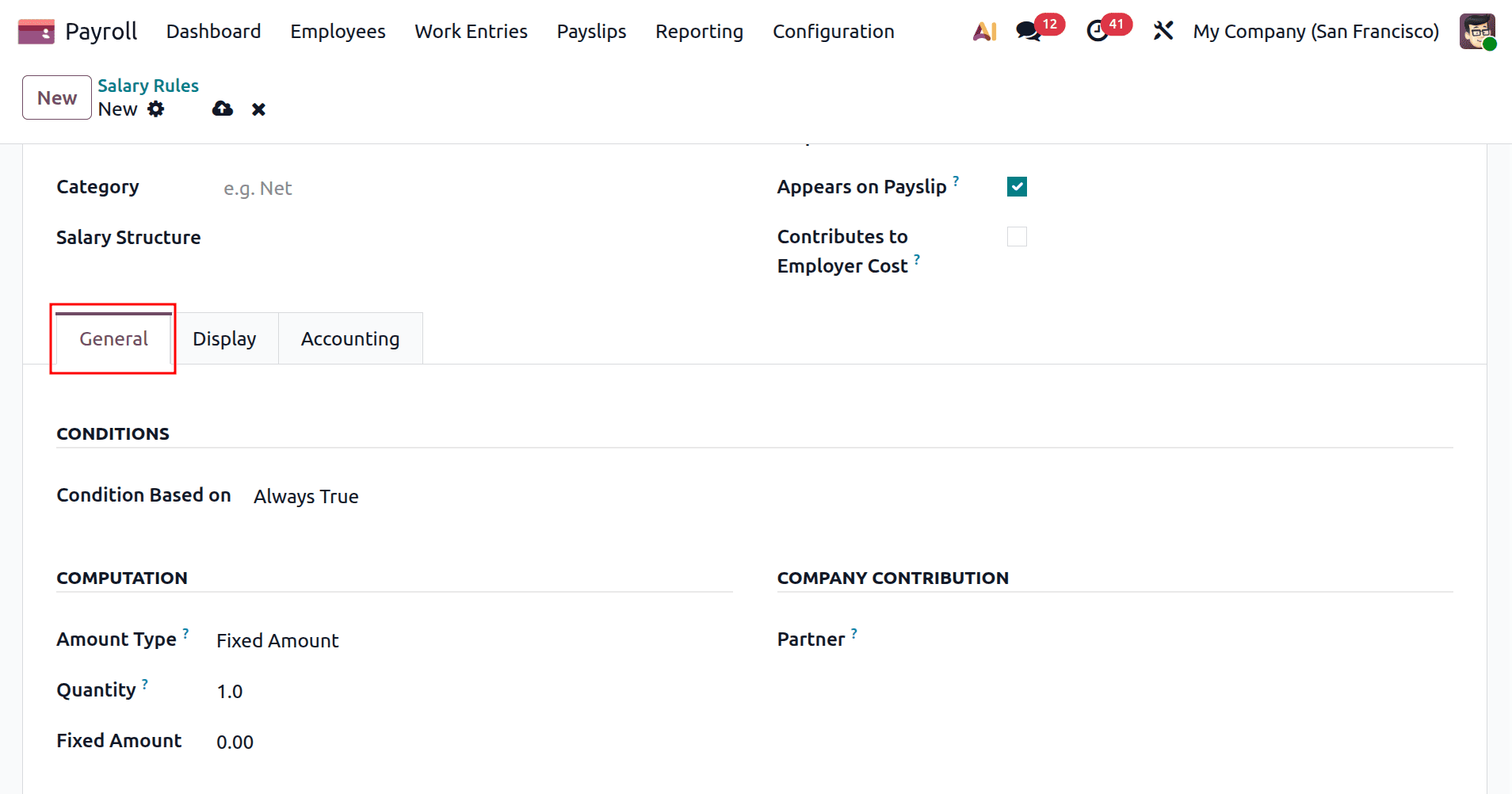
While creating a salary rule, you can choose a suitable condition from the Condition Based On field. There are different options provided by Odoo 19, such as Always True, Salary Input, Other Input, Python Expression, and Domain. Based on your choice, the fields are activated where you can define when you should apply the salary rule.
The Computation tab enables you to enter various details like Fixed Amount, Amount Type, and Quantity that help you compute the salary rule. You can also select the suitable Partner under the Company Contribution tab.
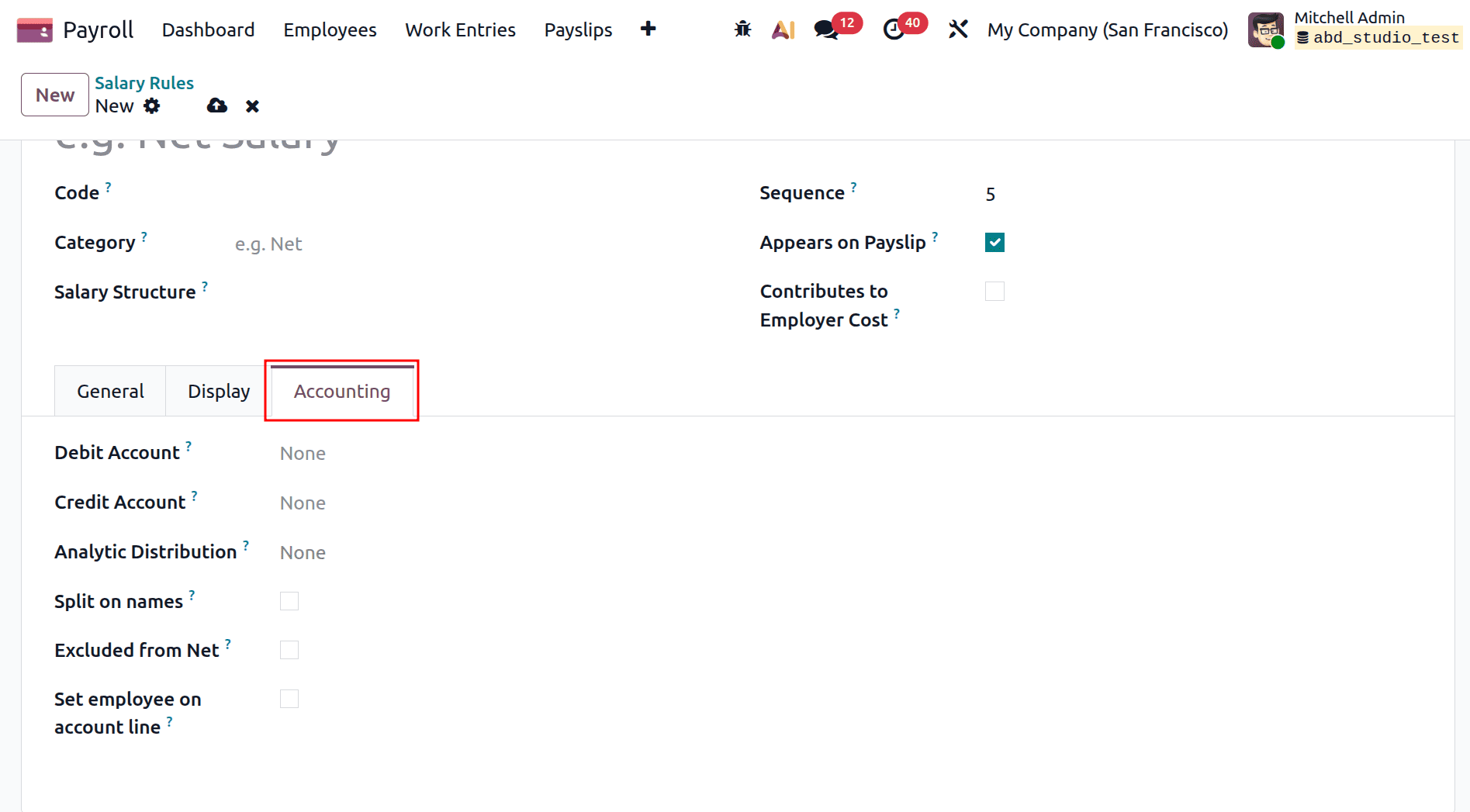
Through the Accounting tab, you will be able to specify the accounting data related to the salary rule, such as the Debit Account, Credit Account, and Analytic Distribution. Having set all the necessary data for the salary rule, save it and use it for the calculation of the payslip of employees.
Rule Parameter
Parameters can be created using the Salary Rule Parameters option under the Configuration menu. The creation of new parameters can be done by clicking on the New button.
They may be considered as reference values while defining a salary rule, which makes the process of payroll calculation easy. The options available for parameter creation can be viewed under the same menu.
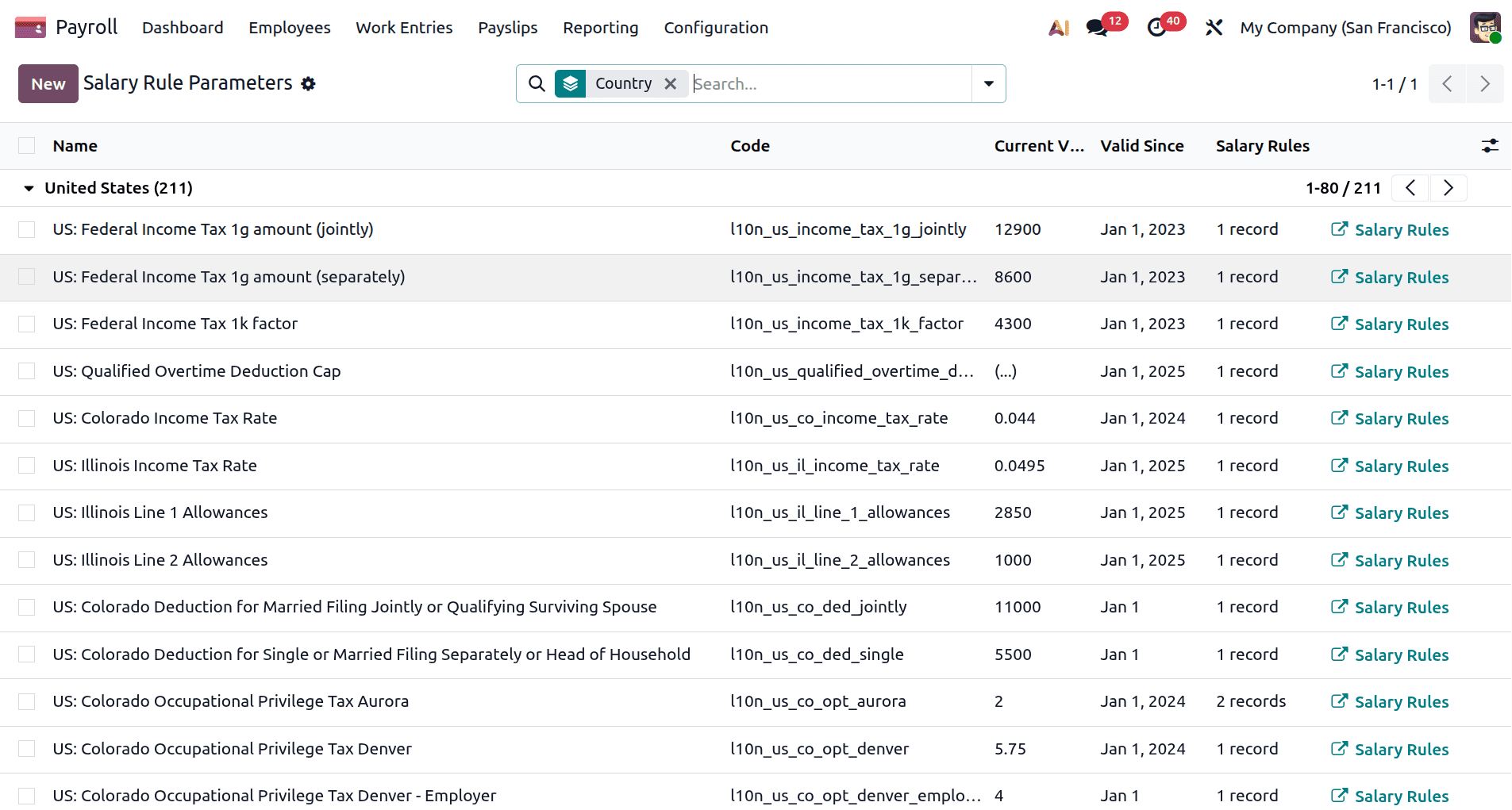
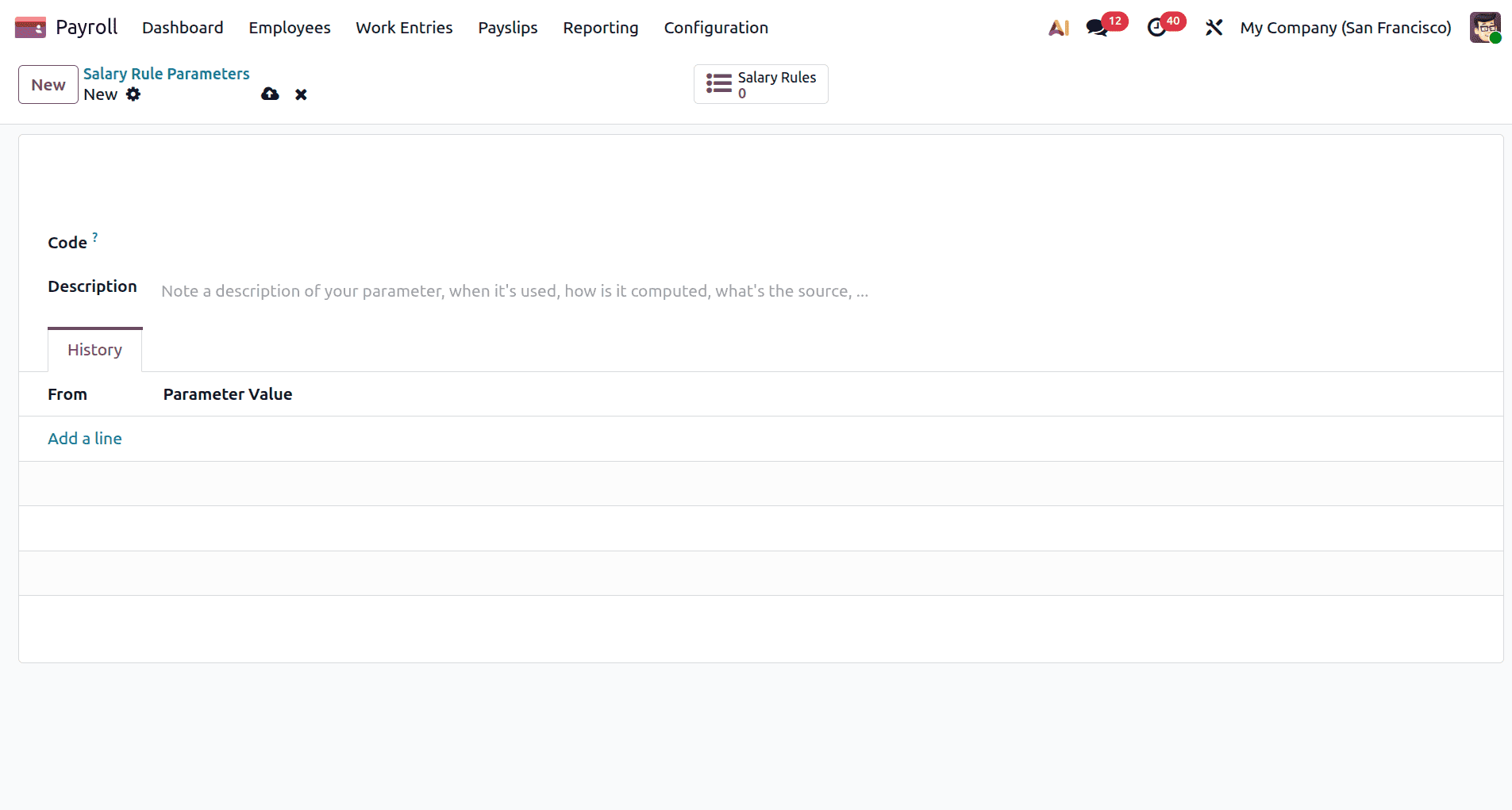
Creation of the Salary Rule Parameter is done using the form that is provided below in the figure. In this form, the user can enter the relevant details and set the parameter.
Rule Categories
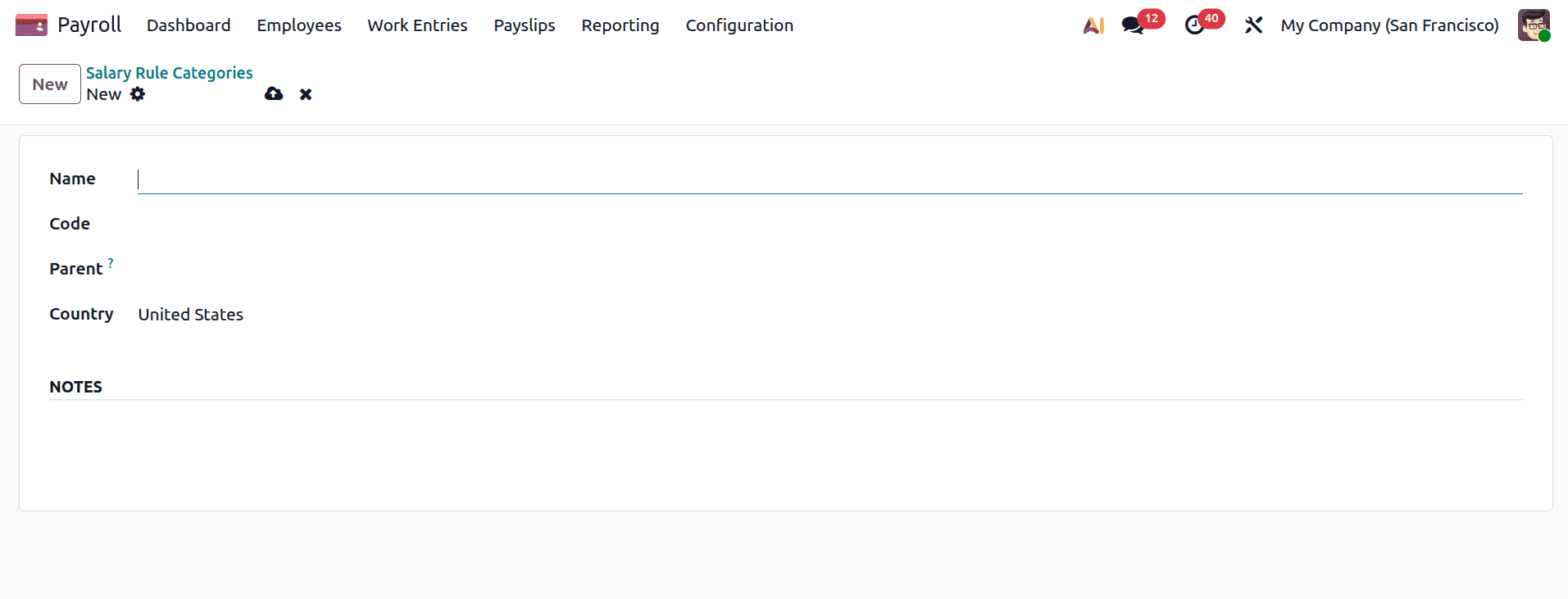
Rule Categories (which are used in the Payroll application) categorize individual salary rules to calculate subtotals such as Gross Pay, Net, and Employer Deduction.
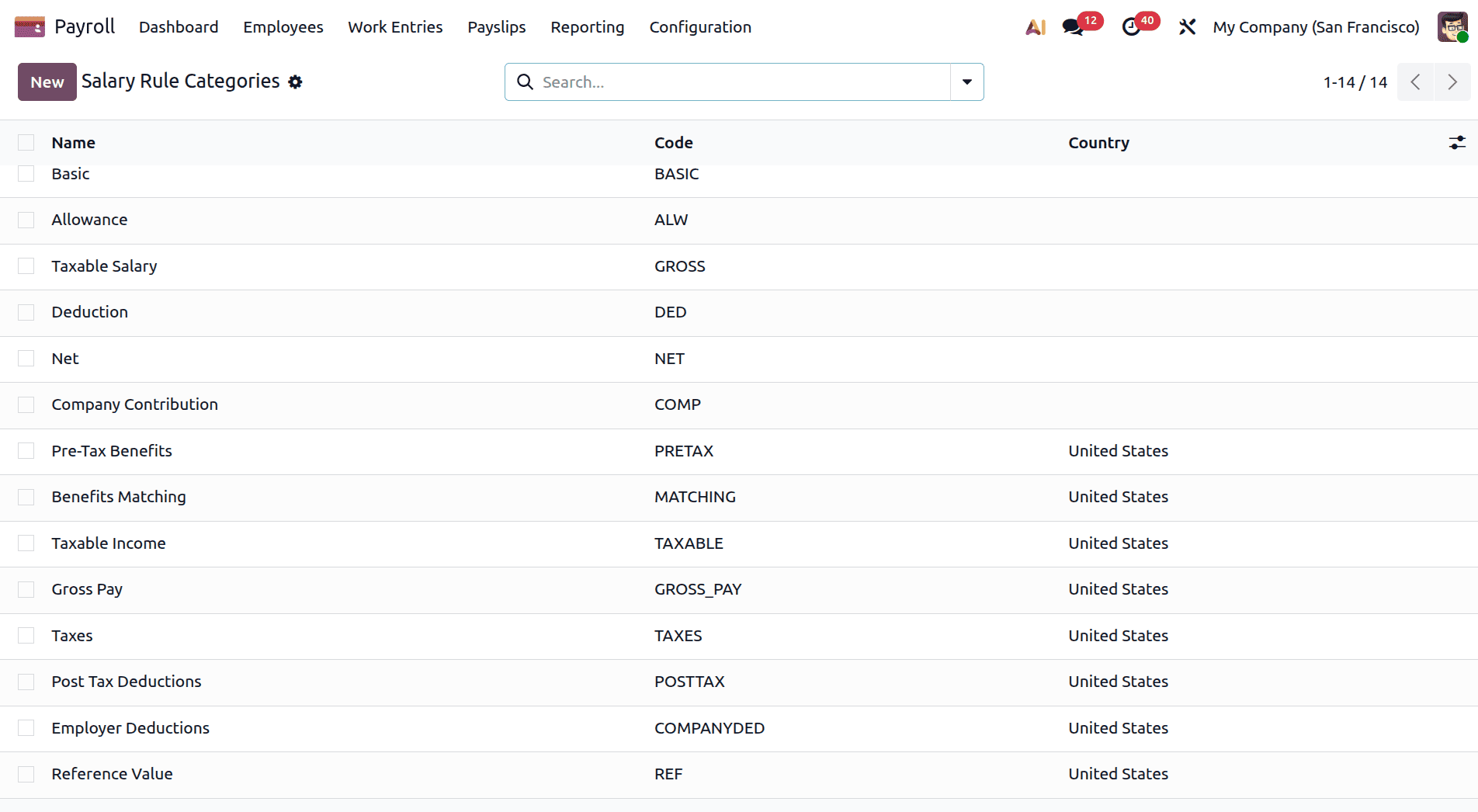
The form for creating the categories under Salary Rules is depicted below. You can input the data here such as the name of the category, unique code, parent category, country, and any other remarks if necessary.
Salary Input Types
Other Input Types is a setting that is found under the Configuration menu. This allows for the definition of other salary input types that may need to be specified in the case of the preparation of an employee payslip. The other input types are those that are beyond the basic salary settings.
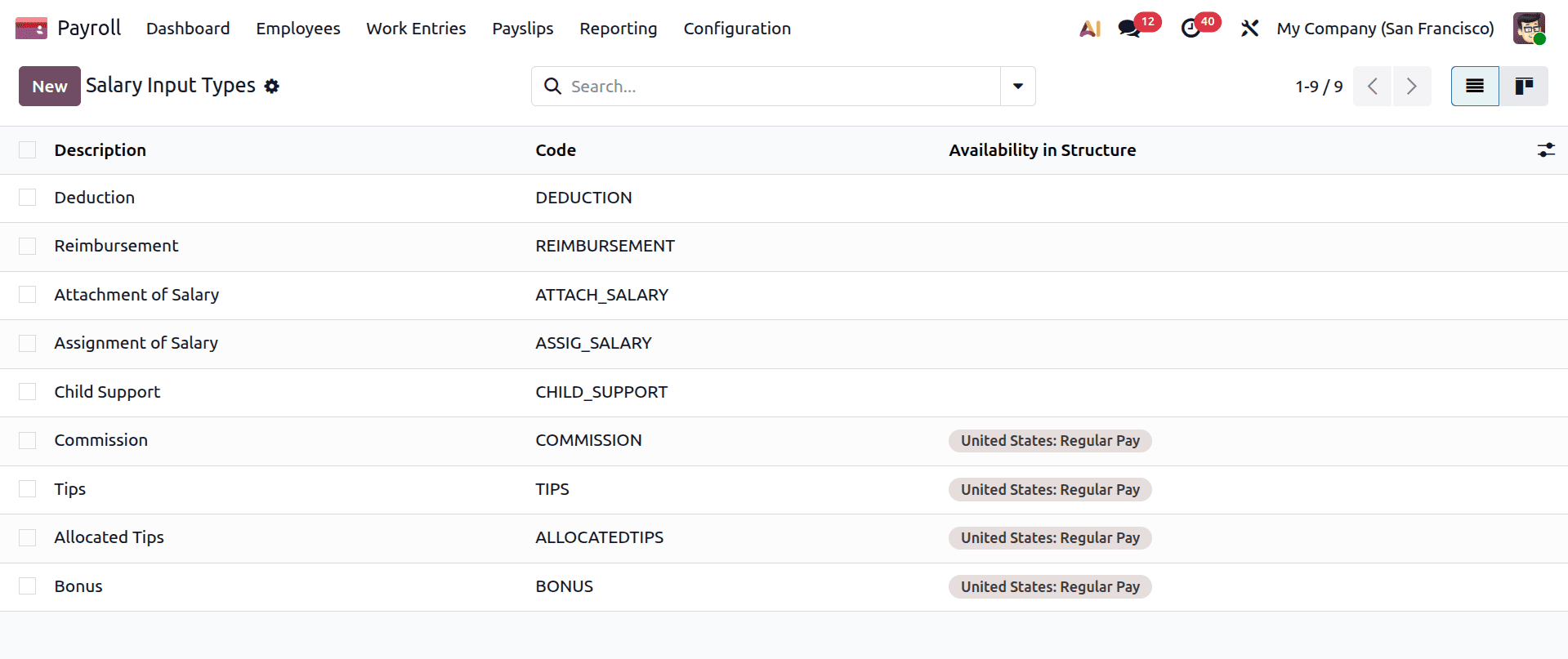
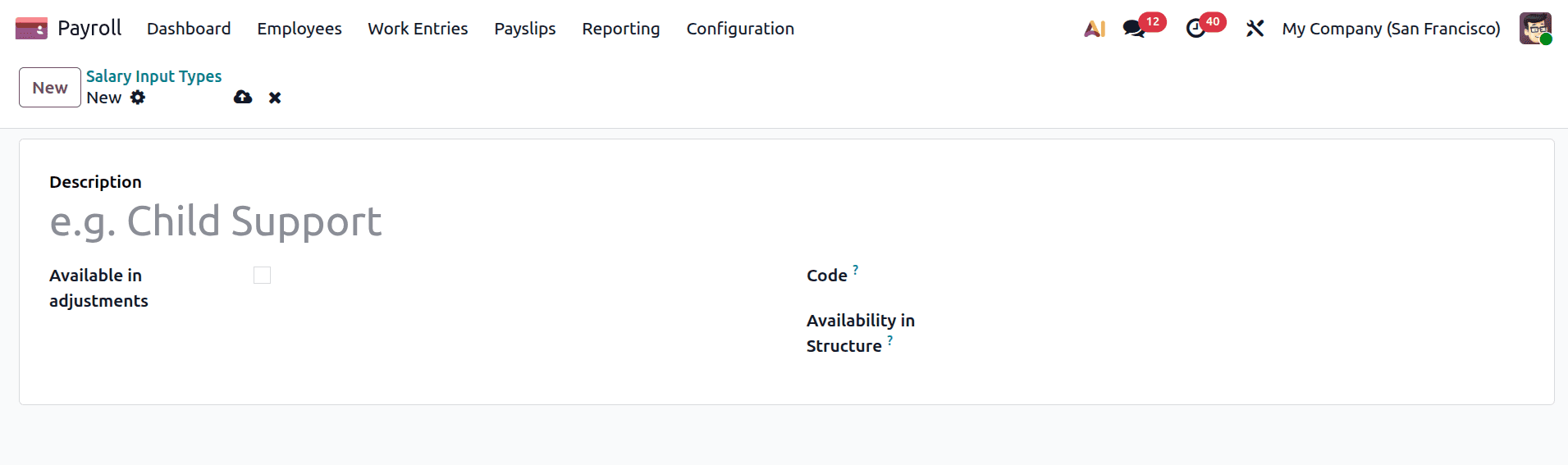
In order to create a new input type, you should specify its Code in order to give it a unique identifier, choose the proper Availability in the Structure section, and add a description if needed. Upon filling in the fields and saving the record, the new input type becomes available for use in payslip processing.
Setting up salary structures and salary rules is another important stage in setting up the payroll system in Odoo 19. With proper salary structures, it is possible for organizations to ensure that salary payments to employees are consistent while making the payroll process easier as well. Proper setup of salary structures will ensure that employees are compensated based on the salary structure in their employment agreements and roles.
Salary rules provide the needed flexibility to address issues such as salaries, allowances, deductions, bonuses, and taxes.
By using its easy-to-use UI and payroll features, Odoo 19 allows businesses to handle payroll in simple or complicated scenarios.
The proper configuration of your system will help you to reduce payroll errors and manual calculations.
With the right configuration of salary structures and salary rules, you will be able to create payroll workflows and payslips for your employees.
Setting up the salary structure and salary rules is very essential in the development of an efficient payroll system in Odoo 19. With the help of setting up the right salary structures, companies can be assured that the employees receive the appropriate salaries based on their contracts, job functions, and working environment. The salary rules make things easier through the management of different aspects of salary payments, such as basic salary, allowances, deductions, bonuses, and many other payroll components.
The right configuration of payroll workflow in Odoo 19 makes it easy for companies to simplify salary payments and avoid any human interference.
To read more about How to Configure Salary Structure & Salary Rules in Odoo 18, refer to our blog, How to Configure Salary Structure & Salary Rules in Odoo 18.