Subcontracting in Odoo 19 refers to the process of obtaining the product from a manufacturer or an outside source. Businesses can benefit from subcontracting BOM in Odoo Manufacturing in a number of ways, including increased scalability, cost effectiveness, faster process, and improved cost tracking. It enables companies to outsource certain tasks to specialized suppliers, giving them more flexibility, faster lead times, and more time to concentrate on their core competencies. The Odoo integration guarantees a seamless, effective, and manageable subcontracting procedure. Odoo 19's subcontracting efficiency, cost tracking, inventory management, and supplier integration are its primary advantages. This procedure aids companies in monitoring expenses for commodities and labour that are outsourced.
Go to the inventory module and choose the warehouse to utilise the subcontracting feature. Next, you can activate the "Resupply Subcontractors" option.
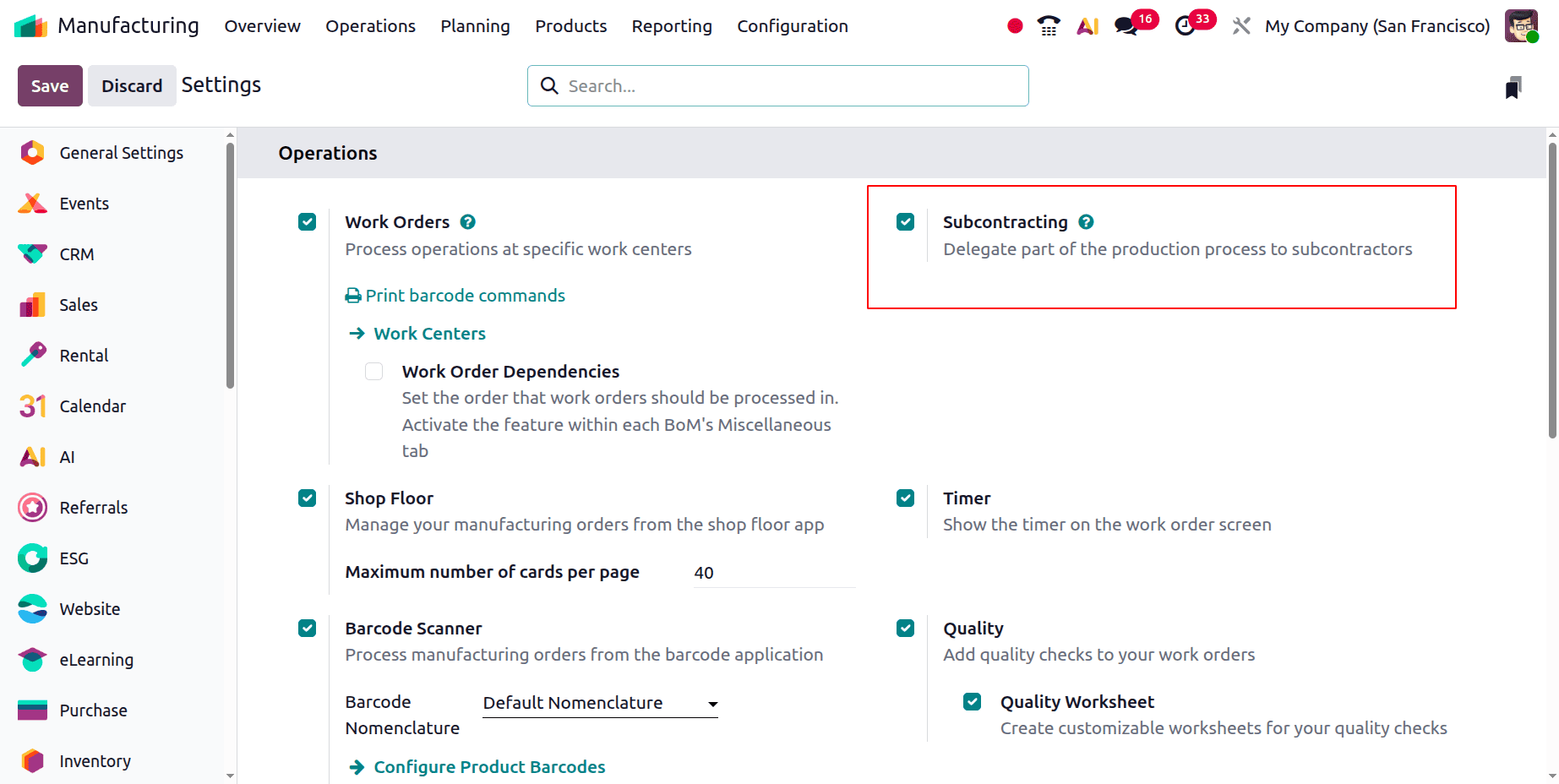
Subcontracting must then be enabled in the manufacturing module's setup settings. Go to the Manufacturing module and tick the box next to the Subcontracting field in the Operations section of the setup settings.
There will be a Bills of Materials sub-menu in the manufacturing module's products menu once subcontracting has been enabled through the configuration settings. Make a new bill of materials by selecting this submenu. Three Bill of Material types Manufacture this Product, Kit, and Subcontracting will be used when drafting the Bill of Material.
- Manufacture This Product: Used in the production of a final product.
- Kit: utilised for assembly products that are offered for sale as kits.
- Subcontracting: the practice of outsourcing specific manufacturing tasks to an outside vendor or subcontractor
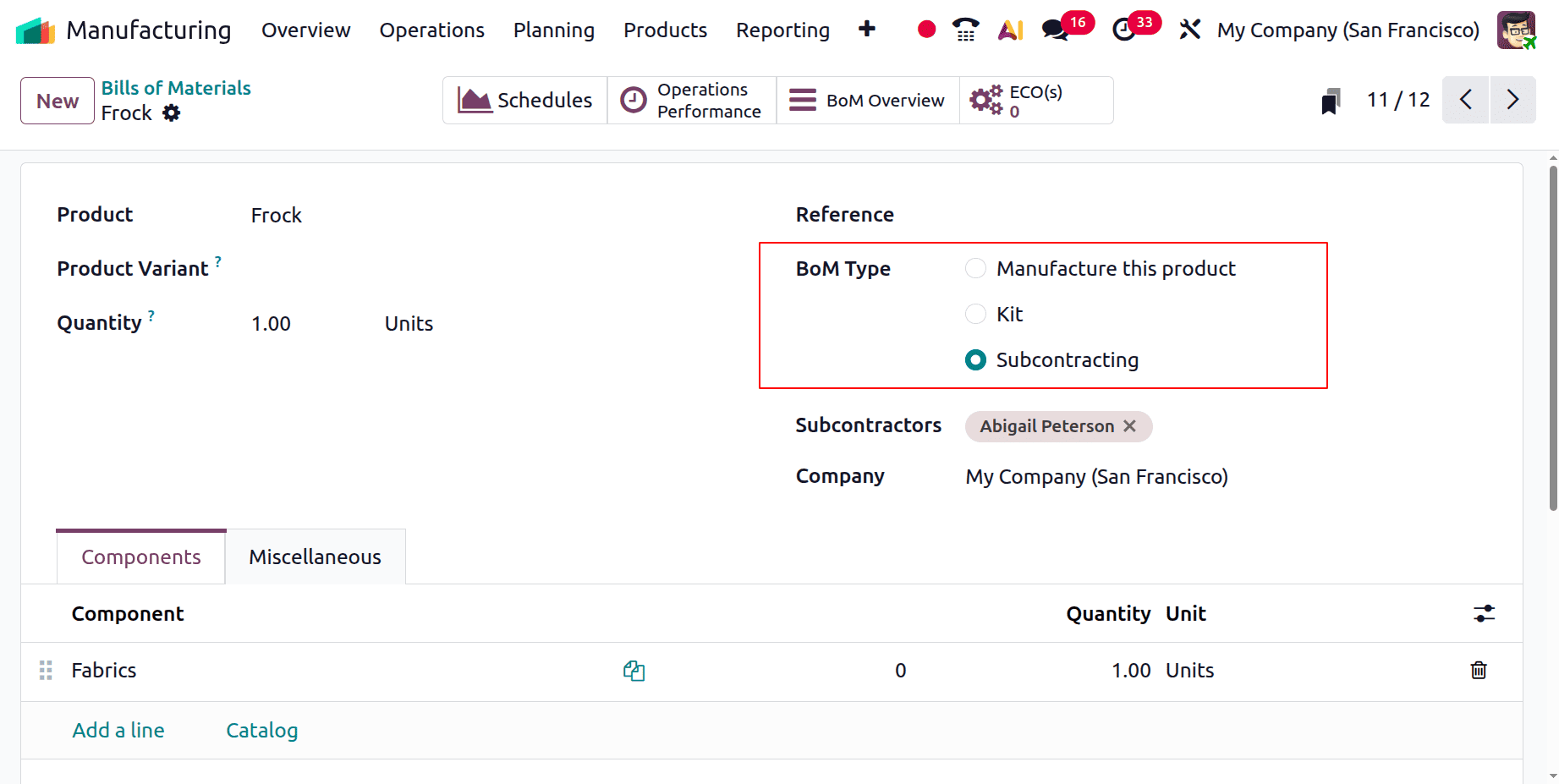
There will be a choice to choose the BoM type when drafting the bill of materials. Choose the BoM type of subcontracting for this BoM. Subcontractor is a new field that has been added here. Here, choose your product's subcontractor. The BoM can then be saved by clicking the save symbol.
Choose the vendor as the subcontractor for the components. Setting the path for both the product and those components comes next. In the product form, select "Resupply Subcontractor on Order" as the route.
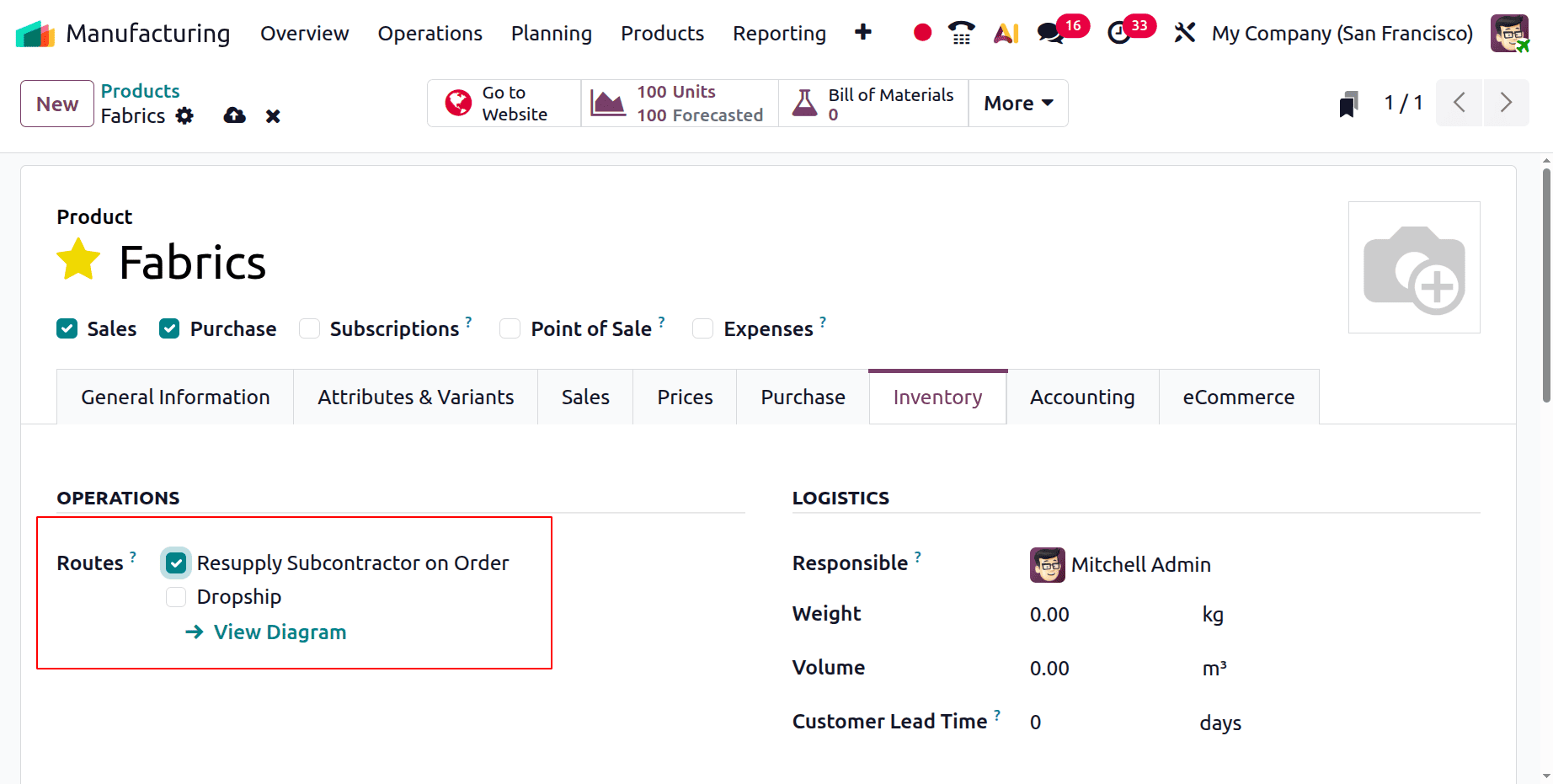
Go to the inventory tab, choose the route Resupply Subcontractor on Order, and then open the form view of every component utilised in this subcontracting order. For every component product in the Bill of Material, set the route "Resupply Subcontractor on Order."
Next, select the Bill of Material's subcontractor as the vendor for each of the components and primary goods in the form view.
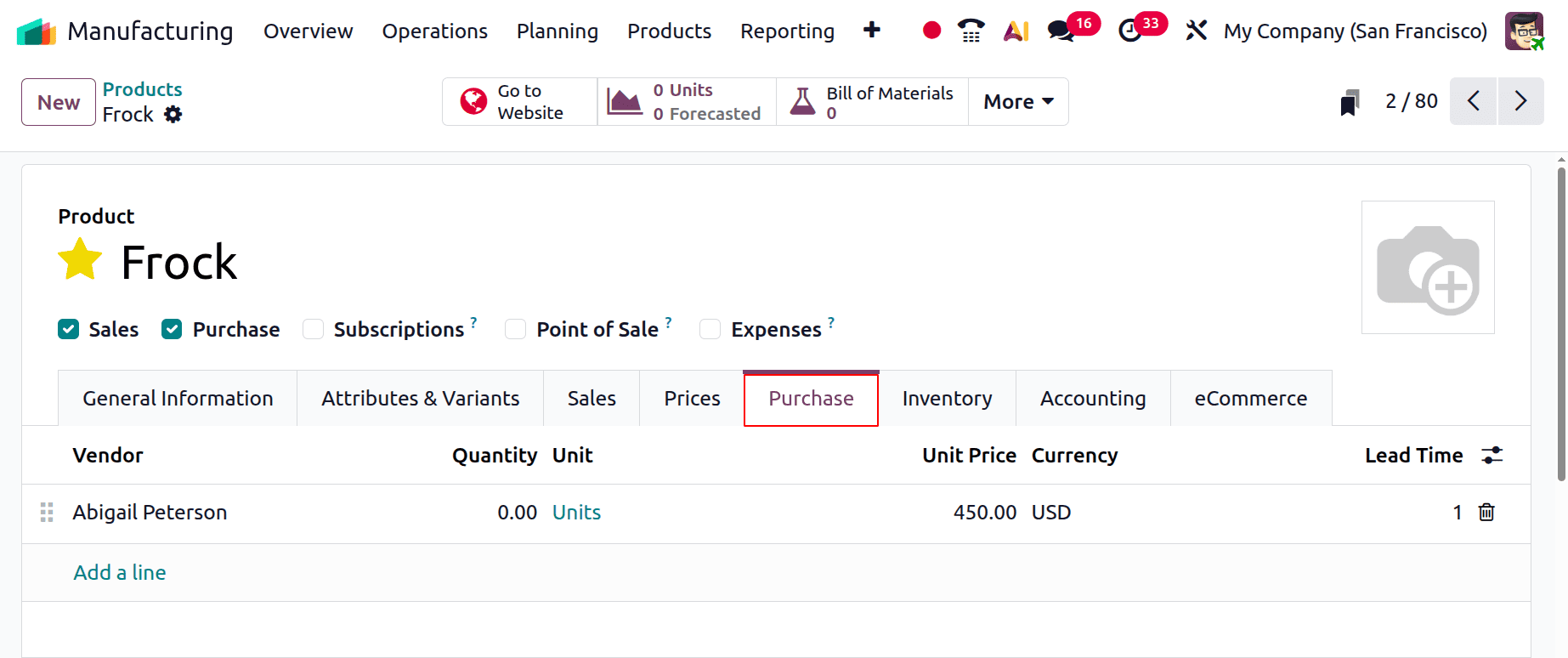
The opportunity to add each product's seller will appear when you navigate to the purchasing tab.
In a similar vein, you can designate a different vendor for each product. Once a vendor is chosen, they will be the product's subcontractor.
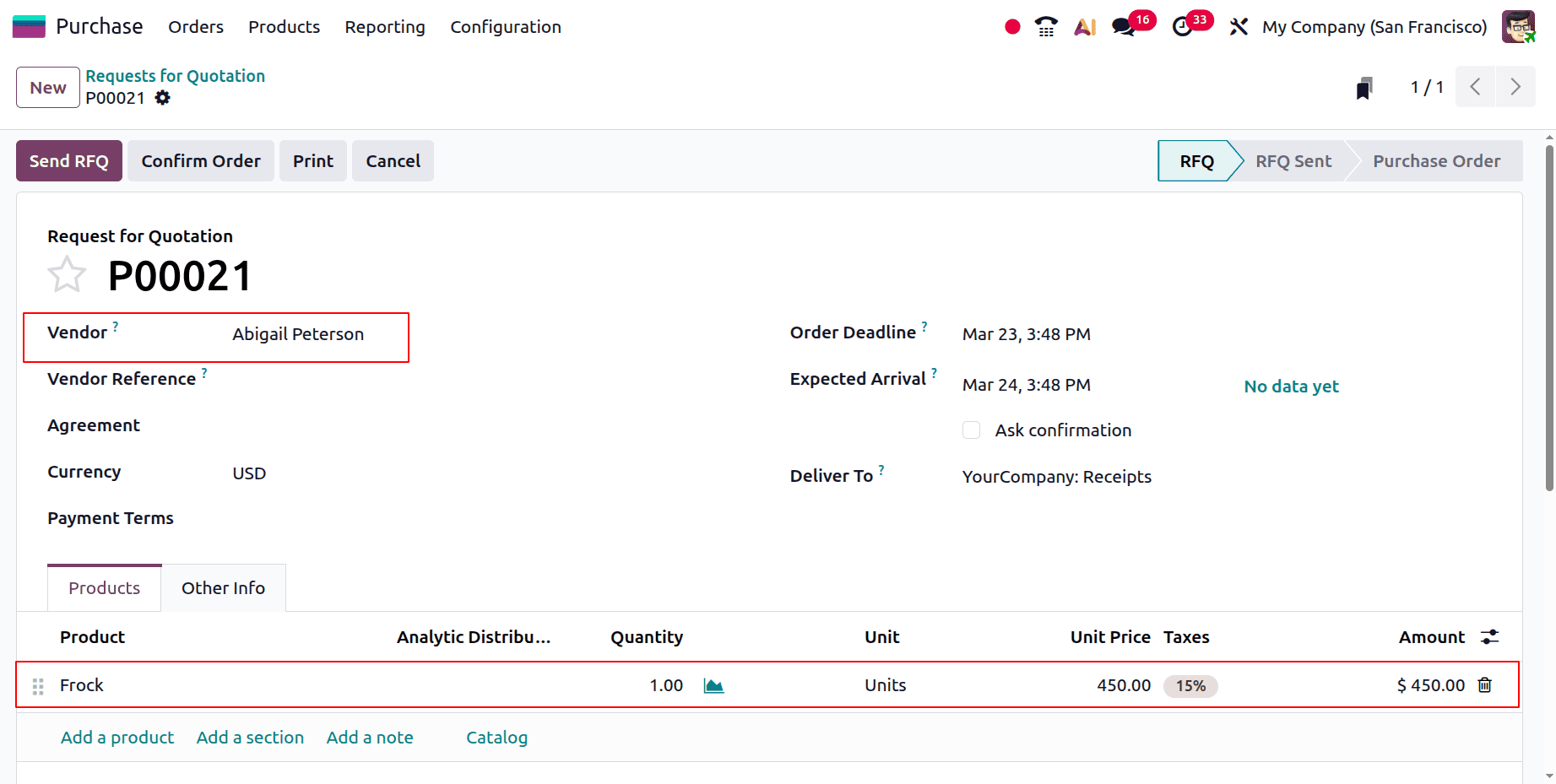
Making a new purchase order for this item is the next step. Add the subcontracted product to the order line when drafting the purchase order. So add the product Frock inside the products tab. And the Vendor should be a Subcontractor, which is Abigail Peterson.
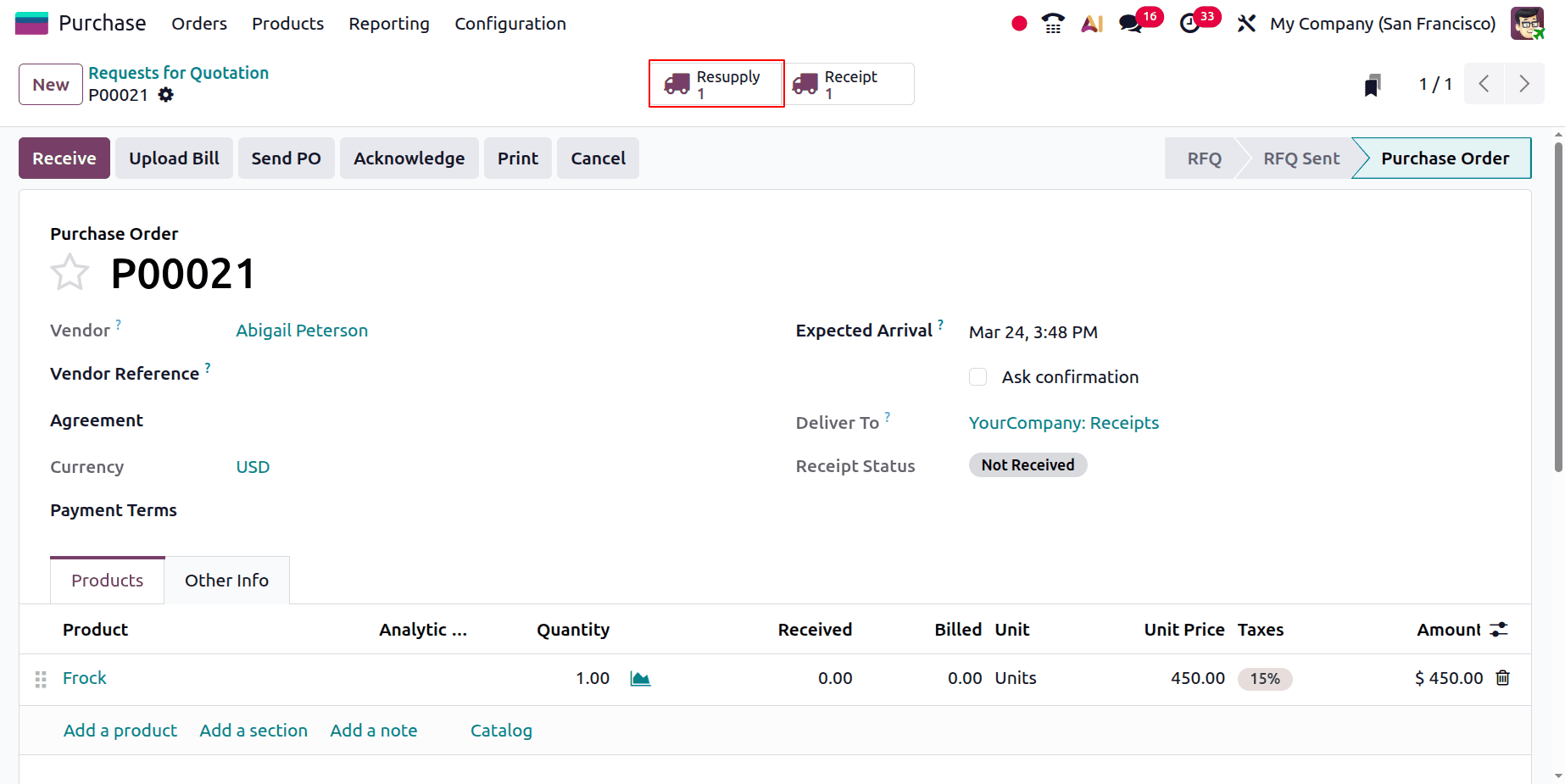
As seen in the screenshot above, a Resupply smart tab will appear at the top once the purchase order has been validated.
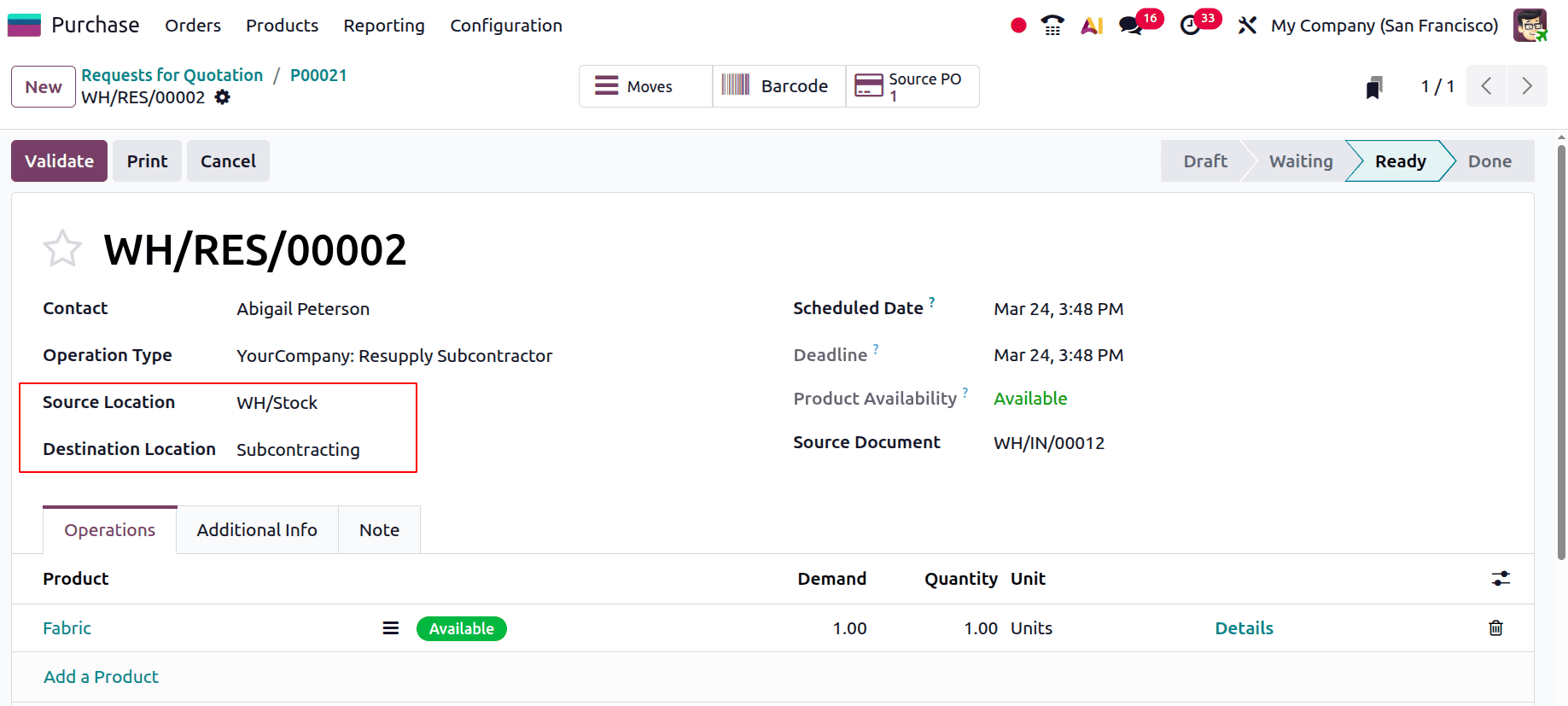
Open the smart tab Resupply. It shows the component, which we added inside the Bill of Material. Here the source location is WH/Stock, and the destination location is the Subcontracting location. While checking the Operations tab, the component is shown there. Validate the Resupply first.
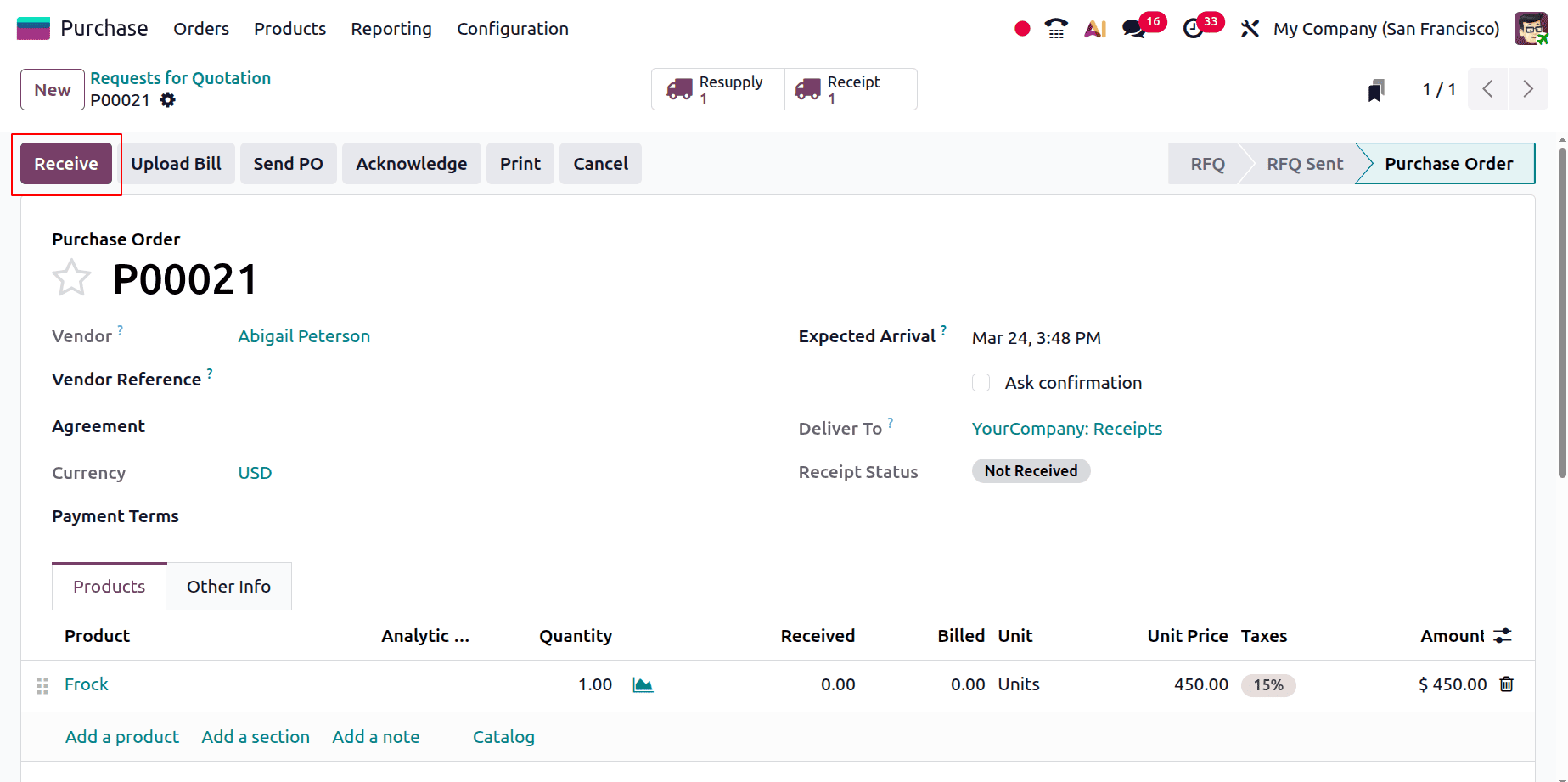
The next step is to receive the final product from the vendor. So click on the Receive button.
Then the Receipt transfer is shown below. Click on the Validate button to receive the goods.
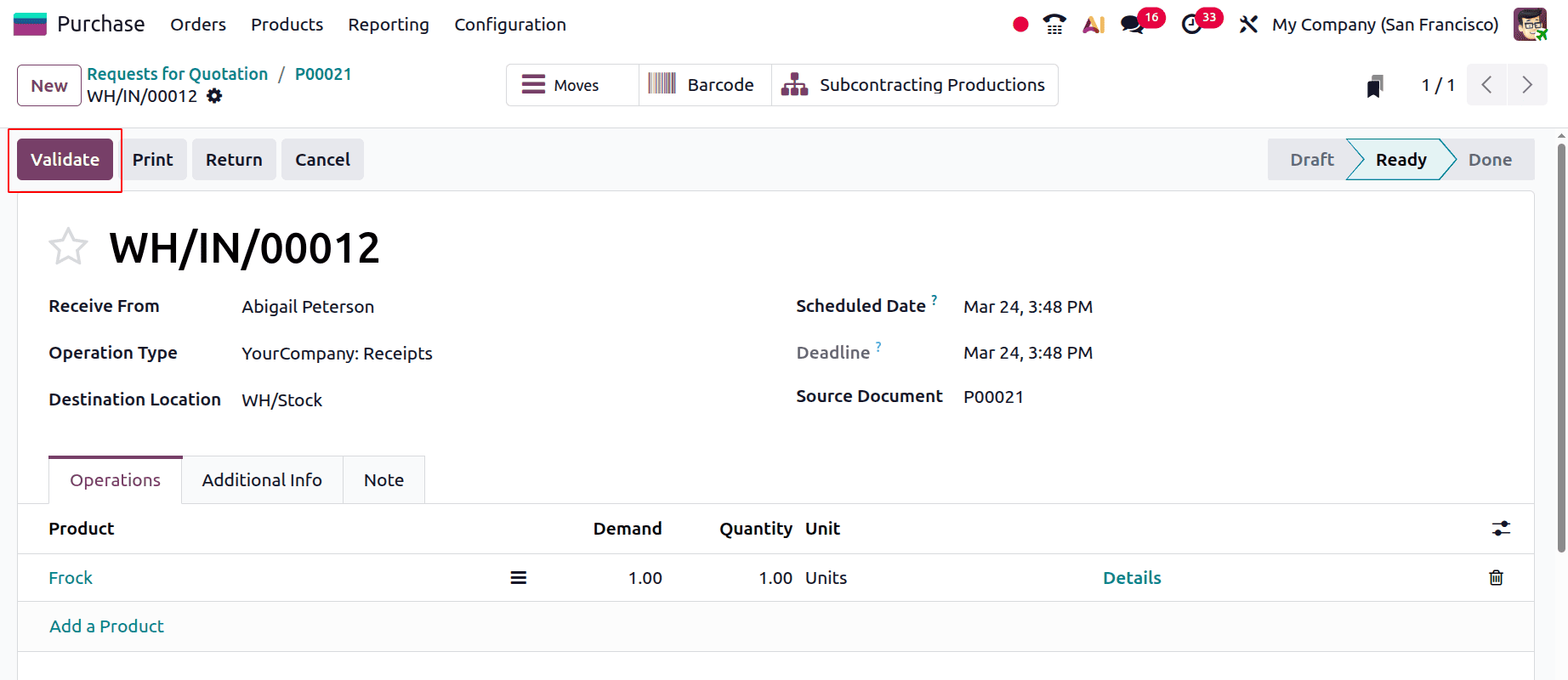
The Frock product procurement procedure with a bill of materials subcontracting is finished after the purchase order is validated.
Certain manufacturing processes, such as packing, assembly, or precision machining, may be better managed by outside suppliers than in-house due to cost or experience. You can choose a certain operation to be subcontracted and assign it to a specific supplier by using this Subcontracting BoM type. Odoo facilitates the tracking of materials transferred to the subcontractor and their return following processing while subcontracting. The system allows for the tracking of the materials both when they leave the company and when they return following the subcontracted operations.
To read more about Overview of Subcontract & Kit in Odoo 18 Manufacturing, refer to our blog Overview of Subcontract & Kit in Odoo 18 Manufacturing.