Odoo 19's "init hooks" are unique Python functions that run automatically when a module is installed. They let you perform one-time setup tasks, such as setting up your database, creating default records, or configuring system settings. At particular points in the module lifecycle, these hooks execute after receiving an Environment object (env).
What Are Init Hooks in Odoo 19?
Init hooks are callback functions that Odoo runs at various points in time and are registered in the manifest file for your module:
- pre_init_hook: Executes prior to the installation of the module
- post_init_hook: Executes following module installation
- uninstall_hook: Executes upon module uninstallation
Significant Modification to Odoo 19: Instead of only receiving the database cursor as a parameter, all hooks now receive an Environment object (env) as of Odoo 19. In comparison to earlier iterations, this makes hooks more robust and user-friendly by giving direct access to the ORM, database cursor, and system context.
Why Use Init Hooks?
Init hooks have a number of crucial functions.
- Automate initial setup: Produce default records without requiring human input.
- Configure system parameters and automatically set up configurations unique to each module.
- Data migration: During installation, move or change data
- Preparing a database: Make new tables or alter preexisting ones
- Initialise sequences: Configure document number sequences
- Set up security groups automatically and create default users and permissions.
Step-by-Step Implementation Guide
Step 1: Create the Module Structure
First, create your module folder with the following structure:
custom_hooks/
+-- __init__.py
+-- __manifest__.py
+-- hooks.py
Step 2: Create the init.py File
This file imports your hook functions to make them accessible to Odoo:
init.py:
from .hooks import pre_init_hook, post_init_hook, uninstall_hook
Important Note: You need to import the hook functions directly, not just the module. The "AttributeError: module has no attribute" error is frequently caused by this error.
Step 3: Create the hooks.py File
Implement your hook functions with proper logging and error handling:
hooks.py:
import logging
_logger = logging.getLogger(__name__)
def pre_init_hook(env):
   _logger.info(" PRE-INIT: Running before install")
   env.cr.execute("SELECT COUNT(*) FROM res_partner")
   count = env.cr.fetchone()[0]
   _logger.info(f" Found {count} partners")
def post_init_hook(env):
   _logger.info(" POST-INIT: Running after install")
   env['ir.config_parameter'].sudo().set_param('test_hooks.status', 'installed')
   partner = env['res.partner'].create({
       'name': 'TEST HOOK PARTNER',
       'email': 'hook@test.com',
       'comment': 'Created by init hook on installation',
   })
   _logger.info(" Created parameter)")
def uninstall_hook(env):
   _logger.info(" UNINSTALL: Cleaning up")
   param = env['ir.config_parameter'].sudo().search([('key', '=', 'test_hooks.status')])
   if param:
       param.unlink()
       _logger.info(" Removed parameter")
Step 4: Register Hooks in the Manifest File
Add the hook references to your manifest.py:
{
'name': 'Custom Hooks Module',
'version': '19.0.1.0.0',
'depends': ['base'],
'data': [],
'pre_init_hook': 'pre_init_hook',
'post_init_hook': 'post_init_hook',
'uninstall_hook': 'uninstall_hook',
Testing Your Init Hooks
Installation
When you install your module, check the Odoo log file. You should see output similar to:
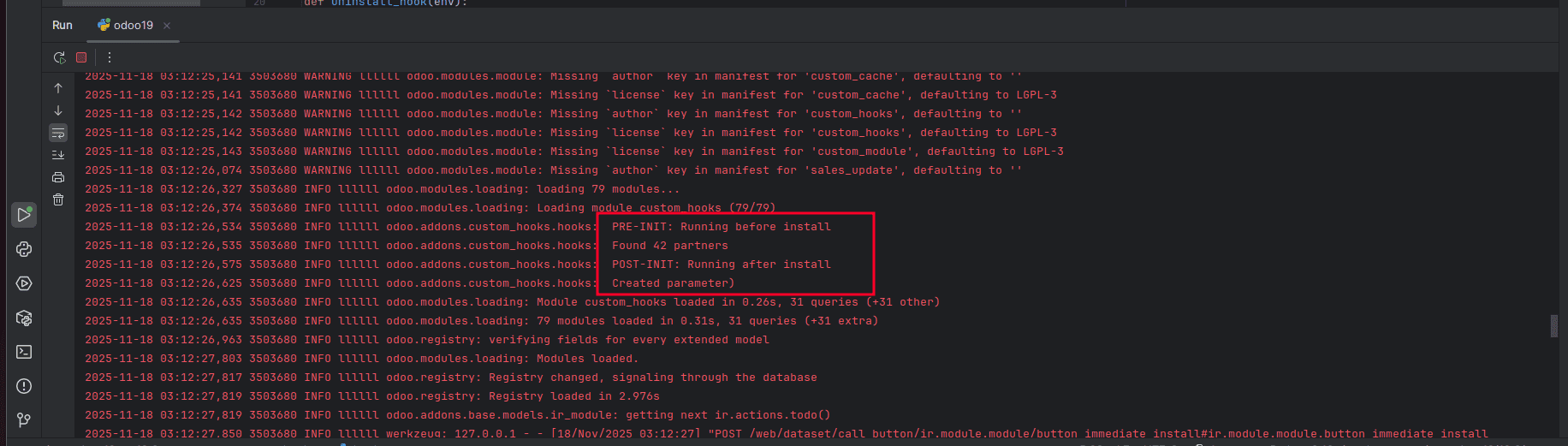
Verification Steps
Check the created partner:
- Go to Contacts module
- Search for "TEST HOOK PARTNER"
- Verify the partner was created successfully
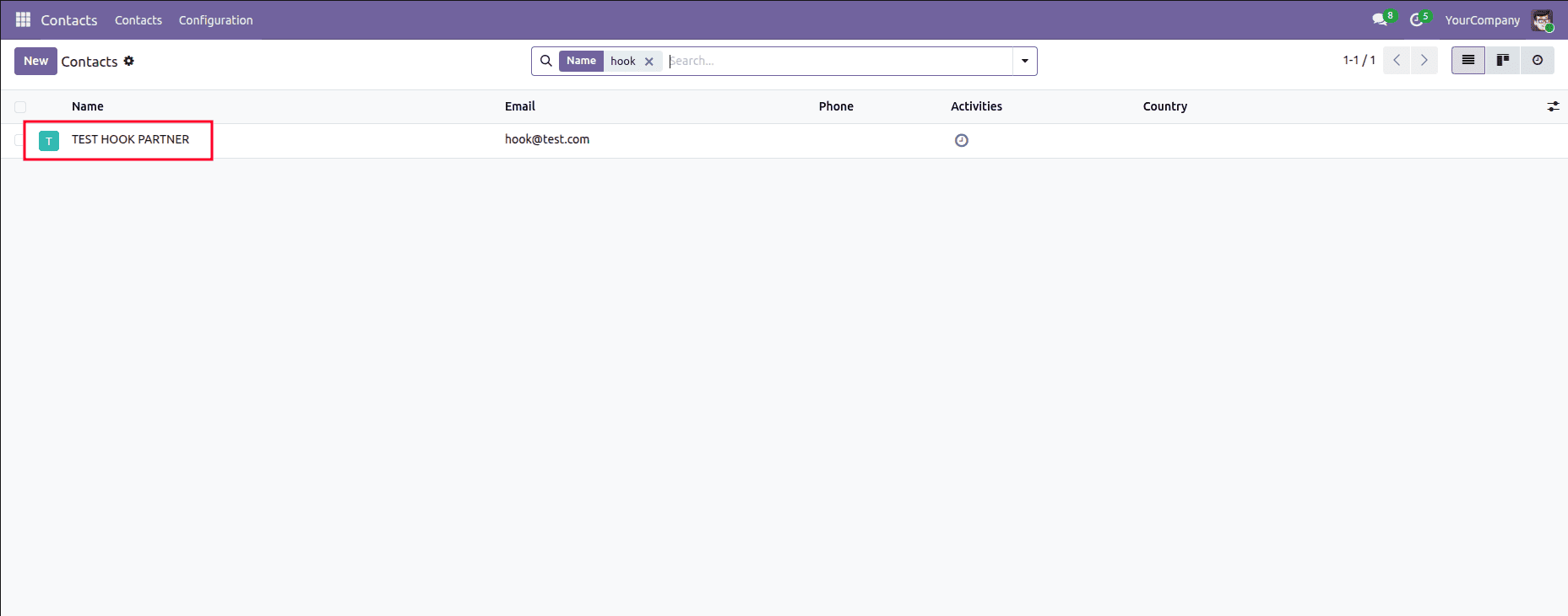
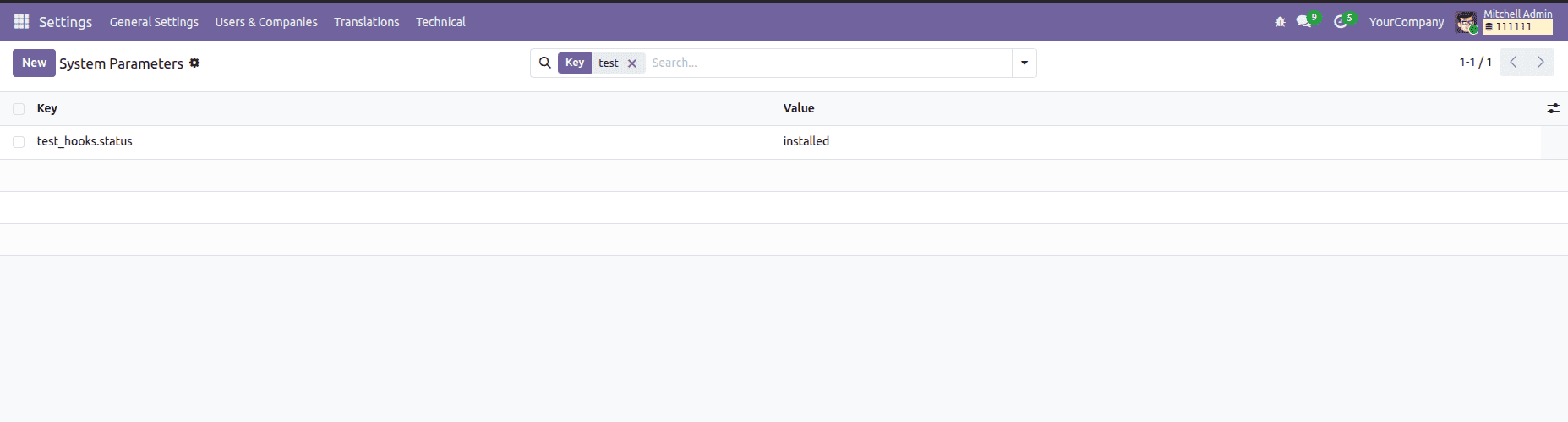
Check system parameters:
- Go to Settings > Enable Developer Mode
- Navigate to Technical > Parameters > System Parameters
- Look for the test_hooks.status parameter with value "installed"
Uninstallation
After uninstalling the module, check the log file:
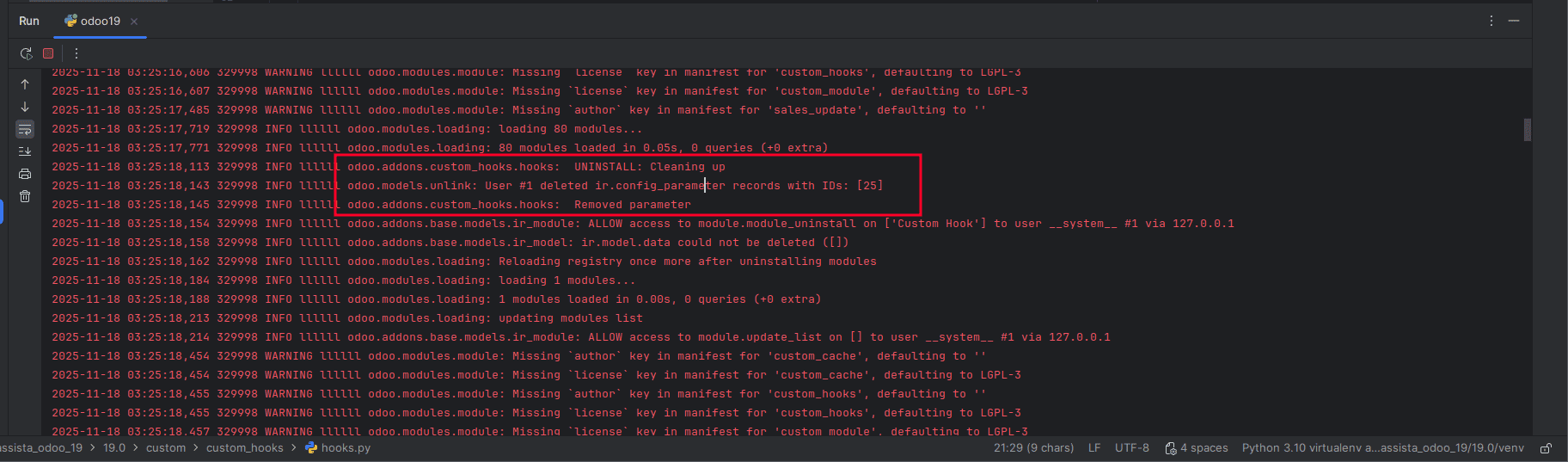
Verify that the system parameter test_hooks.status has been removed from the system parameters list.
Odoo 19's "init hooks" offer a robust way to automate module setup and configuration. You can develop reliable initialization procedures that guarantee your modules are configured correctly from the time of installation by using the framework described in this guide and best practices.
The main change in Odoo 19 is that all hooks now receive the Environment object (env) rather than just the database cursor. This allows you to use the full ORM capabilities right away. Compared to earlier iterations, this greatly increases the power and ease of use of hooks.
Best Practices
- Always use logging: Record all hook activities to facilitate debugging.
- Incorporate error handling: To avoid installation failures, use try-except blocks.
- Before deploying, thoroughly test hooks in a development environment.
- Keep hooks simple; separate methods should handle complex logic.
- Always clear out the data generated by your hooks when uninstalling.
- Use sudo() with caution. For security reasons, only use sudo() when required.
- Keep a record of your hooks and include concise remarks outlining their functions.
To read more about How to Use Init Hooks in Odoo 18, refer to our blog, How to Use Init Hooks in Odoo 18.