Subscription Reporting in Odoo 19 provides businesses with powerful tools to monitor, analyze, and optimize recurring revenue models. With the increasing adoption of subscription-based services, organizations need accurate insights into customer retention, revenue trends, churn rates, and subscription performance. Odoo 19 centralizes Odoo 19 consolidates to enhance strategic decision-making. The reporting system integrates seamlessly with the Subscription module, enabling real-time tracking of active subscriptions, renewals, and cancellations. Users can filter reports based on customer, product, billing cycle, or revenue type to gain deeper insights into business performance. Additionally, visual dashboards and graphs help simplify complex data for better understanding. By leveraging these reporting features, companies can identify growth opportunities, improve customer satisfaction, and enhance recurring revenue stability. Overall, Subscription Reporting in Odoo 19 plays a crucial role in helping businesses maintain long-term financial health and operational efficiency.
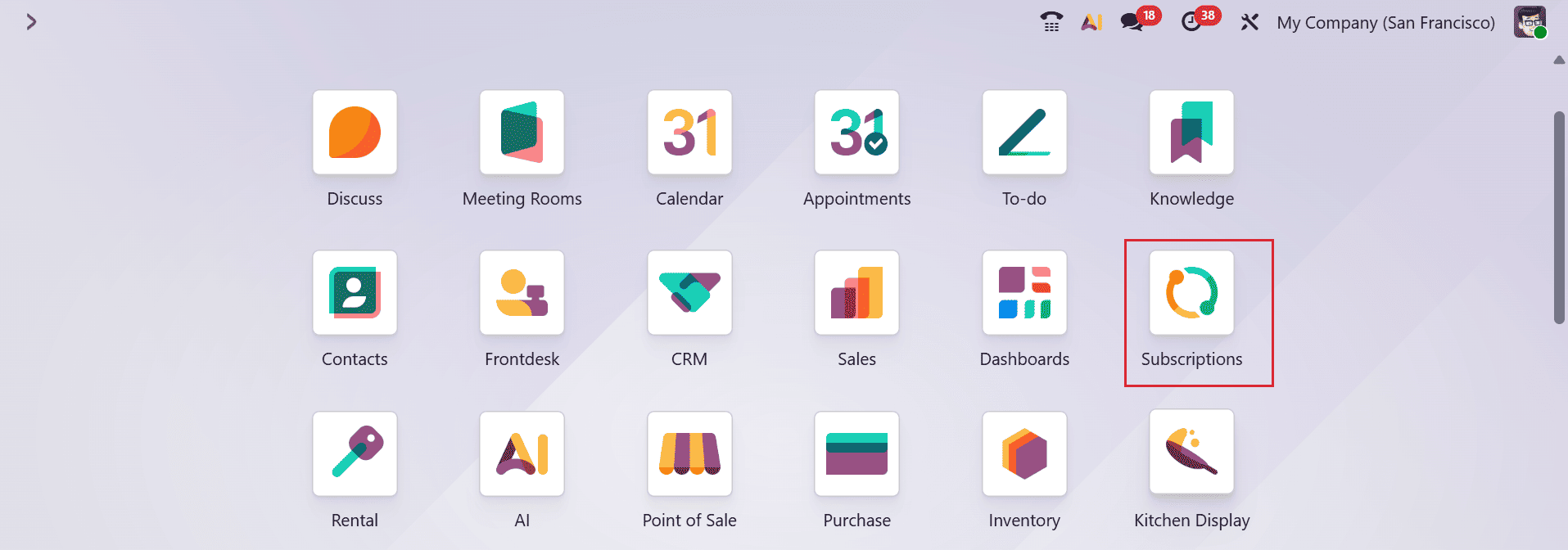
Open the Subscription module from the Odoo 19 dashboard.
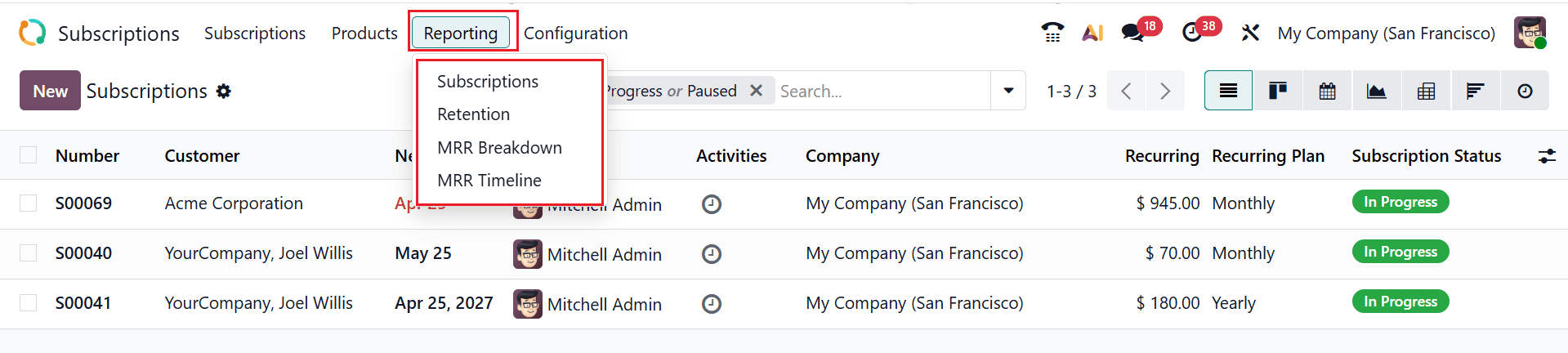
Go to Subscription > Reporting to access the reporting dashboard, where you will find four different types of reports, such as:
- Subscription
- Retention
- MRR Breakdown
- MRR Timeline
1. Subscriptions Analysis:
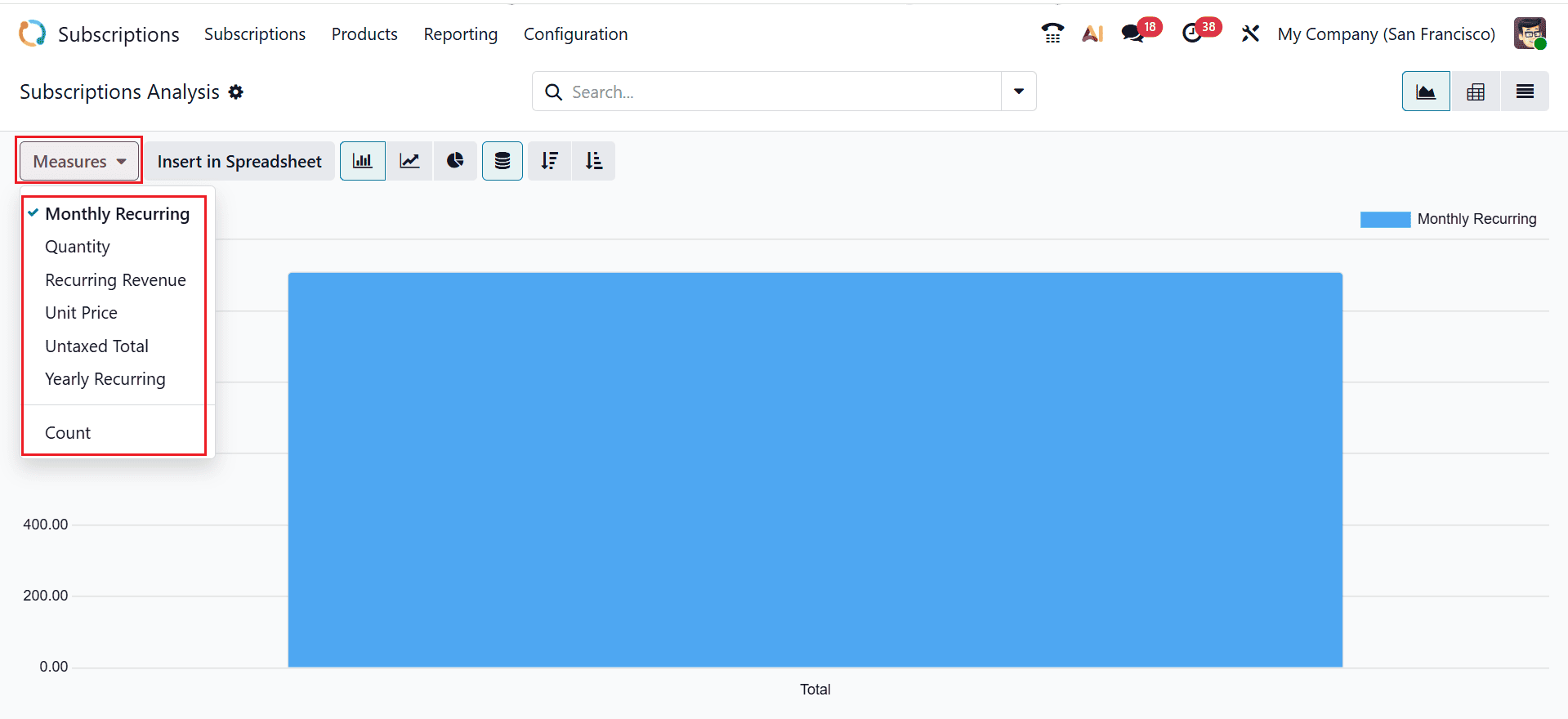
Subscription Analysis in Odoo 19 is a reporting feature that helps users track, evaluate, and visualize subscription performance. To open Subscriptions Analysis, navigate to Reporting > Subscriptions Analysis. Here, three types of views are available: Graph View, List View, and Pivot View. In the Graph View, data can be visualized using bar, line, or pie charts, and the display can be further customized with options such as Stacked, Cumulative, Ascending, and Descending. The Measures dropdown lets you select key indicators such as Monthly Recurring Revenue, Quantity, Recurring Revenue, Unit Price, Untaxed Total, Yearly Recurring Revenue, and Count for deeper analysis.
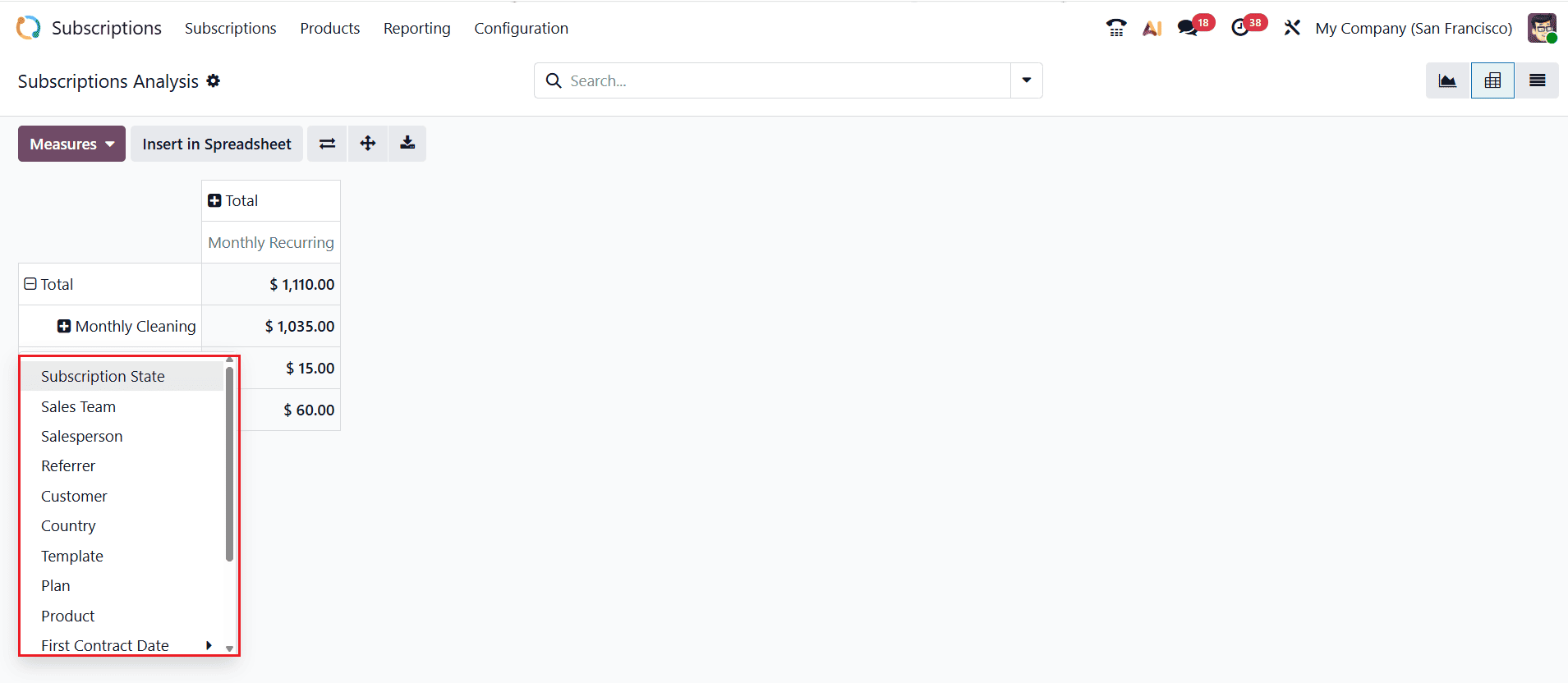
The Pivot View helps you to summarize, reorganize, and analyze subscription data using fields such as Subscription State, Sales Team, Salesperson, Referrer, Customer, Country, Template, Plan, Product, First Contract Date, Next Invoice Date, End Date, and Add Custom Group.
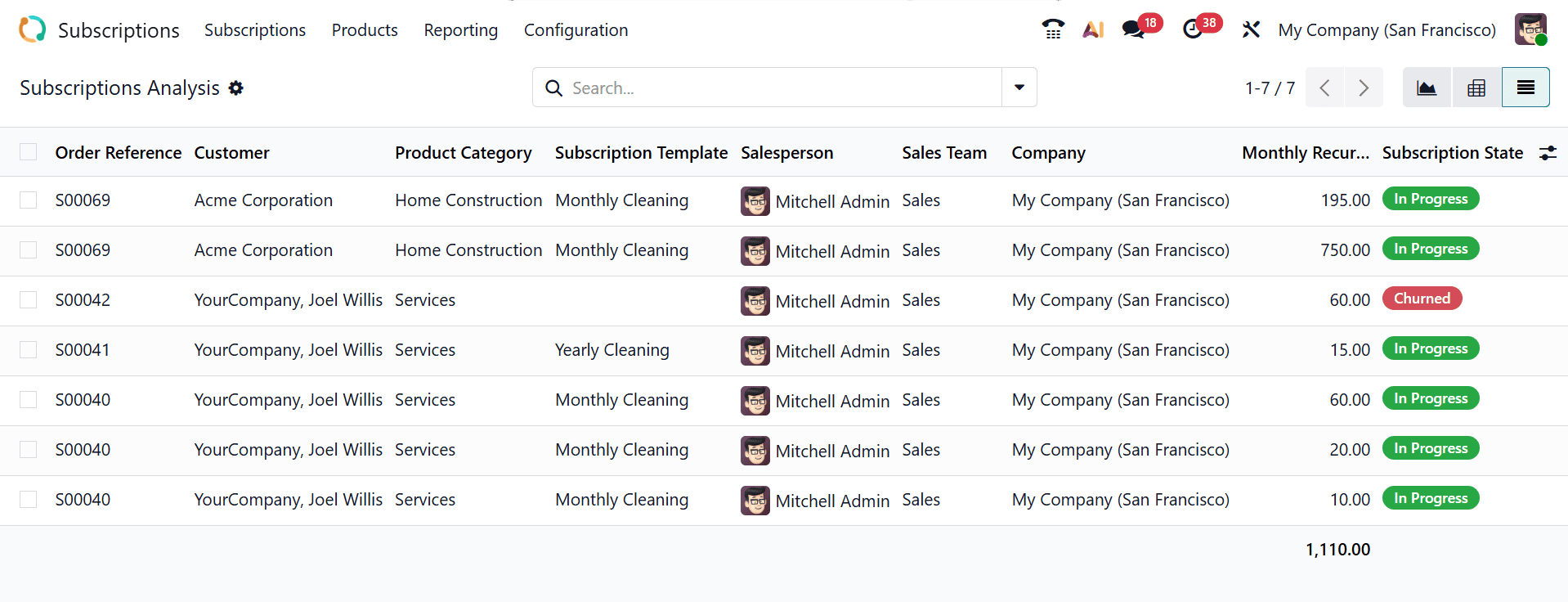
The List View organizes data into a clear table, showing each record with its detailed information, including Order Reference, Customer, Product Category, Subscription Template, Salesperson, Sales Team, Company, Monthly Recurrence, and Subscription State.
2. Retention Analysis:
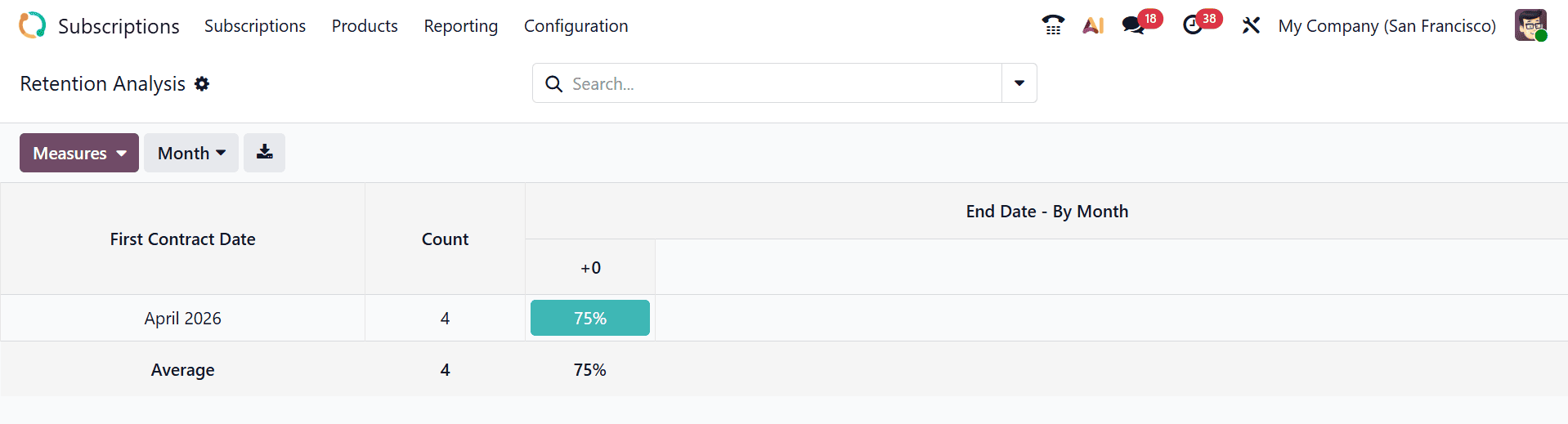
Retention Analysis is a reporting feature that helps businesses measure customer loyalty by tracking how many subscription customers renew, continue, or cancel their services over time. To access Retention Analysis, navigate to Reporting > Retention Analysis. Here, the subscription data is arranged in a chart format as shown below:
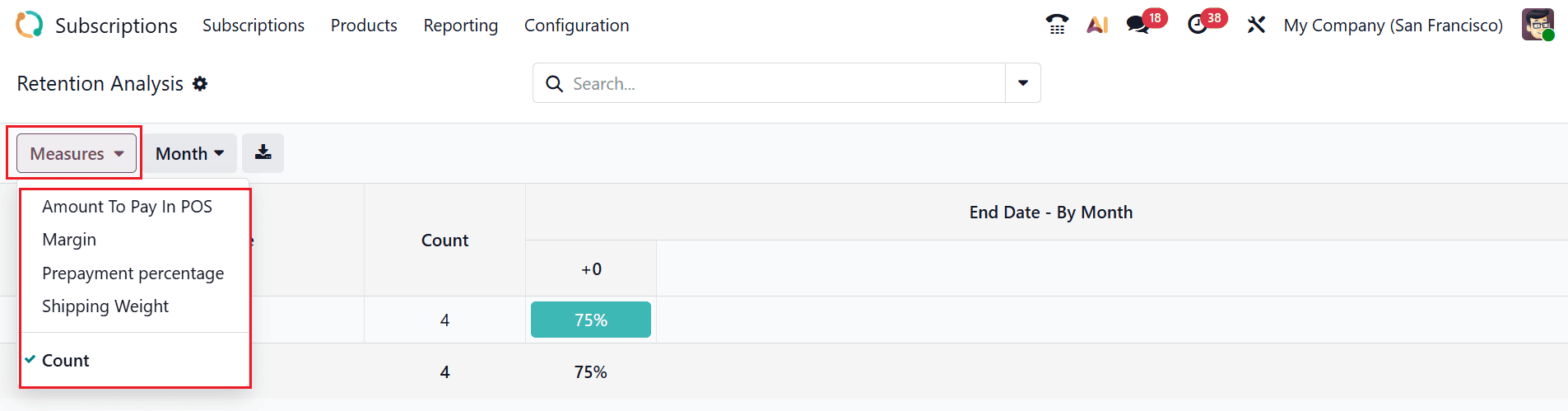
Click on the Measures button to select different metrics, such as Amount to Pay in POS, Margin, Prepayment Percentage, Shipping Weight, and Count, for deeper insights.
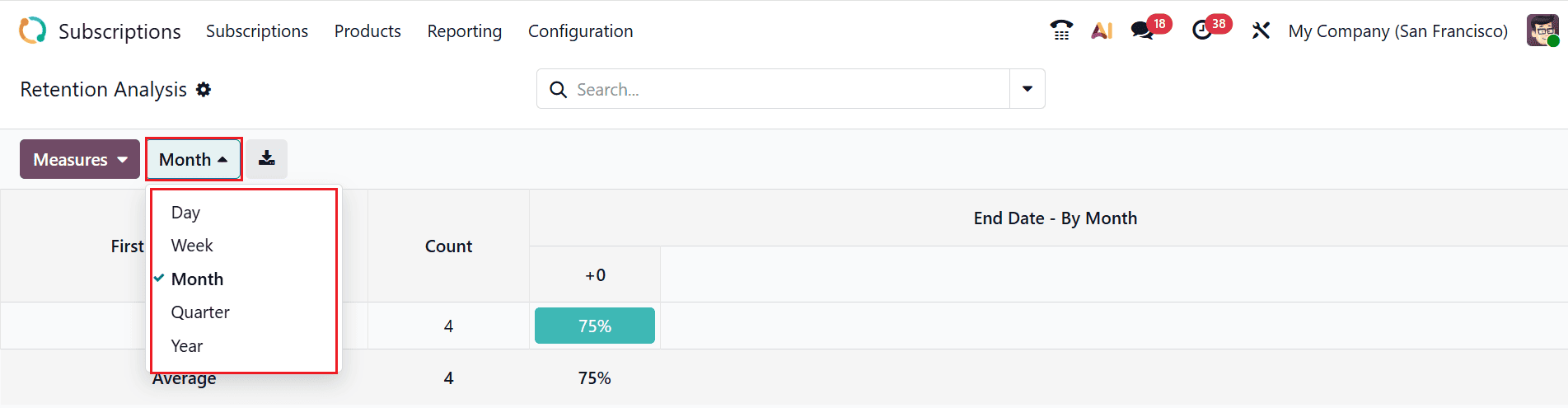
You can further group the data by time intervals using the drop-down menu, where you can choose Day, Week, Month, or Year for better analysis.
3. MRR Breakdown:
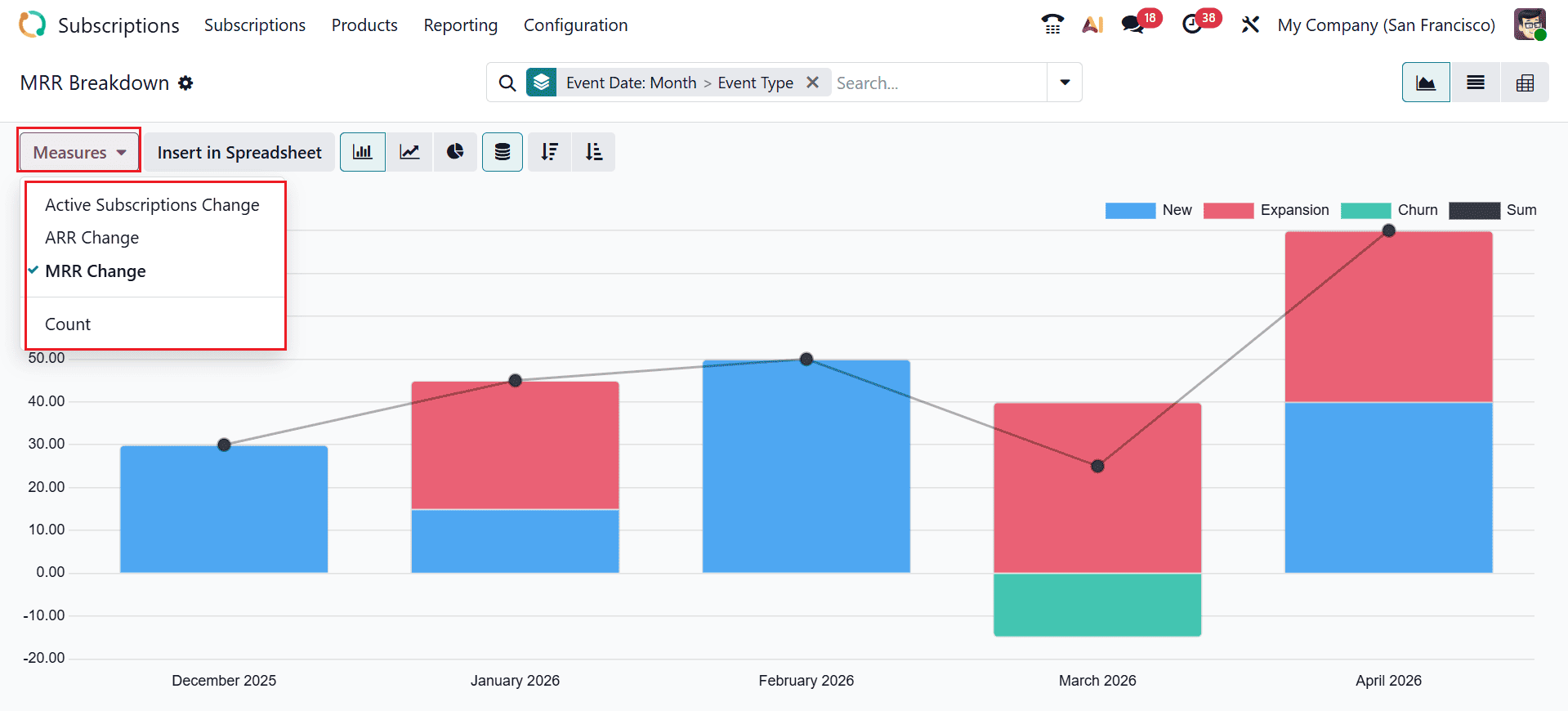
MRR Breakdown is a reporting feature that shows the composition of Monthly Recurring Revenue by analyzing how it is generated from new, expansion, churn, or sum subscriptions. To view the MRR Breakdown, navigate to Reporting > MRR Breakdown. The data is displayed in a Graph View, which can be customized using options such as Line chart, Pie chart, Stacked, Cumulative, Ascending, and Descending. The Measures button helps you change the metrics of the analysis, such as Active Subscription Change, ARR Change, MRR Change, and Count.
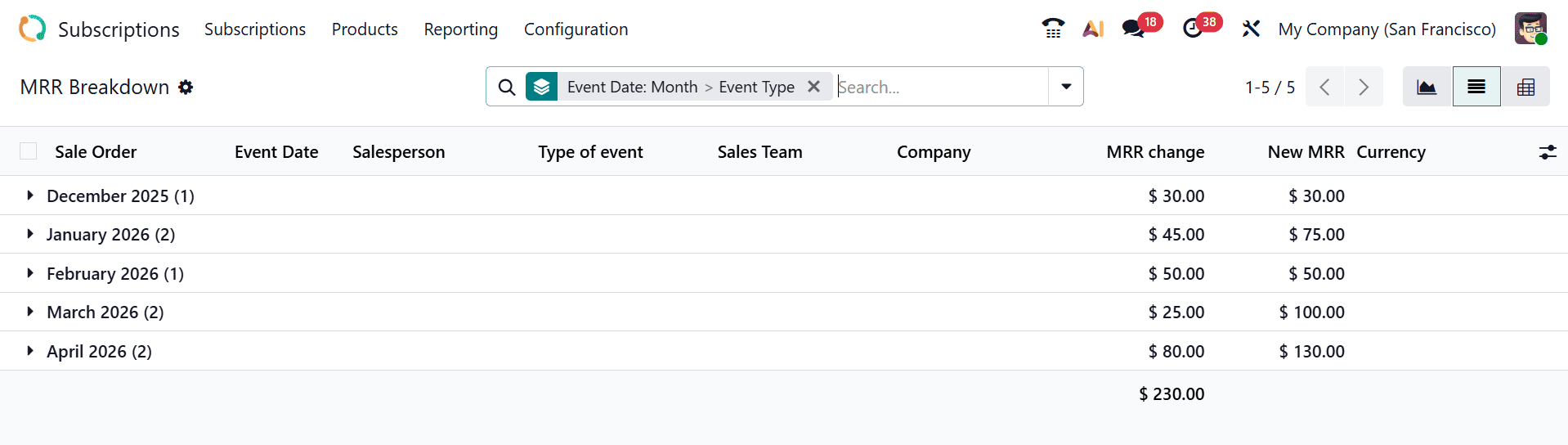
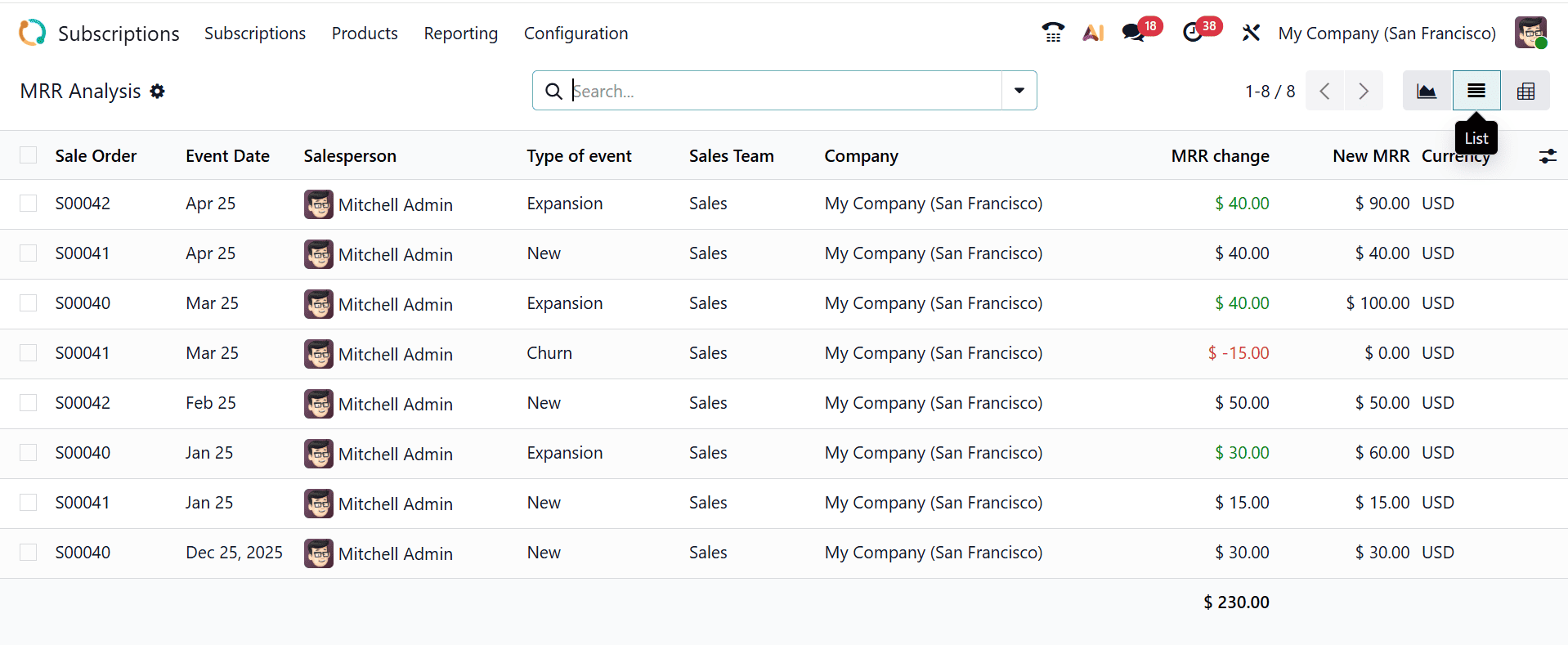
You can change the graph view to the List view, where you can see the details of the data, such as Sales Order, Event Date, Salesperson, Type of Event, Sales Team, Company, MRR Change, New MRR, and Currency.
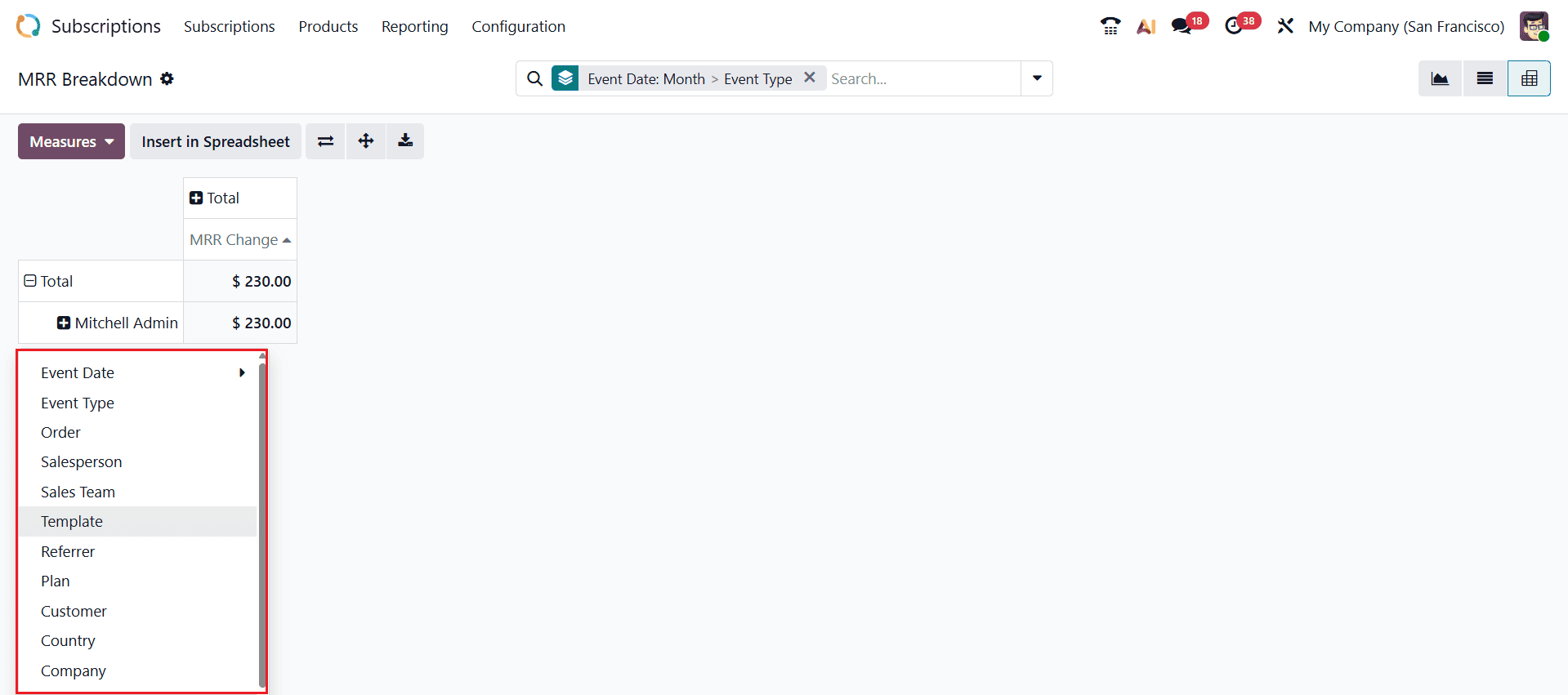
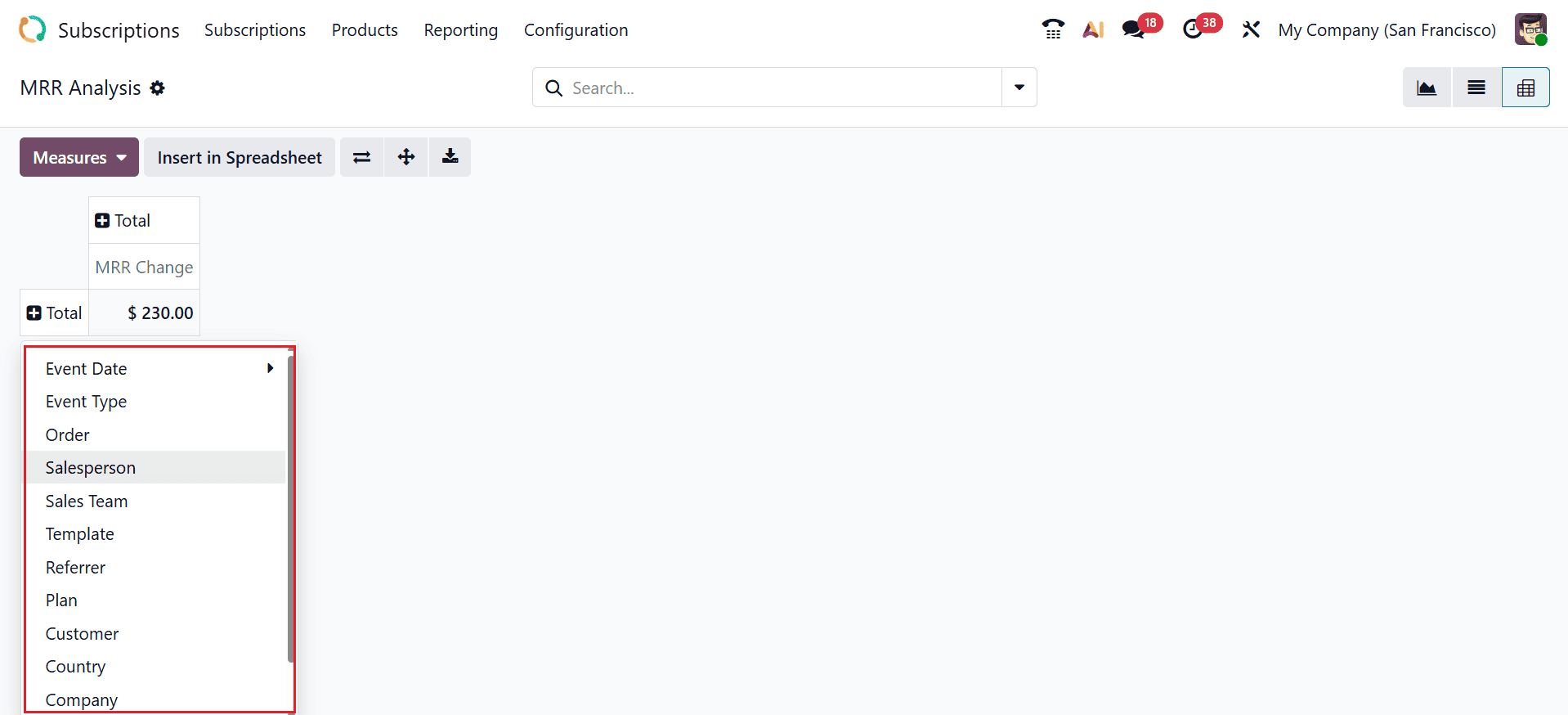
In the Pivot View, you can group the data based on Event Date, Event Type, Order, Salesperson, Sales Team, Template, Referrer, Plan, Customer, Country, and Company, while also using the Add Custom Group option for more flexible analysis.
4. MRR Analysis:
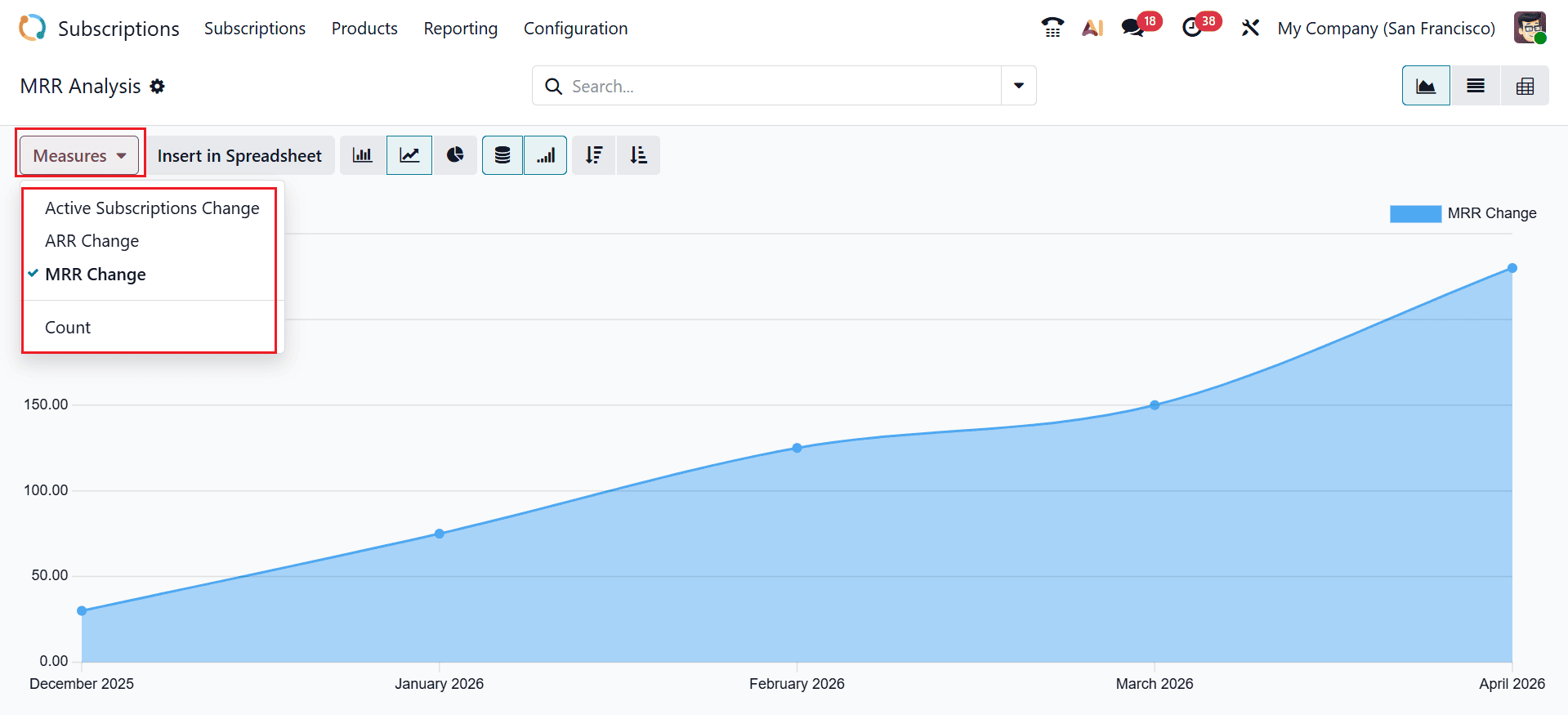
MRR Analysis reporting feature provides an overview of Monthly Recurring Revenue trends over time to help businesses track subscription performance and revenue growth. To access MRR Analysis, navigate to Reporting > MRR Analysis. The view can be adjusted using options like Line chart, Pie chart, Stacked, Cumulative, Ascending, and Descending. The Measures button helps you to change the metrics of the graph, such as Active Subscription Change, ARR Change, MRR Change, and Count.
In the List View, you can analyze the data in a tabular format with details including Sales Order, Event Date, Salesperson, Type of Event, Sales Team, Company, MRR Change, New MRR, and Currency.
In the Pivot View, you can arrange the data based on Event Date, Event Type, Order, Salesperson, Sales Team, Template, Referrer, Plan, Customer, Country, and Company, along with the Add Custom Group option for further customization.
In conclusion, Subscription Reporting in Odoo 19 is an important feature for businesses based on recurring revenue. It helps organizations gain complete insight into the subscription lifecycle, starting from activation and continuing through renewal or cancellation. With advanced reporting tools, users can track key performance indicators such as monthly recurring revenue, churn rate, and customer retention. They enable businesses to make decisions on data, refine pricing strategies, and build stronger customer relationships. The integration of reporting with other Odoo modules ensures seamless data flow and accurate analytics across departments. Moreover, customizable filters and visual dashboards make it easier to interpret complex subscription data. Using these reporting capabilities, companies can enhance forecast accuracy and drive long-term, sustainable growth. Ultimately, Odoo 19 Subscription Reporting enables businesses to transform raw data into actionable insights, ensuring better financial planning and stronger long-term customer relationships in an increasingly subscription-driven market.
To read more about Overview of Subscription Reporting in Odoo 18, refer to our blog Overview of Subscription Reporting in Odoo 18.