Inventory management in Odoo 19 includes the whole structure of warehouses, product variants, storage sites, and logistics, going well beyond simply keeping track of things. Warehouse and location management stand out among these elements as essential cornerstones for guaranteeing effective storage and seamless product flow. This is made easier with Odoo 18 Inventory, which offers a methodical way to manage all kinds of product placements, keeping companies responsive and well-organized.
Any specified space used for product storage or transportation is referred to as a location in Odoo. This can be a virtual place that represents non-physical operations like inventory loss, scrap, or travel, or it can be a physical location like a delivery zone or a warehouse shelf. While physical locations store tangible things, virtual locations—which don't actually represent physical spaces—are crucial for tracking inventory adjustments, returns, and damaged goods.
Odoo 19 Inventory's support for hierarchical location management is one of its best features. By building a network of Parent and Child Locations, users can precisely arrange storage structures. For example, a warehouse (parent site) may have multiple zones (child locations), each of which may have shelves or bins within it. Granular product tracking, efficient stock movement, and simpler inventory audits are all made possible by this tiered approach. However, first-time users should make sure that the appropriate configuration choices are selected in the settings to unlock these additional features before fully utilizing location and location type management.
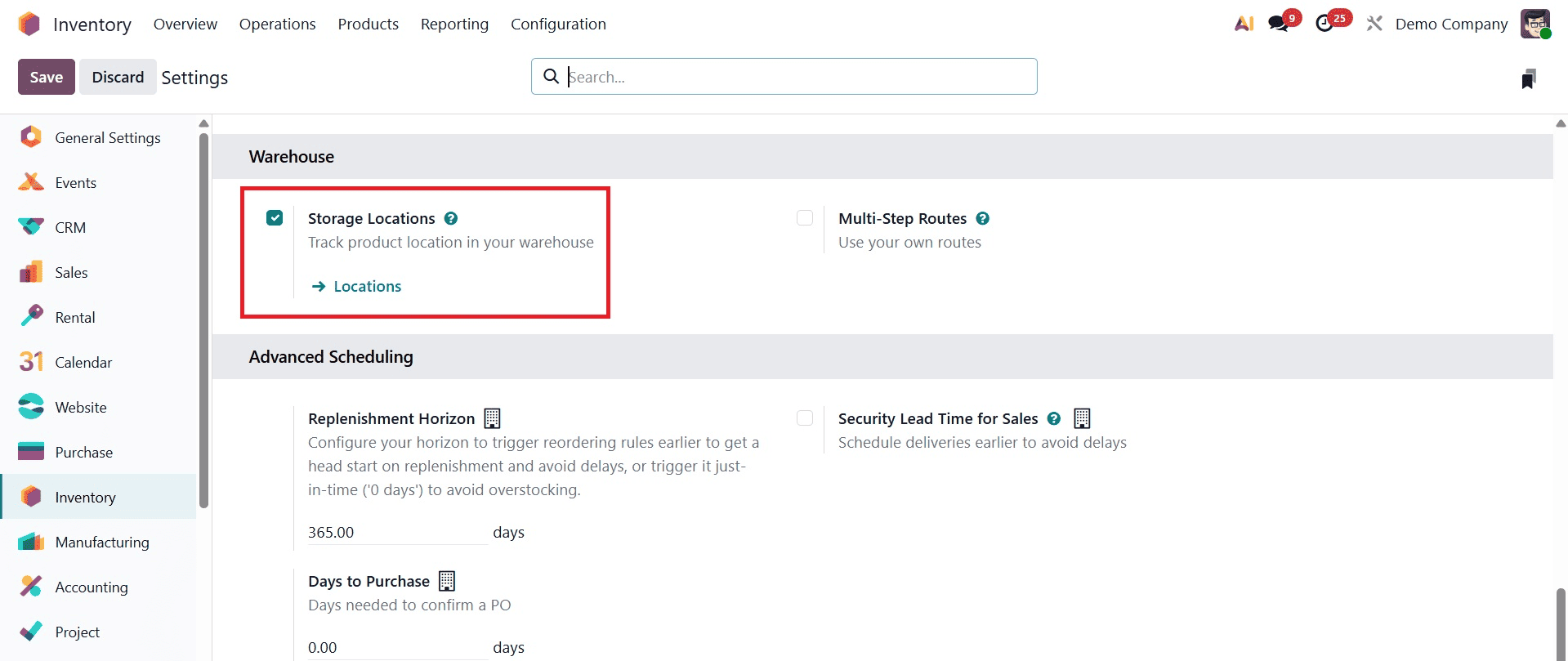
Users must first activate the Storage Locations feature before exploring Odoo 19's various location options. To accomplish this, go to the Inventory module > Configuration > Settings and check the Storage Locations box in the Warehouses section. After saving, the Inventory module's Configuration will have a new menu item called Locations. When you click on this, a selection of pre-established locations appears, and you can design new ones based on your storage requirements.
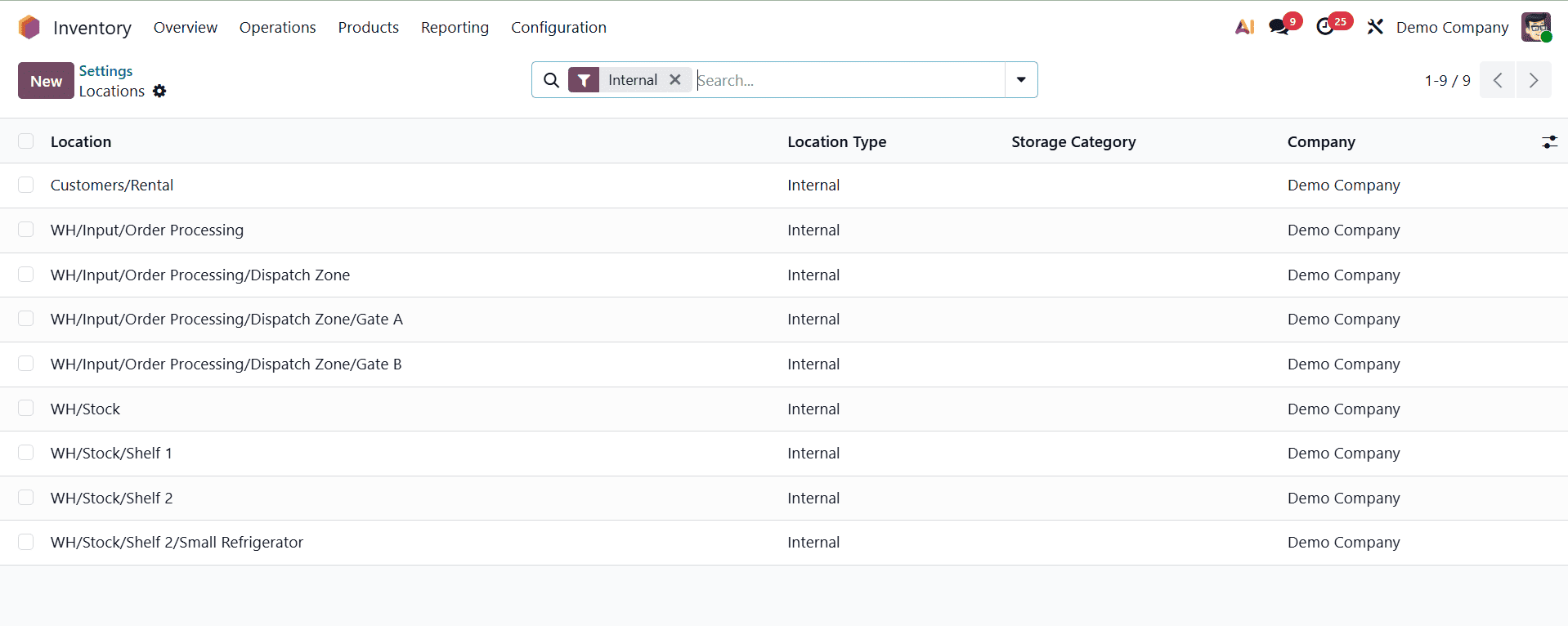
Physical locations, Partner locations, and virtual sites are the three main categories into which Odoo divides storage locations. Each has a unique part to play in guaranteeing precise inventory visibility, traceability, and stock movement.
1. Physical Location
The actual storage areas in your warehouse are represented by physical locations, which are a subset of internal locations. These are the places set aside for receiving, storing, and shipping goods. Internal warehouse locations in Odoo are sometimes identified by a brief moniker, such WH, to indicate the main warehouse. Daily tasks including product loading, unloading, stock selecting, and order fulfillment are made easier by these locations. Users can divide physical locations into shelves, zones, or bins with hierarchical location support, which facilitates effective stock organization and location.
2. Partner Location
Locations connected to other parties, such as suppliers and clients, are referred to as partner locations. For the purpose of tracking stock movements to and from partners, these are handled similarly to physical locations even though they are not physically a part of your warehouse. For instance, Odoo uses partner locations to represent transactional points when you sell things to a customer or get items from a vendor. Despite being external, they directly integrate partner-based logistics into your system to assist maintain consistency in inventory operations.
3. Virtual Location
Products that are not physically present in your warehouse can be tracked using virtual locations, which are conceptual storage areas. They are crucial for depicting extraordinary or transitional inventory states. For example, goods are moved into a "Transit" virtual location when they are shipped from a vendor but have not yet reached your warehouse. Similarly, a "Scrap" or "Inventory Loss" virtual location is used for damaged items that are taken out of inventory.
These virtual areas are essential for tracking product movement history, identifying inconsistencies, and keeping precise inventory records. They let you account for in-transit, missing, or discarded products independently and guarantee that stock levels in your physical warehouse reflect reality.
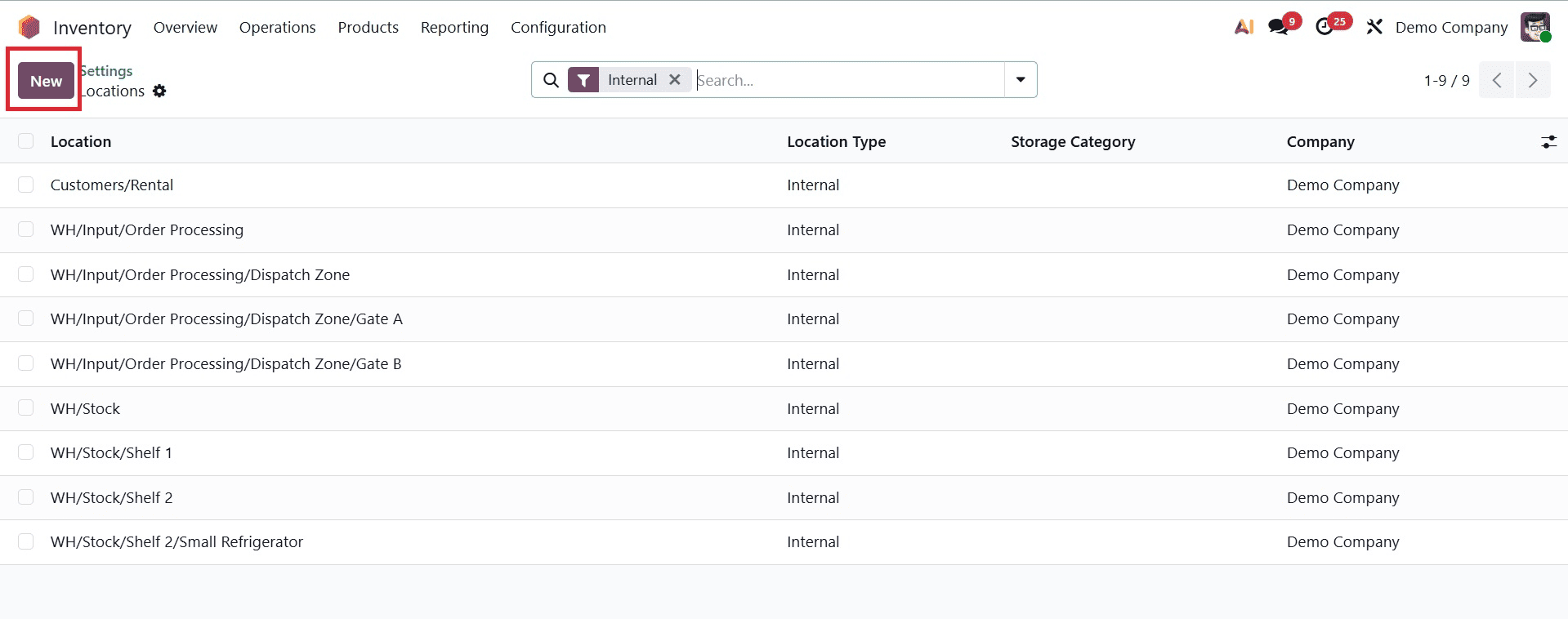
Click the New button on the Locations page in the Inventory module to add a new storage place in Odoo 19 Inventory. This action opens a form where you may provide the new location's details.
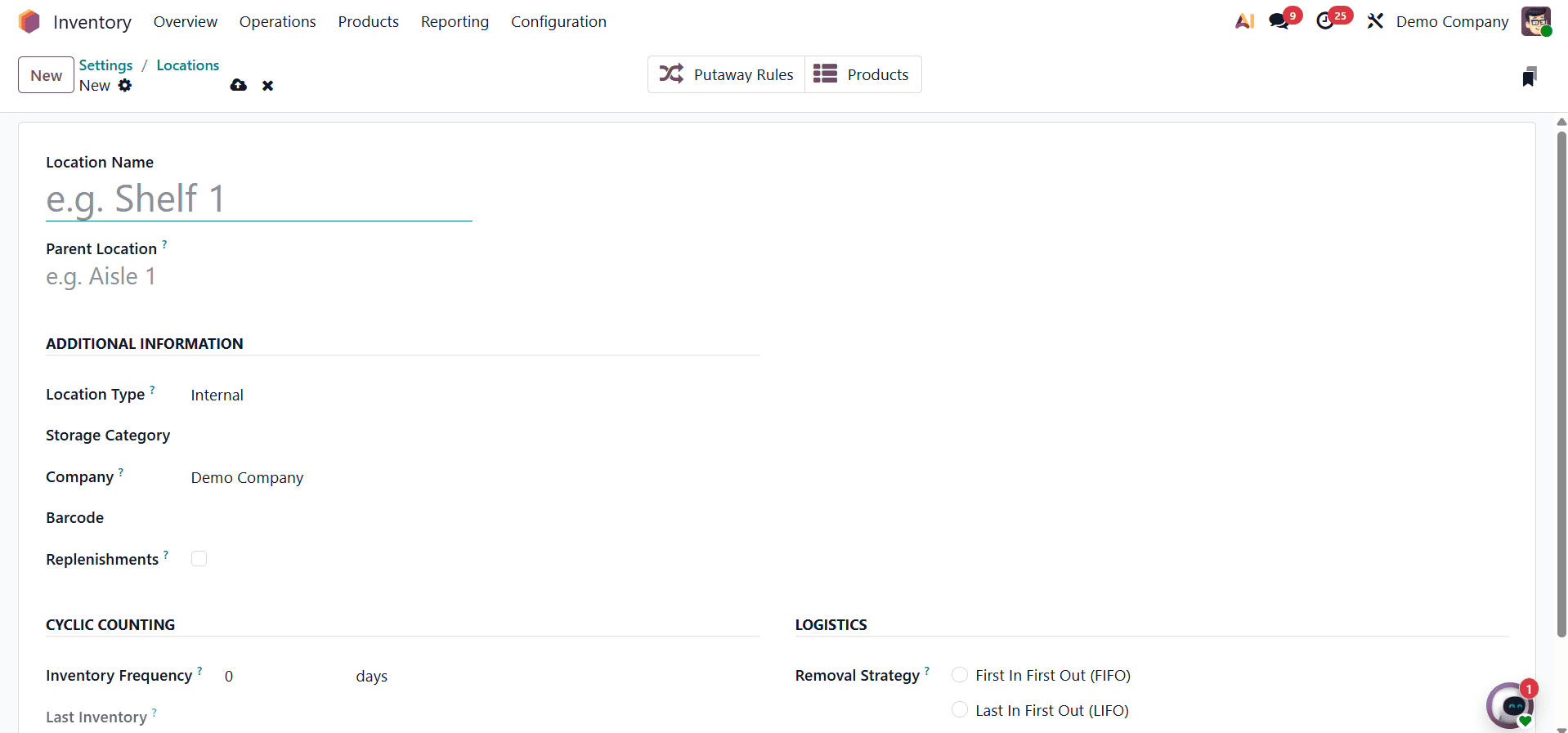
In order to facilitate users' quick identification of the area during inventory operations, start by giving it a familiar name. The Parent place, which describes the larger region that this new place comes under, should then be specified. For example, if you are building a shelf inside a specific warehouse zone, that zone will be designated as the parent.
Odoo creates a location hierarchy by using this parent-child relationship to visually arrange storage areas in an orderly fashion. After being saved, the location is included in this hierarchical view, which aids users in comprehending how certain storage locations relate to the general plan of the warehouse. This improves the effectiveness of inventory management in intricate or multi-tiered storage setups while also streamlining product transportation and tracking.
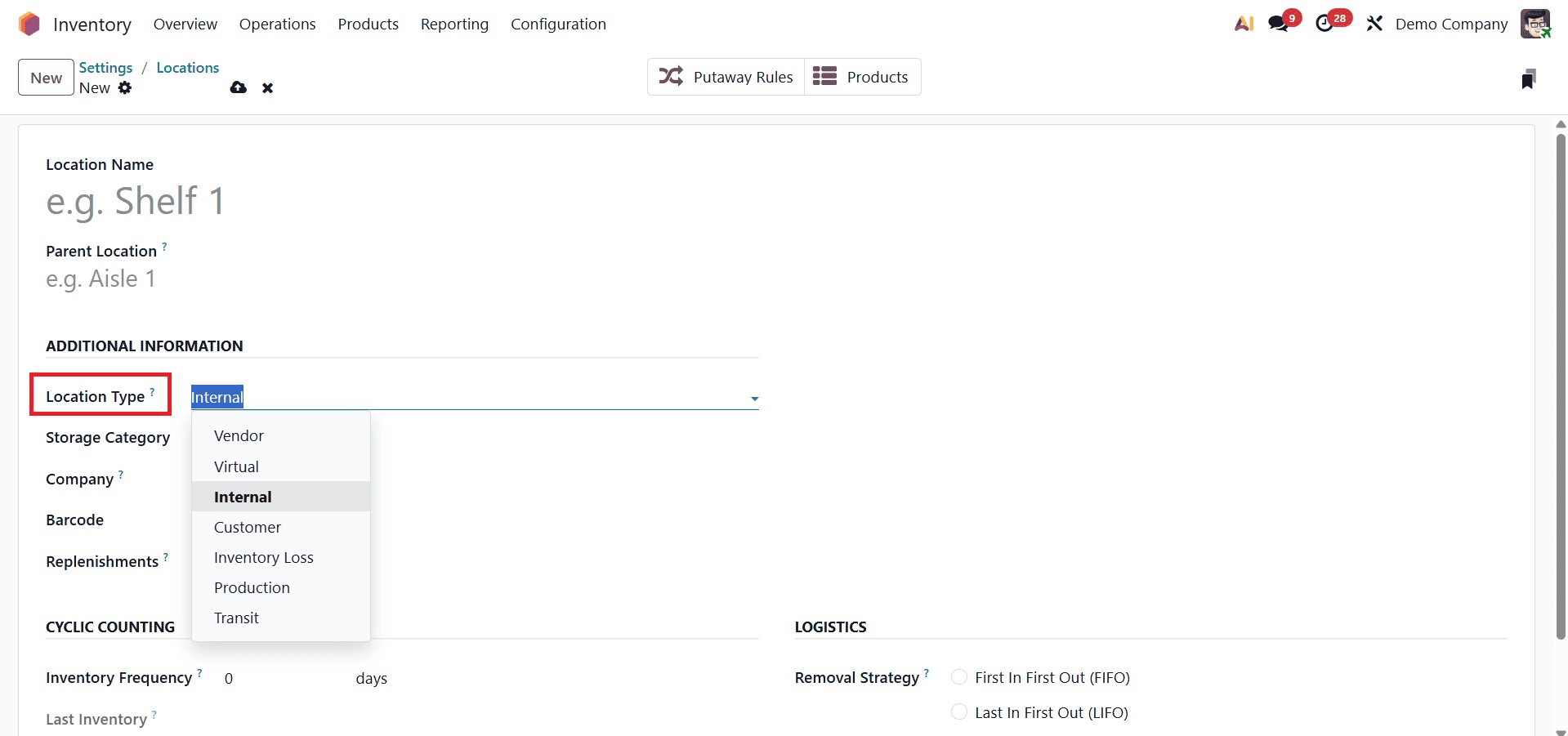
Location Types are essential for classifying storage areas and controlling the movement of items along the supply chain in Odoo 19. Whether a product is in inventory, in transit, customer, or inventory loss, these location types dictate how it is handled. By using the Location Type option, one can investigate Odoo's seven location types.
The Vendor Location is a virtual location where supplier products are made before being delivered in person. This location's products are not yet regarded as being in stock. View locations are used to logically arrange the warehouse structure; they are not actual storage places. To help illustrate the overall warehouse hierarchy, the WH (Warehouse) view location, for instance, may comprise a variety of internal locations, such as stock areas, docks, or packaging zones.
The actual storage spaces within the warehouse where goods are tallied as part of the business's inventory are known as internal locations. Customer Locations, on the other hand, are used to track items that have been delivered and sold; items at these locations are not included in the inventory that is currently available. Inconsistencies discovered during damage reports or stock audits are taken into consideration by the Inventory Loss category. Odoo provides particular examples such as Scrap, which involves moving damaged or unusable objects, and Inventory Adjustment, which handles inconsistencies while counting.
Manufacturing workflows make use of the Production location type. It indicates the area where completed goods are produced and raw materials are used. Lastly, transit locations are utilized when moving between companies or warehouses. These locations help maintain accurate inventory tracking even when objects are in transit by representing commodities that are being moved between warehouses or addresses.
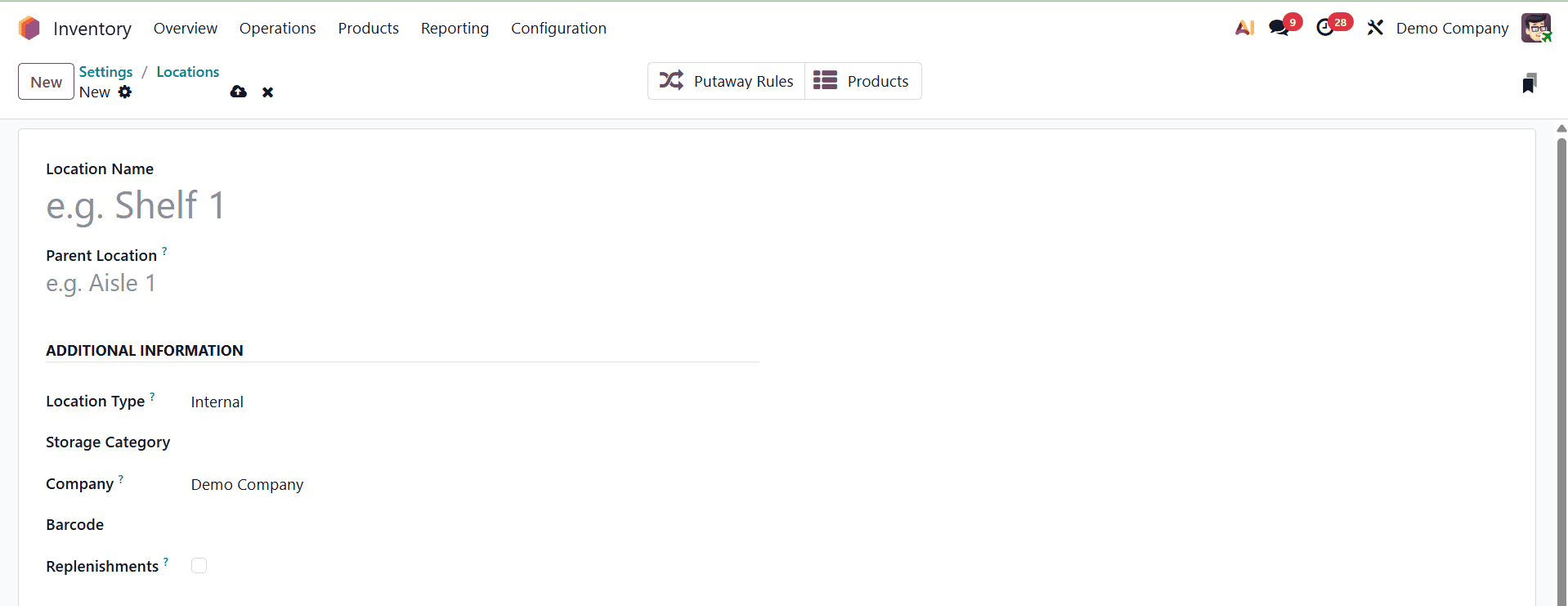
Particularly in warehouse settings that support barcodes, the Barcode field enables you to give a distinct barcode to the location, making scanning and identification during stock operations easier.
Another helpful choice is the Replenish Location option. The system will identify this area as one that needs to be restocked on a regular basis if this is checked. To guarantee that stock levels stay constant at crucial moments in the warehouse, it can be used in conjunction with manual replenishment or replenishment policies.
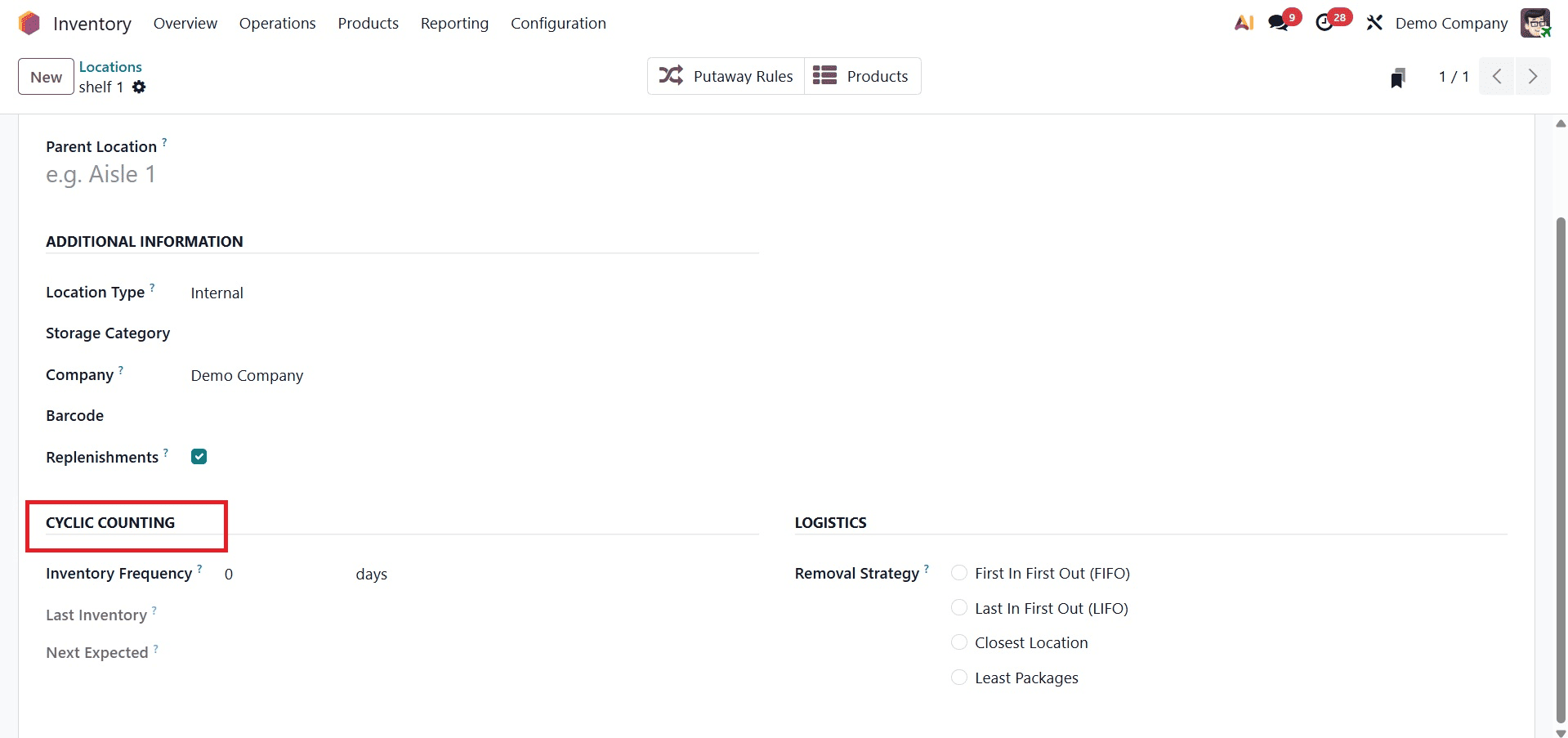
Key fields that aid in automating and streamlining the inventory counting procedure for every location are introduced in the Cyclic Counting part of the location creation form in Odoo 19 Inventory. In this situation, the Inventory Frequency (Days) column is essential. It is set to 0 by default, indicating that inventory checks are not performed automatically. Odoo will interpret this as the interval in days at which goods kept in this location should be counted, nevertheless, if you enter a number larger than 0. This function helps assure routine and methodical stock verification without depending on complete inventory audits, which is particularly helpful for high-value or quickly moving products.
The date of the most recent inventory count for this particular site is automatically entered in the Last Inventory box. Accordingly, the Next Expected field shows the next inventory count due date, which is determined by the frequency you've specified in the Inventory Frequency field.
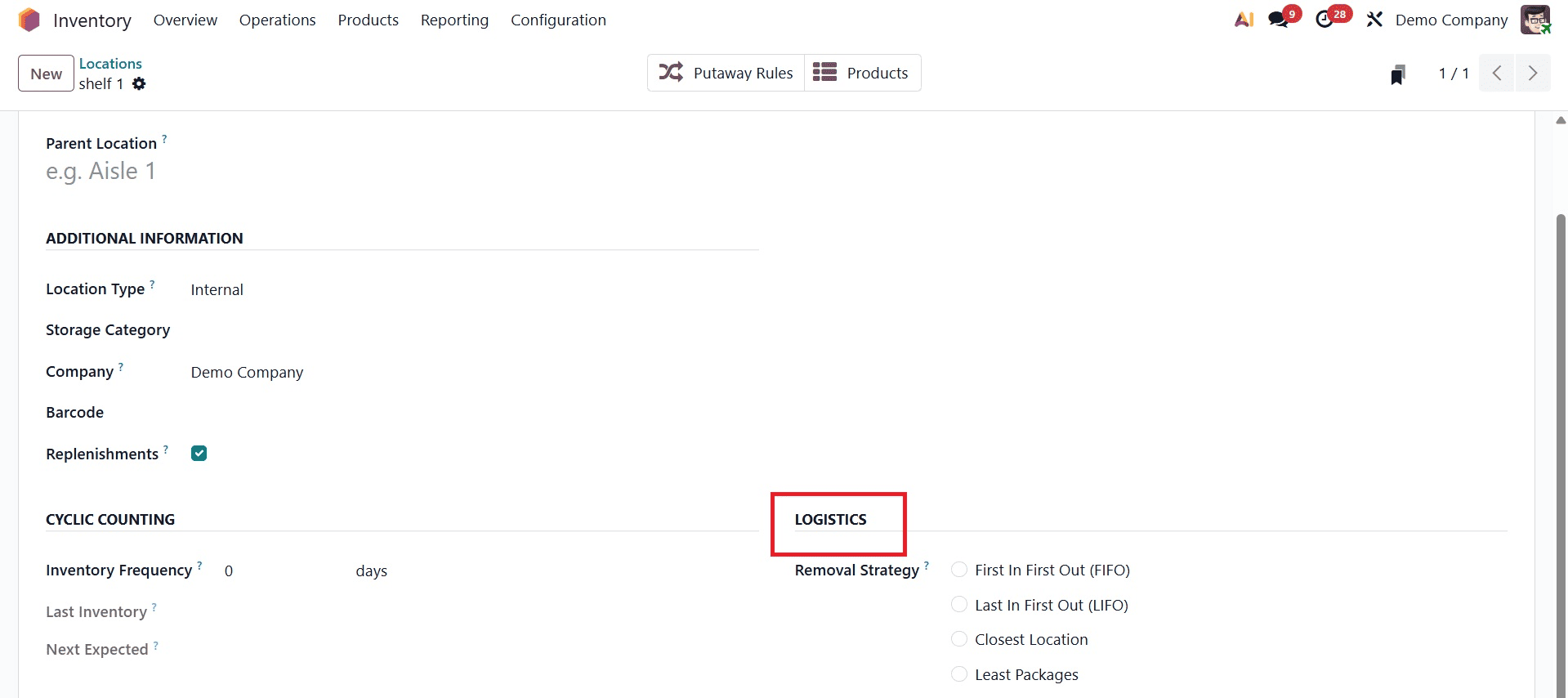
The Removal Strategy box in the Logistics section of the Odoo 19 location creation form is crucial for specifying how goods should be removed from the location during internal transfers or sales. In order to preserve consistency, maximize inventory turnover, and facilitate product traceability, this setting establishes the sequence in which products are taken out of stock. Based on various warehouse requirements, Odoo provides a number of options. For perishable commodities or regulated sectors, First In First Out (FIFO) guarantees that the oldest stock is eliminated first. Conversely, Last In First Out (LIFO) selects the most recent goods first; this may work well for bulk or non-perishable items that are kept for convenience.
In order to improve operational speed, Closest Location enables the system to prioritize selecting goods from locations that are physically closer to the pickup point. When reducing the quantity of packages selected is desired, Least Packages is utilized to increase packaging and shipping efficiency. Finally, First Expiry First Out (FEFO), which is crucial for handling shelf-life-sensitive commodities, guarantees that products with the earliest expiration dates are chosen first. Choosing the right removal approach ensures accurate inventory flow, minimizes waste, and streamlines logistics.
For managing warehouse locations, Odoo 19 Inventory provides a highly structured and adaptable system that supports both physical and virtual logistics operations. Odoo guarantees accuracy and clarity in inventory flow by setting internal and partner locations as well as establishing sophisticated features like removal strategies, cyclic inventory counts, and scrap processing. Businesses can enhance overall inventory accuracy, decrease errors, and optimize their warehouse processes by comprehending and successfully establishing these different location types and parameters.
To read more about What are the Various Location Types in Odoo 18 Inventory, refer to our blog What are the Various Location Types in Odoo 18 Inventory.