Setting up Rental Quotation Templates in Odoo 19 is a smart way to streamline and standardize the rental sales process for businesses offering rental products or services. These templates allow companies to predefine pricing, rental durations, terms, conditions, and optional services, ensuring consistency across all customer quotations. With Odoo 19’s enhanced Rental module, users can easily create reusable quotation formats that reduce manual effort and minimize errors during order creation. Rental quotation templates are especially useful for businesses handling frequent or recurring rental requests, as they speed up response times and improve customer experience. By integrating products, rental periods, pricing rules, and contract terms into a single template, sales teams can focus more on customer engagement rather than administrative tasks. Overall, rental quotation templates in Odoo 19 help improve efficiency, accuracy, and professionalism in rental operations.
Configure Quotation Template in Odoo 19
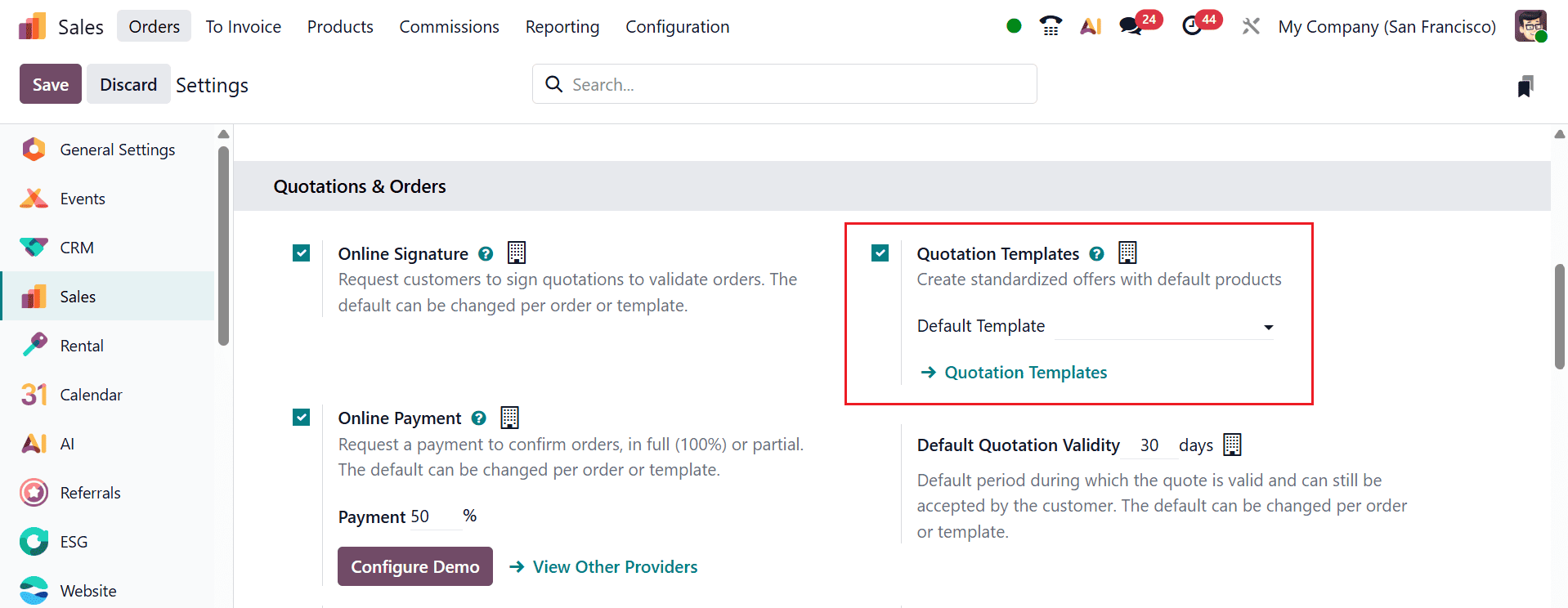
In Odoo 19, quotation templates can be configured by navigating to Sales > Configuration > Settings and enabling the Quotation Template option under the Quotation & Orders section. To allow customers to sign and pay for a quotation to validate orders directly through online, enable the Online Signature and Online Payment options.
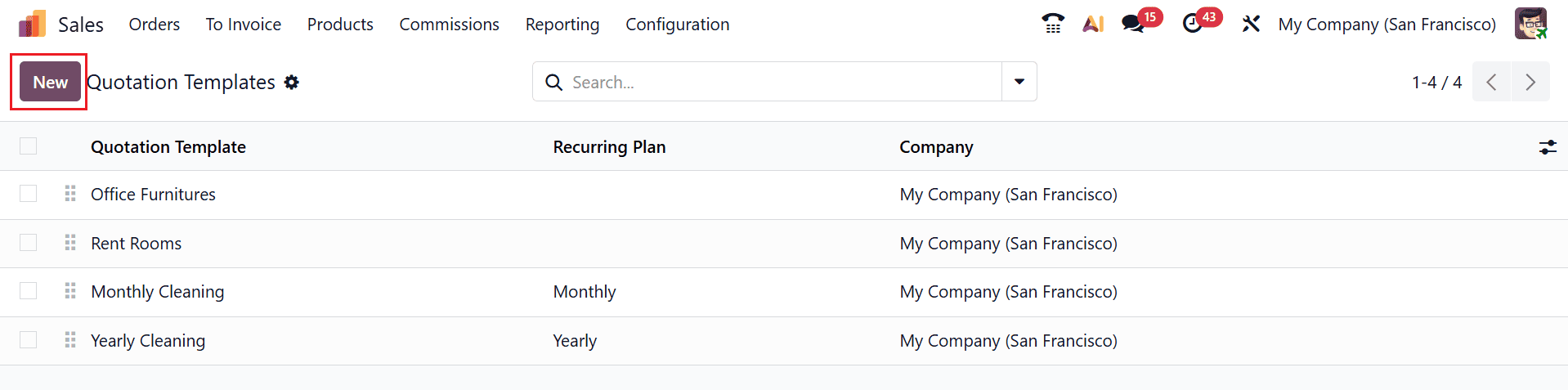
In the Sales module, navigate to the Configuration < Quotation Template to create a new quotation template. In the Quotation Template dashboard, you can see a list of pre-configured quotation templates with details, such as Quotation Template, Recurring Plan, and Company. Click on the New button to create a new quotation template.
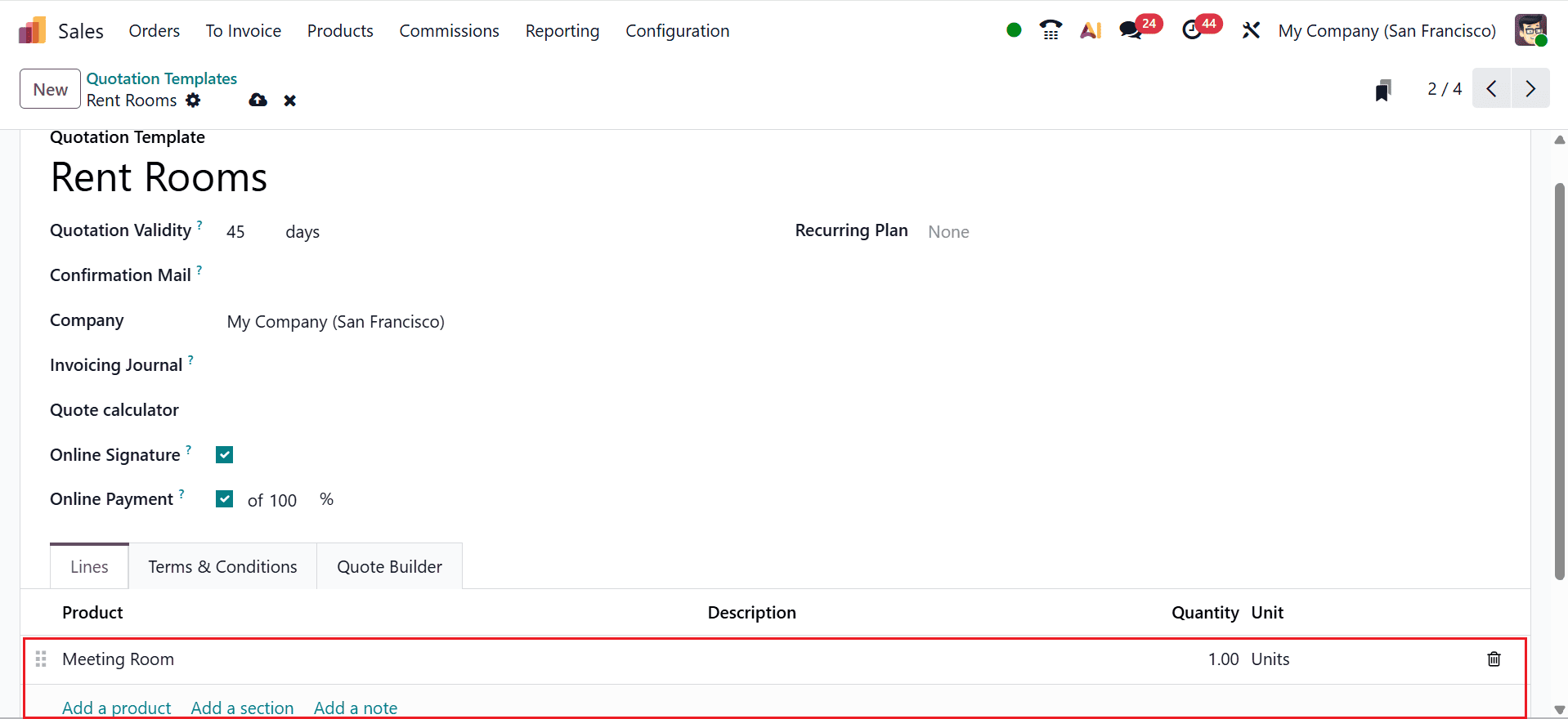
Here, add a title for the new quotation template under the Quotation Template field. Define the Quotation Validity period and select a confirmation email template to be sent upon order confirmation in the Confirmation Mail field. Select a Company to which the quotation template applies. The Invoicing Journal field allows you to define the journal used to invoice all sales orders associated with this template. In the Quote Calculator field, add a pre-configured spreadsheet directly to the quotation template. Enable Online Signature and Online Payment to collect customer confirmation and payment online. You can also add a Recurring Plan from the drop-down menu.
Under the Lines tab, click on the Add a product button to add rental products in the quotation template. You can also add the description and quantity of the selected product as shown below:
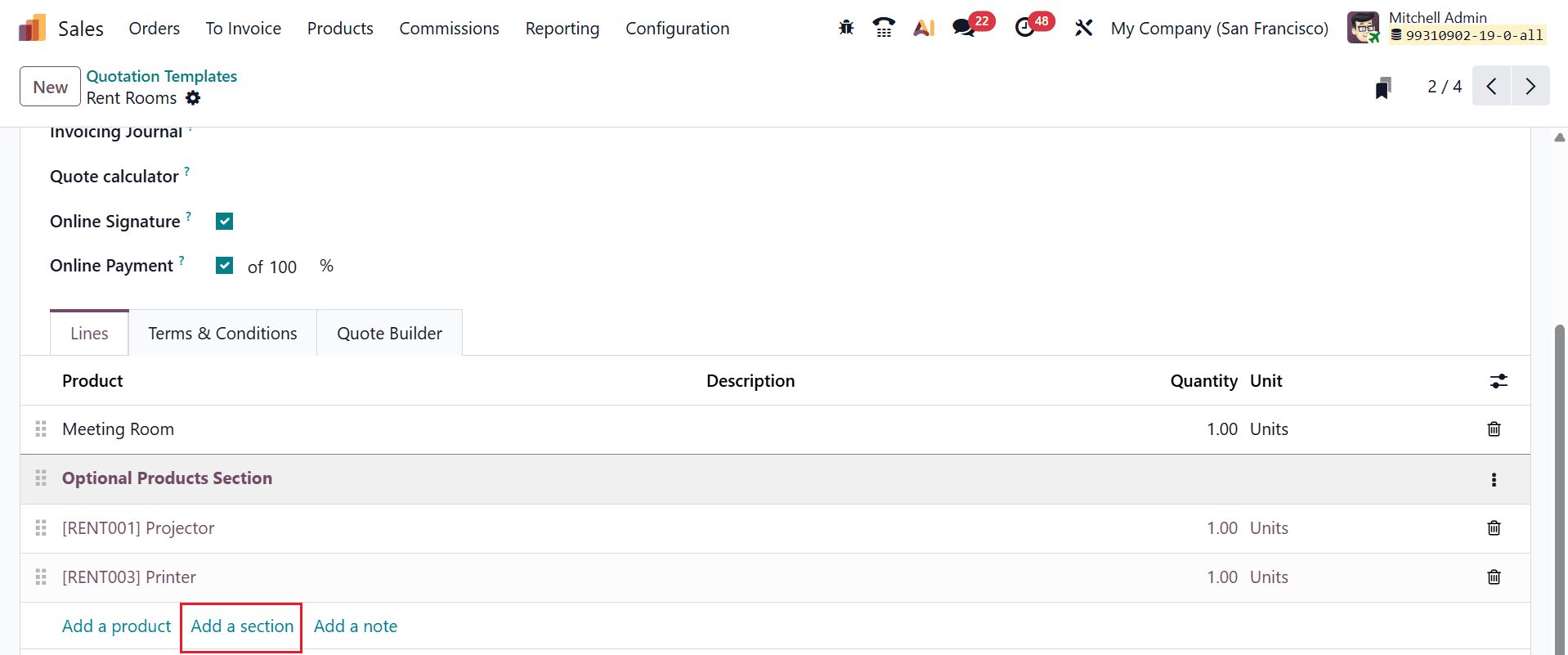
By clicking on the Add a section button, you can create a new section named as Optional Products to add extra items to the rental products, such as a printer, a projector, or other accessories. Customers can select the extra related products of the core product, which results in increased sales, as shown below:
By clicking on the Add a note button, you can add information about the products, such as warranty details, terms, etc.
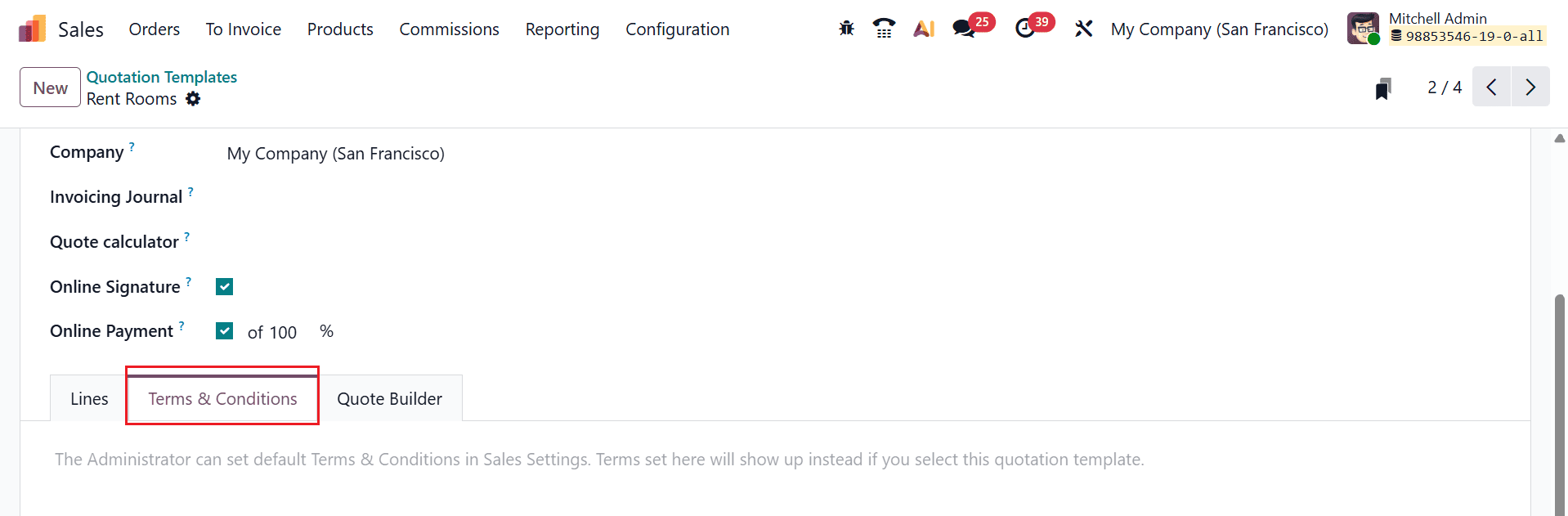
The Terms & Conditions tab allows you to specify quotation template terms, such as cancellation conditions, damage charges, return timelines, and security deposit requirements.
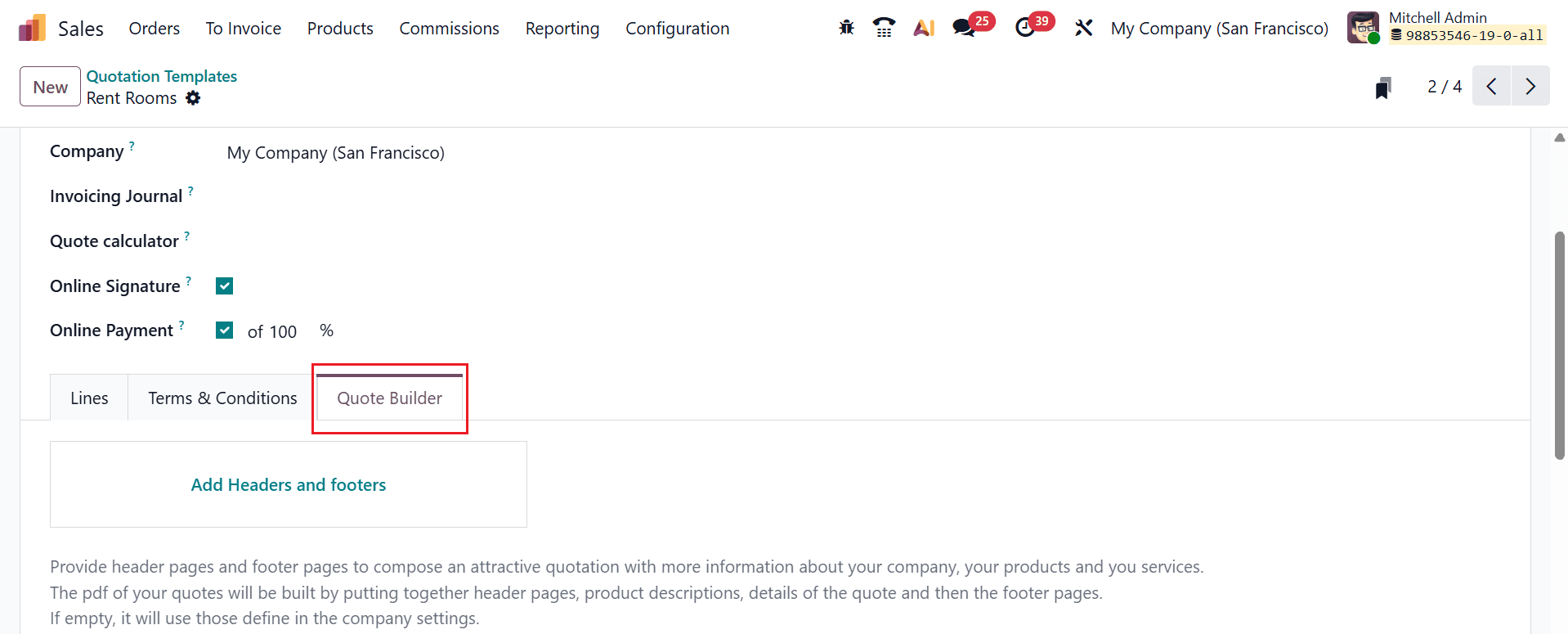
The Quote Builder tab allows you to customize the layout of the quotation template.
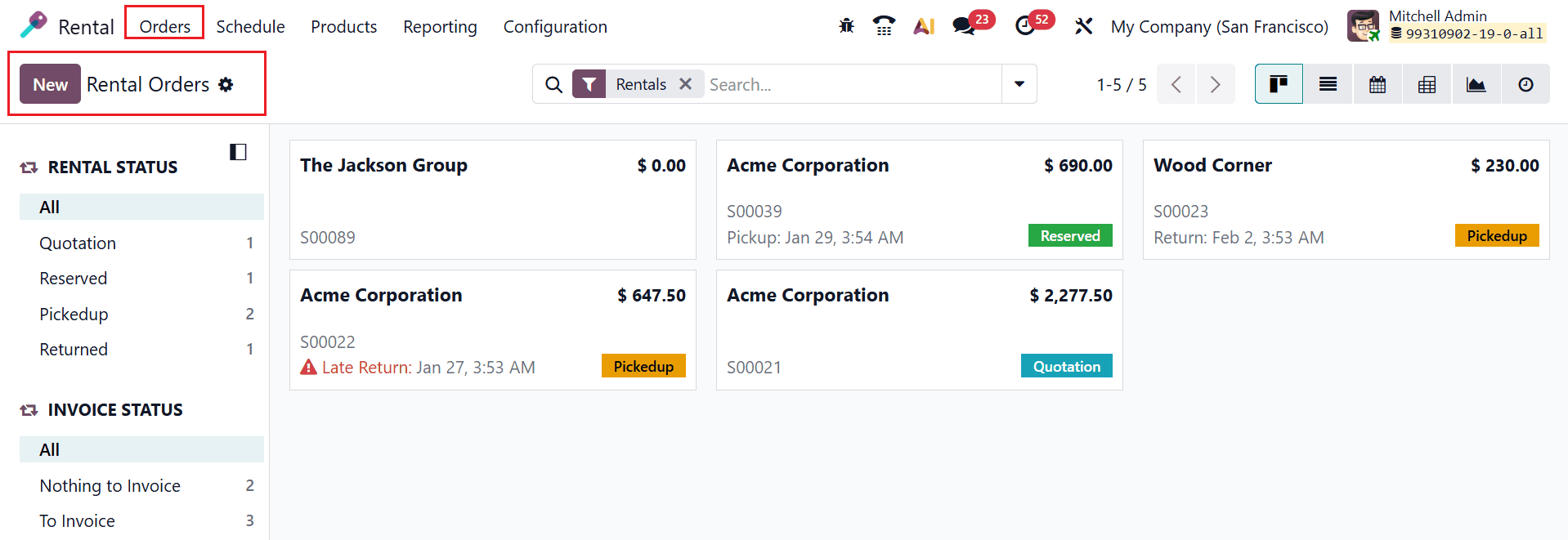
To use the new quotation template in a rental order, navigate to the Rental module and select Rental Orders. Then, click on the New button as shown below:
Here, select a Customer for the rental order and add the other details as shown below. In the Quotation Template field, choose the appropriate quotation template using the drop-down menu.
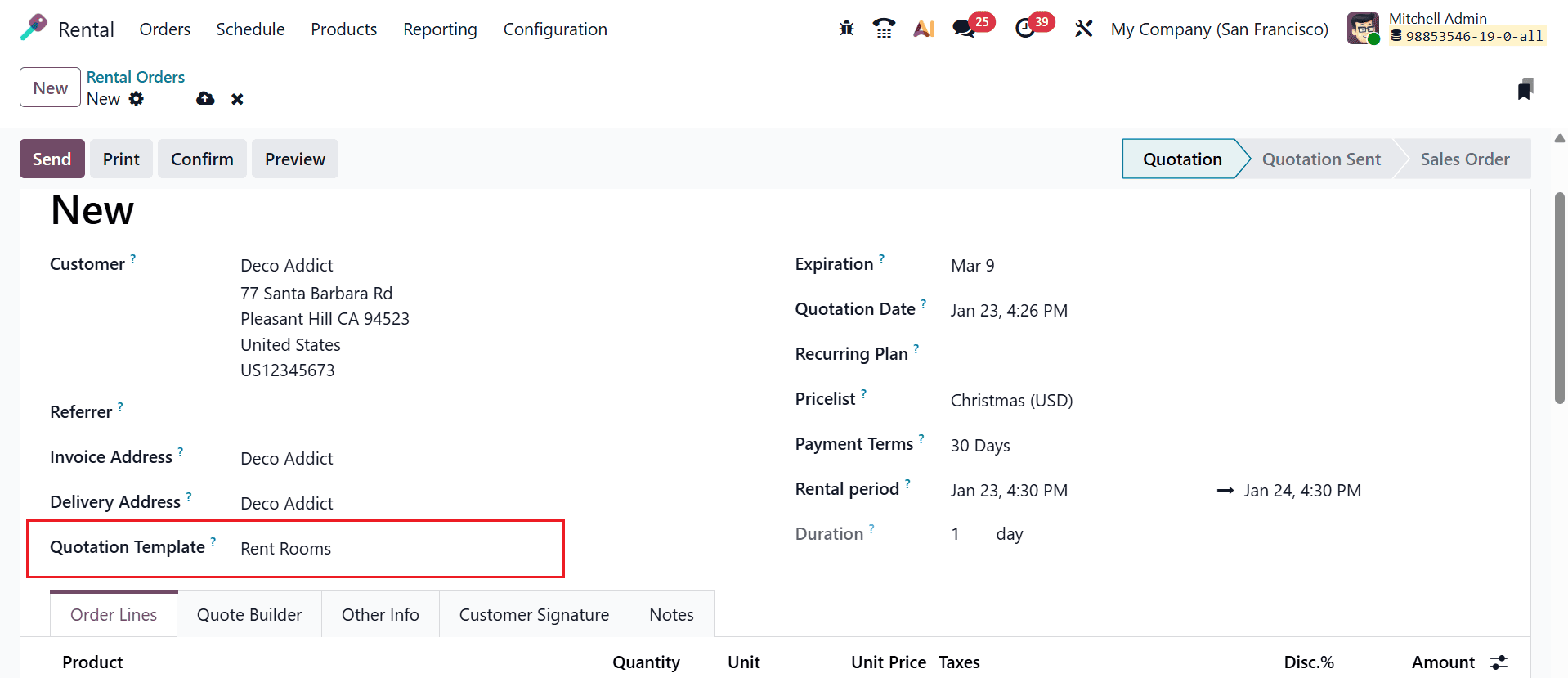
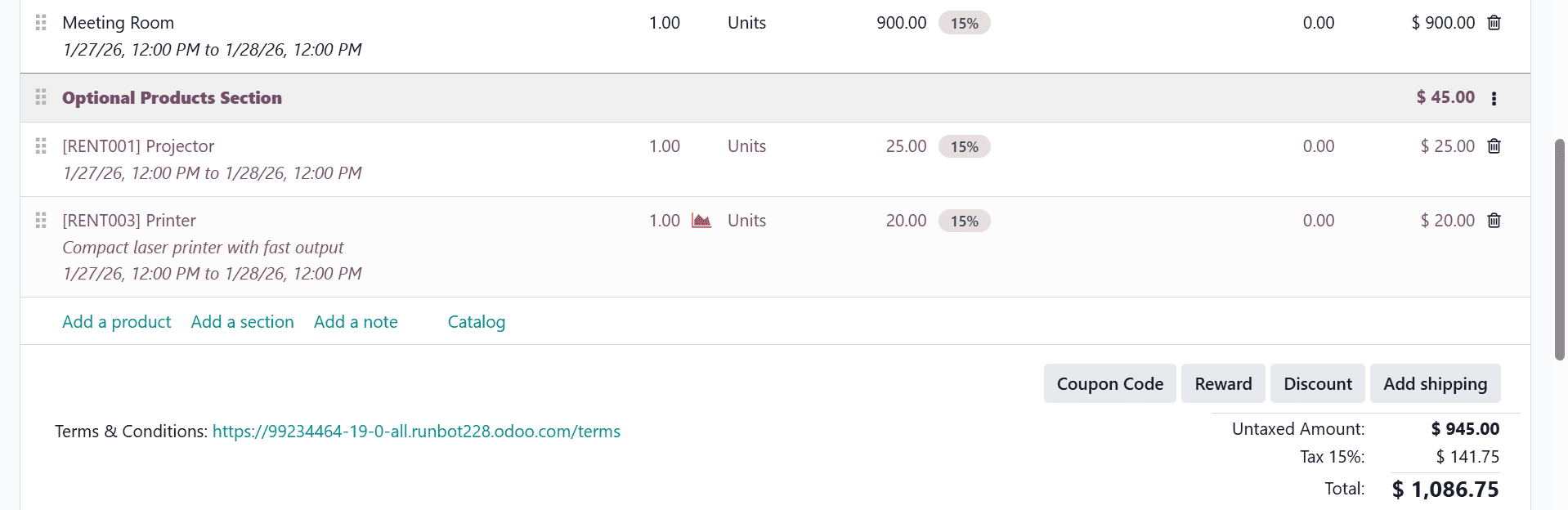
Once selected, all the products and the optional products defined in the template will be automatically added to the order.
In conclusion, Rental Quotation Templates in Odoo 19 play a vital role in optimizing rental business workflows. They ensure consistent pricing and terms while significantly reducing the time required to create rental quotations. By using predefined templates, businesses can ensure accuracy, avoid missed details, and present professional-looking quotations to customers. Odoo 19’s flexible configuration options also allow companies to customize templates according to different rental scenarios, customer types, or contract durations. The system’s adaptability makes it ideal for both small rental businesses and large enterprises managing complex operations. By implementing rental quotation templates, organizations can boost internal efficiency and enhance customer satisfaction with clear, dependable rental proposals. Ultimately, leveraging this feature in Odoo 19 enables organizations to manage rentals more effectively, scale operations smoothly, and maintain better control over their rental sales process.
To read more about How to Configure Rental Quotation Templates in Odoo 18, refer to our blog How to Configure Rental Quotation Templates in Odoo 18.