Increasing profitability and sustainability in modern manufacturing requires effective resource use and waste reduction. Odoo 19 has a robust Manufacturing module that aids companies in managing both final goods and byproducts produced throughout production processes. Secondary products, such as scraps, reusable materials, or extra commodities that can be sold, are generated alongside the primary manufactured product. In order to ensure precise inventory valuation and efficient production workflows, Odoo 19 enables manufacturers to specify, track, and manage these by-products directly within Bills of Materials (BoMs) and manufacturing orders. Businesses may maximize material consumption, minimize waste, and boost operational efficiency through efficient by-product management with automatic stock updates, cost allocation, and real-time tracking.
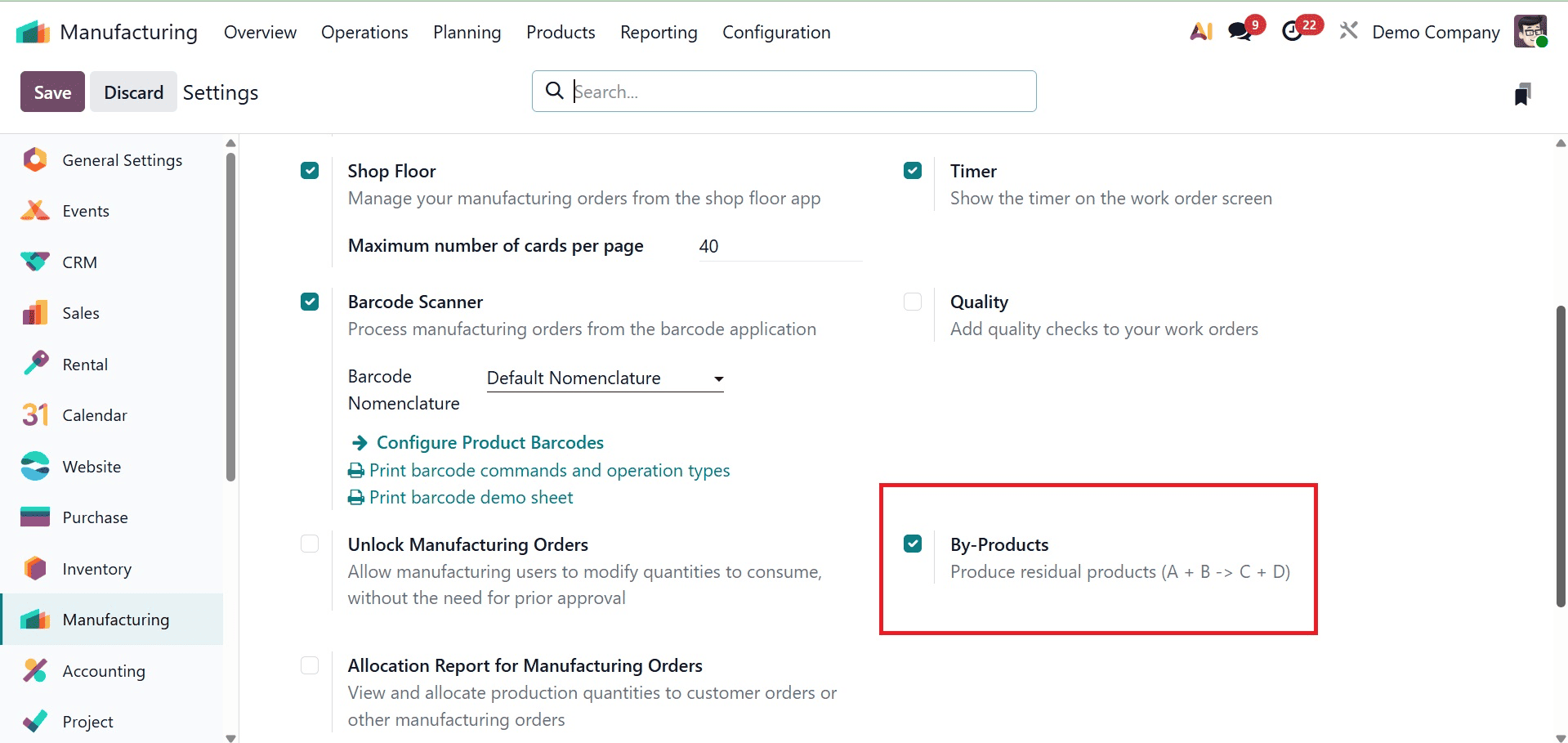
In Odoo production (MRP), by-products are extra items made during the production process in addition to the main final product. These have economic value and can be recycled, sold, or reused even though they are not the primary goal of manufacturing. To generate byproducts in Odoo 19, navigate to the manufacturing application's Configuration Settings and select the By-Product option, which has a checkbox, under the Operation section. As seen in the screenshot below, we can activate the checkbox to use the by-products within a production order.
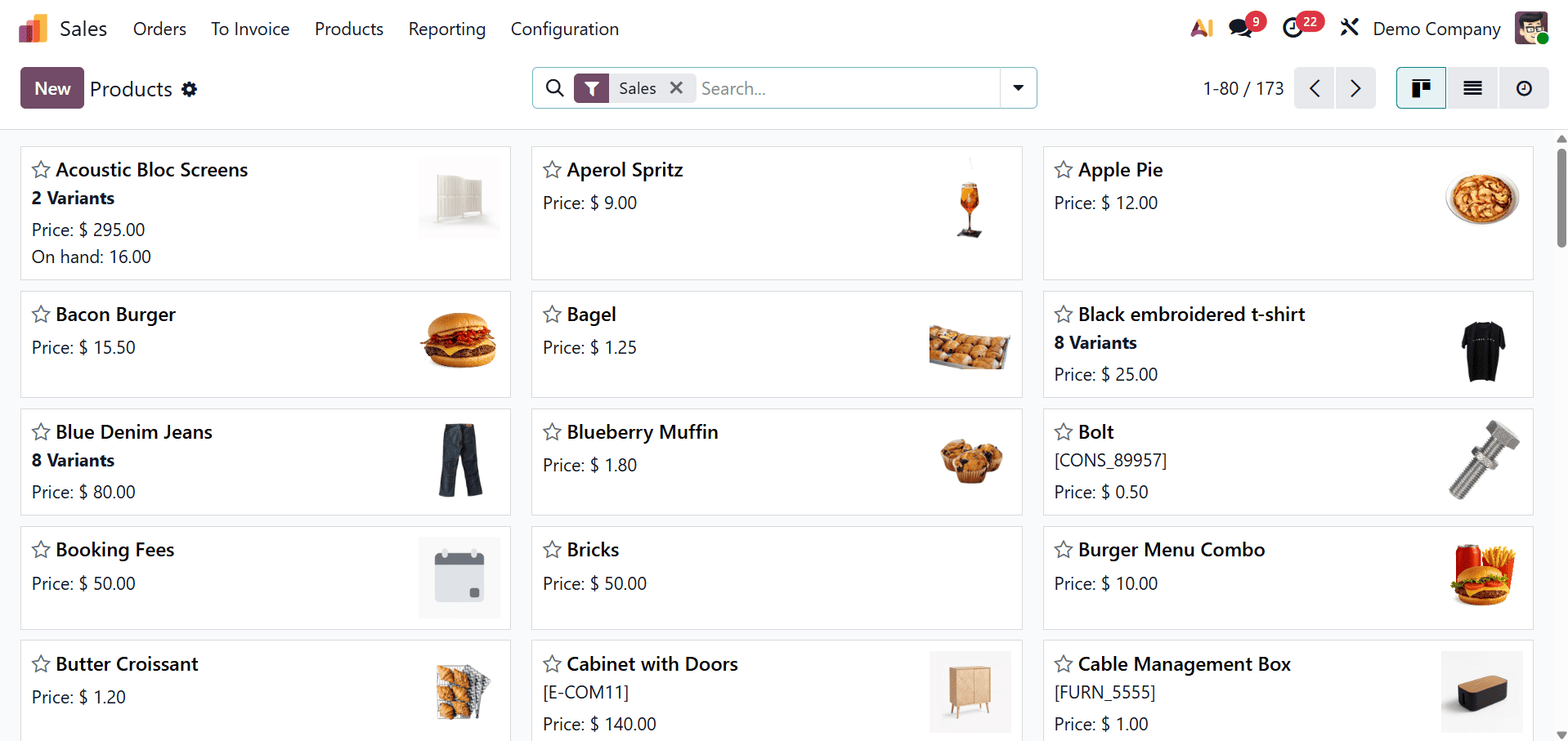
Simply navigate to the products list and setup the main products, the components required to generate the main product, and the by-products after the by-products option from the configuration settings is activated.
Next, select the inventory tab for the primary product for which a production order has to be placed.
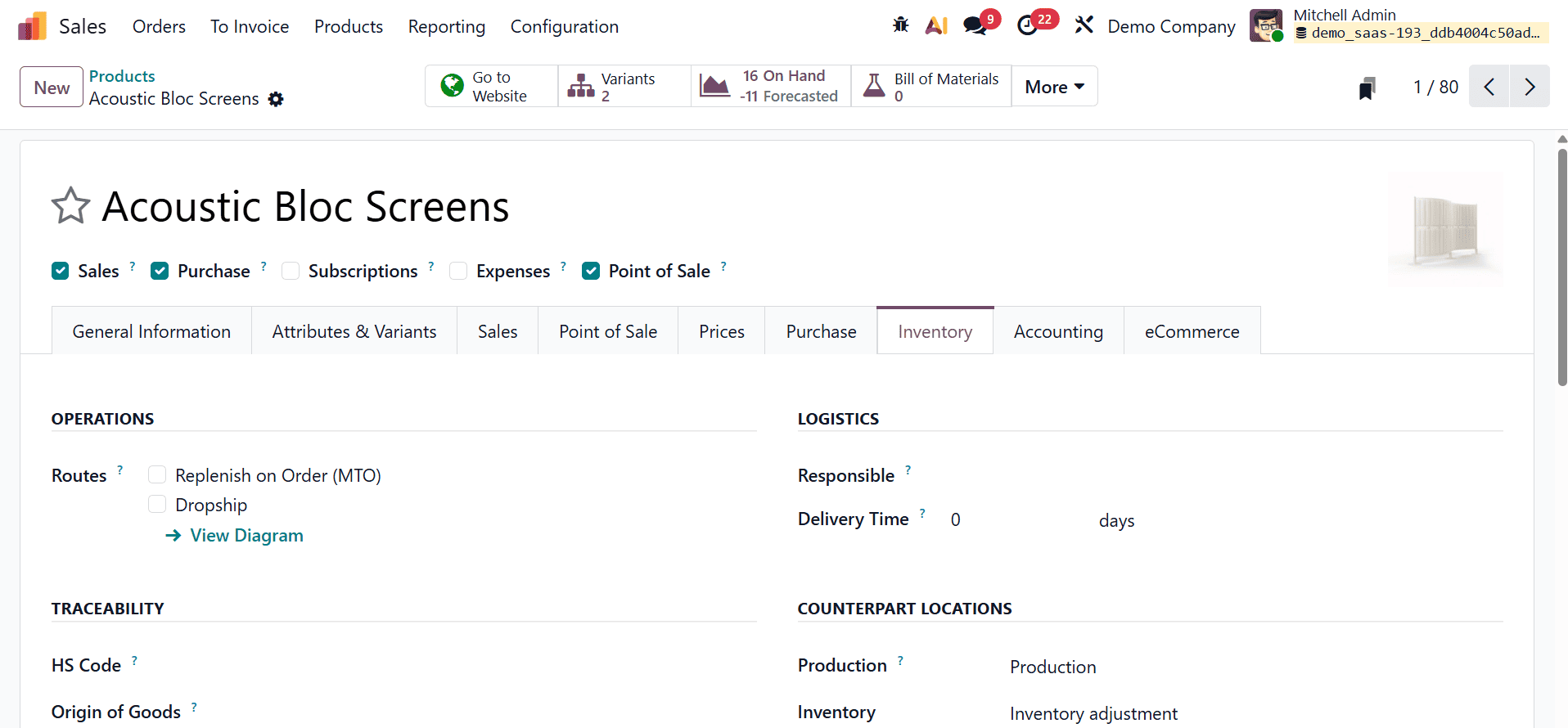
If the Replenish on order (MTO) routes, available under the Inventory tab is activated, a manufacturing order will be created each time the product is needed. In order to proceed with the manufacturing process, we need to draft a new Bill of Materials for the primary product, the "Acoustic Bloc Screen."
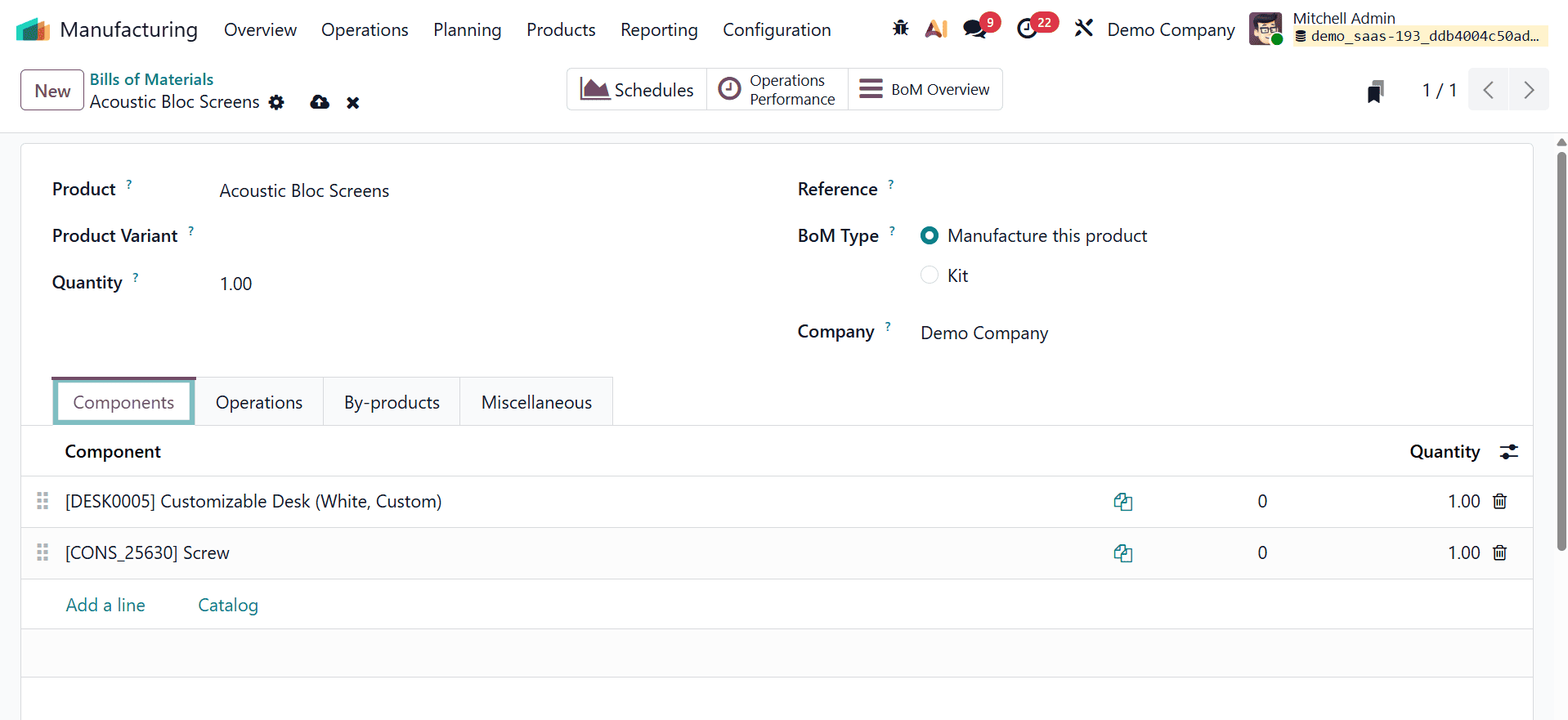
Go to the Bill of Materials' By-Product tab after setting up the bill of materials' components. From there, we can specify the by-product that is available for the Acoustic Bloc Screen's production process.
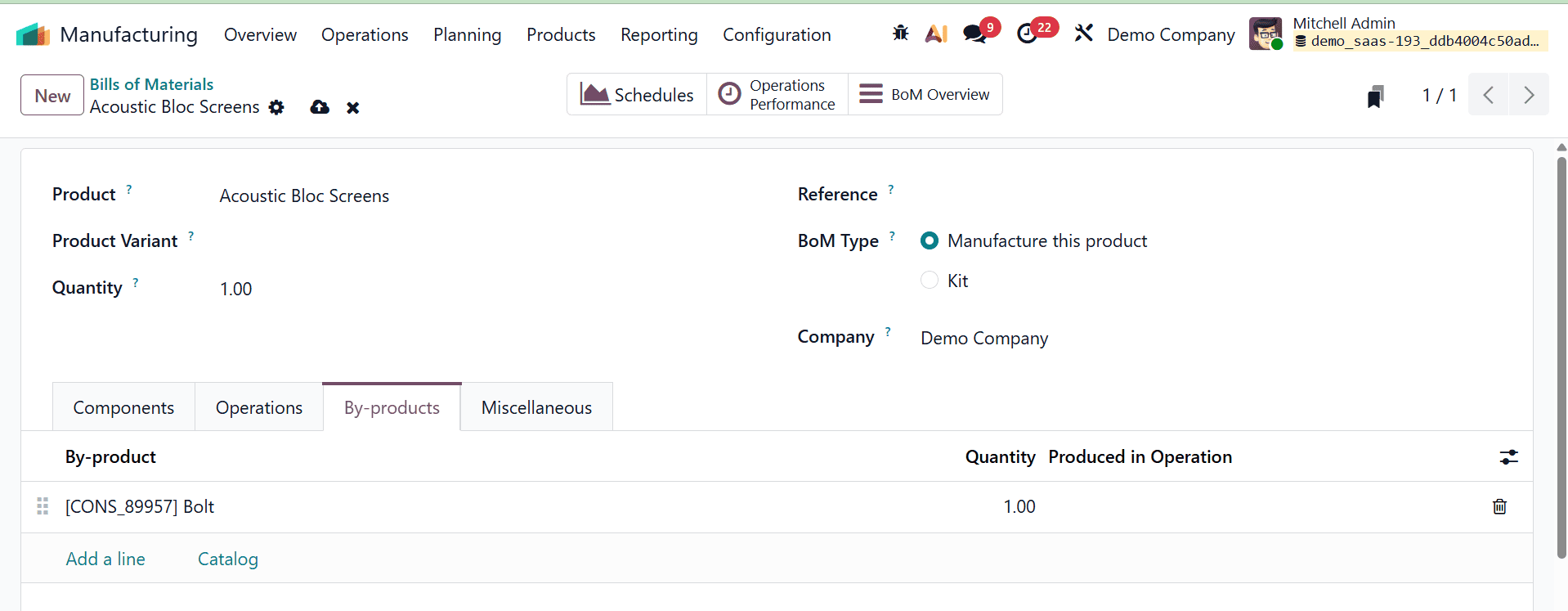
Go to the By-product tab after adding the components from the Components tab. The by-product created during the production of the primary product will be able to be added using the add a line option. The Operations tab of the bill of materials can be used to add the operations needed to produce the product, Acoustic Bloc Screen. The Miscellaneous tab of the Bill of Materials can be used to provide additional information, such as manufacturing lead time, production readiness, and flexible component consumption.
Both the primary product, the Acoustic Bloc Screen, and the by product, the Screw, are now unavailable in the inventory.
Therefore, a manufacturing order will be automatically created for the product, an acoustic bloc screen, if a salesperson creates a sales order for it. Create a sale order for the Acoustic Bloc Screen product by going to the sales module.
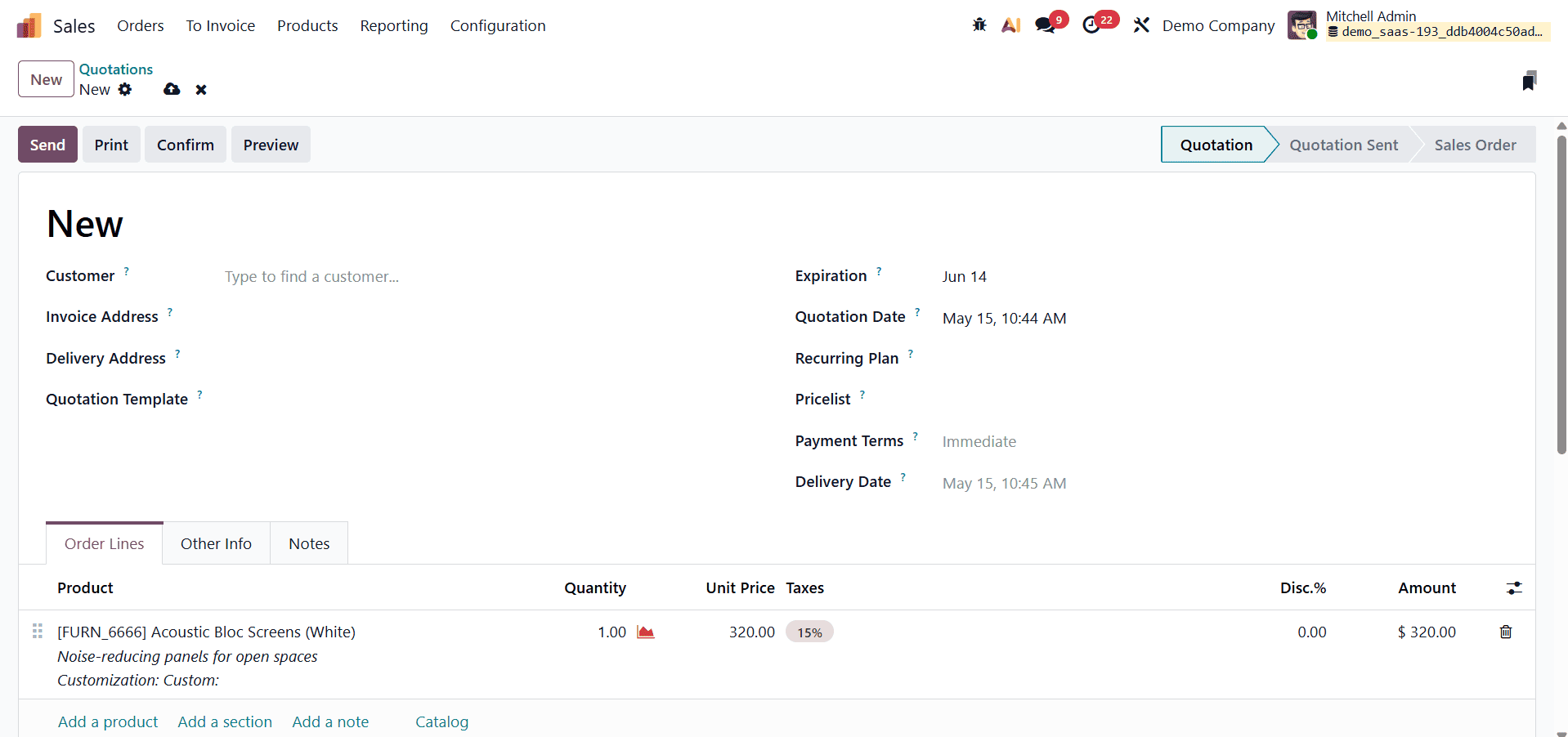
To validate the sales order, click the confirm button. When the confirm button is clicked, Odoo will automatically initiate a manufacturing order for the product because it is not currently in the company's inventory. Delivery is contingent upon the completion of the manufacturing order.
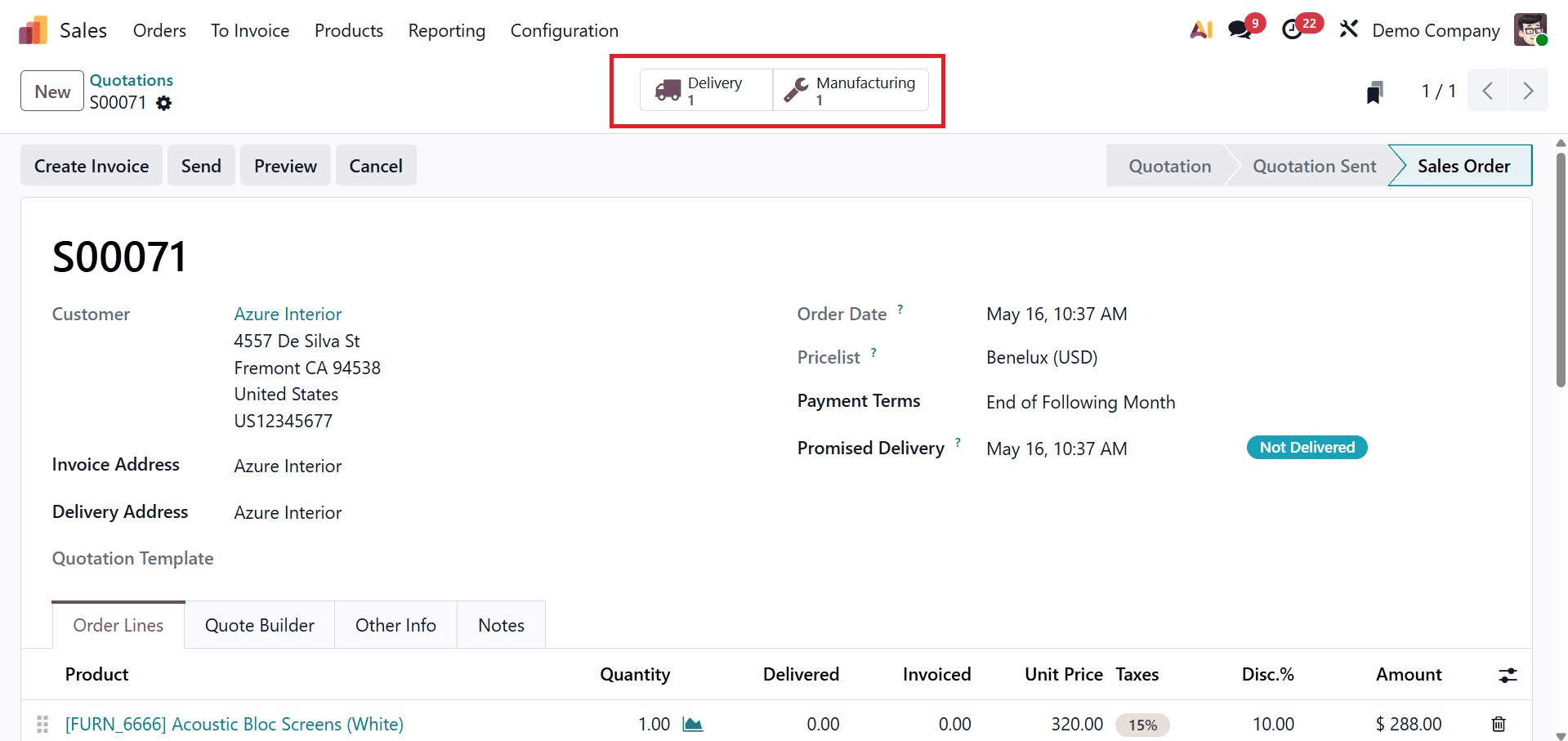
Either click the manufacturing smart tab in the sale order template to finish the manufacturing order, or navigate to the manufacturing module to view the manufacturing order for that product.
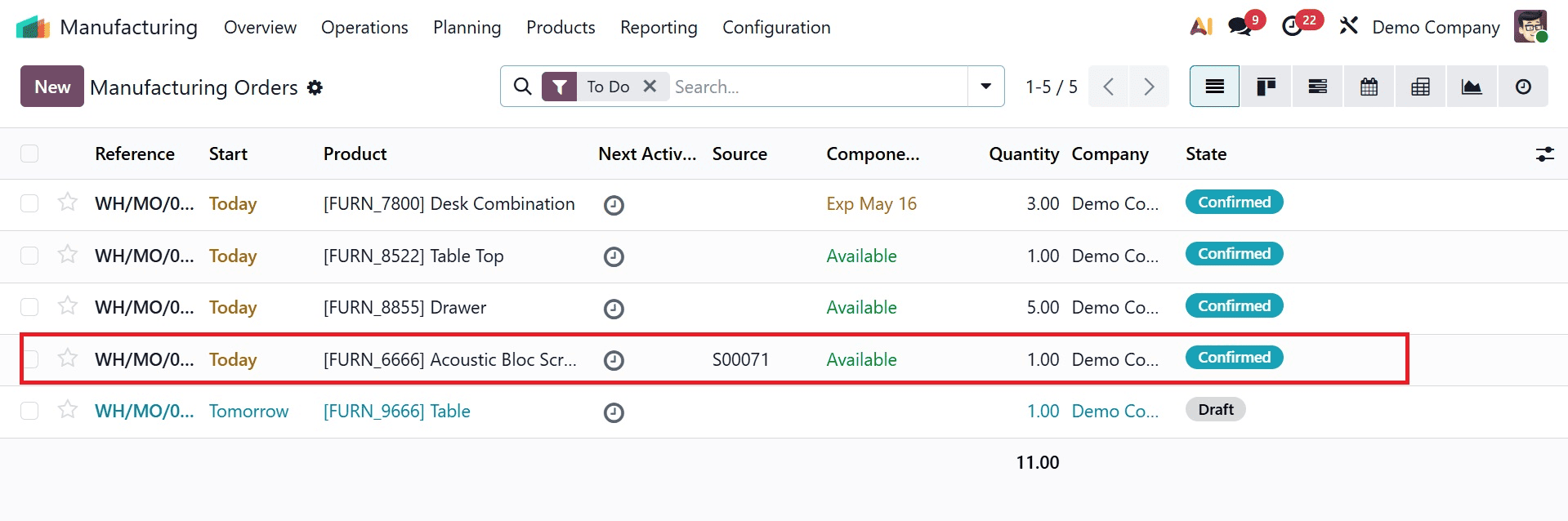
The manufacturing order's source is shown in the list view. As seen in the screenshot above, this manufacturing order is generated from the sale order. Open that manufacturing order first in order to handle it.
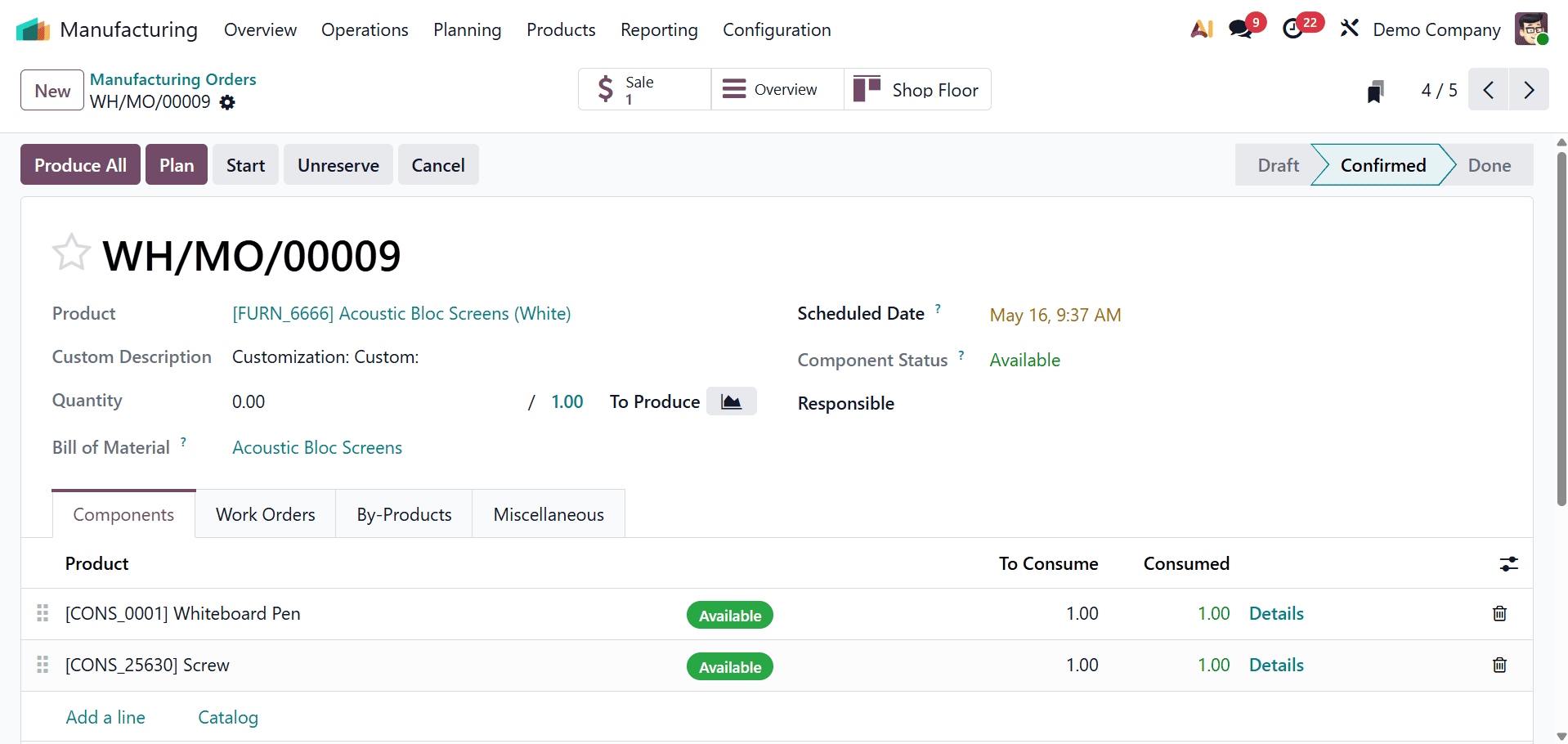
The production order, the number of components to be consumed, and the checkbox under the consumed tab all have several alternatives. The component is utilized in the production of the primary product if the checkbox is checked.
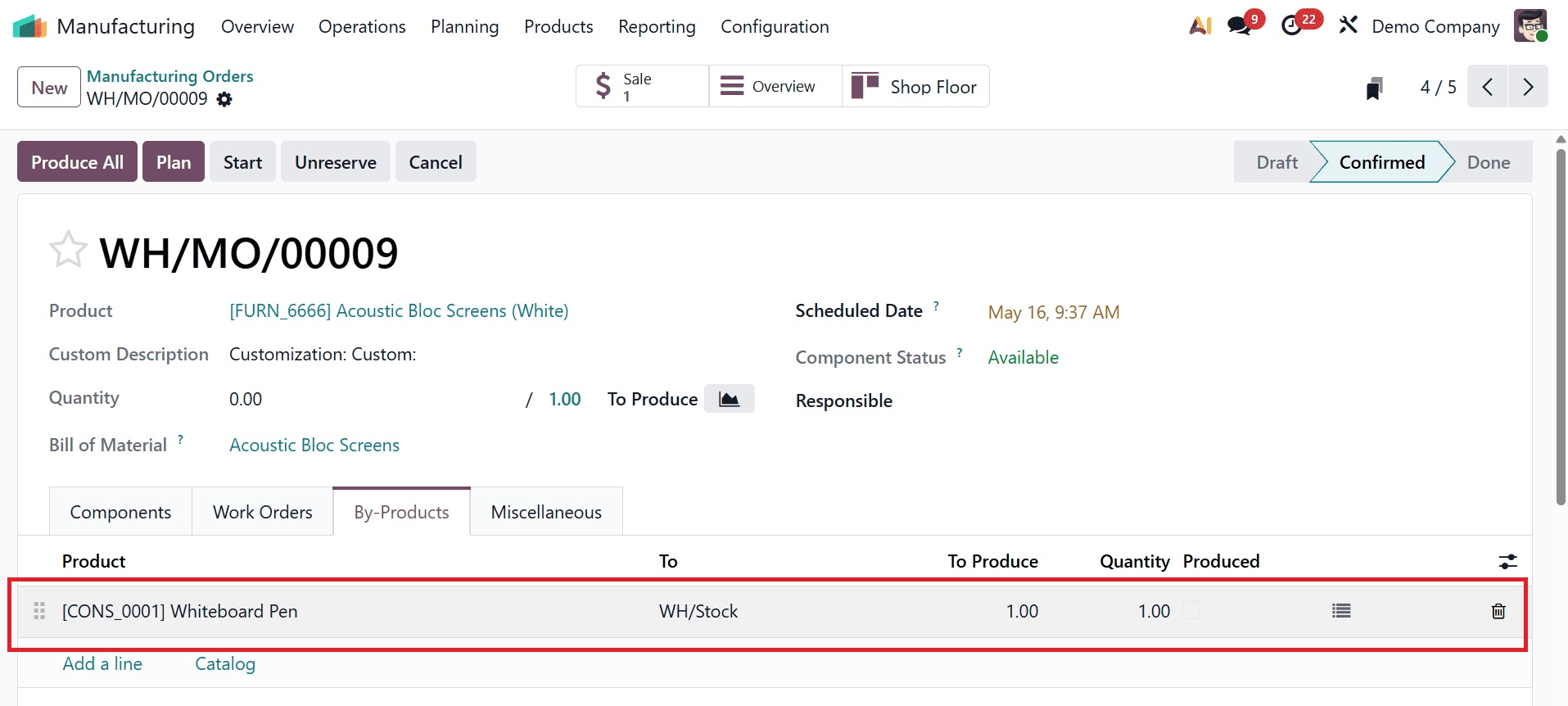
The by-product created as a result of the manufacturing order is automatically included once we navigate to the By-Product tab of the manufacturing order. There is an opportunity to add a line if we need to create more by-products from this manufacturing order. We can add extra byproducts to that manufacturing order by using that option. This page will display the amount of by-product generated. We can select where to store the by-product by clicking on the three lines on the by-products line.
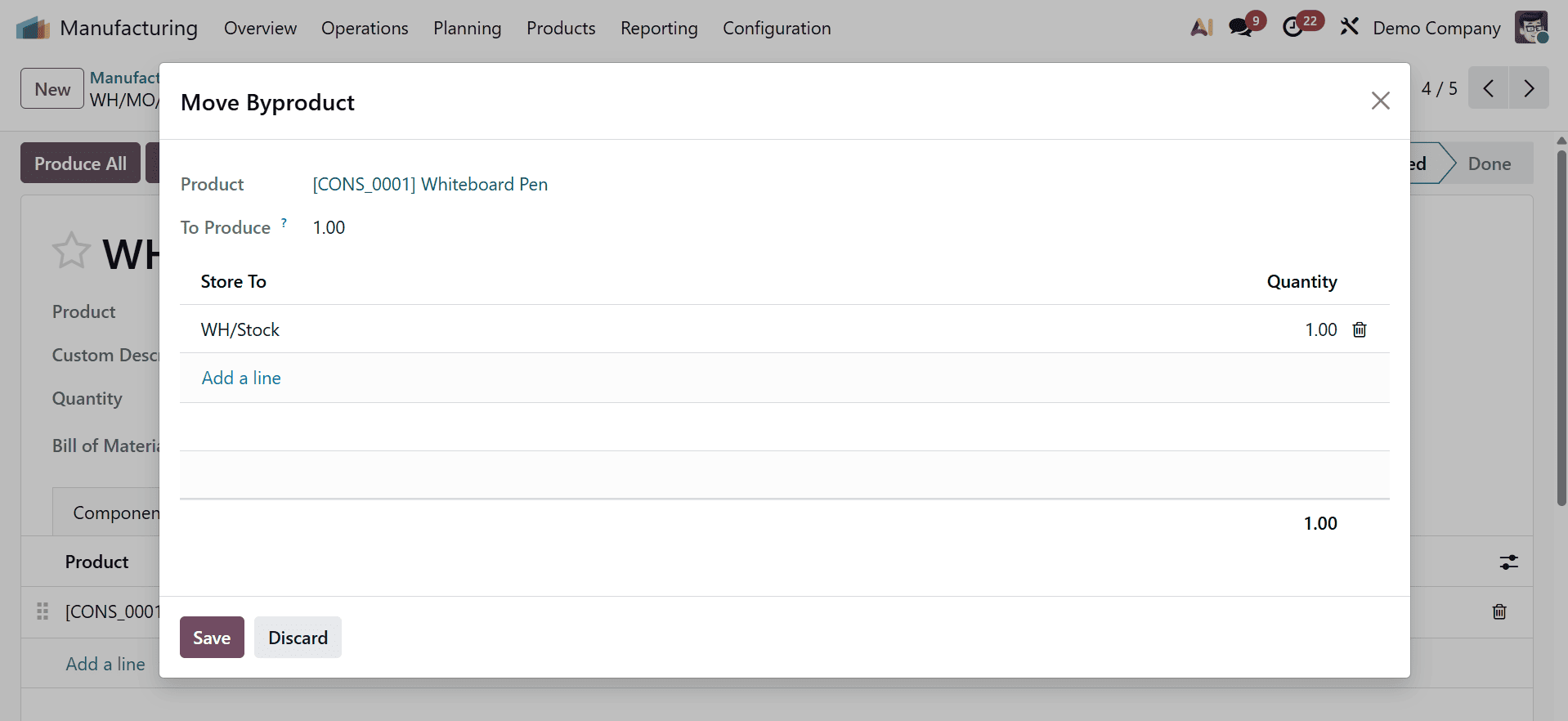
This procedure also makes it conceivable if we need to store these goods in different places. Then, simply click the "Produce All" button to start manufacturing this product.
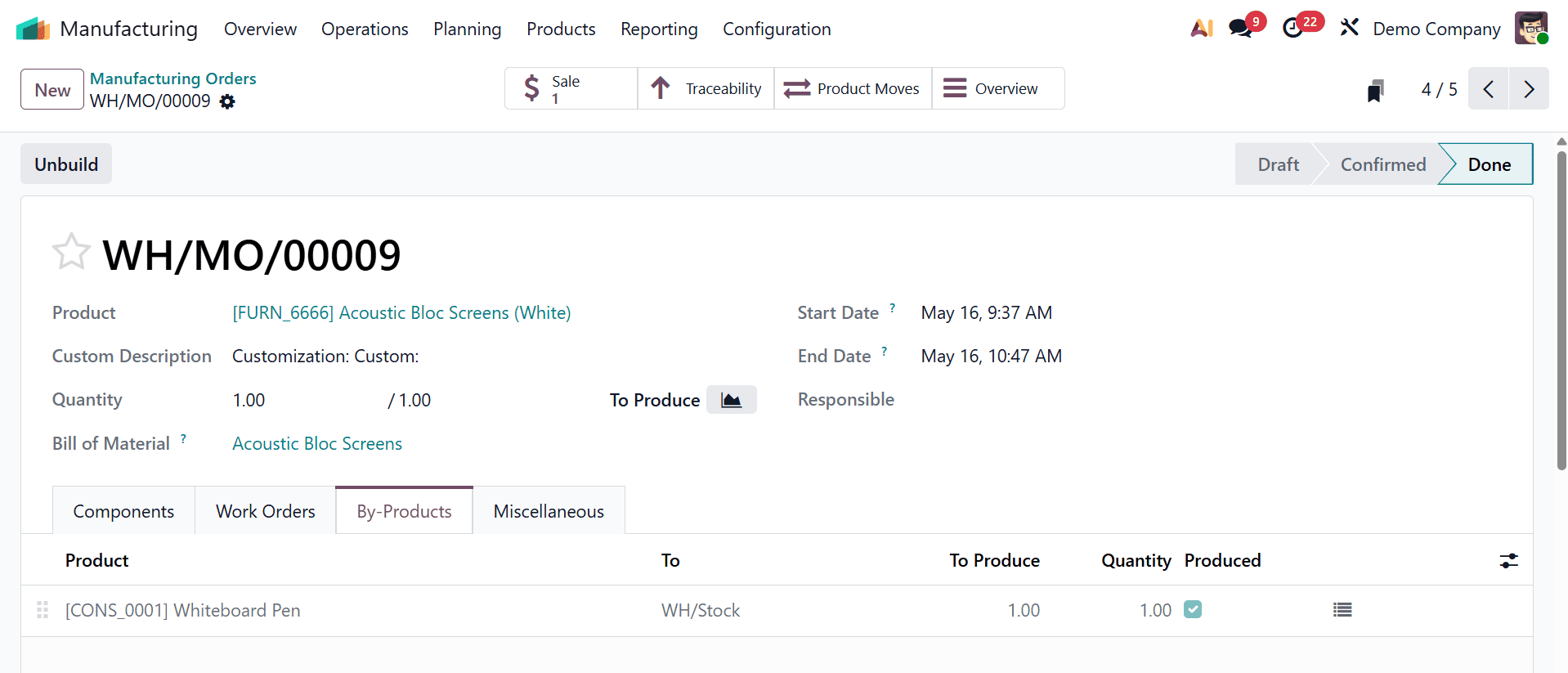
The sales order that is in charge of creating the manufacturing order is displayed on the sales smart tab. The flow of raw materials and completed goods throughout the whole production process is monitored using the Traceability Report. The entire product move, including the from and to locations of the products involved in the manufacturing order, will be seen when you click the Product Moves Smart tab.
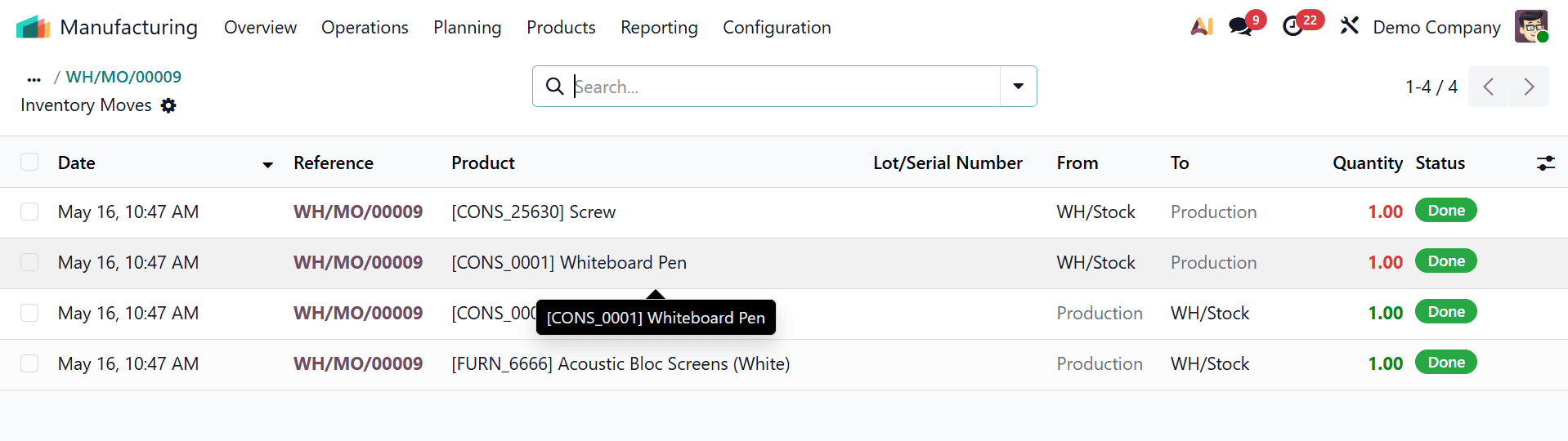
The amount of by-product wooden waste on hand is zero prior to the creation of the selling order for the product table. However, the on-hand quantity of the components in the bill of materials decreases and the on-hand amount of the by-product in the manufacturing order increases once the wooden table's manufacturing order is completed. These by-products produced by this manufacturing order are also available for sale to any partner.
Effectively managing byproducts is a crucial component of contemporary manufacturing, and Odoo 19's integrated manufacturing capabilities make this process easier. Odoo 19 enhances inventory accuracy, cost management, and resource efficiency by allowing companies to manage secondary outputs inside the same production workflow. The technology aids enterprises in lowering material waste, boosting profitability, and preserving improved control over manufacturing processes. Odoo 19 guarantees that by-product management becomes a smooth component of the manufacturing cycle with its automated and user-friendly approach, promoting more intelligent and sustainable company operations.
To read more about Overview of By-Product Management in Odoo 18 Manufacturing, refer to our blog Overview of By-Product Management in Odoo 18 Manufacturing.