Communication is effective for businesses to operate smoothly and maintain good relations with customers. However, constantly typing the same responses is a waste of time and reduces productivity. With the help of Odoo 19 Discuss, one can make this task easy with the help of its canned response module that helps the users create predefined messages using shortcut words. Users can avoid the hassle of typing the responses again and again and simply insert their canned responses by typing only a few letters. It helps them save time and reduces mistakes as well. In this blog, we will discuss how to use the canned responses in Odoo 19 Discuss.
What Are Canned Responses in Odoo 19?
Canned responses are predefined messages that can be stored and used while communicating with clients or colleagues. Instead of typing the same message each time, a user can simply use the shortcut to paste the message.
To create a canned response in Odoo 19 Discuss, a user may assign a shortcut to the message that they want to use. Then, on pressing that shortcut in the discussion window, Odoo will show the message.
For instance, a user can set up a shortcut such as :greeting with the following response:
"Hello! Thanks for reaching out to us. How can we help you today?"
The user will only have to use this shortcut whenever they need that response.
Canned responses can be used in Discuss chat, Live Chat, Chatter, and even WhatsApp chats where they are supported.
Benefits of Canned Responses in Odoo 19
There are many benefits of canned responses, which can be useful for businesses in improving their communication and productivity.
1. Saves Time
You do not need to type repeated messages yourself. They can take the help of predefined messages via shortcut keys that will speed up their conversation.
2. Helps Maintain Consistency in Conversation Style
The use of predefined messages helps maintain consistency in conversation style for the employees. The customers will get the same standard information in the conversation.
3. Eliminates Mistakes in Typing Messages
As the messages are saved in advance, you can avoid mistakes such as wrong spellings and omission of information from the same message.
4. Helps in Increasing the Productivity of Employees
Employees will be able to manage multiple conversations by saving the time they might otherwise have spent typing the same message again and again.
5. Helps in Providing Faster Customer Support
The users can provide fast support services to the customers regarding frequently asked questions and other issues of the customers.
6. Makes Team Communication Easy
The businesses can share canned replies with authorized user groups.
Creating canned responses
Canned responses can be set up inside the Discuss module. To add new canned responses or modify the existing ones, navigate to Discuss > Configuration > Canned Responses.
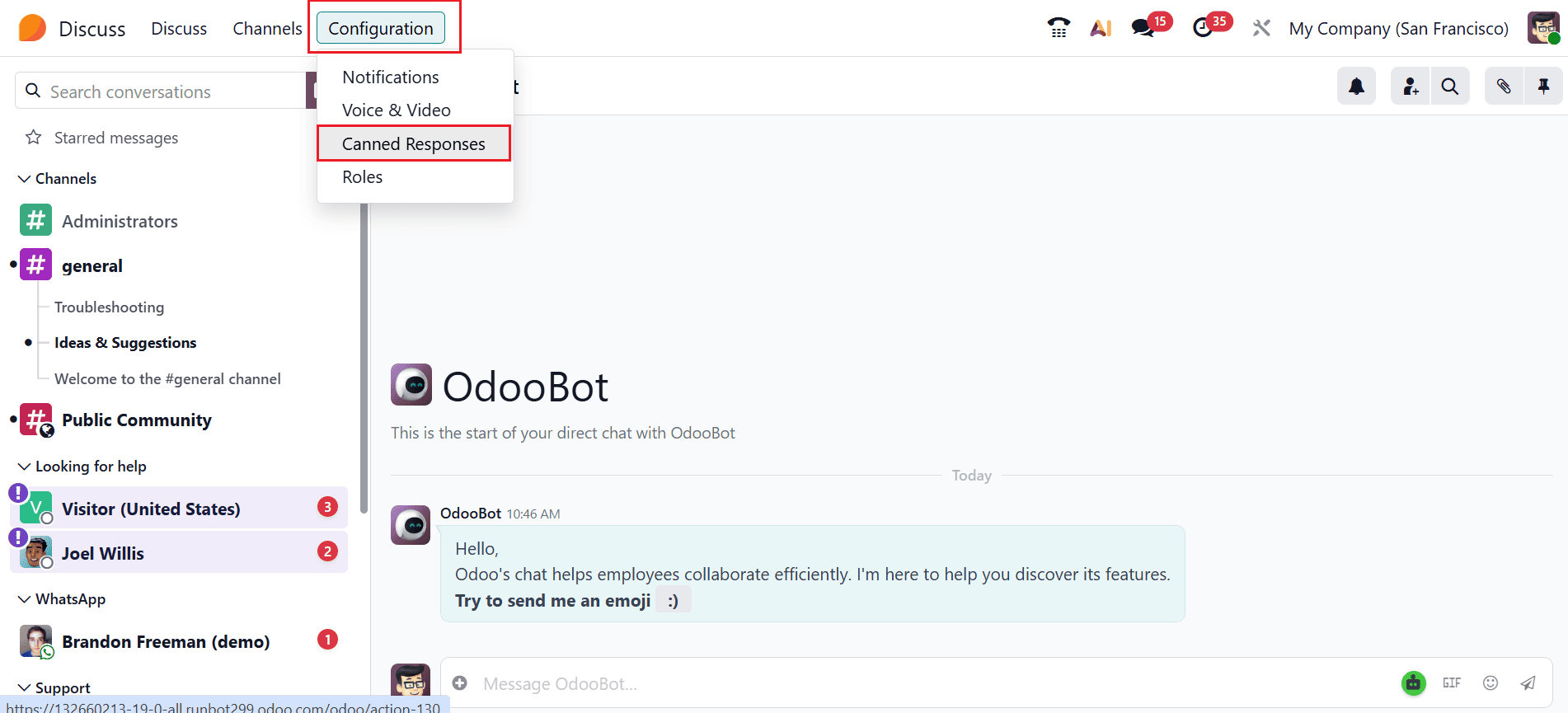
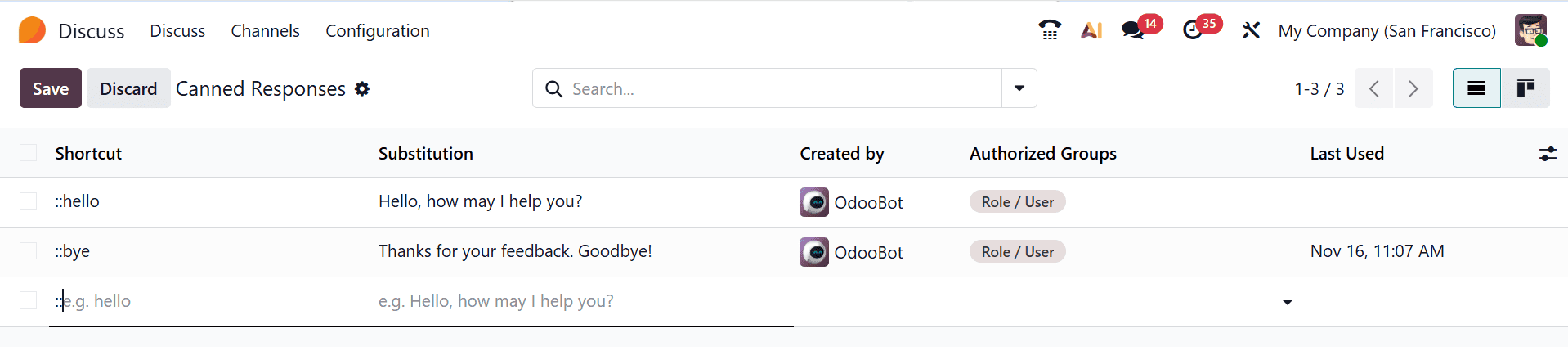
To add a new canned response, one needs to click on New located in the upper left part of the list. It will create a new empty row for creating your response. In the course of chatting with a visitor, the operator may just use the shortcut to send fast responses.
In the Created By field, the name of the user who created the response will be entered automatically, and it is not possible to edit this field. In order to have access to the response by other users, select one or more groups under the Authorized Group field. Under the Last Used field, you can find the date and time when the response was last accessed.
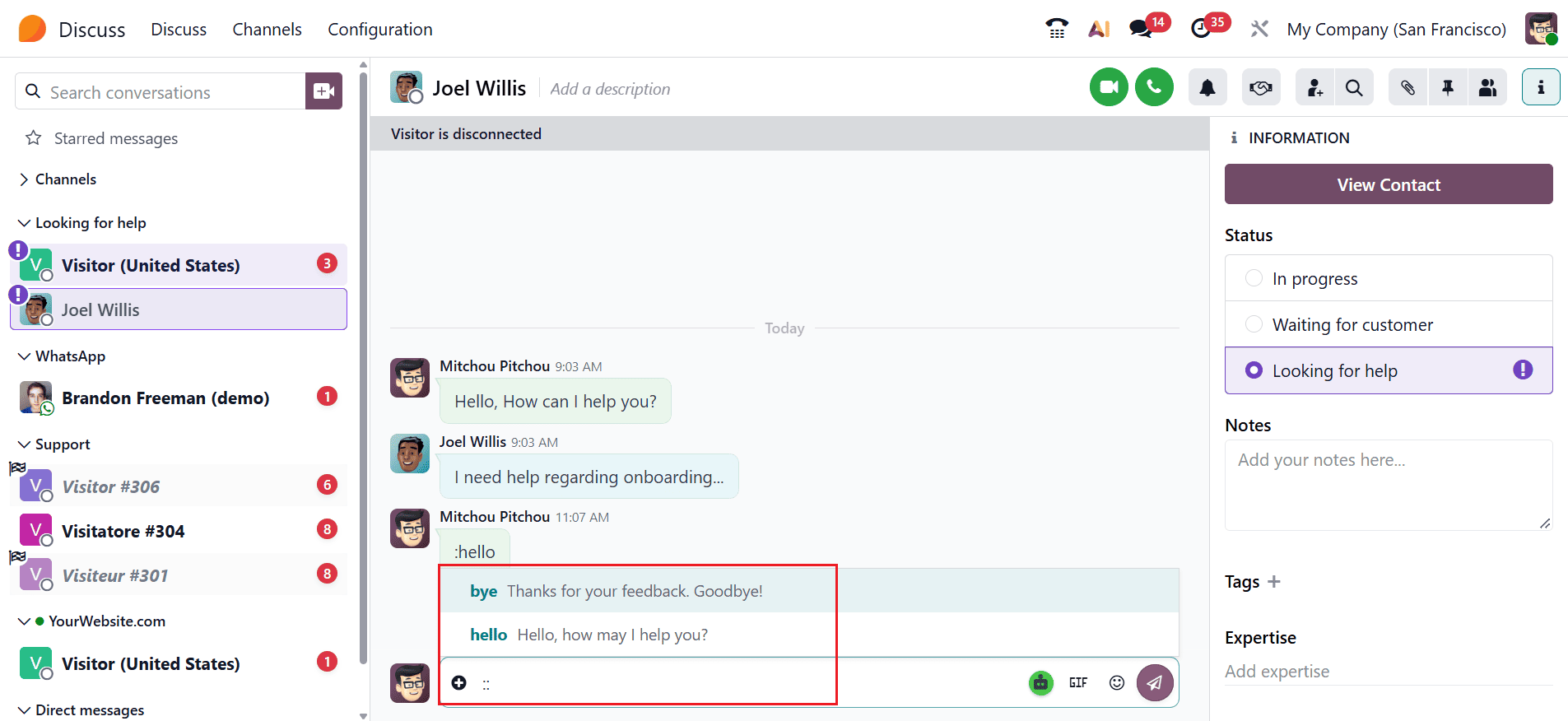
If you enter a colon (:), a list of the available shortcuts pops up, making it easier for you to choose the shortcut that you require.
Canned responses in Odoo 19 Discuss provide an easy solution that helps in simplifying business communication on a day-to-day basis. Creating pre-formulated messages and shortcut keywords will ensure that users do not need to type the same information again and again while responding to standard queries. It will save time and effort, and at the same time, it will help employees to respond to customers’ queries and internal queries. Canned responses in Odoo 19 Discuss will help organizations to streamline their communication process and focus on other tasks of higher importance.
To read more about How Canned Responses useful in Odoo 18 Discuss chat, refer to our blog How Canned Responses useful in Odoo 18 Discuss chat.