Organizations that effectively manage employee skills and competencies are better positioned to boost productivity and meet their long-term strategic goals. Odoo 19 provides a comprehensive Human Resources management solution that helps companies efficiently track, evaluate, and develop employee competencies within a centralized platform. With its advanced HR modules, businesses can maintain detailed records of employee skills, monitor proficiency levels, identify skill gaps, and organize training programs to enhance employee performance. Odoo 19 simplifies competency management by allowing HR teams to create customized skill categories, assign skill levels, and generate insightful reports for workforce planning. Managers can easily evaluate employee capabilities and align talent development strategies with organizational requirements. The platform also supports performance appraisals and career progression planning, helping employees grow professionally while improving operational efficiency. By implementing effective skill and competency management in Odoo 19, businesses can build a more skilled, motivated, and future-ready workforce capable of adapting to evolving industry demands successfully.
This blog explains how to efficiently manage employee skill data in Odoo 19 by configuring Skill Types, organizing experiences and certifications through Resume Line Types, and controlling user permissions with Access Rights.
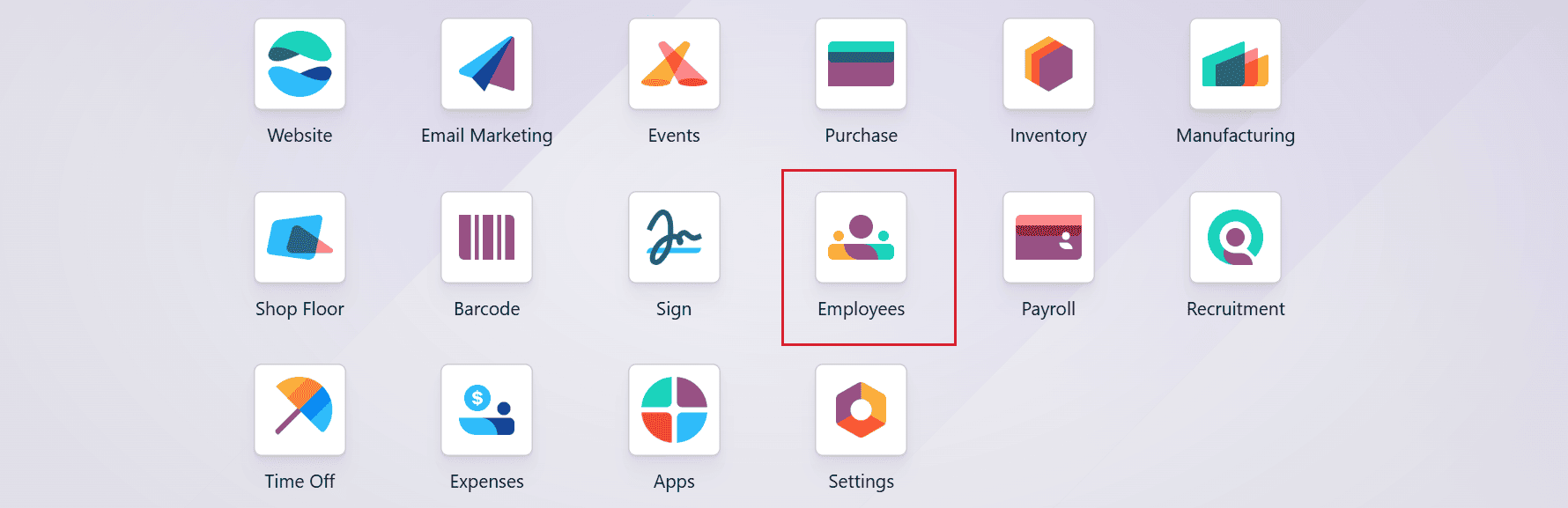
Start by accessing the Employee module from the Odoo 19 dashboard.
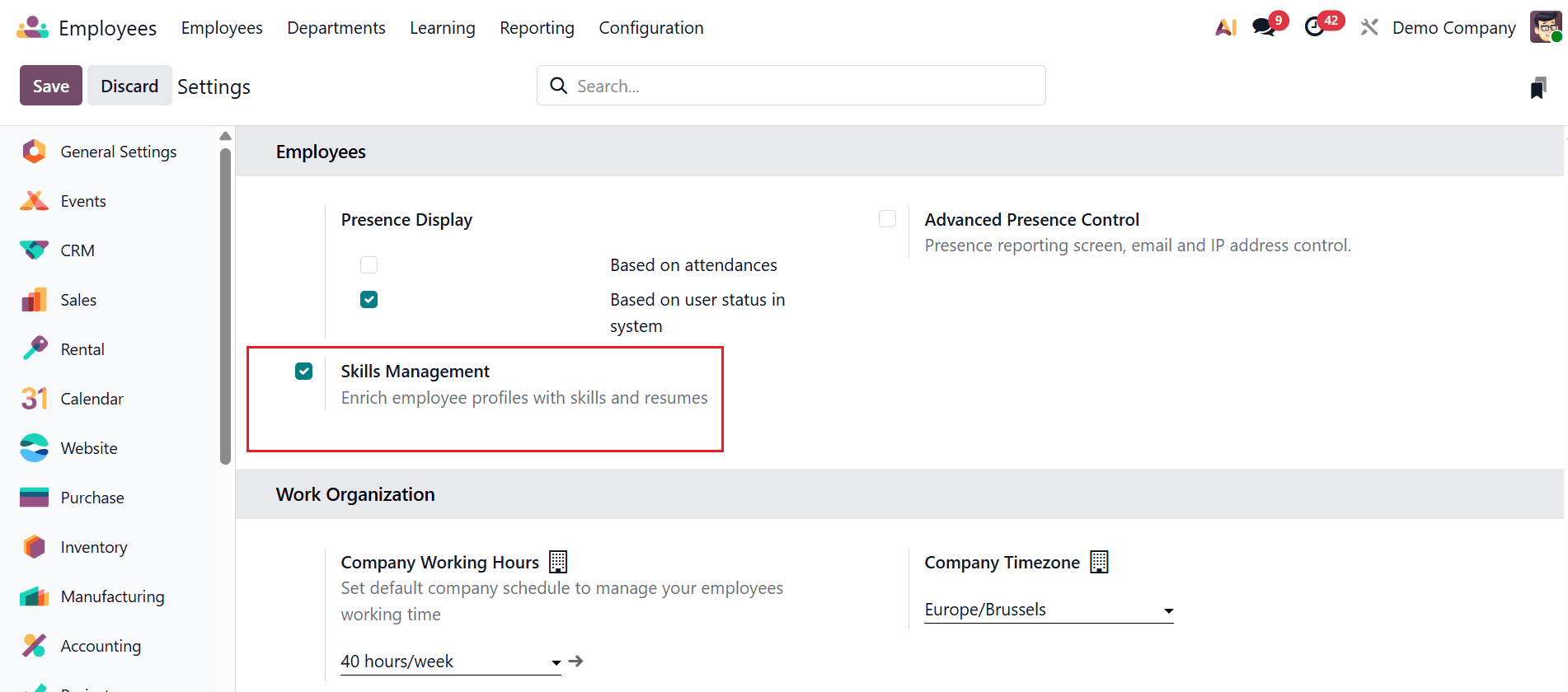
Activate the Skill Management option:
Skill management in Odoo 19 is a feature that helps organizations record, monitor, and evaluate employee skills, knowledge, and competencies. It enables businesses to identify skill gaps, improve employee development, and assign the right employees to suitable roles and projects.
To enable Skill Management from Odoo 19 Employee, navigate to the Configuration > Settings and enable the Skill Management option. Once enabled, it allows HR teams to systematically define, track, and assess employee competencies for better workforce planning and development.
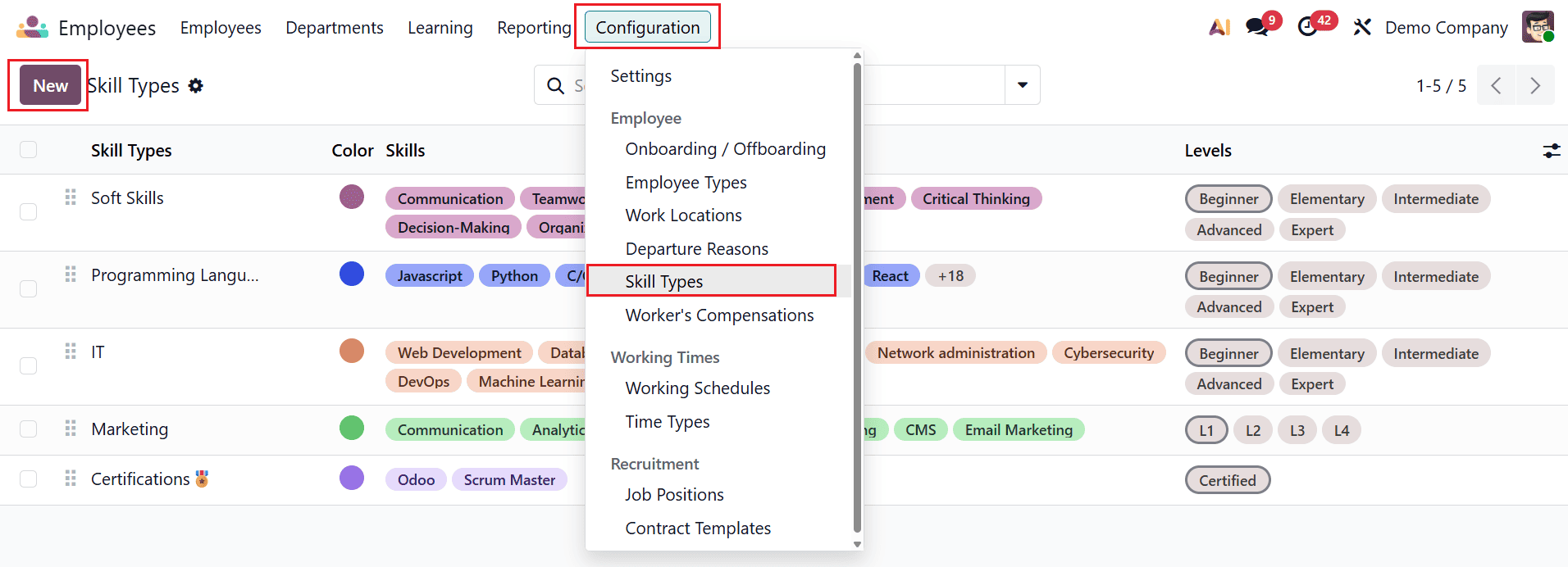
Set up Skill Types:
A skill type in Odoo 19 is a category used to group related employee skills, such as technical skills, language skills, or interpersonal skills. It helps HR teams organize competencies in a structured way for easier tracking and evaluation. By using skill types, organizations can better assess employee capabilities and plan targeted training and development.
To create a new skill type, navigate to the Configuration > Skill Types. A new window will open where you can see a list of skill types, such as Soft Skills, IT, Marketing, etc. Select the New button to add a new skill type.
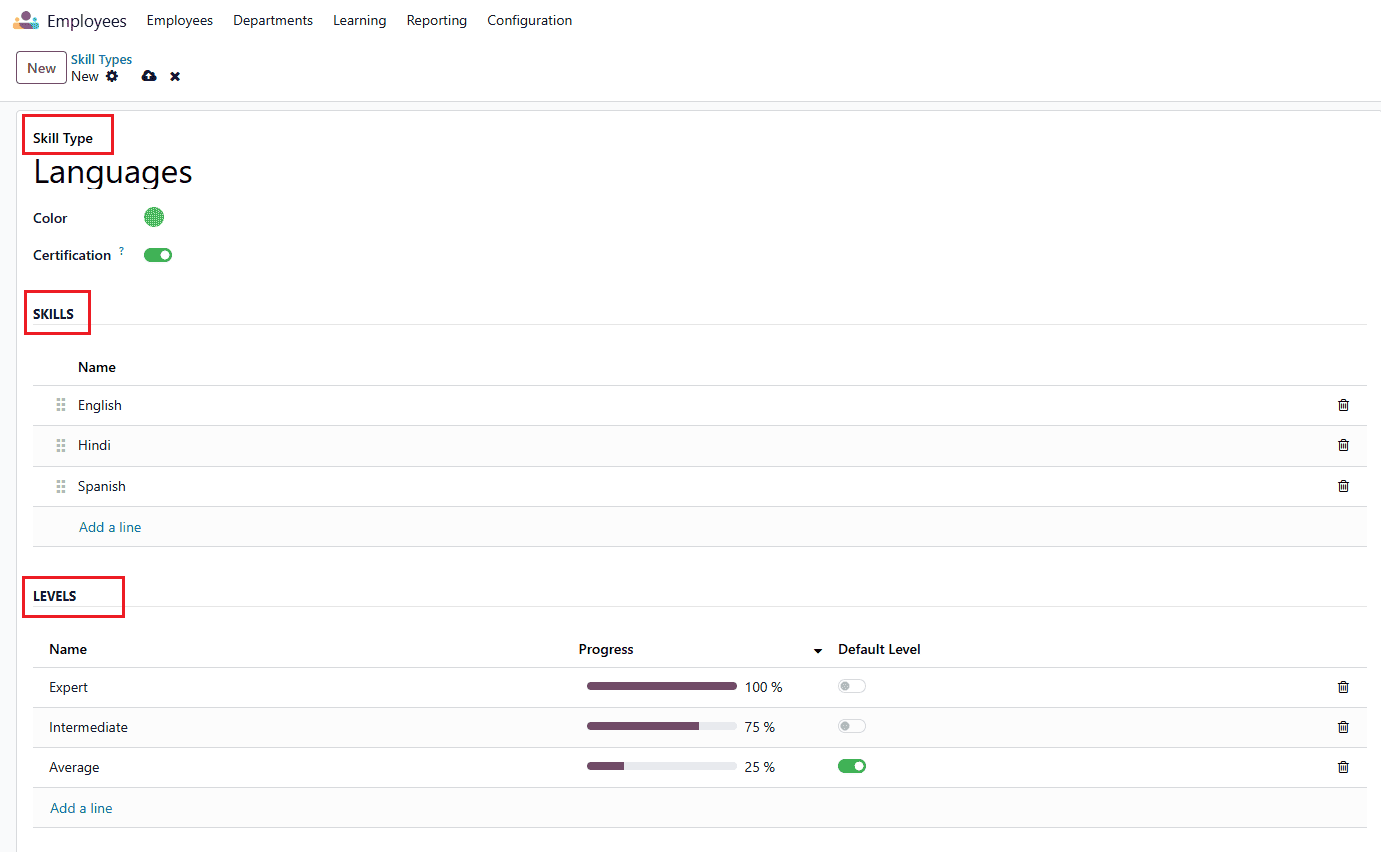
A pop-up window will appear, allowing you to enter the skill name in the Skill Type field and assign a preferred color to it. Enable the Certification option to become the skill type as a certification type. In the Skills section, click the Add a line button to include skills under the selected skill type. Similarly, in the Levels section, use the Add a line button to define different proficiency levels for each skill type.
Add Skills in Employees Profile:
Adding skills to employees in Odoo 19 helps organizations maintain accurate records of employee competencies, expertise, and qualifications. HR managers can assign specific skills, define proficiency levels, and update experience details directly from the employee profile. This process supports better workforce planning, performance evaluation, and project allocation by ensuring the right employees are matched with suitable tasks and responsibilities.
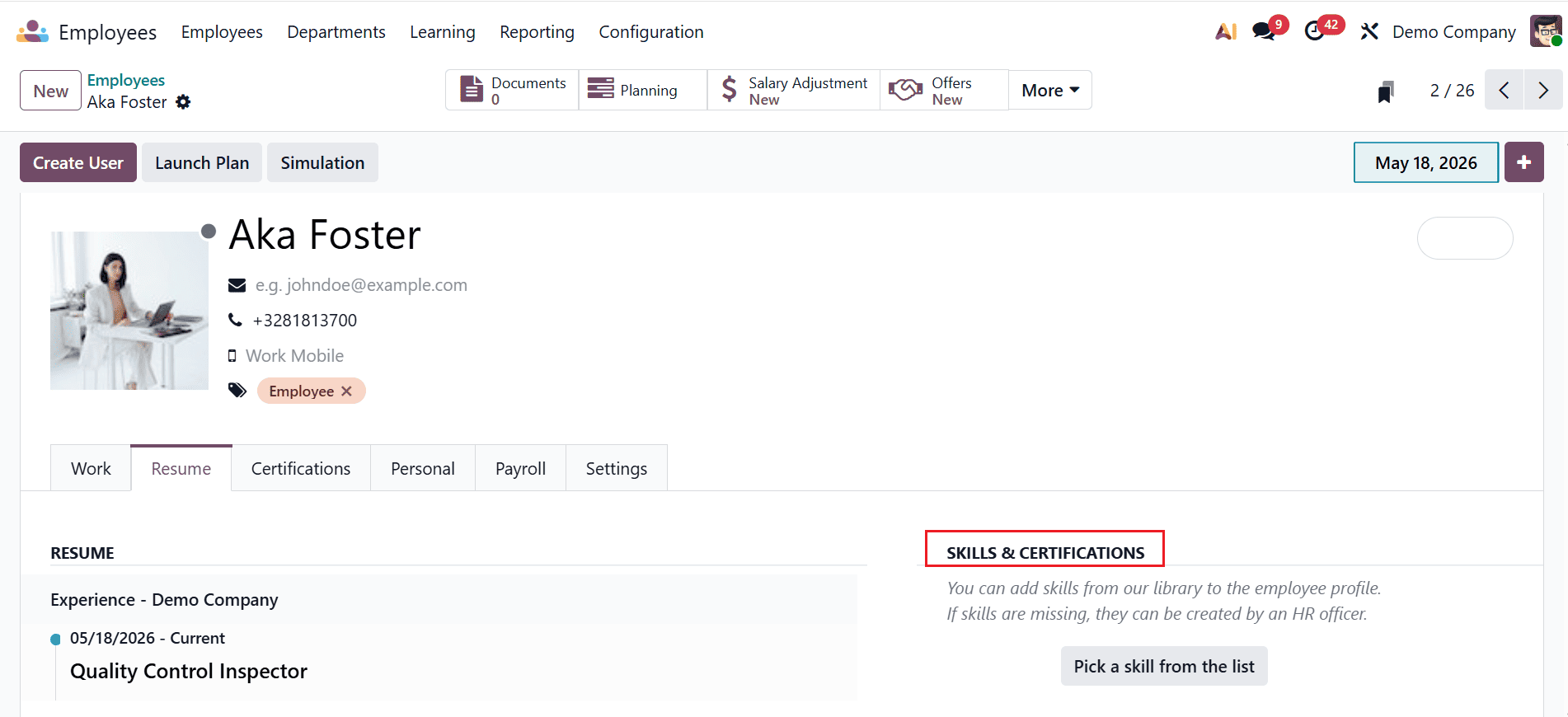
First, select the employee to whom you want to assign the skill. In the Resume tab, use the Pick a skill from the list option under Skills & Certifications to add the required skill.
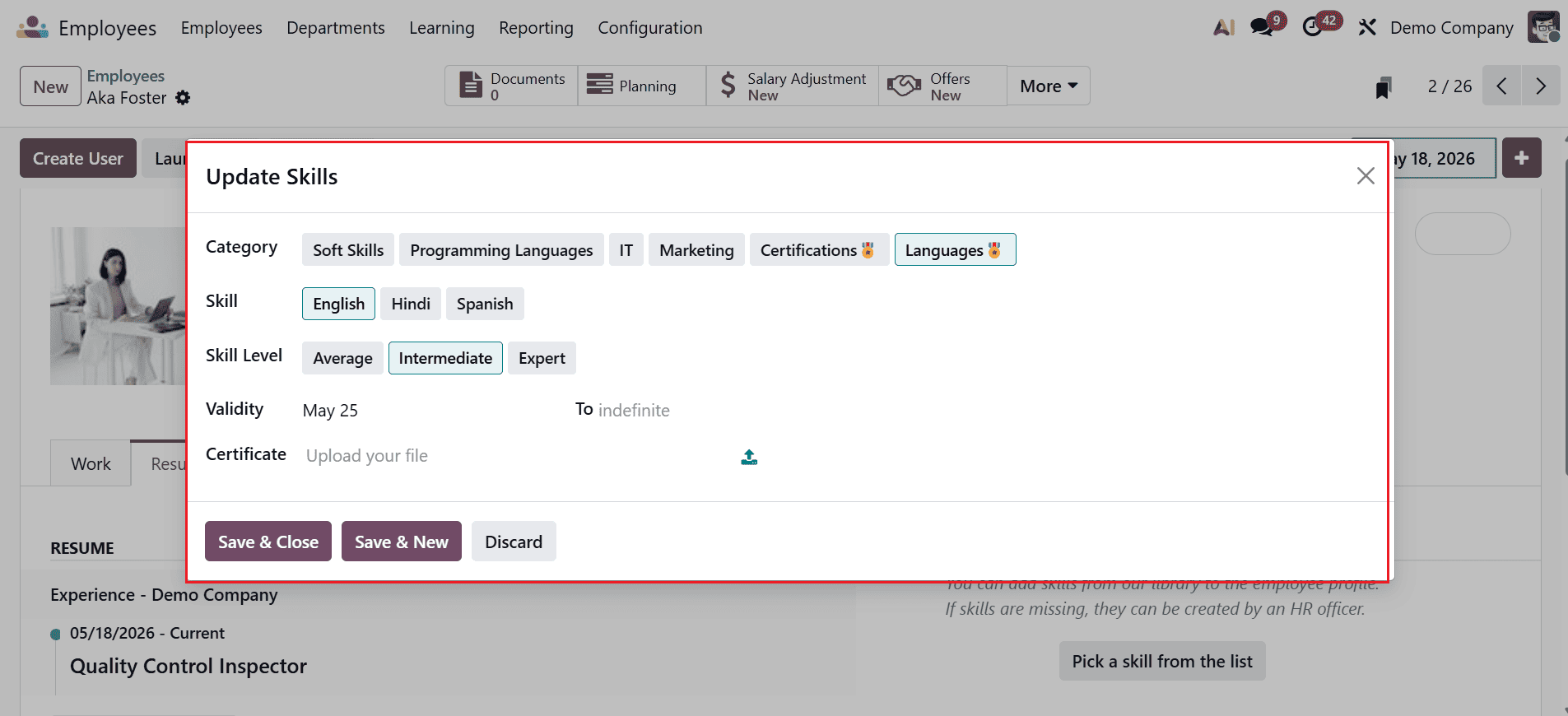
A new pop-up screen will appear where you can add the details, such as Category, Skill, Skill Level, Validity, and Certificate, as shown below:
When you select Pick a Skill from the list, a pop-up window appears showing all the skill types you have previously configured. From there, we can select the skills and their level, just like below:
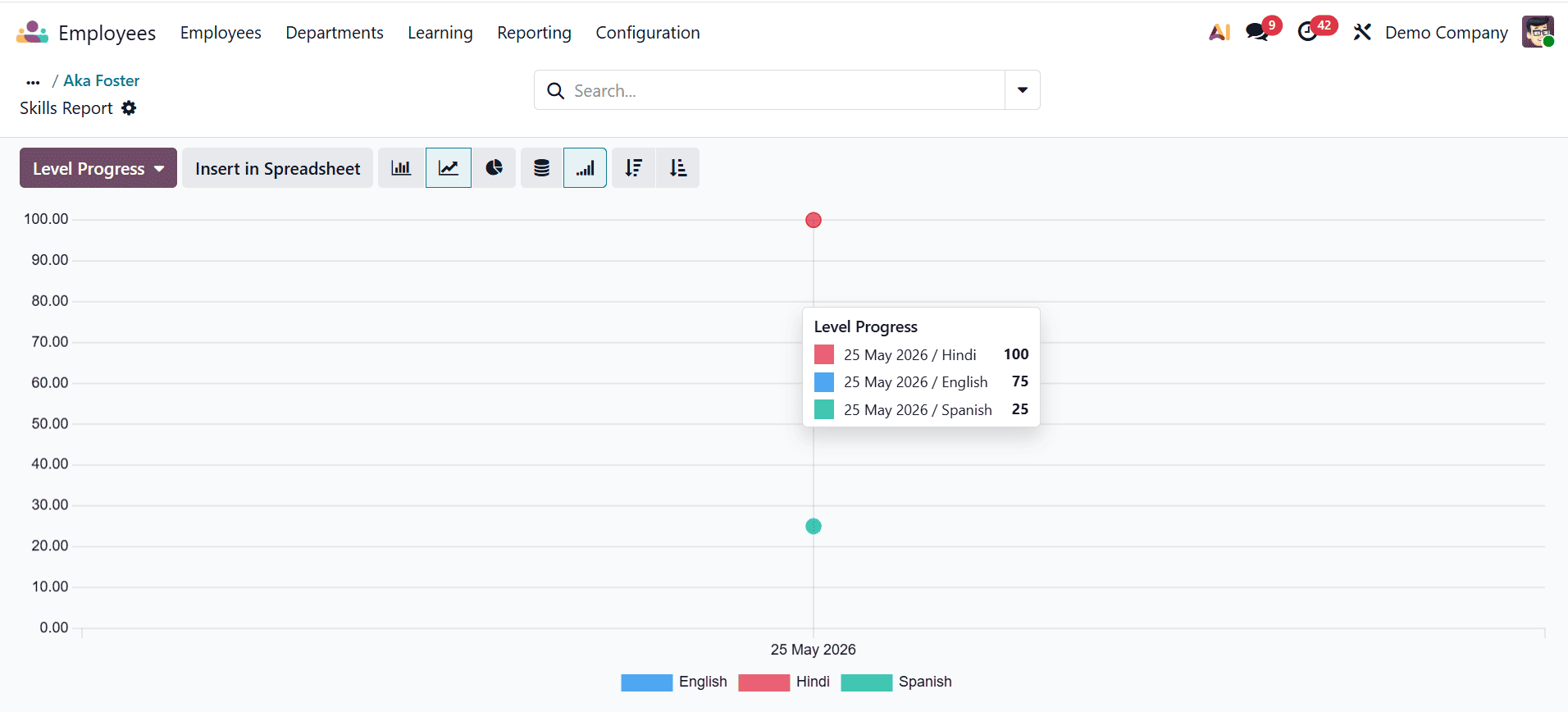
Odoo 19 features a timeline view in the Skills tab that helps users monitor the development of an employee’s skills over time. This functionality is particularly useful for HR managers and team leaders to evaluate skill progression, training outcomes, and overall experience growth.
Add Resume Lines in Employee Profiles:
Resume lines in an employee profile are entries that record an employee’s professional background, such as education, work experience, certifications, and skills. They help organize important career information in a structured format within the HR system. This allows managers and HR teams to easily review an employee’s qualifications and career progression.
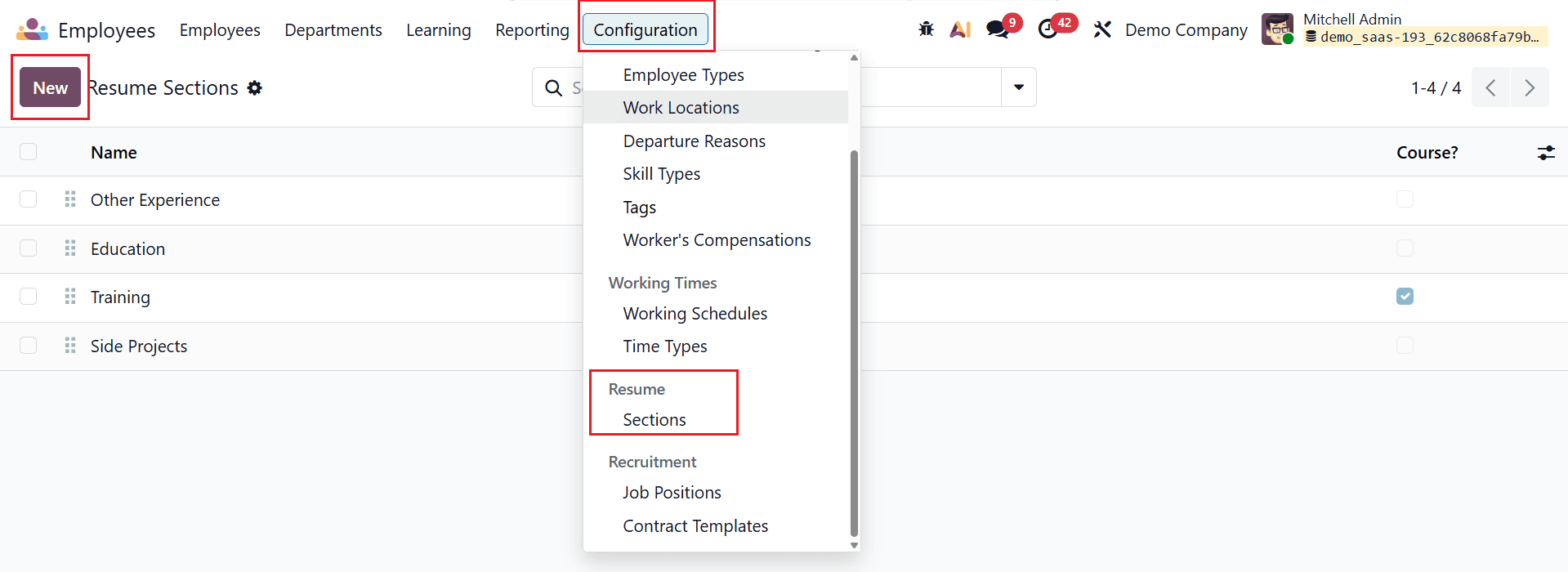
Before users can add these entries to employee profiles, administrators should configure Resume Line Types. To create a new Resume Line Type, navigate to Configuration > Sections and click on the New button. Then, add the name of the new section and save it.
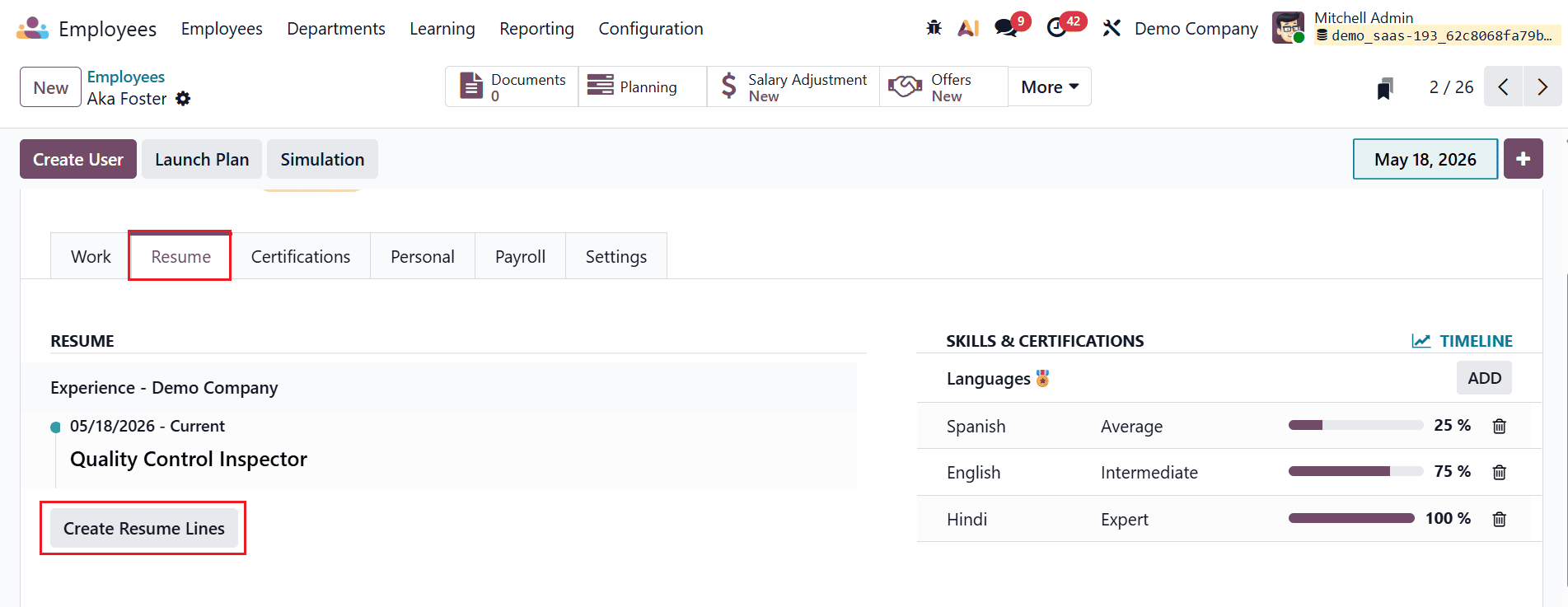
To add resume details for an employee, open the employee record and go to the Resume tab.
Under the Resume section, click on the Create Resume Lines button as shown below:
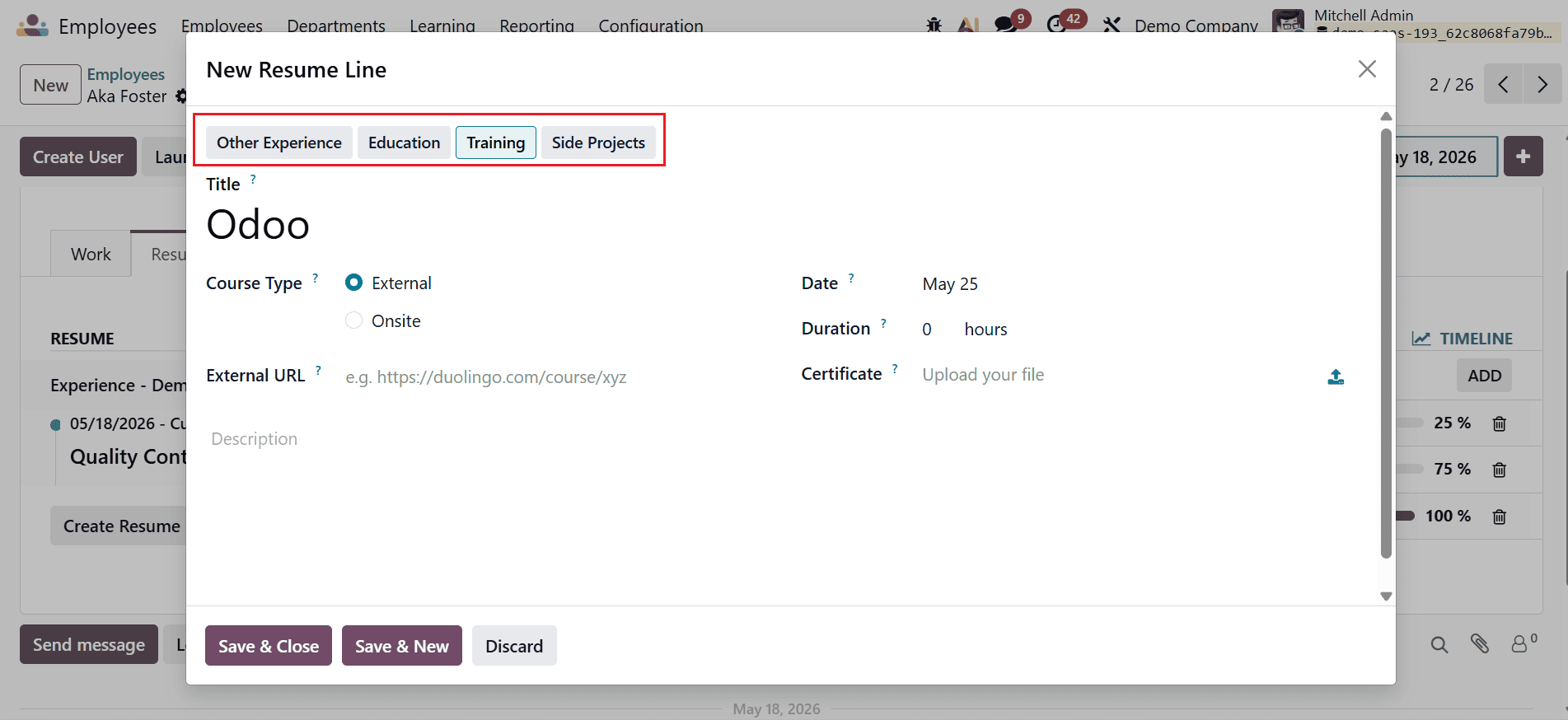
A new pop-up screen will appear where you can select the resume section. Add a title for the new resume line and select the Course Type as either External or Onsite. Then, add the details such as External URL, Date, Duration, Certificate, and Description.
Employee Update Rights:
Odoo 19 uses a role-based access control system that ensures only authorized users can manage sensitive HR data such as employee skills and resume information. These permissions are controlled through user groups and access rules, ensuring both security and flexibility in HR operations. Access rights control what users can view, create, modify, or delete within the Skills and Resume tabs of an employee profile.
In Odoo 19, users assigned to the Officer: Manage all Employees access group can typically add, edit, and remove Skills and Resume Lines directly from the employee form view. This allows HR officers to efficiently manage employee qualifications, competencies, certifications, and experience records. However, they do not have permission to configure master data such as Skill Types, Skill Levels, or Resume Line Types, which is reserved for Administrator users. Only users with Administrator access can configure Skill Types, Skill Levels, and Resume Line Types. In Odoo 19, these users define and manage the HR configuration framework that is applied system-wide.
In conclusion, Odoo 19 simplifies employee skills and competency management by providing a centralized and user-friendly HR solution. Organizations can efficiently monitor employee talents, qualifications, training records, and competency levels while ensuring alignment with job requirements and business objectives. The platform helps HR managers identify skill shortages, plan employee development programs, and improve workforce productivity through data-driven decisions. With integrated modules for recruitment, appraisal, and training, Odoo 19 supports continuous employee growth and effective talent management. Automating routine tasks, it minimizes manual effort, increases accuracy, and boosts overall HR efficiency. Additionally, real-time analytics and reporting help organizations make informed strategic decisions regarding workforce planning and succession management. By encouraging continuous learning and better resource allocation, Odoo 19 enables companies to build a highly skilled, adaptable, and competitive workforce capable of meeting evolving business demands and achieving long-term success.
To read more about How to Handle Employee Skill Management in Odoo 18, refer to our blog How to Handle Employee Skill Management in Odoo 18.