Efficient payment management is essential for maintaining a healthy cash flow in any business. In real-world sales scenarios, customers often prefer flexible payment options rather than paying the full amount up front. To address this, Odoo 19 provides a structured way to manage partial payments within the sales and invoicing workflow.
This feature enables businesses to accept payments in installments, track outstanding balances, and maintain accurate financial records without disrupting the sales process. In this blog, we will explore how partial payments function in Odoo 19, especially in relation to sales confirmations.
What are Payment Terms in Odoo 19?
Payment terms refer to the predefined conditions under which a customer must settle an invoice or a company must pay a vendor bill. These conditions typically include:
- Due dates for payments
- Installment schedules
- Early payment discounts
In Odoo, payment terms can be applied across multiple documents, such as invoices, sales orders, and vendor bills, ensuring consistency throughout the accounting workflow.
To define new payment terms in Odoo 19, navigate to the Accounting module and access the Configuration menu, where you will find the Payment Terms option. Selecting this will display a list of all previously configured payment terms.
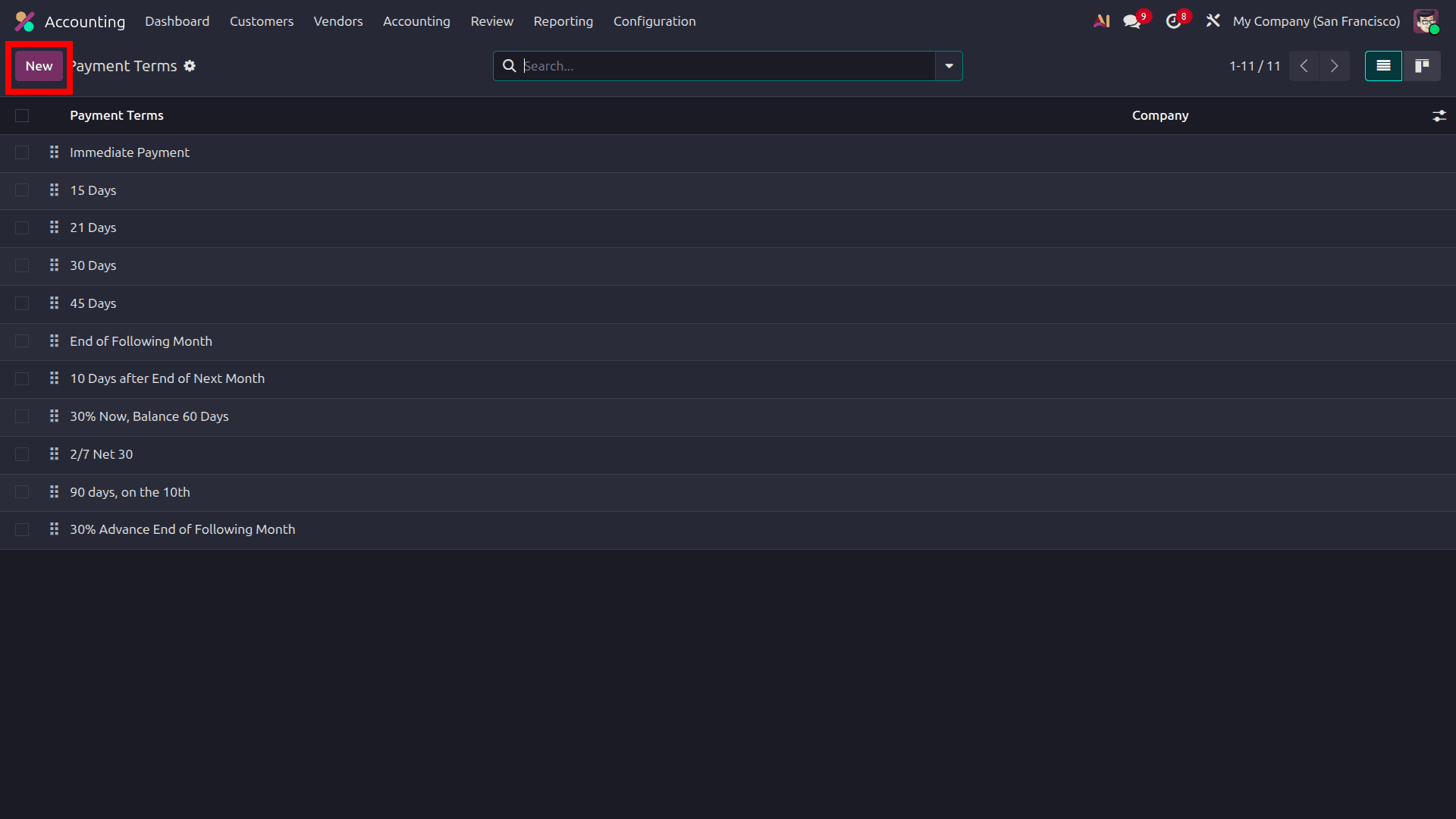
To set up a new payment term, select the New button, which opens a dedicated form. On this page, you can enter all the necessary details for the payment term, along with various options to configure the due date, as illustrated in the screenshot below.
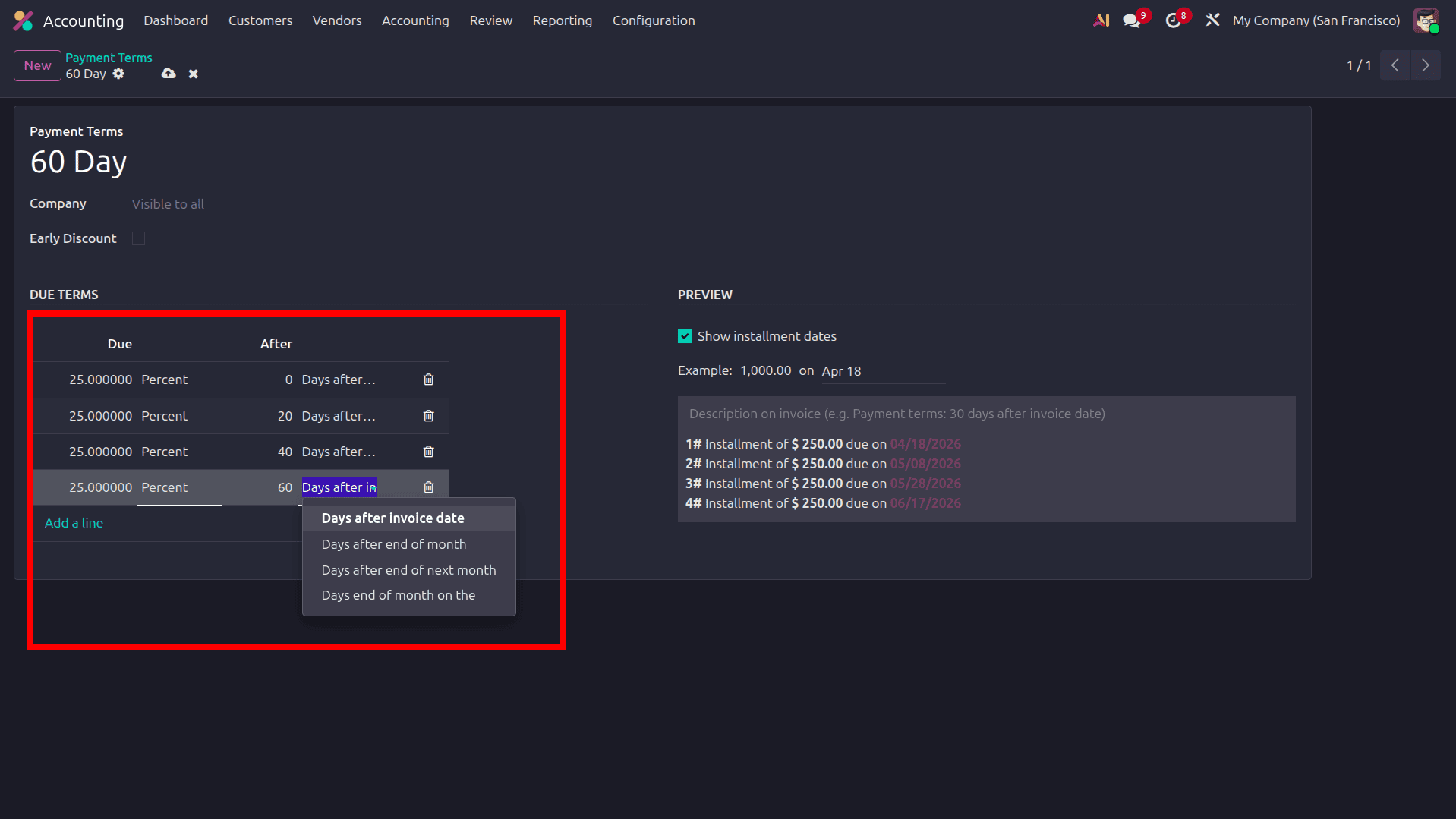
- Payment Term: Specifies the name assigned to the payment term being created.
- Company: Indicates the company to which these payment terms apply.
- Early Discount: Enables a discount if the customer settles the payment early; activate this option by selecting the checkbox.
- Due Terms: Allows adding multiple lines to define payment schedules; however, early discount applies only when there is a single due term line.
- Show Installment Dates: When this option is selected, installment dates based on the defined due terms will be displayed.
Odoo provides the flexibility to define various payment terms, as different customers may require different conditions. A company can assign suitable payment terms based on each customer’s requirements. To allocate a payment term to a customer, go to the customer form and, under the Sales and Purchase tab, choose the appropriate payment term option.
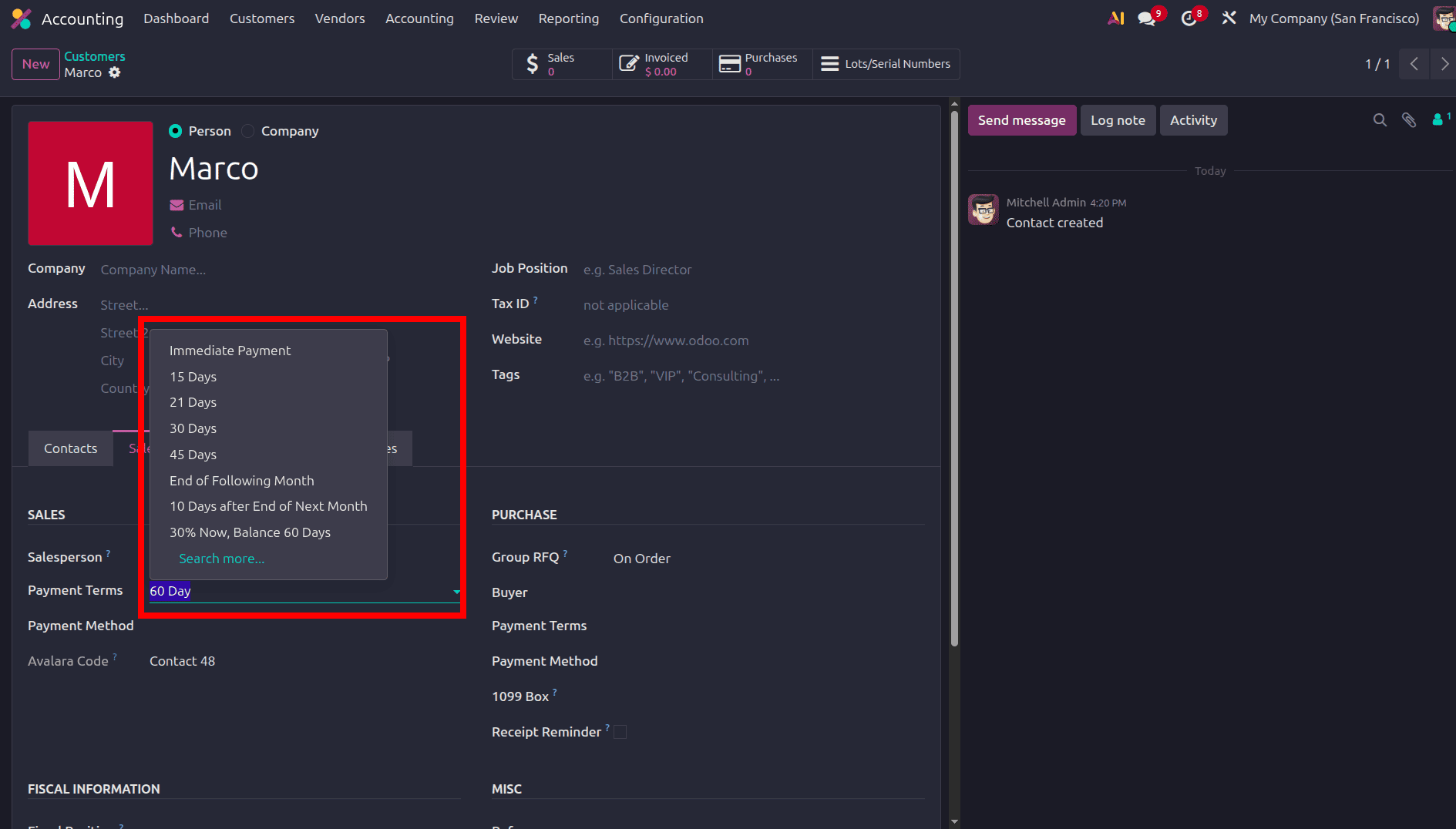
When selecting the Payment Term field, all available payment terms will be displayed. Choose the appropriate payment term for the customer and click the save icon on the customer form to confirm the selection.
Next, proceed to create an invoice for the customer. Navigate to the Accounting module, and under the Customers menu, open the Invoice sub-menu. Then, click the New button to generate a new invoice.
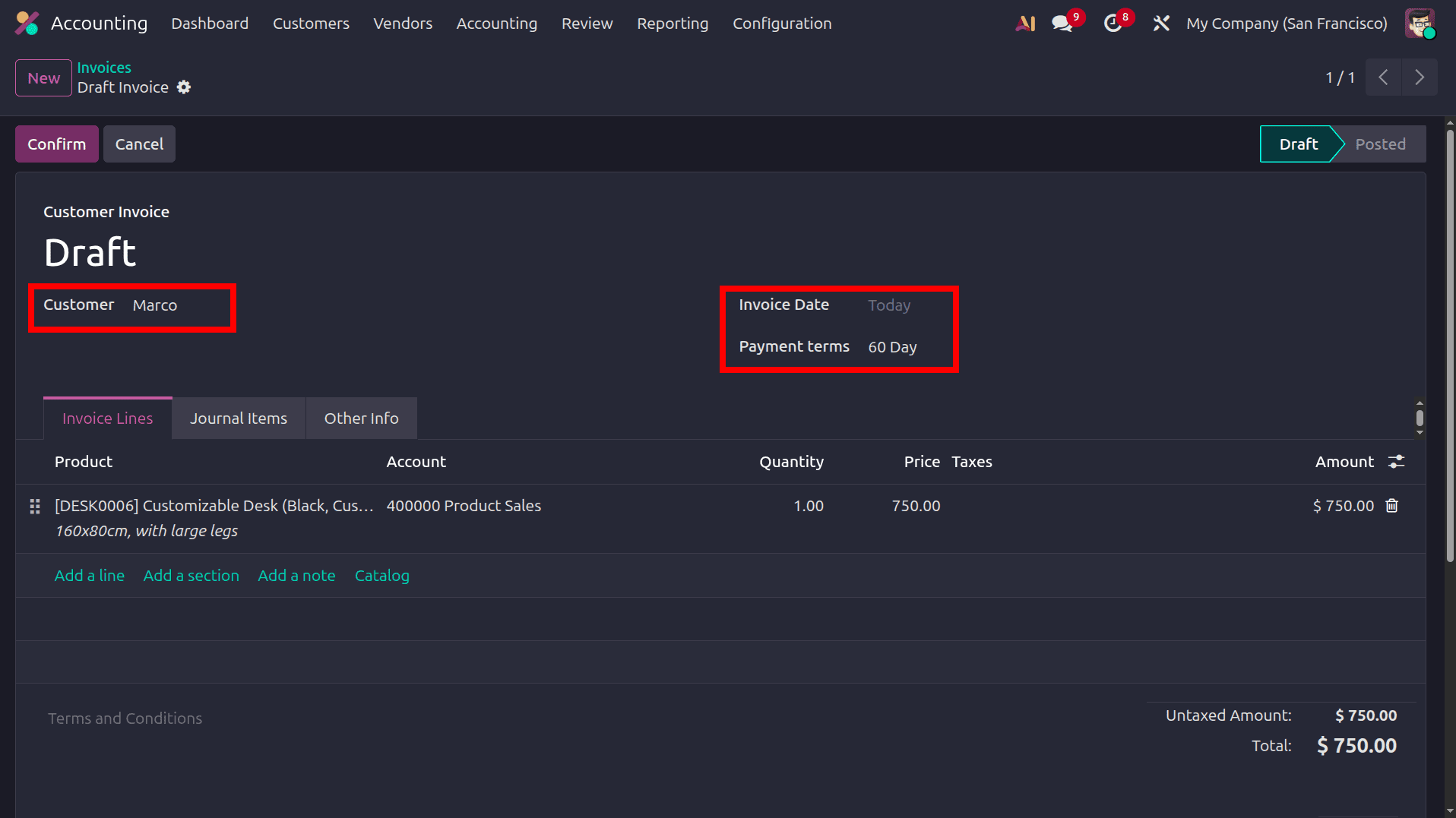
When a customer is selected in the invoice, the payment term configured in the customer form is automatically applied to that invoice. Then, click the confirm button to validate the invoice and proceed with the payment. After that, select the pay button, which will open a pop-up window.
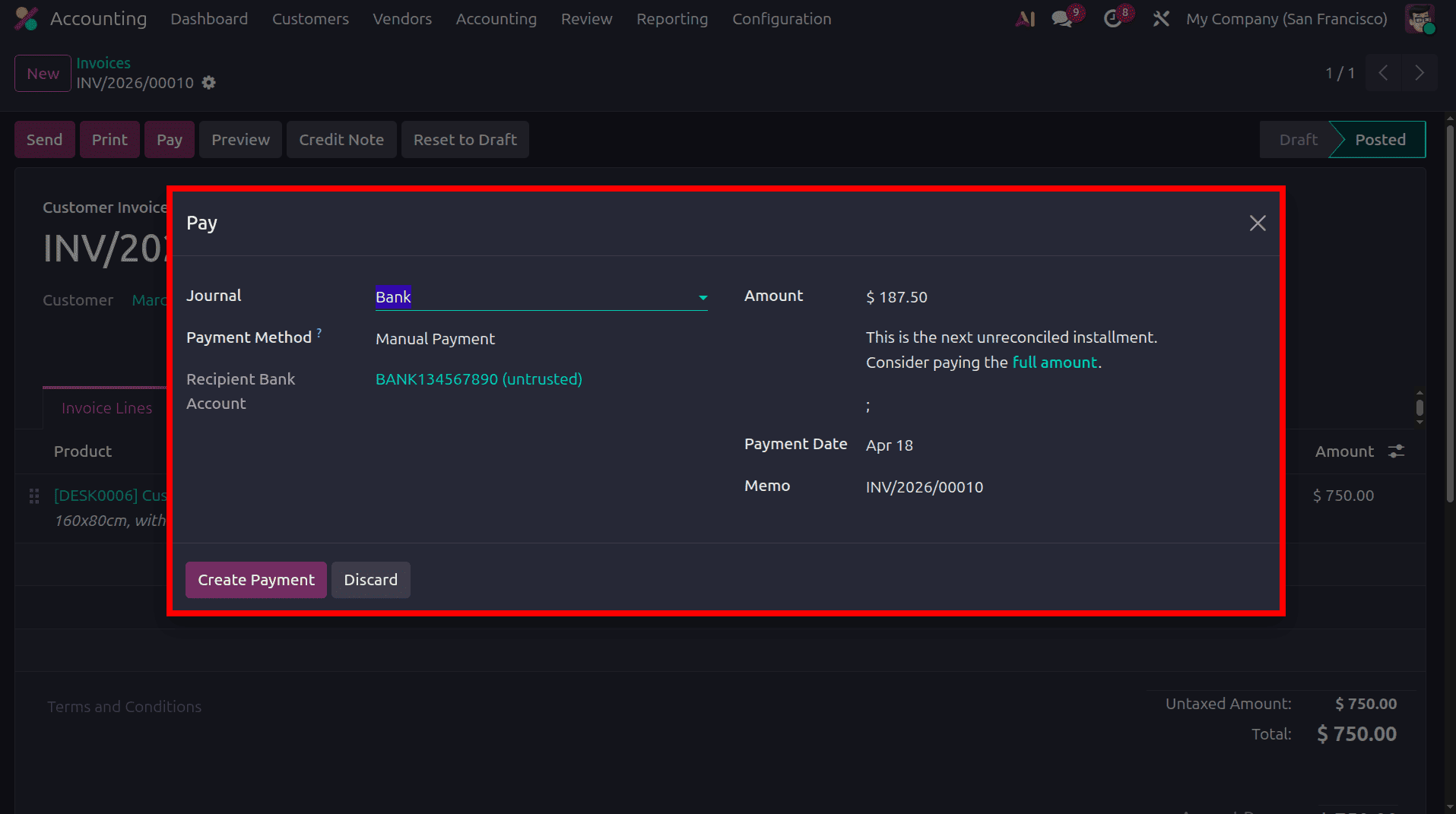
The total invoice amount is 750, and 25% of this value, 187.50 $, is automatically filled in the pop-up window for payment. When the Full Amount button shown in the screenshot is selected, the installment amount displayed will change automatically to the total amount.
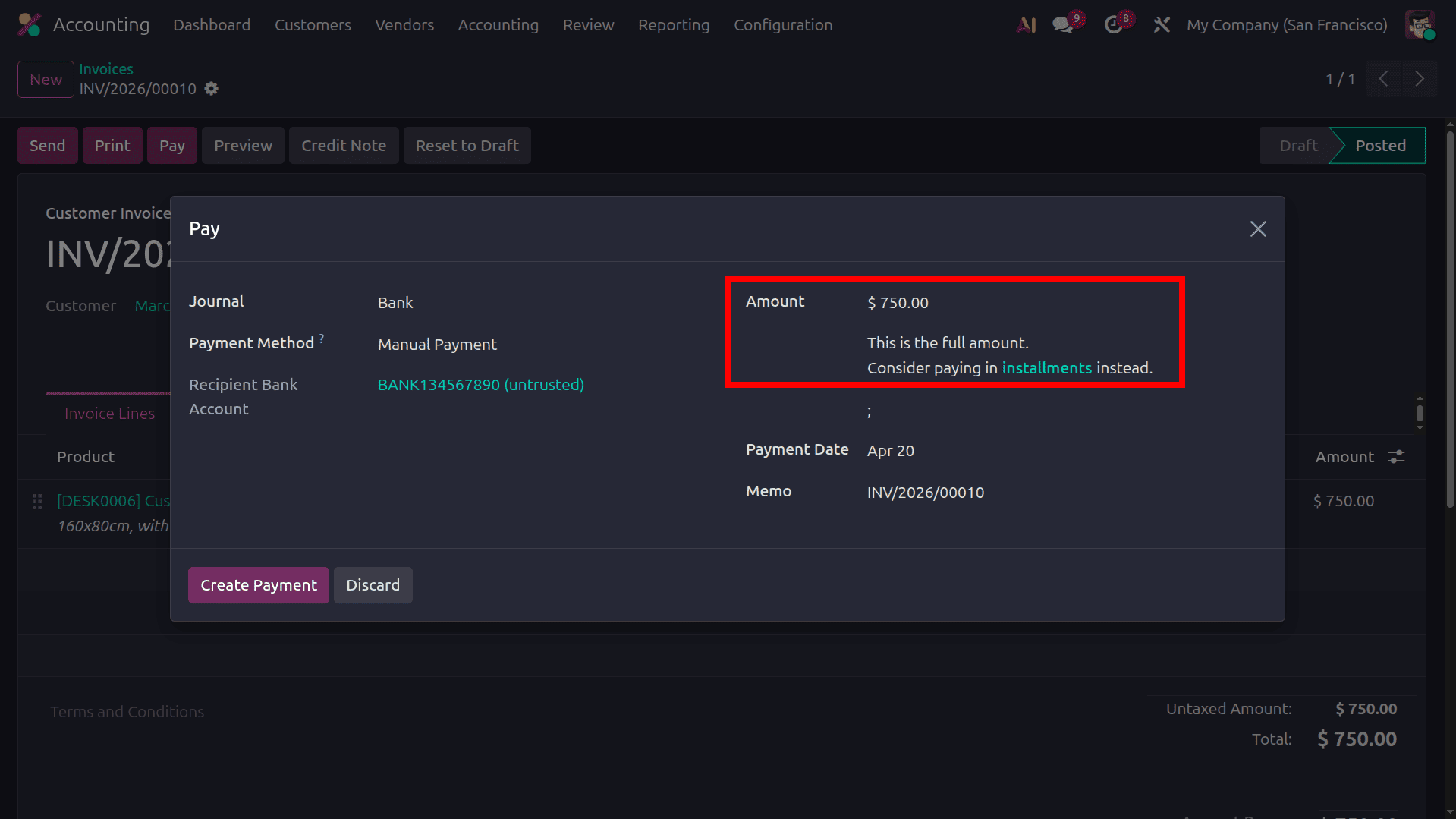
To switch back to the installment amount, select the Installment button in the pop-up window. When the payment is made in installments, it will be reflected in the memo. Then, click the Create Payment button to proceed with the payment.
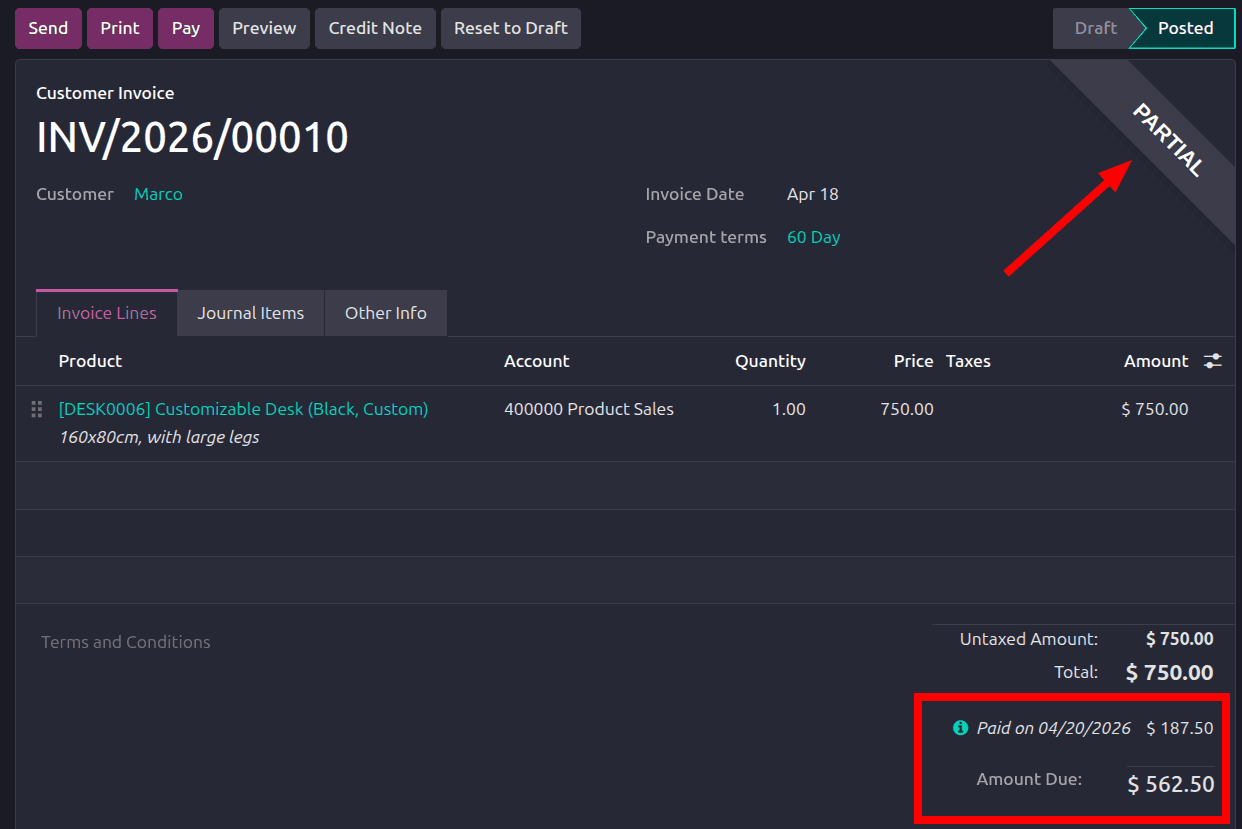
After this, the invoice status will appear as partially paid. When the pay button is selected again, the next installment amount will be displayed in the pop-up window.
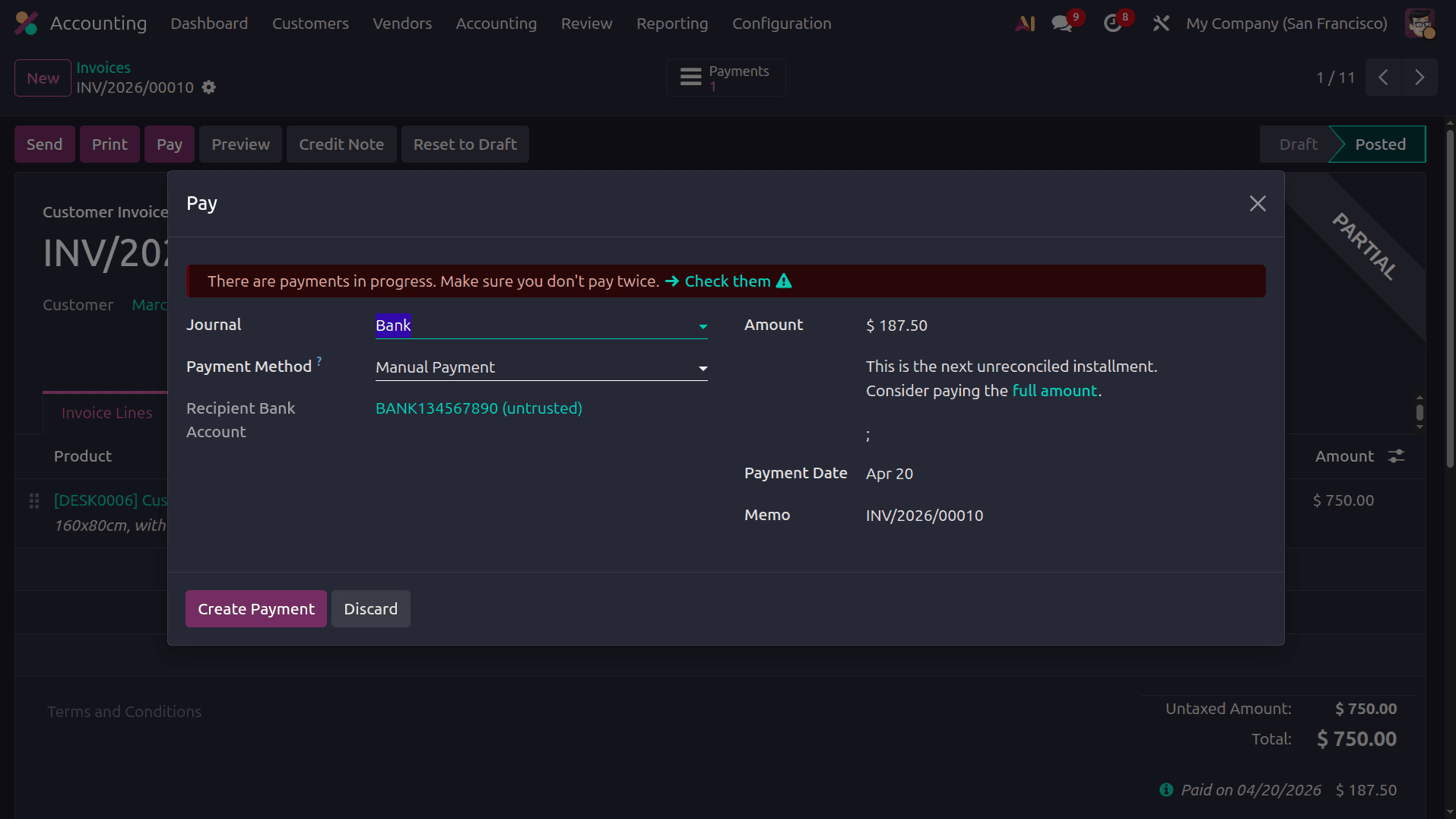
Here we can see a warning that ‘There are payments in progress, Make sure you don't pay twice’. On clicking the ‘Check them’ option, we can see all the payments created for that order.
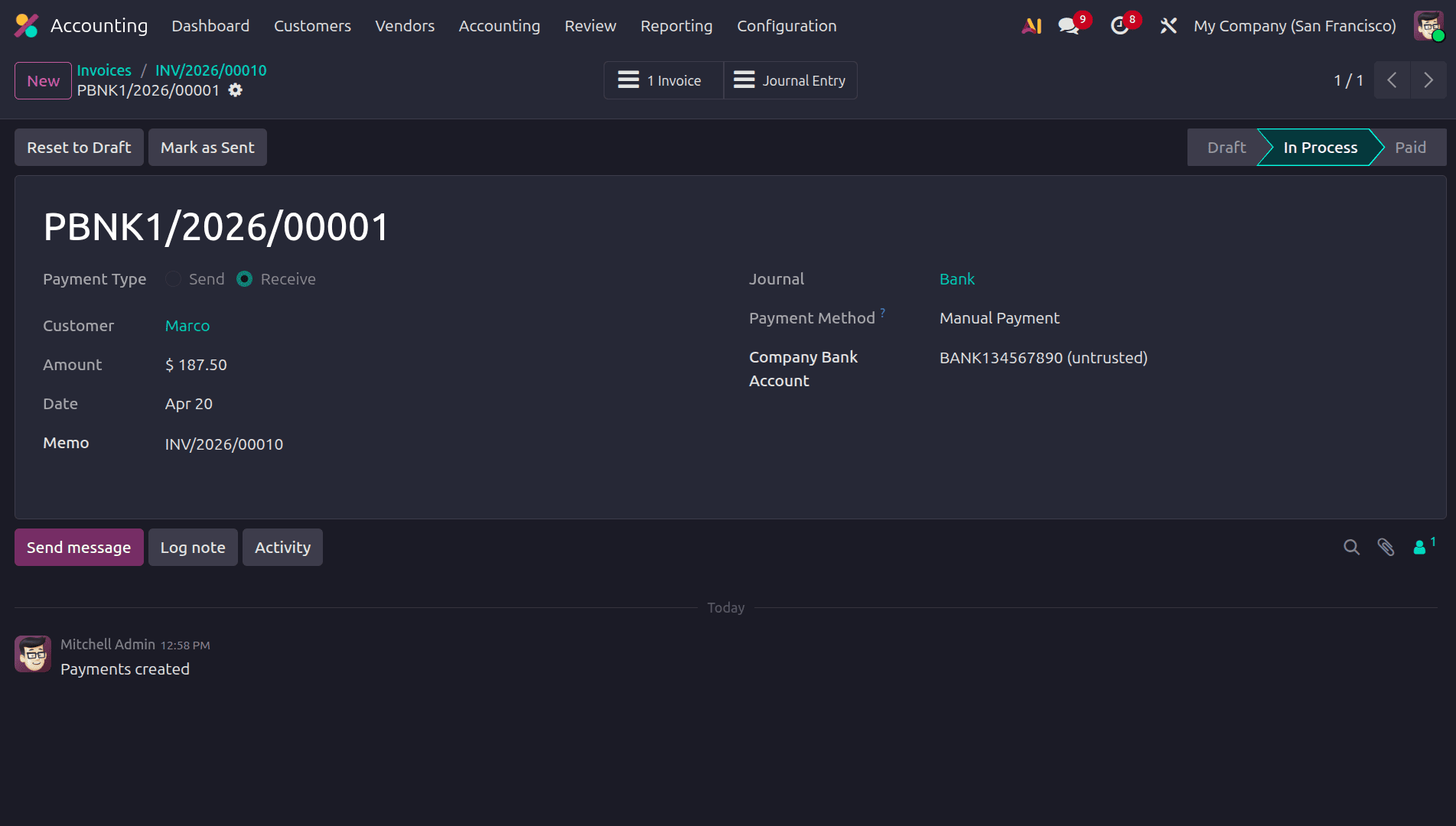
Here also, when we click the full installment, we can pay the remaining full amount. Once we move to the list view of the invoices, we can see the due date of the invoice as per the payment term
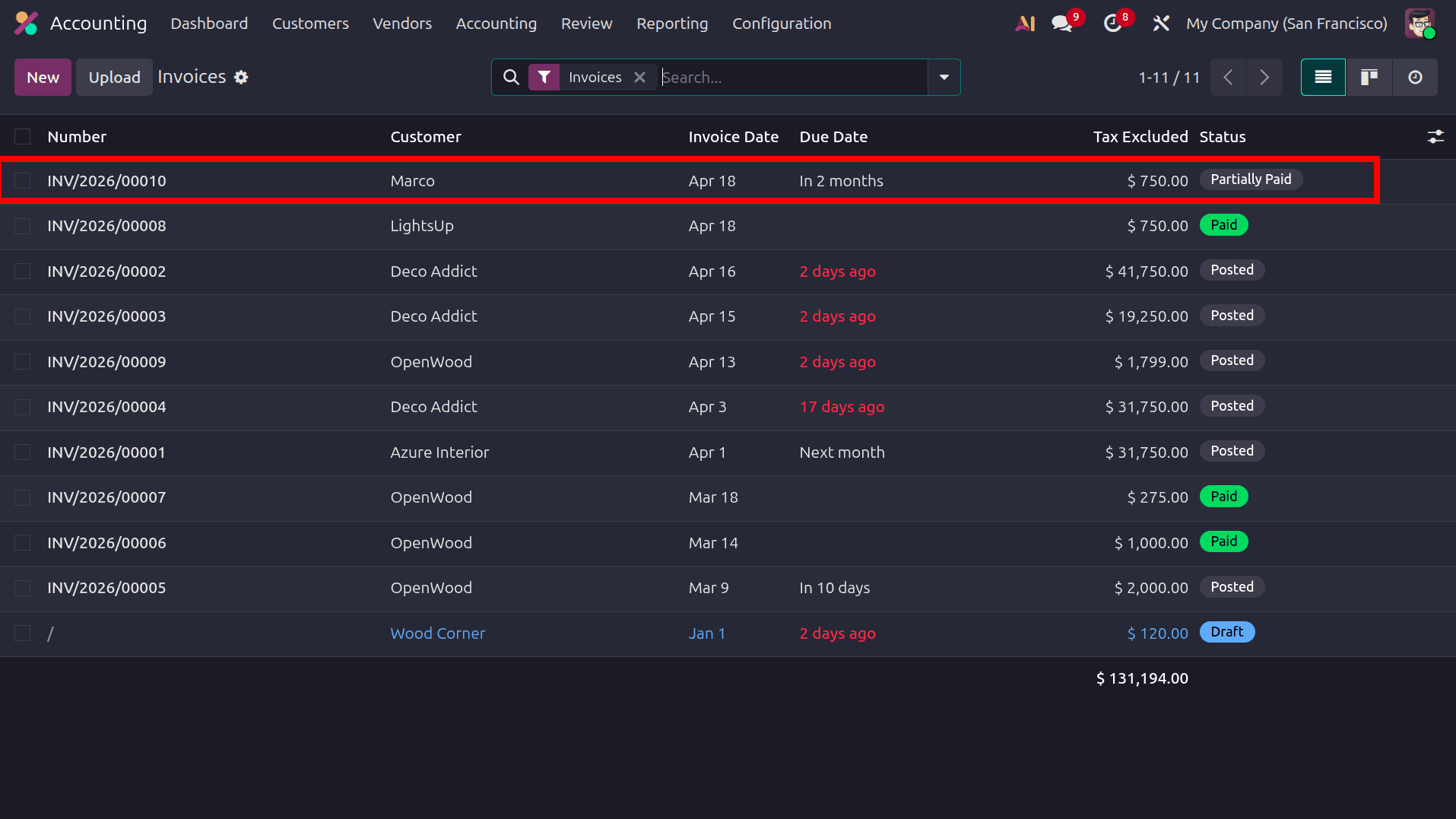
According to the payment term, the due date of the invoice is set here. For this sale order, more installments remain, so go to the sale order and click the pay button to complete them.
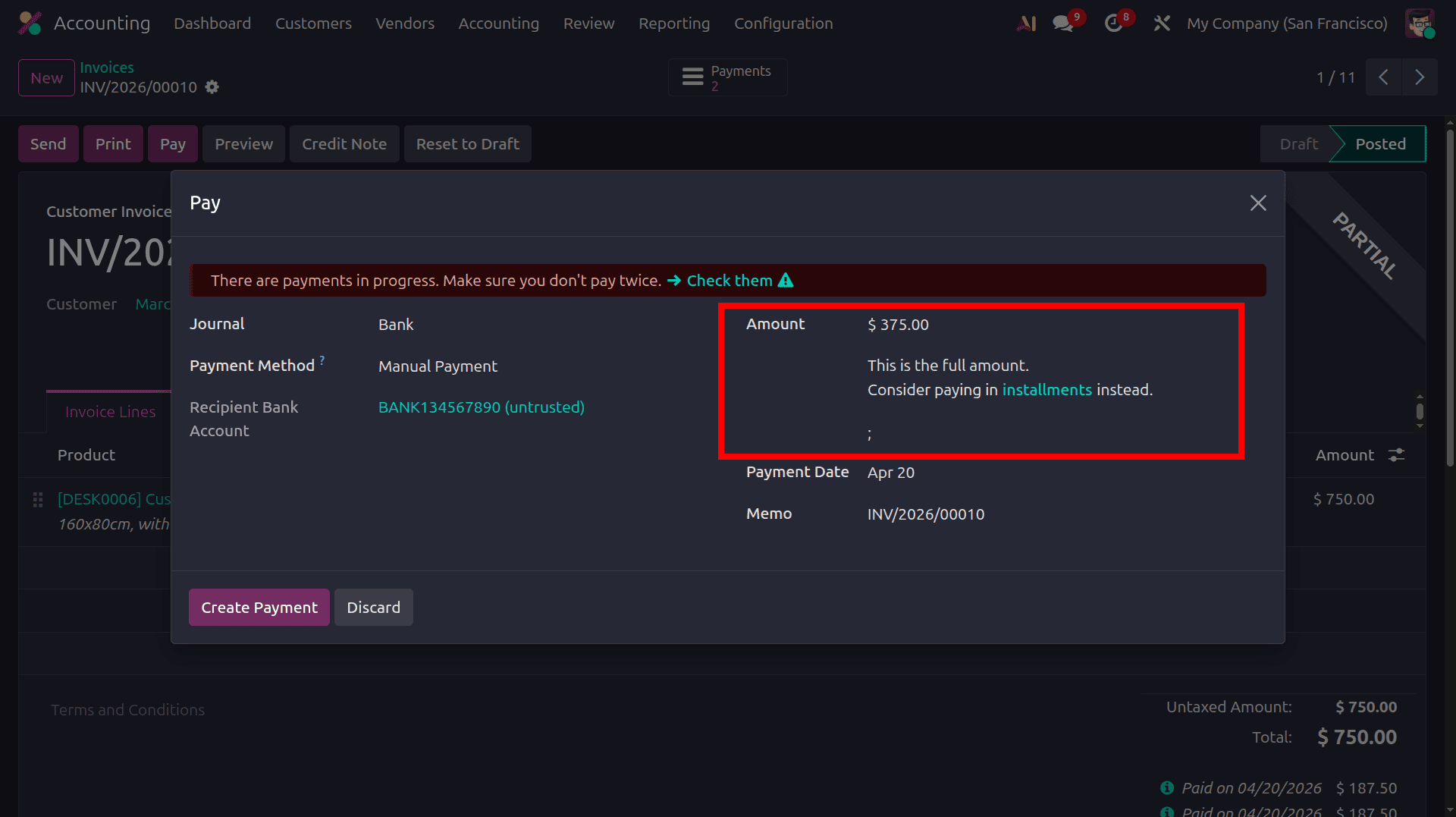
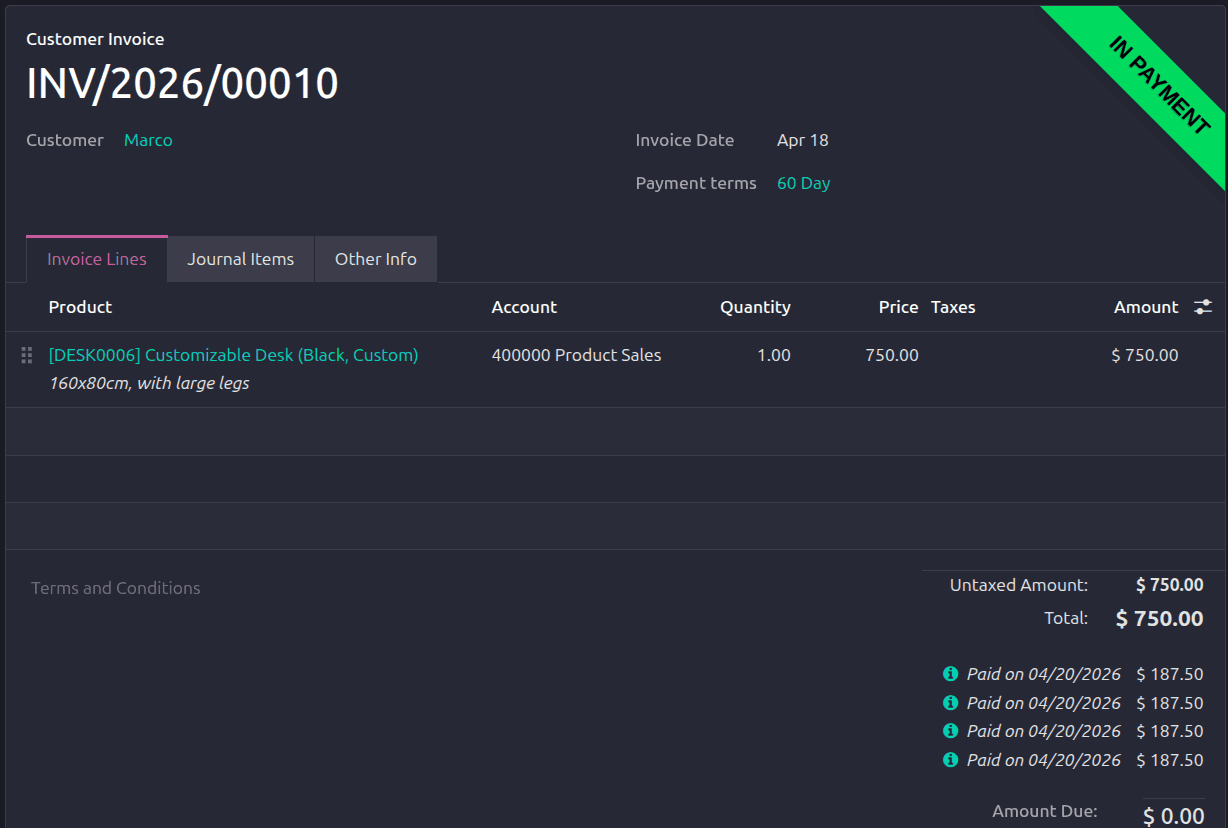
For this installment, select the Full Amount button and complete the payment as the final payment. Then the amount due for this order will be zero, and then the status of the order will be in the "In Payment" state.
Early Discount
In Payment Terms, there is another option called ‘Early Discount’. In Odoo, an early discount is a reduction offered to the customer when the invoice is paid before the specified due date, helping improve cash flow. While creating a payment term, this feature can be activated by selecting the checkbox labeled ‘Early Discount’.
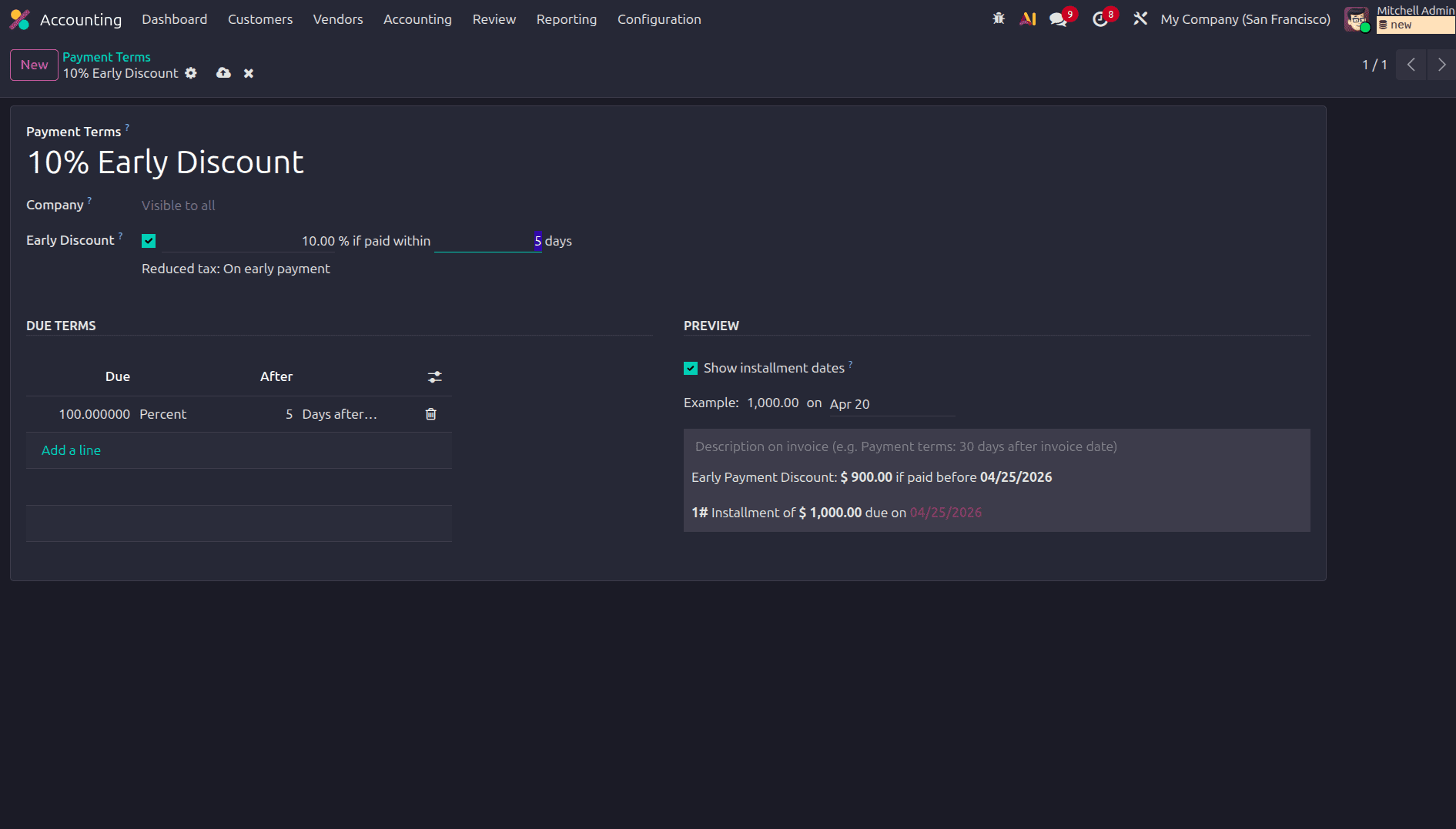
After configuring the discount rules, create a new invoice and apply this payment term to it. The due term is set as 100 percent payable 2 days after the invoice date, meaning that a 10% discount applies when the payment is made immediately.
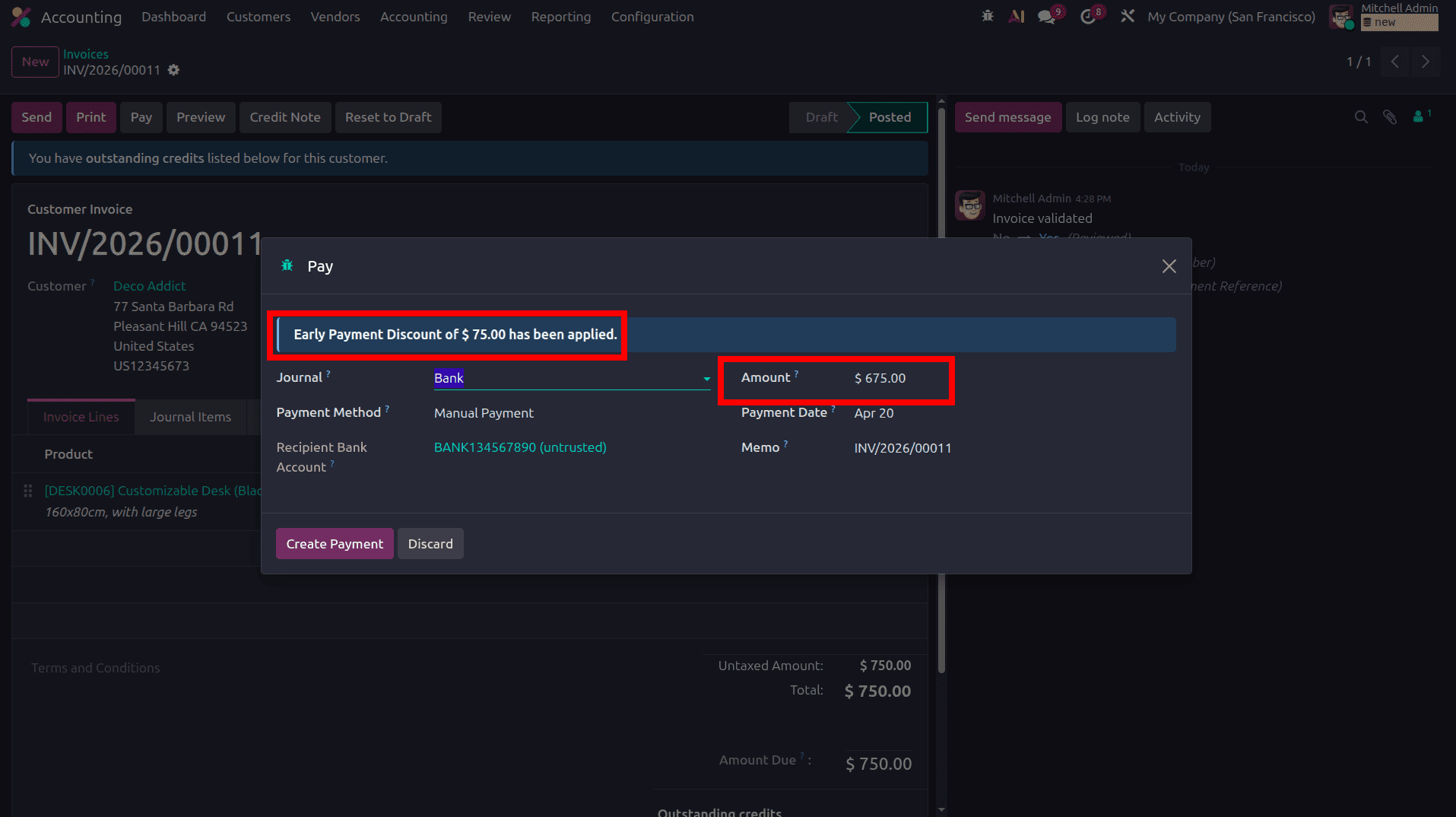
After configuring the early discount, when proceeding with the invoice payment, the pop-up window displays the early discount along with the reduced amount to be paid. As shown in the screenshot, the gap between the invoice date and the payment date does not exceed 10 days, so the early discount is applied. In this case, a 10% early discount is calculated on the total sale order amount.
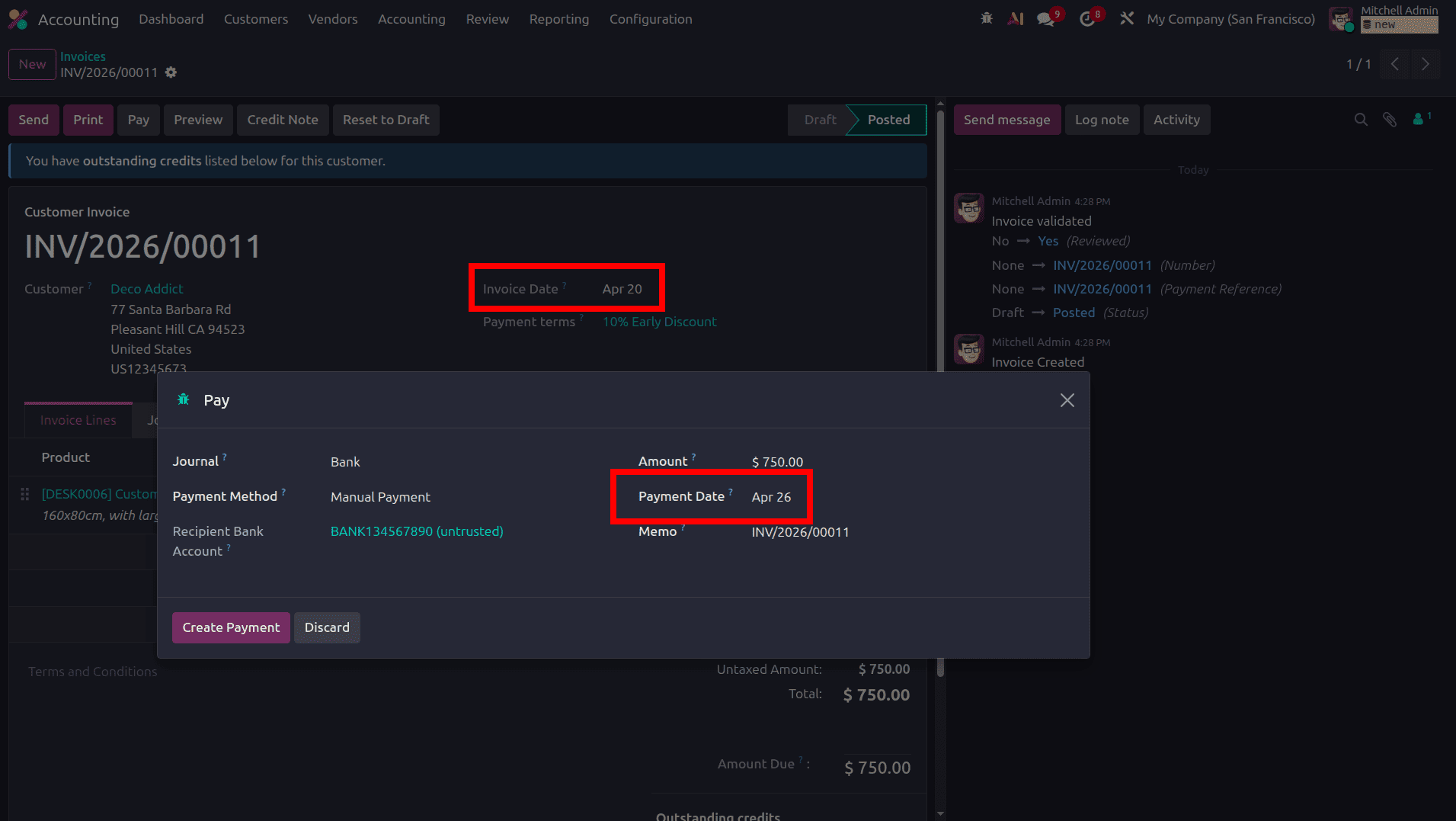
If the gap between the invoice date and the payment date exceeds 10 days, the early discount will not be applied, as clearly indicated in the screenshot above.
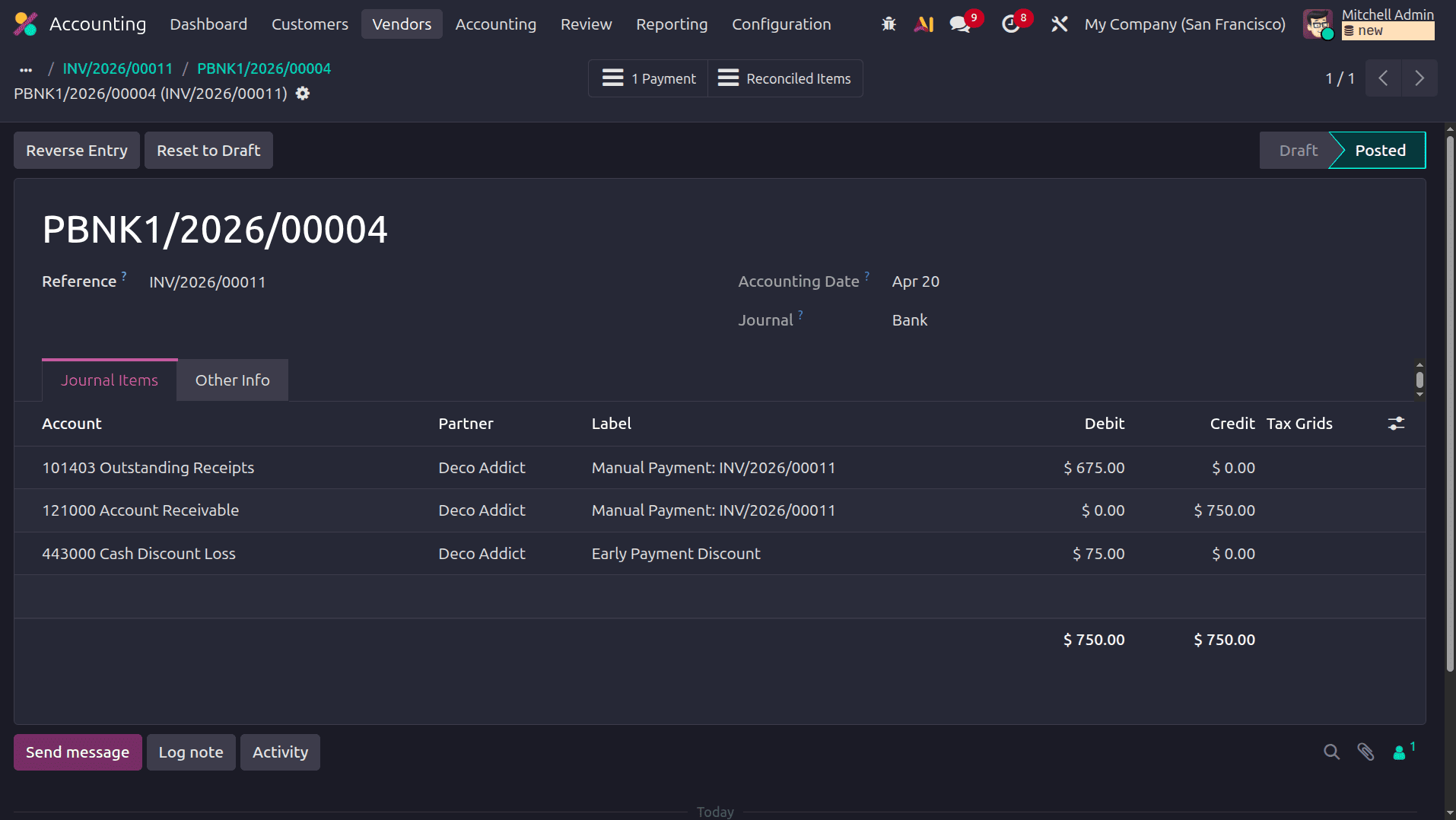
When reviewing the journal entry of the payment, the 75$ early discount loss from the sale order is recorded in the Cash Discount Loss account, where the Cash Discount Loss account is debited by 75$.
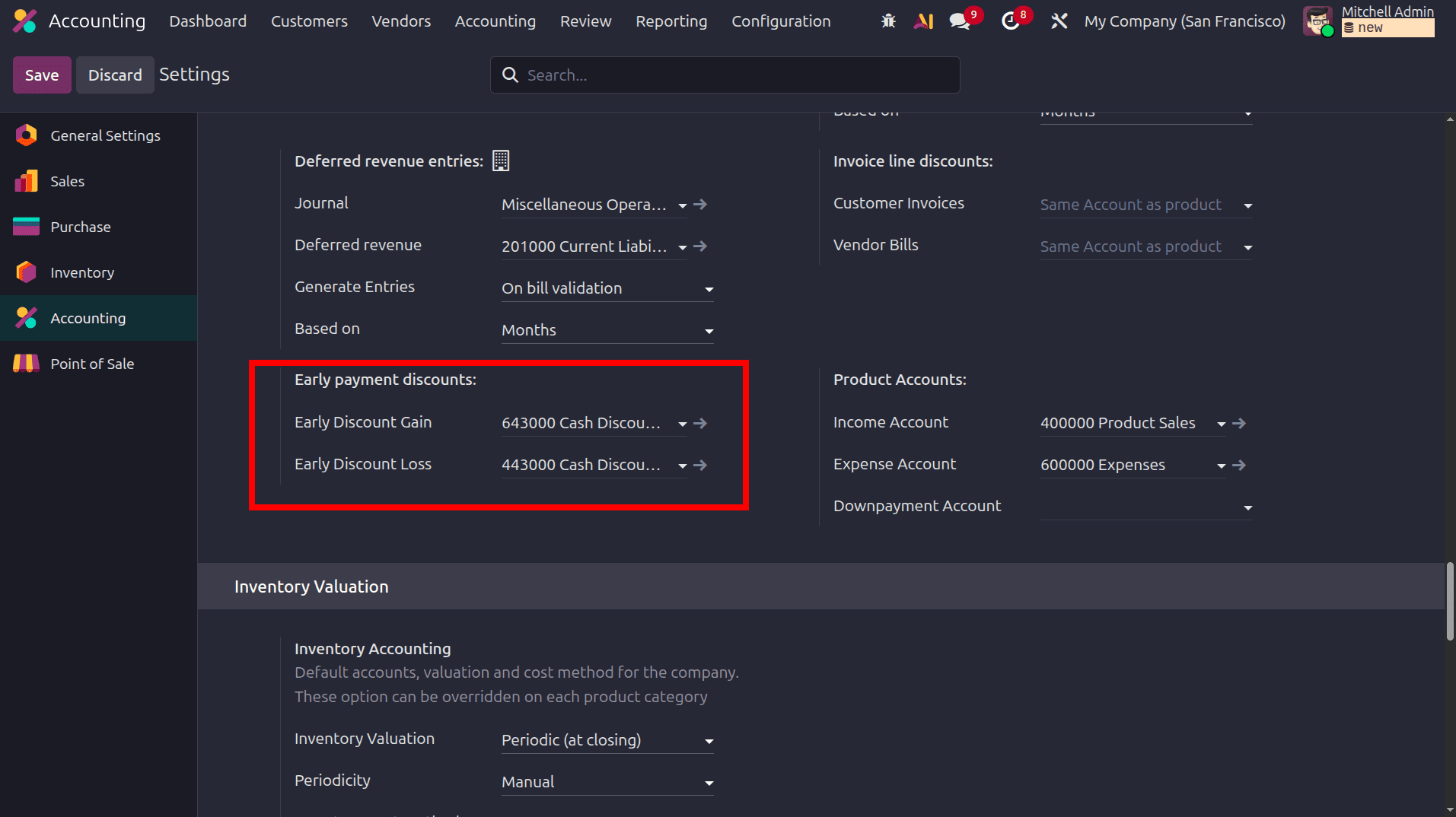
In the Configuration settings of the Accounting application, under the Default Accounts section, there are options to define the default early discount loss account and the early discount gain account.
In Odoo 19, by establishing well-defined payment schedules, businesses can better predict future cash inflows and outflows. This supports effective planning for expenses, investments, and possible shortfalls. Clear due dates combined with early payment discounts encourage customers to pay promptly, reducing delays and lowering the risk of bad debts.
To read more about How Payment Terms are Configured in Odoo 18, refer to our blog How Payment Terms are Configured in Odoo 18.