Managing scrap efficiently is a crucial aspect of modern manufacturing, and Odoo 19 provides a streamlined solution to handle it with precision. Scrap refers to damaged, defective, or unusable materials generated during production, and improper handling can lead to inventory inaccuracies and financial losses. With Odoo 19 Manufacturing, businesses can track, record, and analyze scrap directly within their production workflows. The system allows users to create scrap orders, define scrap locations, and link them to manufacturing orders, ensuring complete traceability. By integrating scrap management into the overall inventory and production process, Odoo helps reduce waste, improve cost control, and maintain accurate stock levels. This functionality is highly beneficial for manufacturers seeking to optimize efficiency and support sustainable production practices. Understanding how to manage scrap effectively in Odoo 19 is essential for optimizing production and minimizing losses.
Enable Scrap Location:
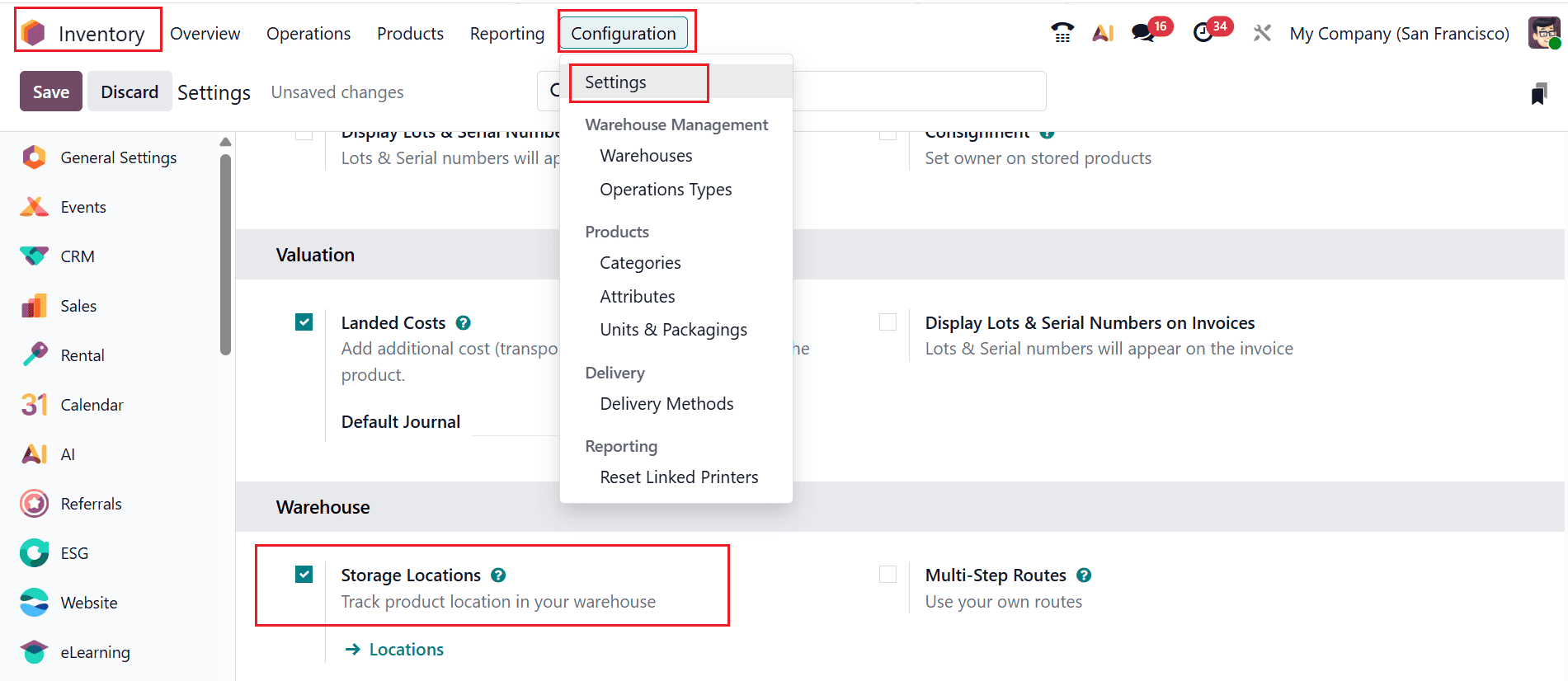
Firstly, navigate to the Inventory > Configuration > Settings. Under the Warehouse section, enable the Storage Locations option, as shown below. Enabling a scrap location lets you move defective or waste items out of regular inventory into a separate area, preventing them from being used in production. It helps maintain accurate stock levels, costing, and tracking of manufacturing waste.
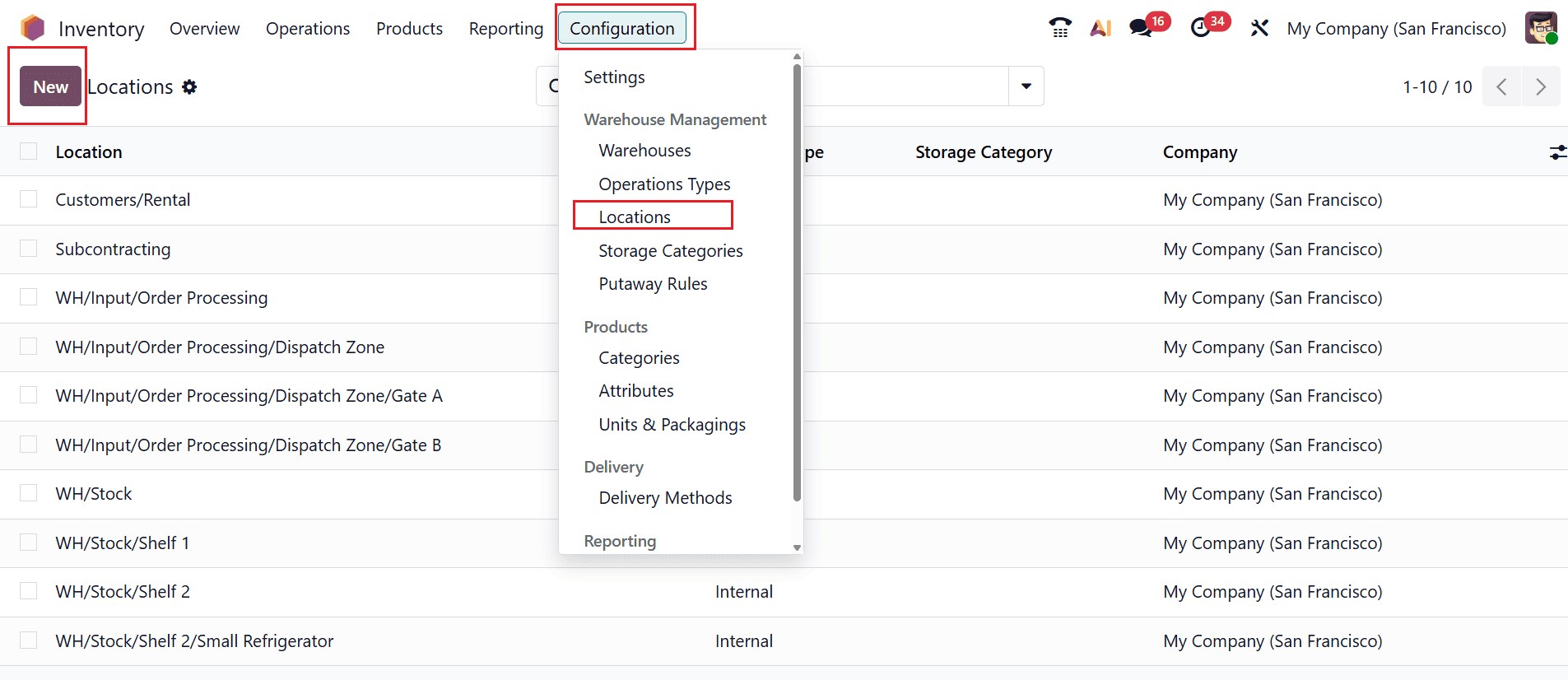
To manage scrap properly, create a scrap location in your inventory system. To do this, go to Inventory > Configuration > Locations, as shown below. Next, click on the New button to create a new scrap location.
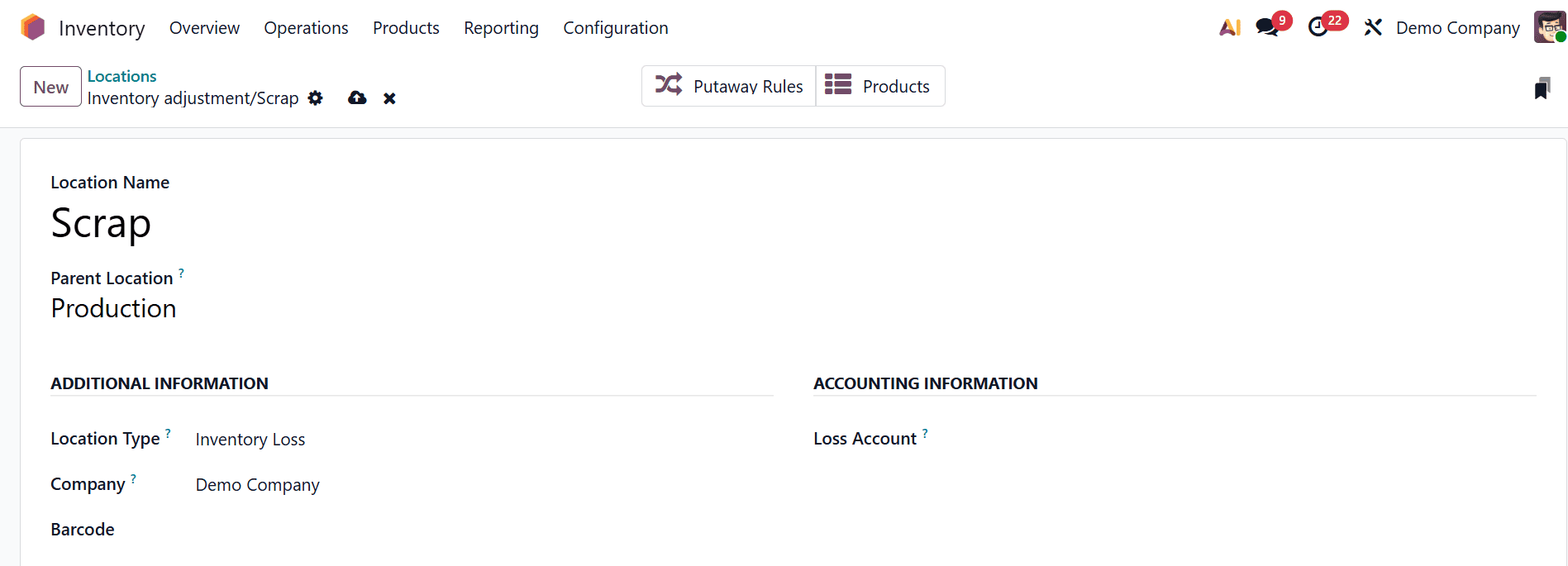
Here, enter Scrap as the Location Name, set Production as the Parent Location, and select Inventory Loss as the Location Type.
Create a Scrap Order:
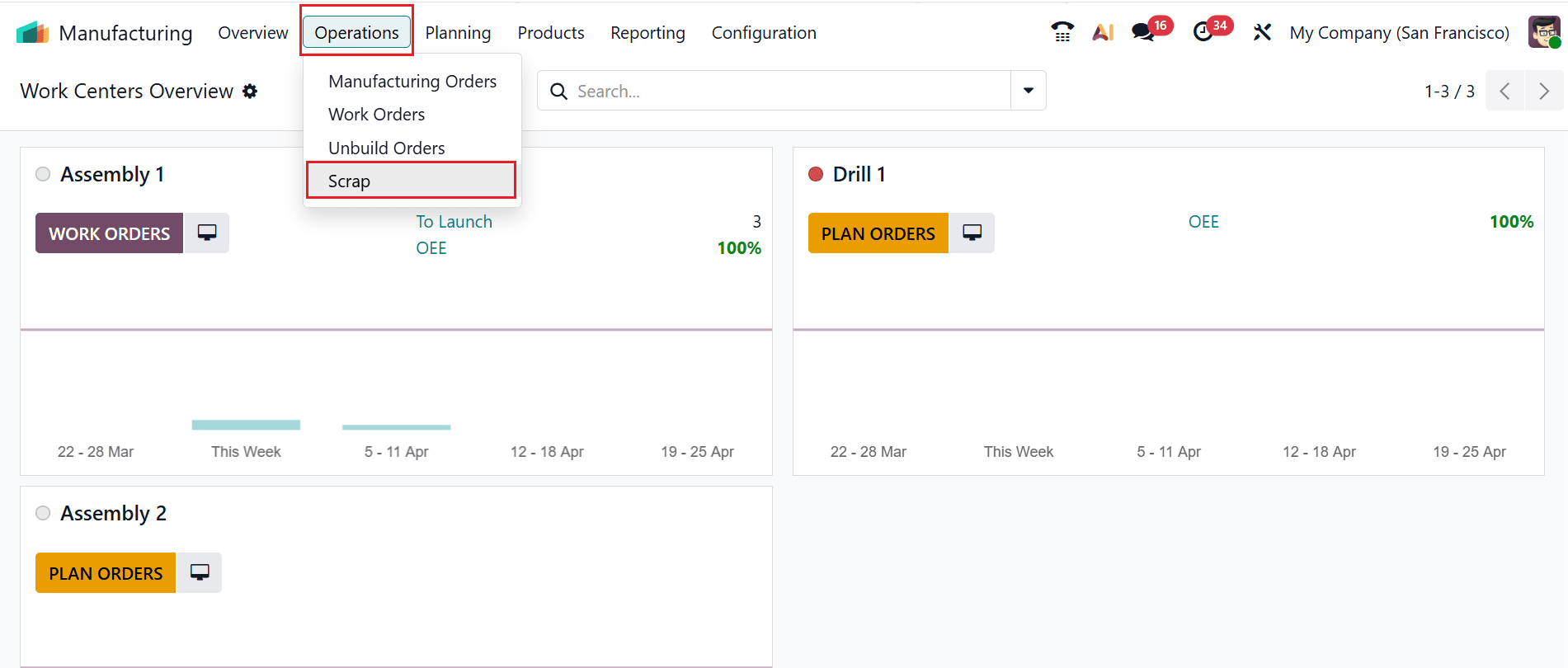
To create a scrap order, go to the Manufacturing module and select Operations > Scrap, as illustrated below:
Click the New button to initiate the creation of a new scrap order, as shown below:

Next, choose the products to be scrapped and enter the required details, including Source Location, Scrap Location, and Quantity. Then, click on the Validate button as shown below:
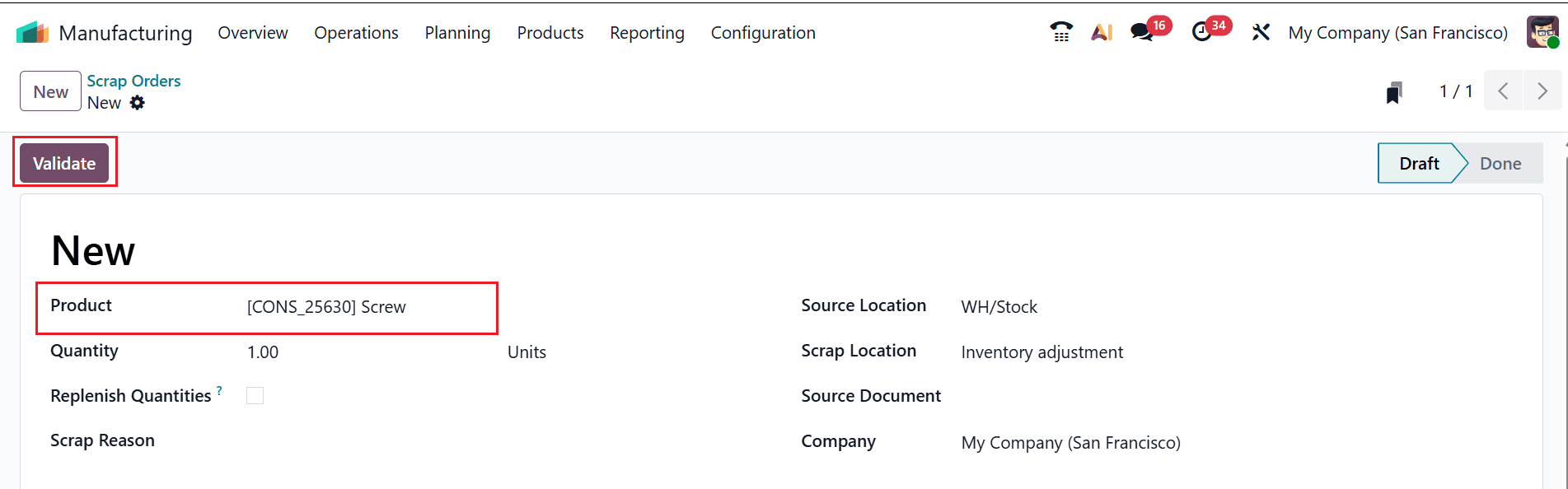
To view the product moves, click on the Product Moves smart button as shown below:
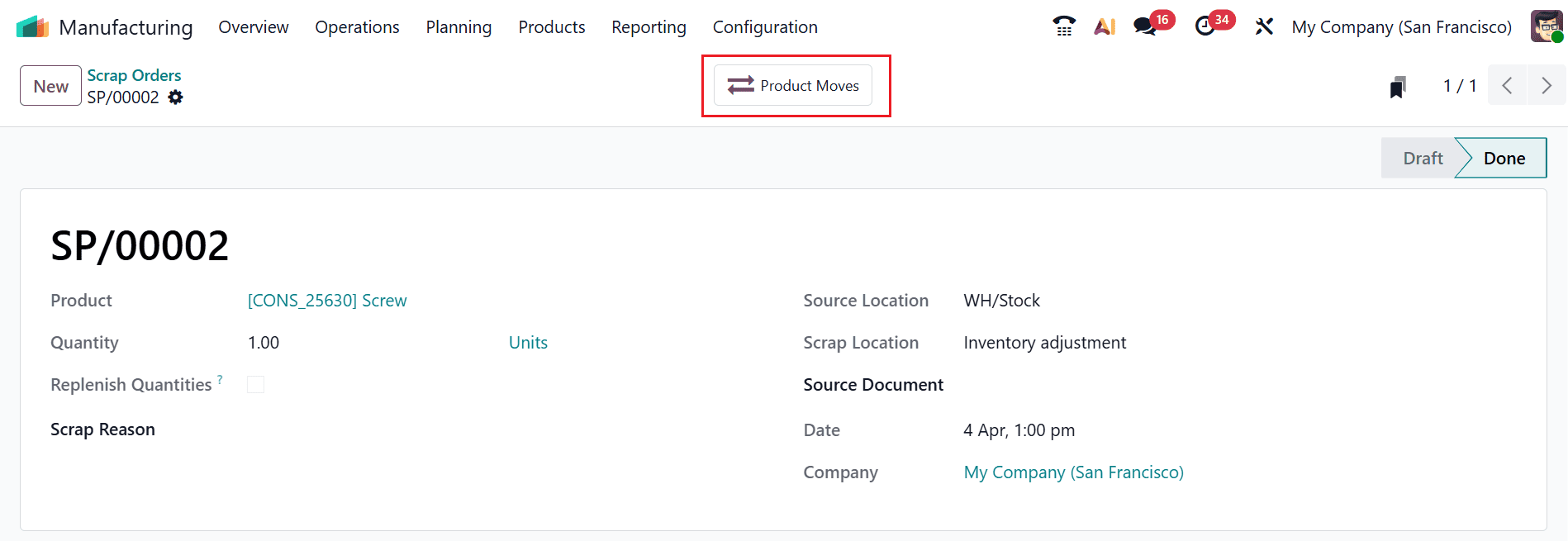
During production, users can generate a scrap order whenever a component is found to be defective or damaged. At that moment, the item can be directly transferred to the scrap location, and more items can be added to the same scrap order if needed. Let’s explore how this process takes place.
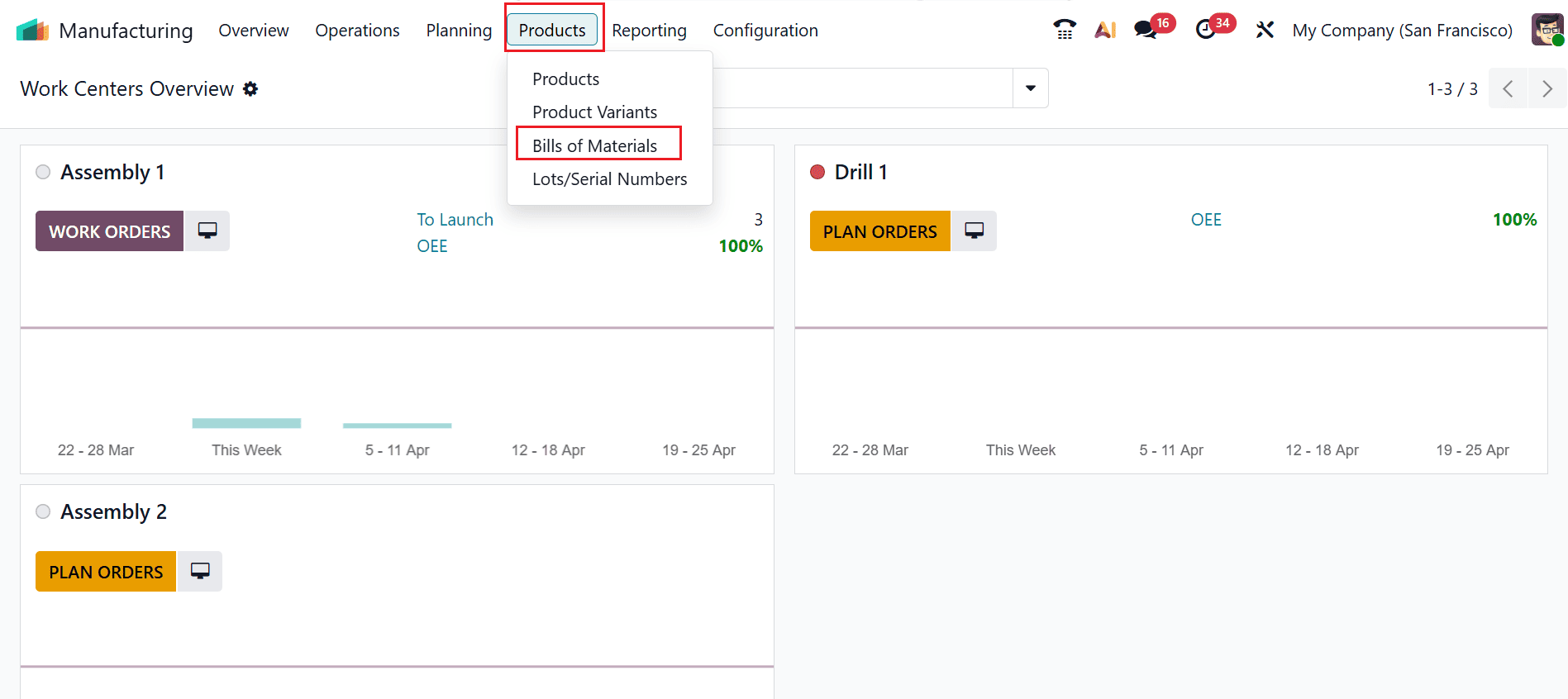
To add a new Bill of Materials, navigate to Products > Bill of Materials and click on the New button, as illustrated below:
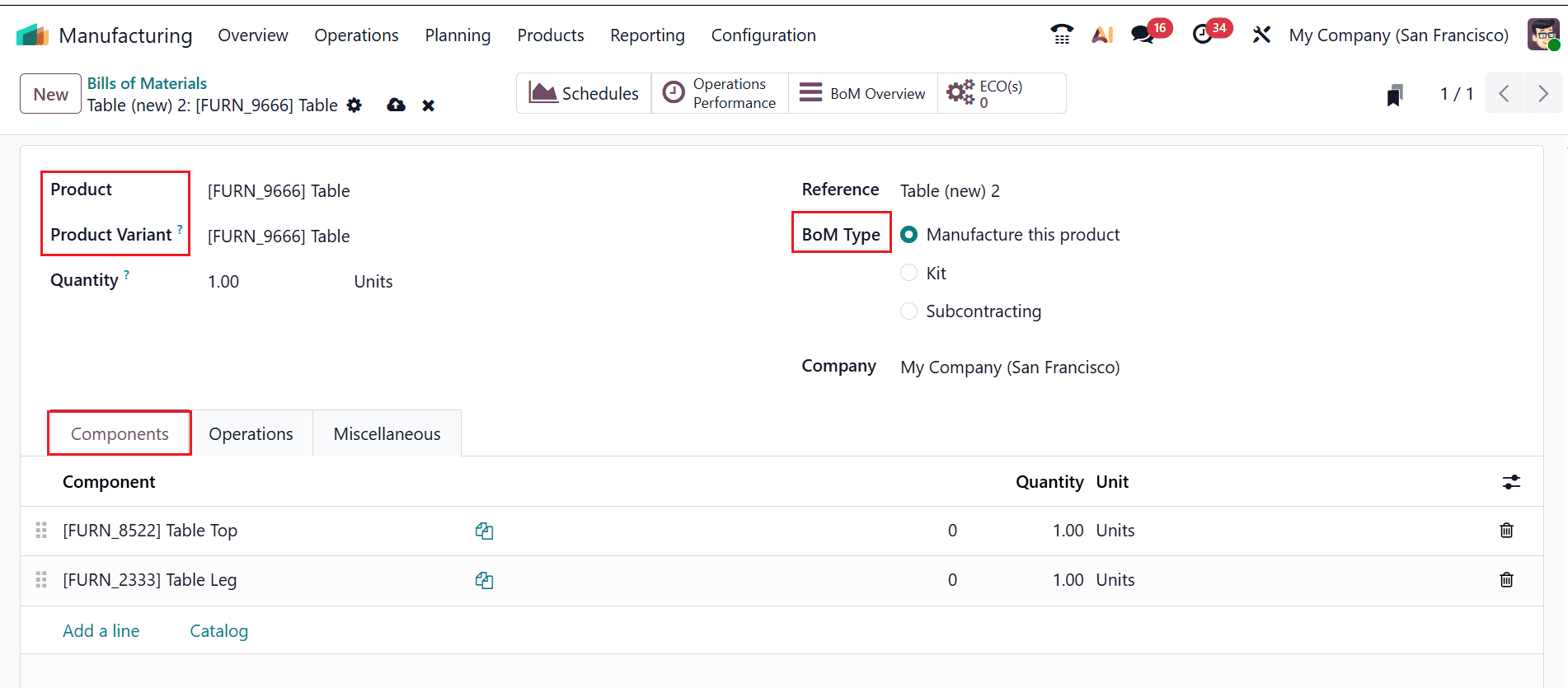
Select the desired Product, then specify the appropriate Product Variant and Quantity. Set the BoM Type to Manufacture this Product. In the Components tab, add the materials list, including Table Top and Table Leg, as shown below:
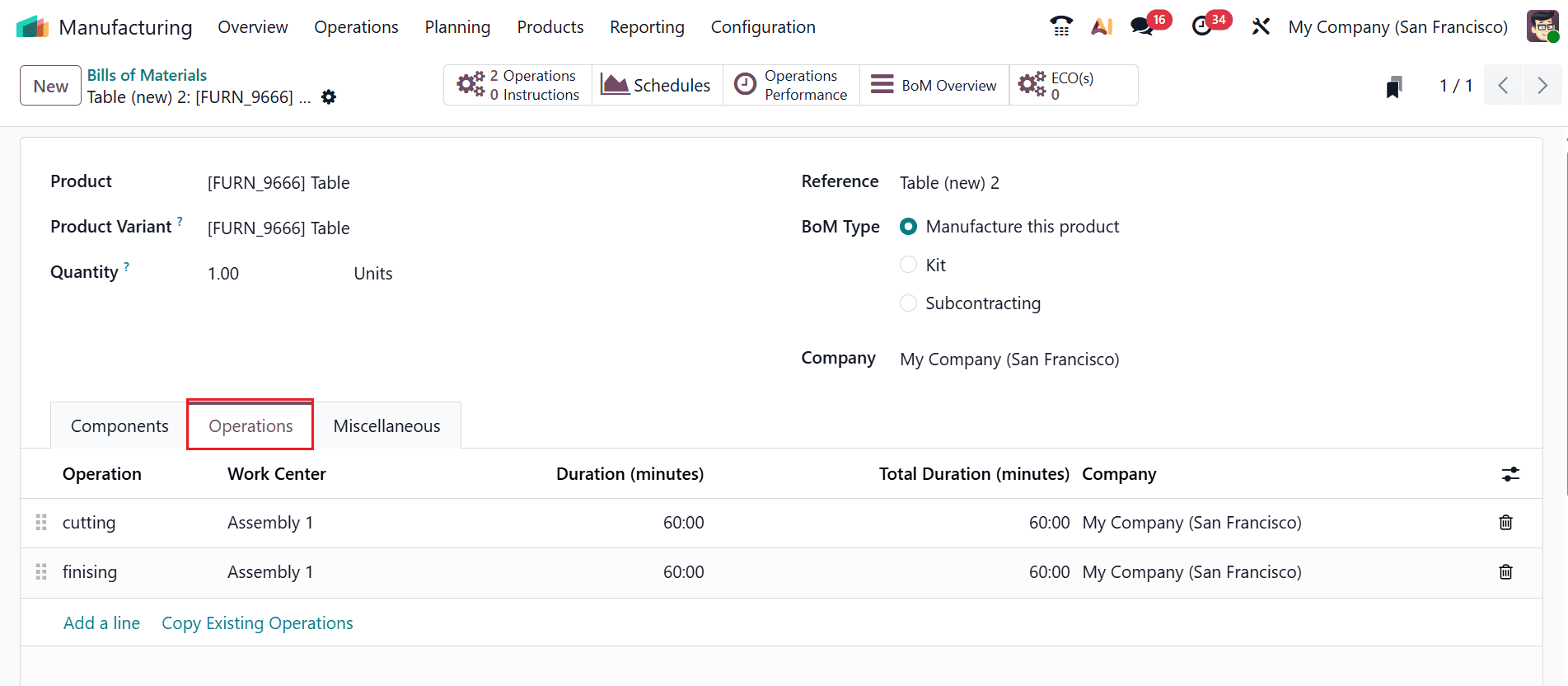
In the Operations tab, two production operations are defined: Cutting and Finishing. Both operations are performed in the Assembly 1 Work Center, with the Finishing operation scheduled to occur only after the Cutting operation is completed.
Create a Manufacturing Order with the New BoM:
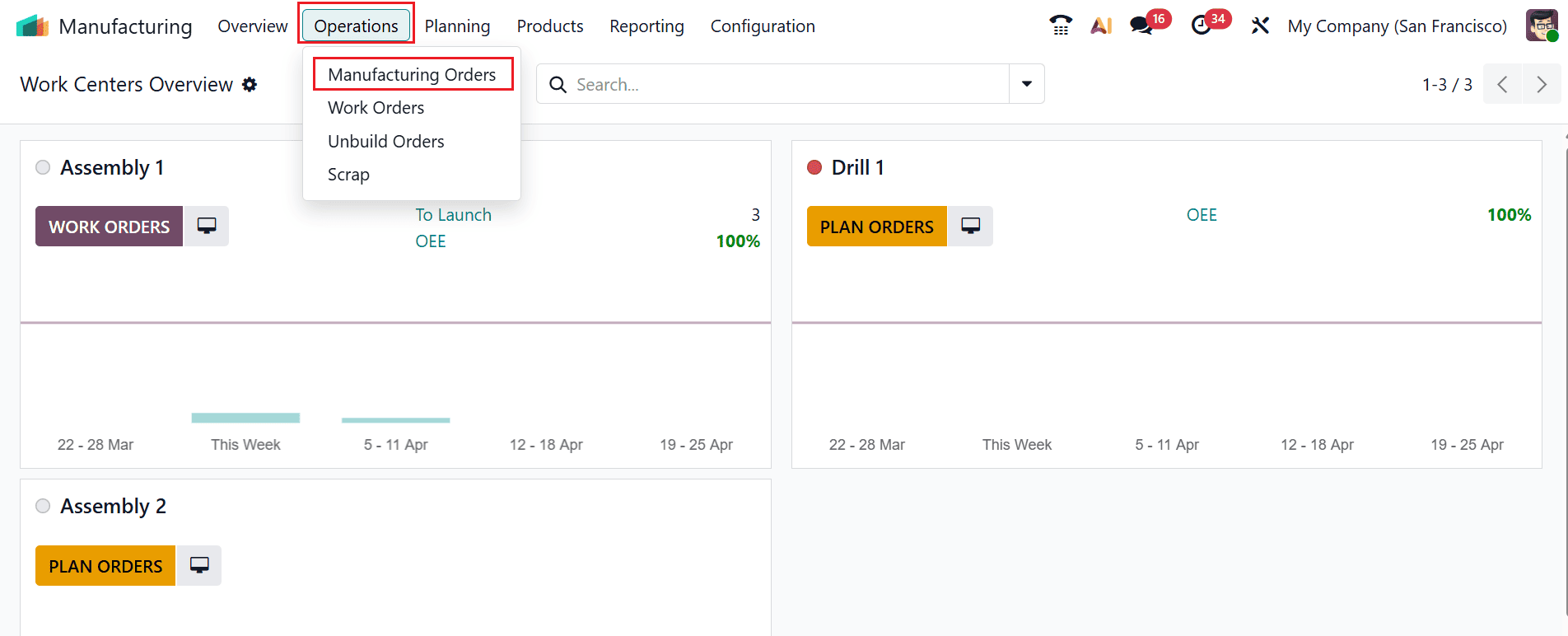
To create a new manufacturing order using the newly created Bill of Materials, navigate to Operations > Manufacturing Orders and click the New button, as shown below:
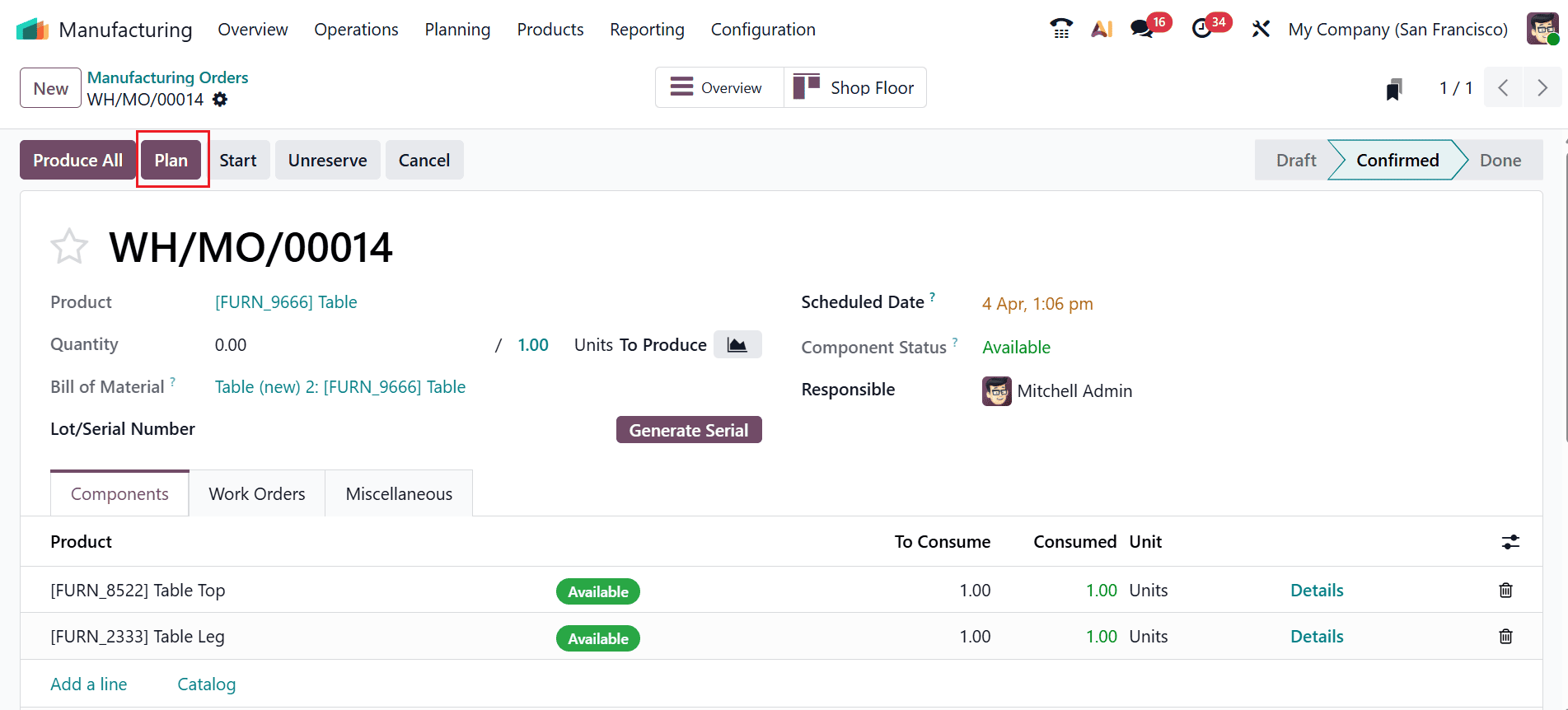
Select the Bill of Materials you created earlier and set the Product to Table. The related processes and components will populate automatically. Verify the order, then click the Confirm button. Afterwards, click on the Plan button as illustrated below:
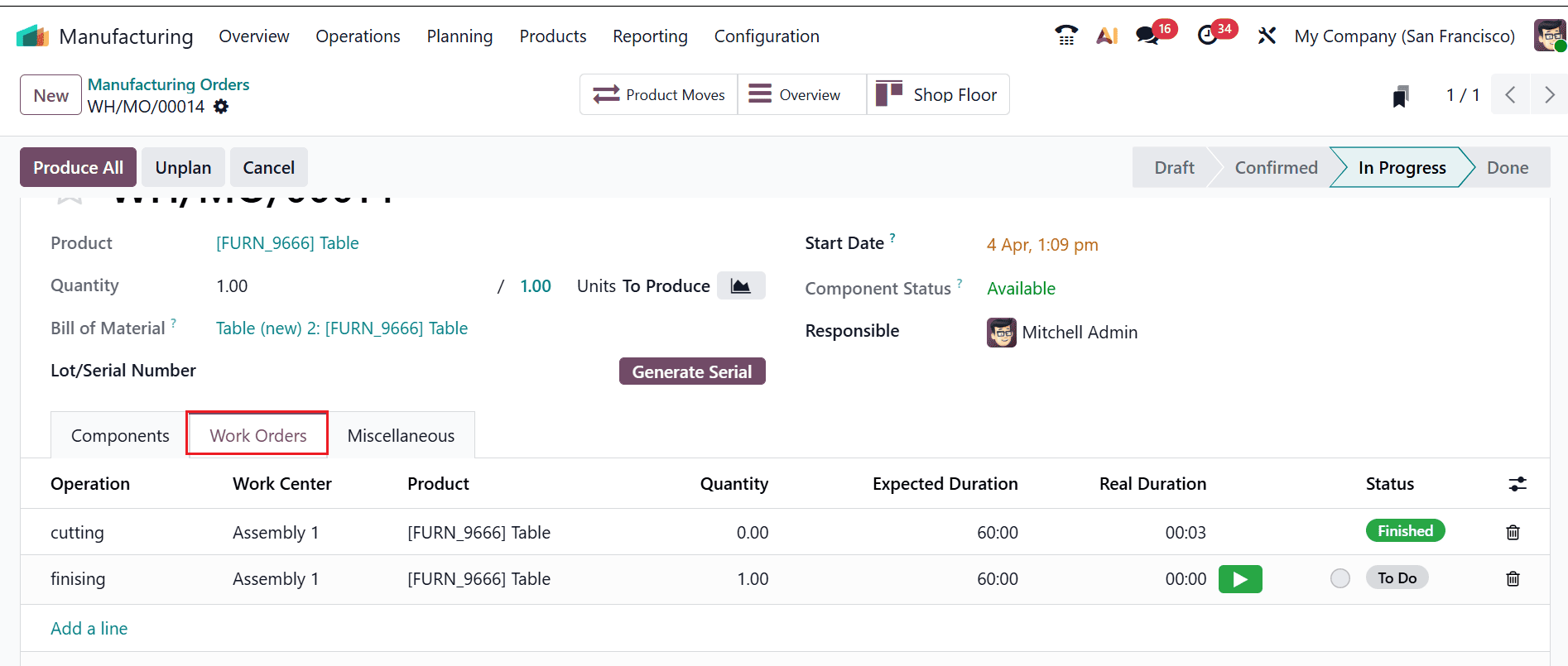
Click the Start button to initiate the first operation. After completing the first operation, proceed to the second operation.
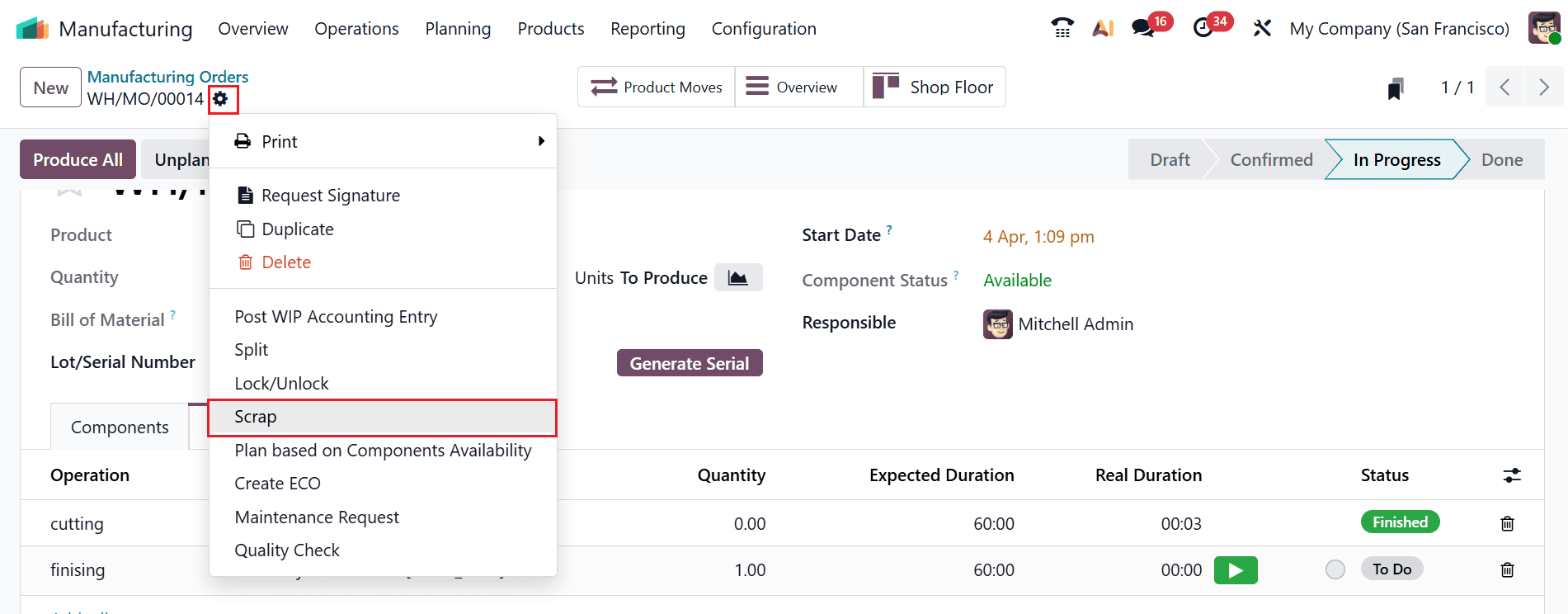
At this stage, you can also create scrap orders if any components are found to be damaged. Click on the Settings icon and select the Scrap as shown below:
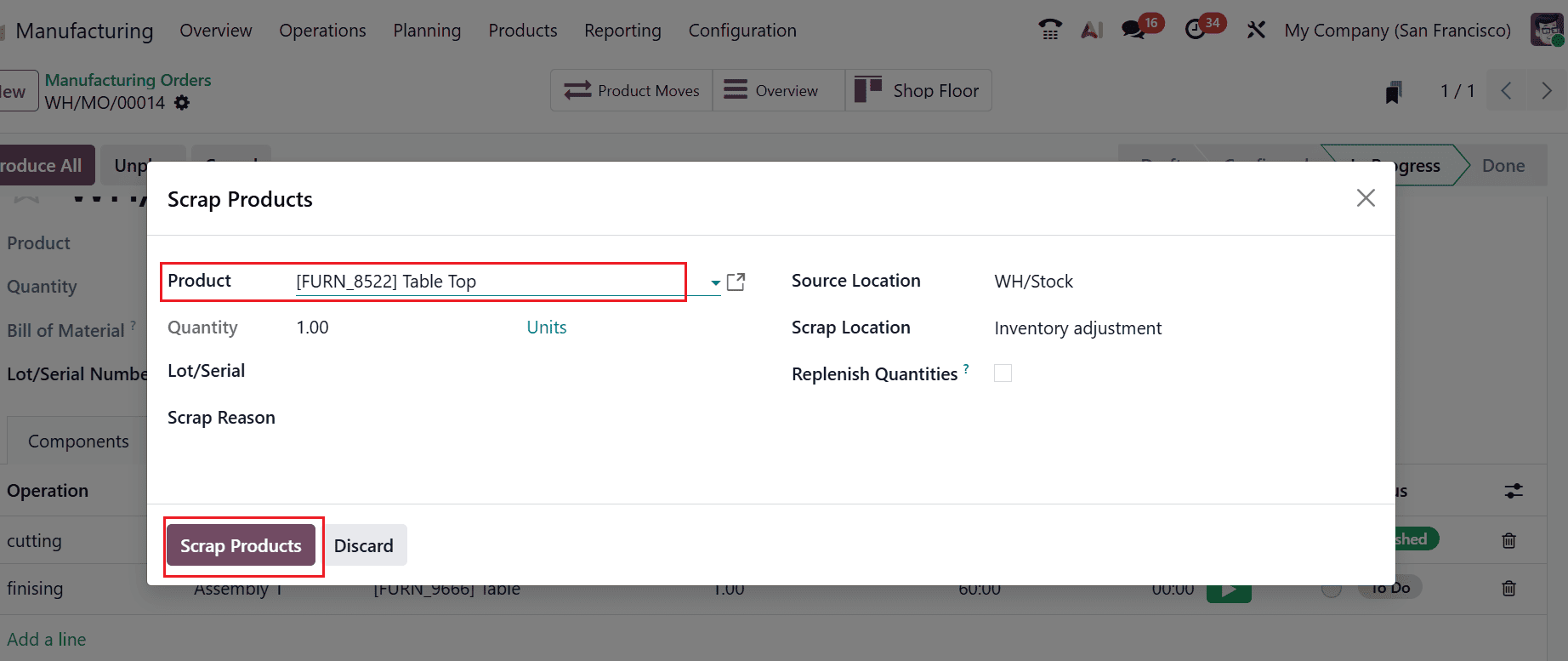
A new pop-up window will appear where you can add the details of the scrap product. Here, add the details of the scrap products, such as Product Name, Quantity, and Lot/Serial. To transfer the product from stock to the scrap location, click on Scrap Products, as shown below:
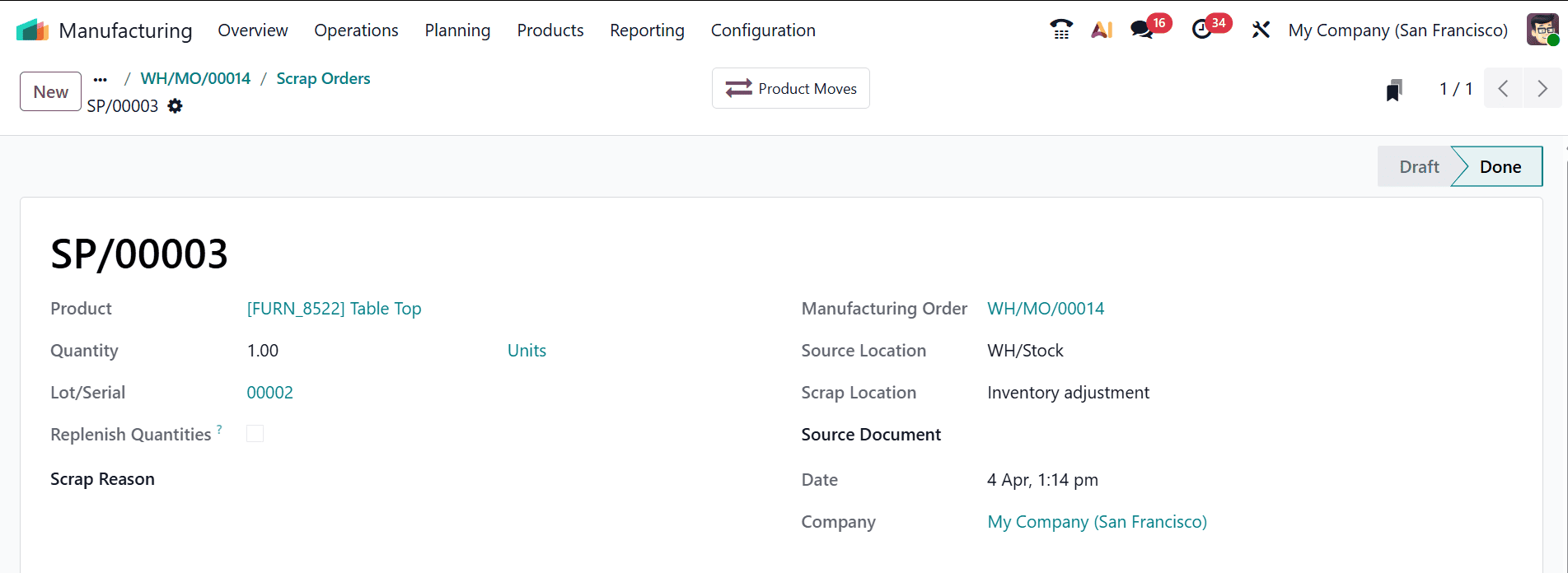
Here, you can review the details of the scrap order generated throughout the production process. In the Product Moves tab, the movement of goods for each step of production is displayed, showing how materials and products flow throughout the workflow.
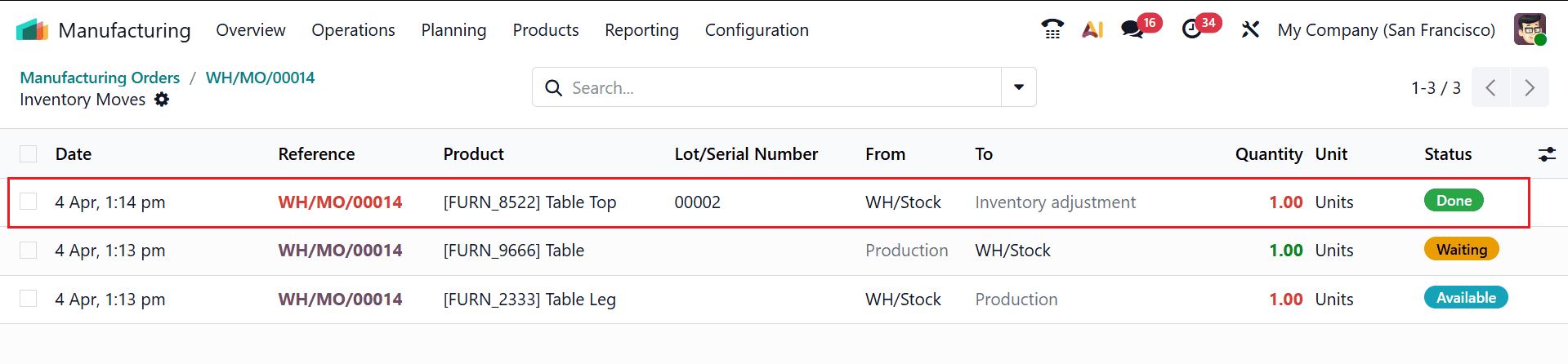
Here, you can see that the Tabletop was damaged and has been shifted from stock to the Scrap location.
In conclusion, scrap management in Odoo 19 Manufacturing is a powerful feature that enables businesses to maintain better control over production waste. By consistently tracking and documenting scrap, companies can uncover inefficiencies and pinpoint areas that need improvement. Odoo’s integrated approach ensures that scrap is not just discarded but accounted for within inventory and financial records, enhancing transparency and accuracy. The ability to link scrap to manufacturing orders allows for detailed analysis of production issues, helping organizations implement corrective measures. Additionally, proper scrap management contributes to cost reduction and supports sustainable manufacturing practices. As competition in manufacturing grows, leveraging tools like Odoo 19 becomes essential for staying efficient and profitable. By adopting these features, businesses can transform waste management into a strategic advantage and improve overall operational performance.
To read more about Overview of Scrap Management in Odoo 18 Manufacturing, refer to our blog Overview of Scrap Management in Odoo 18 Manufacturing.