The latest edition of the popular open-source business management software, Odoo 19, has greatly improved the accounting module's employee expenditure management tools. This update seeks to increase accuracy and efficiency for businesses of all sizes with its seamless and automated approach to human expense tracking and management. One notable aspect of Odoo 19 is the enhanced integration of the accounting and employee expenditure processes. Accurate and automatic accounting book reflection is made possible by this enhancement, which ensures smooth expense data synchronization. By reducing the likelihood of errors, businesses can maintain accurate and up-to-date financial records.
Odoo's Accounting module's Employee Expenses function provides a straightforward and efficient way to manage and pay employees for costs they incur while conducting business. Travel, hotel, food, and office supply costs can be reported by employees; these reports can be reviewed, approved, and immediately input into the accounting system. This ensures accountability, transparency, and precise financial tracking. This product reduces human labour and improves financial accuracy by automating journal entries and reimbursements. It is tightly connected with Odoo's accounting and HR apps.
Like the previous Odoo ERP version, the Odoo 19 Accounting module provides improved reporting and expense classification choices. The ability to define expense categories and subcategories has made it simpler to categorize and assess various costs. Additionally, thanks to better reporting options, businesses now have access to analytical expenditure reports and visualizations that successfully show spending trends.
This enables companies to manage expenses and distribute resources wisely. The accounting module for employee expenditure management in Odoo 19 offers enhanced reporting capabilities, simpler procedures, and greater integration. Thanks to these improvements, businesses can now efficiently monitor and track employee spending, which ultimately leads to accurate financial records, improved resource allocation, and more informed decision-making.
Employee Expense Management with Odoo 19
Employees can easily record expenses incurred on behalf of the organization with the Odoo 19 Accounting module. From the Vendors menu, select Employee Expenses. The dashboard of all employee expenses stored in your accounting database can be viewed from this window, as shown below.
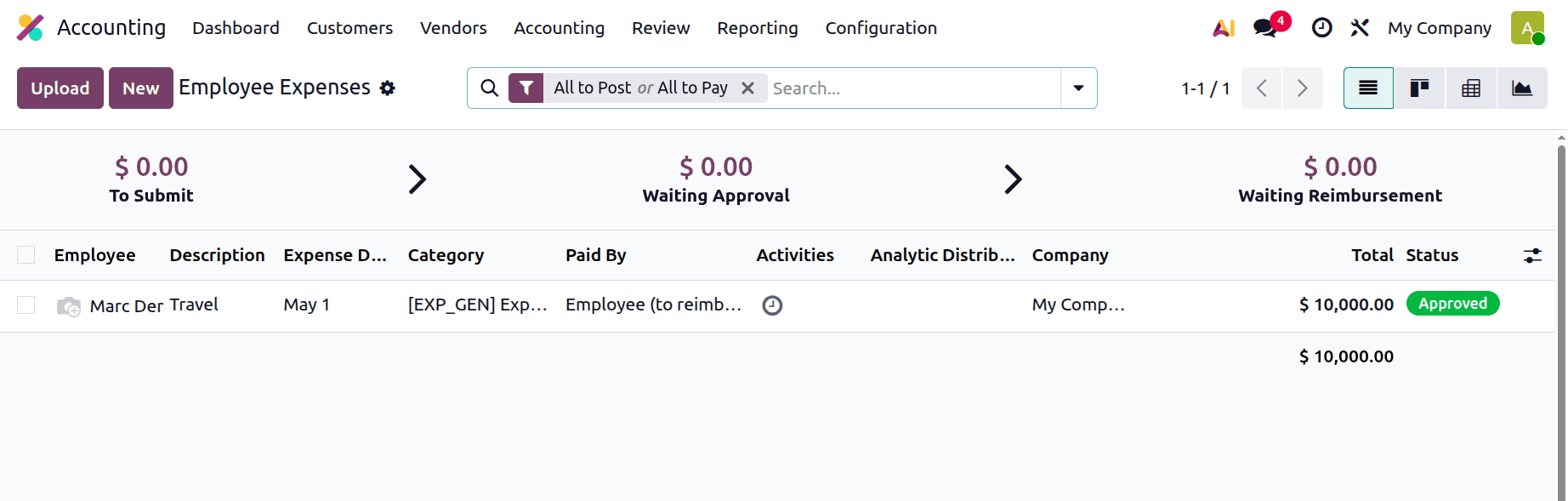
The list view of employee spending contains important information about the person, the business, the activities, the expense report, the total amount, the status, and the payment status. Once expense reports have been scanned using the Scan option, reports can be submitted. Clicking the "New" button will create new reports.
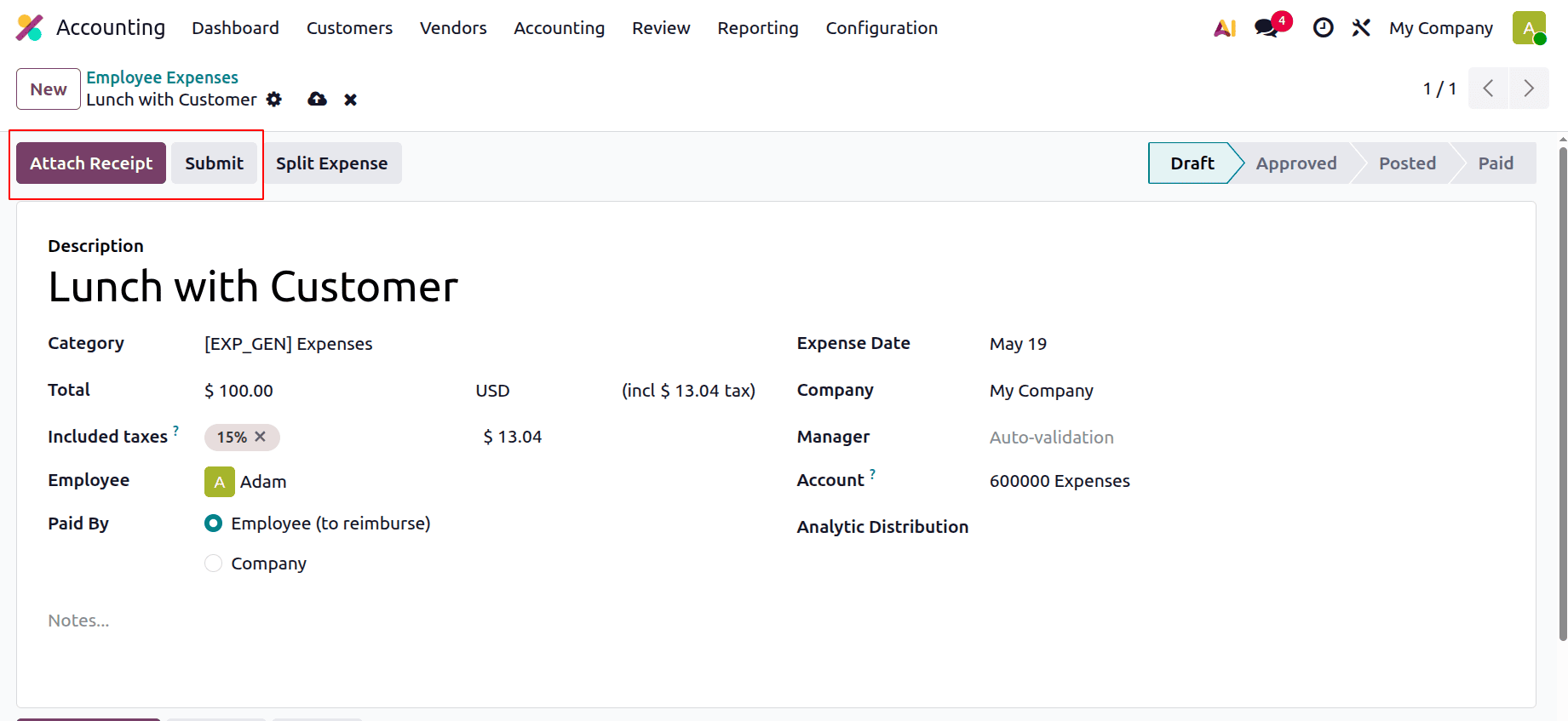
The creation window shows the Description, Category, total Employee, Paid by, Expense date, company, Manager, Account and Analytic Distribution. Add all the details. Then it's possible to attach a receipt by clicking on the Attach Receipt button.
Clicking the "Submit" button in the expense setting form sends the expense lines for approval. Managers can choose to approve, reject, or return to the report's draft after examining. Accepted expenditures may be included in the payslip that follows.
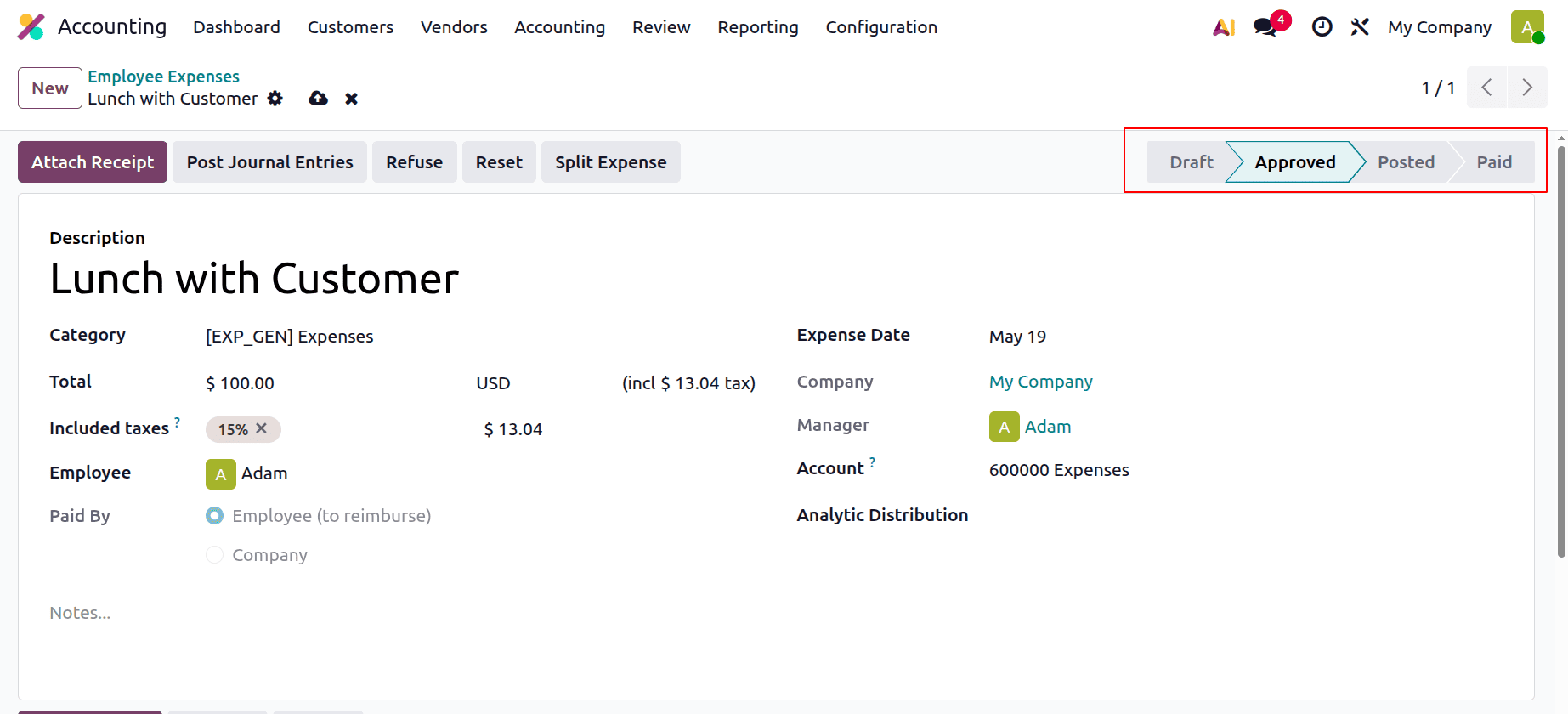
After receiving the expense request, the manager has the option to accept or reject it using the "Approve" or "Refuse".
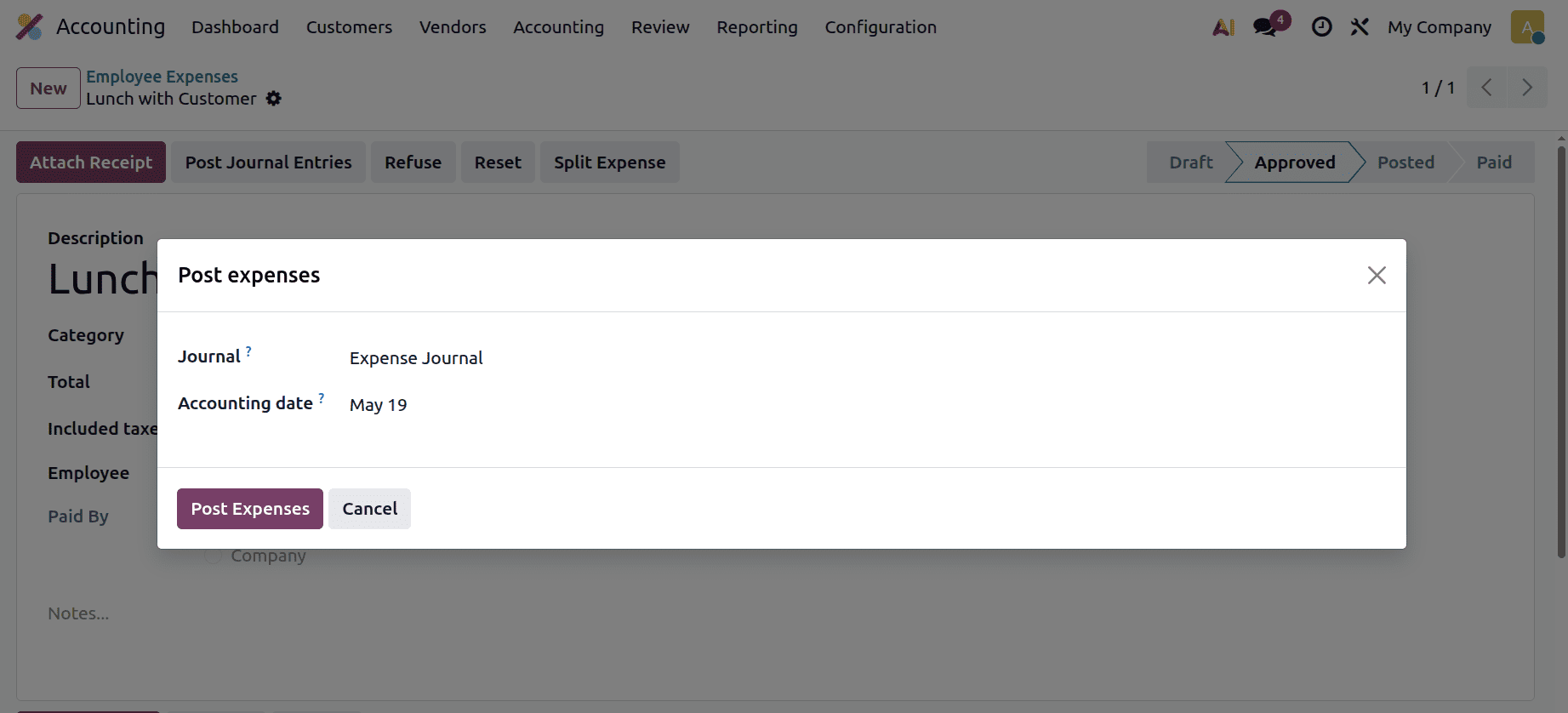
Now the expense is in the Approved stage. Next is clicking on the Post Journal Entries button. Choose the Journal and the Accounting date. Then click on the Post Expenses button.
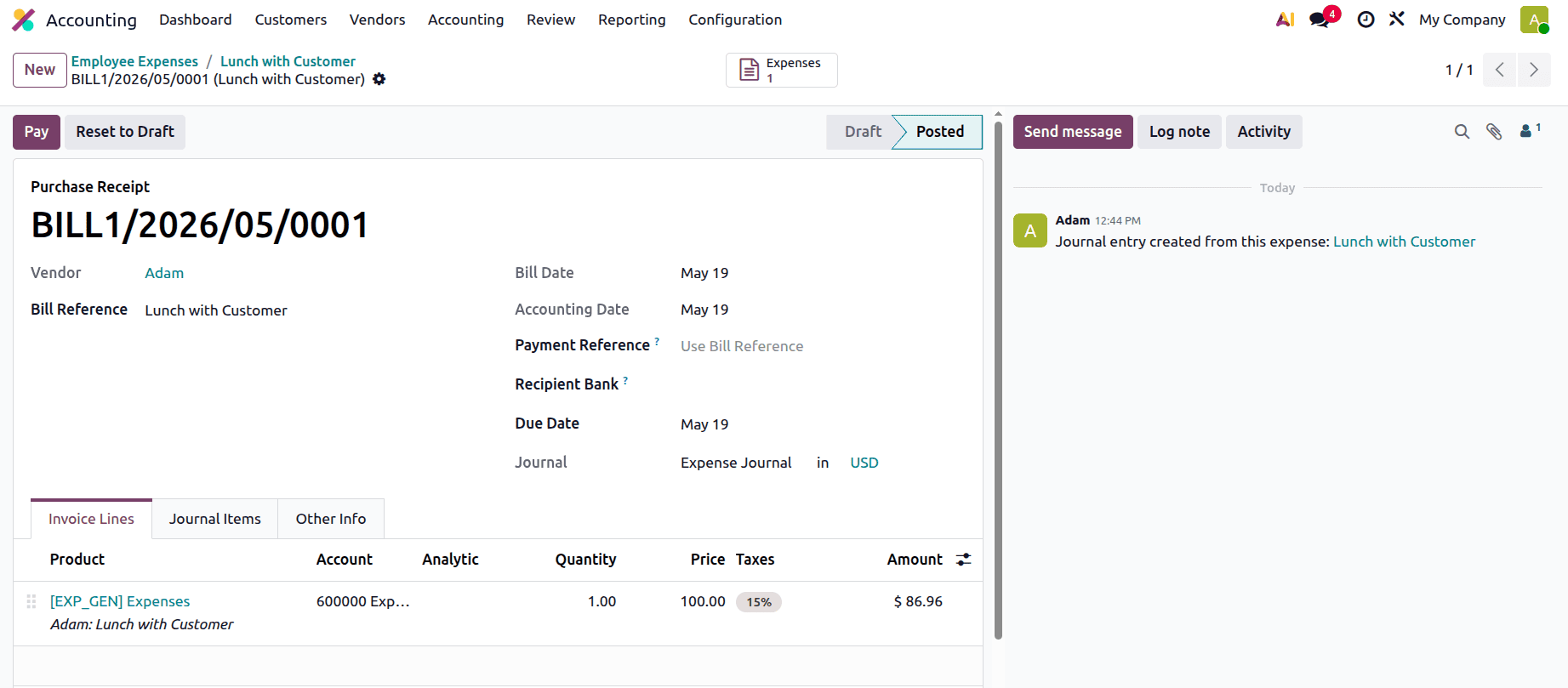
Here, you may see which journal (that is, the vendor bill journal) this journal entry is posted under by choosing the Journal Entry smart tab.
After that, a bill is created there as shown below.
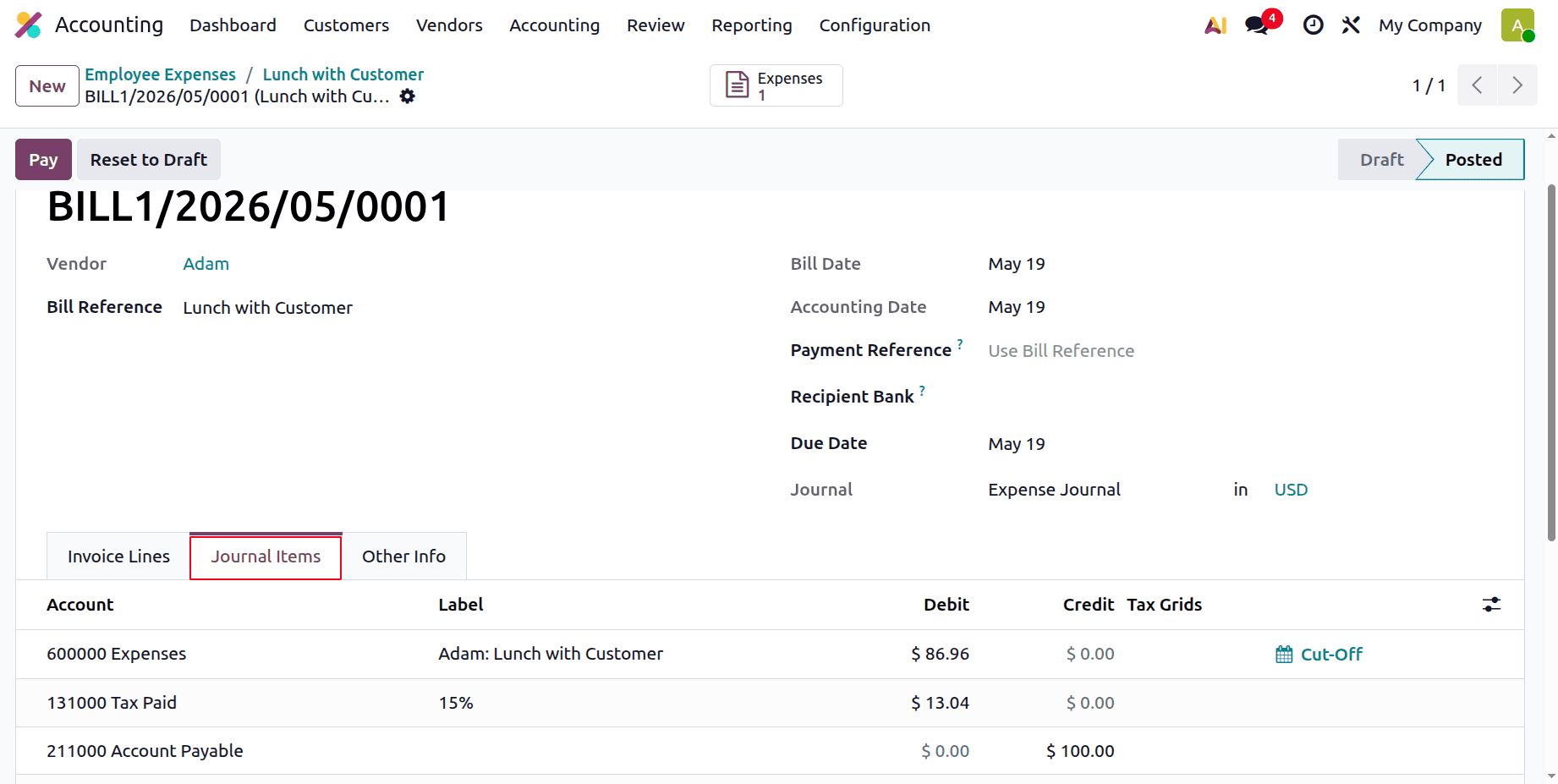
The journal entry shows that the Expense account is Debited, Account Payable is Credited and also the Tax account is Debited.
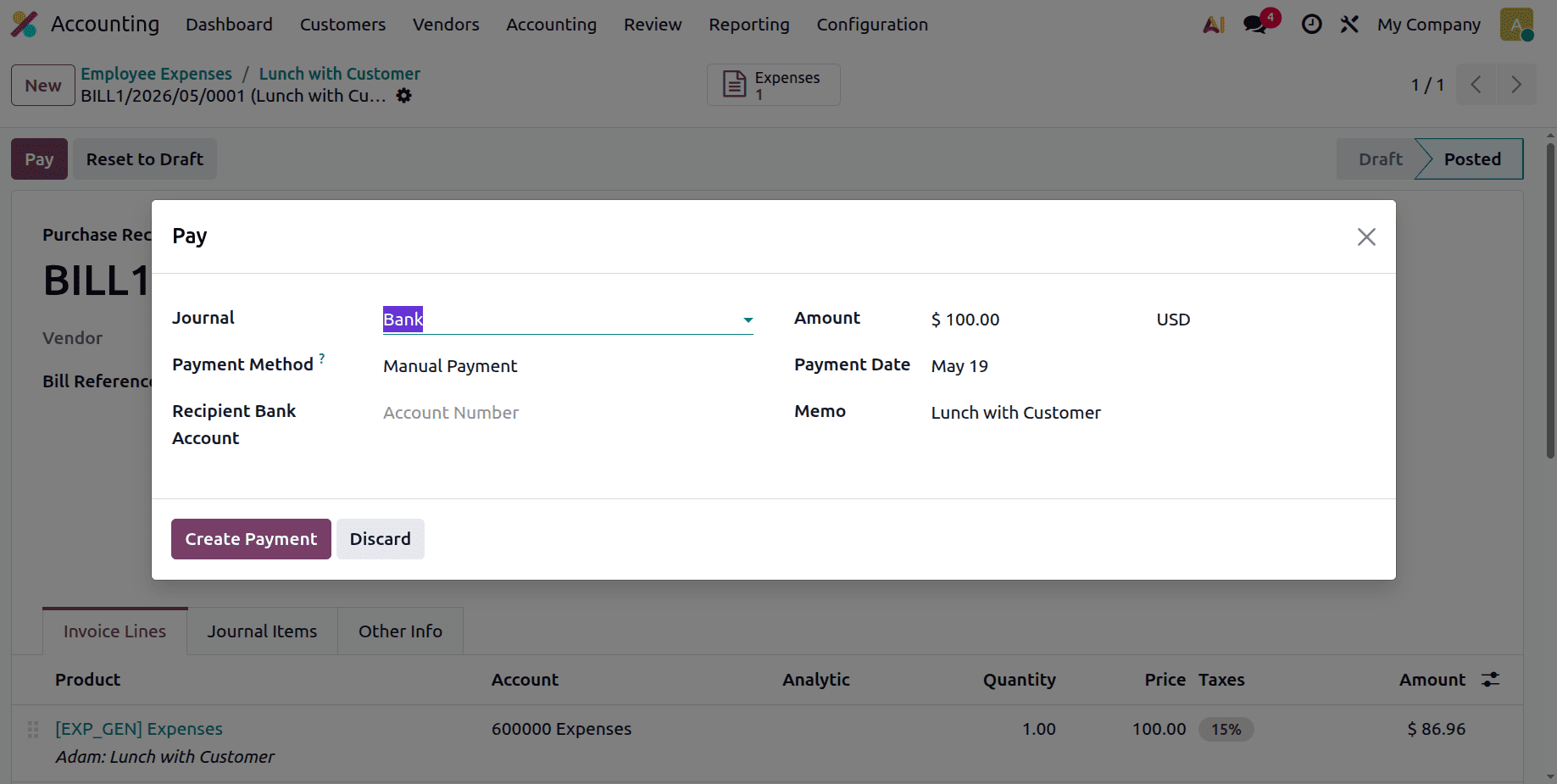
Click on the Pay button to complete the payment.
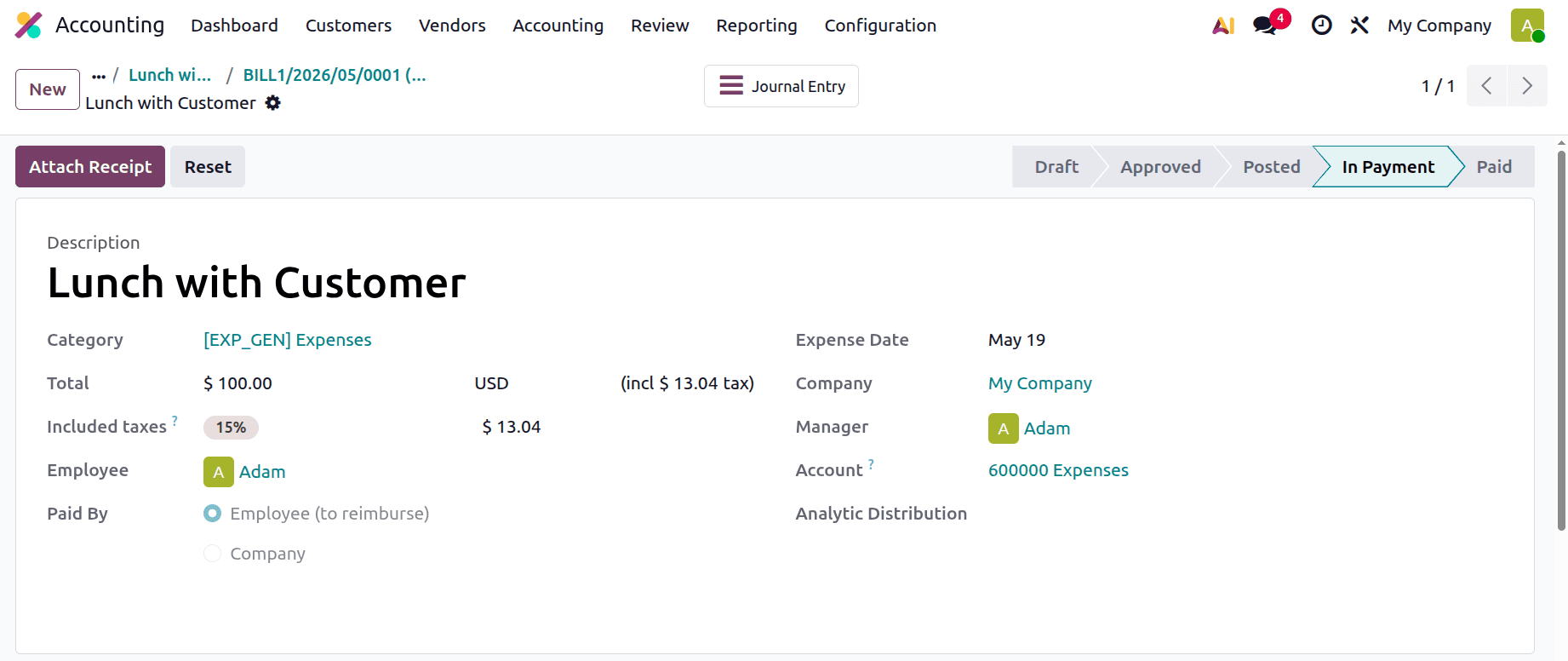
After completing the payment, the Expense will change to the Payment stage as shown below.
Complete the Reconciliation process.
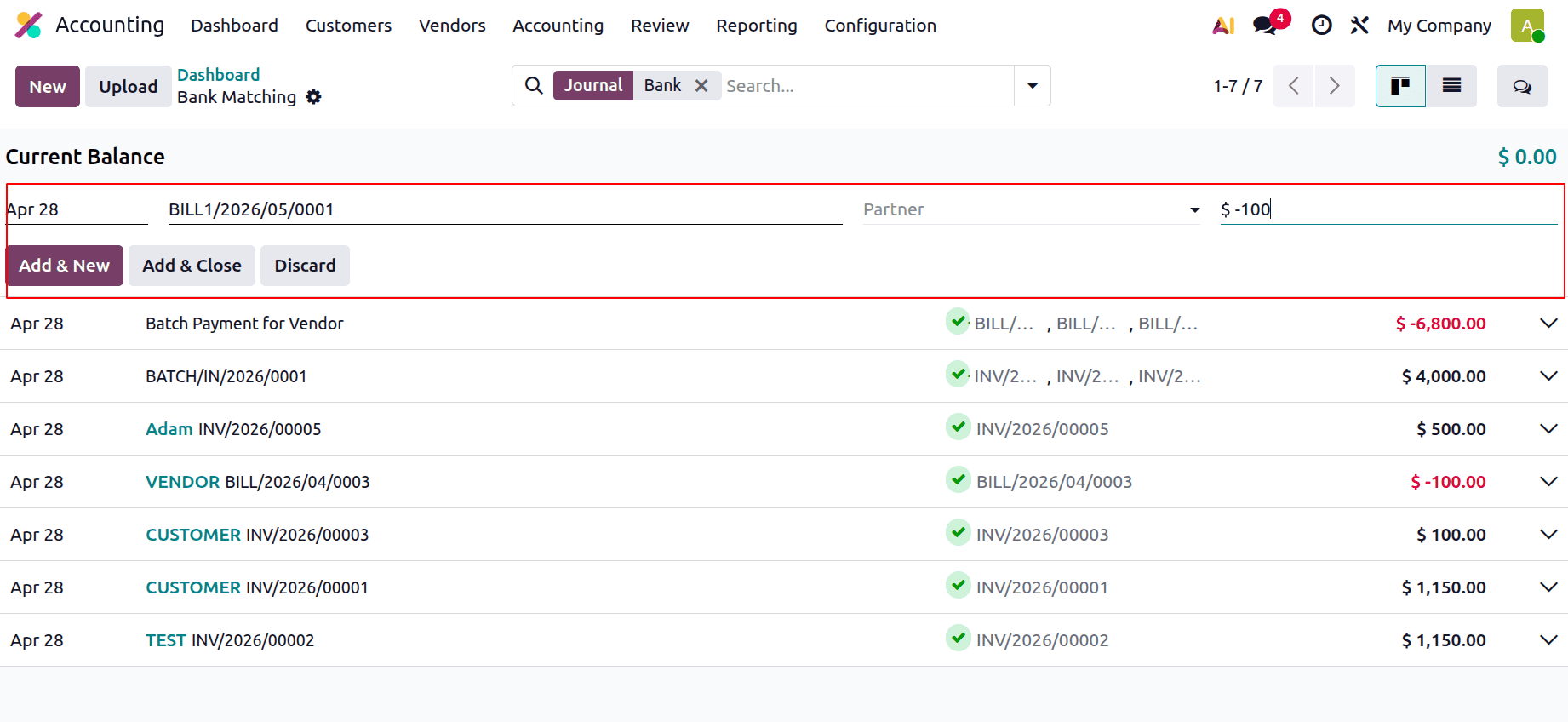
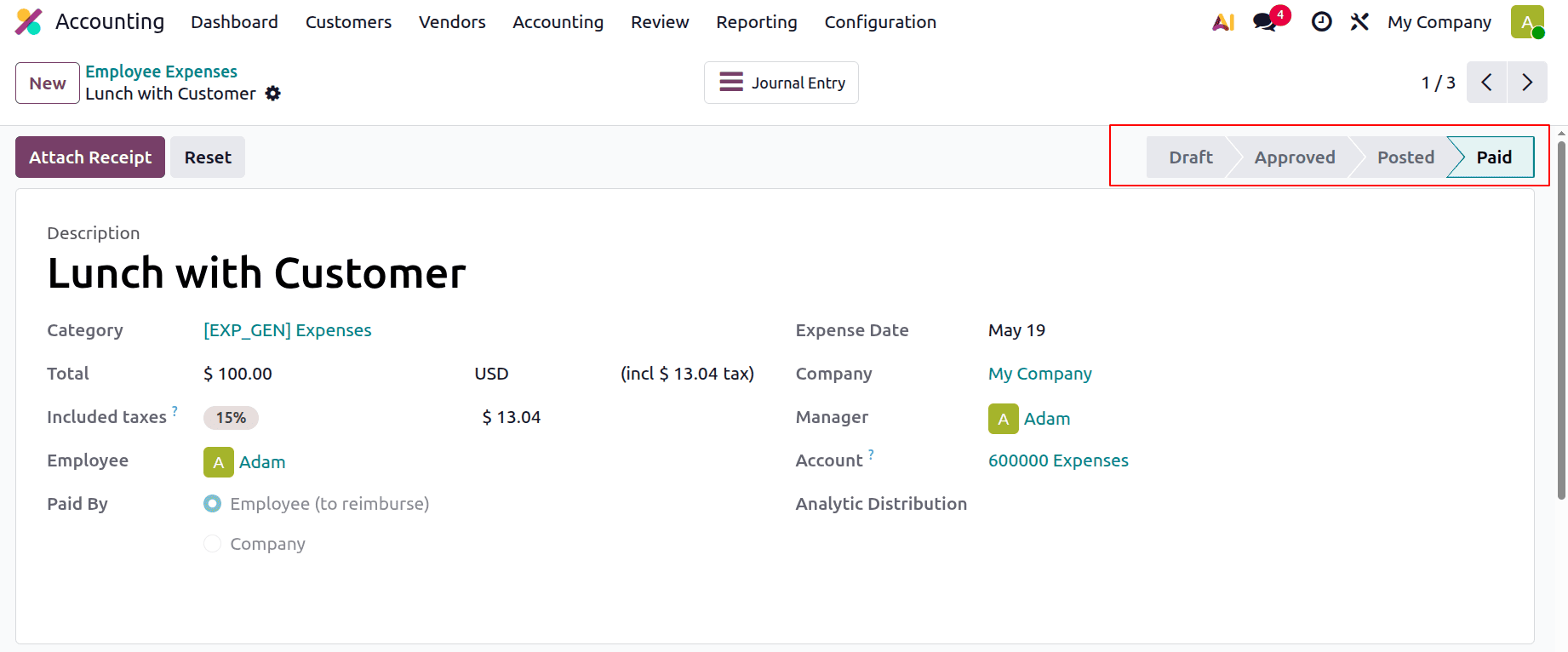
If the reconciliation is completed. The Expense is changed to the Paid stage.
Finally, Odoo 19's expenditure Tracking and Reimbursement feature facilitates more accurate and transparent employee expenditure management for enterprises. The solution streamlines the entire process on a single platform, from recording accounting entries to approving reimbursements and reporting expenses. Its combination with functions for payroll, accounting, and reporting enhances financial control while lowering errors and manual labour. Organizations may guarantee quicker reimbursements, improved policy compliance, and more effective expense management by utilizing Odoo 19 Accounting successfully.
By following this detailed guide, businesses may effectively use Odoo 19's enhanced employee expense management tools, which will promote accurate financial records and simplified Odoo ERP software processes.
To read more about How to Track Deferred Expense Entries in Odoo 19 Accounting, refer to our blog How to Track Deferred Expense Entries in Odoo 19 Accounting.