Odoo 20 has brought about new-generation features for business management in order to ensure that the operational process becomes smarter, quicker, and more efficient. This new version has put more emphasis on AI integration, improved UIs, better workflow management, and more flexibility in business applications.
One of the major new features available in Odoo 20 is that of integrating the use of AI into business processes. Not only is AI now incorporated in the form of chatbots, but it is used in different functions such as Accounting, Helpdesk and Website management. Another new feature available in Odoo 20 is the ability to interact with the AI Agent using voice commands.
In addition to AI improvements, Odoo 20 has also seen updates in POS, Website, eCommerce, Sales, Purchase, Manufacturing, Rental, CRM, Accounting, Inventory, HR, Projects, Planning, and other modules. The new release is focused on improving the existing work processes and adding some tools for product management, employee management, customer management, finance management, and overall business management.
From a new mobile user interface and better POS features to improved financial reports, advanced project management, flexible rentals, and better HR workflows, Odoo 20 offers users a comprehensive business management solution.
In this blog, we will explore the key new features and enhancements introduced in Odoo 20.
AI Becomes Practical for Everyday Use
One of the most important aspects of Odoo 20 is how AI is integrated across the system. Not just for text chatbots, AI integrated into Accounting, Helpdesk, Website, and record creation and updates. It reduces manual work, speeds up decision-making, and improves overall Odoo performance. Odoo 20 introduces voice interaction for the AI Agent, allowing users to communicate with the ERP system using natural voice commands. This provides a faster and more intuitive way to perform daily tasks.
Mobile Gets a New Interface
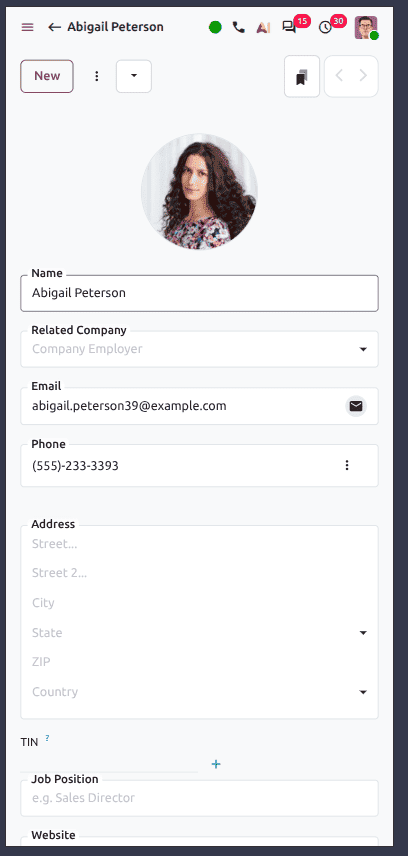
The mobile experience in Odoo V20 is redesigned. This makes the fields and actions easier to access on devices. This is a good feature for field workers.
Odoo 20 Simplifies IoT Box Management with the New Obox Module
Odoo 20 introduces the new Obox Management module, providing a centralized interface to manage all connected Odoo IoT Boxes. This simplifies the configuration, monitoring, and maintenance of hardware devices connected to Odoo.
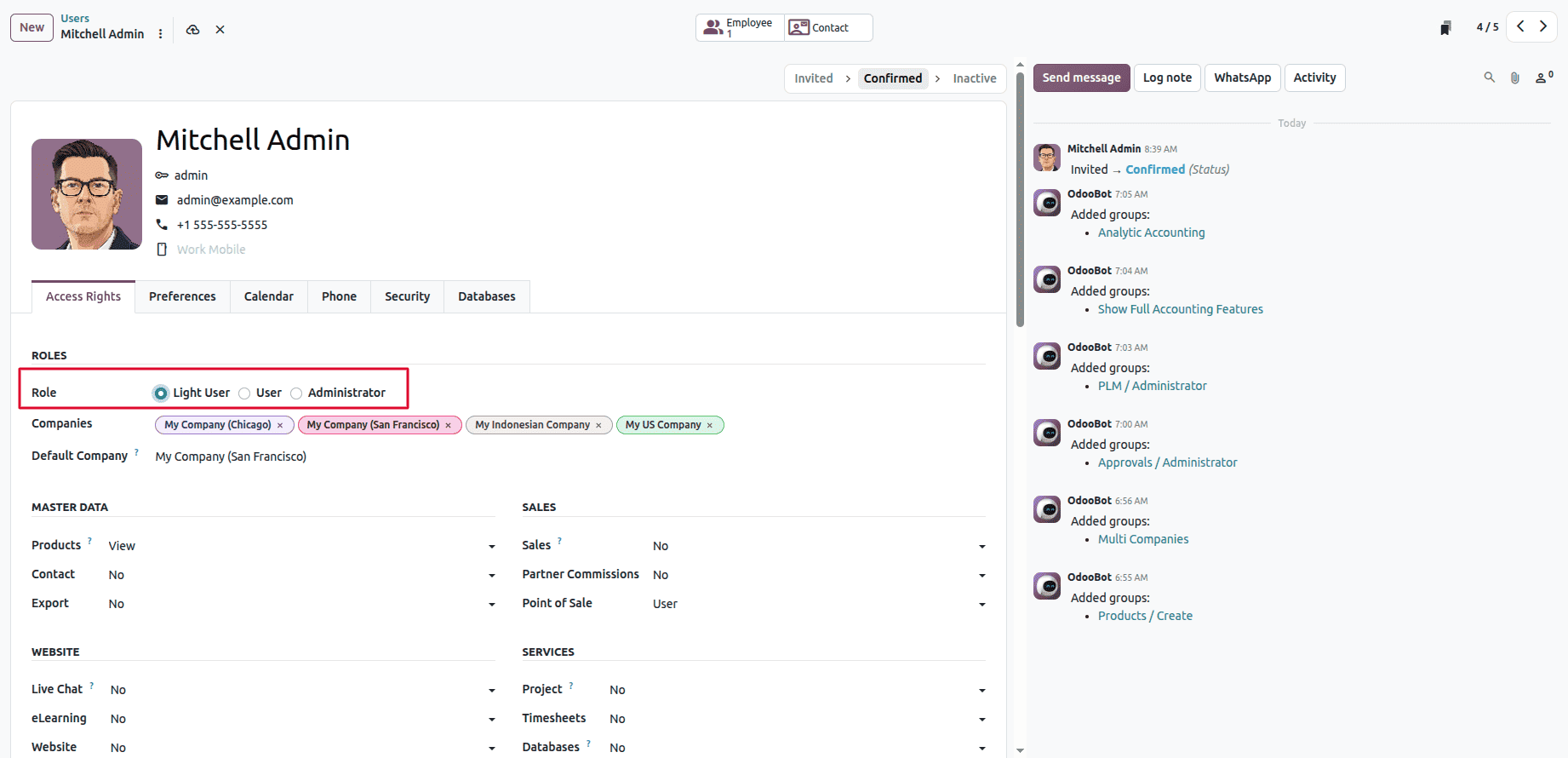
Odoo 20 Makes User Access Lighter
Odoo 20 introduces the Light User role, providing limited backend access for users who only need basic operational functionality. This enables businesses to give employees the access they need without granting full Internal User permissions.
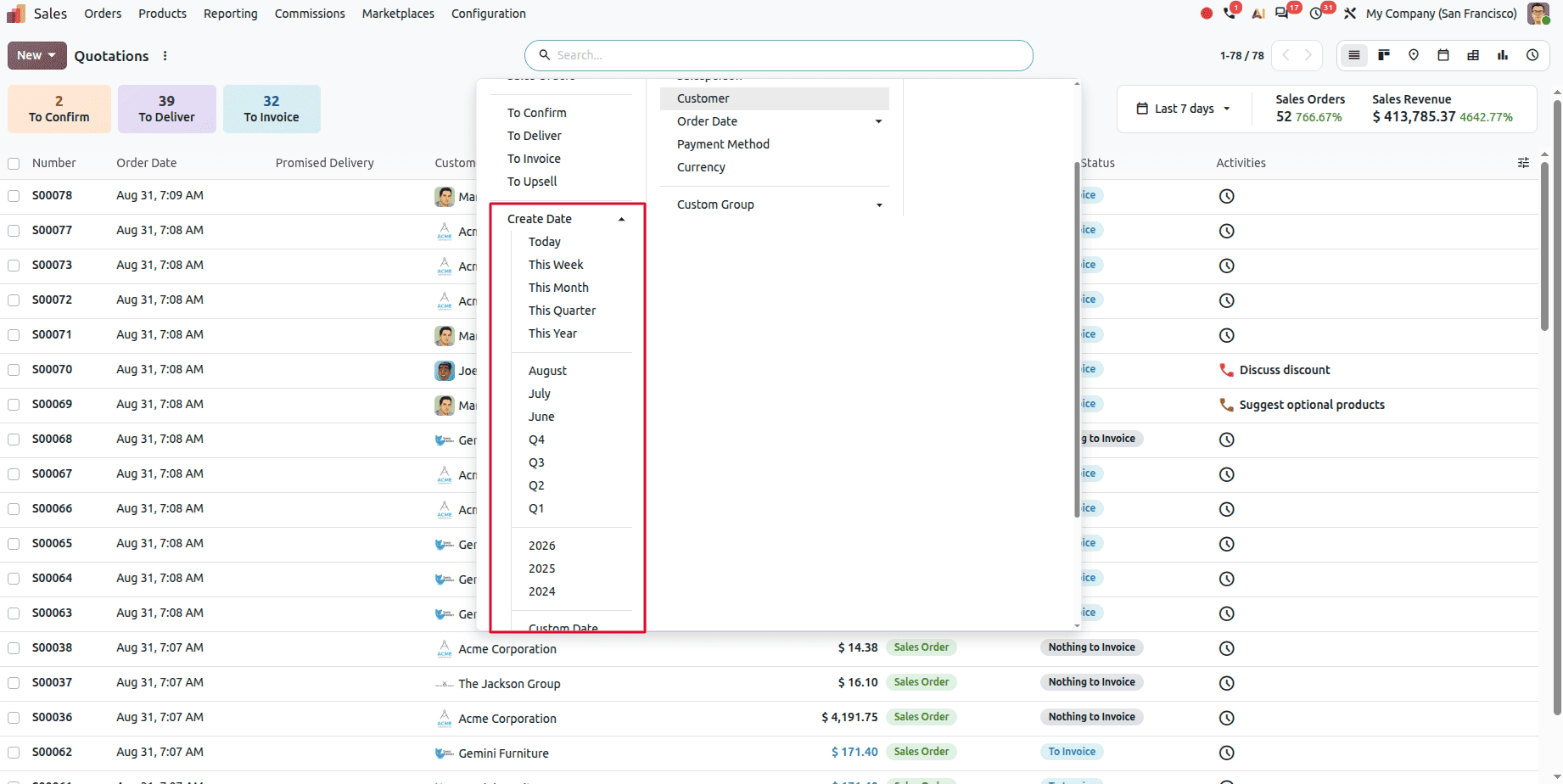
Odoo 20 Brings Quick Navigation to Date Filters
Odoo 20 enhances date filters with quick navigation between previous, current, and upcoming periods such as weeks, months, and quarters. This provides a faster filtering experience while centralizing relative-date handling within the web framework.
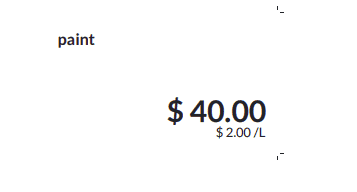
Odoo 20 Displays Reference Unit Prices on POS Product Labels
Display price per unit (e.g. per Liter or kg) on POS product labels.
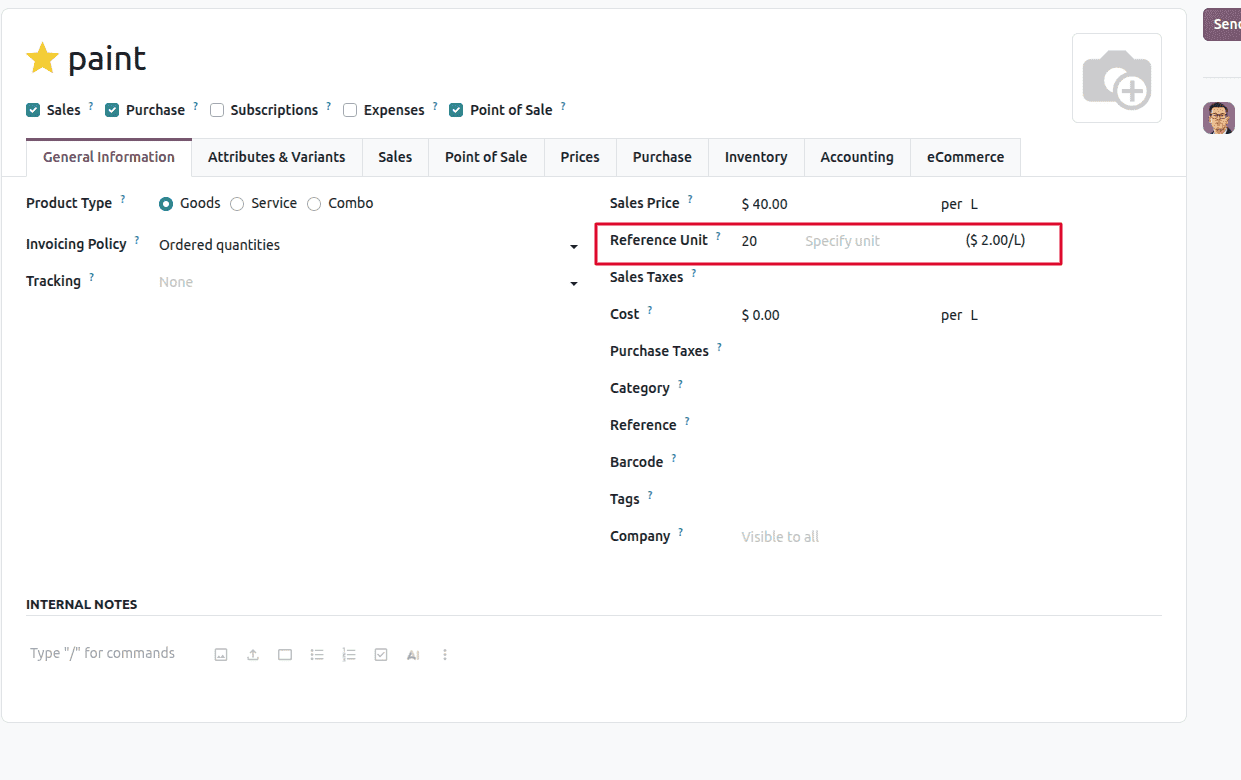
A feature introduced in Odoo 20 is the provision of displaying the reference unit price on POS product labels. This ensures that the business can indicate the price for the product depending on a given unit of measure, like a liter or kilogram.
Odoo 20 Lets You Temporarily Snooze POS Products
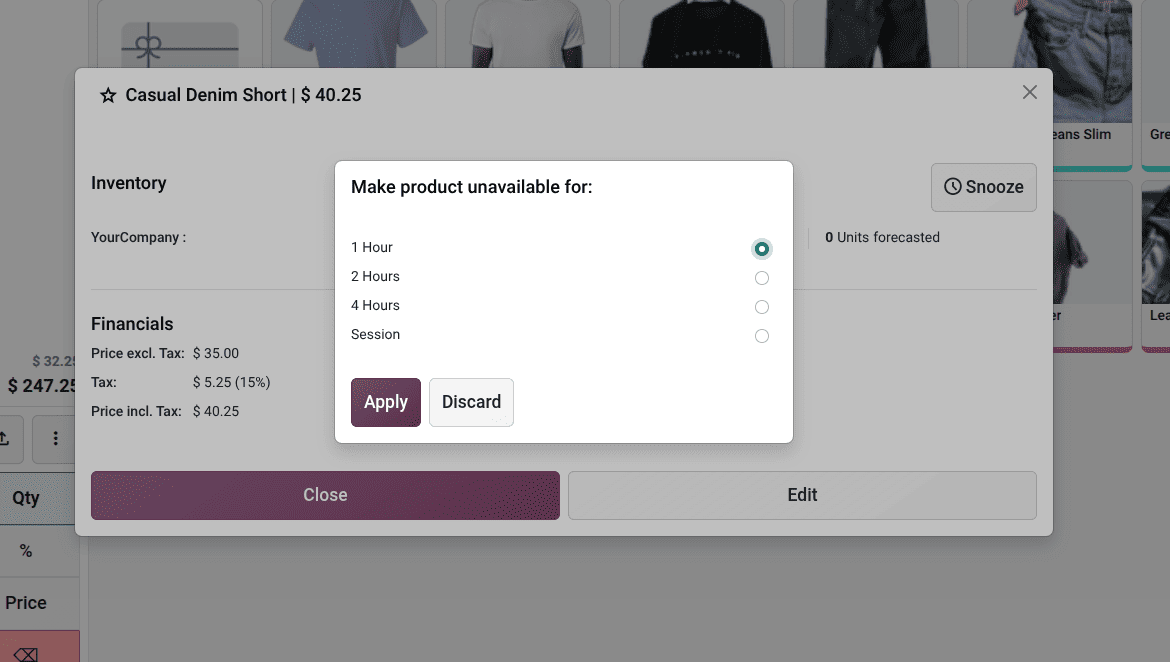
Products can be temporarily marked as unavailable using the new Snooze feature. The product automatically becomes available again after the selected duration or in the next POS session.
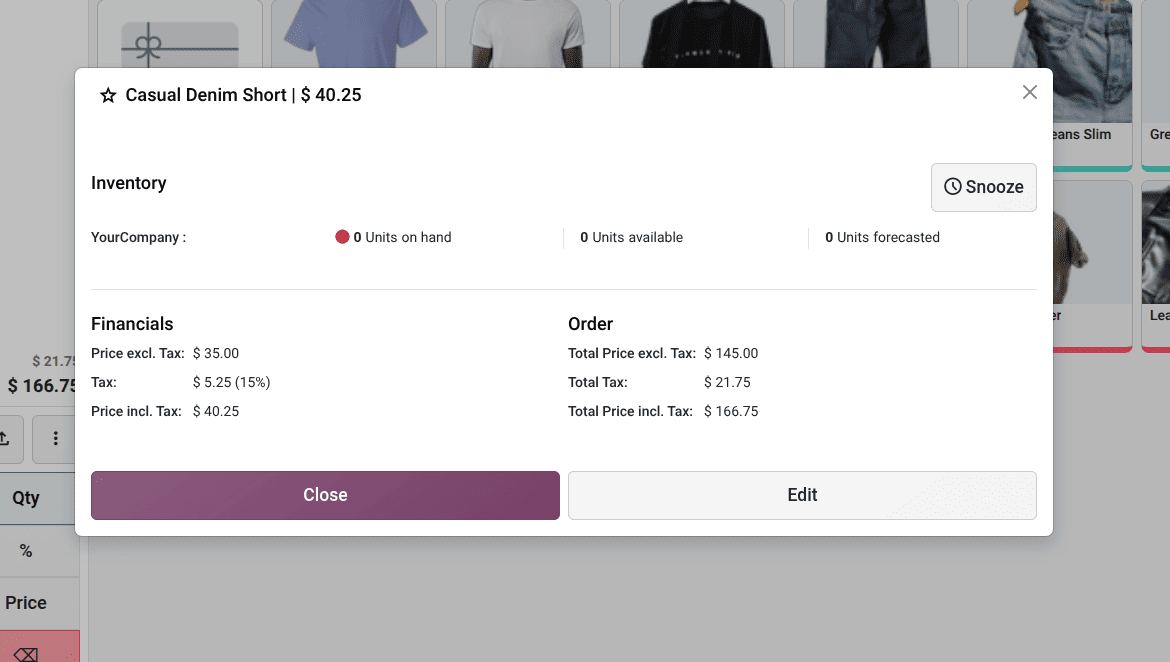
We can click the snooze button to set the timer.
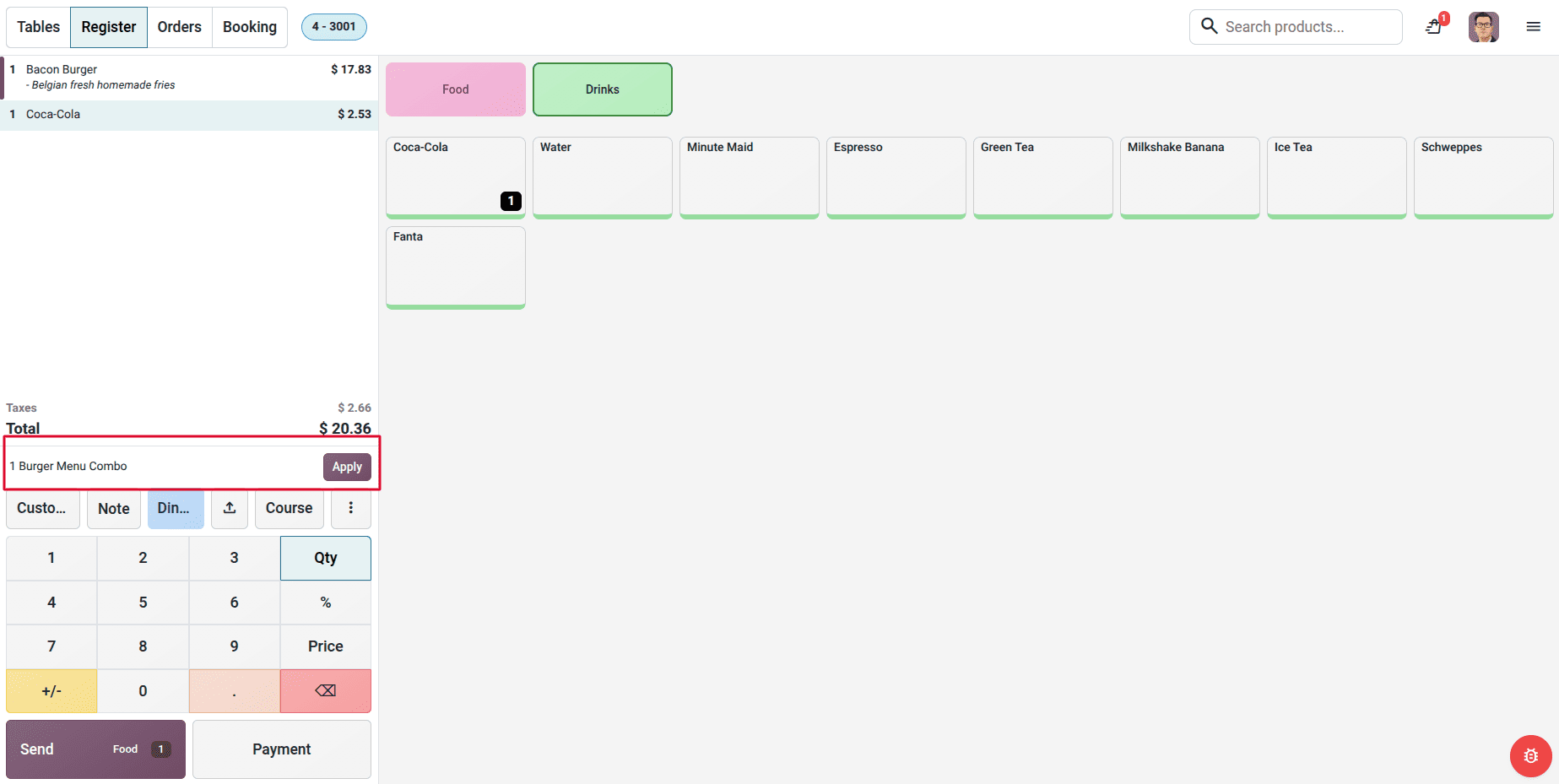
Automatic Combo Recognition
Odoo automatically detects eligible combo items added separately to an order and suggests converting them into a combo. This simplifies order creation and ensures combo pricing is applied correctly.
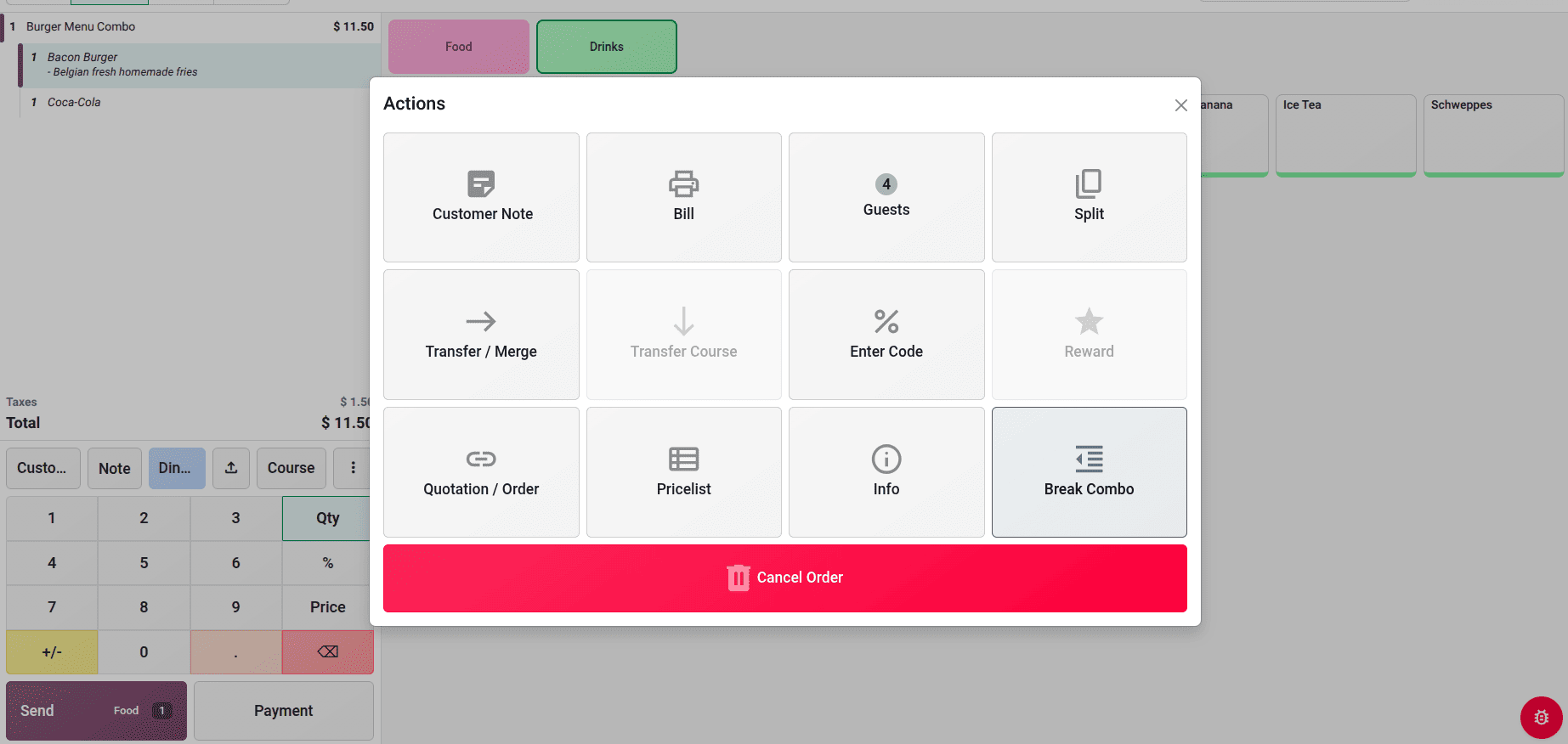
Odoo 20 Lets Users Split Combos into Individual Products
Users can split an existing combo into its individual products using the Break Combo option. This provides greater flexibility when modifying customer orders.
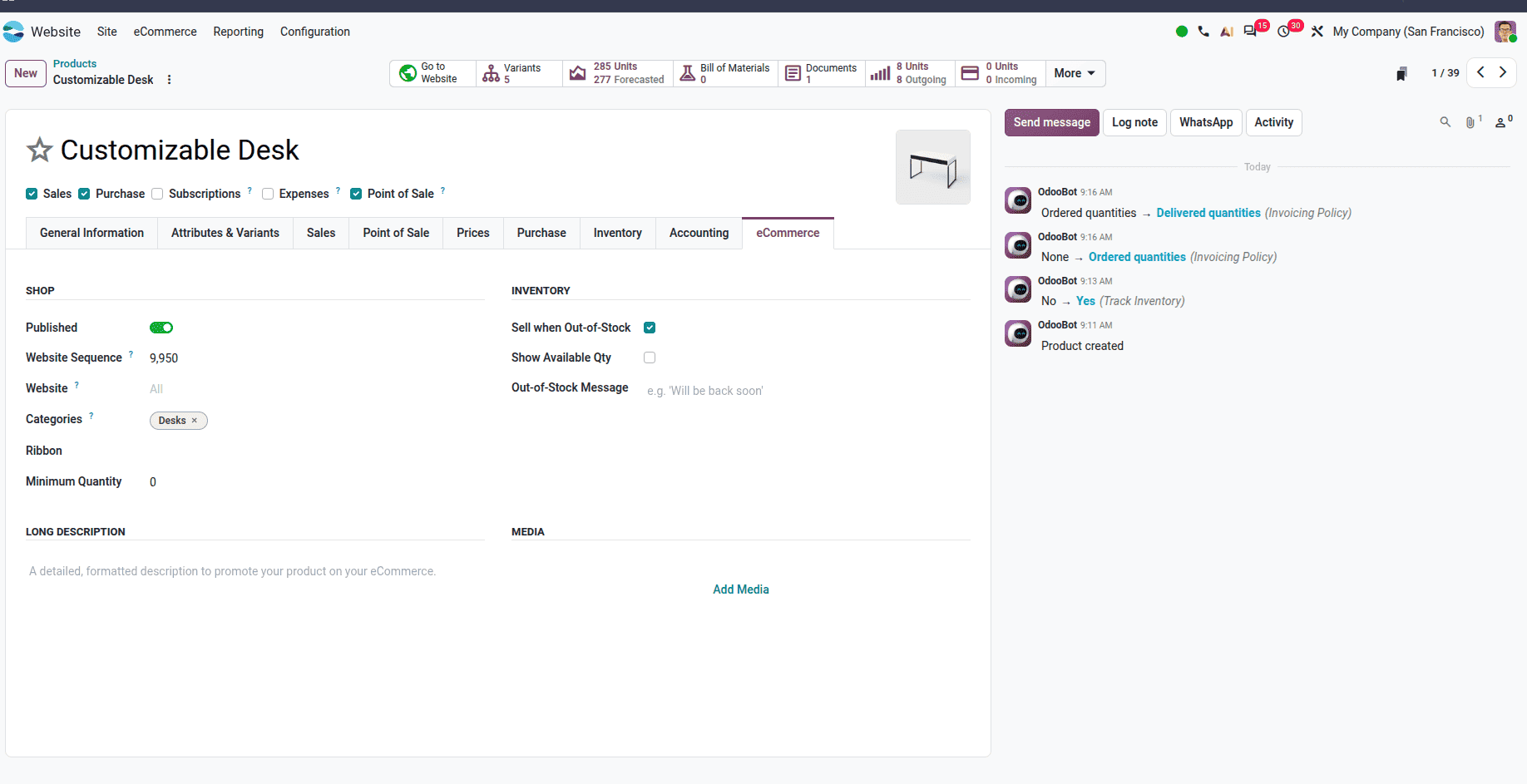
Odoo 20 Centralizes eCommerce Product Settings in a Dedicated Tab
Odoo introduced eCommerce-Tab to manage product descriptions, media, shop settings, and website-specific options from a single tab.
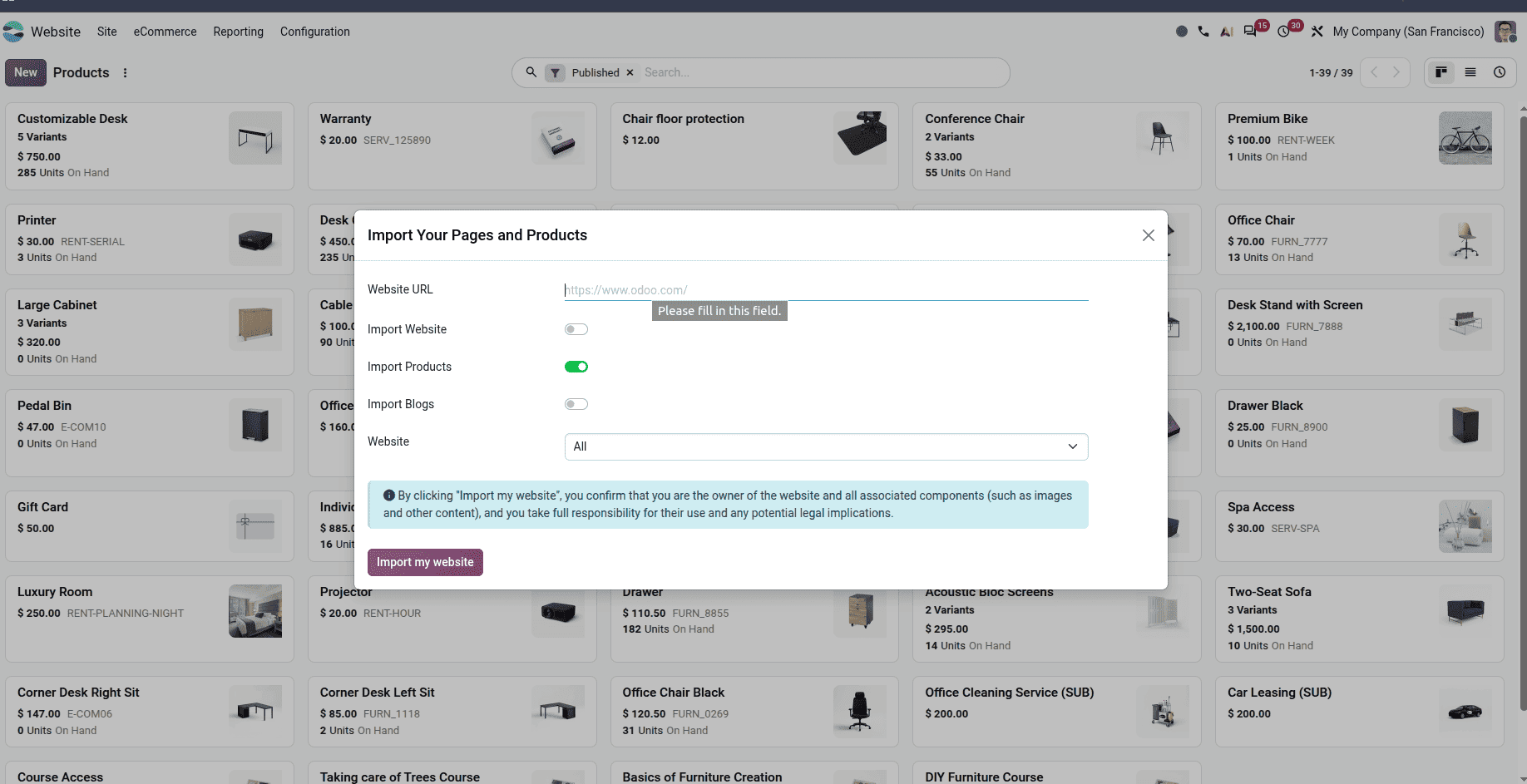
Odoo 20 Makes It Easier to Import Products from Other Websites
Import products, blogs, and product variants directly from other websites.
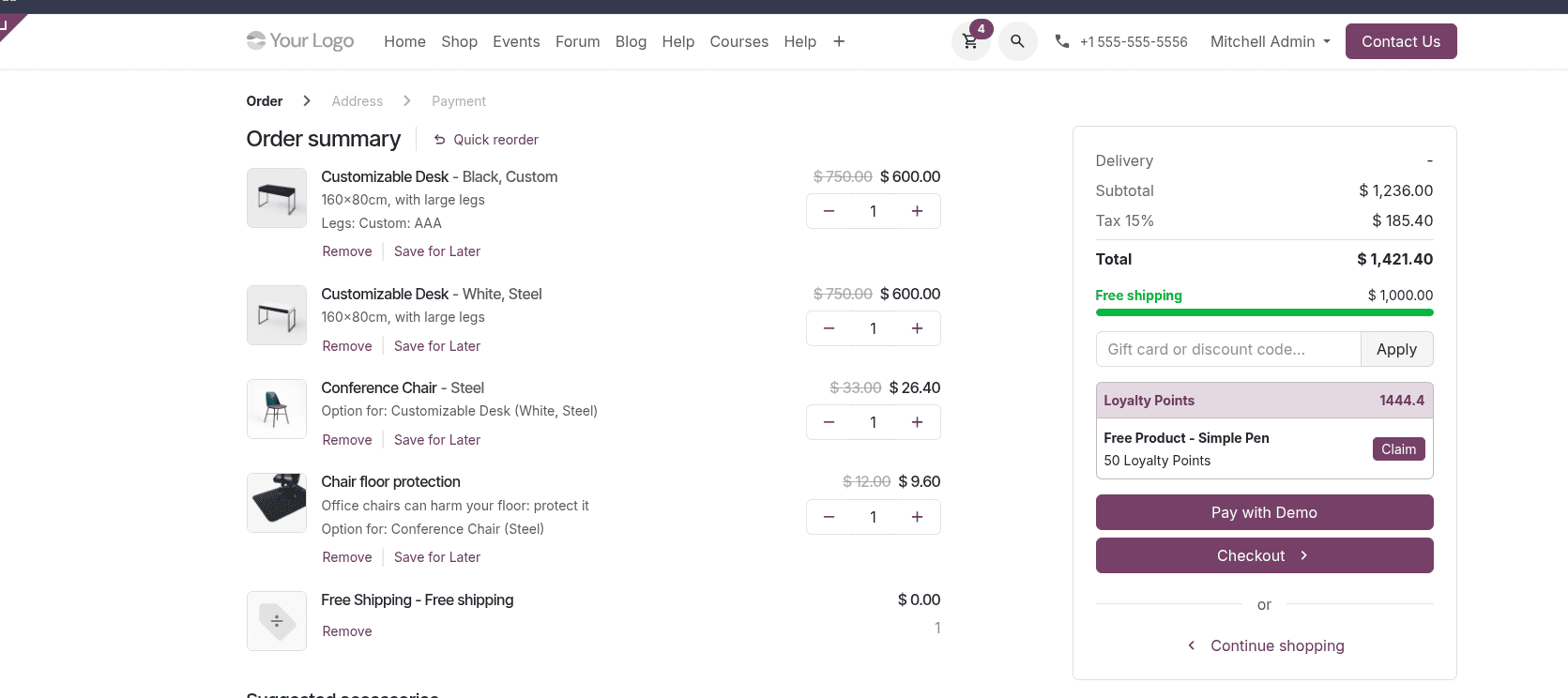
Odoo 20 Encourages Larger Orders with a Free Delivery Progress Bar
While shopping, when a customer adds products to the cart, a free delivery progress bar is displayed, which motivates the customer to add more items in his cart to avail free delivery.
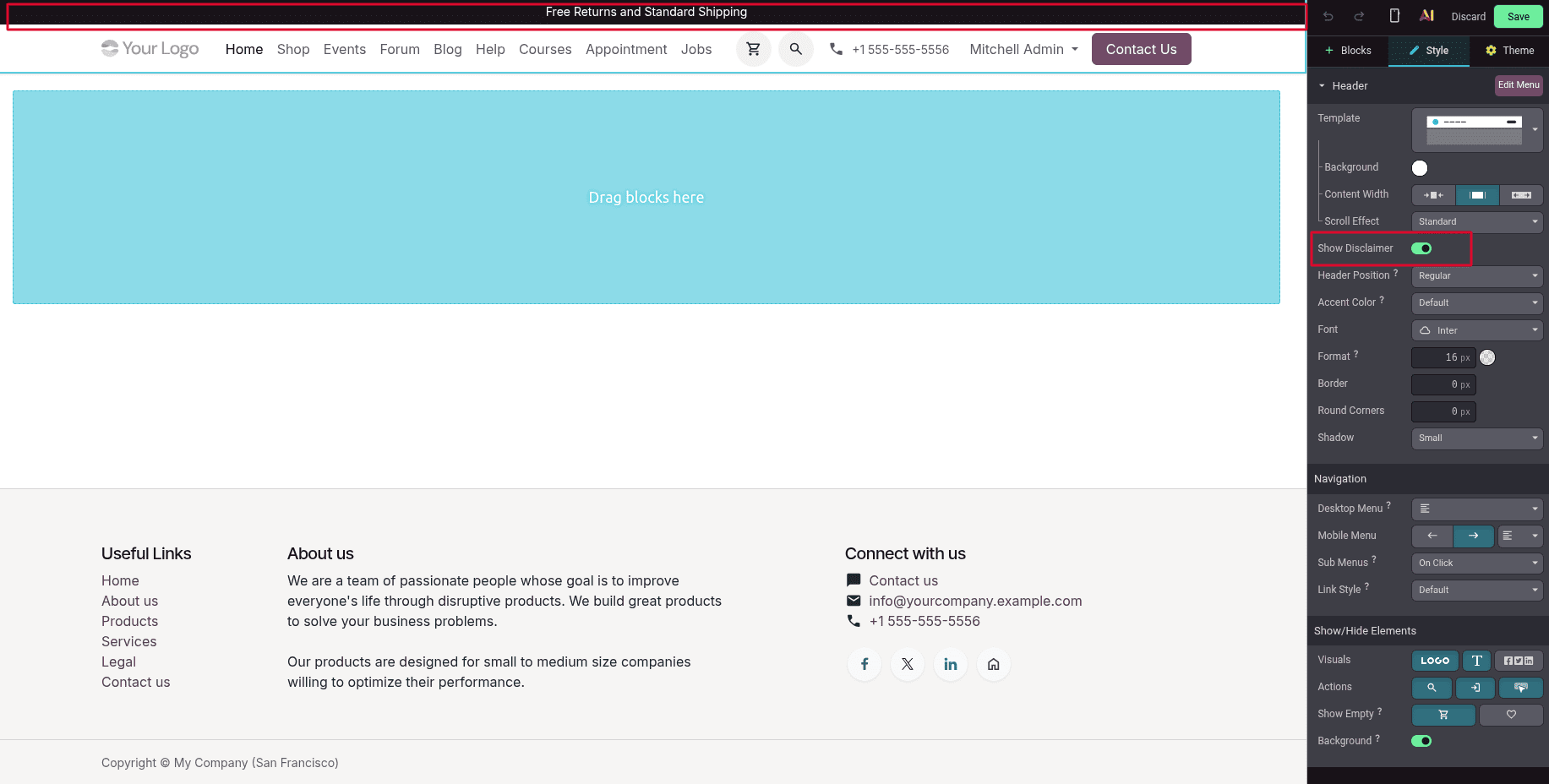
Website Disclaimer Option
Insert a customizable disclaimer into the header section of your website, which will give the visitor valuable information or notice at a glance without compromising the aesthetics of your website.
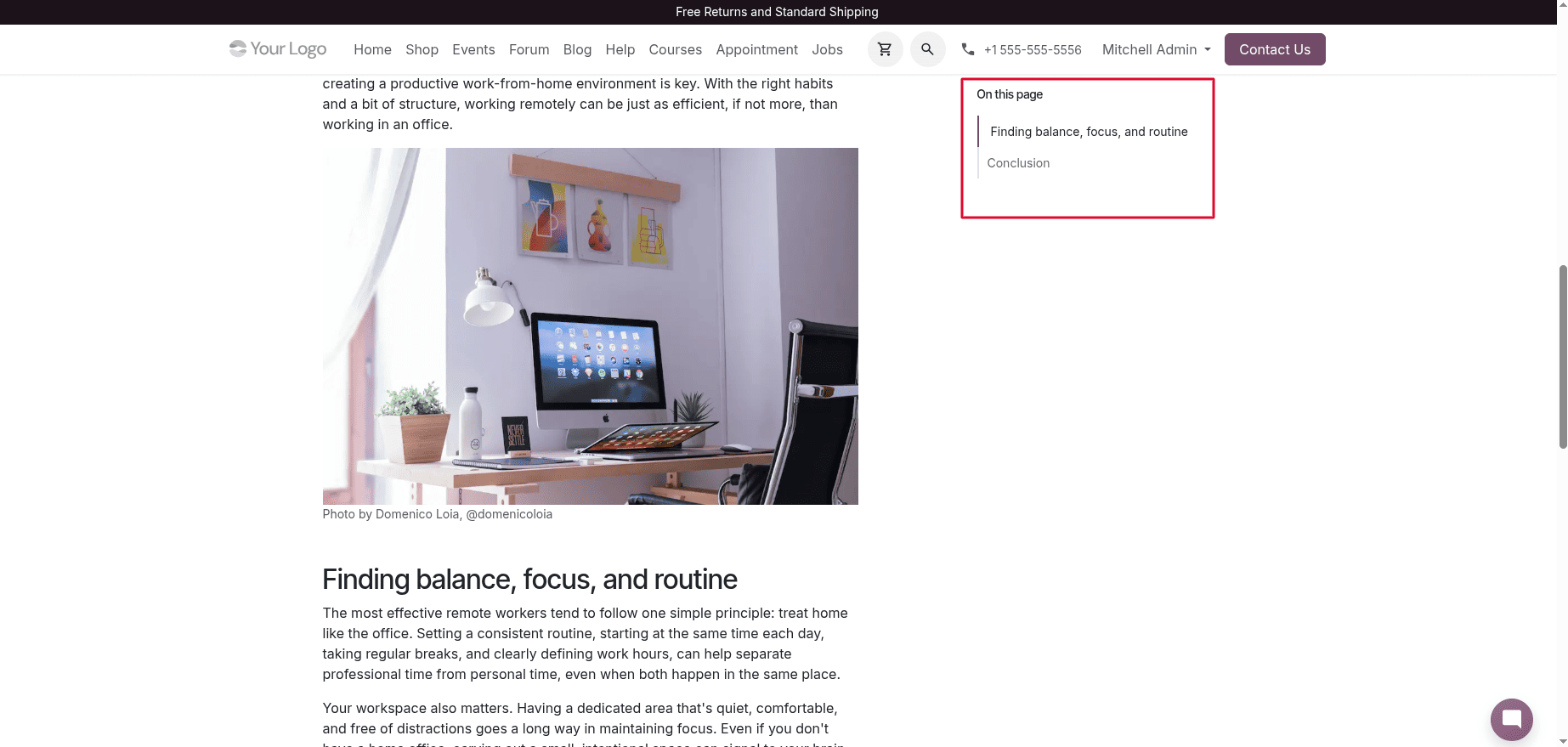
Odoo 20 Makes Long Blog Posts Easier to Navigate
Odoo 20 automatically generates a structured “On this page” navigation for blog posts based on their headings. The sticky Table of Contents makes long articles easier to navigate and improves the overall reading experience.
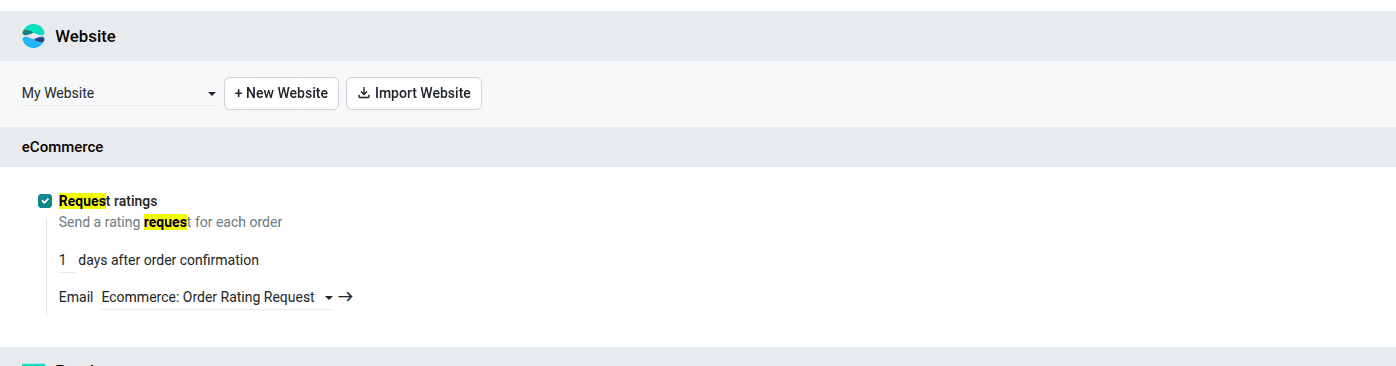
Odoo 20 Automates Customer Rating Requests After Sales Orders
Odoo 20 introduces the ability to automatically send customer rating requests after a sales order is confirmed. This helps businesses collect customer feedback and measure satisfaction after completing a sale.
Odoo 20 Integrates Field Service Features into Planning
Field service has been merged into the Planning module. Field service is now a feature in the Planning module. User can enable or disable field service from Planning settings. When enabled, it handles the on-site services, times, materials, and custom worksheets.
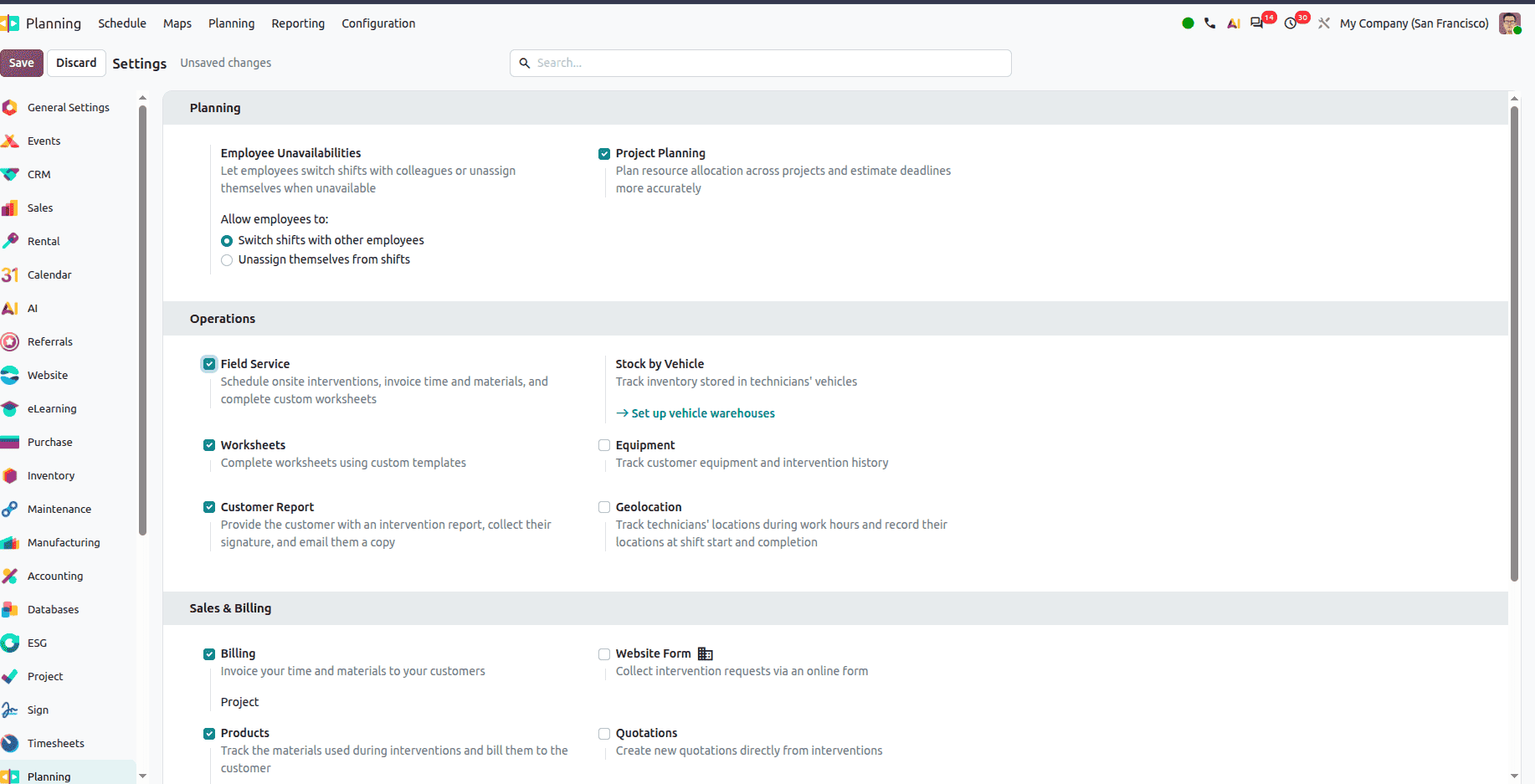
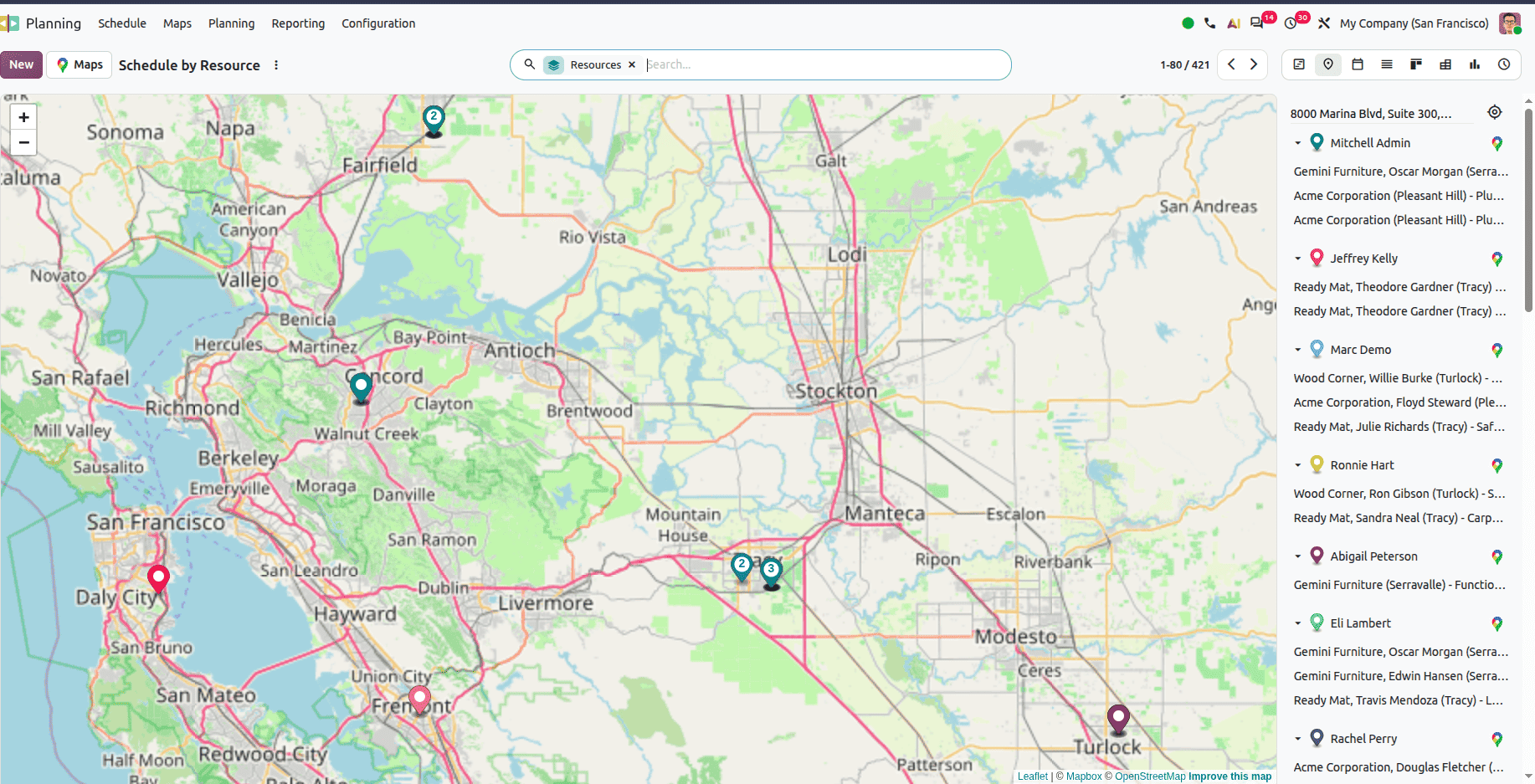
Odoo 20 Adds Live Location Tracking for Field Service Technicians
Now the planning module provides a live map to track technicians' locations during work hours.
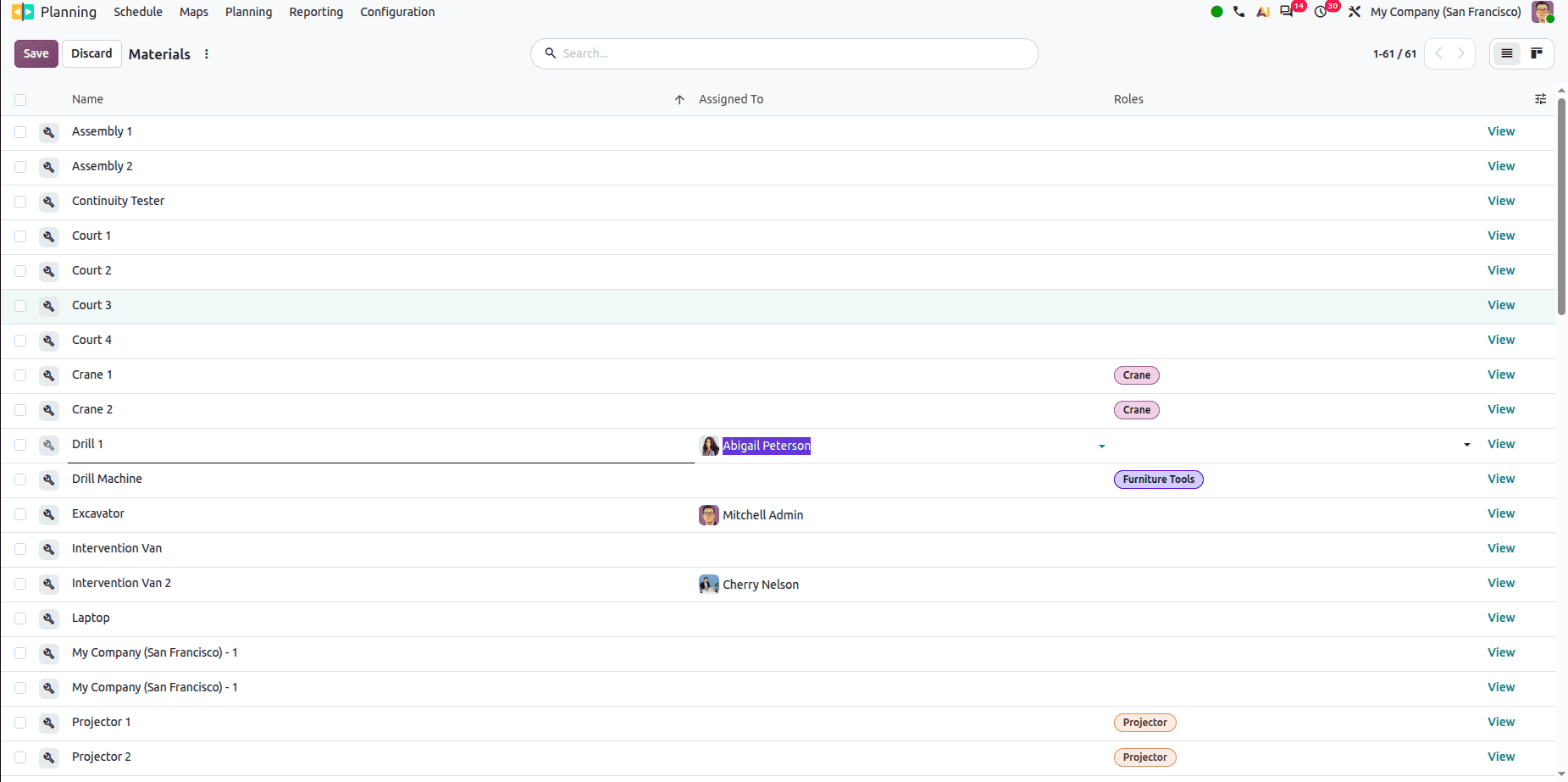
Assign materials to employees
Users can assign materials to employees so that while assigning shifts to employees, materials will be auto-assigned to them as per the configuration done.
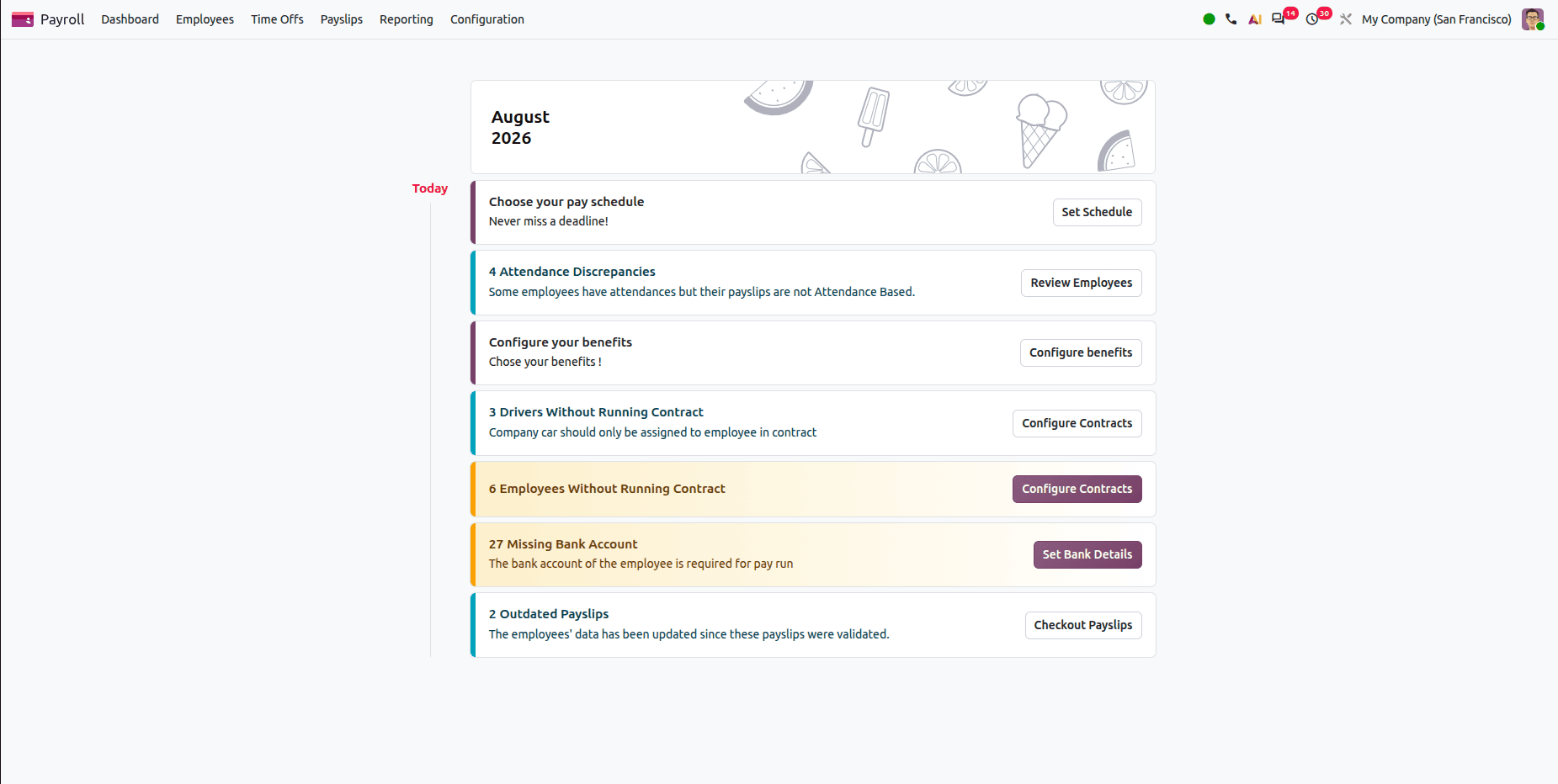
Payroll Dashboard
Payroll has a new dashboard that highlights missing contracts, identification numbers, bank accounts, outdated payslips, and other payroll issues for quick analysis.
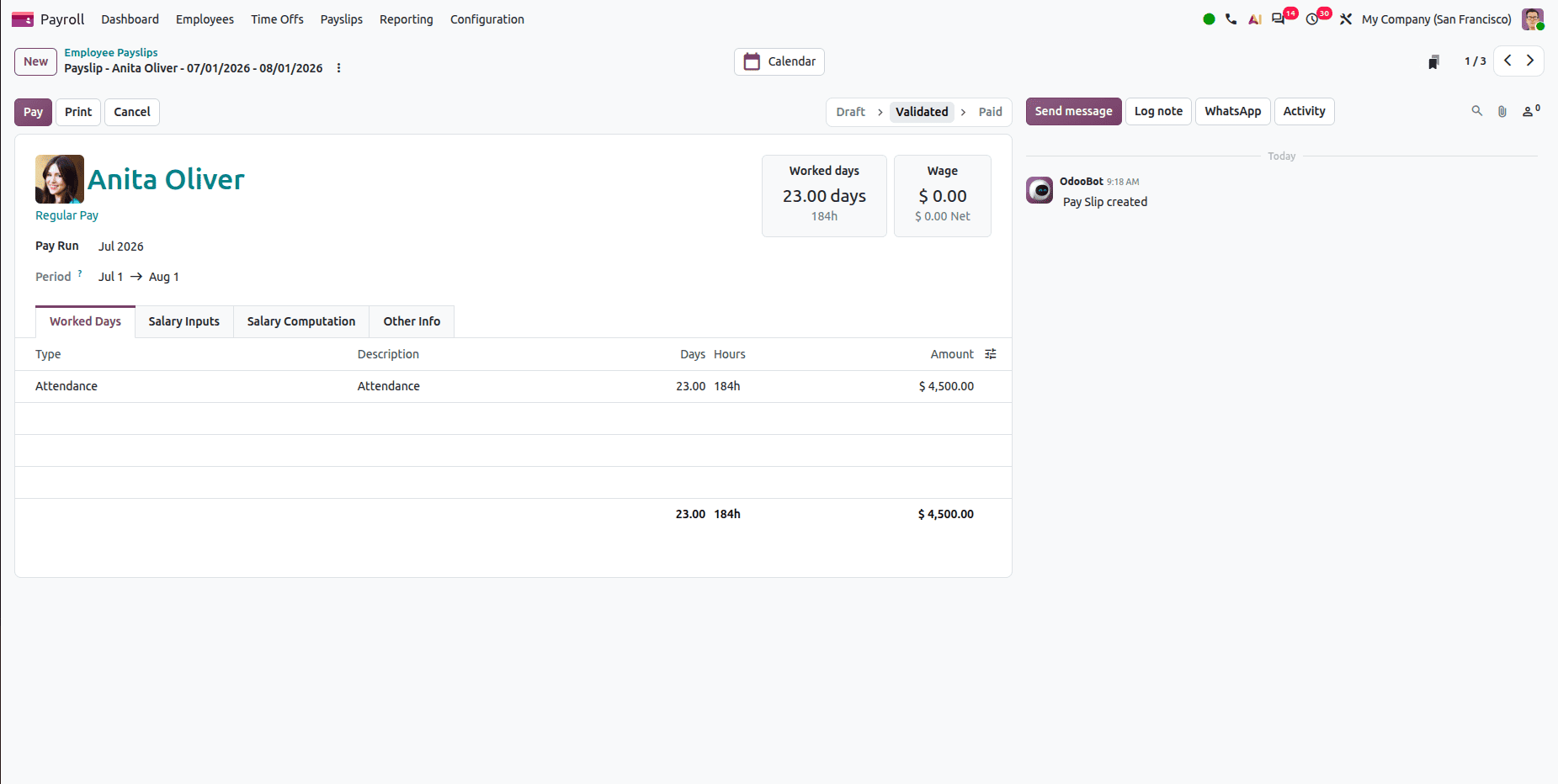
Odoo 20 Provides More Detailed and Informative Payslips
Payslips have been improved with additional information, including workdays, basic wage details, information cards, and warnings, making payroll information easier to understand and review.
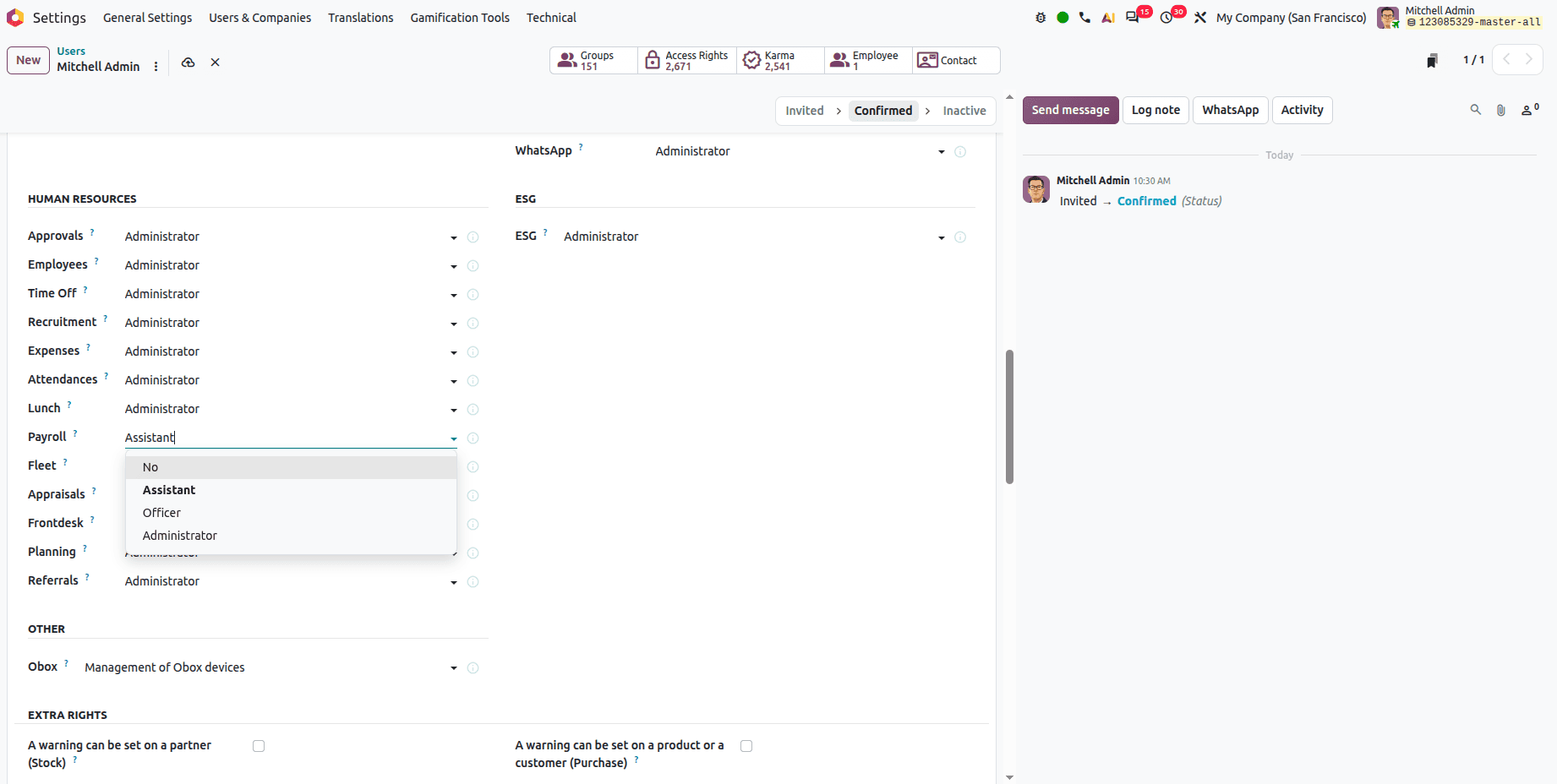
Odoo 20 Introduces a Dedicated Assistant Role for Payroll Management
A new assistant access group allows users to manage their contracts, work entries, payslips, and payroll reports with permissions.
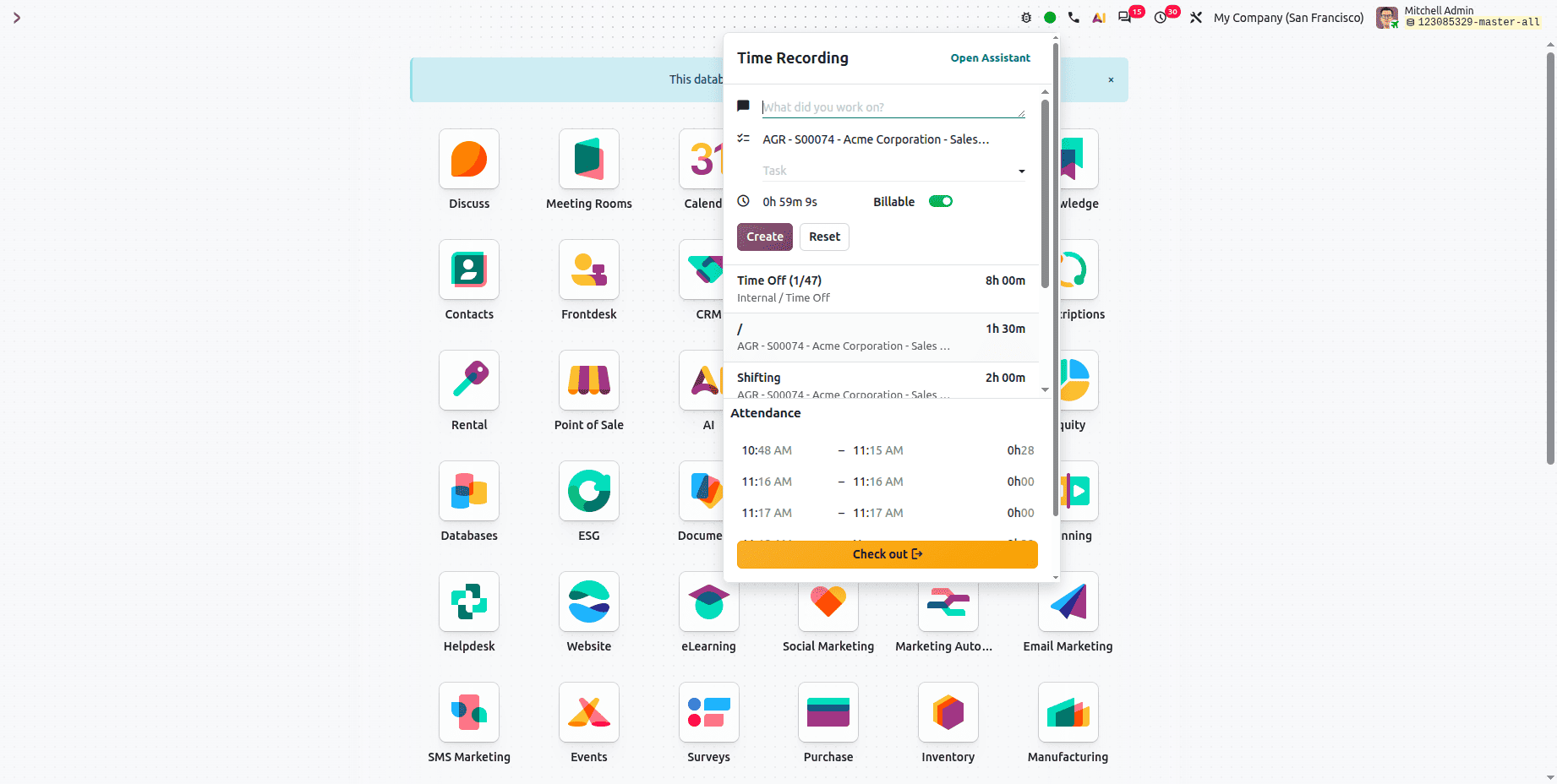
Manage Timesheets Without Opening the Timesheet Module
Users can manage and enter their timesheets without having to access the Time Sheet module in Odoo. We can see a check-in button in the status bar. That starts a timer that tracks the employee's work. While the timer runs, the user can add descriptions, the user can select projects or tasks, and user can enable the billable option if the time is billable.
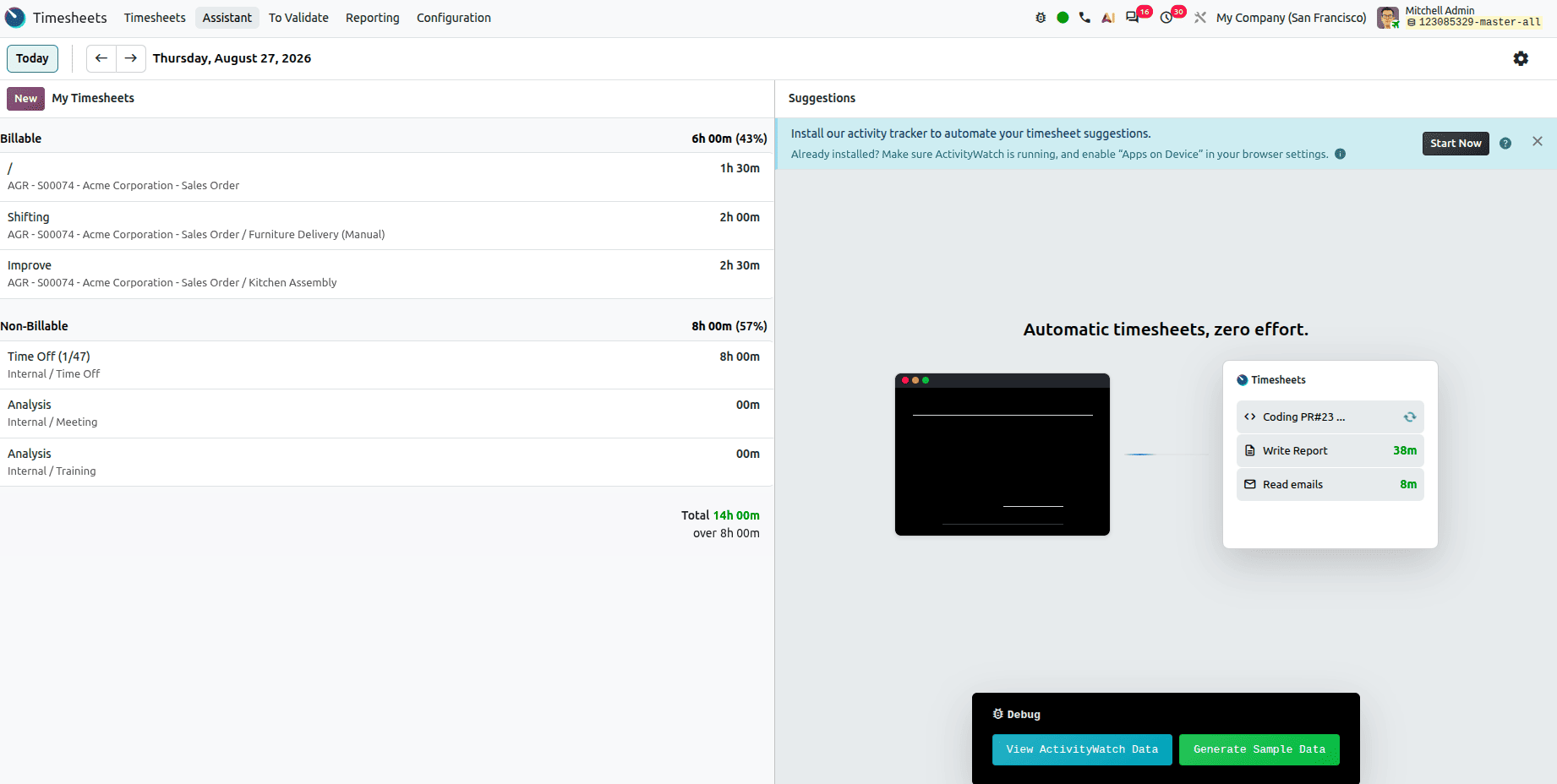
Timesheet Assistant
Automatically tracks your work from different Odoo tabs, then it suggests timesheet entries automatically. It requires Odoo local app installation on our computer. It tracks the data, and it suggests the timesheet entries.
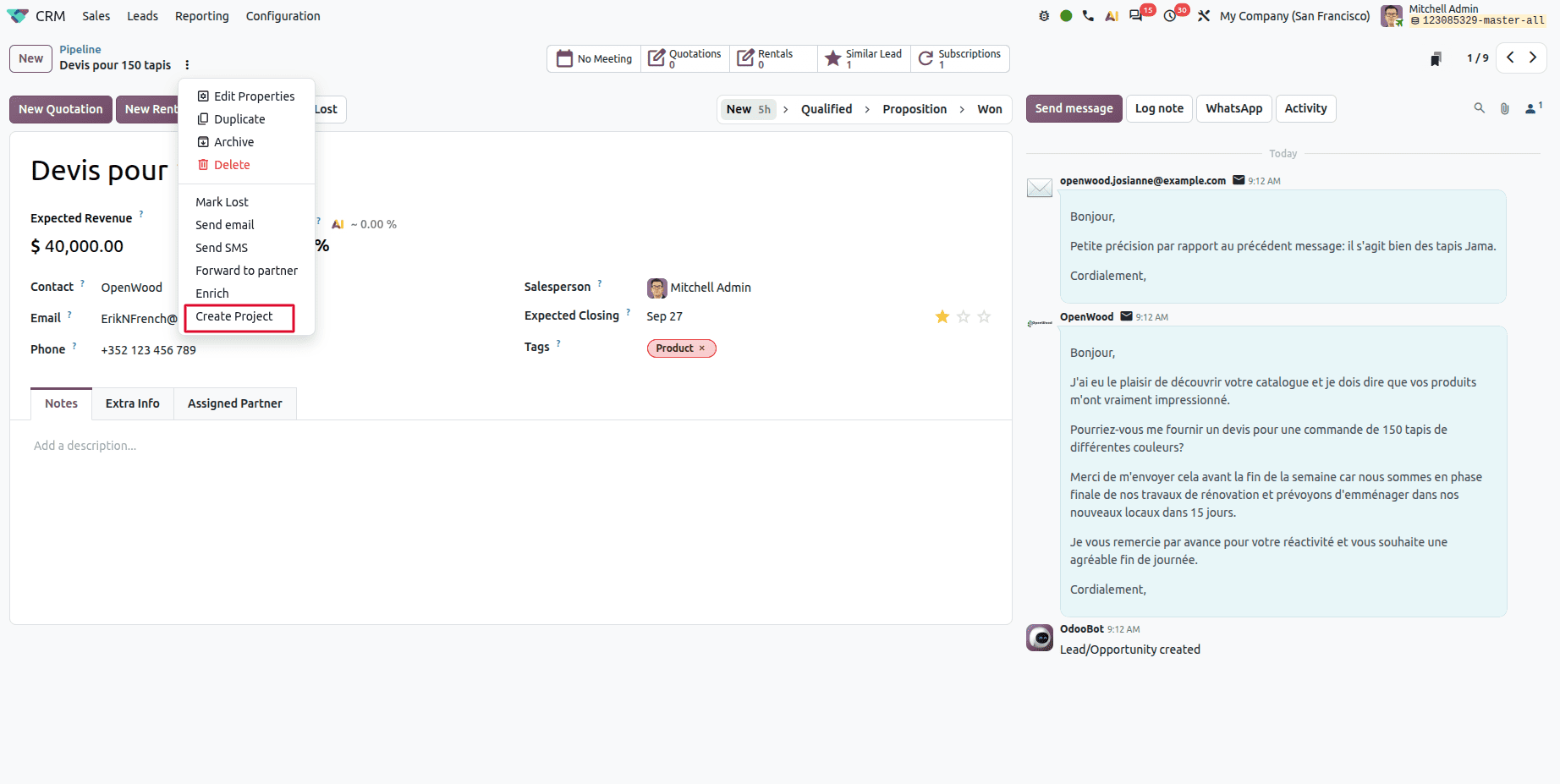
Project Creation from CRM
Users can create projects directly from CRM opportunities with project templates. This quickly converts an opportunity into a project.
Select the project template.
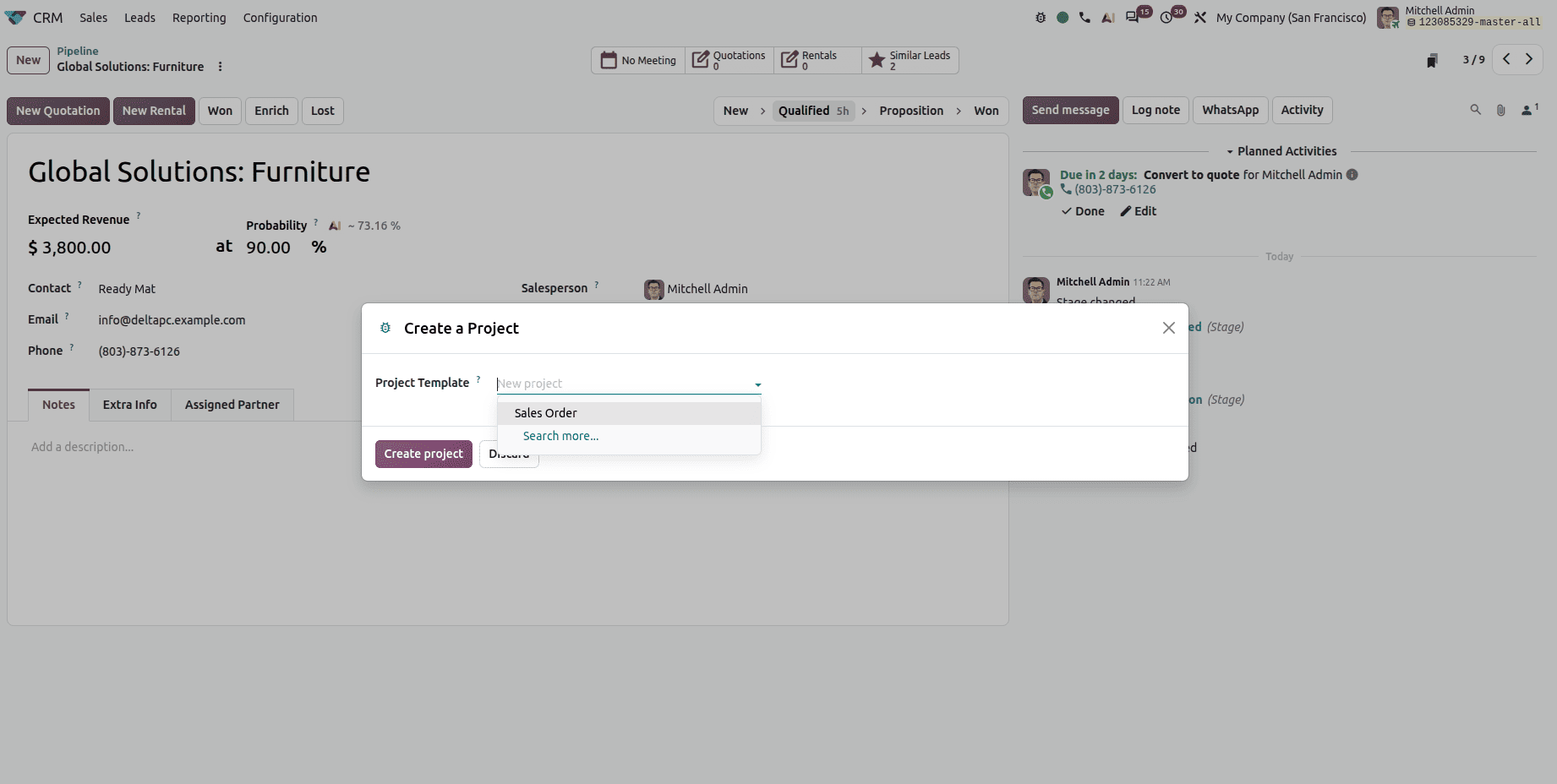
And click the Create Project button to create the project.
Odoo 20 Defines Team Roles within Projects
Odoo 20 introduces a new menu called Project Roles.
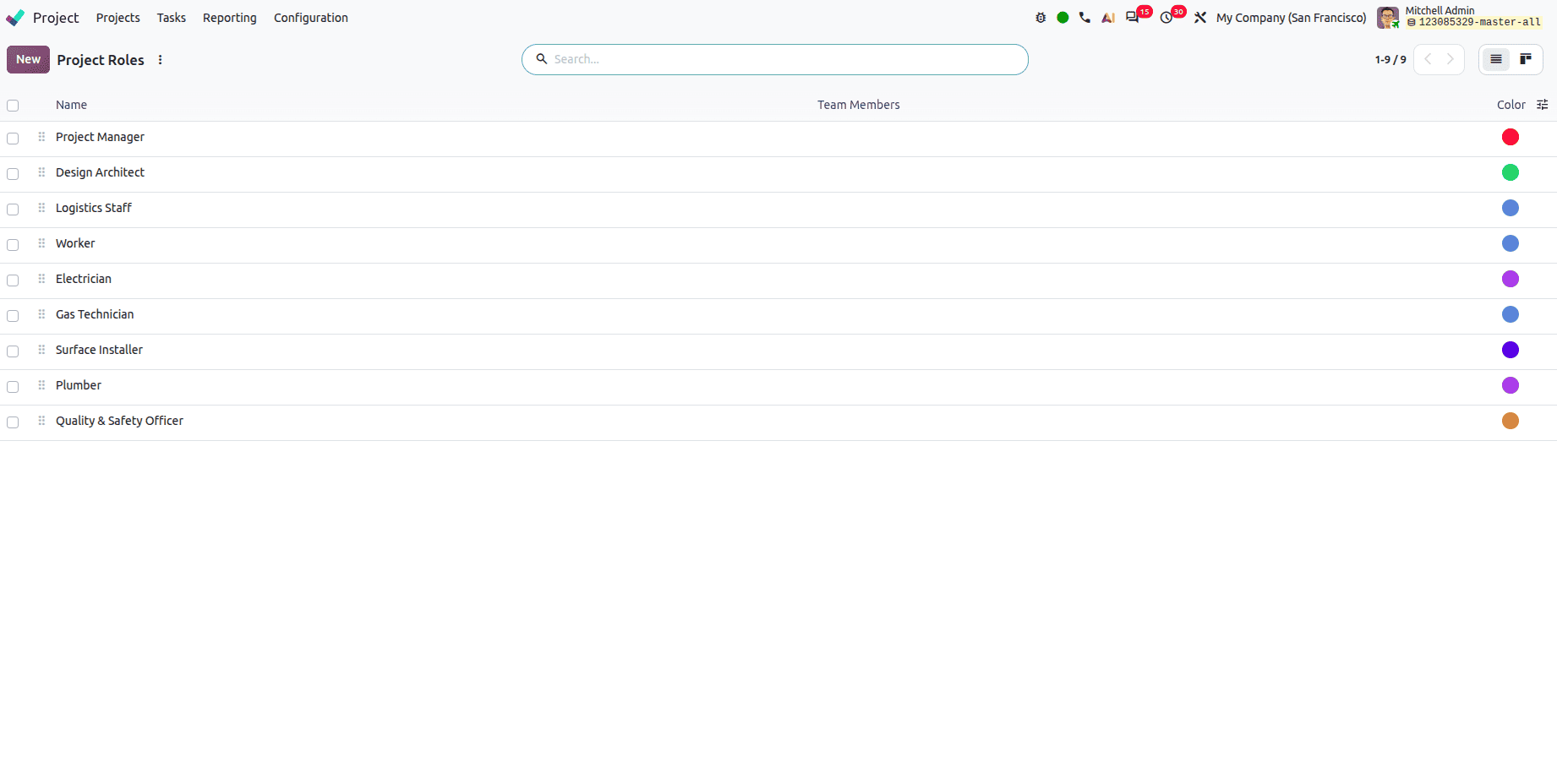
Team members can be assigned specific project roles, such as Project Manager, Developer, and other roles, making responsibilities clearer.
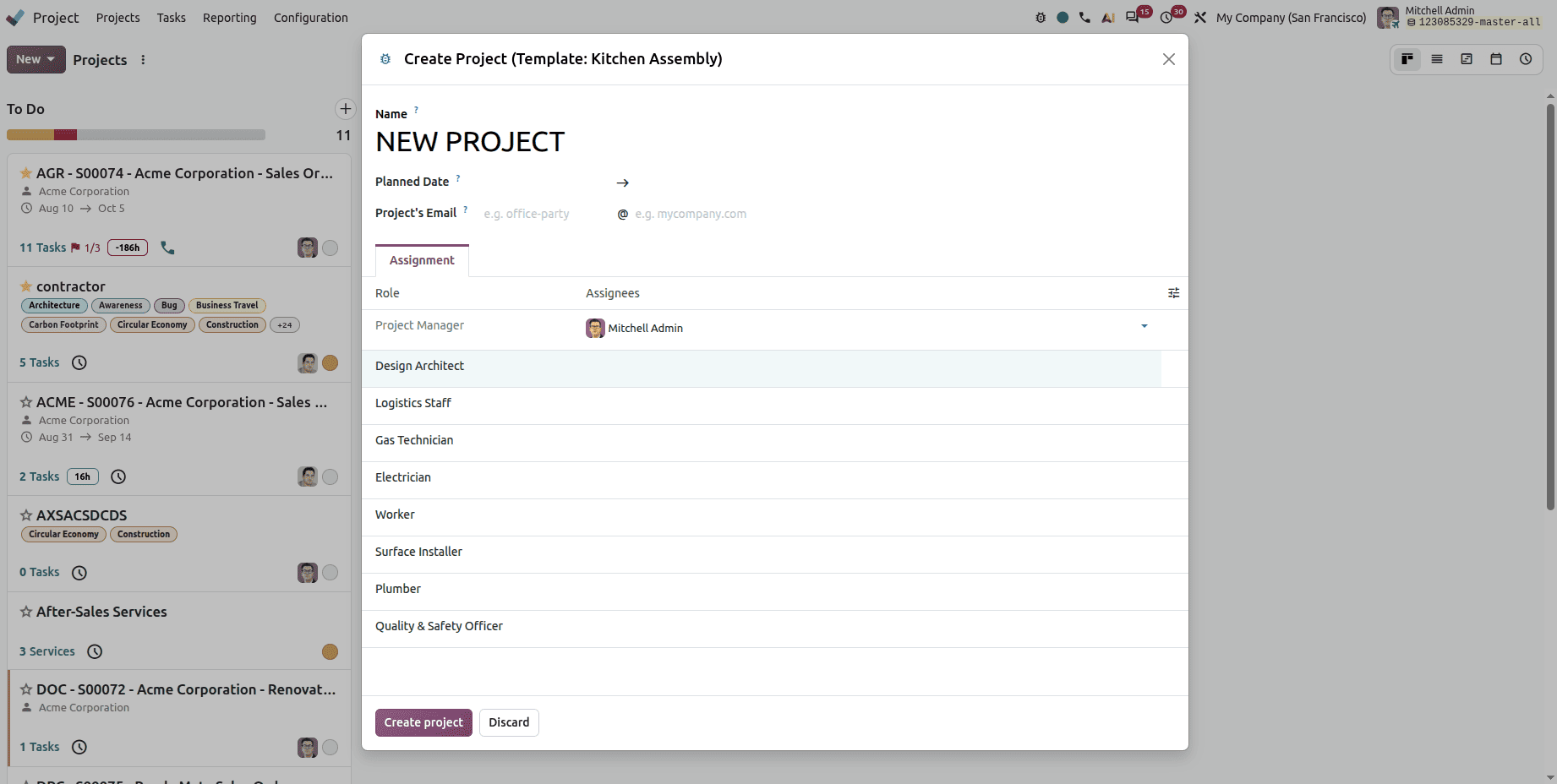
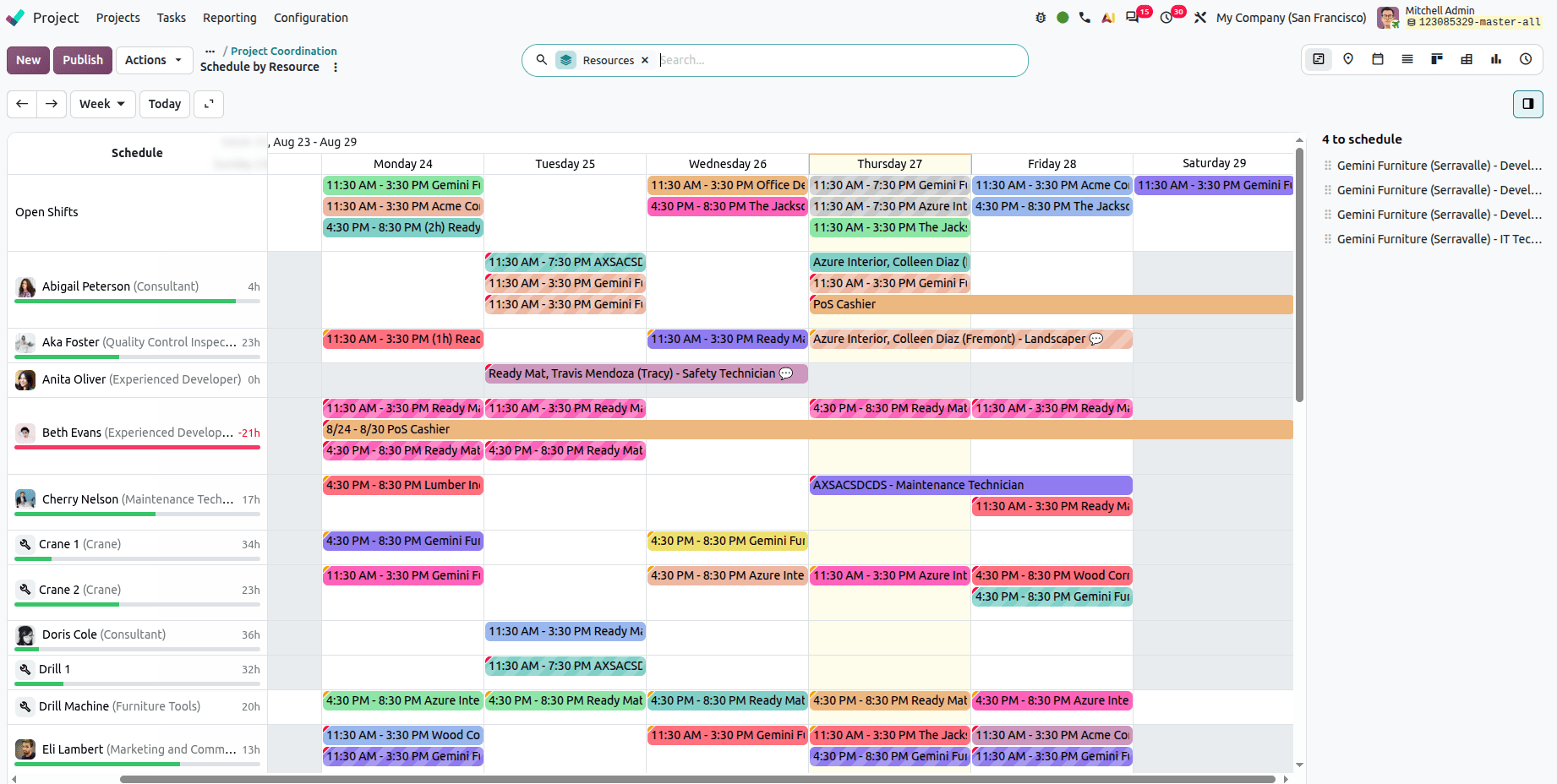
Odoo 20 Connects Project Tasks with Planning Schedules
Users can link project tasks with planning schedules for better resource management.
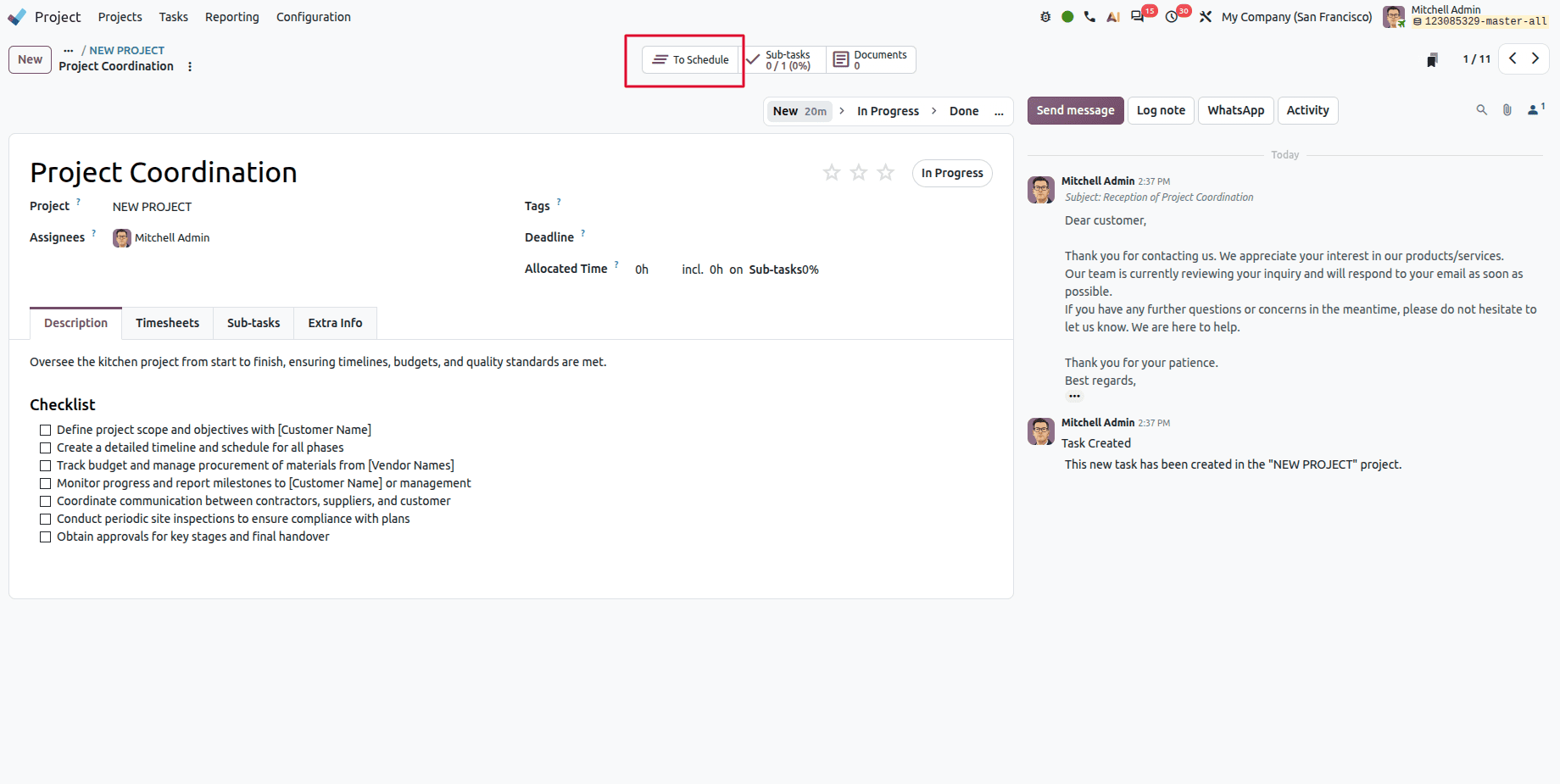
Open the specific task from the project. Click the To Schedule smart button to link the project to planning.
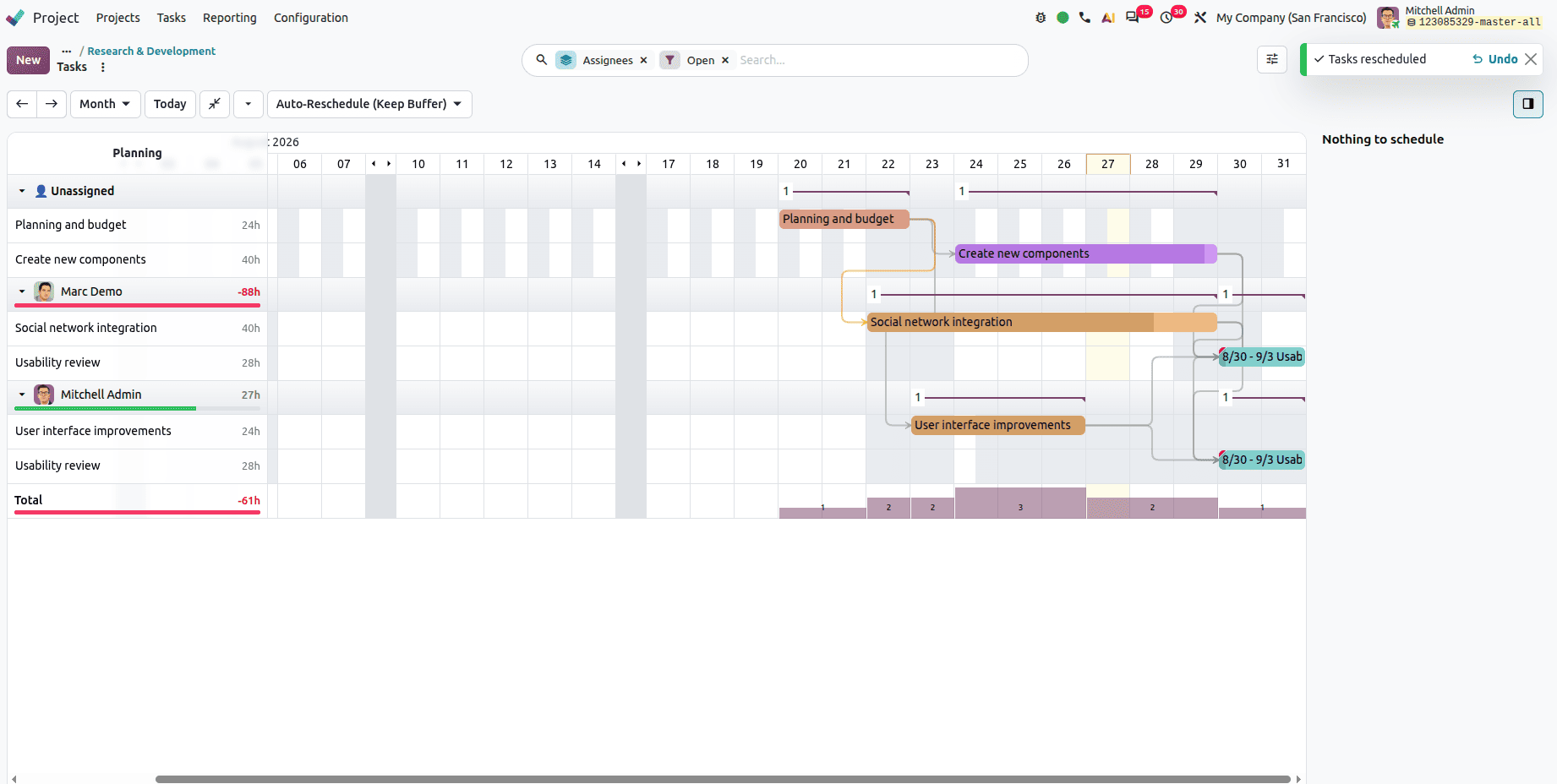
Drag and Drop Task From Gantt View
Users can change/reschedule tasks quickly by dragging and dropping the tasks from the Gantt view.
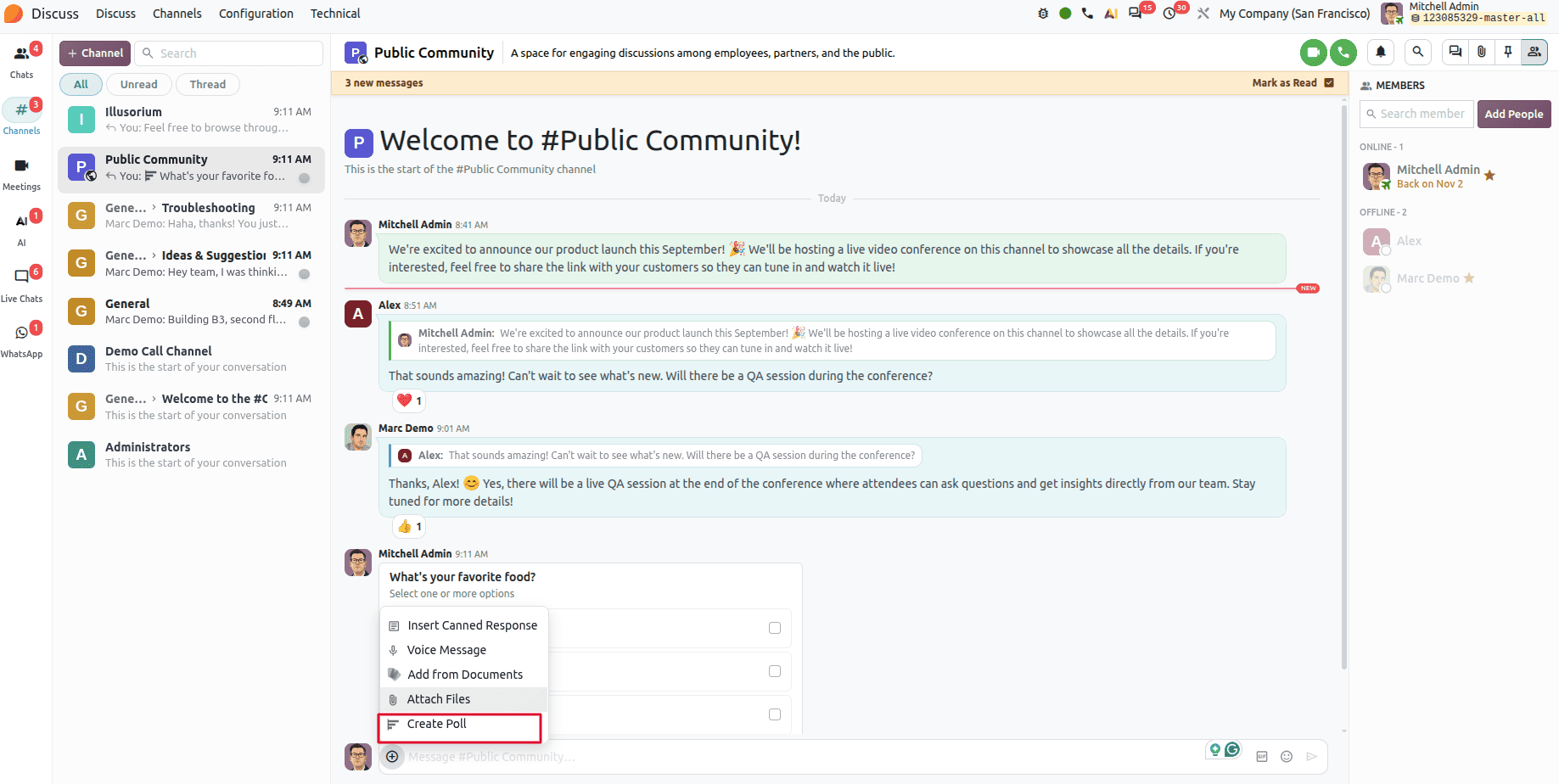
Polls Included in Group Chat Discussions on Odoo 20
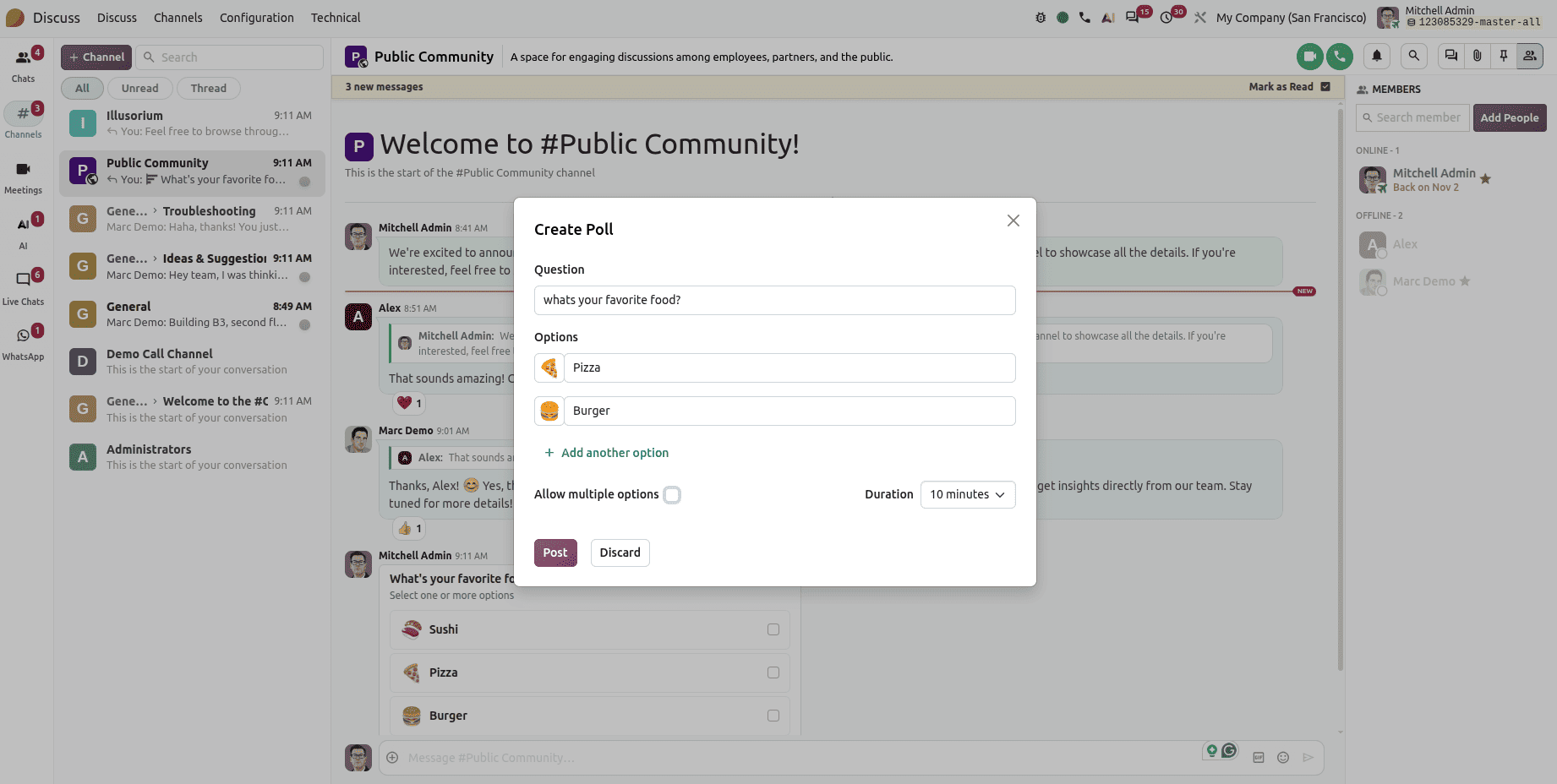
Odoo introduces a polls feature for group chats with the Discuss module; polls are not available for individual chats.
Users can create a poll with multiple options, also set a duration like 10,30 minutes, and allow users to vote directly in the chat.
Odoo 20 Introduces a Marketplaces Menu in the Sales Module
A new Marketplaces menu is added to the Sales module; it groups all the marketplace channels in one place.
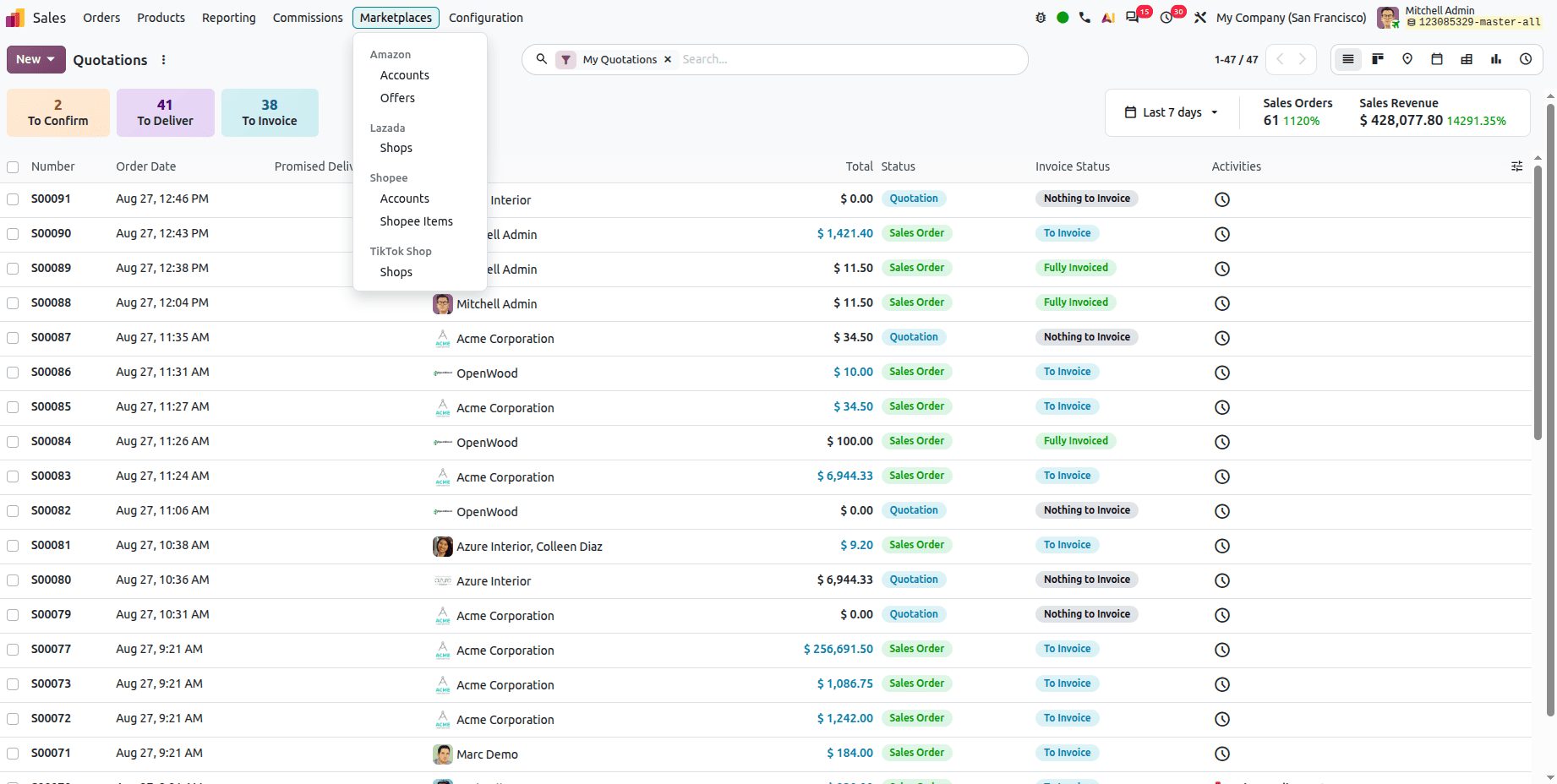
Each platform gets its own submenu: like Amazon (Accounts, Offers), Lazada (Shops), Shopee (Accounts, Shopee Items).
Sales Dashboard
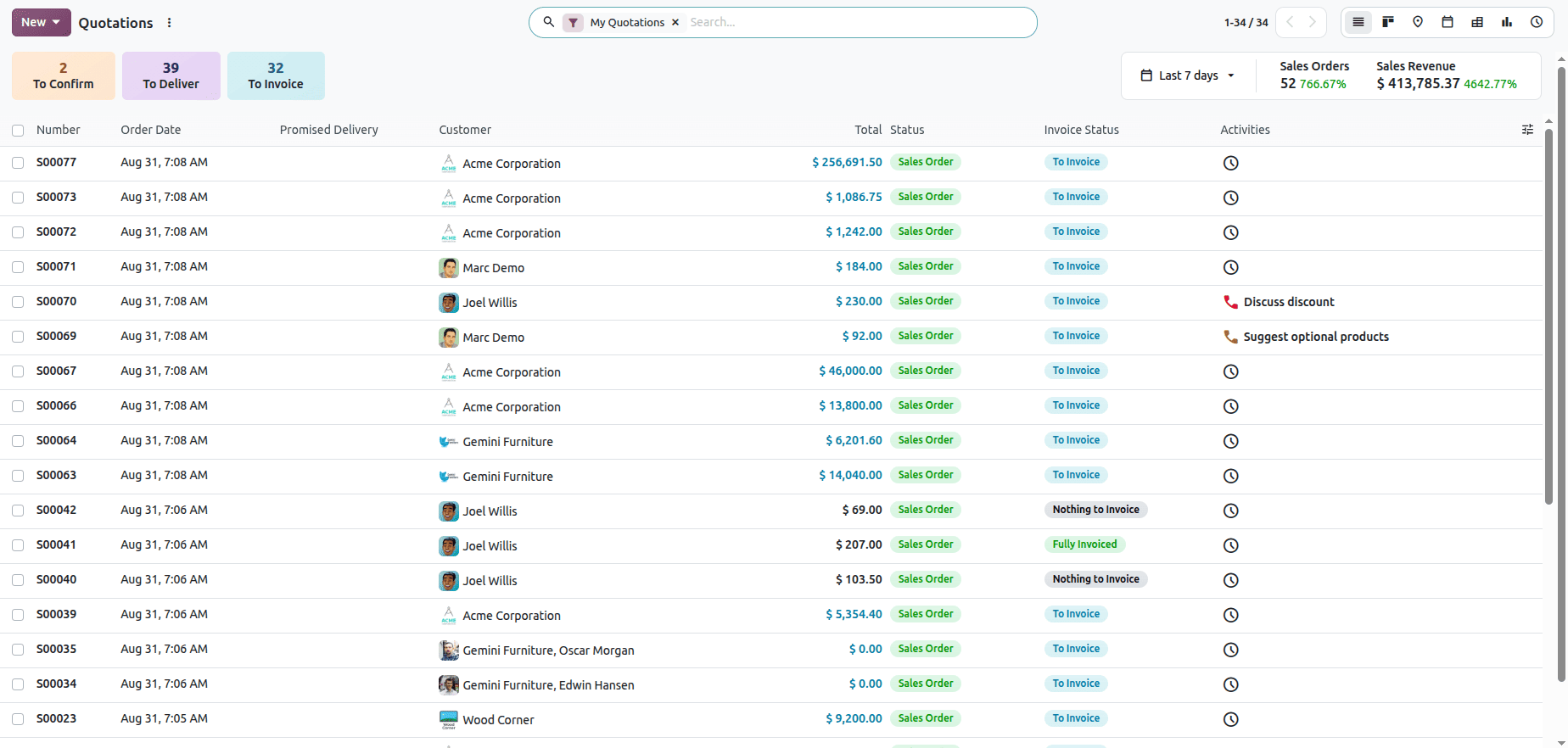
Odoo 20 brings a unified Sales dashboard that highlights quotations, deliveries, invoices, and sales performance in one place, helping teams quickly identify what needs attention and track revenue trends.
Product Images in Quotations
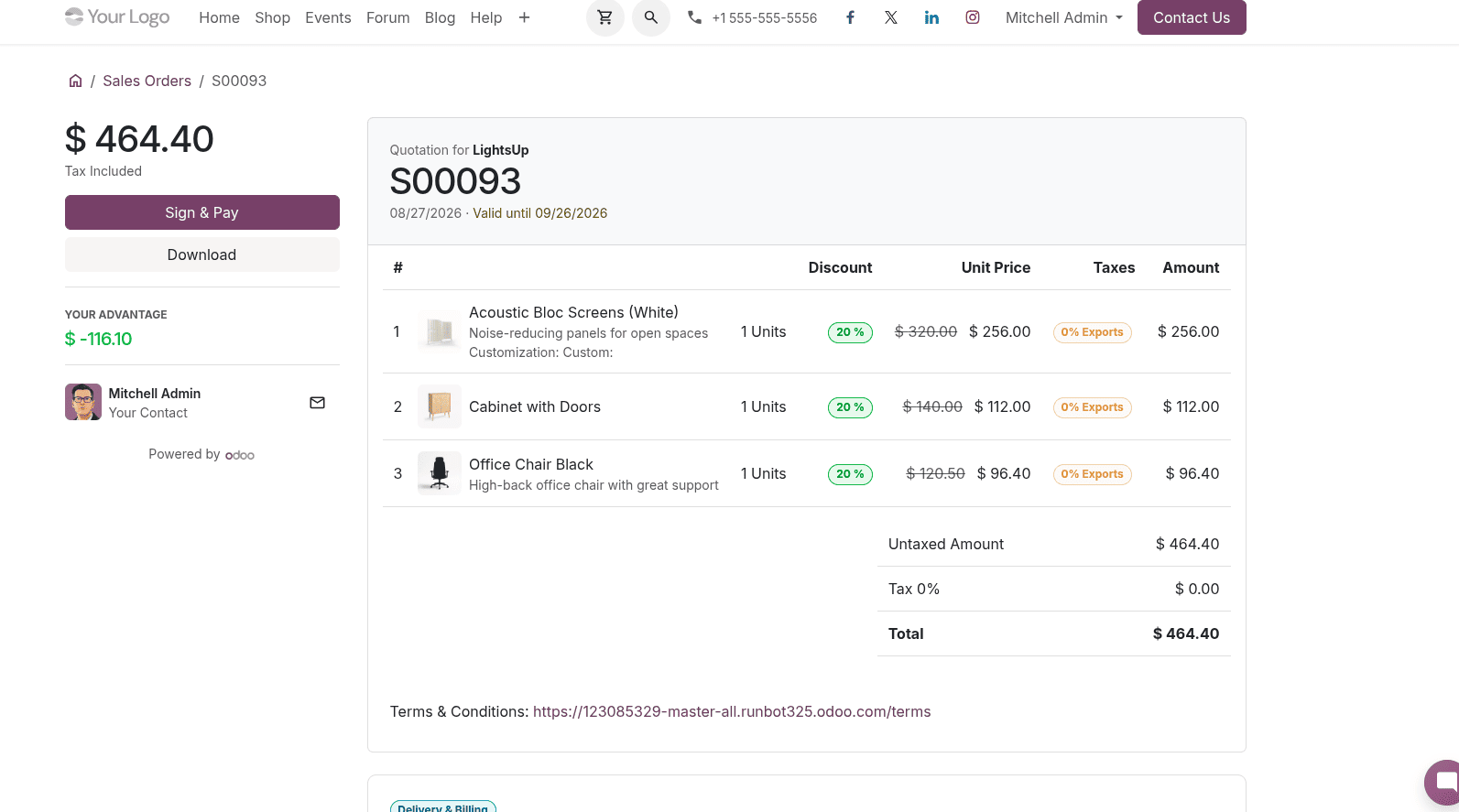
In addition, there is a new feature in the settings that will allow users to show product images in quotations. With this feature activated, product images may be displayed in quotations and PDF files.

We can enable the display product image option in settings.
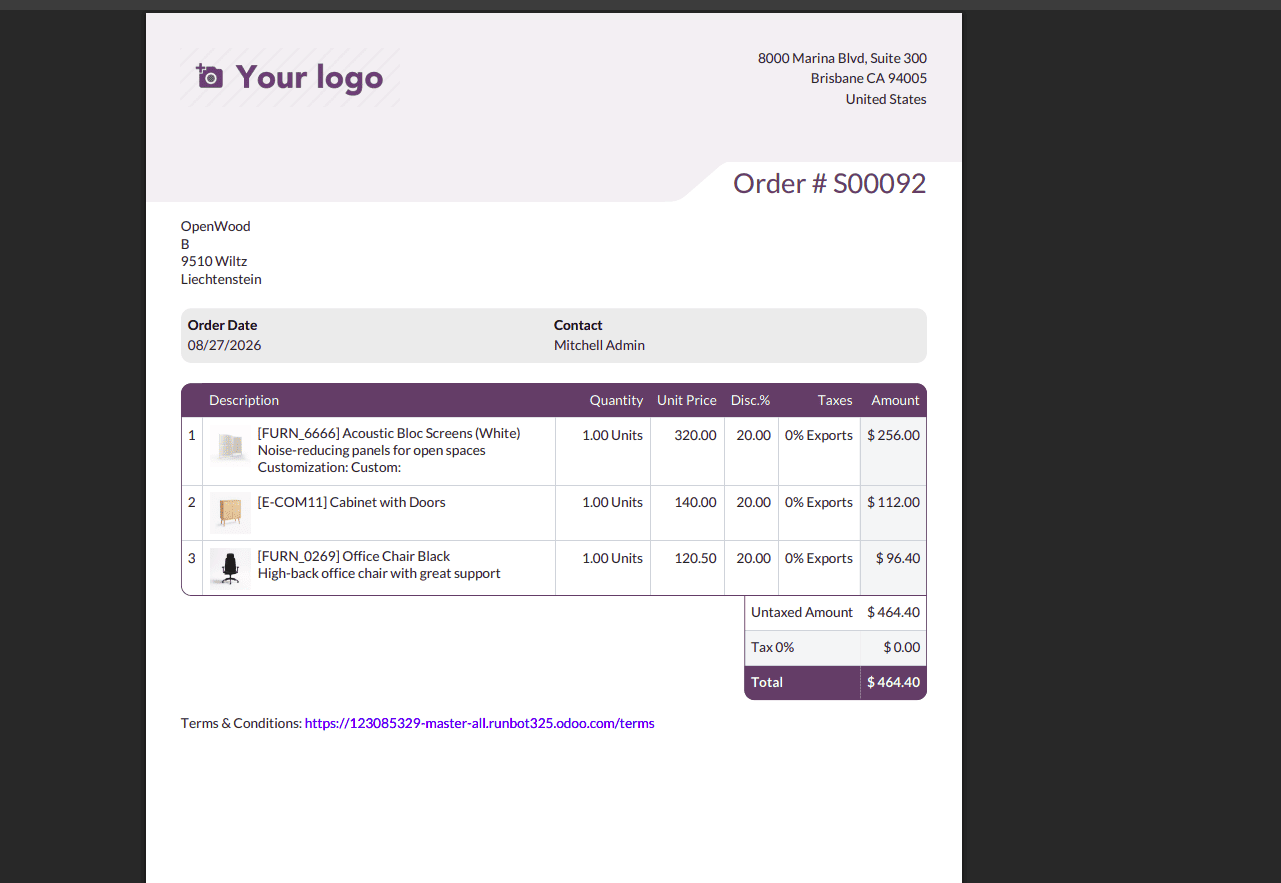
Display product images in quotation previews, making quotations easier for customers
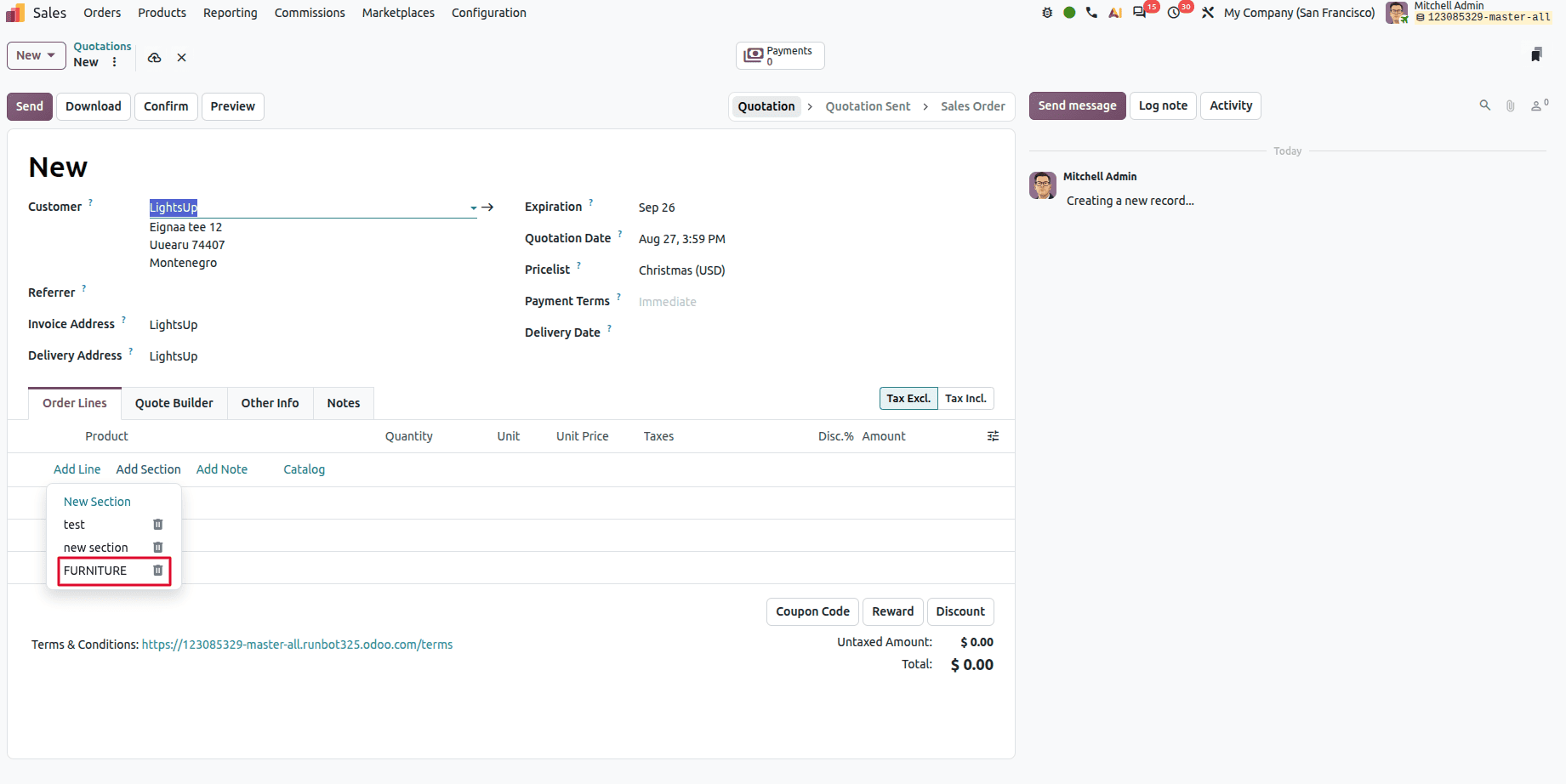
Reusable Section Templates
Users can save sections with products as templates; users can quickly create consistent quotations without adding the same items repeatedly.
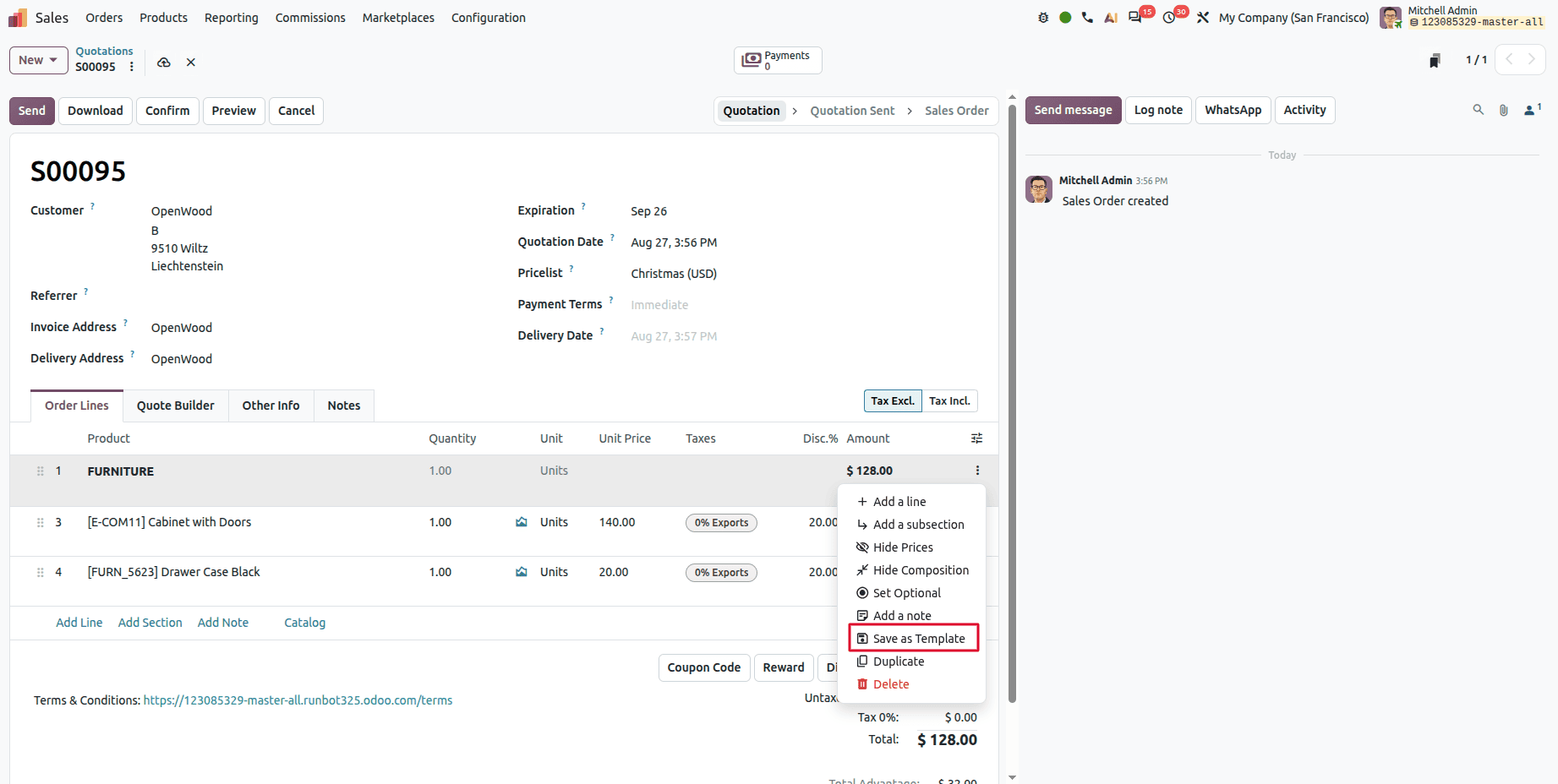
We can reuse that section.
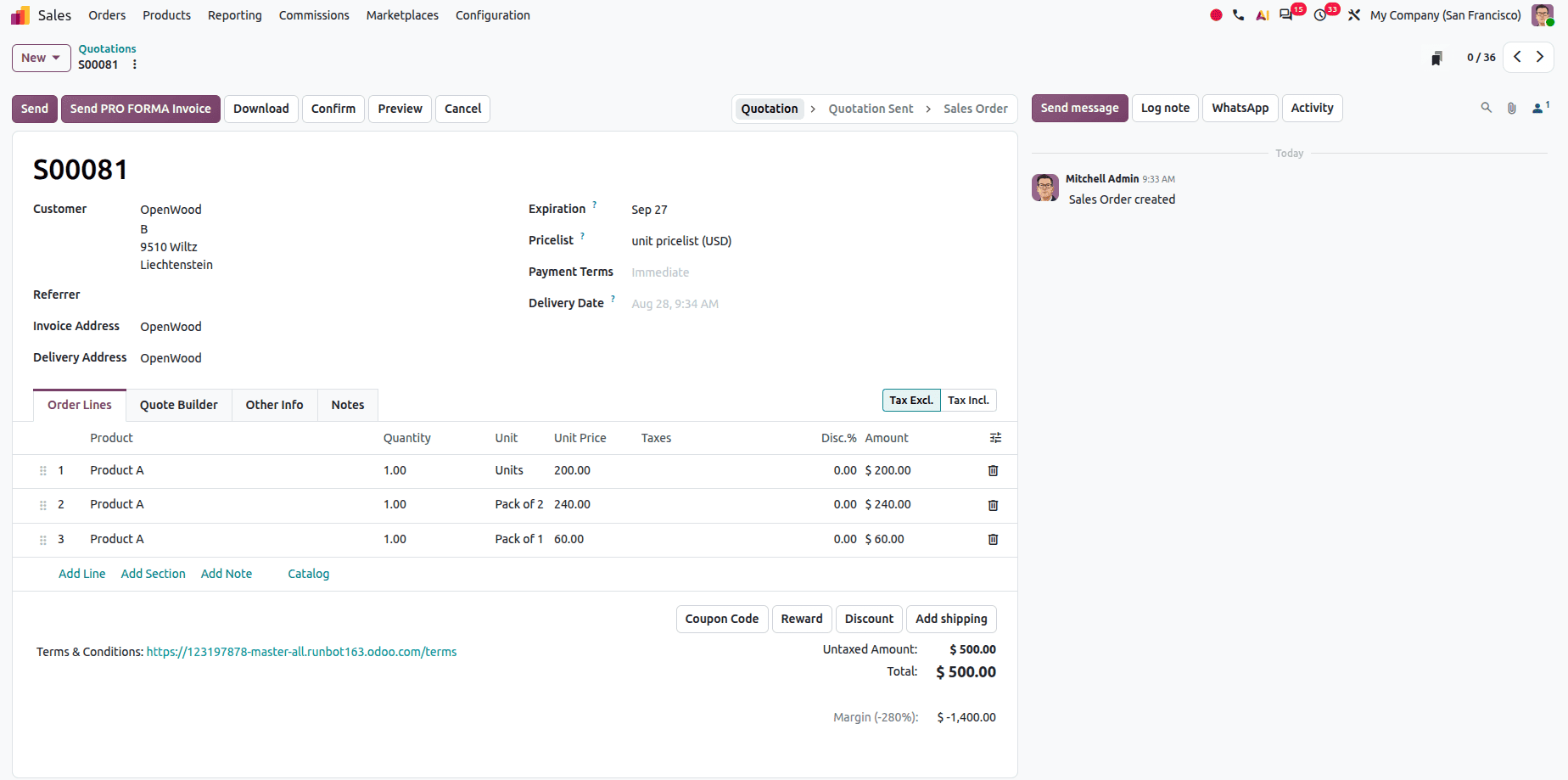
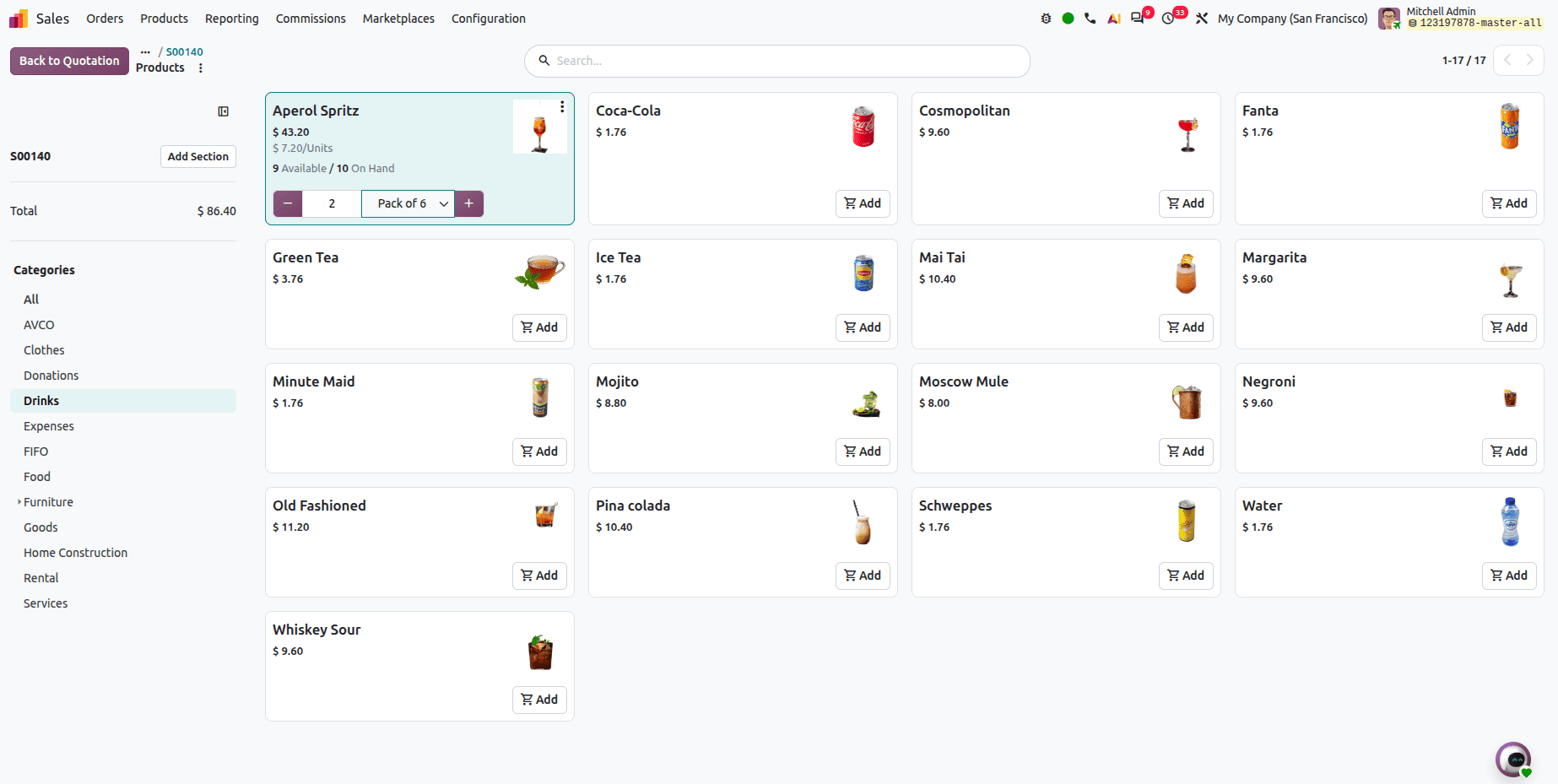
Package-Based Pricing
Users can set different prices for different packaging types, like single units, packs, or boxes; it provide more pricing options to customers.
Enable Units of Measurement from the Sales configuration settings. Different packaging options can be created for the same product.
For example:
- Pack of 1 – Box containing 6 units.
- Pack of 2 – Box containing 12 units.
A dedicated pricelist can be created to define different prices based on the product quantity and packaging. For example, a product can have one price for Pack of 1 and another price for Pack of 2.
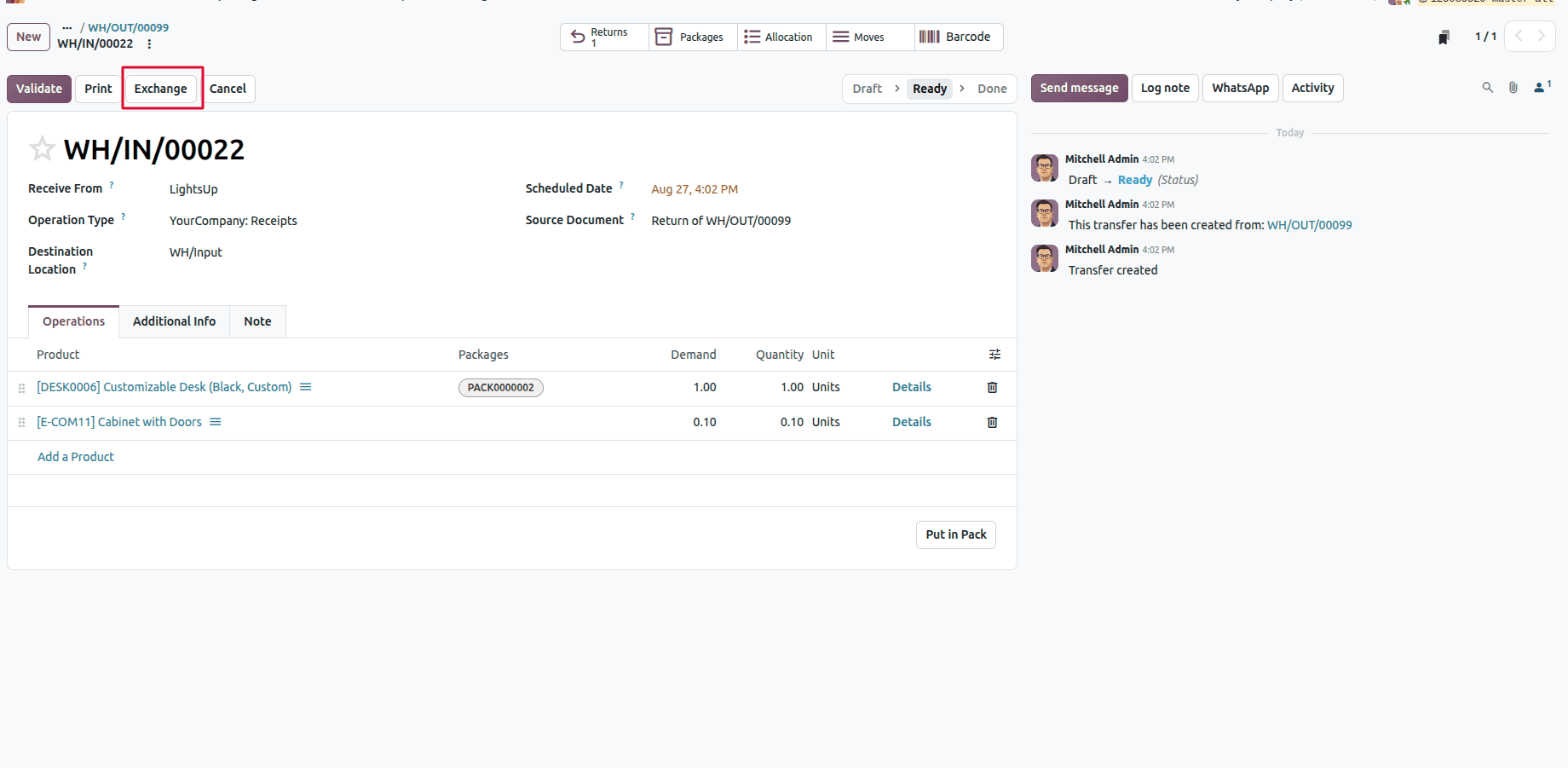
Dedicated Exchange Option
Odoo 20 introduces a dedicated Exchange option during the product return process. Customers can now choose to exchange a product instead of only returning it. When initiating a return, users are presented with both Return and Exchange options. This provides greater flexibility in handling customer requests.
Select Unit of Measure on the catalog
Users can select the unit of measure on the catalog.
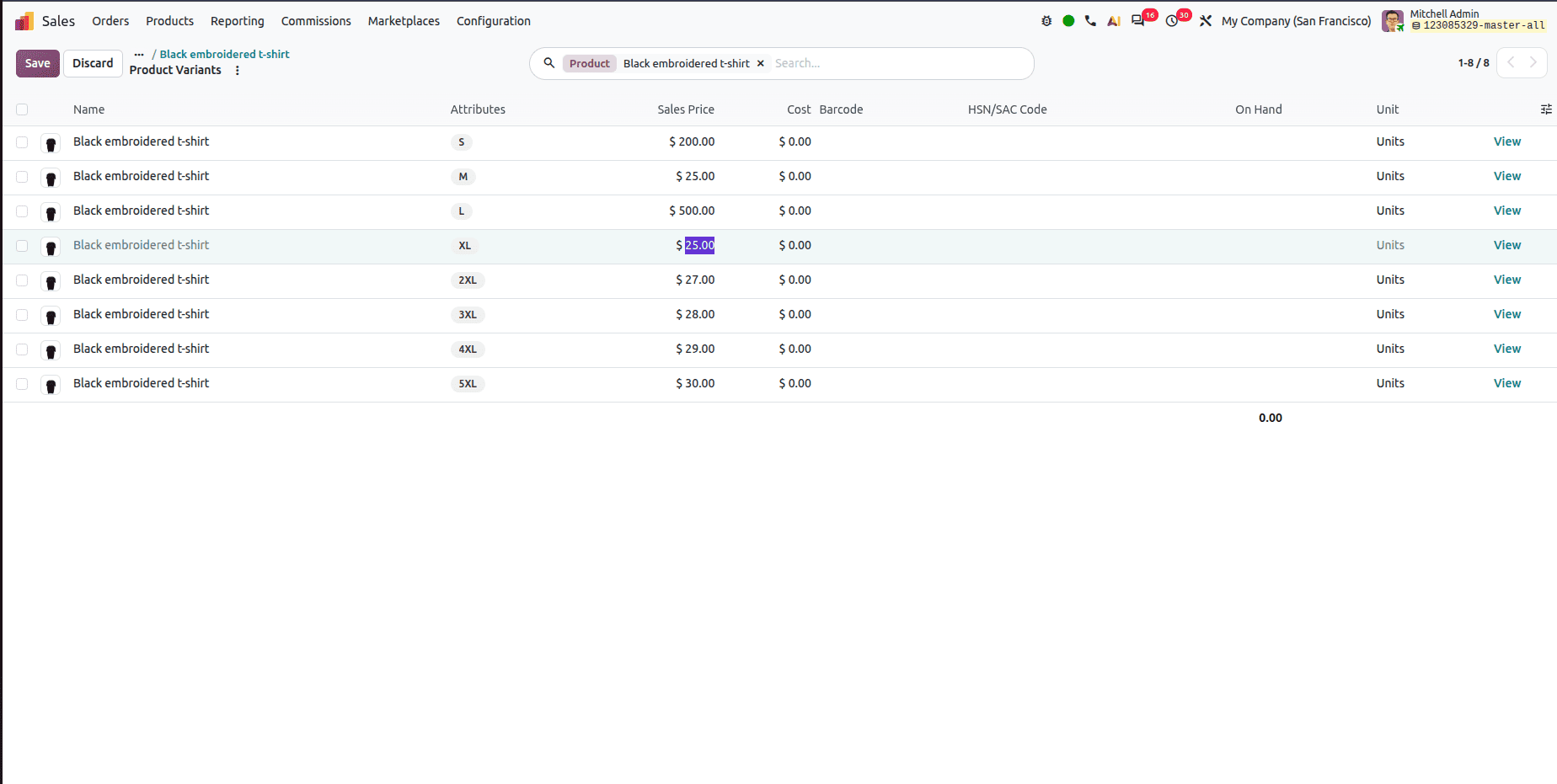
Variant sales price can be changed
Previously, we managed product sales price with Extra price scenario. But now Odoo directly allows you to change the product variant price.
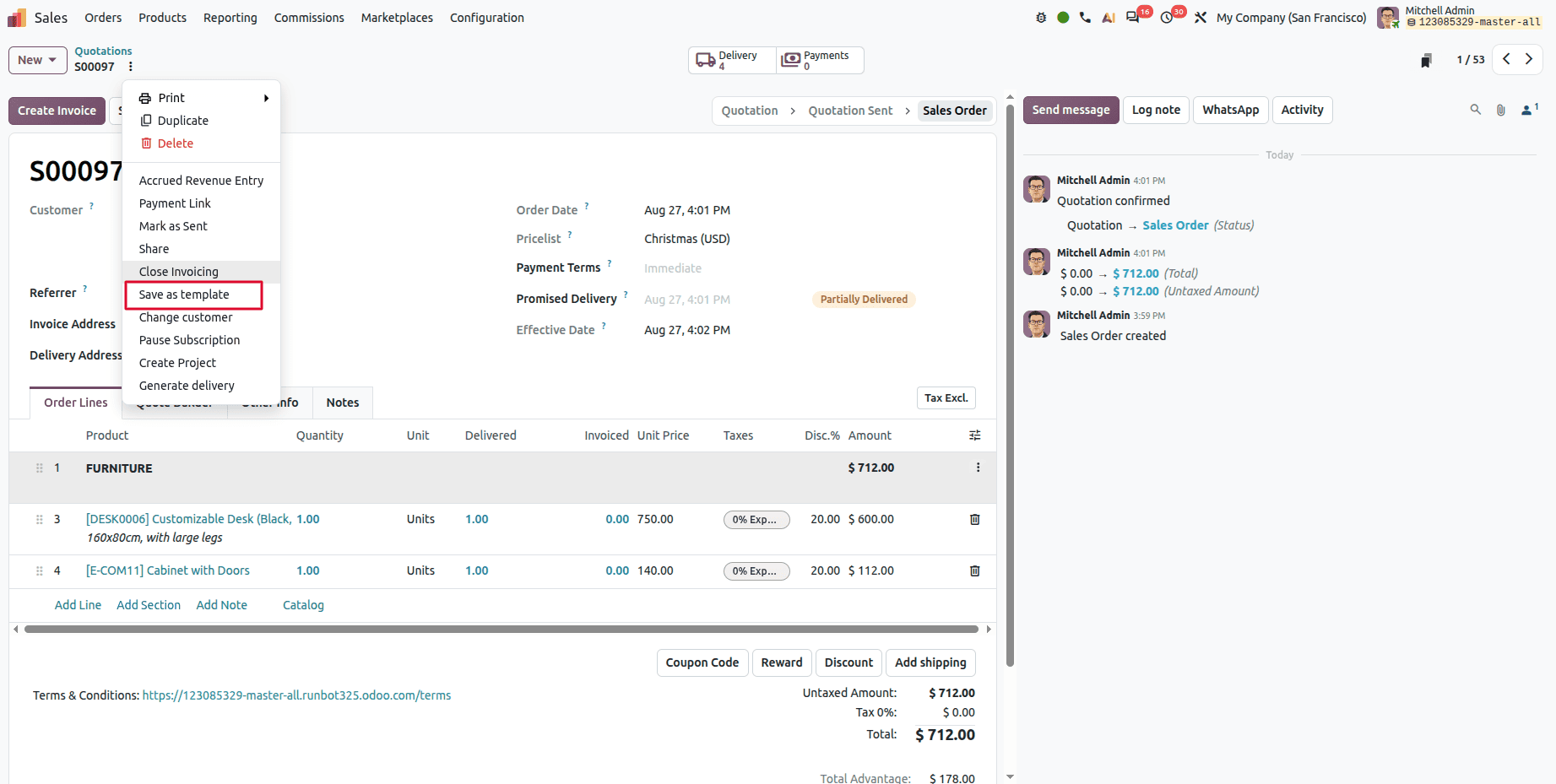
Odoo 20 Lets Users Reuse Sales Orders and Quotations as Templates
Odoo 20 introduces a new option users can use to set Sales orders or Quotations as templates.
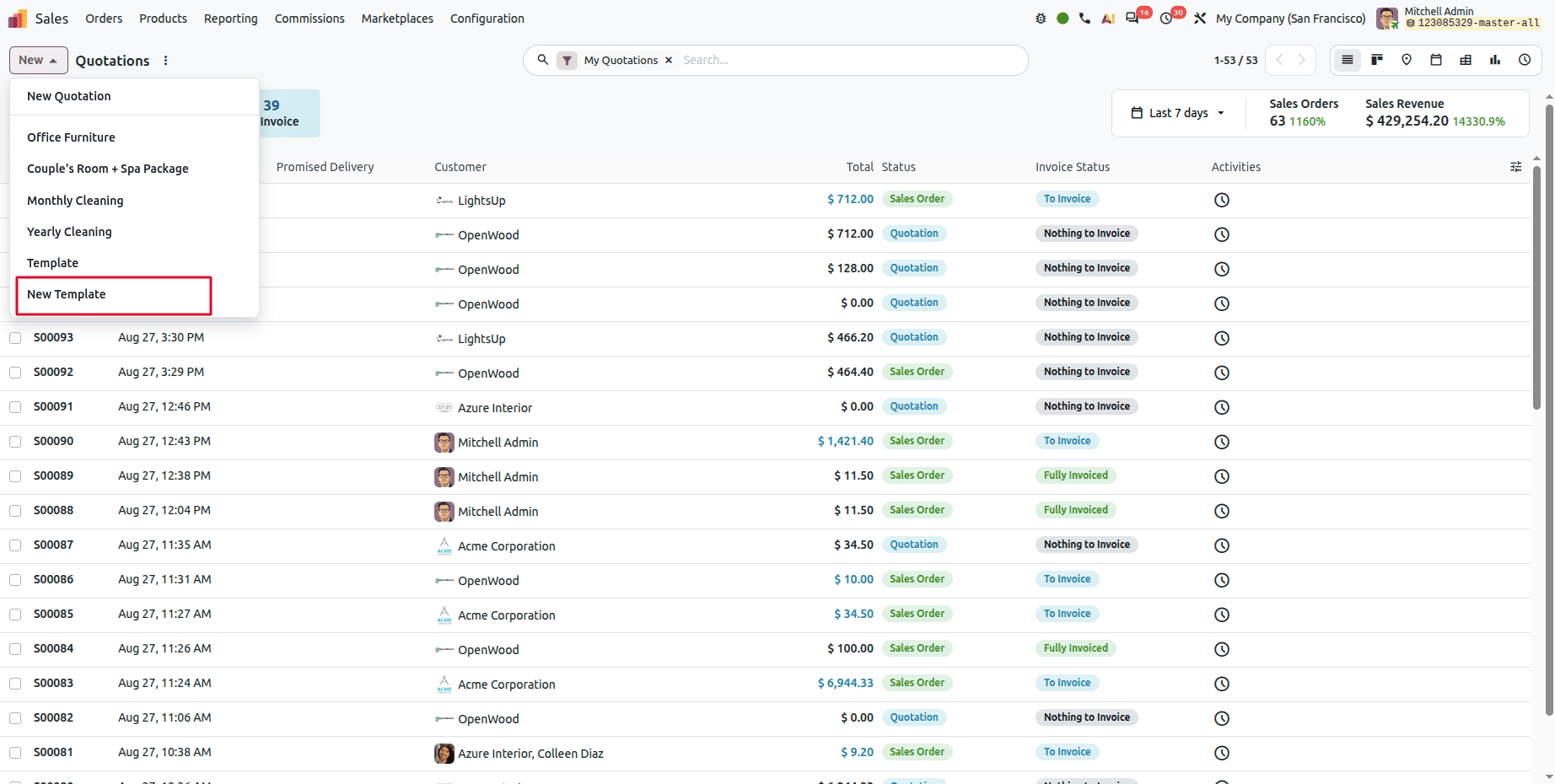
After that, users can use it as a template.
Company-Specific Delivery Lead Time
Odoo 20 allows the same product to have different delivery lead times for different companies in a multi-company environment. This enables each company to maintain its own delivery schedule.
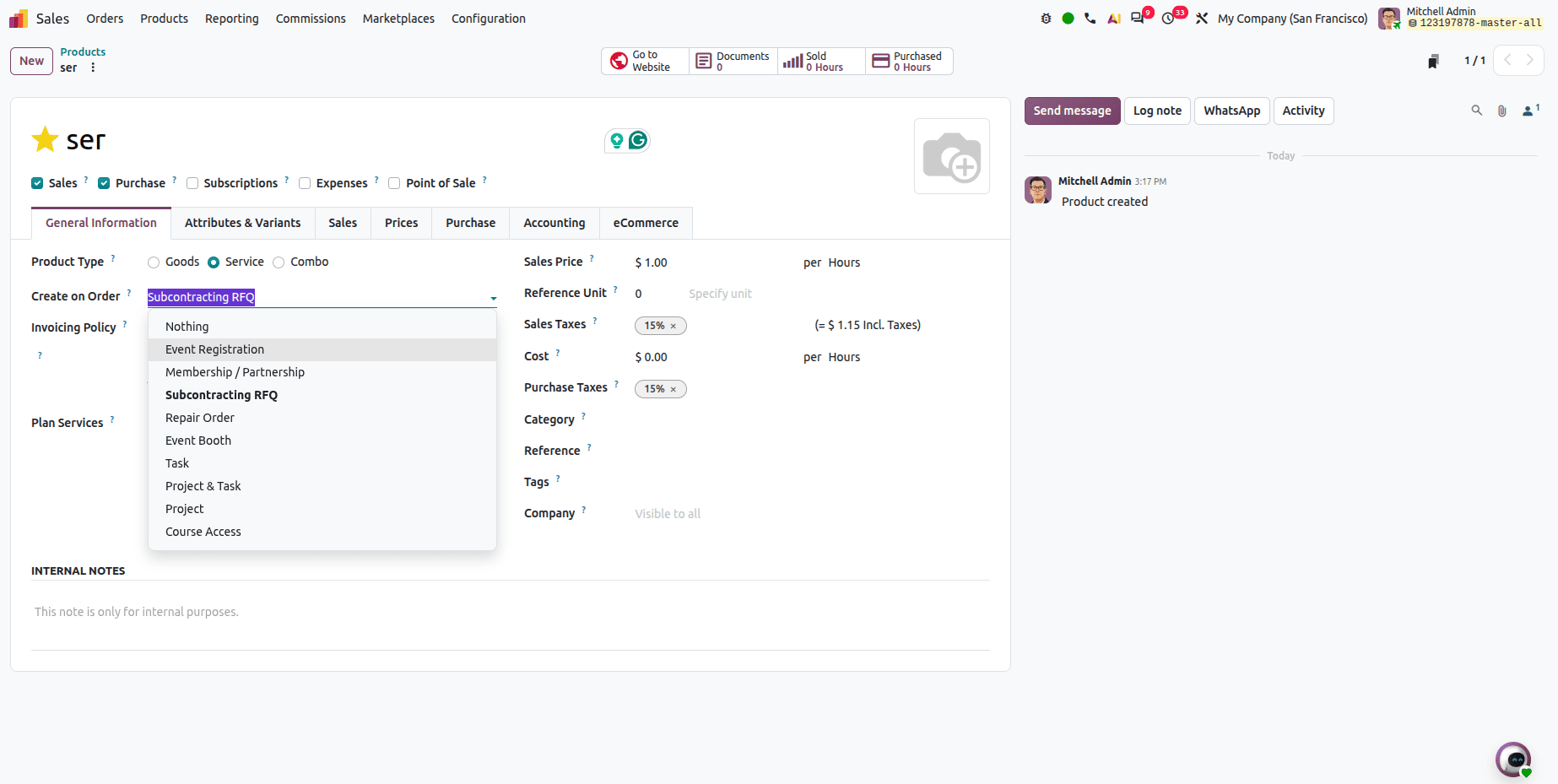
Subcontracting on RFQ
You can now select a "Subcontracting on RFQ" option directly on service-type products using order-triggered creation workflows.
Recalculate Expected Arrival Date
It recalculates the expected arrival date with a single click when the purchase order deadline has passed; it uses the product lead time and current date.
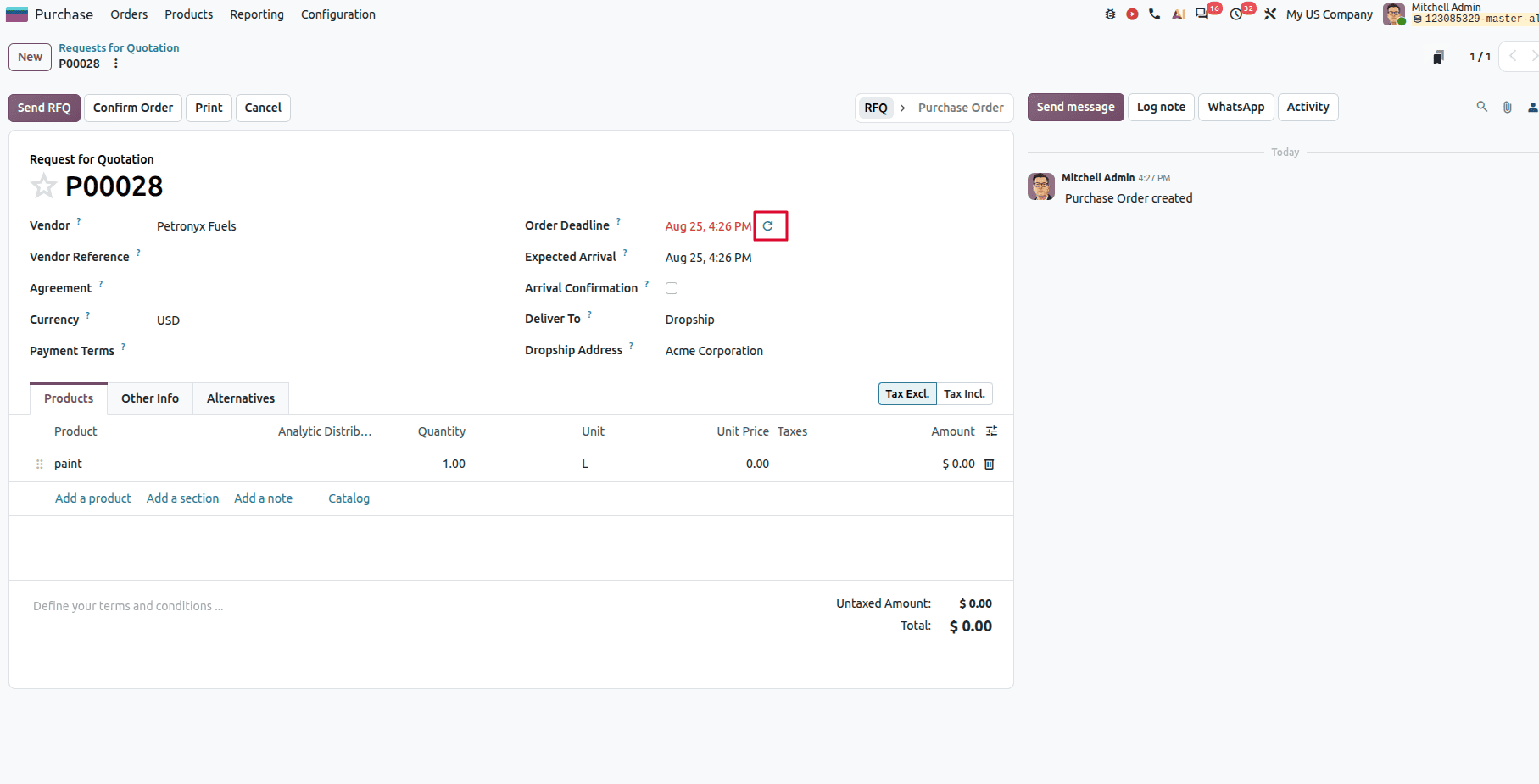
If the user clicks that button, then it recalculates the expected arrival date.
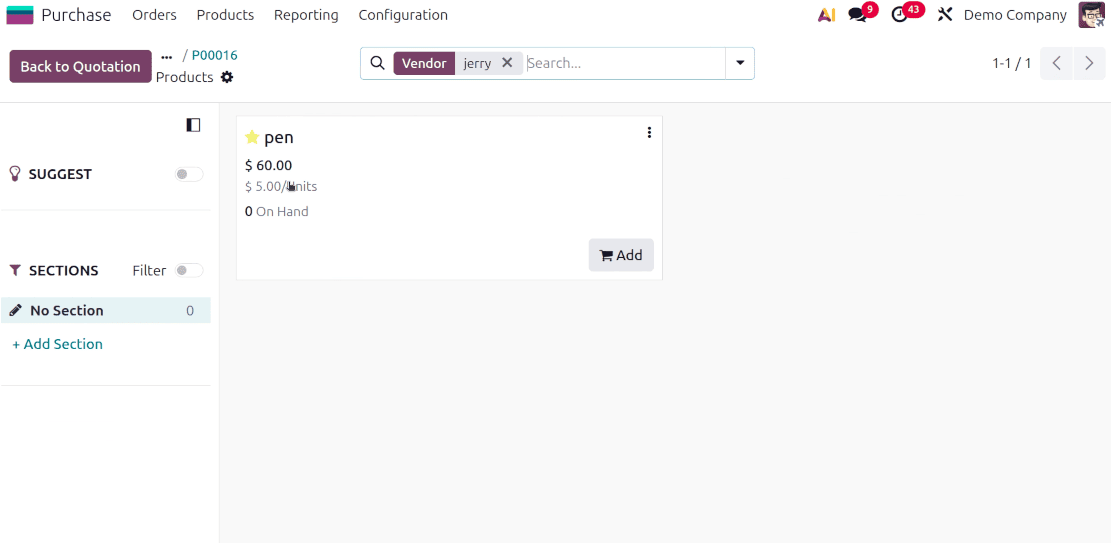
Purchase Cost & Product Unit Cost
Display both the vendor purchase cost and the product unit cost in the catalog. Users can easily understand the prices.
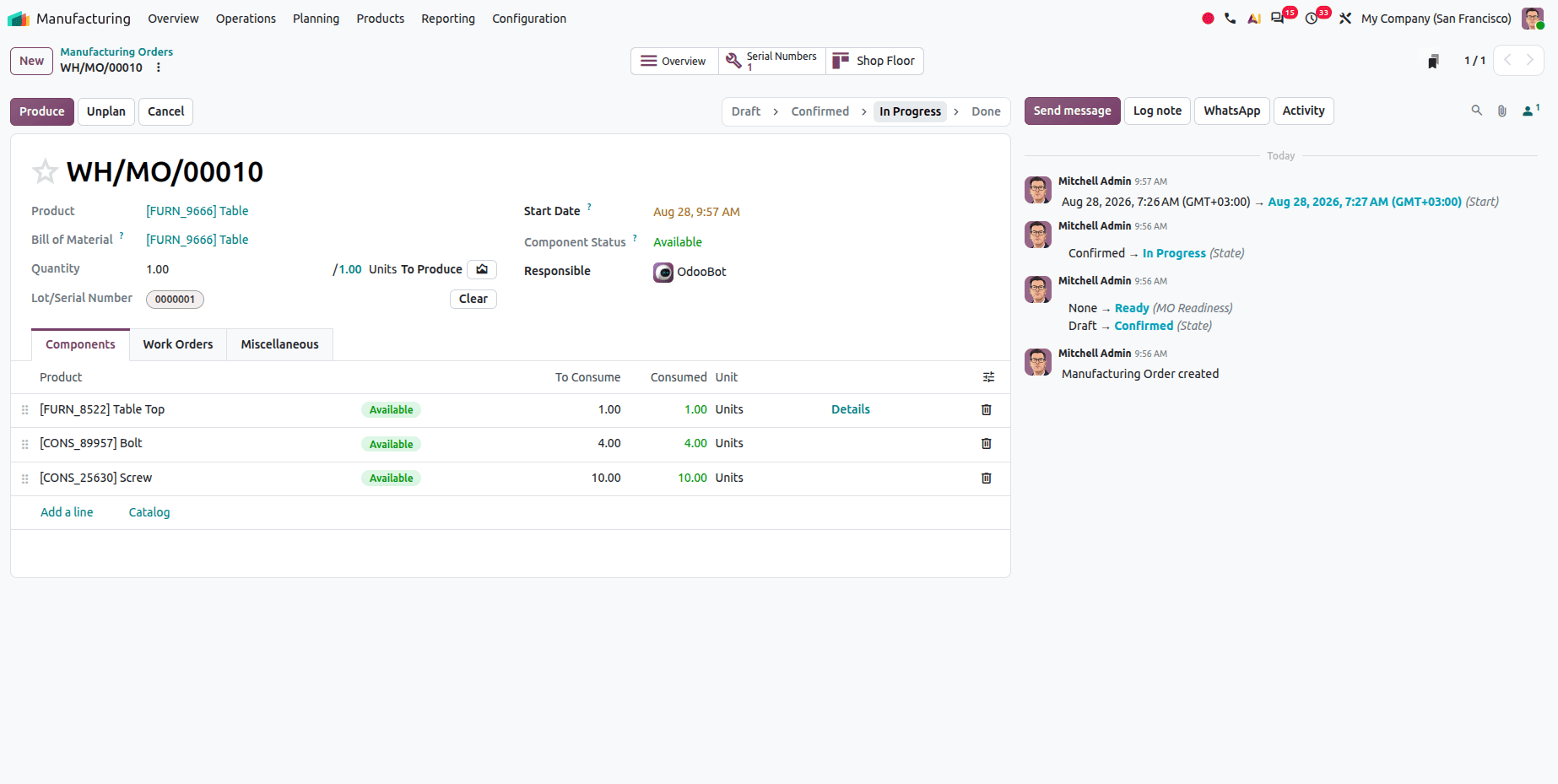
Odoo 20 Automates Lot and Serial Number Creation After Manufacturing
Once the MO for lot item completion comes to an end on the Shop Floor, the lot number is automatically assigned after production closure.
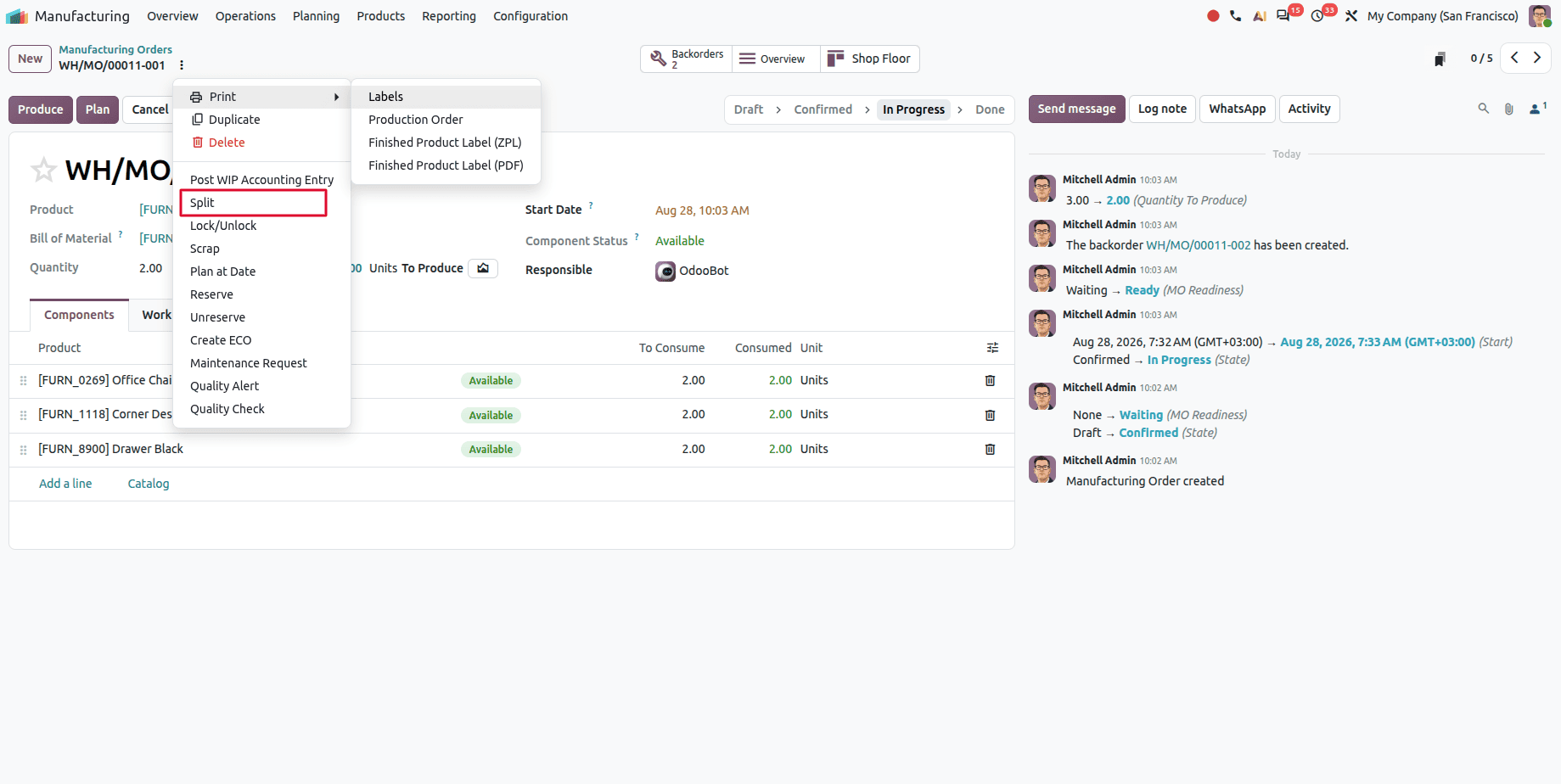
Split ongoing manufacturing order
Users will be able to split ongoing or planned manufacturing orders.
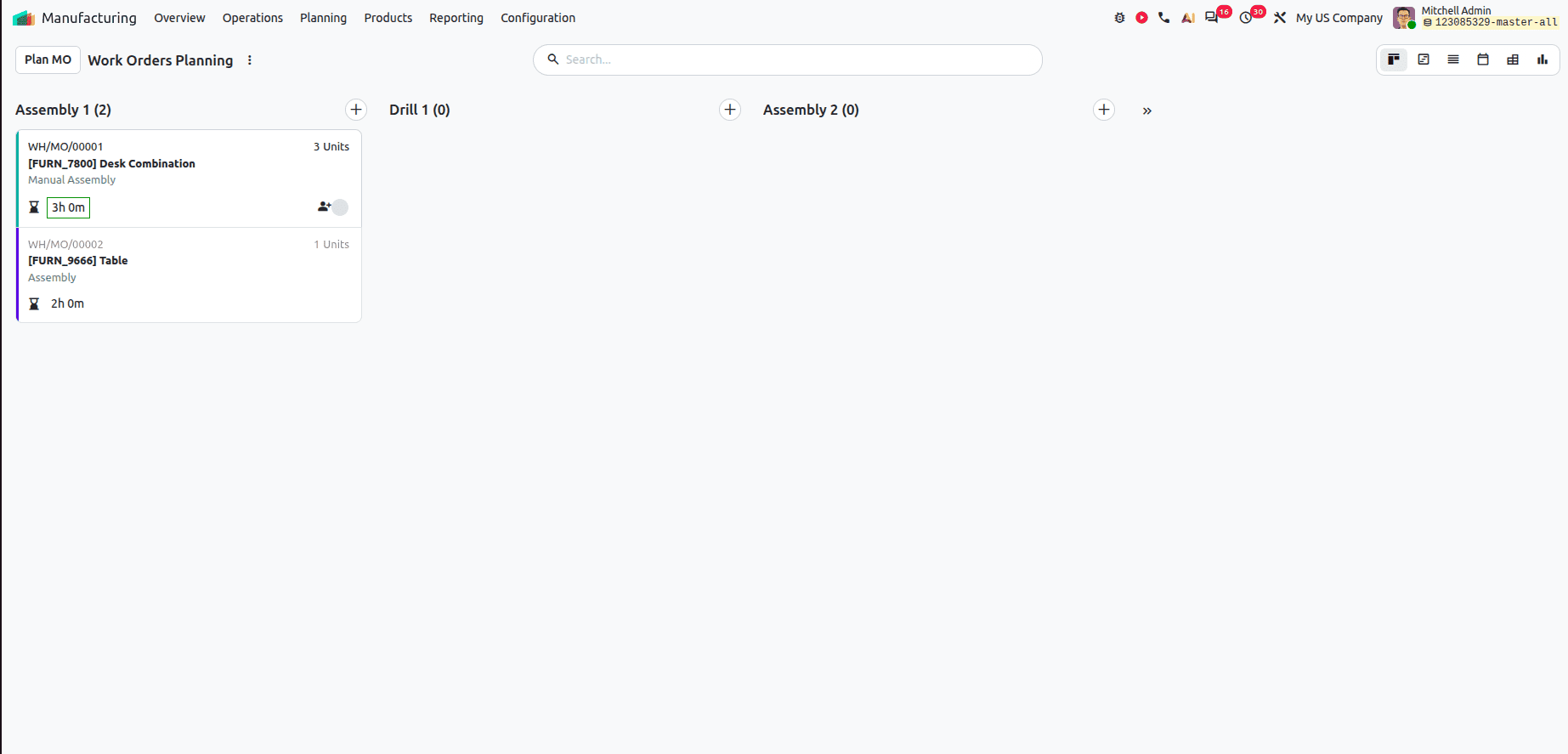
New Kanban Feature for Odoo 20 Helps with Planning Management
Users can view or analyze the planning through kanban view for a better experience. Users can simply drag and drop the work orders.
Automatically Updates Rental Prices When Rental Duration Changes
The rental amount is automatically recomputed if the rental days or time is extended or shortened without changing the product quantity.
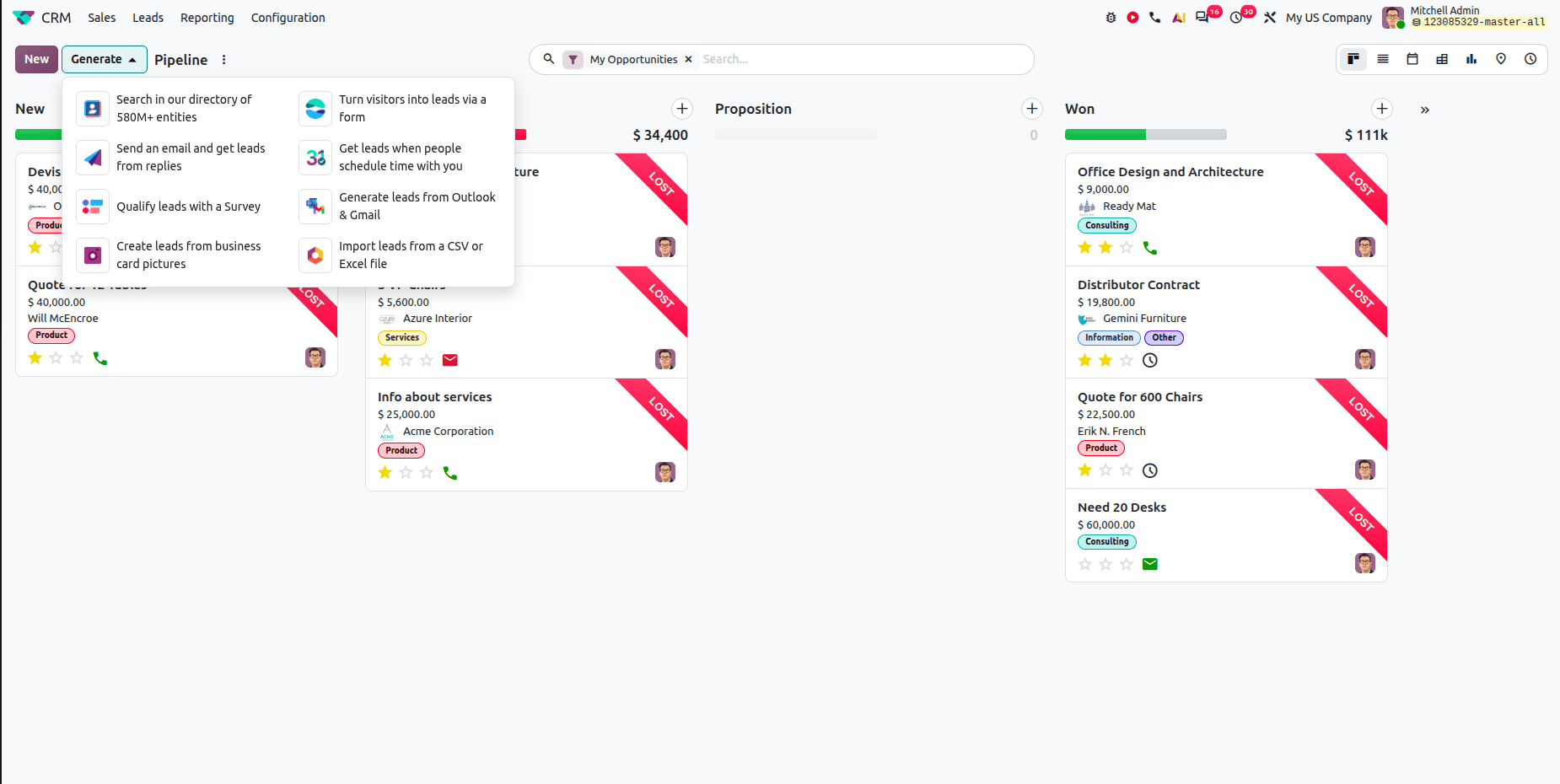
Generate Leads From Different Sources
- Search in Our Directory – Search the directory of 580M+ entities and generate leads from the available business information.
- Turn Visitors into Leads via a Form – Capture website visitors as leads through an online form.
- Send an Email and Get Leads from Replies – Leads can be generated automatically from email replies.
- Get Leads When People Schedule with You – Generate leads when people schedule meetings or appointments with you.
- Qualify Leads with a Survey – Use surveys to collect information and qualify potential leads.
- Generate Leads from Outlook & Gmail – Generate CRM leads directly from Outlook and Gmail.
- Create Leads from Business Card Pictures – Upload a business card image and automatically create a lead from the information extracted from the image.
- Import Leads from a CSV or Excel File – Import multiple leads at once using CSV or Excel files, making bulk lead creation easier.
Users can Create a Project From CRM
Users can create a project directly from a CRM opportunity.
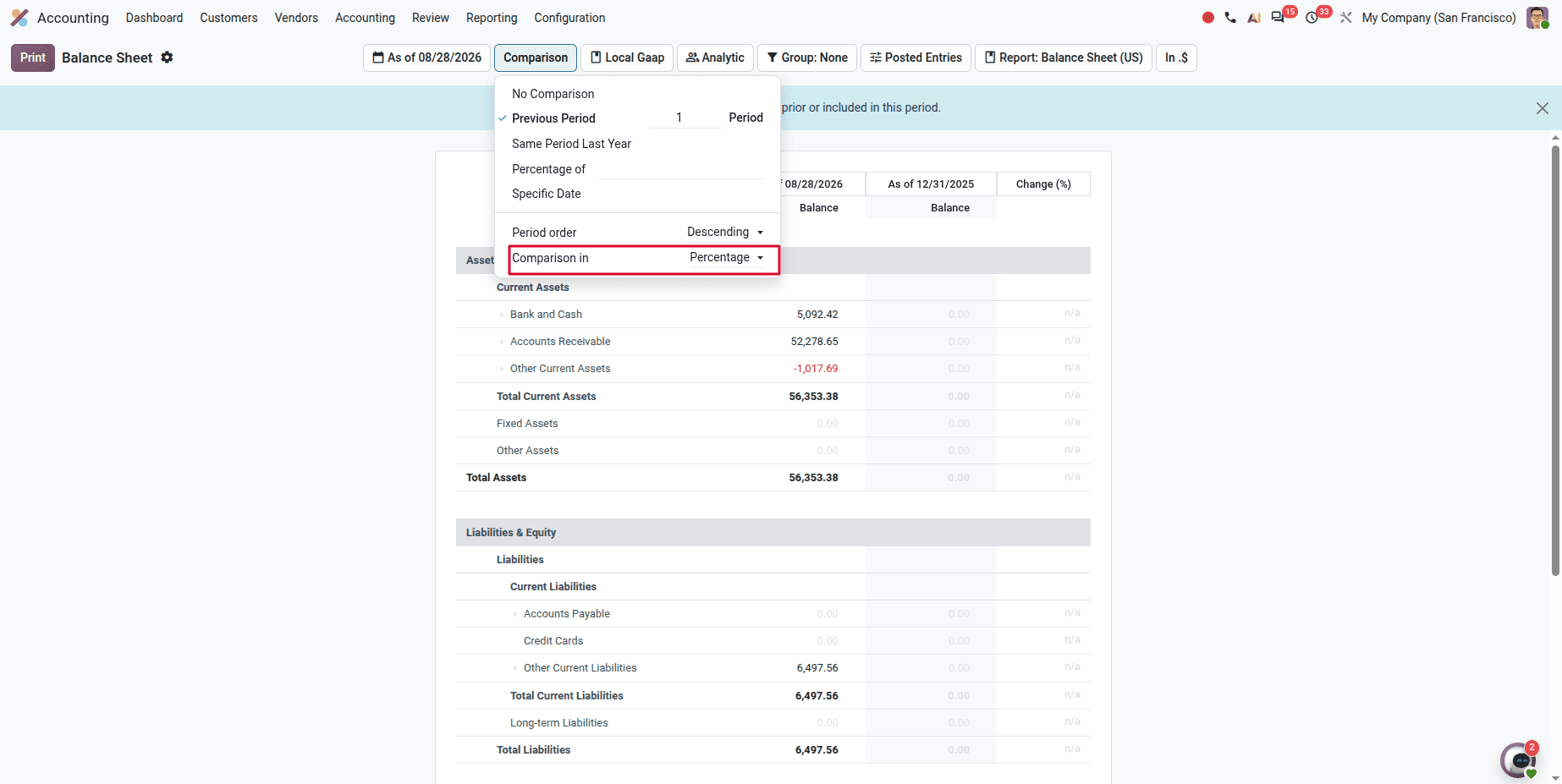
Comparison Scenarios in Financial Reports
Odoo 20 has a Comparison Scenario option for financial reports such as the Balance Sheet and Profit and Loss report. In Odoo 20, we can make comparison based on Amount and Percentage.
- Amount Comparison – Compare the actual monetary values between reporting periods.
- Percentage Comparison – View changes as percentages to quickly identify growth or decline.
Odoo 20 Introduces a Detailed Product Margin Report
One of the major additions in Odoo 20 is the Product Margin Report, which provides detailed insights into the profitability of products.
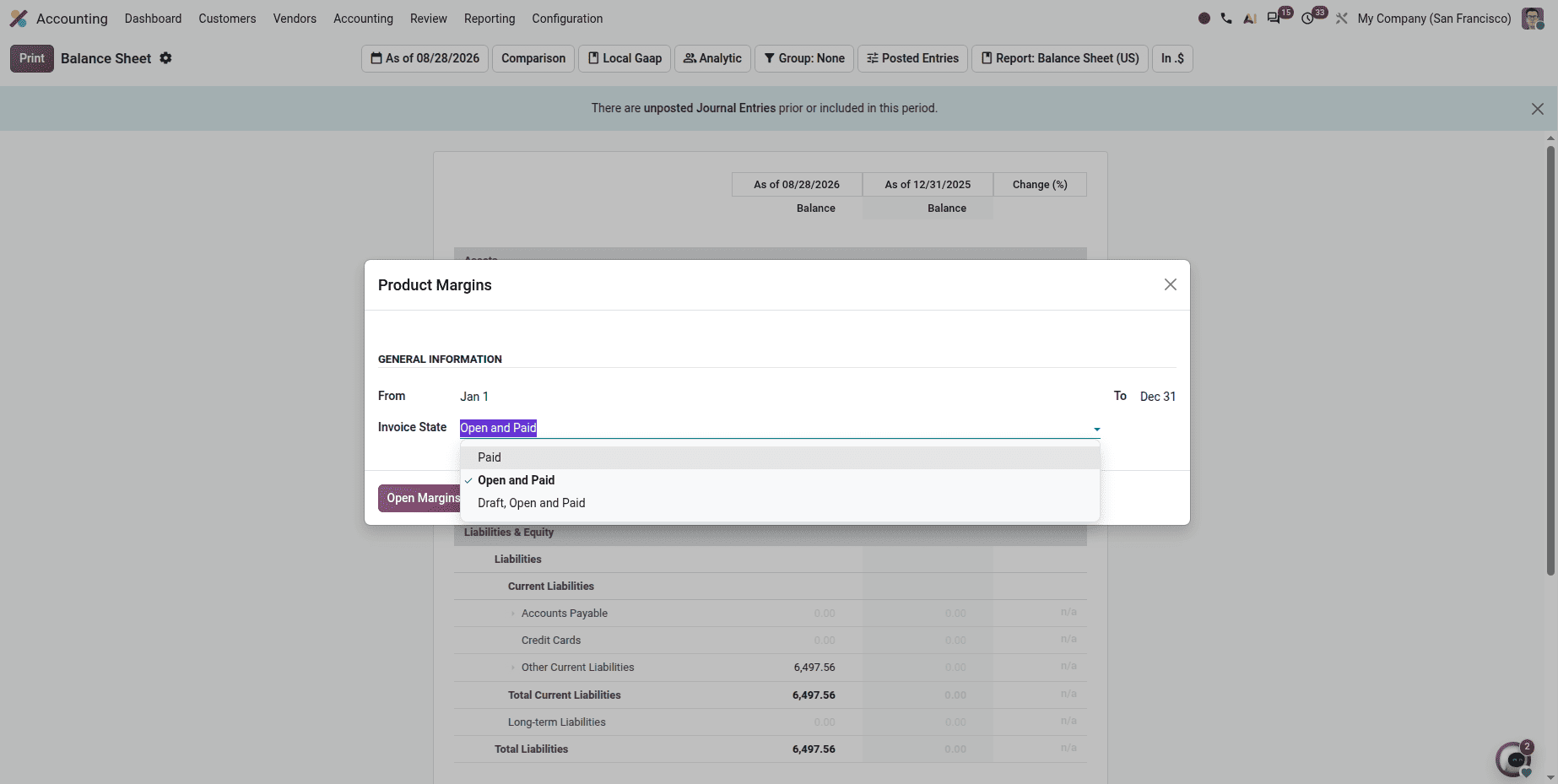
The report displays information such as Average Selling Price,Sales Turnover, Cost of Goods Sold, Expected Margin, Actual Margin, and Margin Percentage. Users can also filter the report by Date Range and Invoice Status (Draft, Open, Paid).
Parent Groups Replace Account Groups
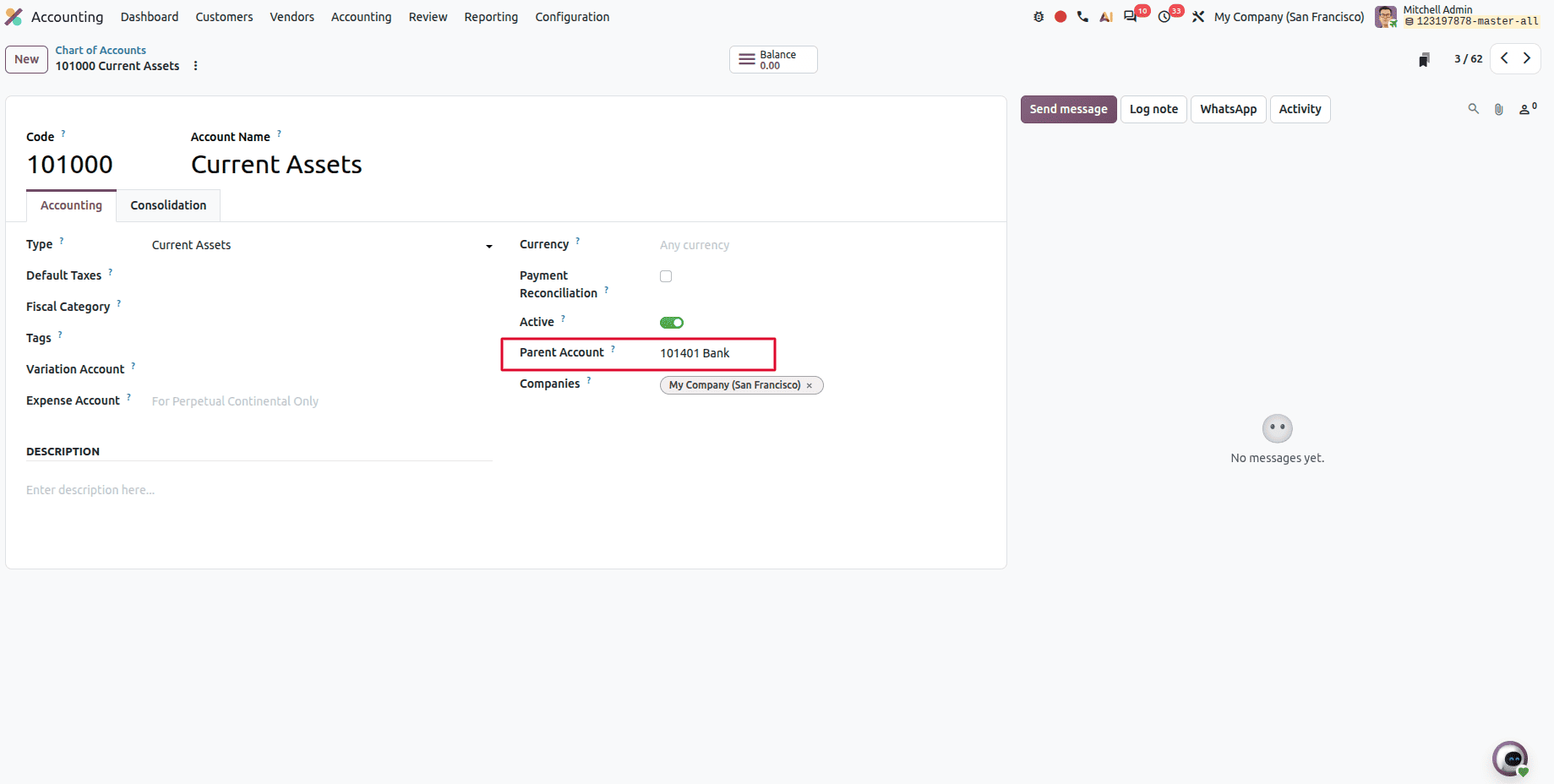
Odoo 20 replaces the previous Account Groups feature with Parent Groups for organizing the Chart of Accounts. This simplifies account hierarchy management without requiring a separate account group configuration.
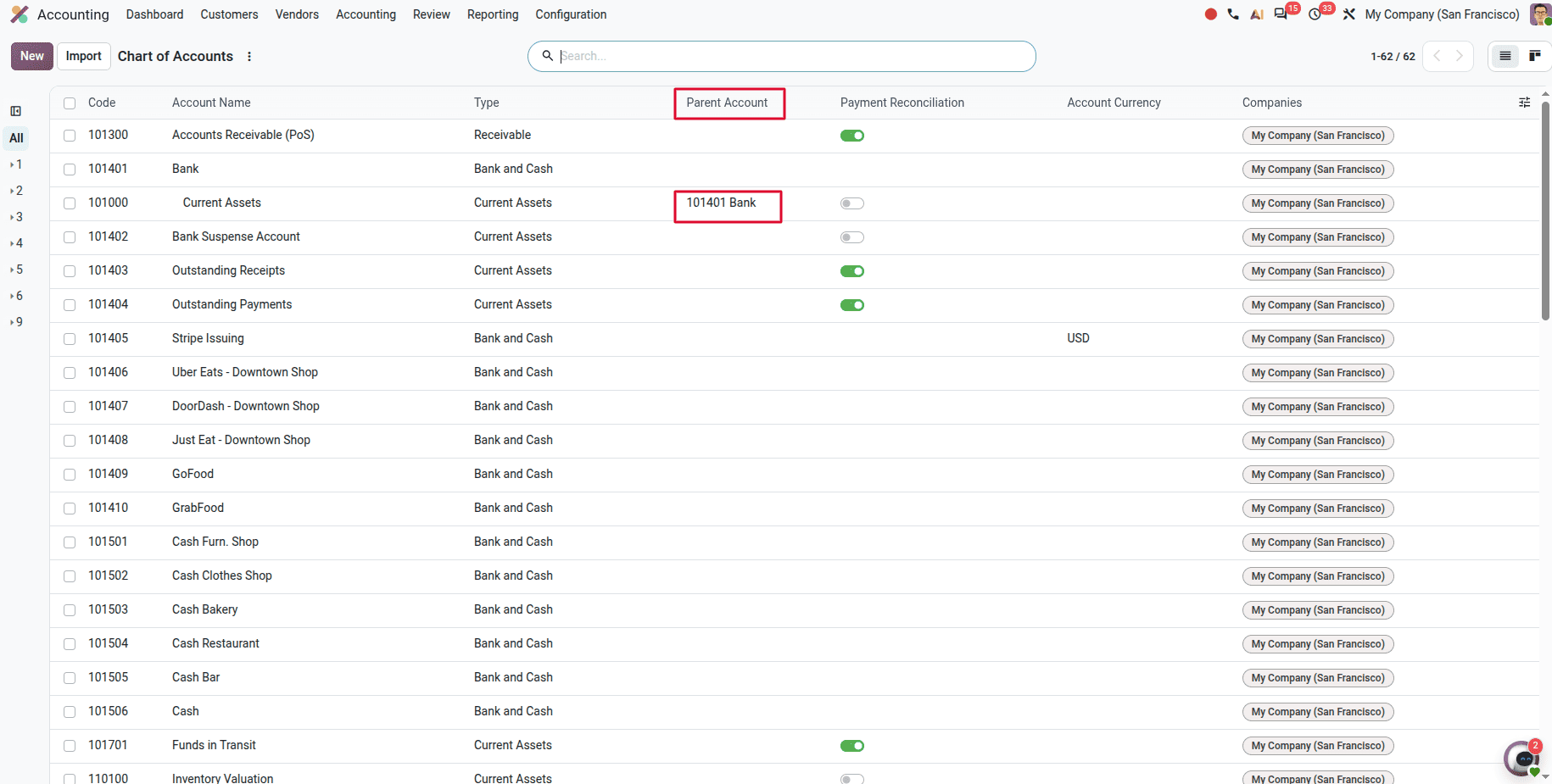
Users can create a parent-child relationship directly between accounts in the Chart of Accounts. This makes the account structure easier to understand and maintain. A new Parent Account field is available in the Chart of Accounts. Users can assign a parent account to any existing account to build a hierarchical structure.
Odoo 20 Introduces a No-Depreciation Method for Assets
Odoo 20 introduces a new No Depreciation method. This allows businesses to create assets without generating depreciation schedules or journal entries.
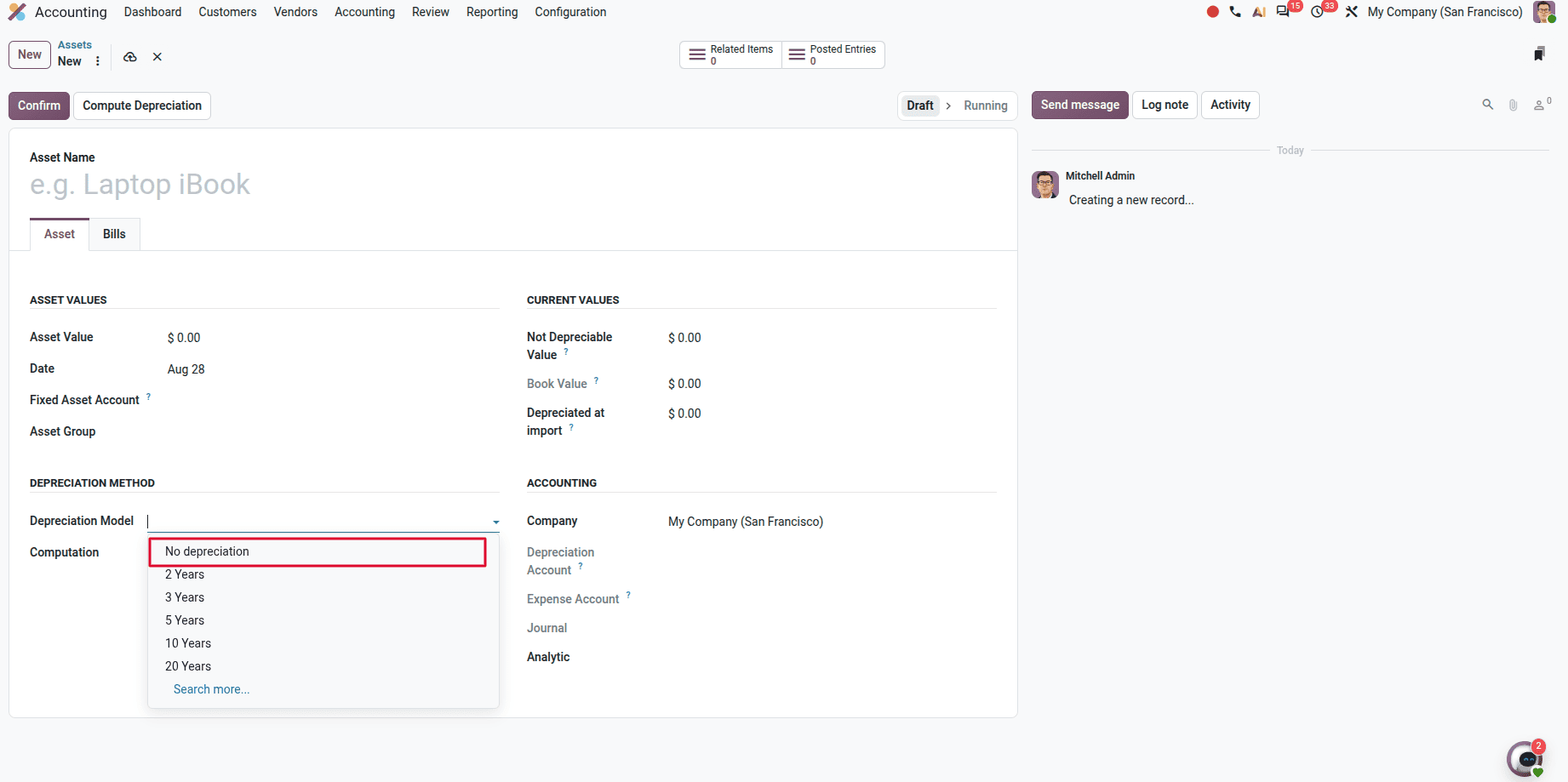
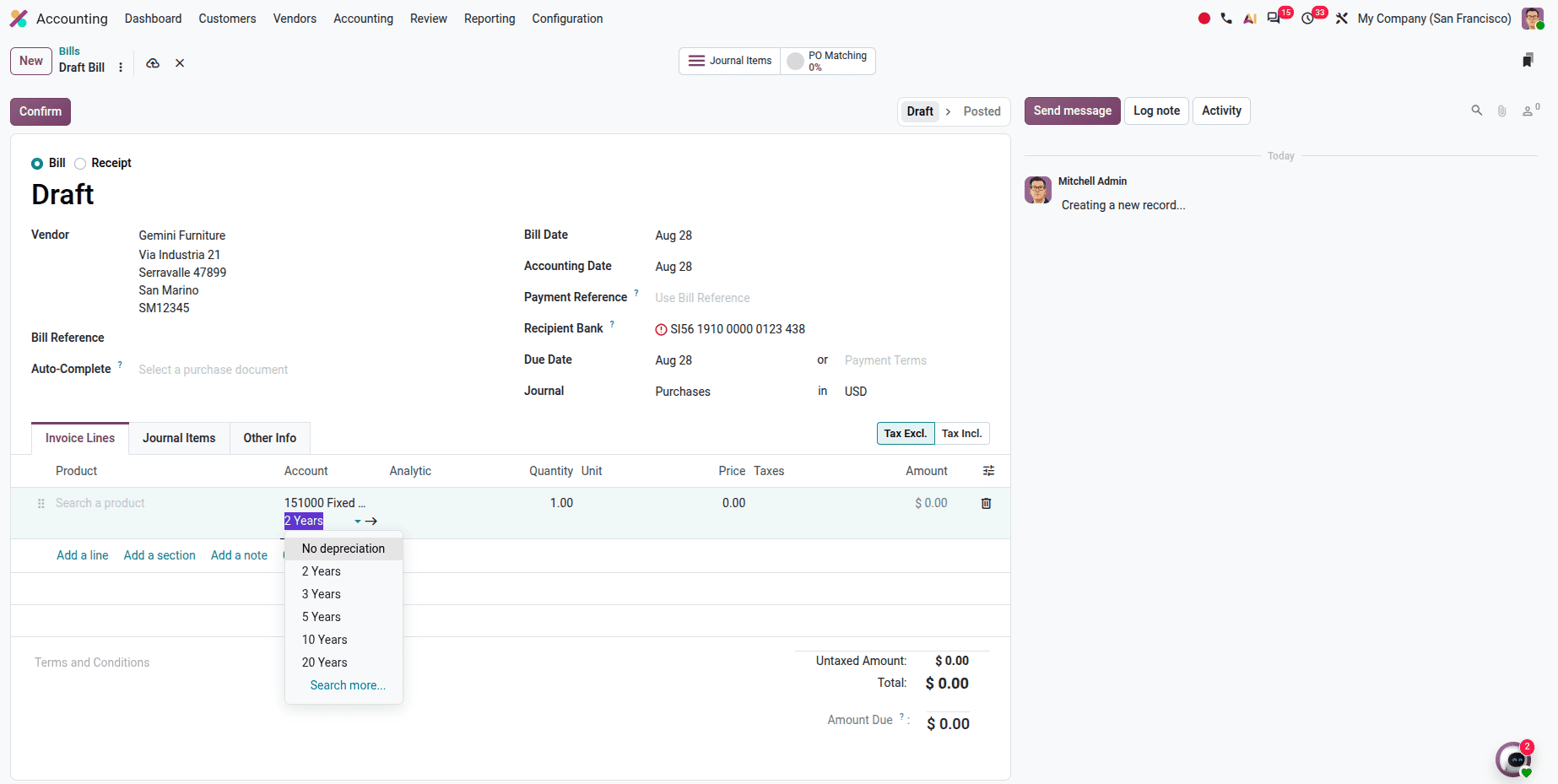
Depreciation Model Selection on Invoice Lines
Users can choose the depreciation model directly on each vendor bill line while recording an asset purchase. This provides greater flexibility for assets that require different depreciation methods.
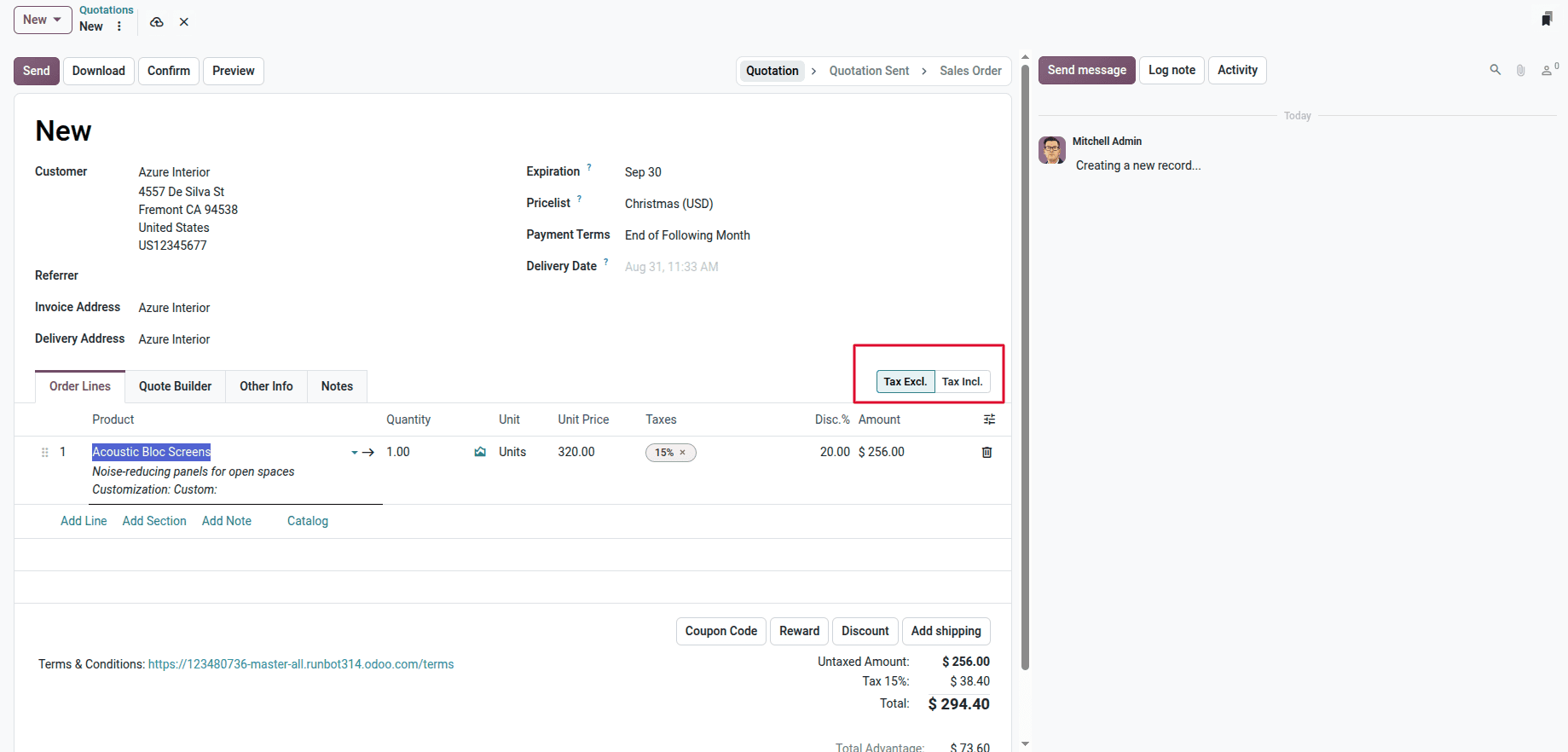
Dynamic Tax Included/Excluded Pricing
Odoo 20 introduces dynamic Tax Included / Tax Excluded pricing across Sales, Purchases, and Invoices. Users can set the tax mode directly on documents, avoiding duplicate tax configurations and improving flexibility for different pricing scenarios.
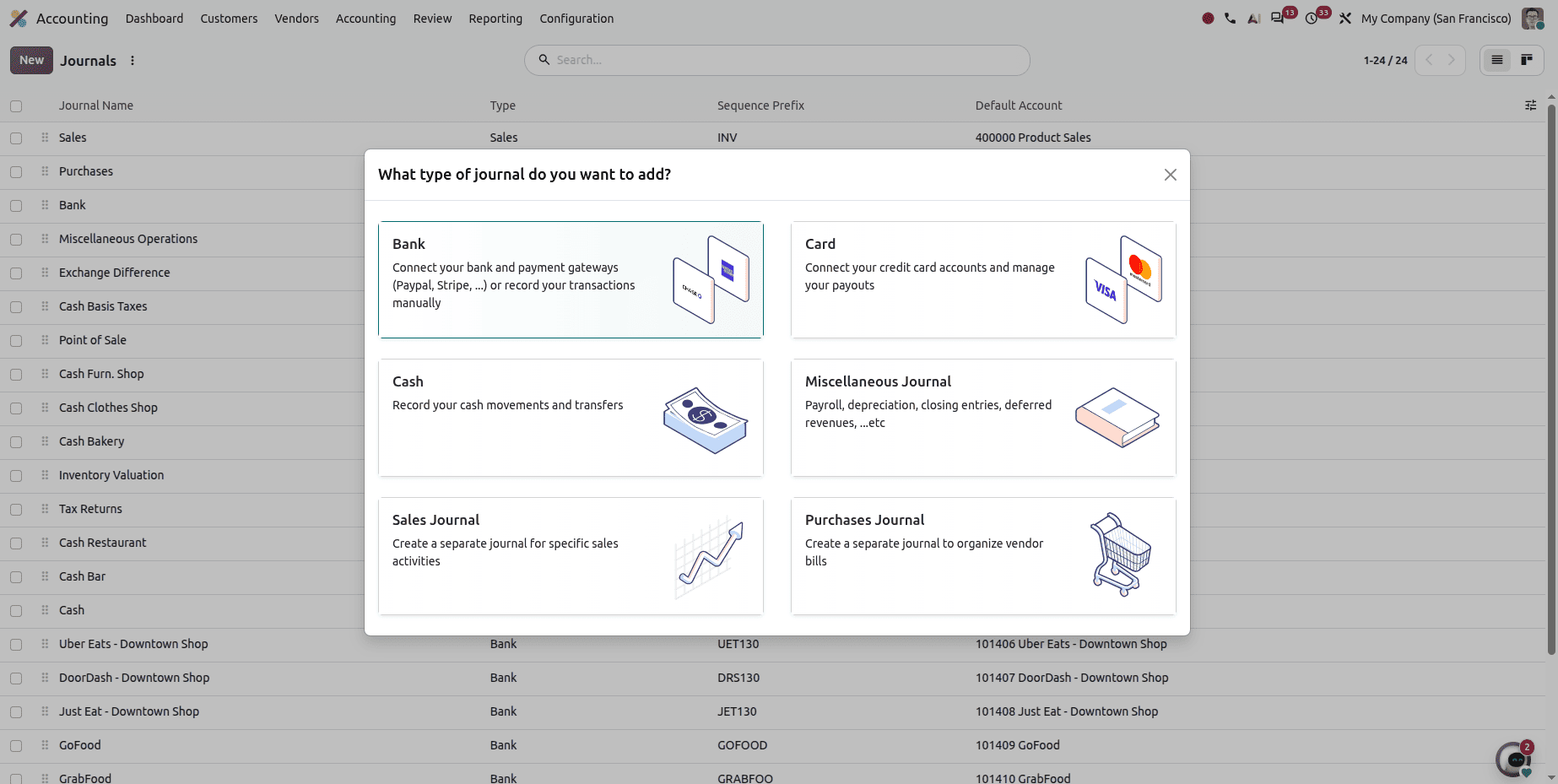
Journals User Interface improvement
The journals user interface has been improved. Creating journals becomes simpler with a dedicated selection interface that lets users quickly choose between Bank, Card, Cash, Miscellaneous, Sales, and Purchase journals, with clear descriptions and visual cues for each journal type.
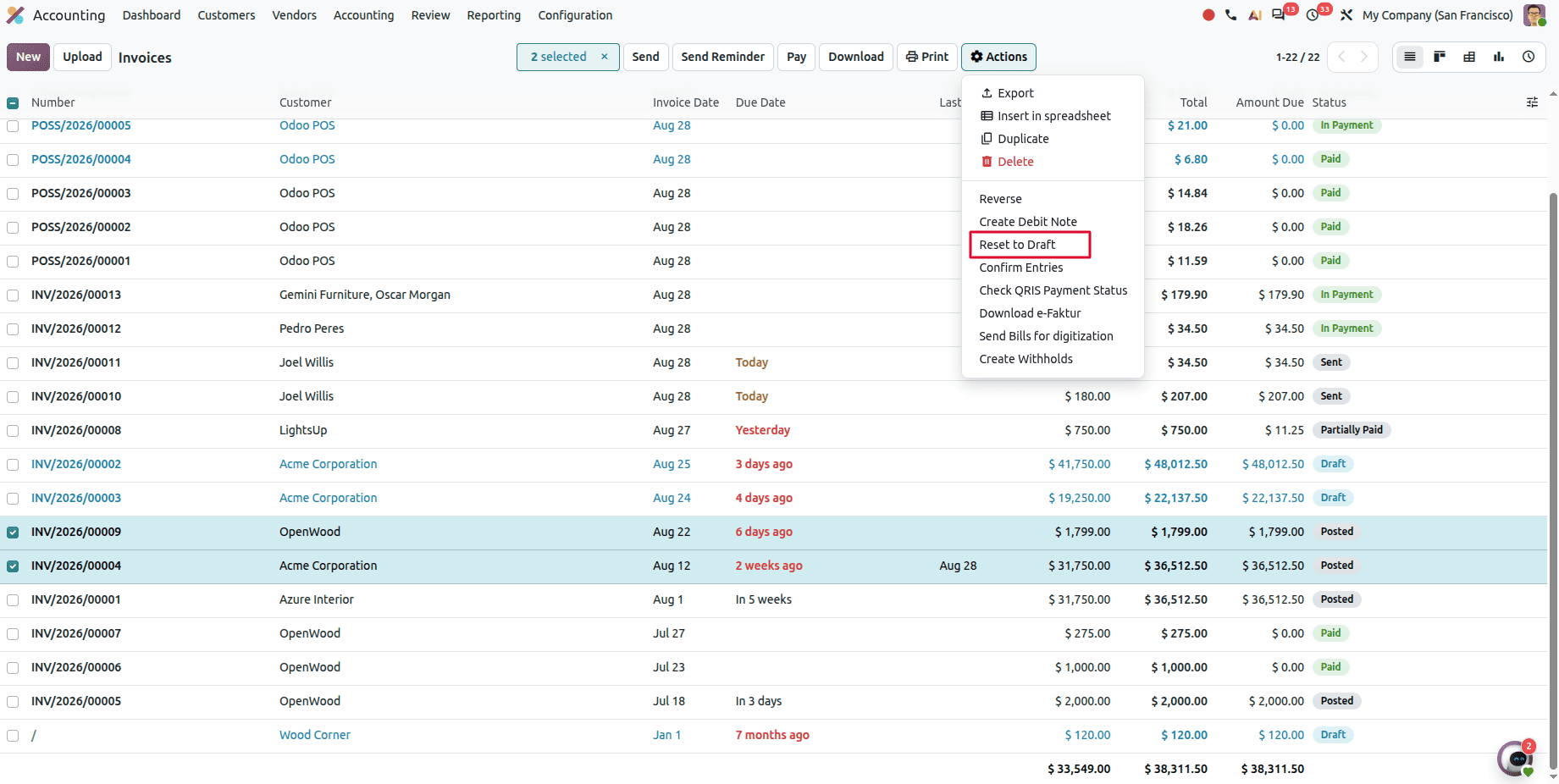
Odoo 20 Allows Reseting Multiple Invoices and Bills to Draft Status
Odoo 20 allows users to select multiple posted invoices or bills and reset them to Draft in a single action.
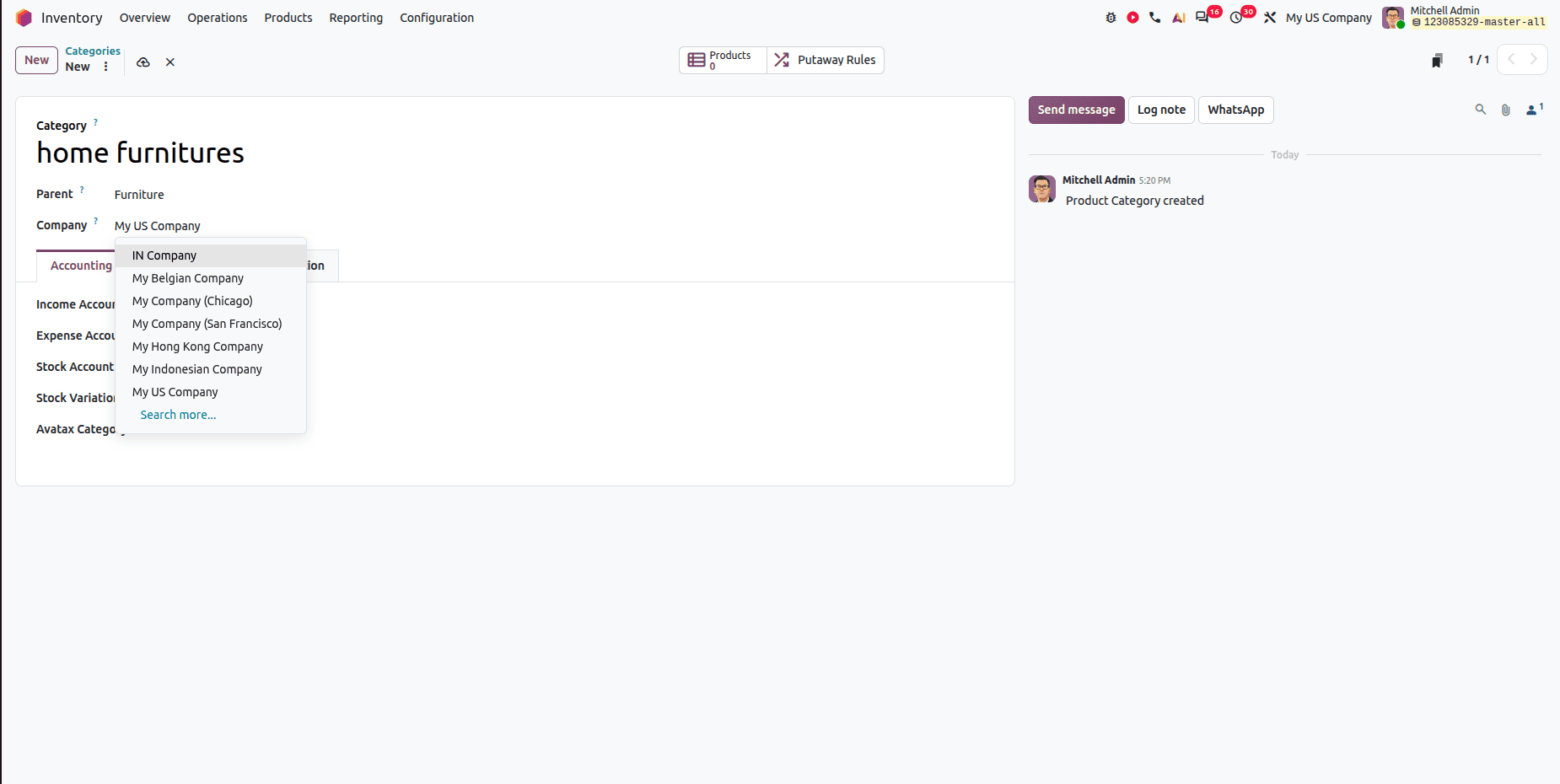
Company-wise Product Categories
In previous Odoo versions, Product Categories were not company-specific, and both Logistics and Inventory Valuation settings were grouped under the Accounting tab. Odoo 20 introduces a more organized structure that improves usability, especially for multi-company environments.
Modern Survey Interface
Odoo 20 introduces a cleaner and more modern interface for the Survey module. The improved layout provides a smoother experience for both survey creators and participants.
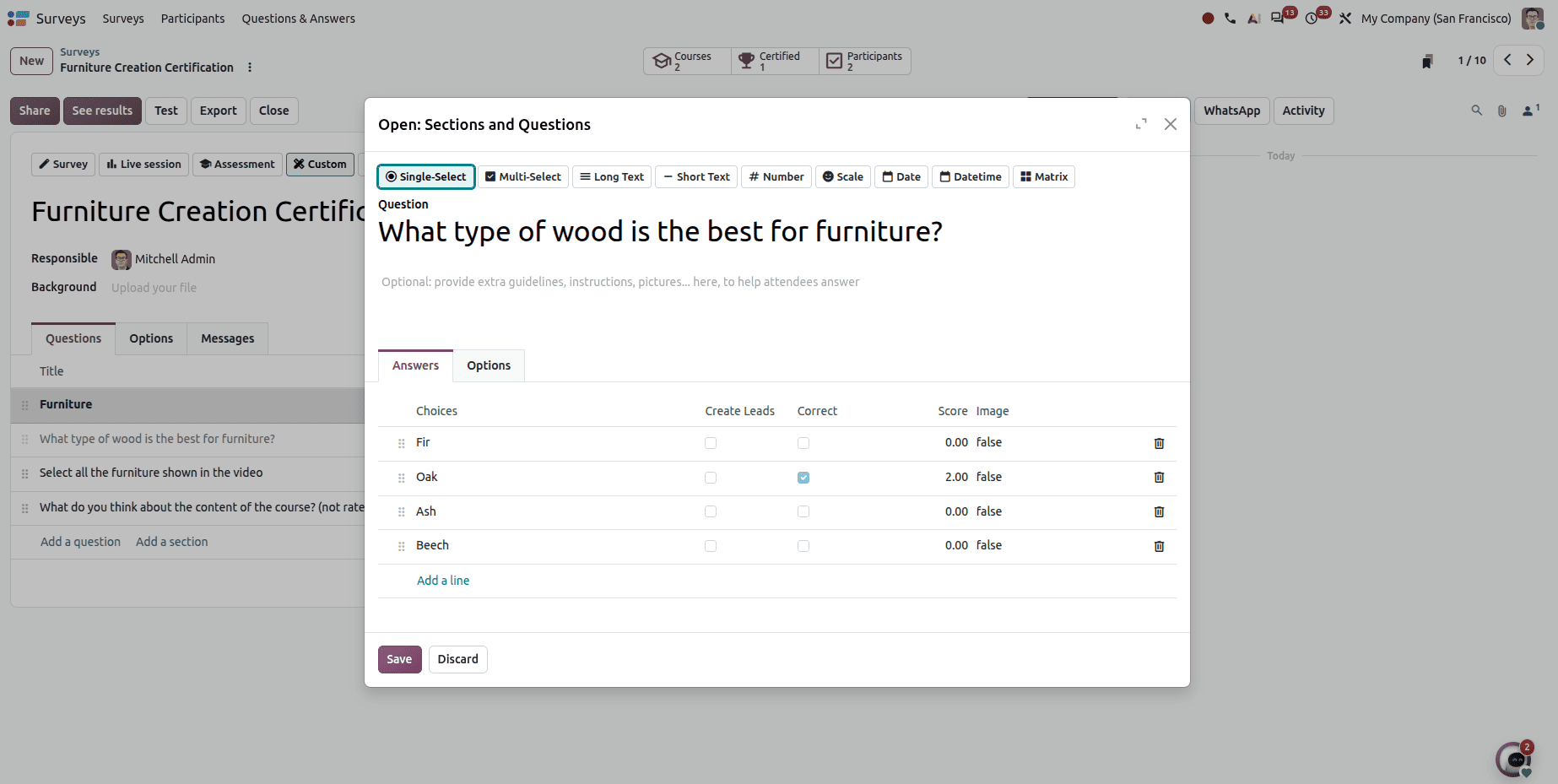
The question creation window has been redesigned with a more professional interface. This makes it easier to add and configure different question types.
Survey participants receive a clearer results page showing their score, pass or fail status, and remaining attempts. Users can also review their submitted answers after completing the survey.
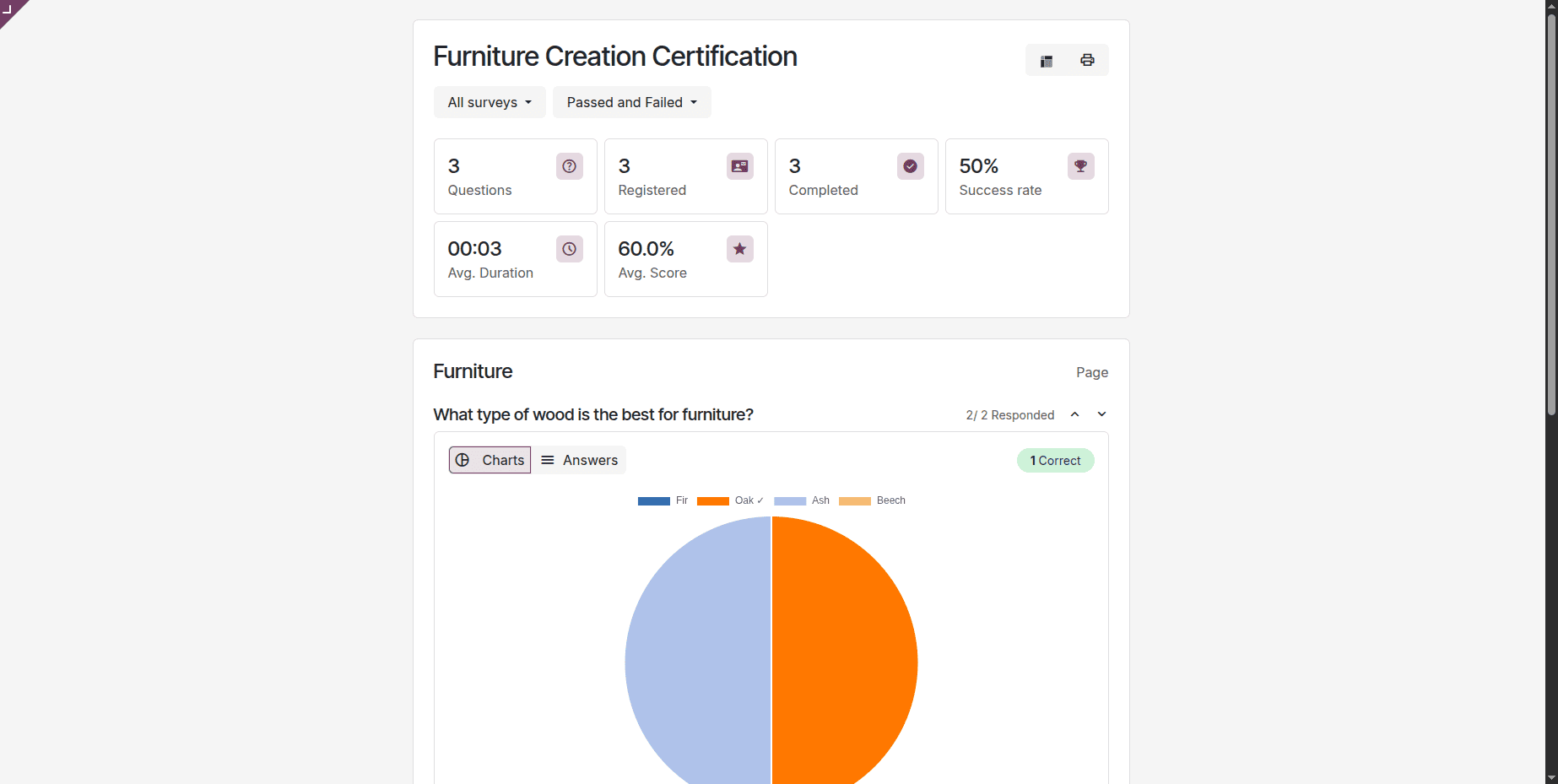
Survey participants receive a clearer results page showing their score, pass or fail status, and remaining attempts. Users can also review their submitted answers after completing the survey.
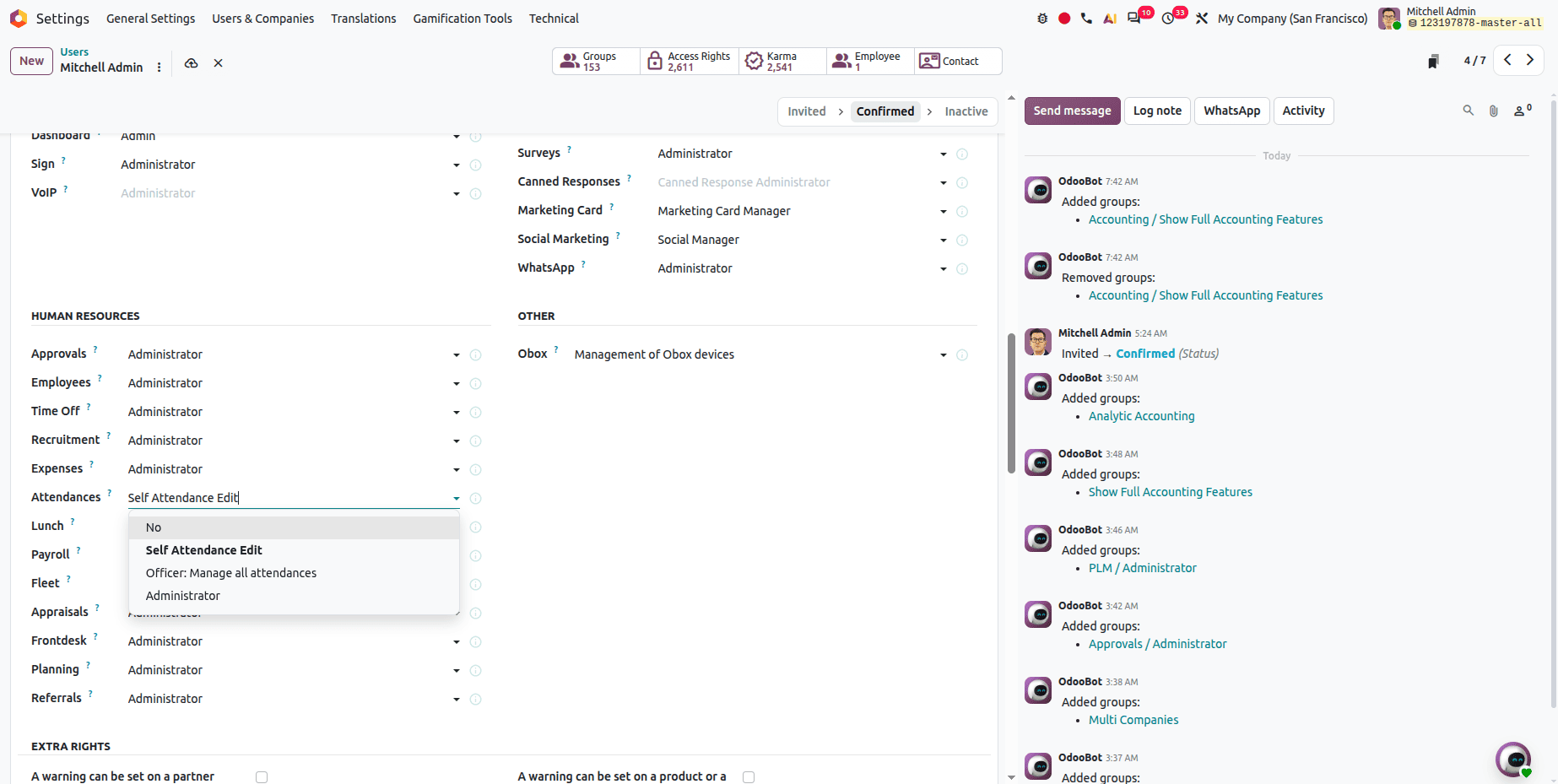
Attendance Access Rights
A new access right called Self Attendance Edit allows administrators to control which employees can modify their attendance records.
Salary Increase from Employee Profile
Odoo 20 allows HR managers to process salary increases directly from the employee profile. This eliminates the need to navigate through multiple payroll menus.
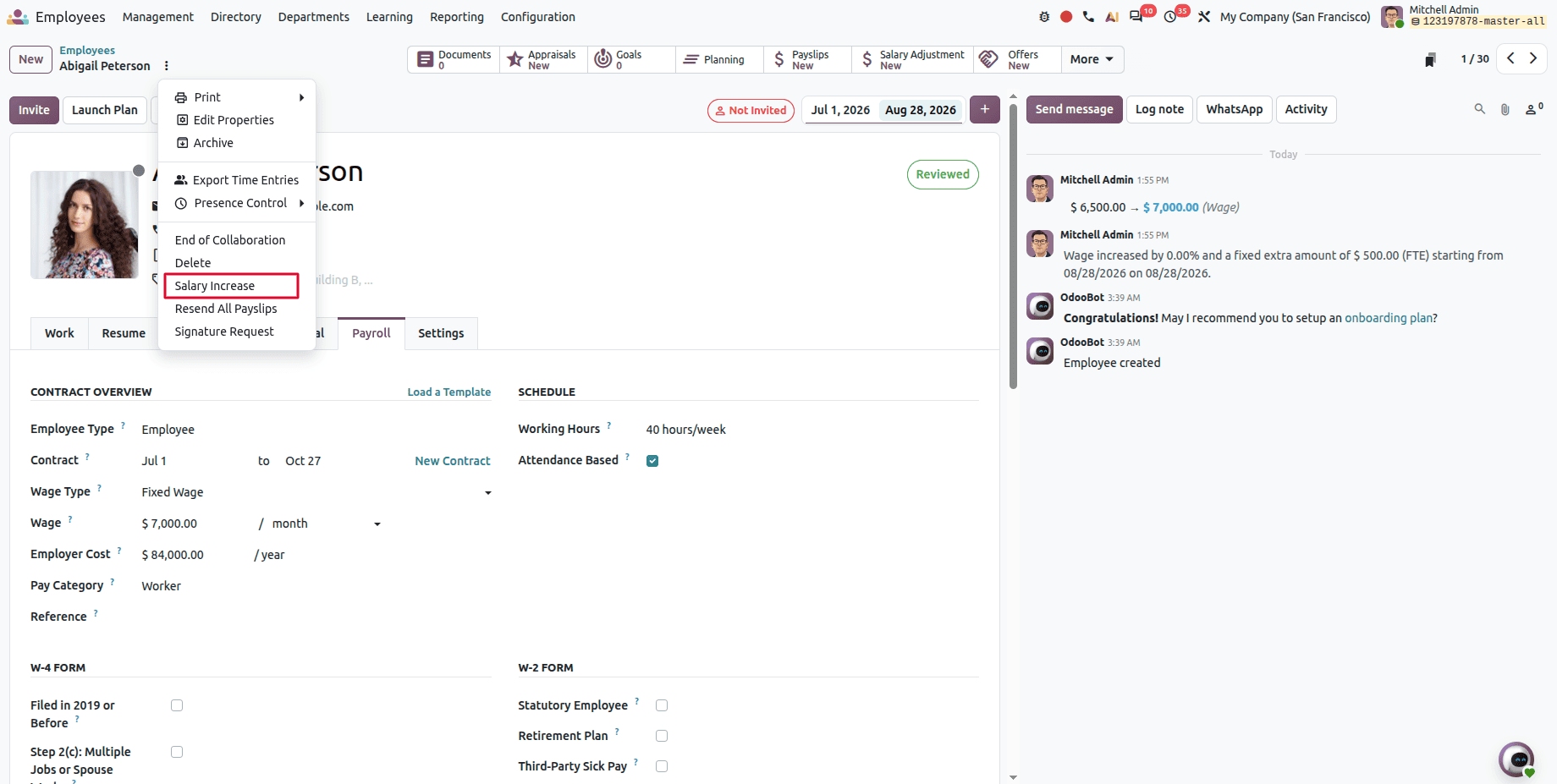
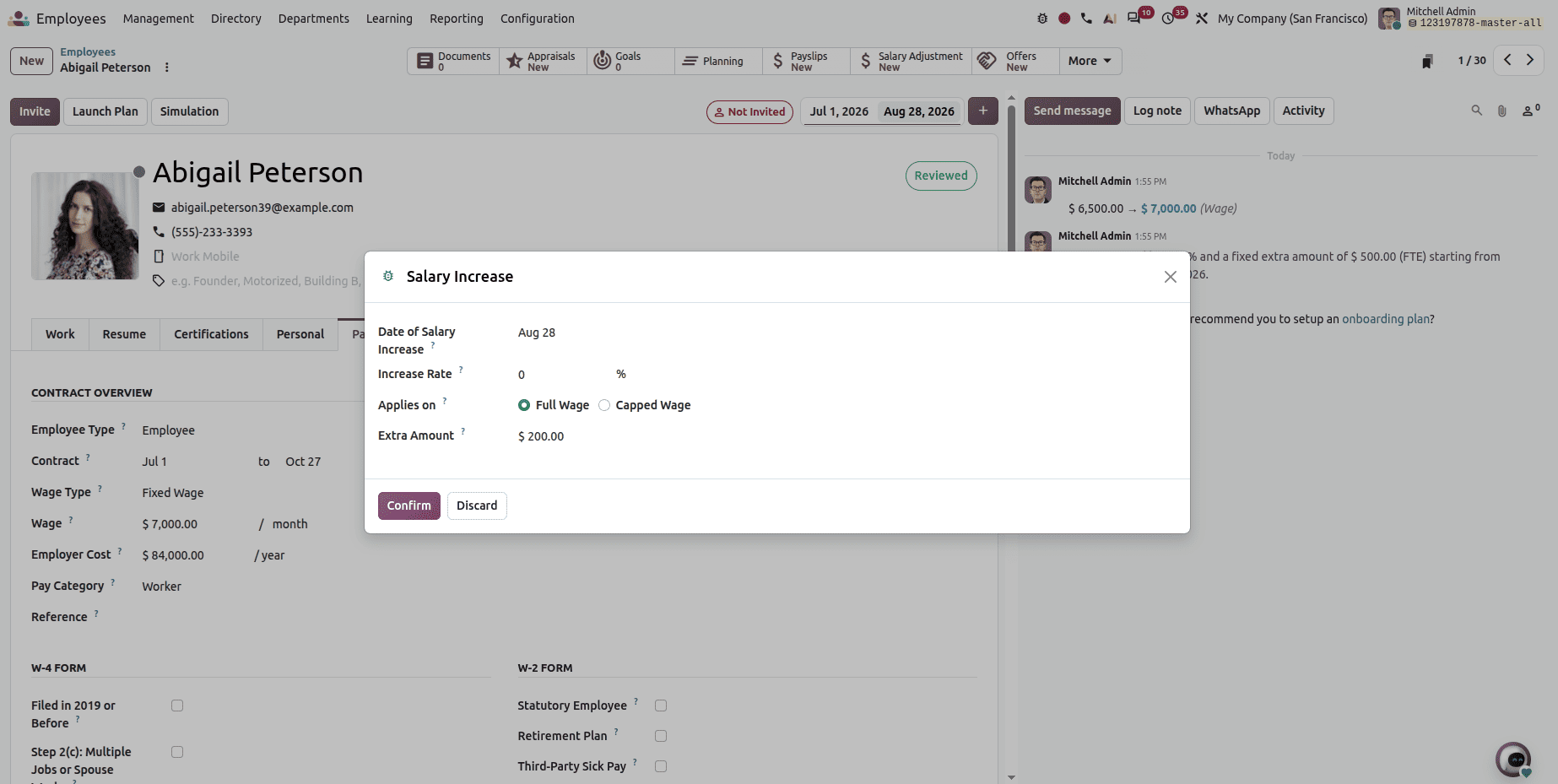
Fill in the date and salary increment amount, then click the confirm button.
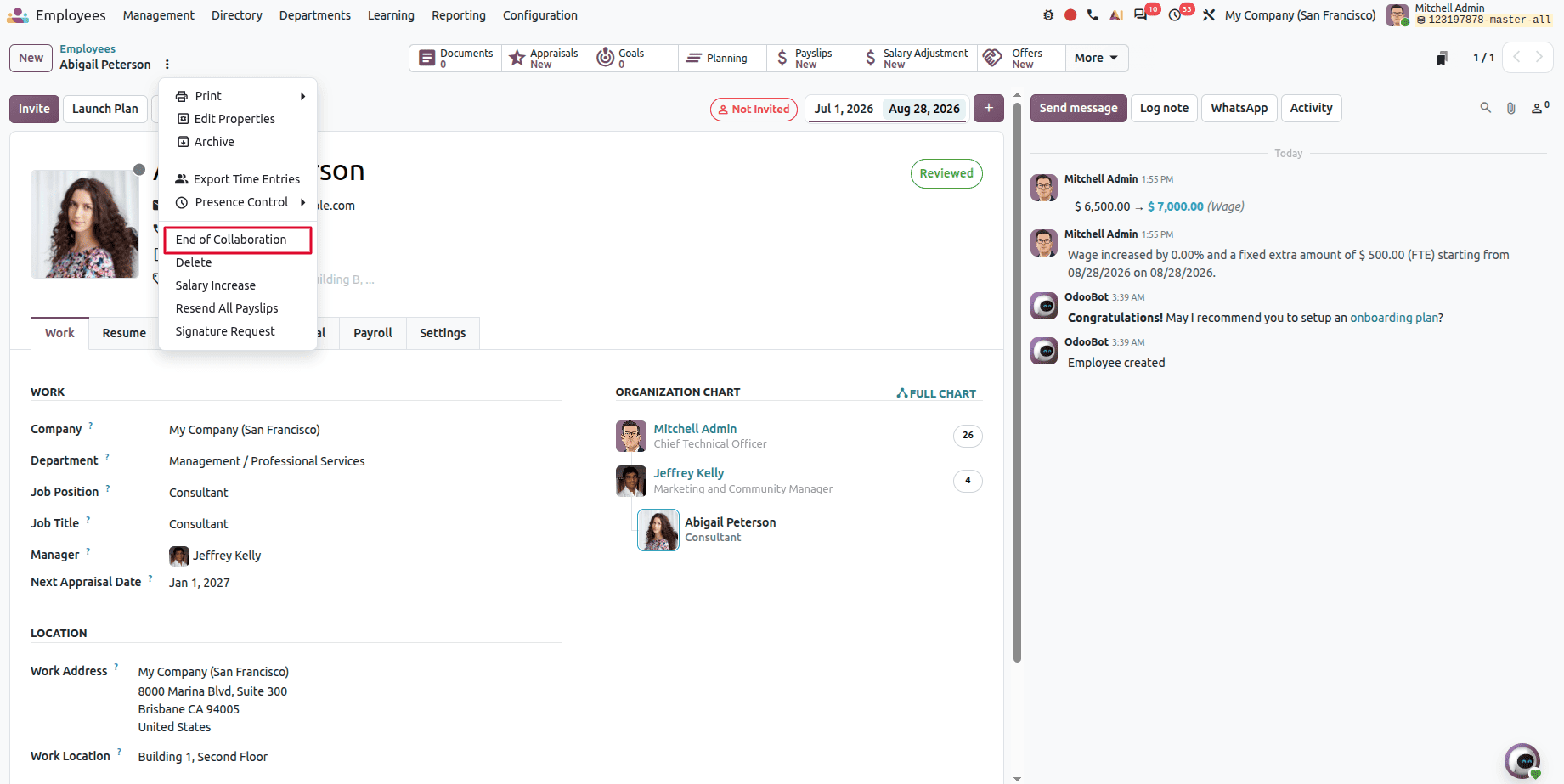
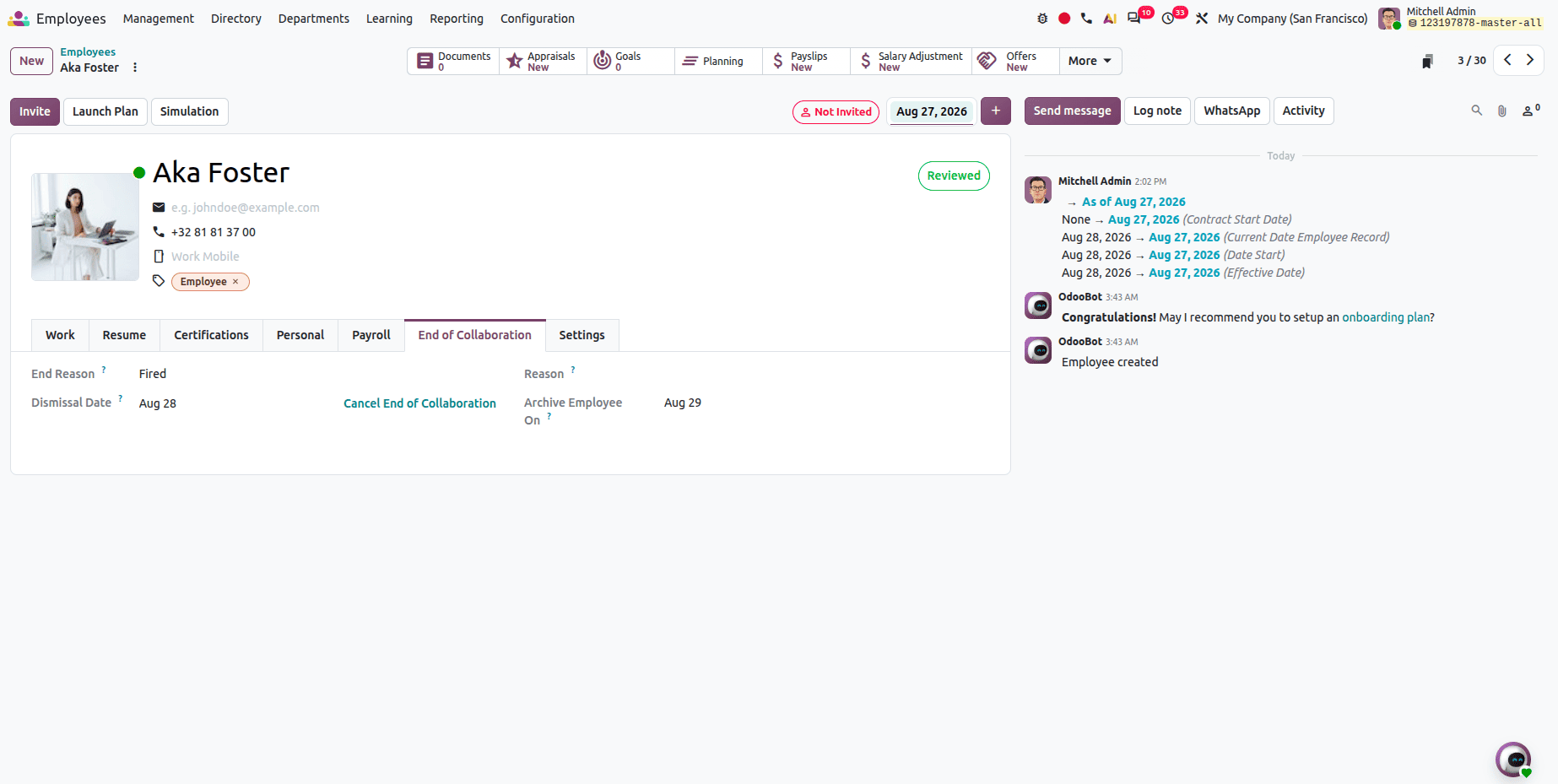
End of Collaboration Feature
Odoo 20 introduces an End of Collaboration option that allows HR managers to manage employee departures directly from the employee record. This simplifies the offboarding process.
Fill in the reasons for this end of collaboration.
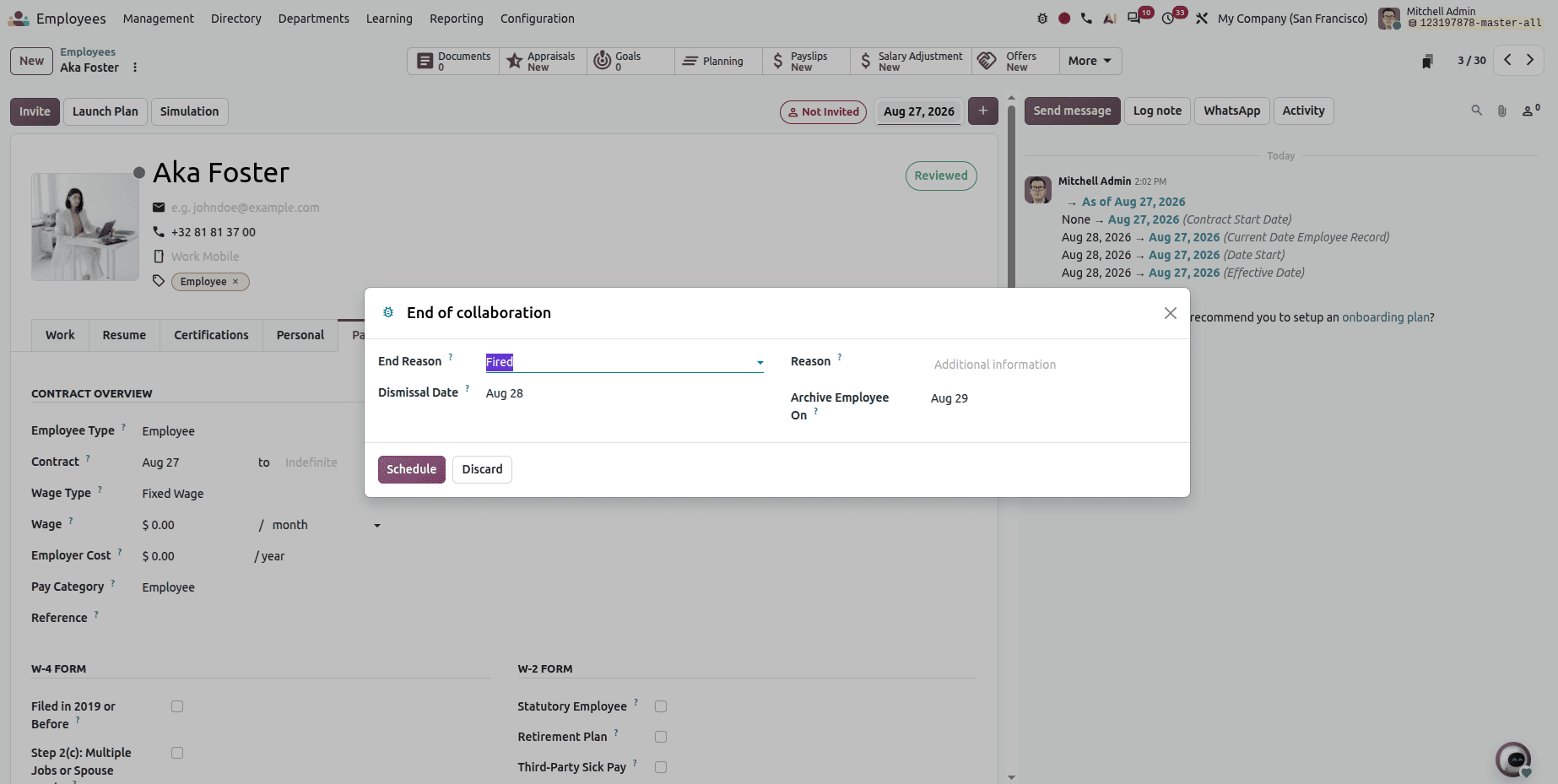
Then click the schedule button to set the end of collaboration.
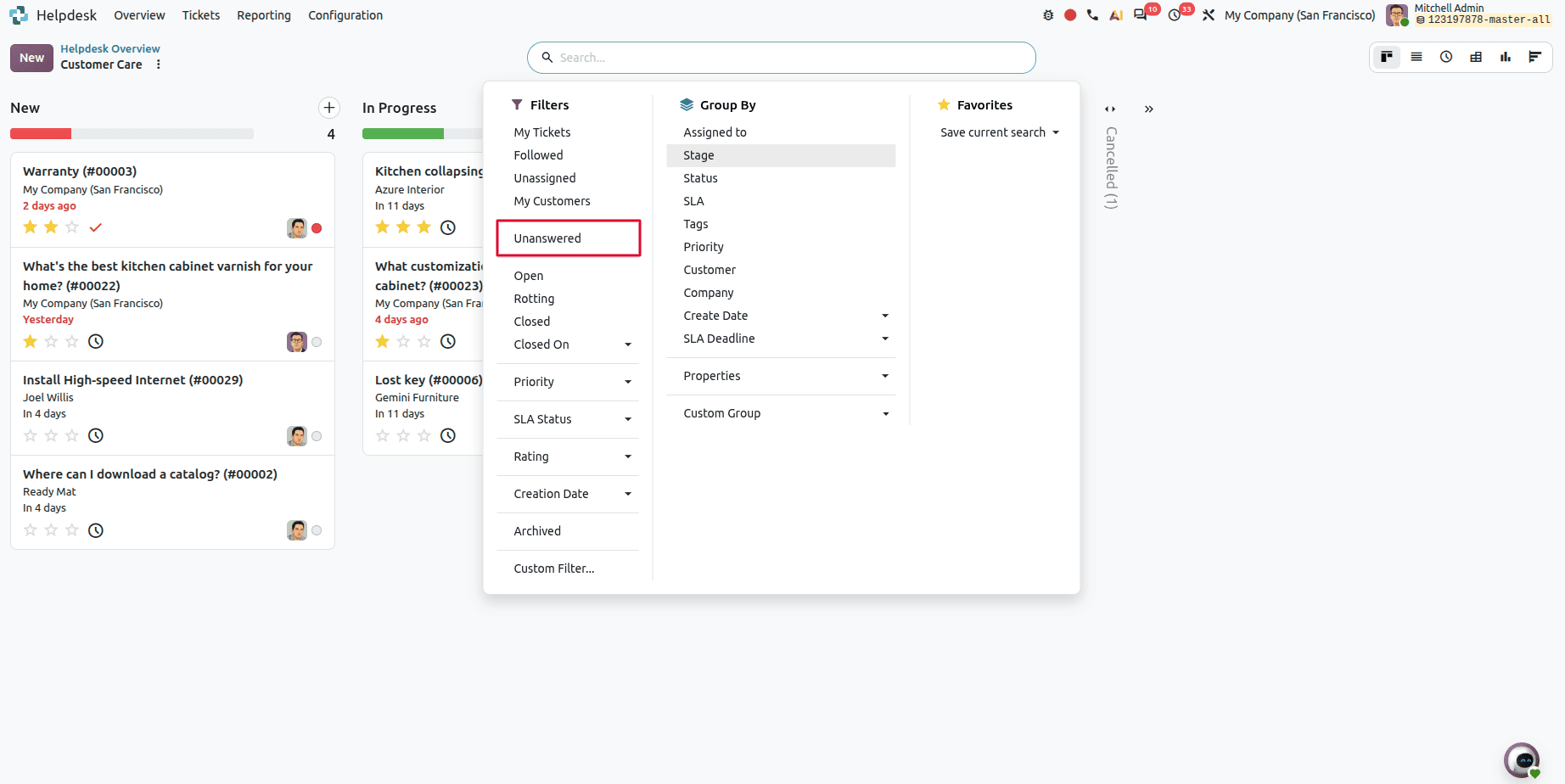
Odoo 20 Makes It Easier to Locate Help Desk Unanswered Tickets
By going to Helpdesk tickets, users will be able to filter Unanswered tickets.
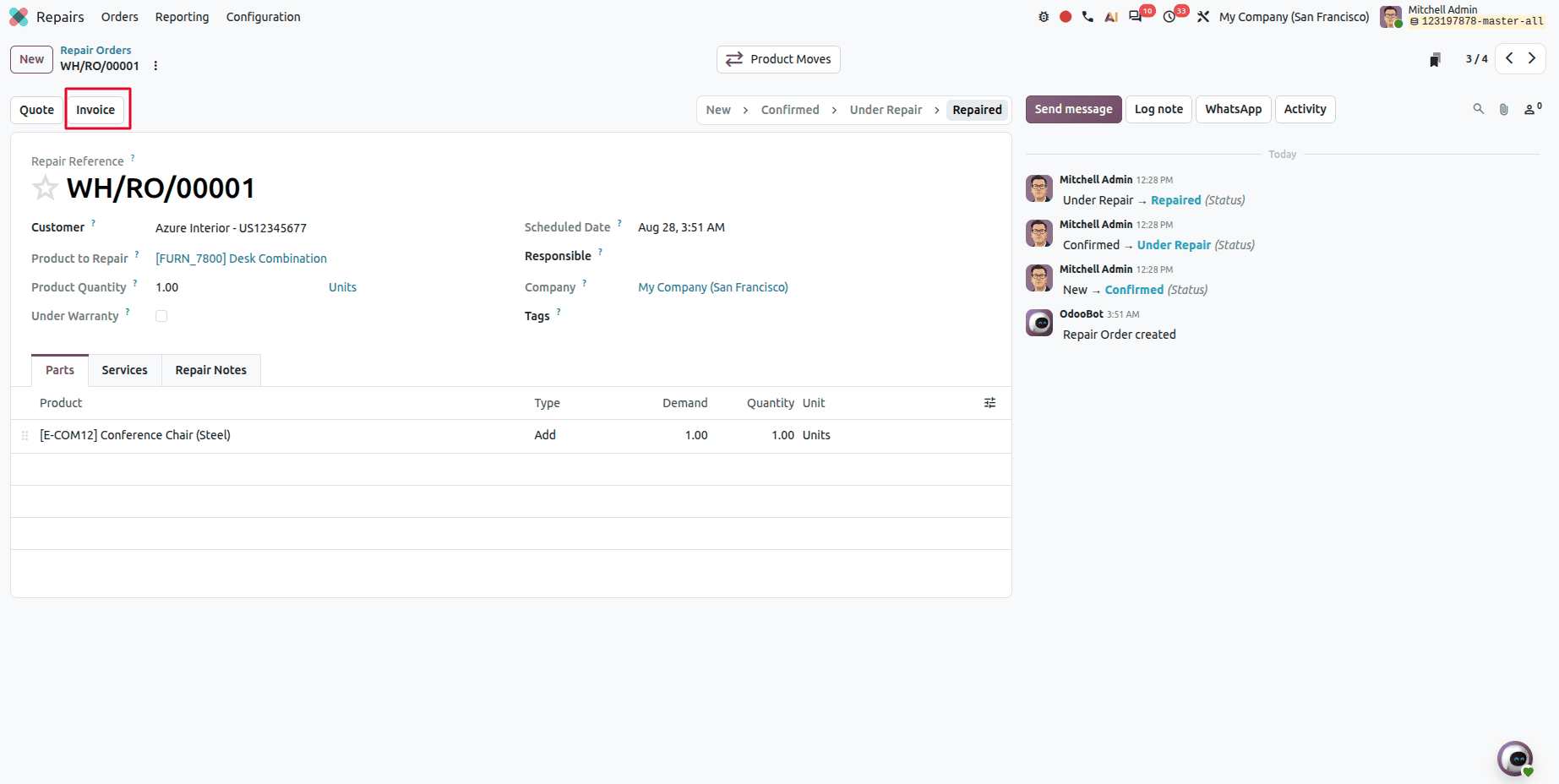
Invoice from Repair Order
Now users can directly create an invoice from a repair order.
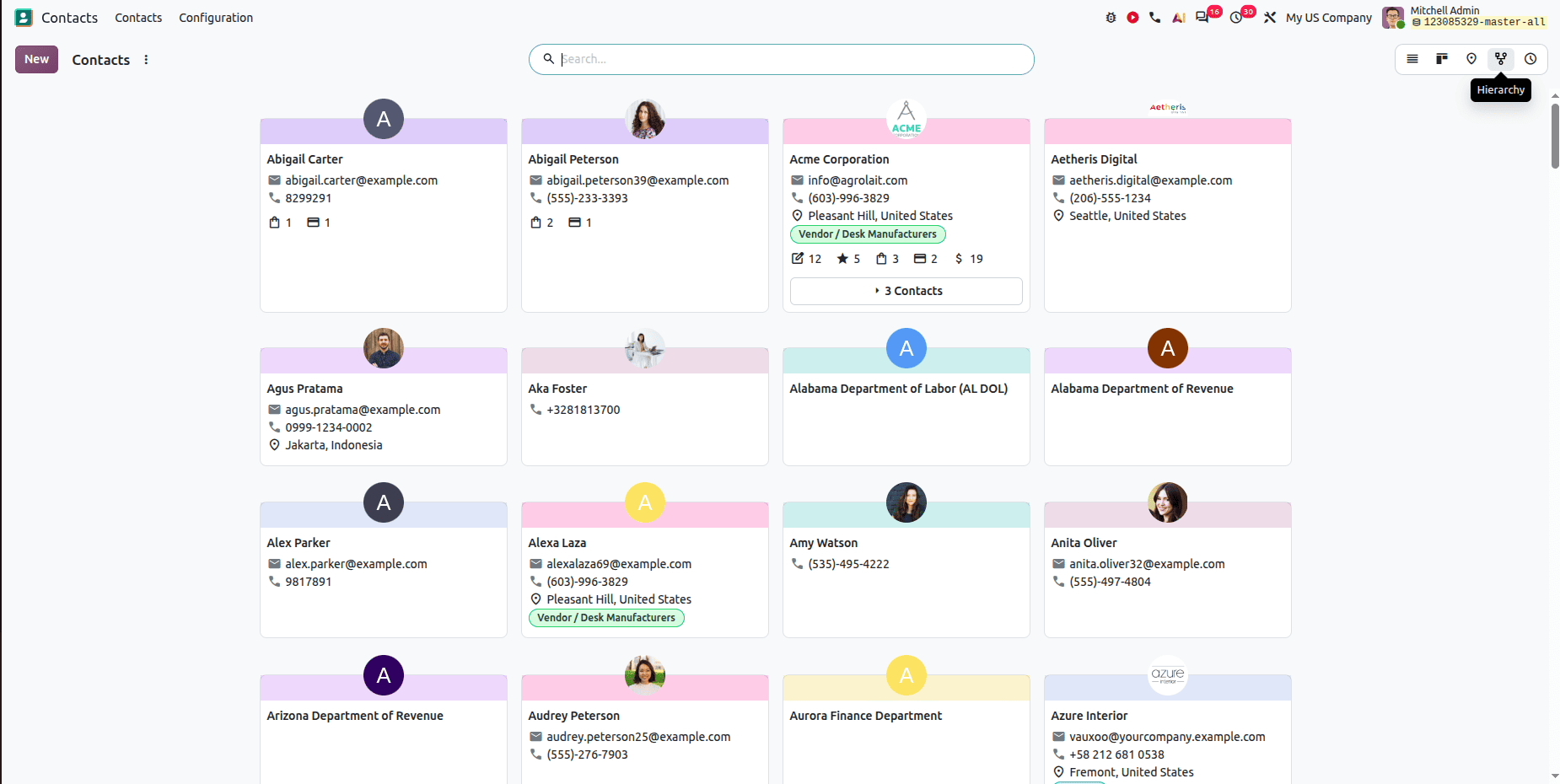
Odoo 20 Adds a Hierarchy View for Better Contact Management
Now, in Contacts, the hierarchy view is available just like the Employees hierarchy.
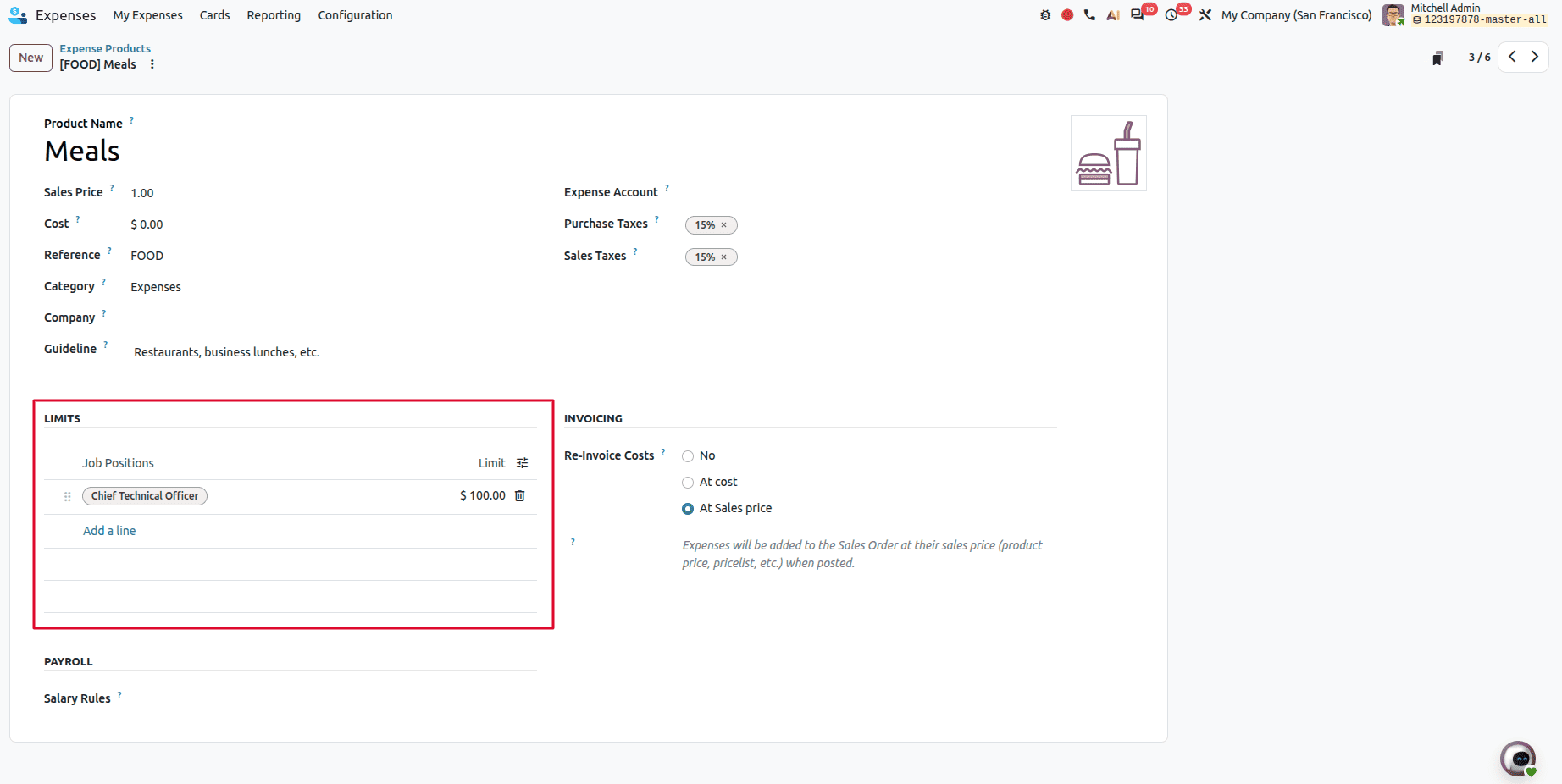
Expense Limitations Configured Based on Employee Role in Odoo 20
Odoo 20 introduces the expense limit. Now the business administrators can set the expense limit. Expense limits can be configured based on an employee's job position. Different roles can have different limits according to company policies.
The Odoo 20 software contains several new features that improve business management and provide a more efficient process. The software contains useful AI features, a redesigned mobile interface, and improvements in Sales, POS, CRM, Accounting, Manufacturing, Projects, Rentals, and HR.
The above changes improve efficiency, reduce manual work, and offer the users more control over the business process. More advanced dashboards, flexible pricing, and better tools for planning and reporting provide the software with more productivity.
In conclusion, the Odoo 20 software is more advanced and connected in terms of ERP solutions. The existing users of Odoo can implement the new features depending on the needs, while the new users can take advantage of the business management features.
To read more about How to Set Up an Odoo 20 Development Environment Using PyCharm on Ubuntu, refer to our blog, How to Set Up an Odoo 20 Development Environment Using PyCharm on Ubuntu.