In Odoo 19, a Vendor Bill is used to record supplier invoices and manage payable transactions within the Accounting module. It helps businesses validate purchase costs, track outstanding amounts, and automate bill processing through vendor references, payment terms, and journal entries. Users can link bills to purchase orders, apply taxes, reconcile payments, and monitor due dates using smart accounting features, ensuring accurate financial reporting and streamlined vendor management.
Importing Vendor Bills in Odoo 19 is important for improving accounting efficiency and reducing manual data entry errors. The import feature allows businesses to upload multiple supplier invoices using structured files, saving time when handling large transaction volumes. It ensures accurate recording of vendor references, taxes, payment terms, and bill dates while maintaining consistency across accounting records. By importing Vendor Bills, organizations can streamline accounts payable processes, enhance financial accuracy, support faster reconciliation, and improve overall workflow management within the Accounting module.
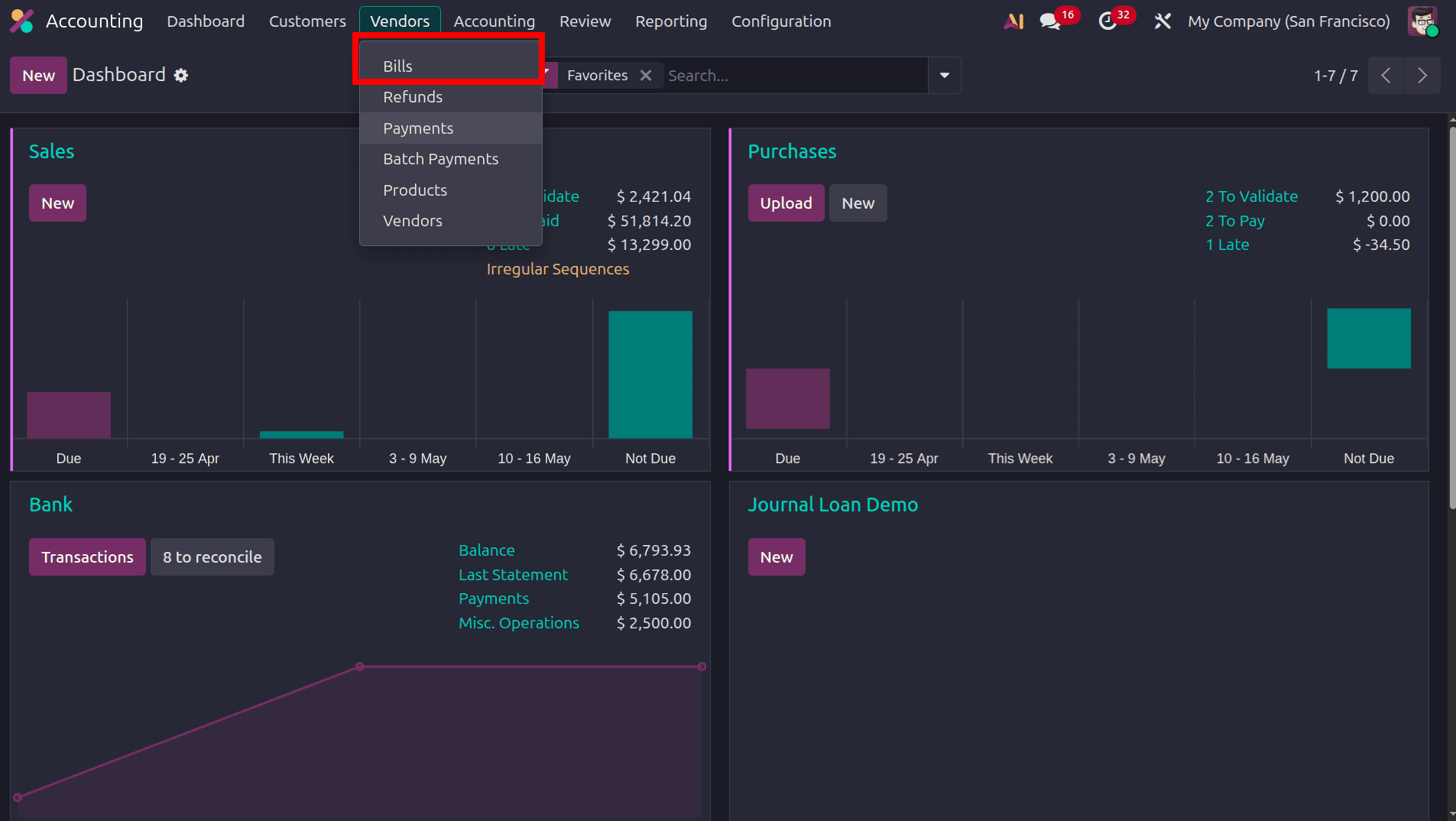
After generating the list of vendor bills in Odoo, users can select the required bill record and access the Action menu to use the Export feature. By exporting the selected vendor bill, Odoo creates a structured spreadsheet template containing all mapped accounting fields, journal details, partner information, taxes, payment terms, and invoice lines. This exported file serves as a reference format for bulk data migration and accurate data entry. After removing the sample transaction data while retaining the field structure, the same template can be reused to import multiple vendor bills efficiently through the Odoo import functionality, ensuring standardized accounting data management and minimizing manual entry errors.
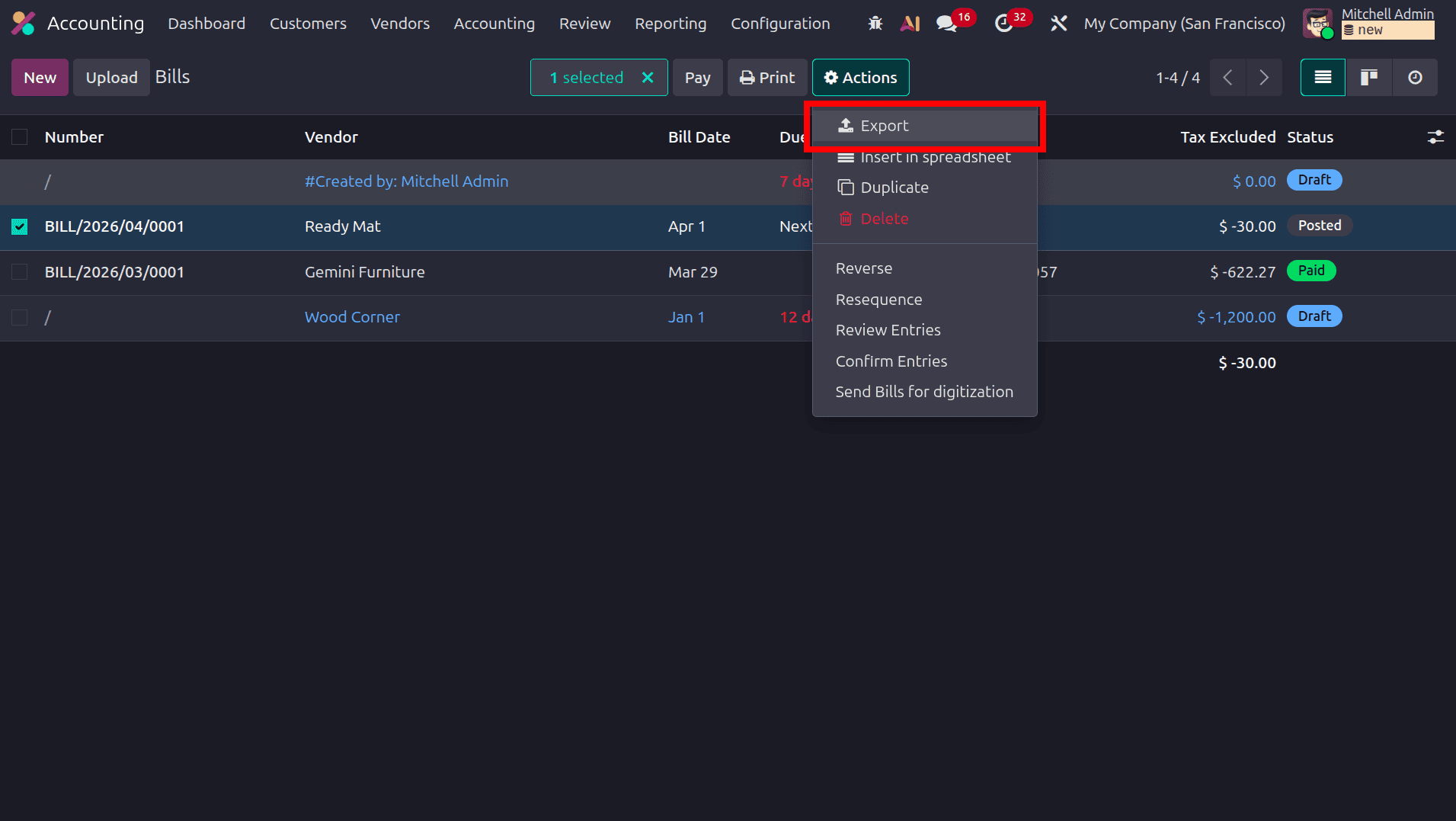
From here, we can choose the fields that we need in the template. One more option is available there, which is that we can save the list of selected fields and use that saved template for future importing purposes.
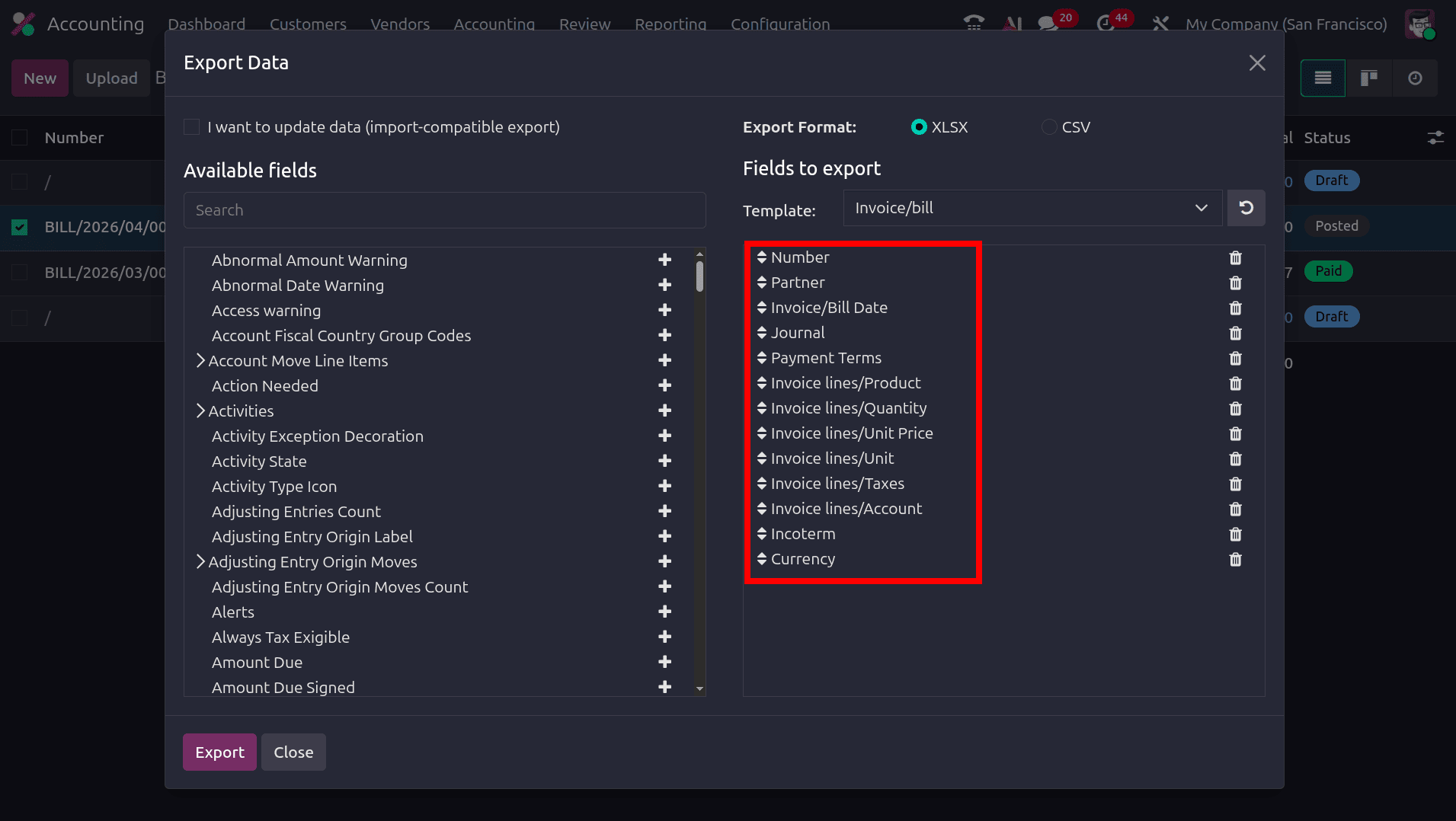
For importing a vendor bill, select the fields like Number, Partner, Invoice/Bill Date, Journal, Payment Terms, Invoice line/Product, Invoice line/Quantity, Invoice line/unit Price, Invoice line/Unit, Invoice line/Taxes, Invoice line/Accounts, Incoterm and Currency.
- Number: This field represents the unique reference number assigned to the vendor bill in Odoo.
- Partner: This refers to the vendor partner who maintains a business relationship with the company in Odoo.
- Invoice line/Bill Date: The date on which the vendor bill is generated or recorded in Odoo.
- Payment Terms: Defines the payment terms configured for the vendor bill, specifying the due date rules, payment schedule, and settlement conditions for the invoice.
- Invoice line/Product: The individual products, services, or expense items recorded in each invoice line of a vendor bill within Odoo.
- Invoice line/Quantity: Represents the quantity of a particular product or service recorded against each invoice line in the vendor bill within Odoo.
- Invoice line/unit Price: The Unit Price represents the cost assigned to each quantity of the product or service specified within a particular invoice line in Odoo.
- Invoice line/Unit: The Unit of Measure defines the standard measurement used in Odoo to quantify the product or service included in the billing transaction.
- Invoice line/Taxes: Tax configurations assigned to a particular product or service line in a vendor bill within Odoo.
- Invoice line/Accounts: Defines the ledger account used to record each invoice line transaction in Odoo.
- Incoterm: In Odoo, Incoterms define buyer and vendor responsibilities, shipping obligations, and delivery conditions in international trade transactions.
- Currency: The Currency field specifies the transaction currency used for recording the vendor bill and accounting entries.
Then click the export button to export the data of the selected bill to the document template. Then we can add the data that we want to import to this template.
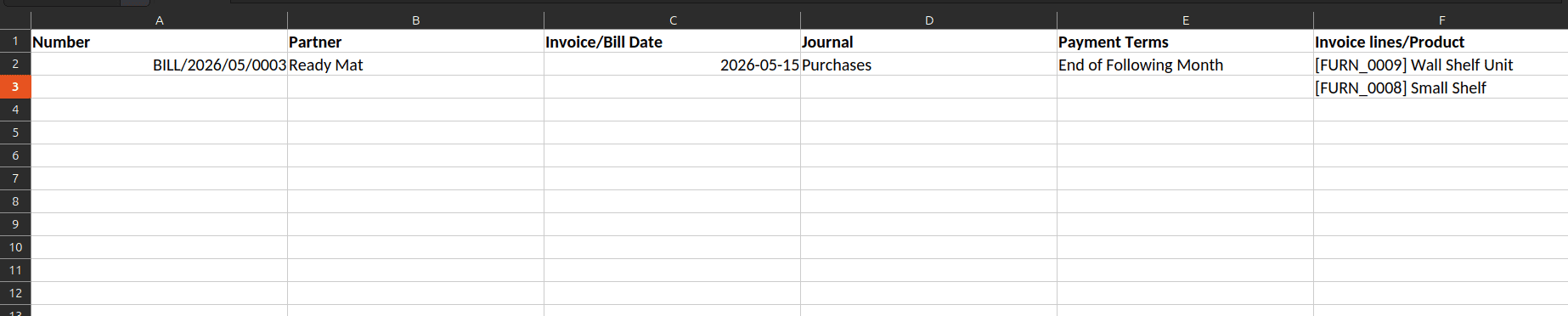

Once we have added the data and saved it, we can move to Odoo and import this template to Odoo. Move to the list of vendor bills, and click the Action button, there will be an import option.
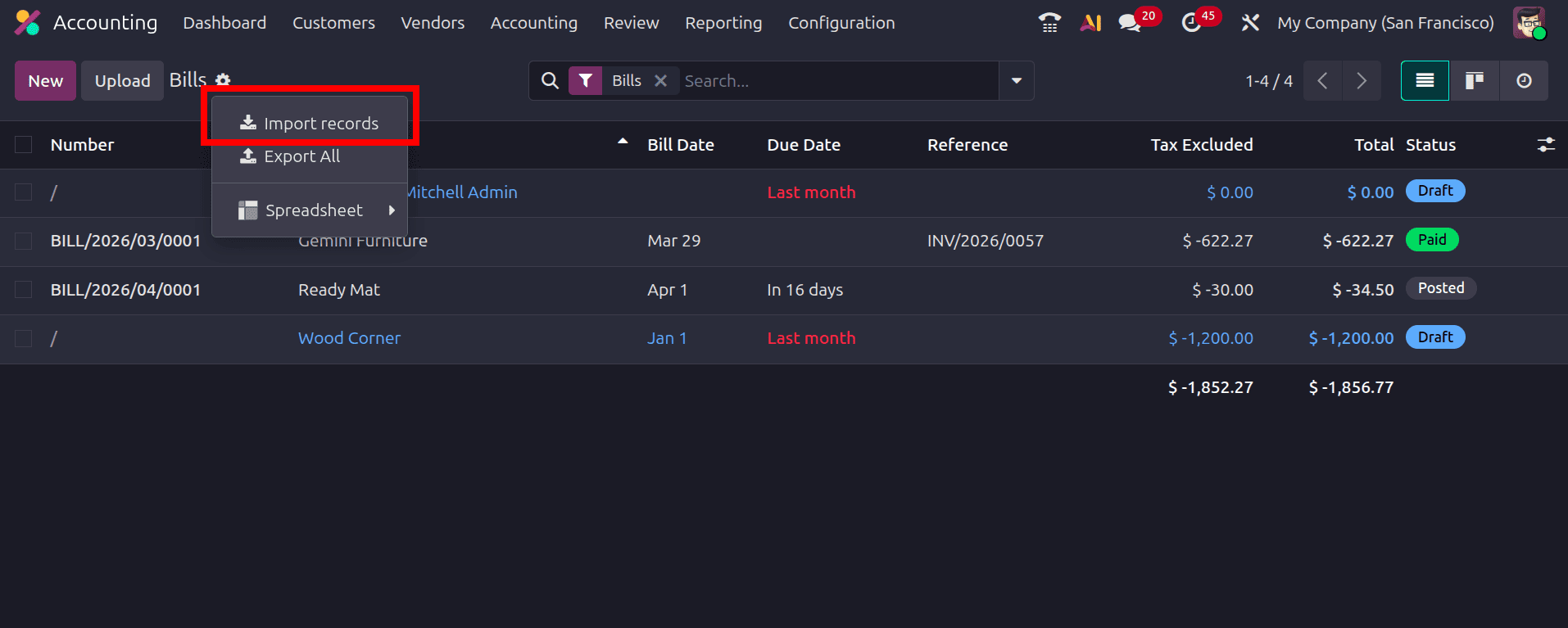
On clicking the import records option, there will be the option to upload a data file. Click the upload data file option and choose that file.
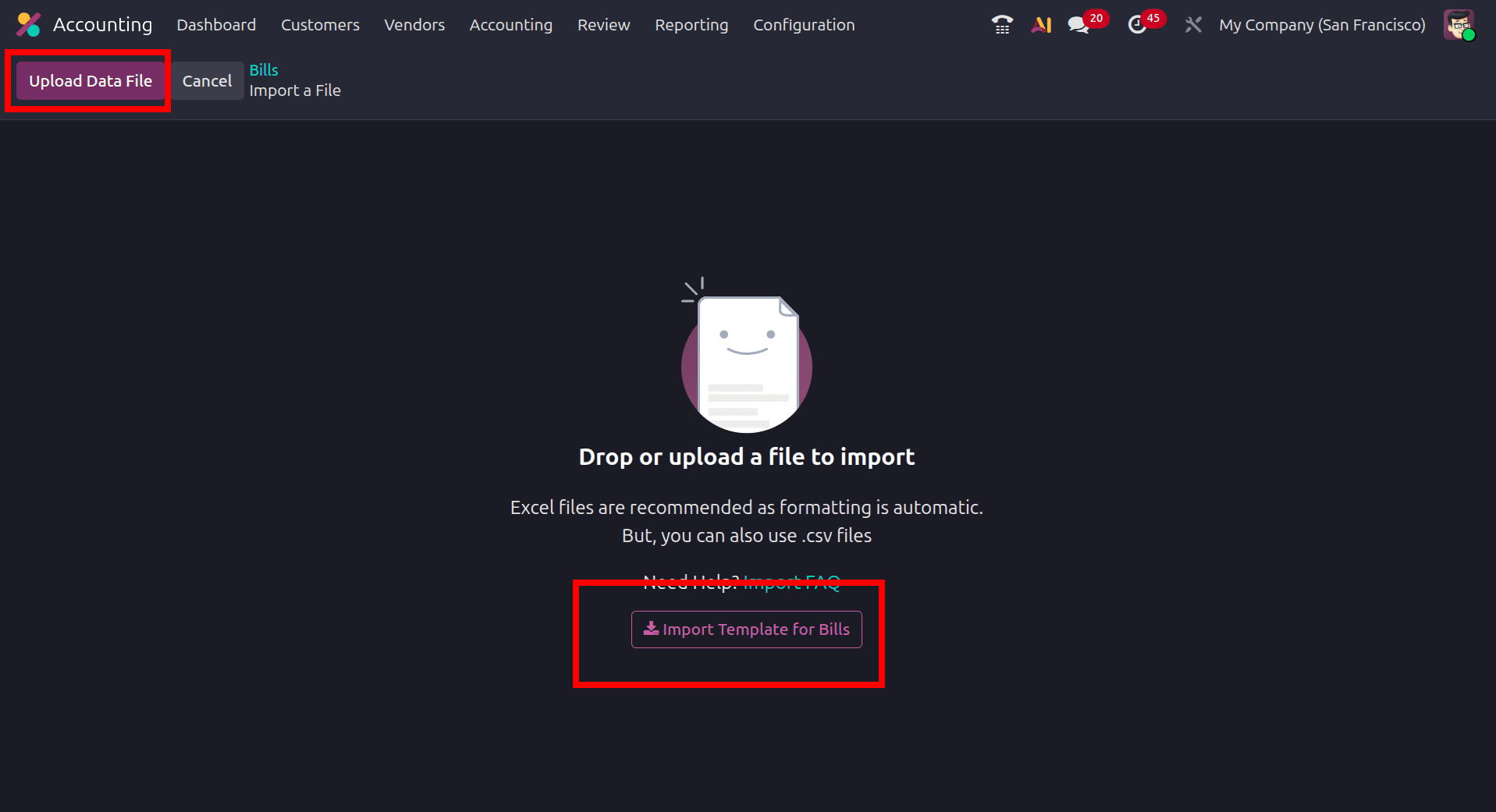
On that page, the Import Template for Bills option is available, which we can use to get the template for adding data and then import the new records.
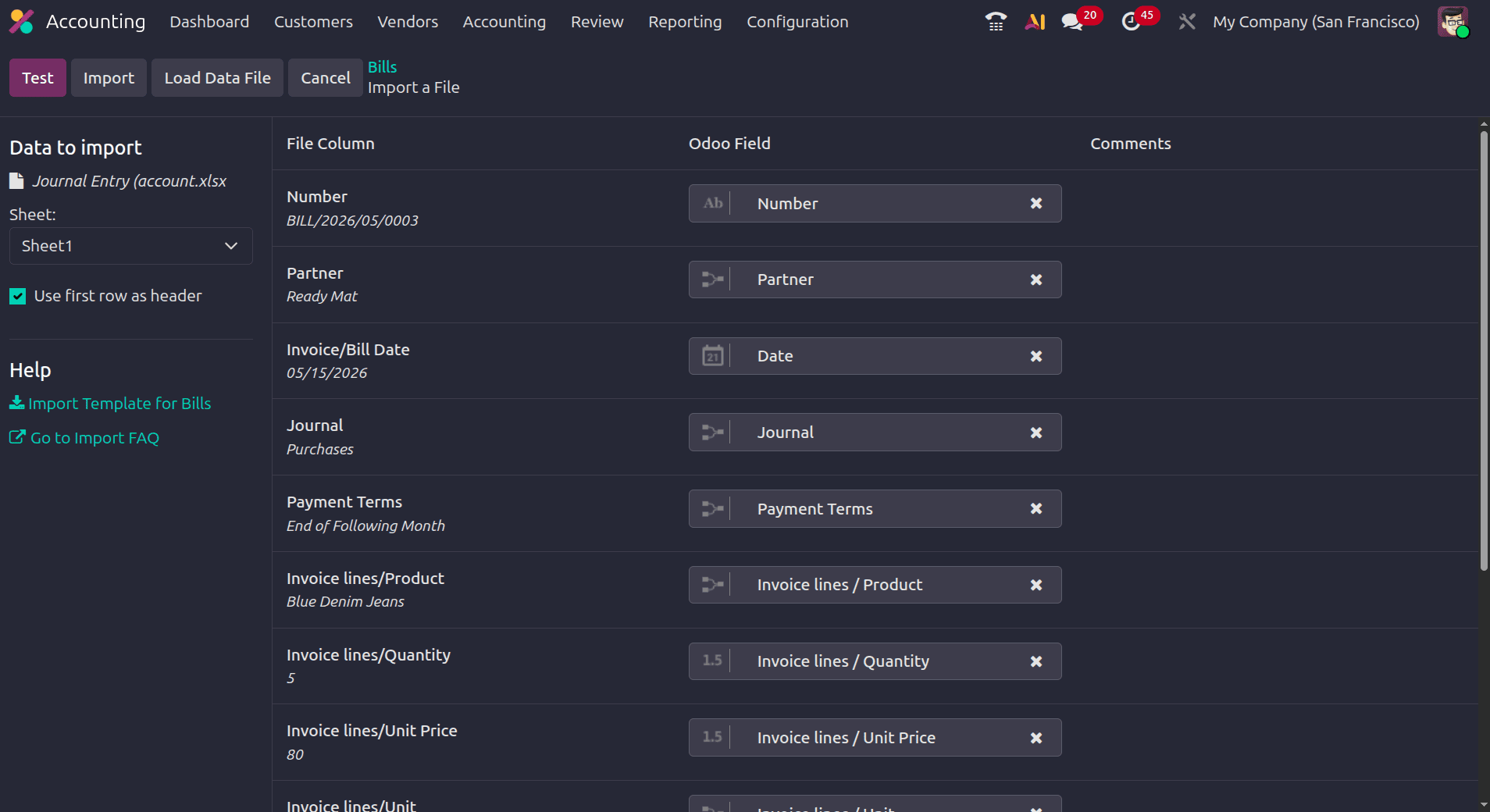
The uploaded Excel or CSV file columns are mapped with the corresponding Odoo accounting fields, such as vendor, journal, invoice date, products, quantity, and unit price. The Test option validates the imported data and detects mapping errors before import. After successful validation, the Import button automatically creates vendor bills with related accounting entries, invoice lines, taxes, and payment terms in Odoo. If everything seems valid is the message after the test, we can click the import button and import the data.
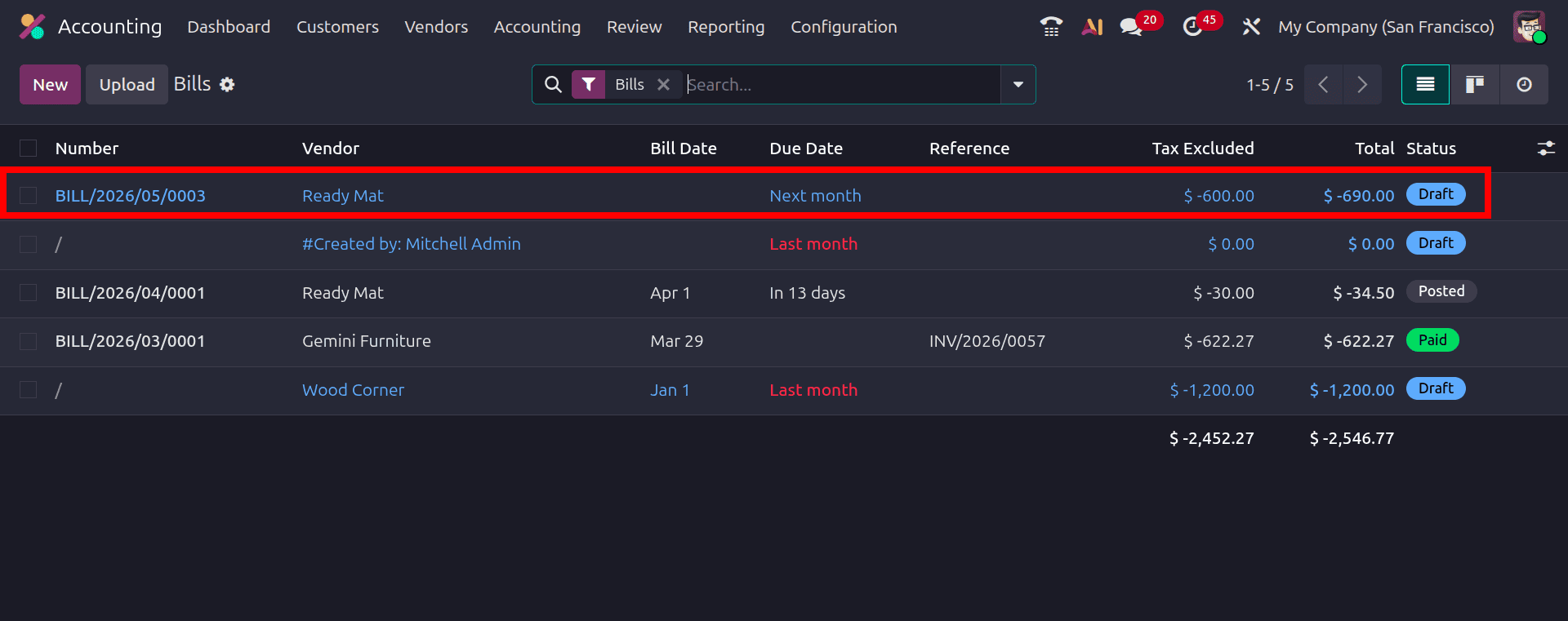
The bill that we imported will be in the draft state, because Odoo creates imported accounting documents as unposted records by default. This behavior is designed to allow users to review imported data, such as vendor details, invoice lines, taxes, journals, accounts, and totals, before validating the accounting entry. Keeping the bill in draft helps prevent incorrect journal postings and ensures accounting accuracy.
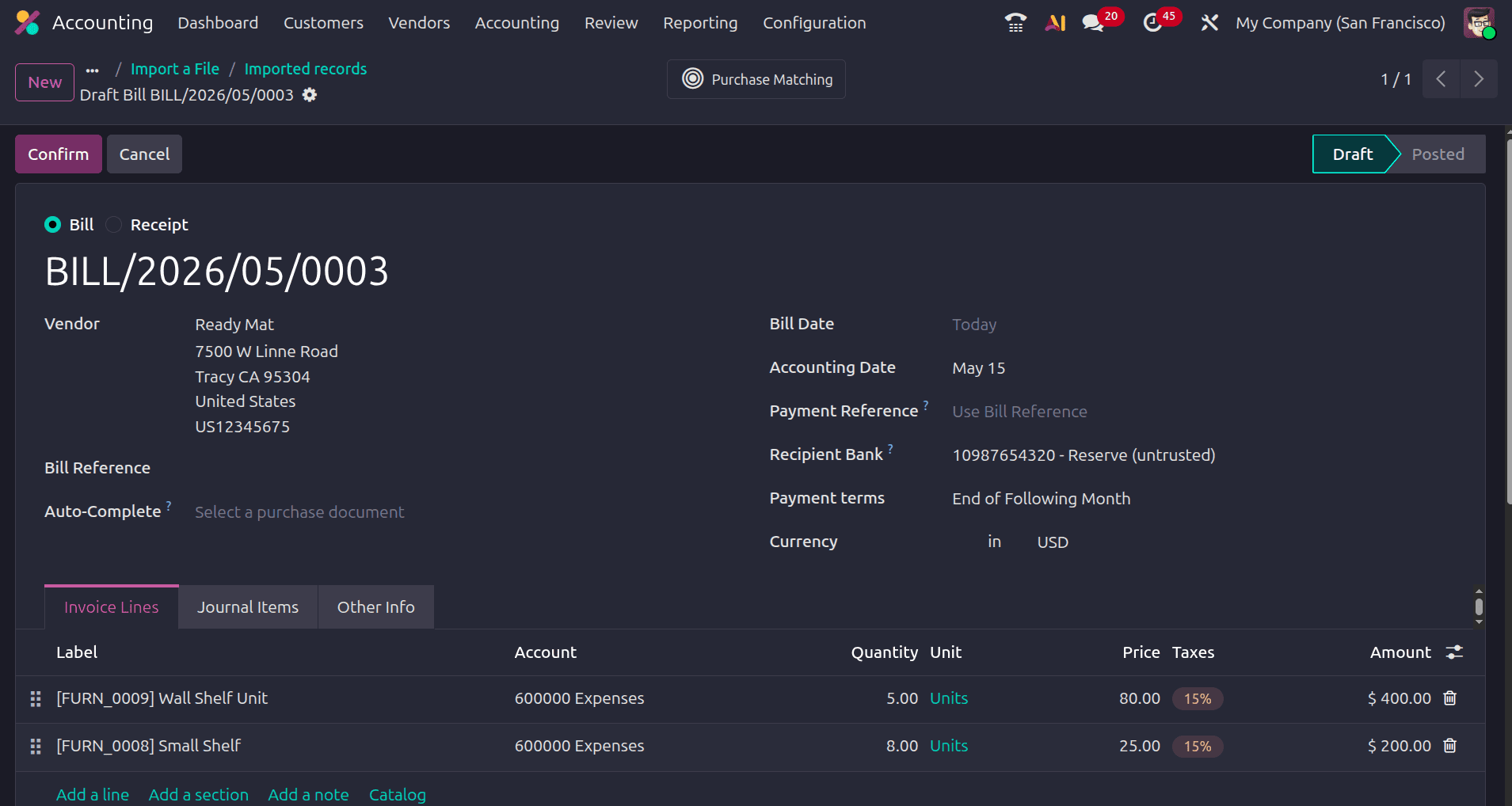
When we open the imported bill, we can see that the details of the bill in the file are added to the bill, like the bill number, the products, quantity, units, unit price, currency, etc.
Importing Vendor Bills in Odoo 19 simplifies accounts payable management by enabling businesses to process large volumes of supplier invoices with greater speed and accuracy. Through structured import templates, organizations can maintain consistent accounting records, automate journal creation, and reduce repetitive manual operations within the Accounting module. Odoo’s validation and field-mapping features help identify configuration issues before data creation, ensuring reliable financial transactions and proper ledger postings. By utilizing the Vendor Bill import functionality, businesses can improve operational productivity, maintain accurate payable tracking, support efficient reconciliation processes, and strengthen overall financial control through a centralized and well-structured accounting workflow in Odoo 19.
To read more about How to Import Customer Invoices & Vendor Bills in Odoo 18 Accounting, refer to our blog How to Import Customer Invoices & Vendor Bills in Odoo 18 Accounting.