Odoo 19 introduces advanced Point of Sale reporting features that help businesses monitor retail performance with greater accuracy and efficiency. Modern retail operations require detailed insights into sales trends, cashier activities, payment methods, customer behavior, and inventory movement. Odoo 19 POS Reports provide a centralized reporting system that transforms daily transaction data into actionable business intelligence. With real-time analytics and customizable dashboards, businesses can quickly identify top-selling products, monitor session performance, and track revenue across multiple stores. The reporting tools are designed to support faster decision-making while reducing manual data analysis. Retail managers can generate detailed reports for accounting, taxation, and operational planning directly from the POS module. By integrating sales and inventory data within a single platform, Odoo 19 helps organizations improve productivity, enhance customer experiences, and maintain better control over retail operations in a competitive market environment.
In Odoo 19 POS, the Reporting menu is the section where managers can view and analyze sales, orders, payments, taxes, and cashier performance from the Point of Sale system. It enables businesses to track daily operations, analyze revenue trends, and make informed decisions using real-time reports and dashboards. The Reporting menu includes four options: Orders, Sales Details, Session Report, and Preparation Time.
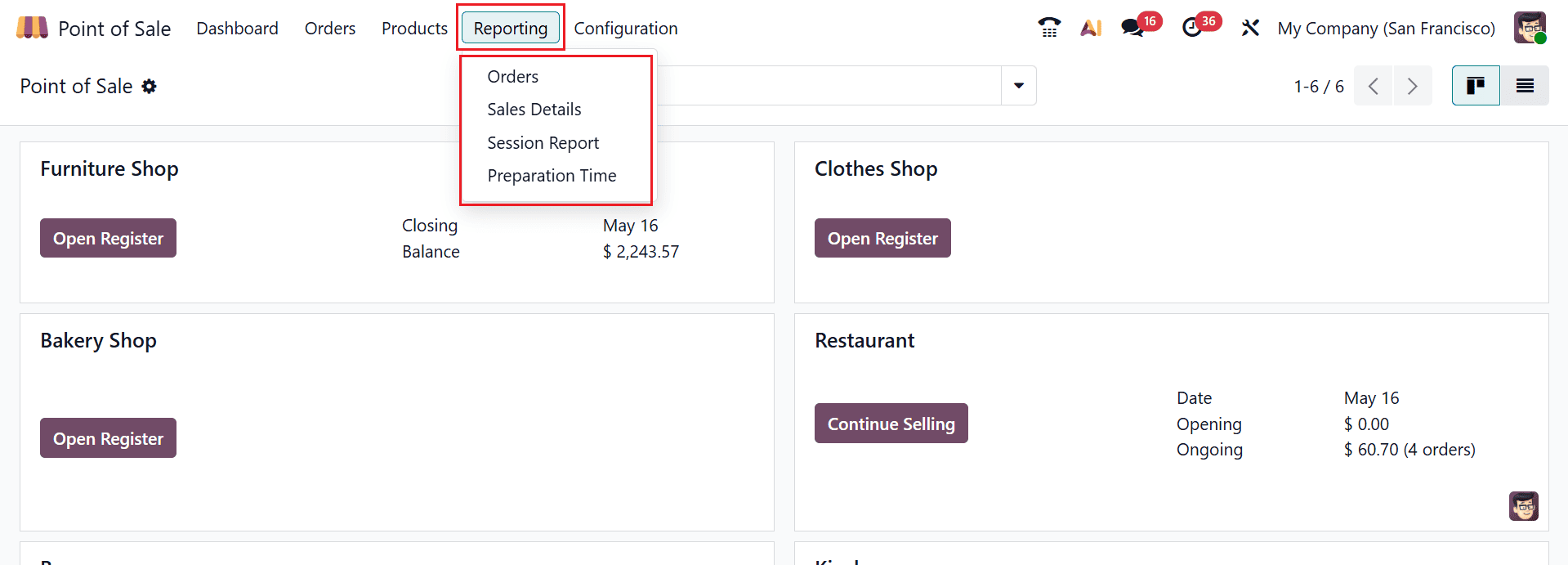
1.1 Orders Analysis:
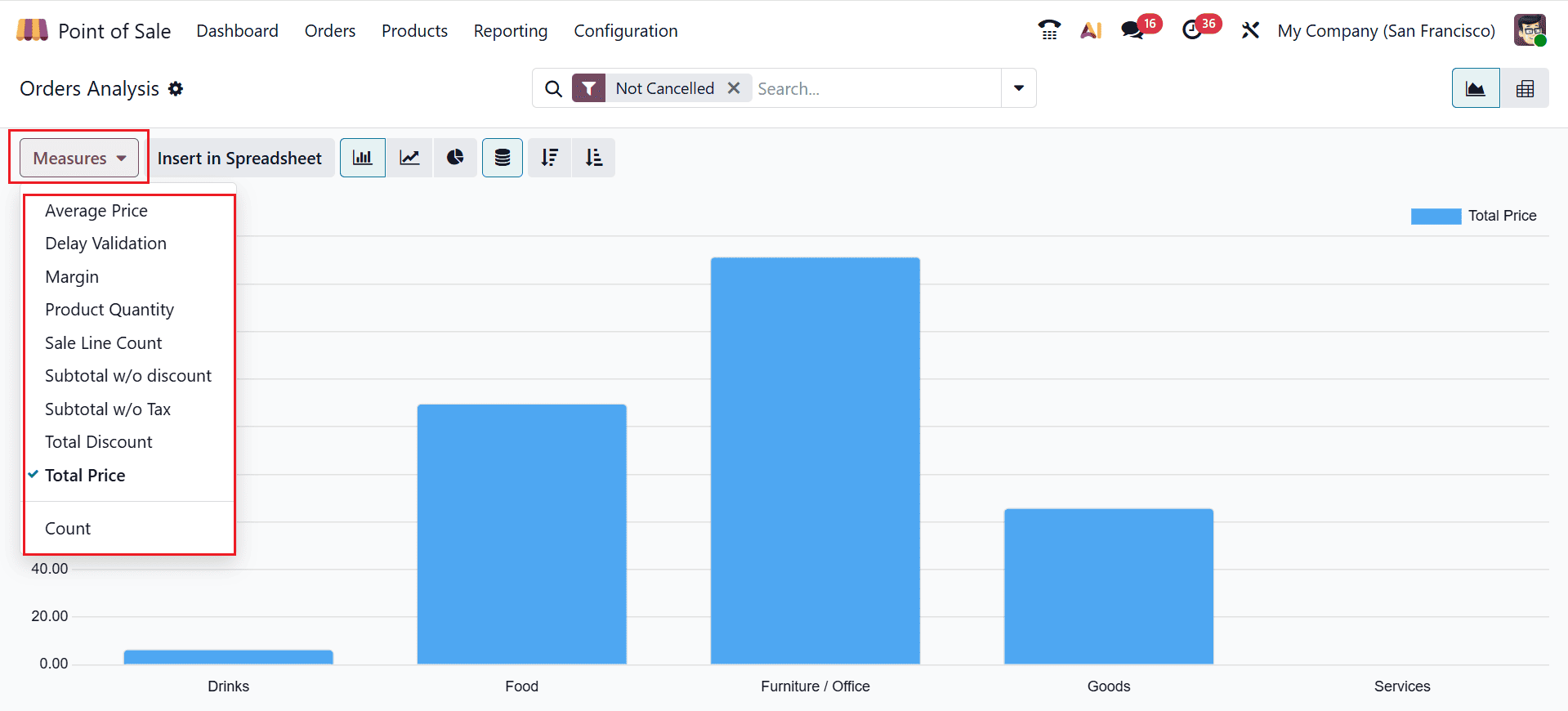
In Odoo POS, the Orders Analysis report provides a summarized view of sales orders, quantities, revenue, taxes, and cashier performance, helping to monitor and optimize point-of-sale operations. It helps businesses analyze key metrics, including average price, delay validation, margin, product quantity, sale line count, subtotal w/o discount, subtotal w/o tax, total discount, total price, and count through both graphical and pivot table formats. The X-axis shows the name of the product, and the Y-axis shows the total price of the product. For visual analysis, the Point of Sale Analysis report in Odoo 19 offers multiple chart options that make it easier to understand sales and transaction data. Users can view information through Bar, Line, Stacked, Cumulative, and Pie charts for better insight and comparison.
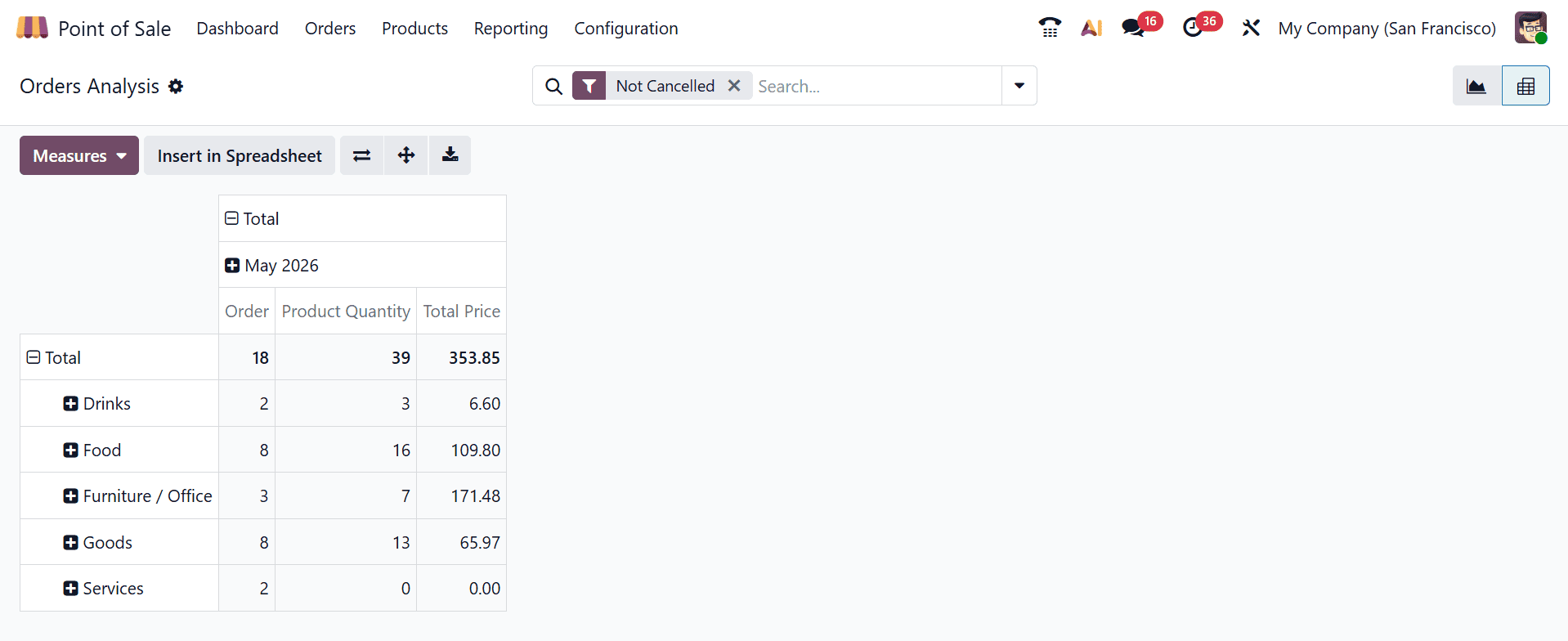
The Pivot View in Odoo 19’s Point of Sale Analysis report enables users to organize and summarize sales data dynamically. It allows users to group transactions by products, customers, sessions, cashiers, or dates, making it easier to compare performance, identify trends, and generate detailed business insights through customizable data tables.
1.2 Sales Details:
Sales Details in Odoo 19 is a reporting feature that provides complete information about Point of Sale transactions within a selected period. This report helps businesses monitor daily sales activities, verify transactions, reconcile payments, and analyze overall sales performance accurately.
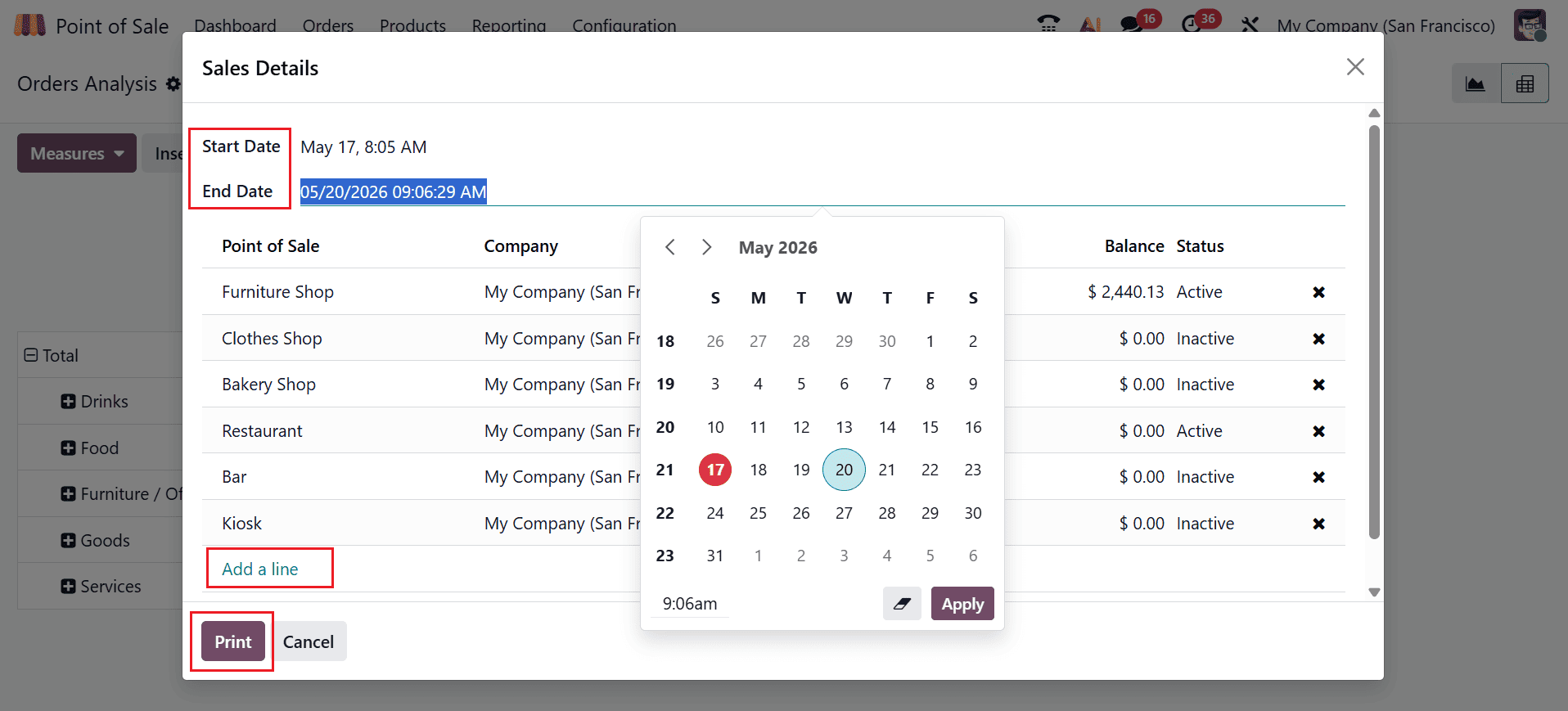
A new window will open where you can specify the Start Date and End Date to define the reporting duration. Users can generate reports for any preferred timeframe, such as daily, weekly, monthly, or a customized period. The window also allows users to manage the included Point of Sale sessions by adding new sessions through the Add a line option or removing existing ones using the Close button. After completing all the required selections, click the Print button to generate the report. The resulting document presents a detailed summary of sales activities during the chosen period, including transaction records, products sold, quantities, payment methods, and overall sales totals in a clear and organized format.
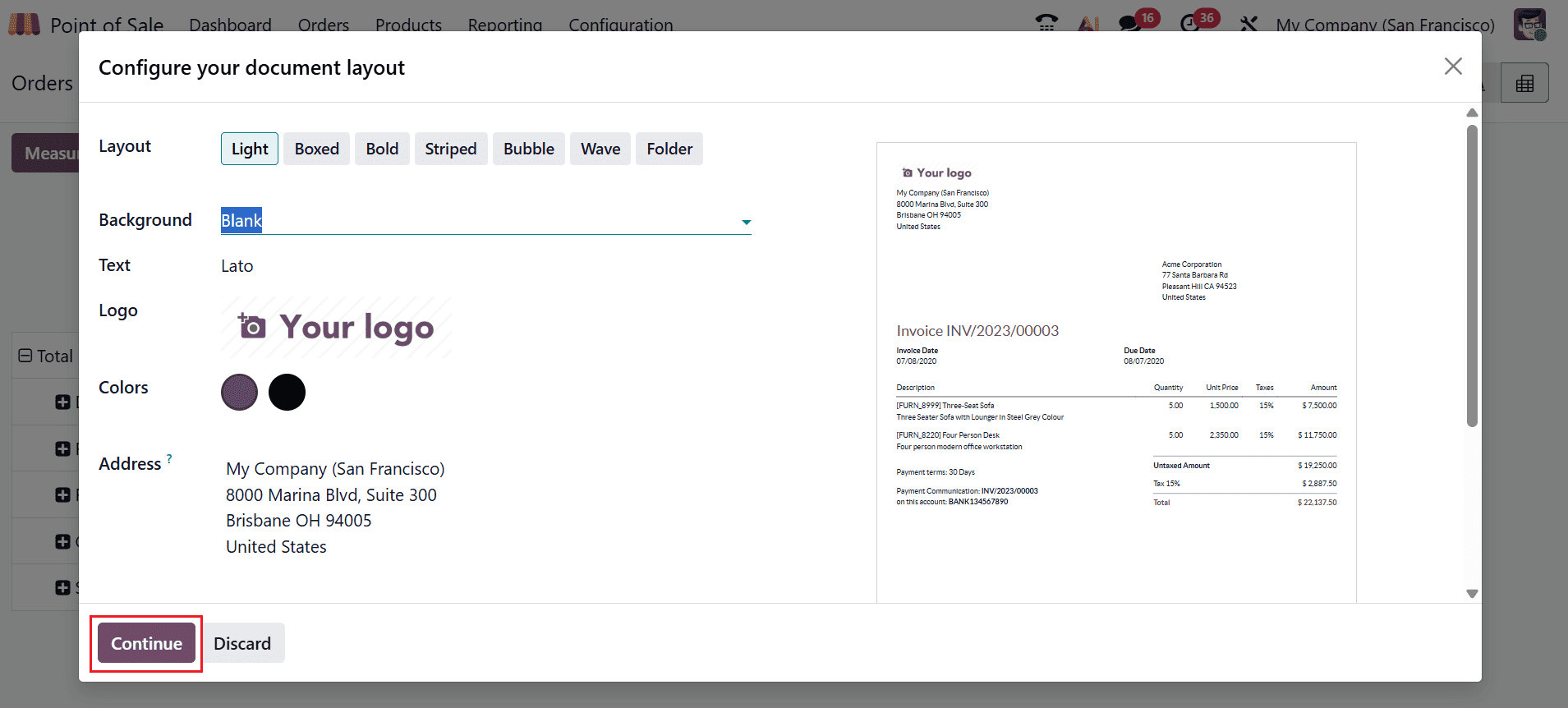
A new window will appear where you can configure your document layout, such as Layout, Background, Text, Logo, Color, and Address. Then, click the Continue button as shown below.:
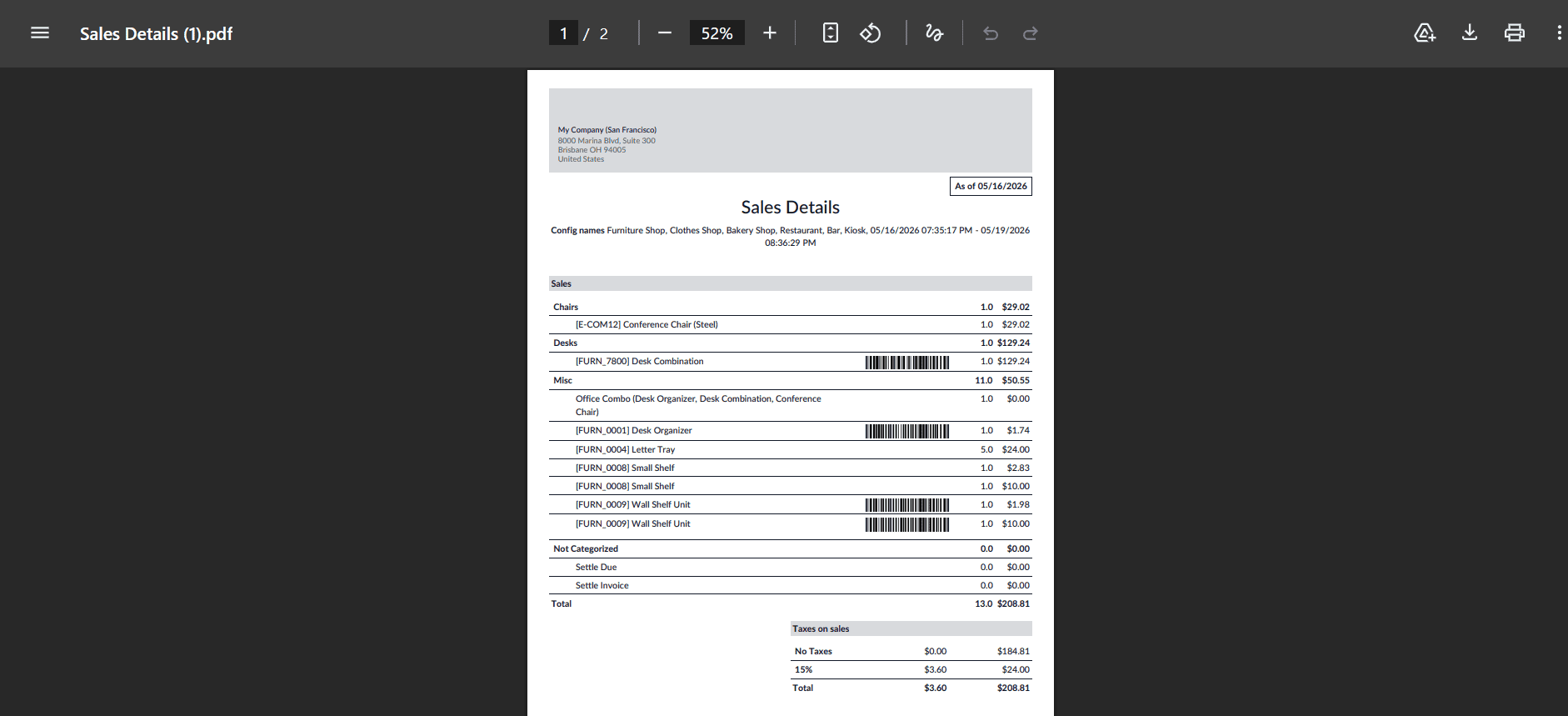
A new window will open displaying the sales details, including product information, amount, price, discounts, number of discounts, total amount, number of transactions, payment methods, and counted differences. The report provides real-time sales updates along with detailed insights into payments, invoices, refunds, and returned orders, as shown in the screenshots below:
1.3 Session Reports:
Session reports in Odoo 19 provide a summary of each POS session, including total sales, orders processed, payments received, and cash movements. They help users to review individual sessions by giving a clear breakdown of performance and financial activity for that specific session.
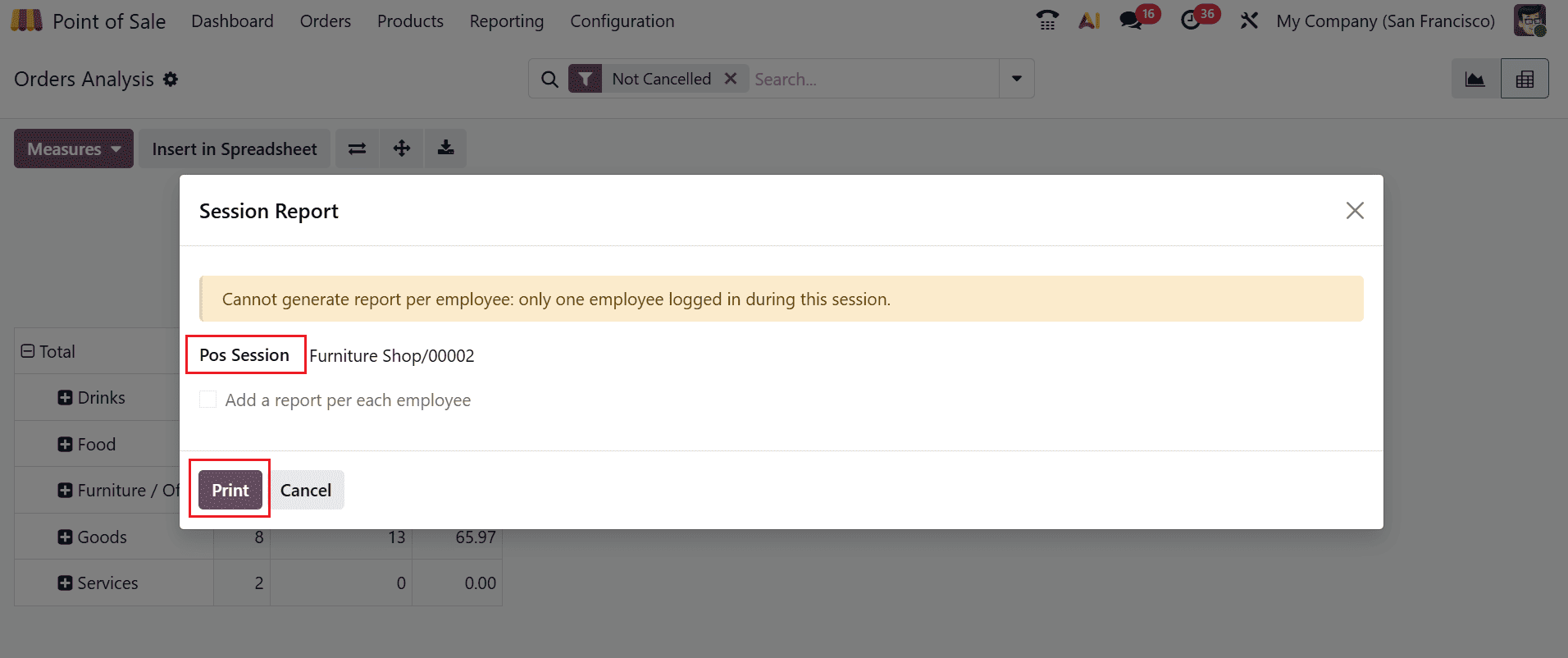
When you move through the session report option under the reporting menu, a new pop-up screen will appear as shown below. To generate a session report in Odoo 19, choose a session ID from the POS Session field and then click the Print button.
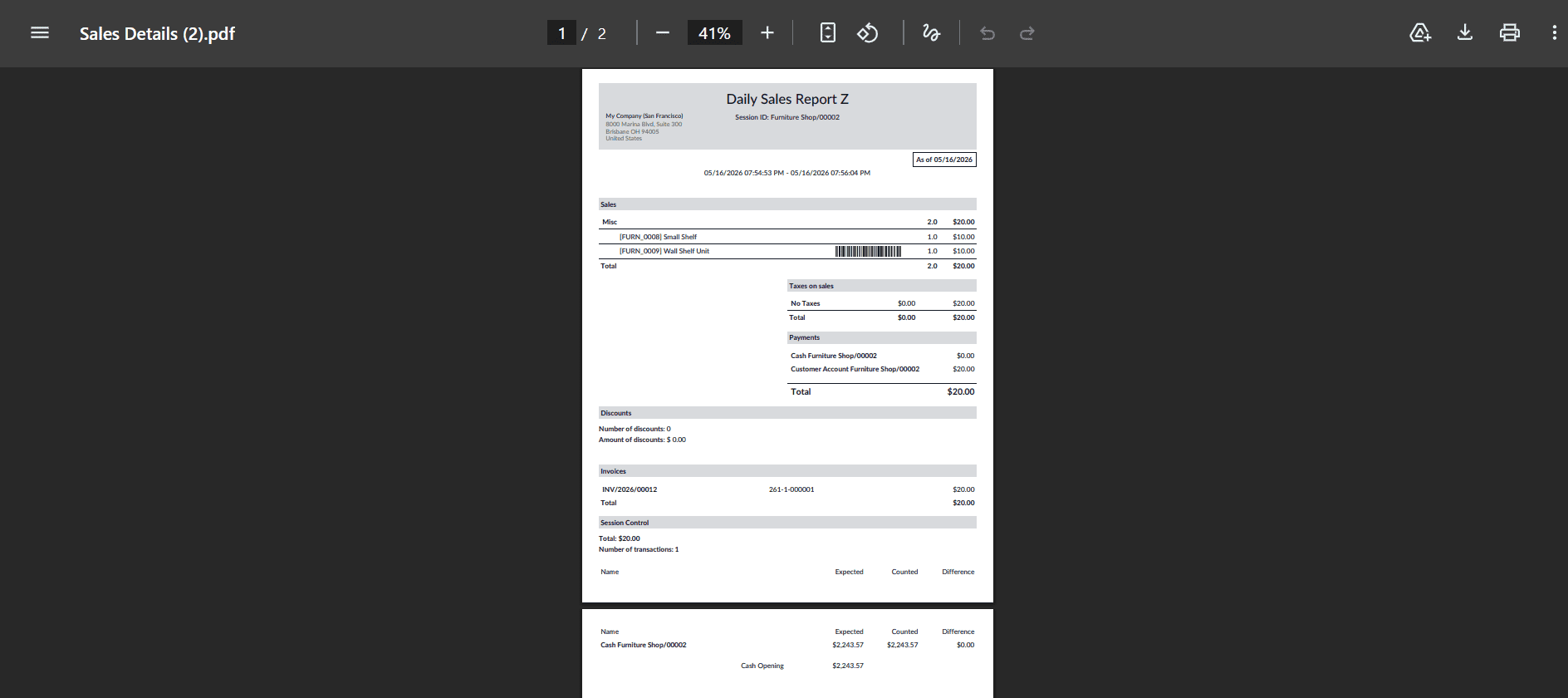
Then, a new window will open where you can view the downloadable file with the daily sales session data as shown below:
1.4 Preparation Time:
In Odoo 19 POS reporting, preparation time represents the interval between order placement and the point at which the order is fully prepared for delivery or completion. It helps businesses analyze kitchen or service efficiency and identify delays in order processing. Under the Measures option, you can adjust the graph metrics according to Average Preparation Time, Preparation Time, Quantity, and Count.
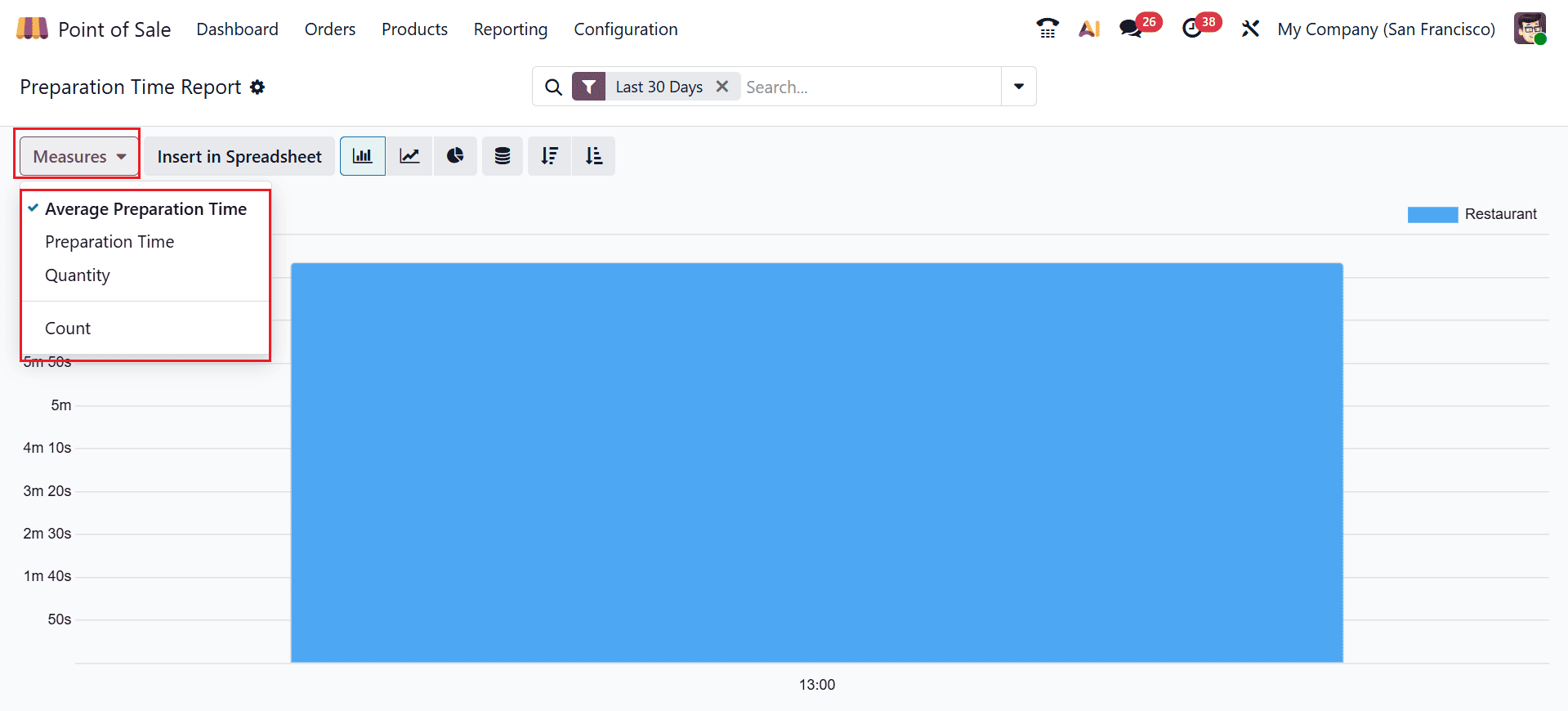
The advanced search bar also provides Filter and Group By options to sort and organize the report based on different criteria, with the ability to save frequently used searches under Favorites. In addition, Odoo 19 enables users to build custom filters and organize data through the Custom Filter and Custom Group features. It also includes a new AI integration feature that opens an AI-powered chat box to provide additional assistance when needed, as shown in the screenshot below.
Odoo 19 POS Reports offer businesses a comprehensive solution for analyzing and managing retail operations effectively. From daily sales tracking to payment analysis and inventory monitoring, the reporting system delivers valuable insights that support strategic planning and operational efficiency. Real-time data access enables retailers to rapidly adjust to changes in customer demand and market conditions. Odoo 19 simplifies complex reporting processes through user-friendly dashboards and automated report generation, helping businesses reduce administrative workload and improve accuracy. Whether managing a single retail outlet or multiple store locations, organizations can use these reports to optimize sales performance, control stock levels, and evaluate employee productivity. As retail businesses continue to embrace digital transformation, Odoo 19 POS Reports serve as a powerful tool for data-driven decision-making. Its integrated reporting capabilities help companies achieve better visibility, stronger financial control, and sustainable business growth.
To read more about Overview of Reporting in Odoo 18 Point of Sale, refer to our blog Overview of Reporting in Odoo 18 Point of Sale.