Cards
The Cards menu, which is a new feature in the Odoo 19 Expense module, is used to manage company or business credit cards (both physical and virtual) issued to employees. It allows businesses to automatically control, track, and record expenses made with these cards.
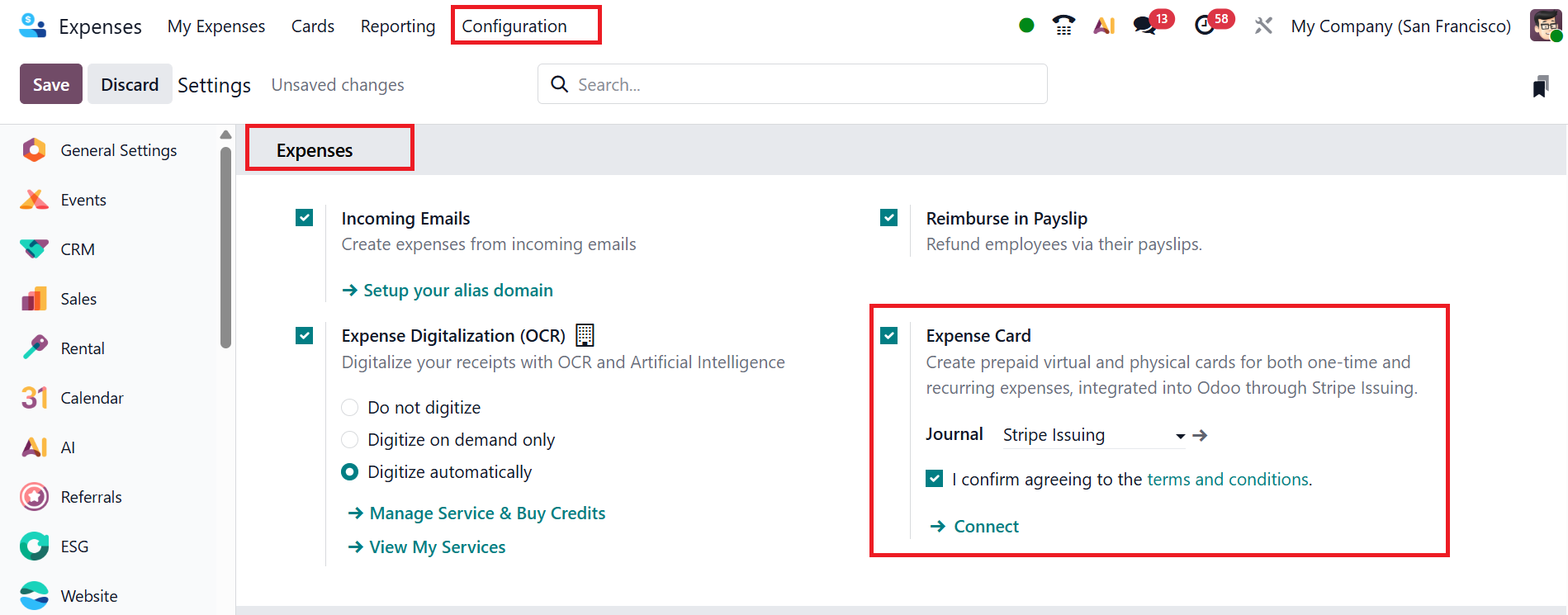
To access the Cards menu, navigate to the Configuration > Settings, and enable the Expense Card option as shown below:
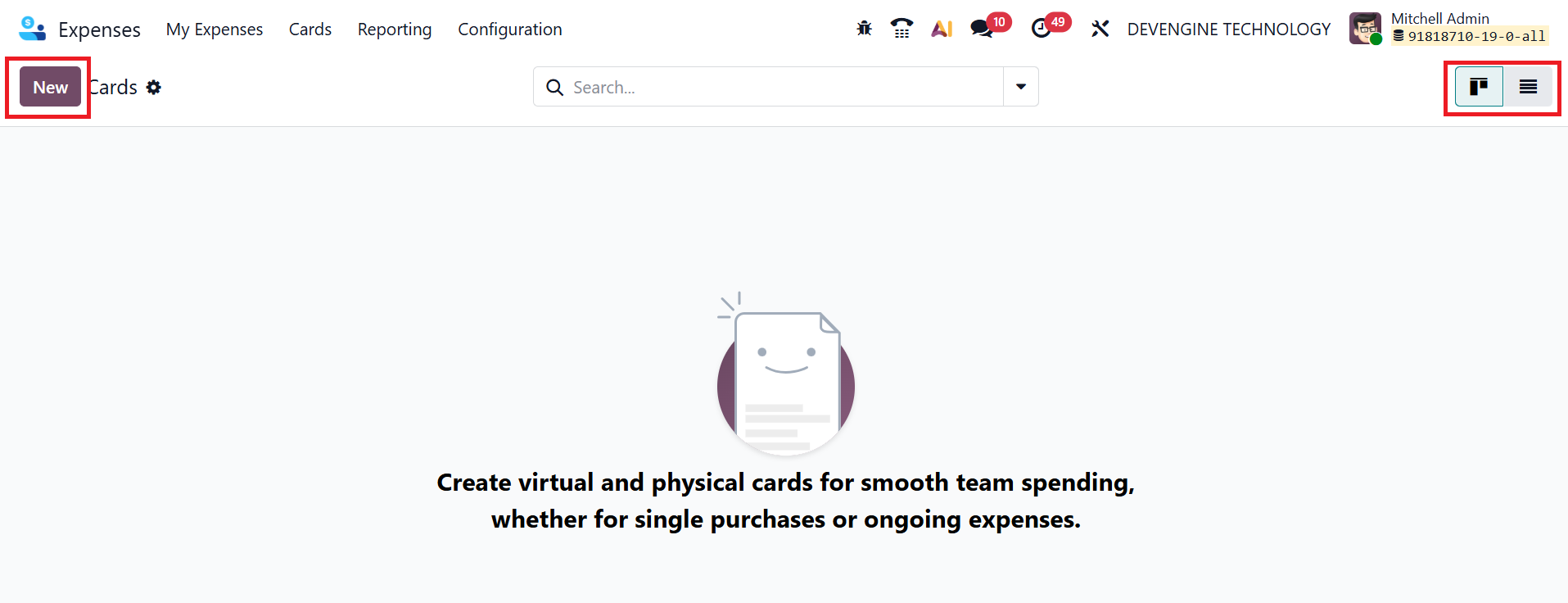
You can view the Cards window in Kanban and List view. To add new card details, click on the New button as shown below:
A new window will open where you can add the name of the company credit card. In the Stripe Card ID field, add the unique ID assigned by Stripe for this card. Add the employee who can use the card in the Cardholder field. Select the Type as Physical or Virtual. In the Company field, select the company that manages the card. In the Stripe Journal field, add the accounting journal linked with Stripe for recording transactions.
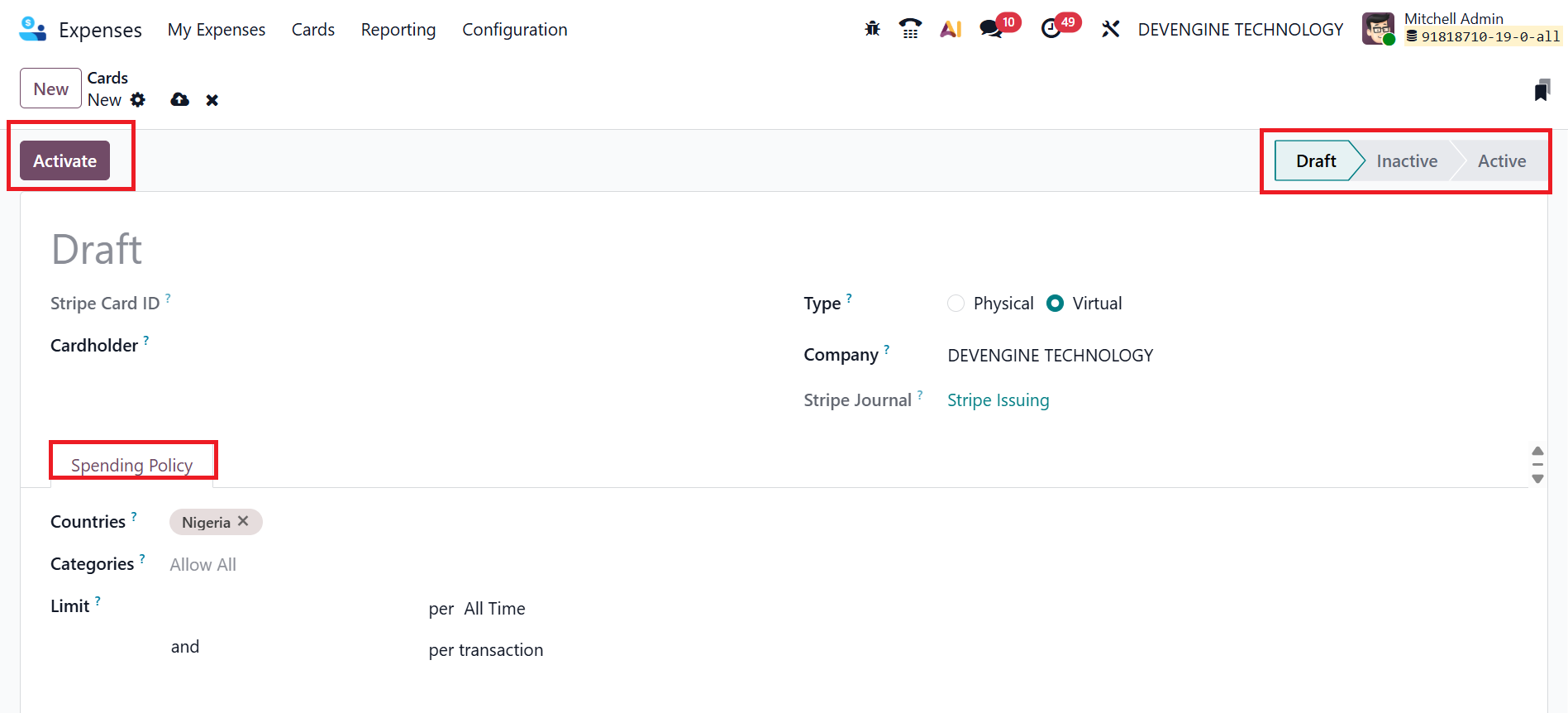
Under the Spending Policy tab, select which countries the card can be used in. In the Categories field, specify which purchase types are allowed. In the Limit field, specify how much can be spent within a time frame or per transaction. After entering all the details, click the Activate button to enable the card. Then, it moves from the draft stage to the Inactive and Active stages..