Reporting
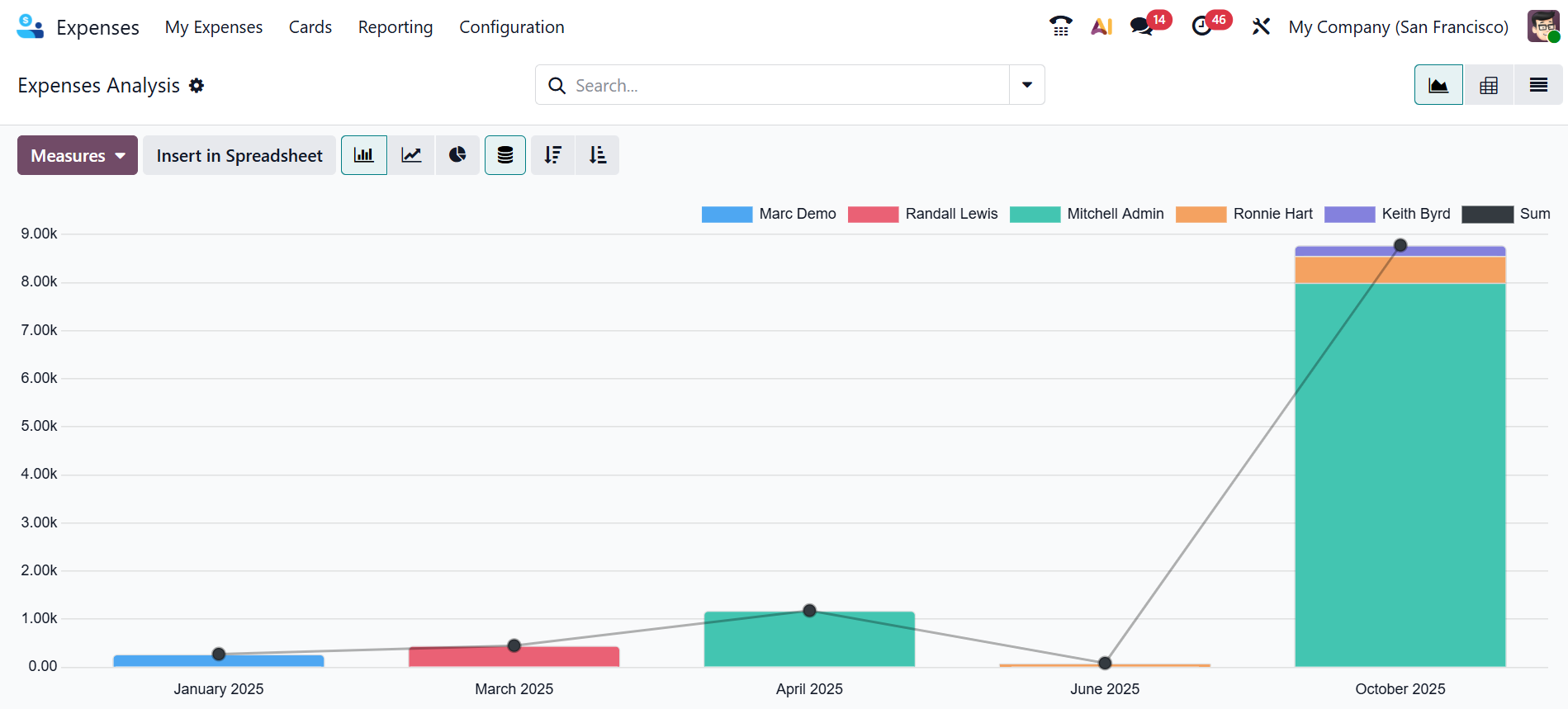
In the Odoo 19 Expense module, the Reporting option is used to analyze and track all company expenses using bar, line, and pie charts, in stacked, ascending, and descending order. Under the Reporting menu, select the Expenses Analysis option to view the graphical representation of expenses reports. The X-axis of the graph shows the month and year of the expense report, and the Y-axis shows the amount of money. Employees are represented by color in the graph. Each color shows the expense report of the particular employee.
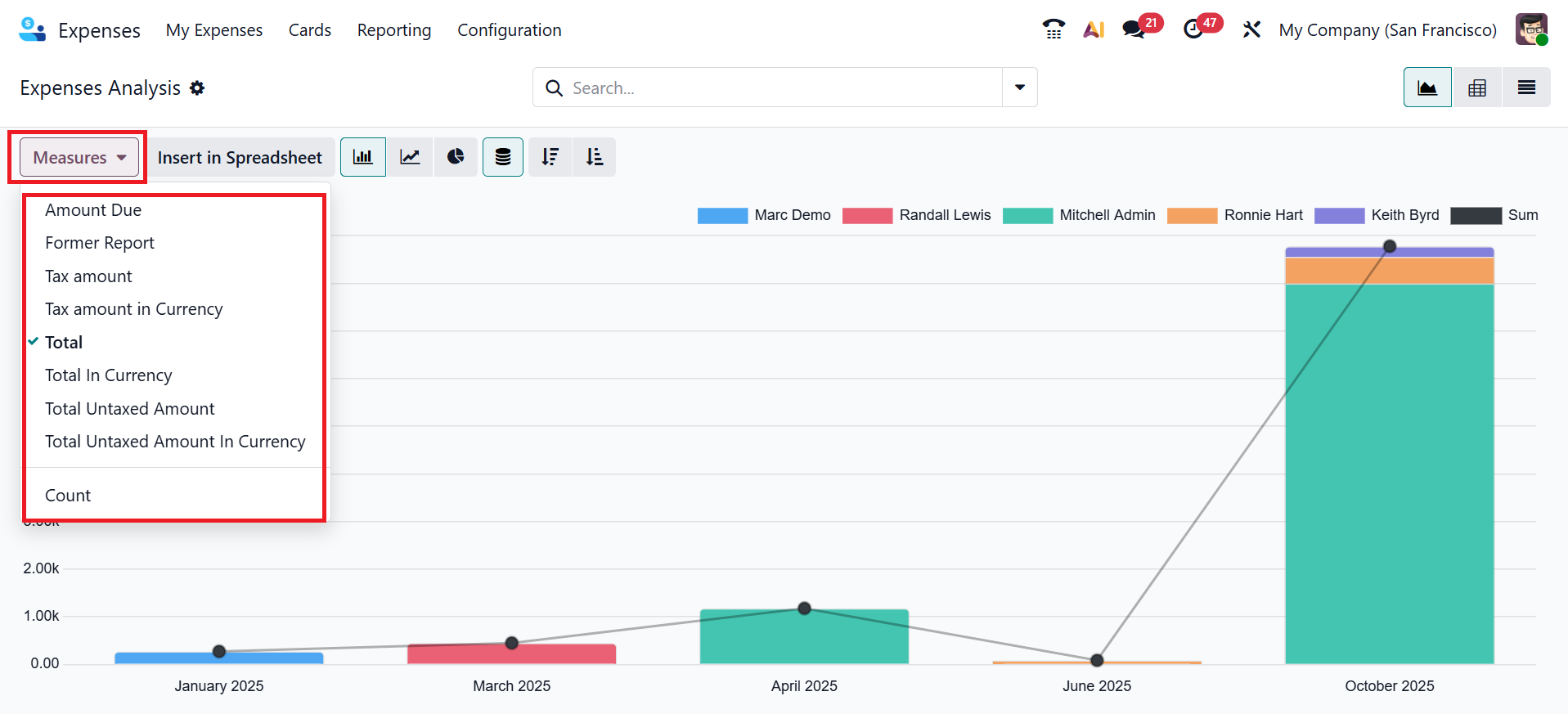
Click the Measure button to change the value applied to the graph, such as Amount Due, Former Report, Tax amount, Tax amount in Currency, Total, Total in Currency, Total Untaxed Amount, Total Untaxed Amount in Currency, and Count.
In conclusion, Odoo 19 Expense Module offers a transparent and effective way to handle business and employee expenses. Through a well-structured and automated procedure, it streamlines the process of documenting, submitting, and reimbursing expenses. It improves accuracy and reduces administrative workload with features such as accounting entries, categorization, and receipt attachments. Odoo 19’s Expense Module makes expense management easier and more transparent by enabling companies to maintain clear expense visibility and ensure quick reimbursements.