Budget
In Odoo 19 Accounting, budget management serves as a powerful tool for planning, allocating, and monitoring an organization’s financial resources across different departments, projects, and time periods. This feature helps businesses maintain control over expenses and revenues while ensuring that financial activities align with strategic objectives.
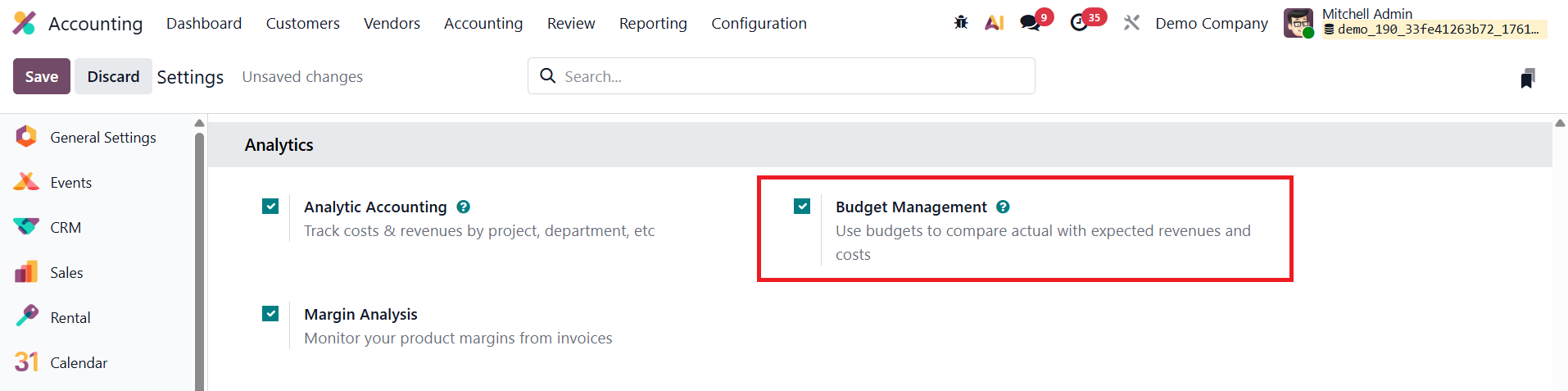
To get started, users must enable the Budget Management option from the Settings menu under the Accounting configuration.
1.1 Financial Budgets
In Odoo 19 Accounting, the Financial Budget feature enables businesses to set and monitor income and expense targets throughout the fiscal year, providing a clear picture of overall financial performance.
You can create and manage budgets by navigating to Accounting ▸ Configuration ▸ Financial Budgets.
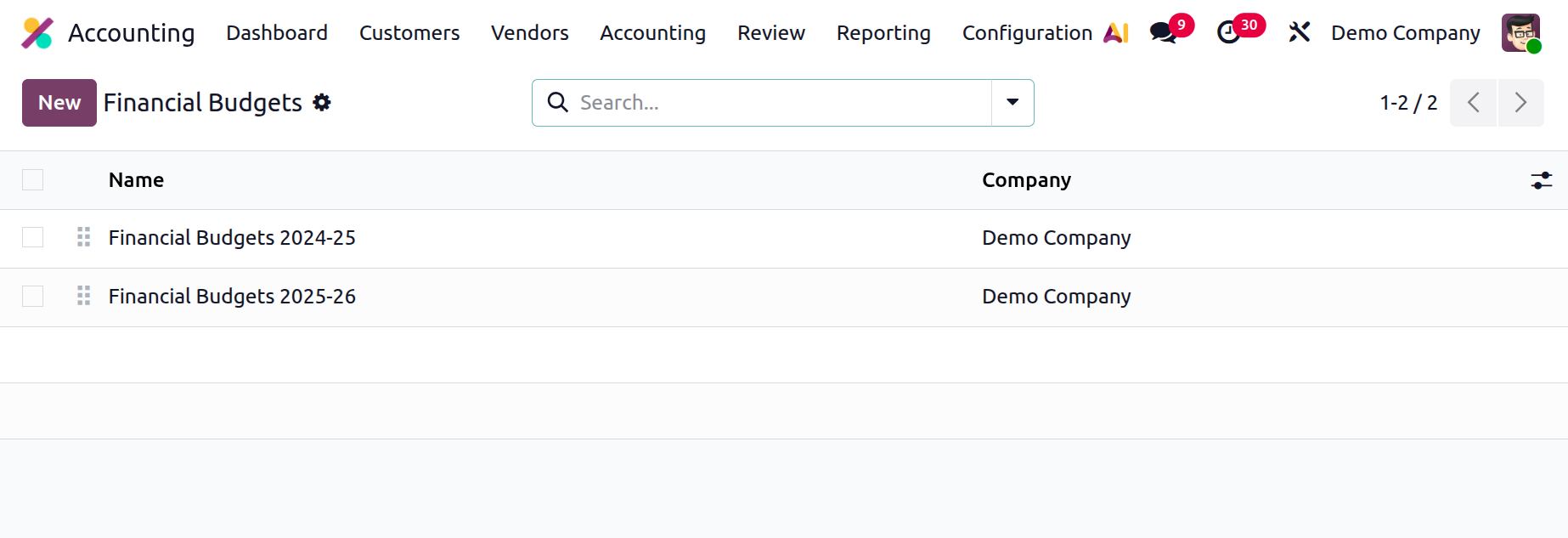
This dashboard displays all existing budgets along with their names and associated companies. To define a new budget, click New, enter a descriptive Name, and specify Budget Items.
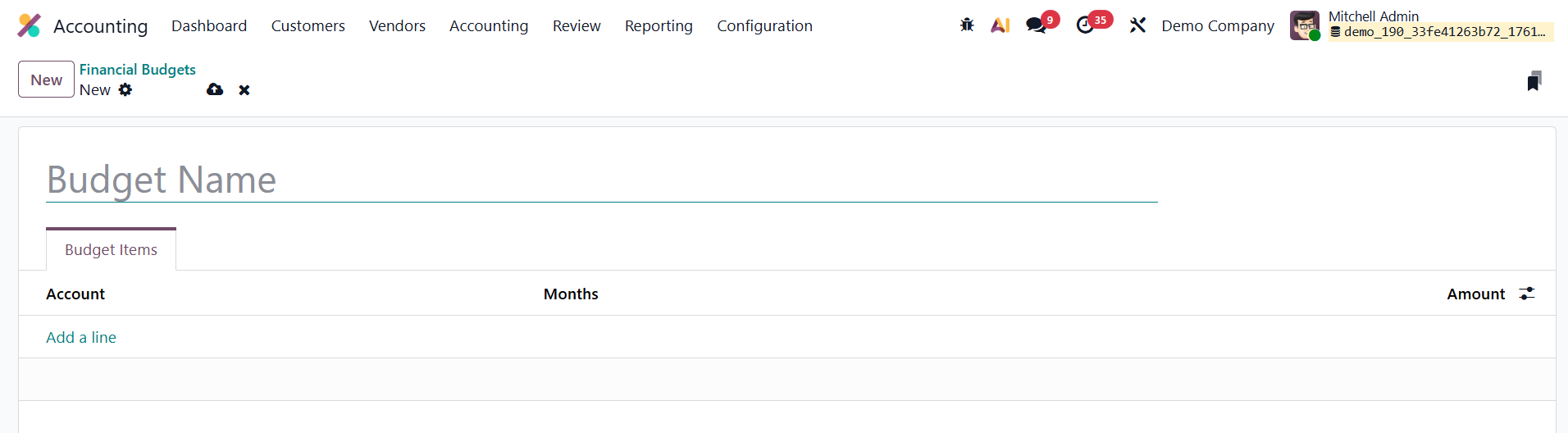
Each budget line allows you to link a specific Account to a defined Period (such as month, quarter, or year) and assign a Planned Amount, ensuring precise control over financial allocations.
Once the budget is saved, it can be directly integrated into the Profit & Loss report for comparison. Simply go to Accounting ▸ Reporting ▸ Profit & Loss, and select the desired budget from the Budget drop-down menu in the top-right corner.
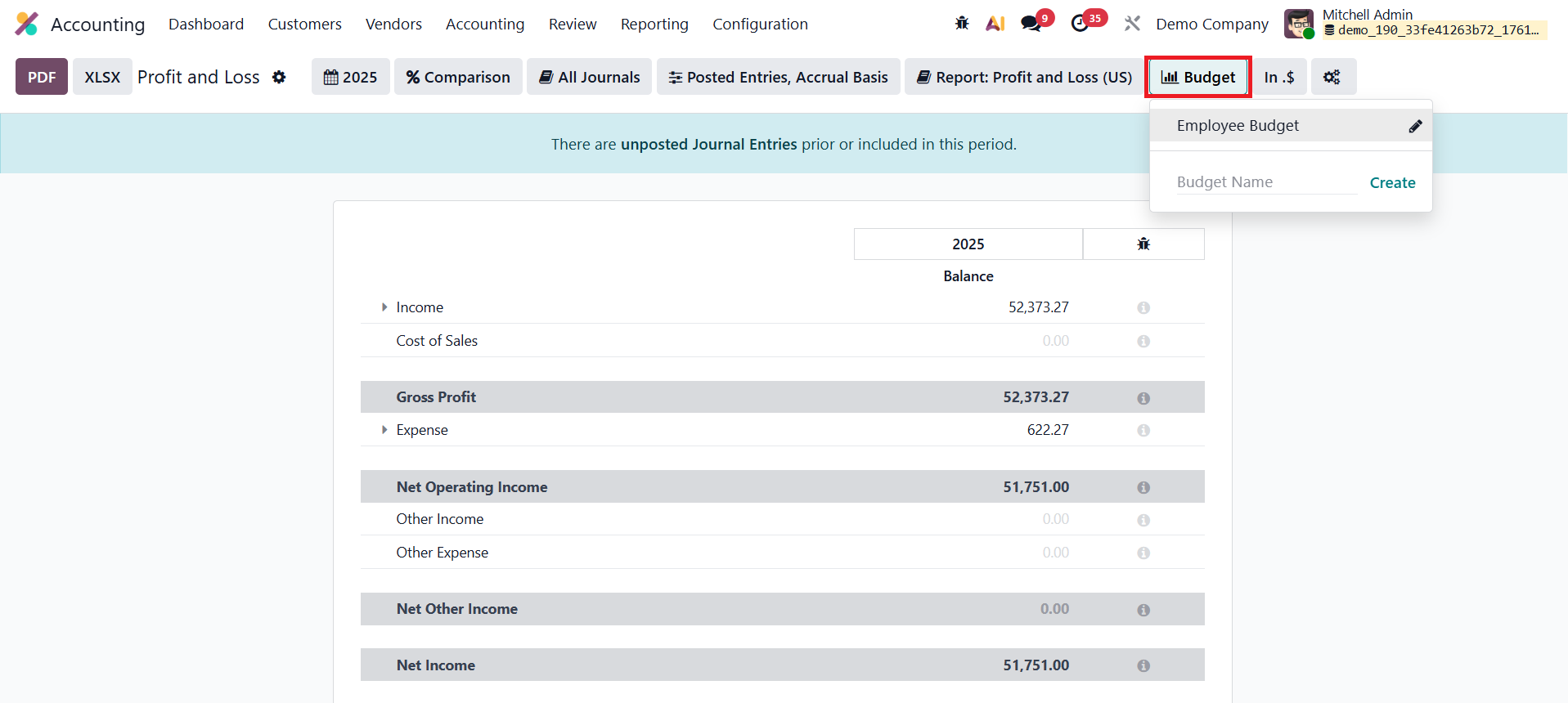
The report will then display actual account balances alongside budgeted figures, offering a clear, side-by-side view that highlights performance gaps and helps management make timely adjustments.
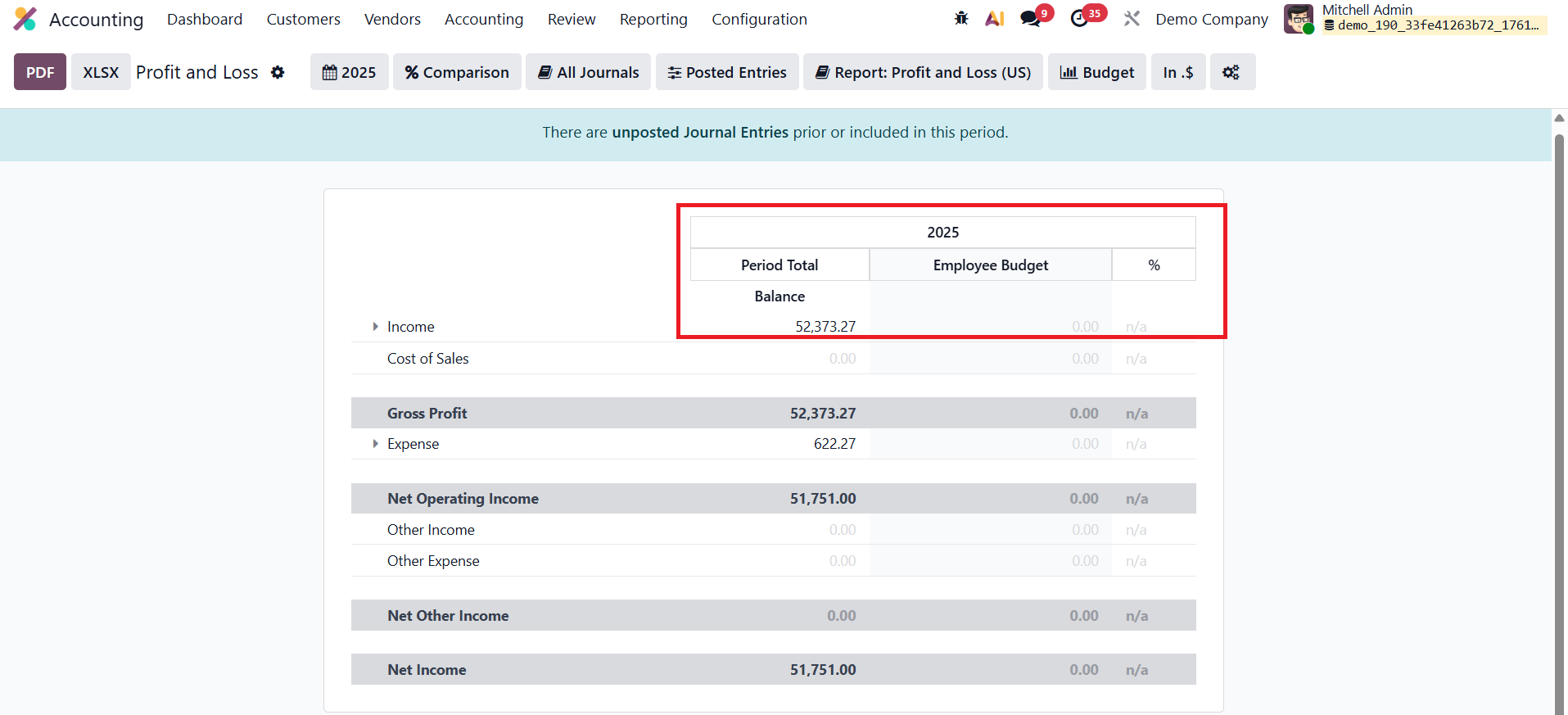
With improved visualization and data accuracy in Odoo 19, the Financial Budget tool provides a more dynamic and actionable approach to budget analysis, empowering businesses to plan smarter and respond faster to financial trends.
1.2 Analytic Budget
Once you activate the Budget Management option from the Settings menu, the Analytic Budgets dashboard becomes accessible through the Accounting menu, providing a detailed overview of all configured budgets.
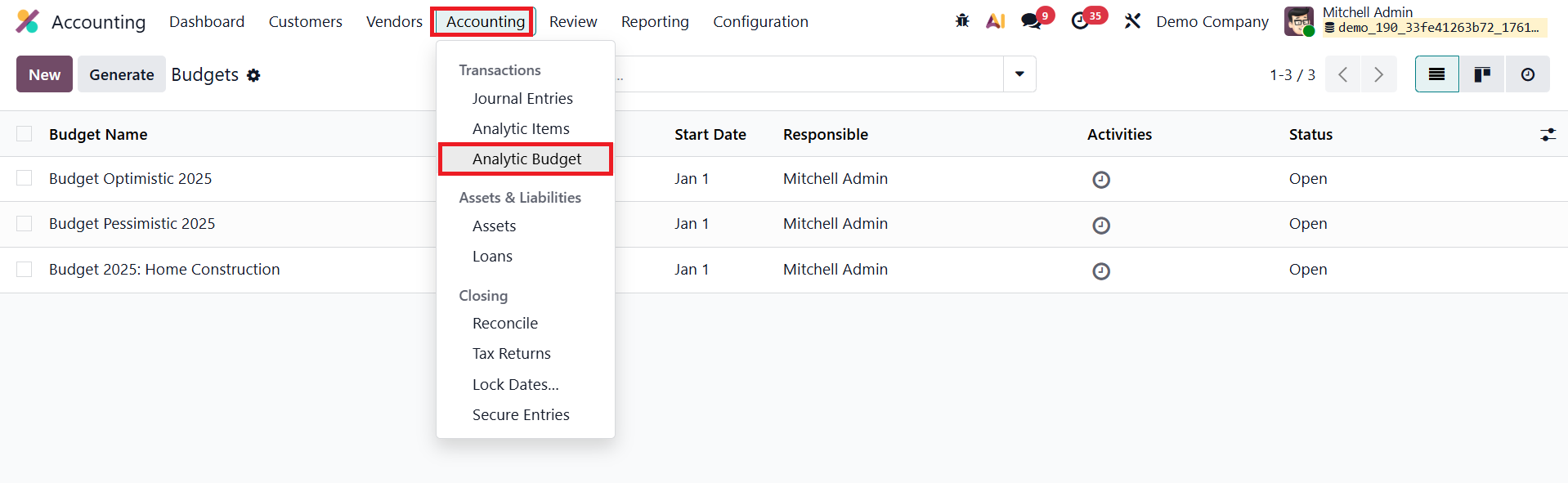
The list view displays key information such as the Budget Name, Period (Start and End Dates), Responsible Person, Activities, and Status.
To create a new budget, click New and provide a Budget Name along with the Responsible Employee who will oversee and monitor its progress. The Period field defines the active duration of the budget, while the Company field automatically reflects the database setup. The Budget Type can be categorized as Expense, Revenue, or Both, depending on the financial focus of the plan.
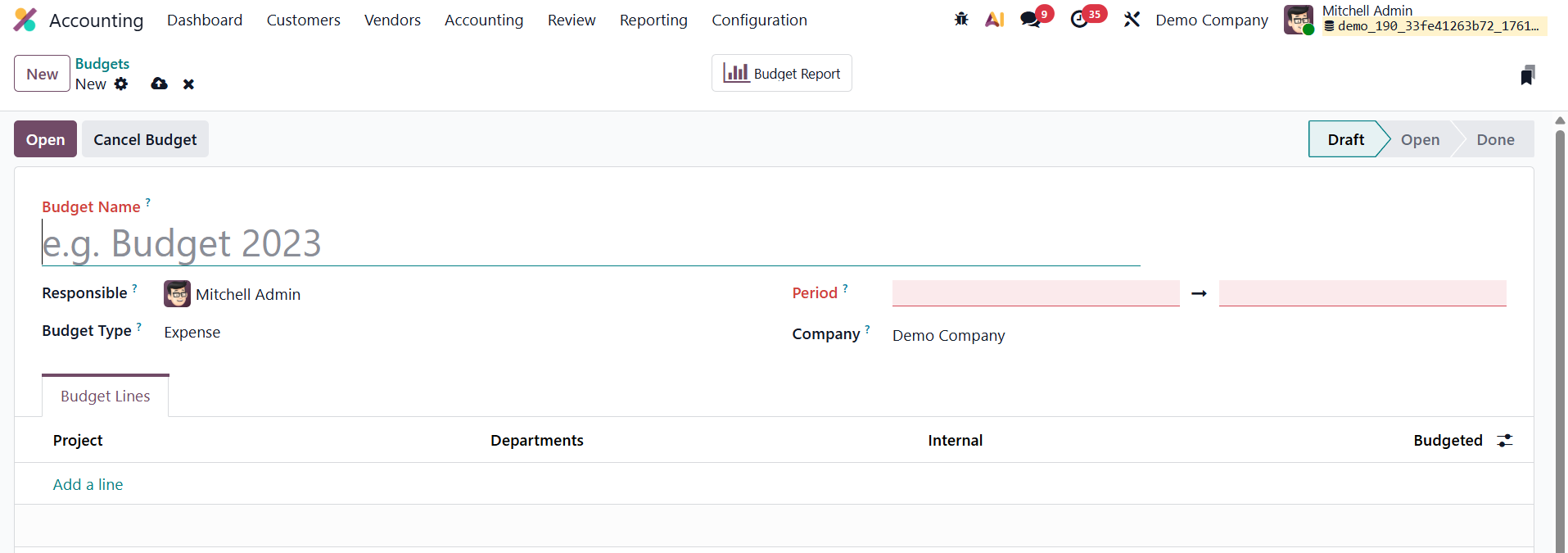
Under the Budget Lines tab, users can define specific financial allocations using the Add a Line option. Each budget line can be associated with parameters such as Project, Department, or Internal Category to ensure precise tracking.
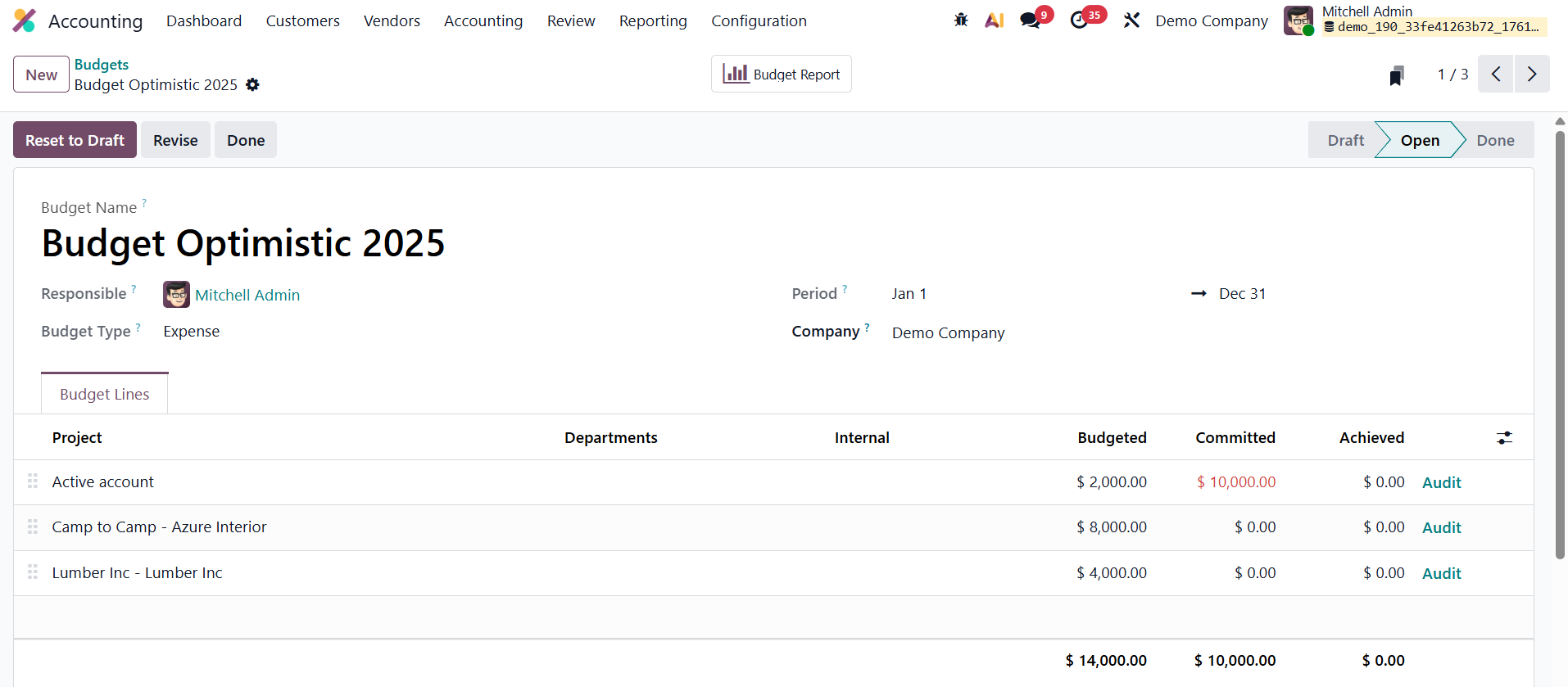
The Budgeted Amount represents the planned allocation, reflecting the organization’s financial targets. The Committed Amount refers to obligations that have been approved but not yet executed, such as purchase orders or contracts, while the Achieved Amount records the actual spending or revenue realized, offering a clear comparison between planned and actual performance.
Once all details are configured, users can Open the budget to begin monitoring financial progress, or Cancel it if revisions are necessary.
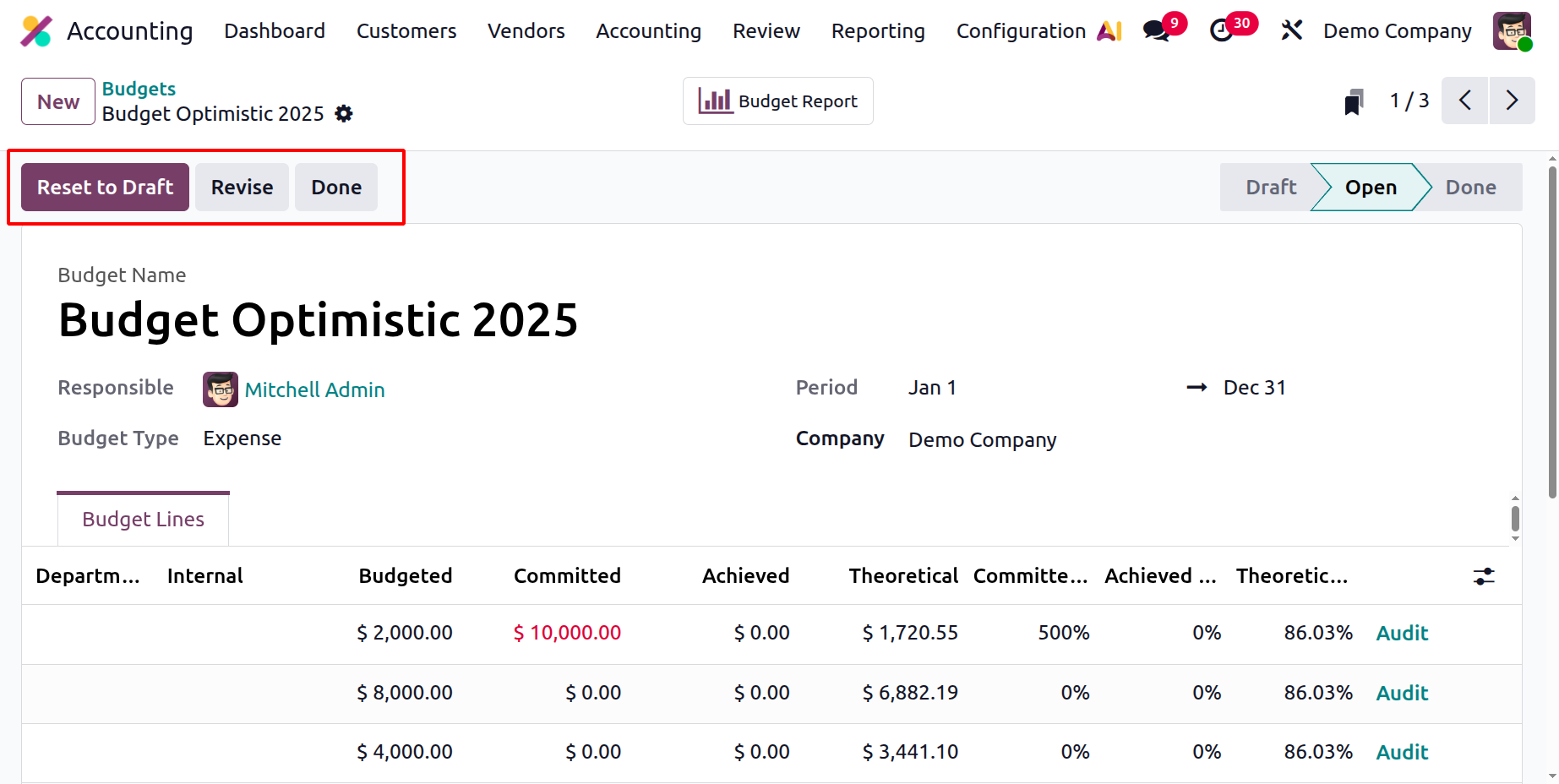
In Odoo 19 Accounting, Theoretical (%) represents how much of the budget should have been used by the current date, calculated proportionally based on the budget period duration, serving as a benchmark for expected spending or revenue. Achieved (%) reflects the portion of the budget that has actually been consumed or earned through posted accounting entries, showing real financial performance. Committed (%) indicates the part of the budget that is already reserved through confirmed commitments such as purchase orders, even though the related expenses have not yet been posted. Together, these percentages provide a clear and comprehensive view of planned, actual, and anticipated budget utilization, enabling effective budget control and informed financial decision-making in Odoo 19 Accounting.
The Revise button is used when you need to update or adjust an already approved budget; it opens the budget for modification without completely cancelling it. The Reset to Draft button sends the budget back to the draft stage, allowing you to fully edit or restructure all its details as if you were creating it anew. Finally, the Done button is used to mark the budget as completed, meaning all planned operations are finished and no further changes are expected. This closes the budget cycle and signals that it is finalized for the period.
1.3 Budget Report
In Odoo 19 Accounting, the Budget Report feature offers an advanced and intuitive way to analyze and evaluate all budgets configured within the system. Accessible from the Reports menu, this tool provides businesses with a clear overview of their financial performance, helping them compare planned allocations against actual results in real time.
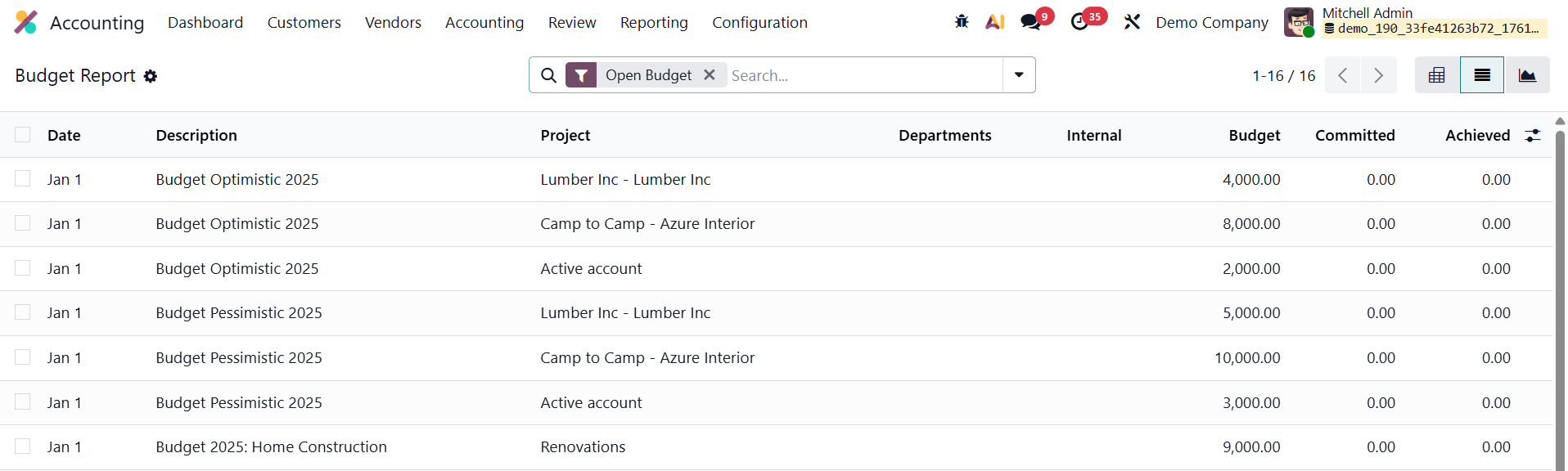
The Budget Report displays a structured list view containing key financial metrics such as Date, Description, Project, Department, Internal Category, Budgeted Amount, Committed Amount, and Achieved Amount. This organized layout enables users to easily monitor variances, assess financial discipline, and identify areas that may require adjustments or reallocation of resources.
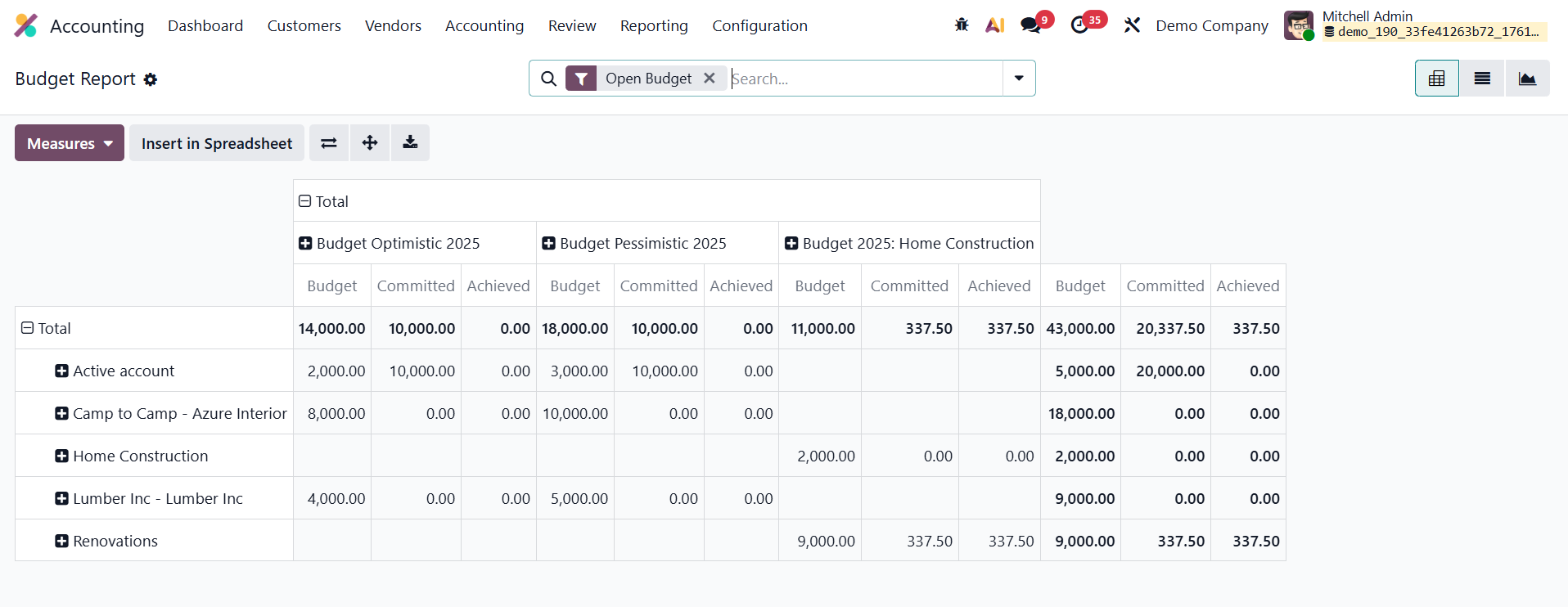
Odoo 19 enhances this reporting experience with improved pivot and graph views, allowing users to visualize budget performance through charts, tables, and trend lines. These analytical tools help decision-makers quickly interpret financial data, track spending patterns, and evaluate how effectively budgets are being implemented across departments or projects.