Reporting
With its strong reporting features, the Odoo 19 Manufacturing module improves production management by offering comprehensive insights into "Work Orders", "Overall Equipment Effectiveness," and “Production Analysis" facilitating well-informed decision-making and process optimization that boosts output and operational performance.
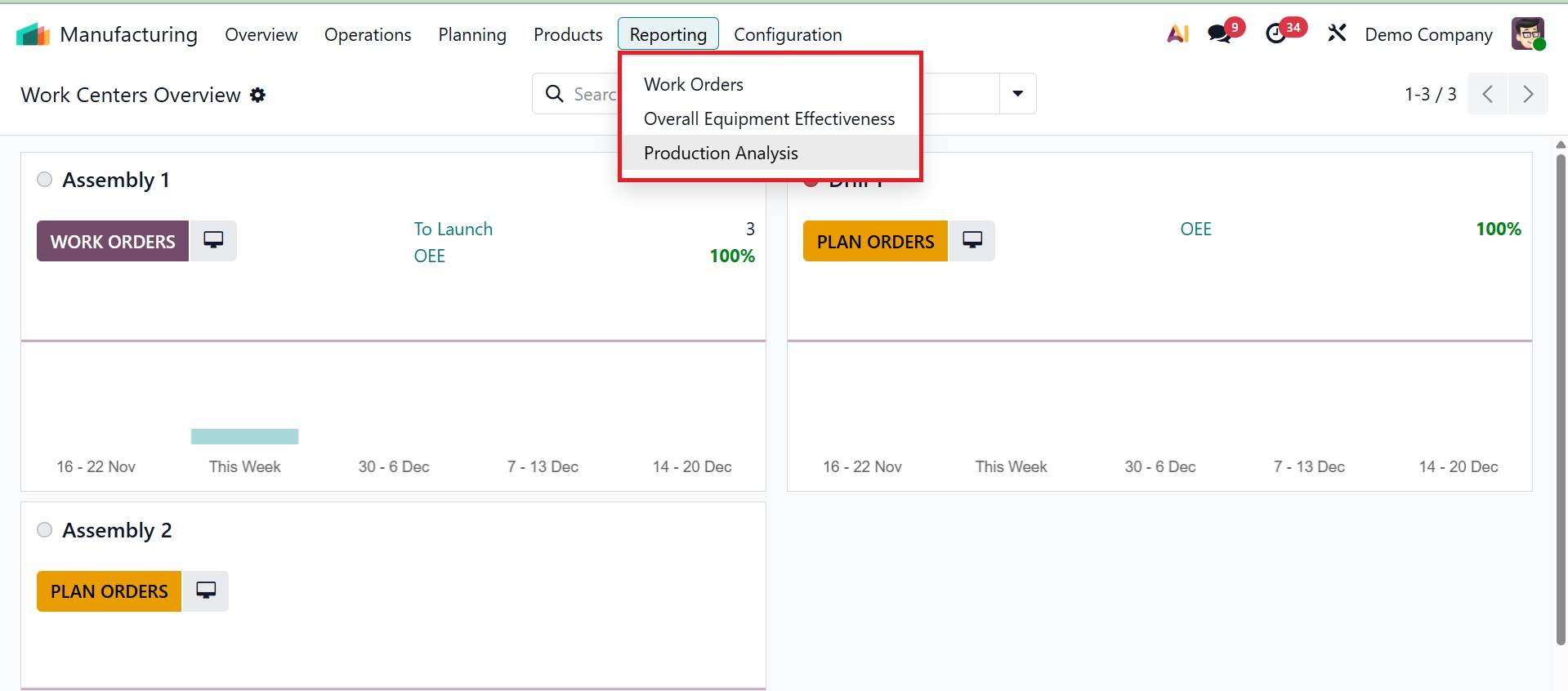
1.1 Work Order
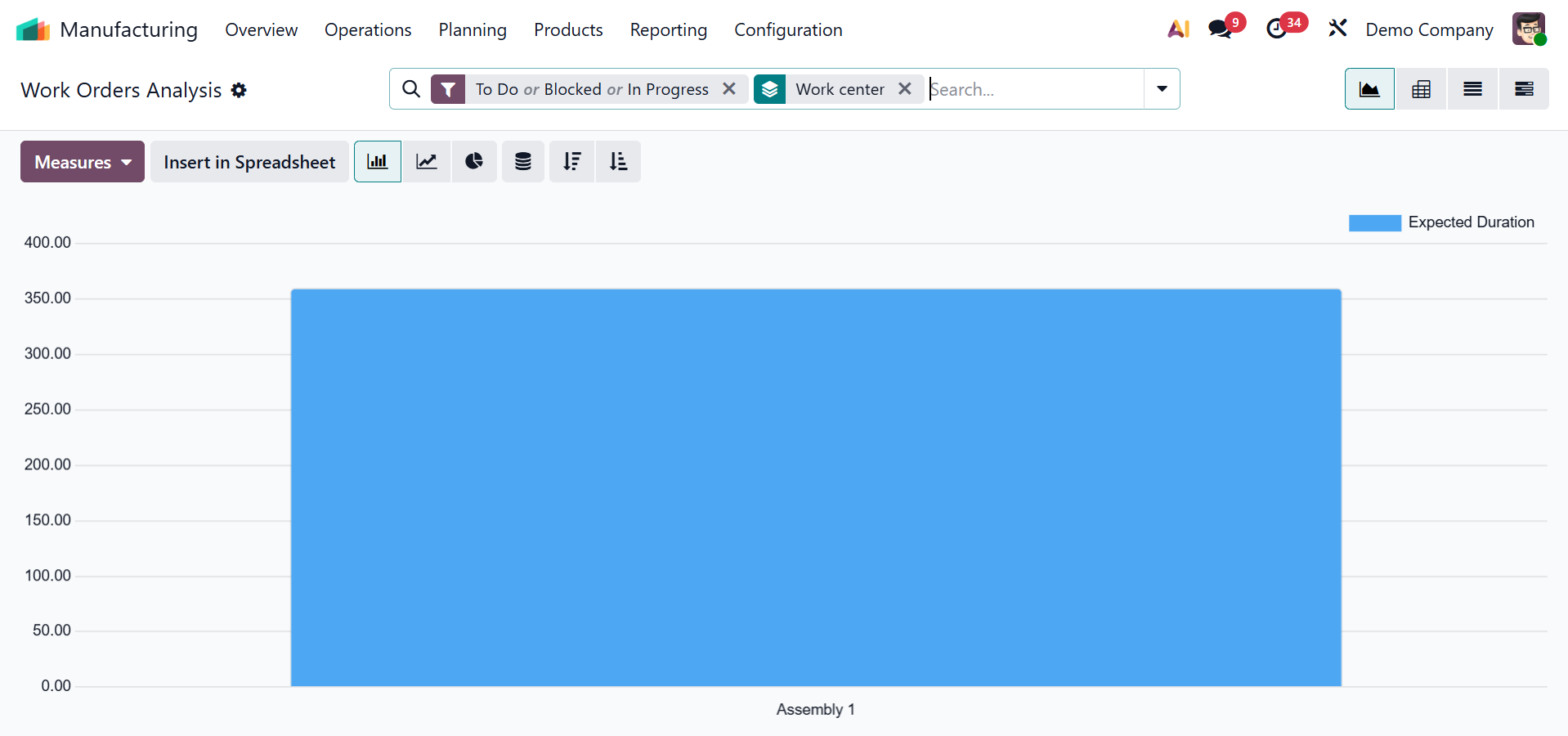
Odoo 19's Manufacturing module's Work Orders reporting delivers a comprehensive perspective of manufacturing processes, enabling firms to monitor and assess individual work orders' performance. By identifying problem areas, allocating resources optimally, and coordinating production schedules with company objectives, this data improves control and productivity. As seen in the screenshot below, all work orders that are ready, waiting, pending, or in progress will be analyzed in the "Work Orders" reporting area.
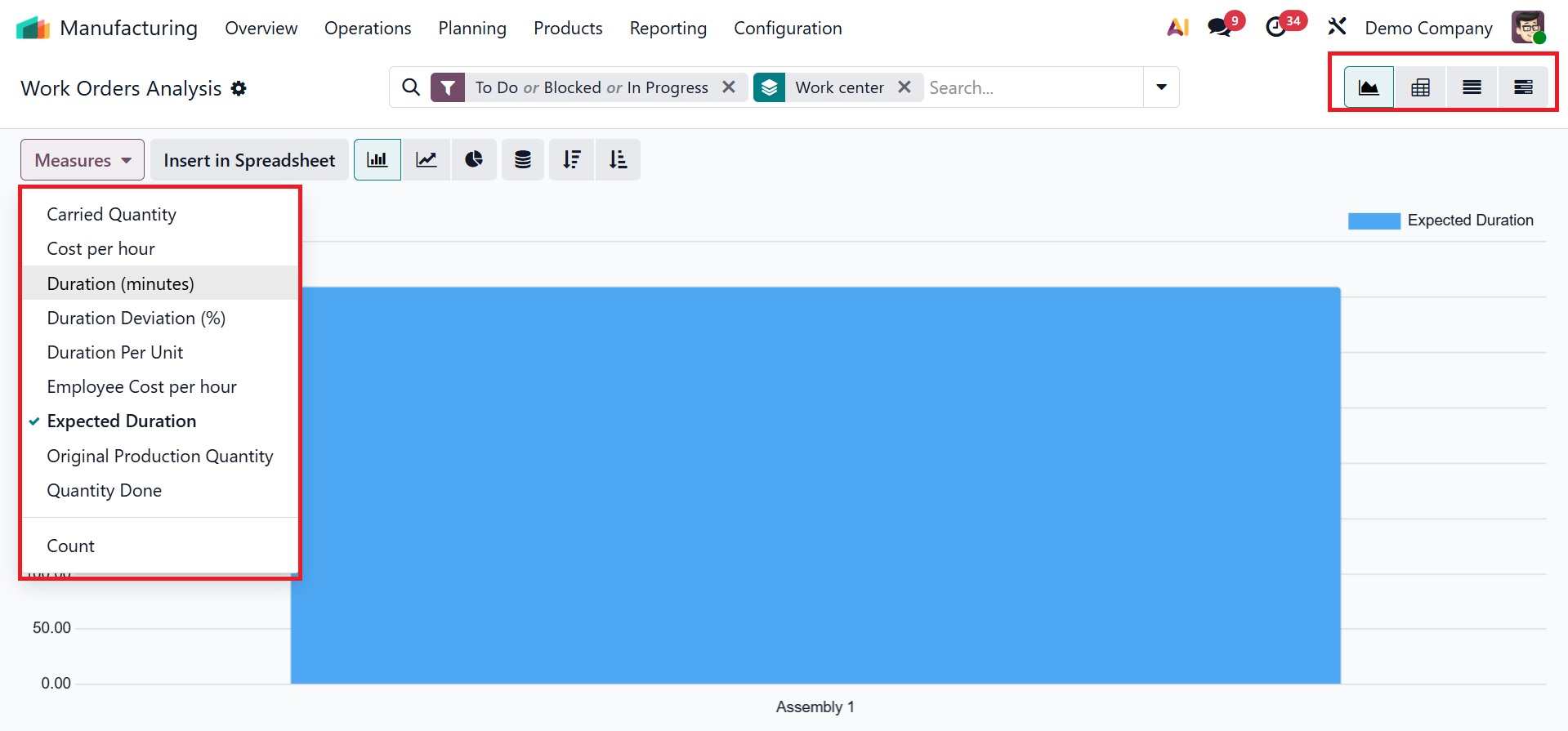
The Carried Quantity, Cost per hour, Done, Duration (Minutes), Duration Deviation, Duration Per Unit, Expected Duration, and other options from the "Measures" button are just a few of the metrics that can be used to analyze the report data based on multiple parameters in this Work Orders window, as shown in the screenshot below.
By selecting the appropriate icon located in the upper right corner of the window, you can additionally see the reporting data in Graphical, Pivotal, List, and Gantt formats. The pivot view offers a more analytical approach.
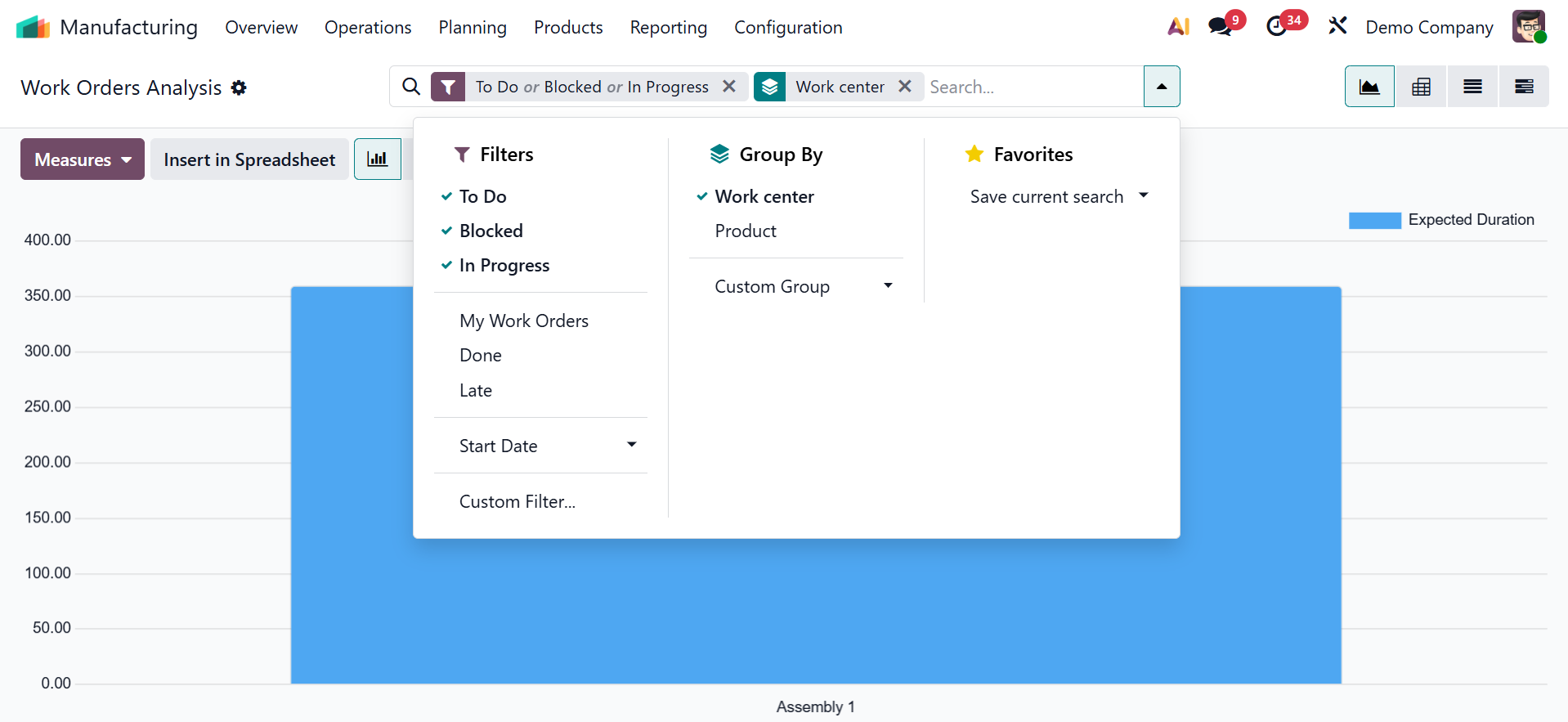
The advanced search bar area's Filters, Group By, and Favorites sorting options make it easier to create insightful and useful reports. You can use the "Add Custom Filter" and "Add Custom Group" options found under the Filters and Group By sections, respectively, to obtain reports that are tailored to the particulars of your business.
6.2 Overall Equipment Effectiveness
The OEE reporting platform can be used to evaluate the company's work centers' Overall Equipment Effectiveness (OEE).
The Manufacturing module of Odoo 18's Overall Equipment Effectiveness (OEE) reporting helps manufacturers increase the efficiency of their equipment by combining availability, performance, and quality into a single KPI. It features real-time dashboards, cycle time analysis, quality monitoring, and downtime tracking. The "Dashboard" and "Spreadsheet" choices in the window's "Actions" menu allow you to export data for sharing and compliance.
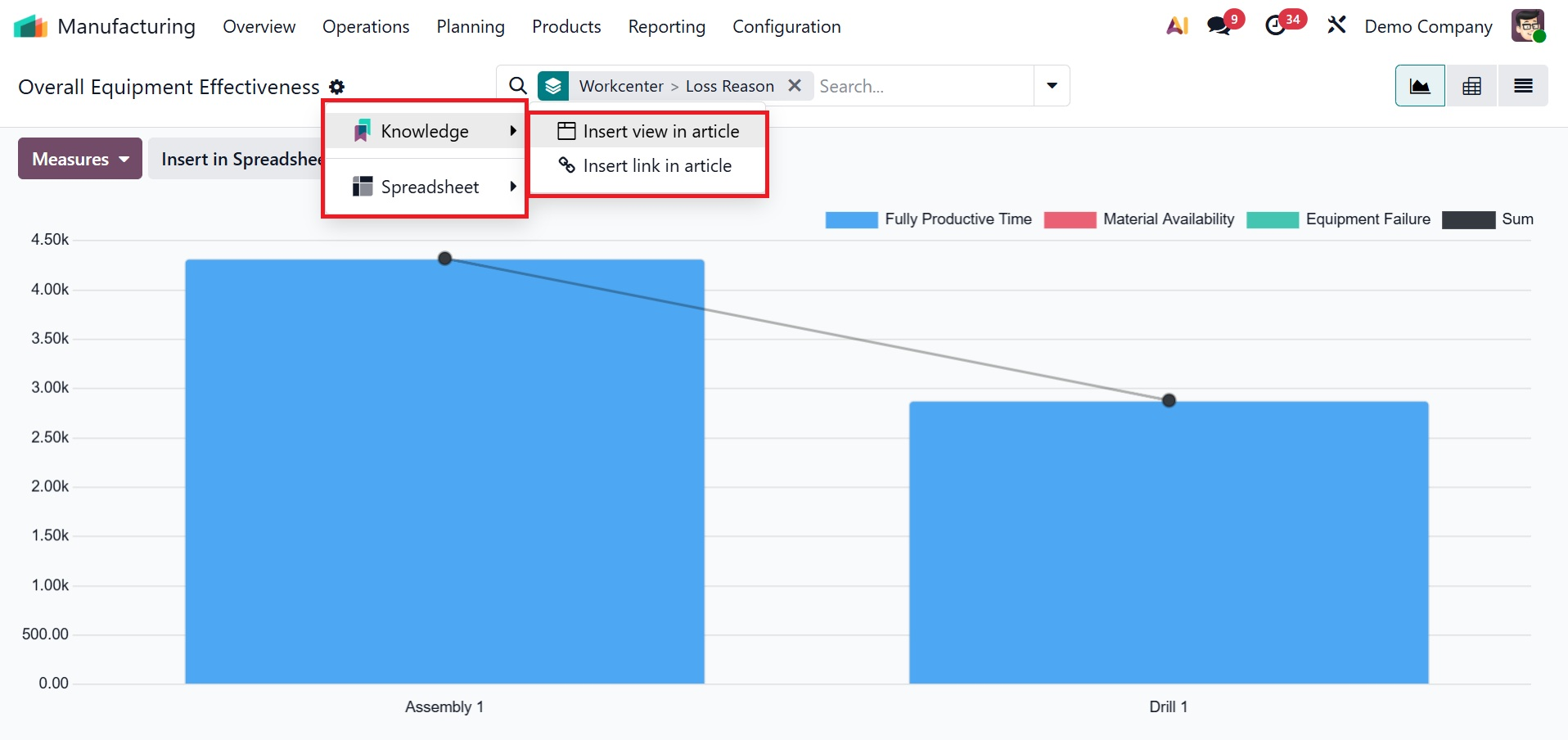
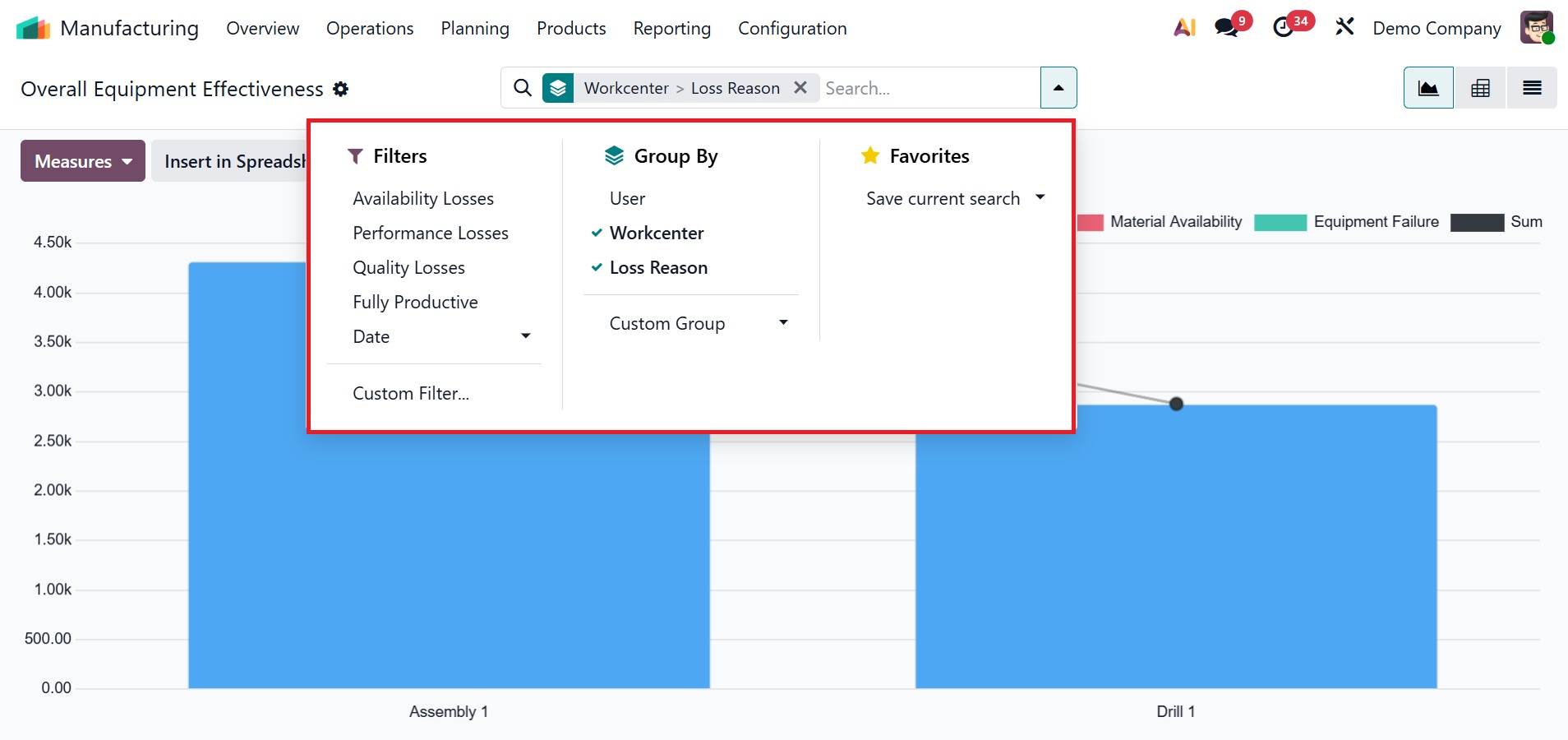
Next, look at time-based reports, work with maintenance logs, and use the "Measures" options—Duration, Employee-cost, and Count—to categorize the reasons for losses. You can use the "Filters" option from the advanced search bar area to narrow down the reports to obtain specific information, such as Availability Losses, Performance Losses, Quality Losses, Fully Productive Time, and Date. As seen in the screenshot below, you can also use the "Add Custom Filter" button to build unique filters.
To construct specific data groups based on User, Workcenter, and Loss Reason, utilize the "Group By" filters. Additionally, you may use the 'Add Custom Group' option to customize a new group by filter. Lastly, you can store recent searches or mark key facts using the "Favorites" option.
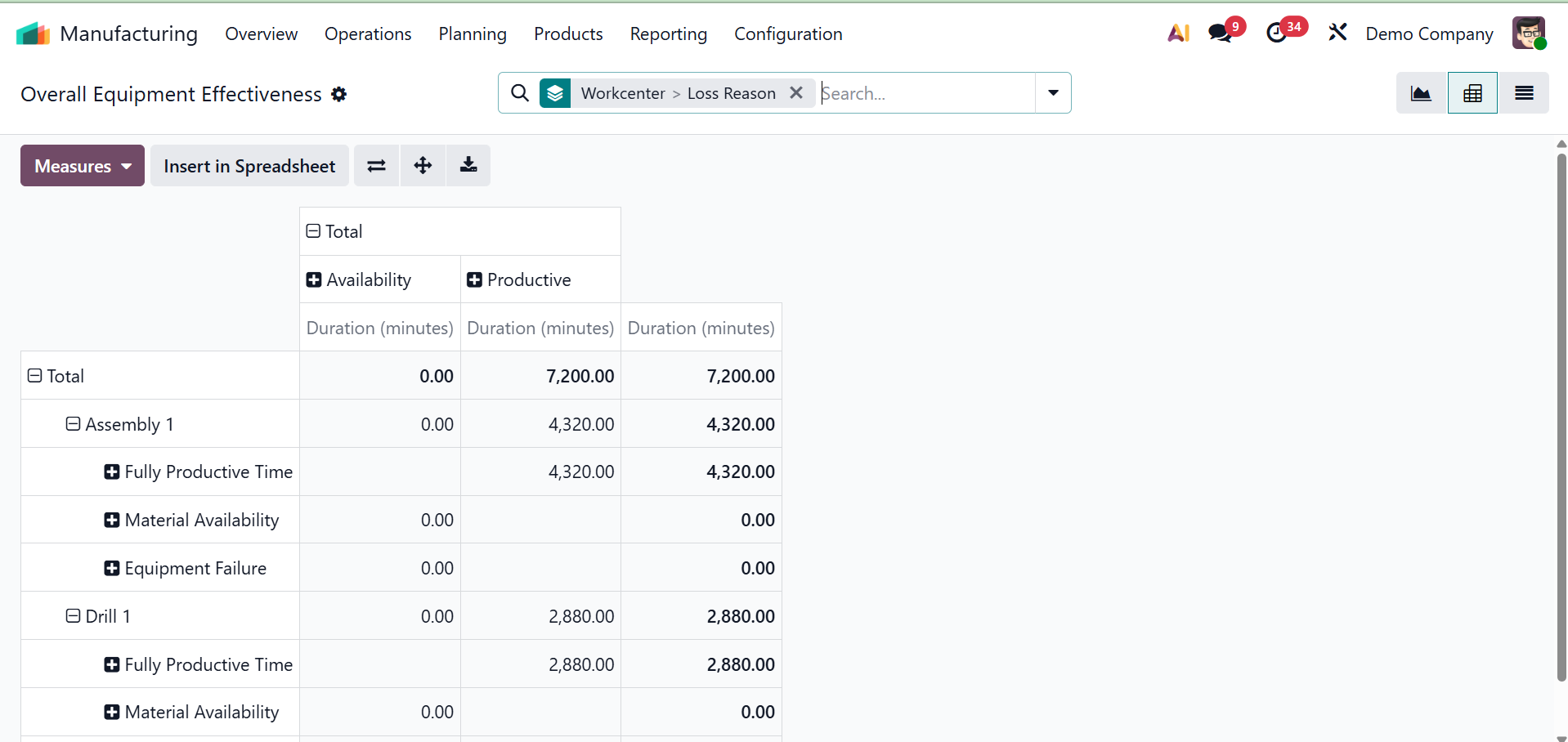
As with all Odoo reporting windows, you may use the icons in the upper right corner of the screen to change the bar chart to other graphical views, such as Pivot or List views, according to your preferences and analytical needs. For example, the screenshot below illustrates how the Pivot view looks in the reporting window.
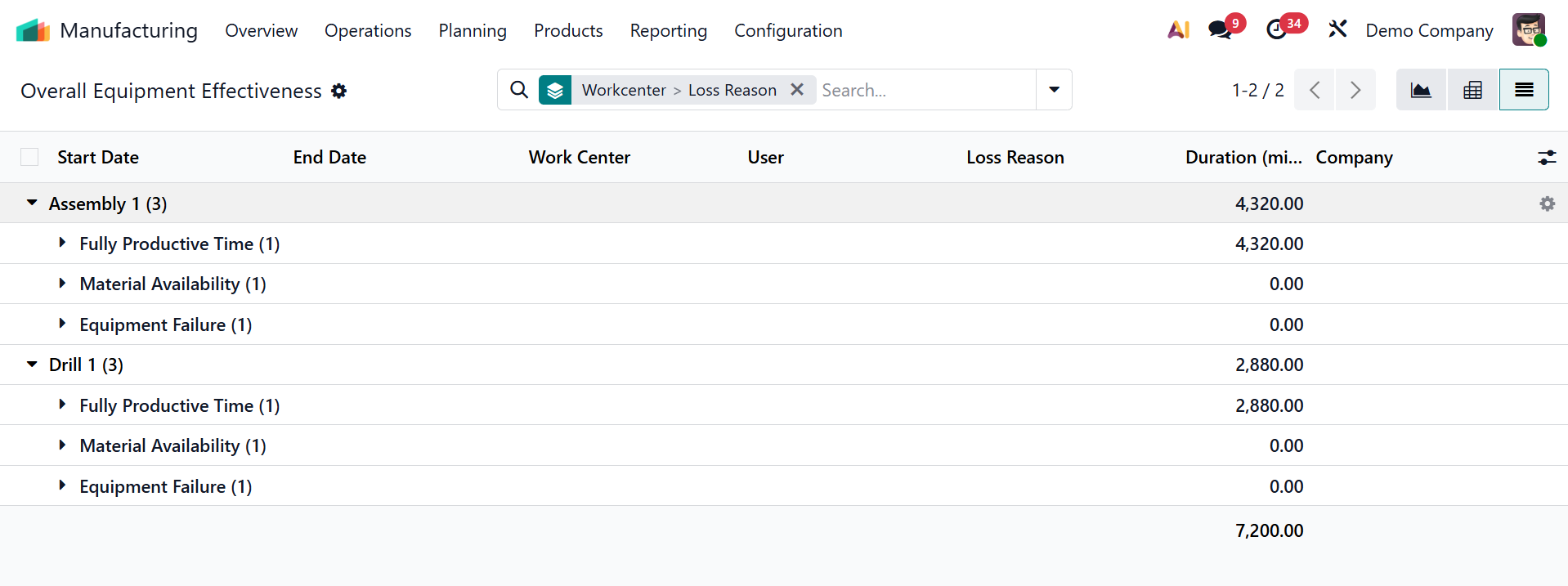
For every work center or machine, the list view displays important parameters such as Start Date, End Date, User, Duration in Minutes, and Loss Reason. This dashboard view allows you to rapidly monitor a work center's Fully Productive Time, Material Availability, and Equipment Availability. Additionally, you can use the Filter, Group By, and Favorites filter options to sort and filter out the necessary data to find trends.
The OEE Target is a benchmark for efficiency that establishes the anticipated percentage of fully productive time for a work center.
1.3 Production Analysis
The "Production Analysis" reporting window in Odoo 19's Manufacturing module offers thorough insights into manufacturing operations, helping businesses track production orders, evaluate productivity, and identify inefficiencies. In a default graphical view, it allows users to monitor product output, evaluate lead times and delays, and examine work center performance. As seen in the screenshot below, the production orders are shown on the X-axis, and the related production expenses per unit are shown on the Y-axis.
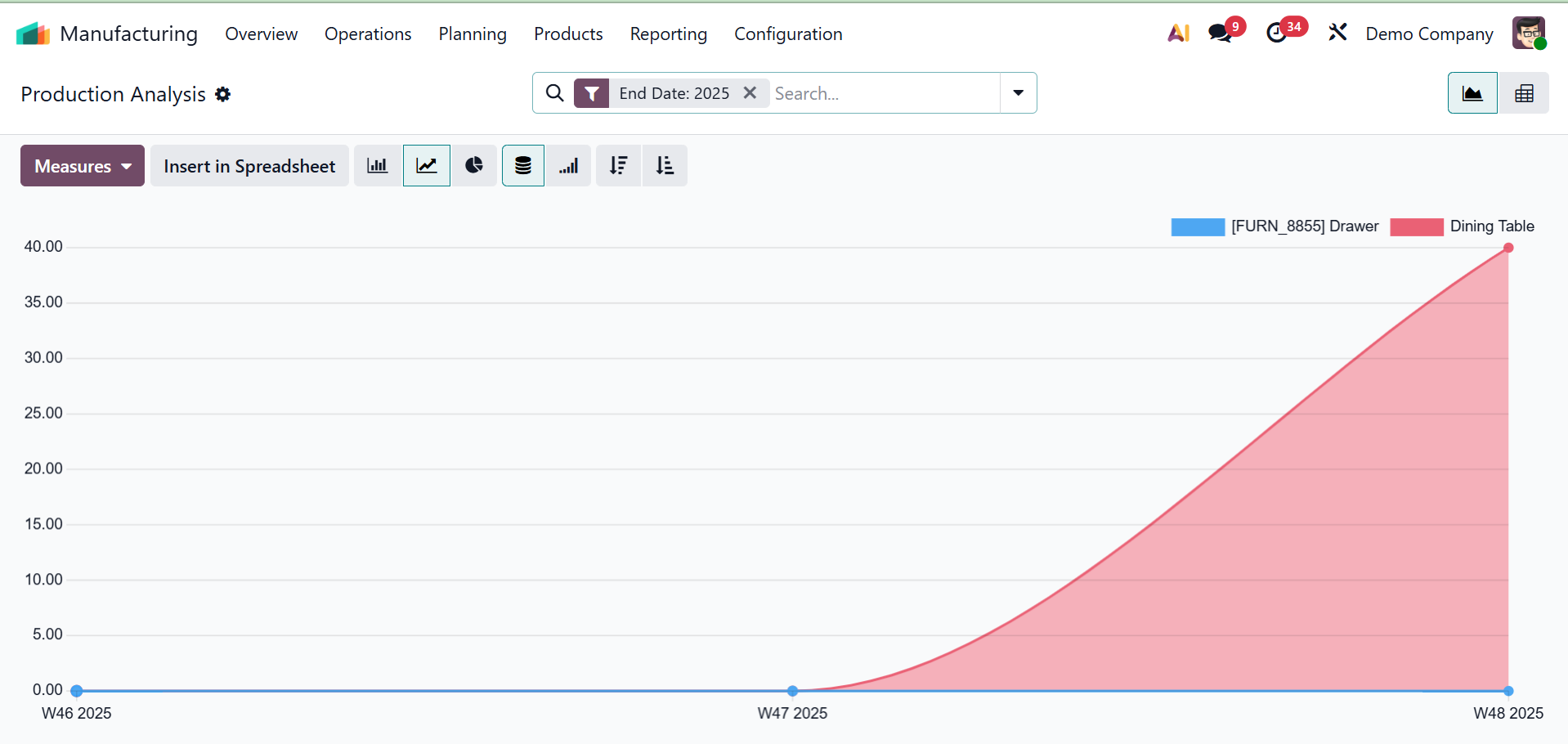
The "Insert in Spreadsheet" button allows reports to be exported for particular time periods, which aids in trend analysis and well-informed decision-making. Additionally, you can use the Knowledge, Dashboard, and Spreadsheet choices in the "Action" menu to create reports or articles and add views or data to dashboards and spreadsheets.
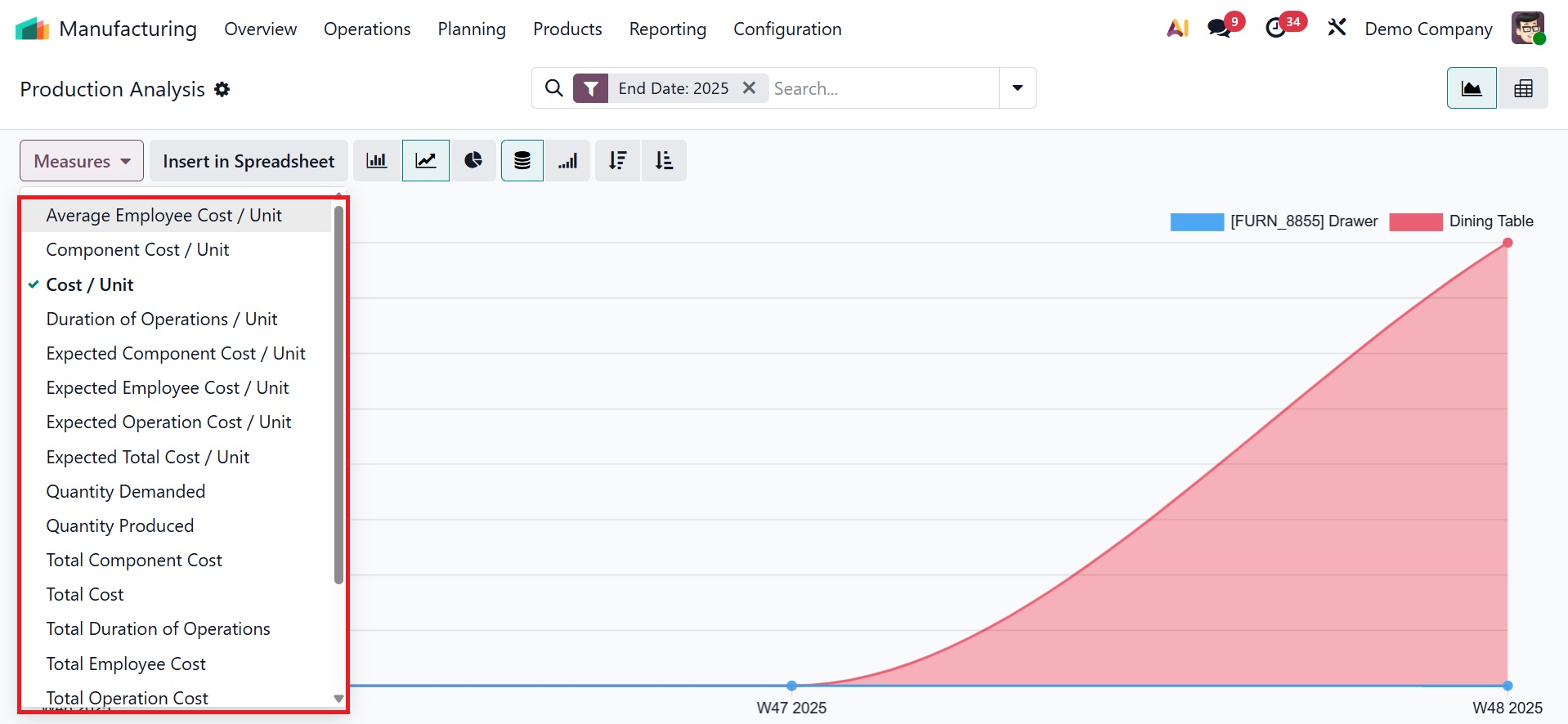
The 'Measures' button, which offers a number of options such as Component Cost/Unit, Average Employee Cost/Unit, Cost/Unit, Duration of Operation, Expected Component Cost/Unit, Expected Employee Cost/Unit, Expected Operation Cost/Unit, etc, can be used to alter the y-axis perspectives or analytical parameters, as shown in the screenshot below.
A variety of visualization choices, such as a comprehensive Pivot view and several graphical chart views (such as bar, line, and pie charts) for flexible data analysis, are accessible through the icons in the upper right corner of the reporting window. With these tools, you can analyze data from different perspectives according to your personal needs. The study can then be further narrowed by applying filters and grouping data by product, work center, date, or other criteria using the Filters and Group By options in the search bar area. This makes it easier to identify trends or inefficiencies and separate crucial data.
All things considered, the Manufacturing Module's reporting menu makes cost analysis easier, allowing businesses to assess manufacturing profitability using labor, material, and overhead expenses.
To sum up, the Odoo 19 Manufacturing module offers strong capabilities for managing the entire production cycle, increasing productivity with features like inventory automation, order management, by-product tracking, and quality control.