Reporting:
You may view all of the projects and tasks that are listed in the database using the Reporting tool in the Project module of Odoo19. Regular evaluation of all project-related activities is necessary to quickly pinpoint the areas that require more focus and improvement.
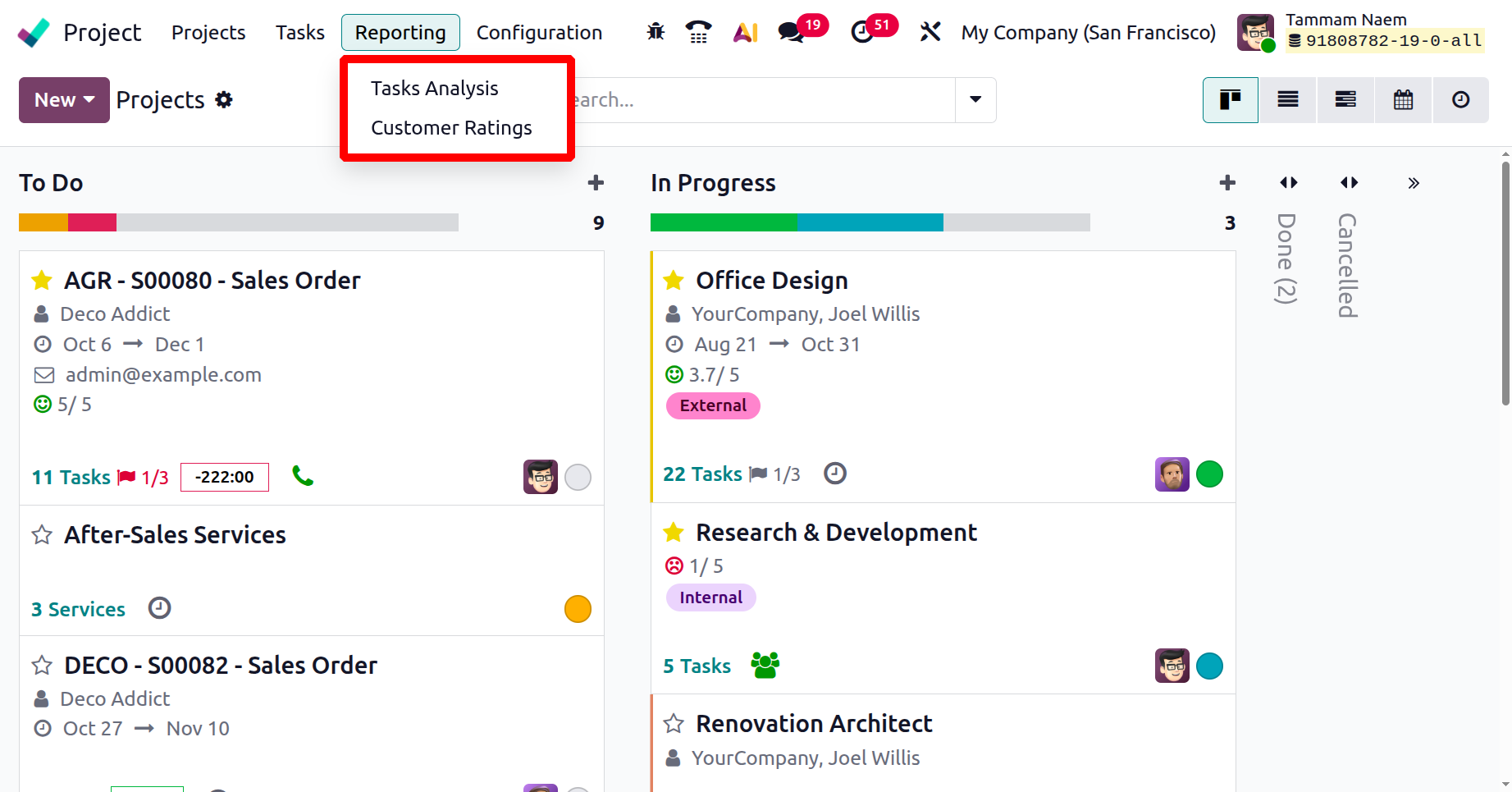
1.1 Task Analysis:
The project module's task analysis screenshot is shown below. There is a Show Sub-Tasks filter that helps to view all the Subtasks too.
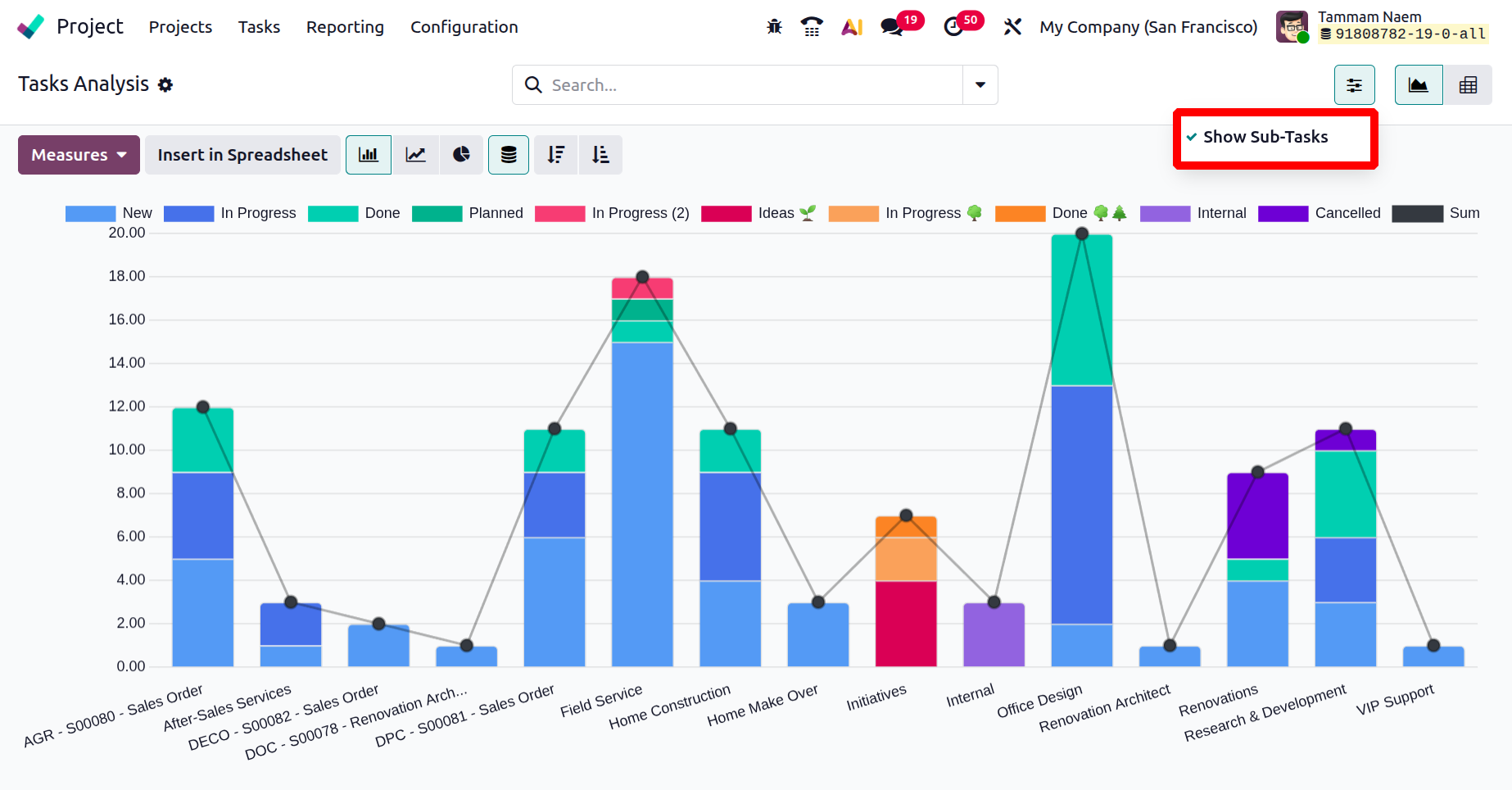
You can utilize the built-in filters for reporting. Tasks in Overtime, Favorite Projects, Followed Tasks, Department, Team, High Priority, Low Priority, Open, Closed, Late Milestones, Late Tasks, My Tasks, Followed Tasks, My Team, and Unassigned are some of the categories you can filter by. When choosing Group By, you can choose from the following options: Stage, Personal Stage, Assignees, Ancestor Task, Milestone, Customer, Sales Order Item, Kanban State, Deadline, and Creation Date. For the reports, pivot and visual views are available.
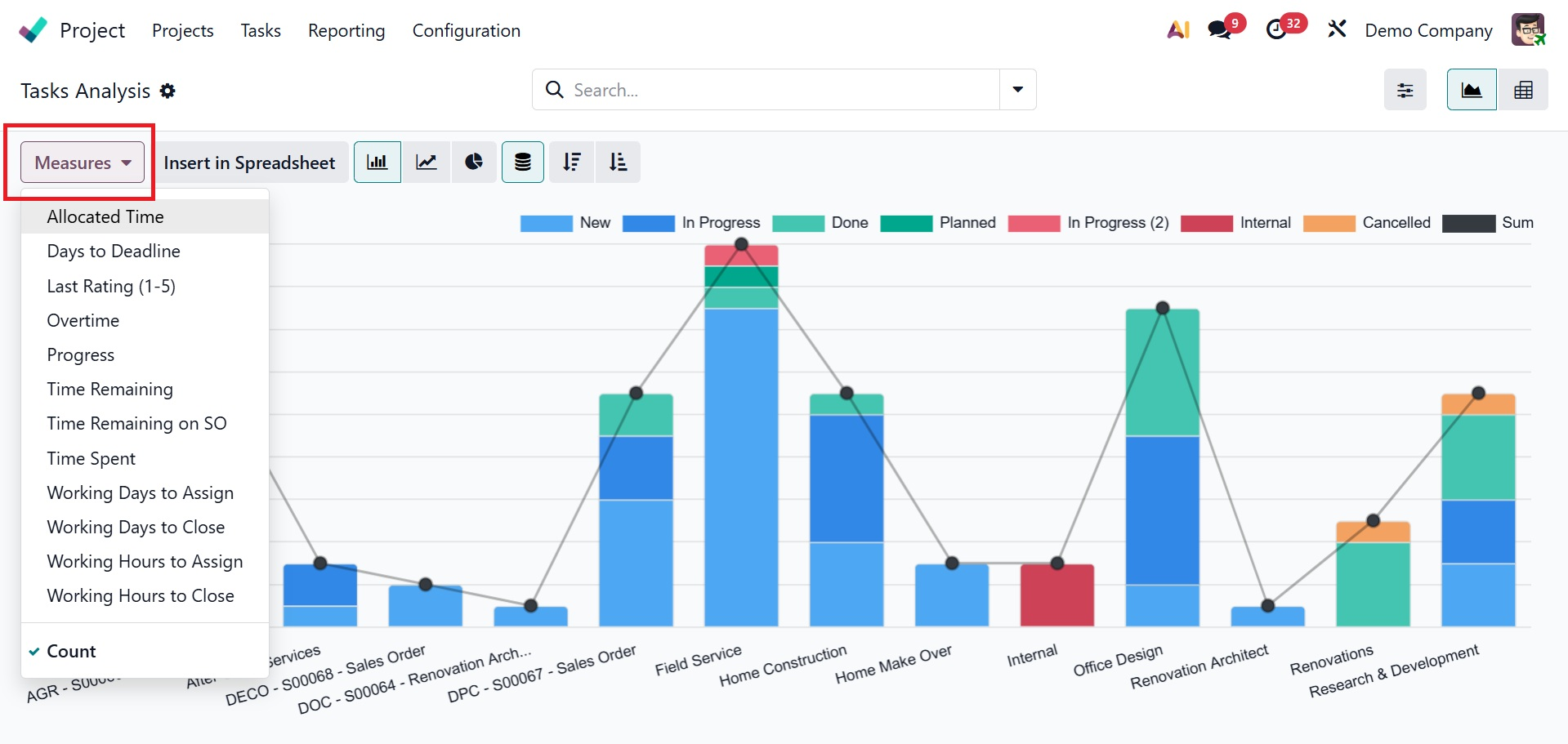
The metrics you can choose to set in this section include average rating, days until deadline, effective hours, overtime, planned hours, progress, rating value, remaining hours, working days until assignment, working days until closure, working hours until assignment, working hours until closure, and count.
1.2 Customer Ratings
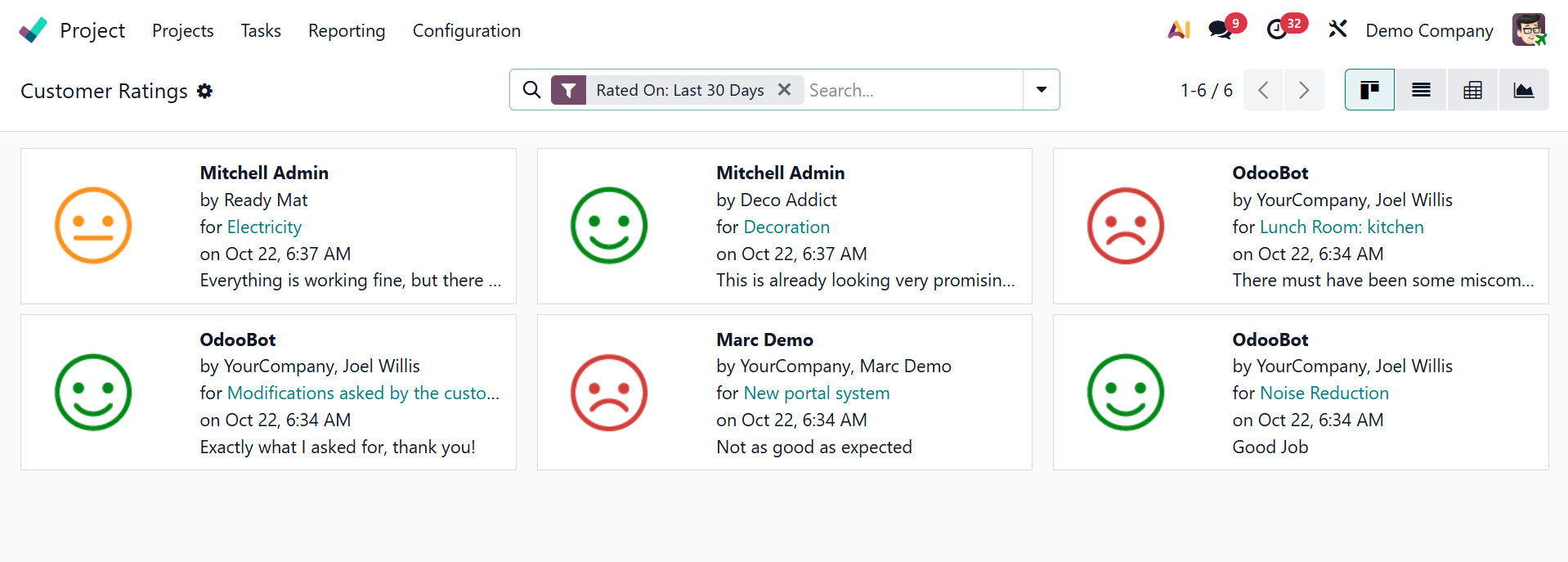
The Odoo Project module makes it possible to track client satisfaction on jobs. Selecting and turning on the Customer Ratings option in Settings will do this.
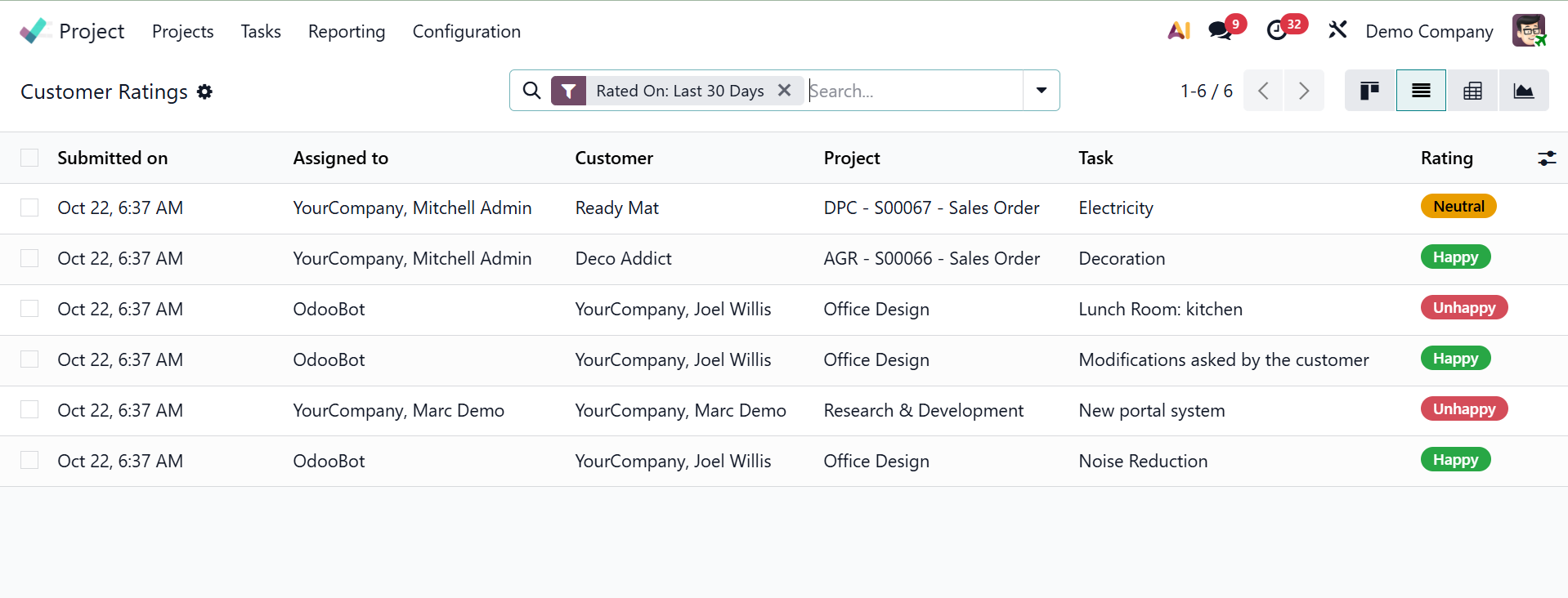
Once this feature is enabled, the Reporting menu will provide access to the Customer Ratings platform. Customers' ratings of your project will be tracked by this platform. In addition to the kanban view, the page can be viewed in list, pivot, and graphical formats. The image below displays the page in kanban view.
The image below shows the page in list view.
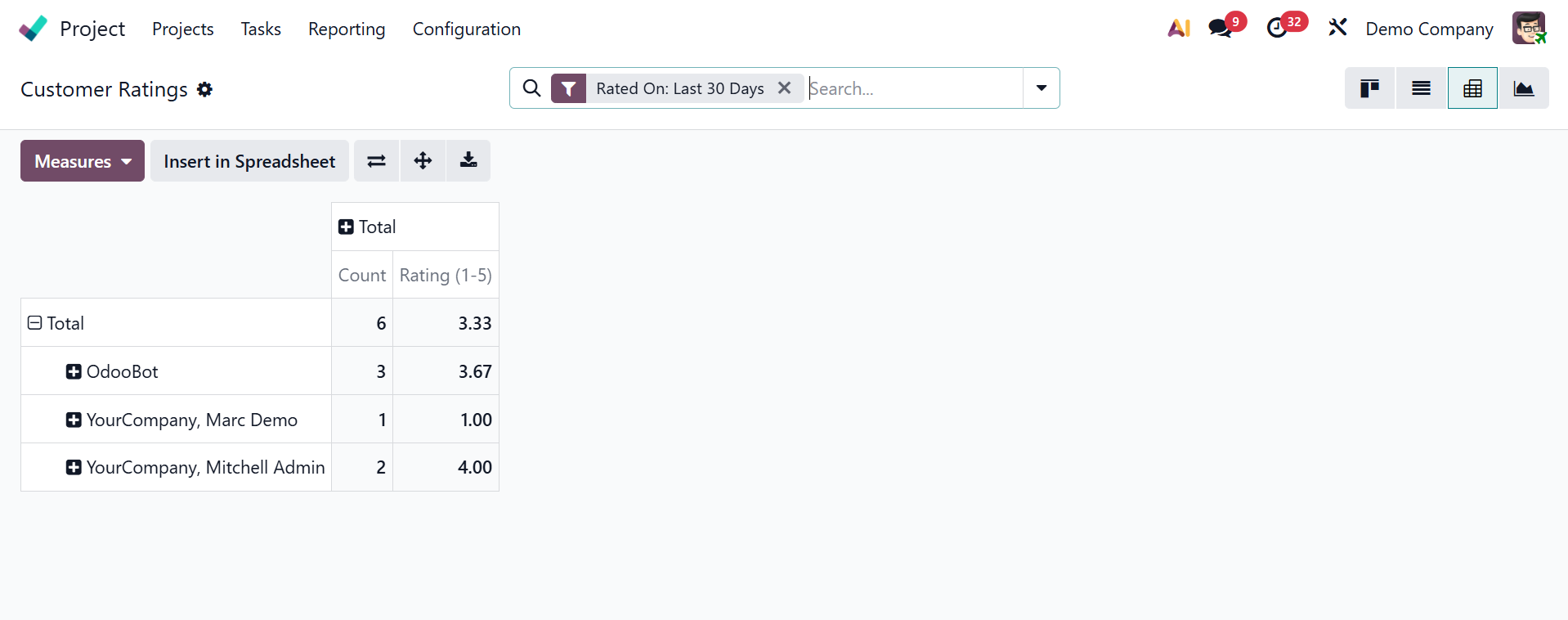
Moreover, the page's pivot view will look like this below.
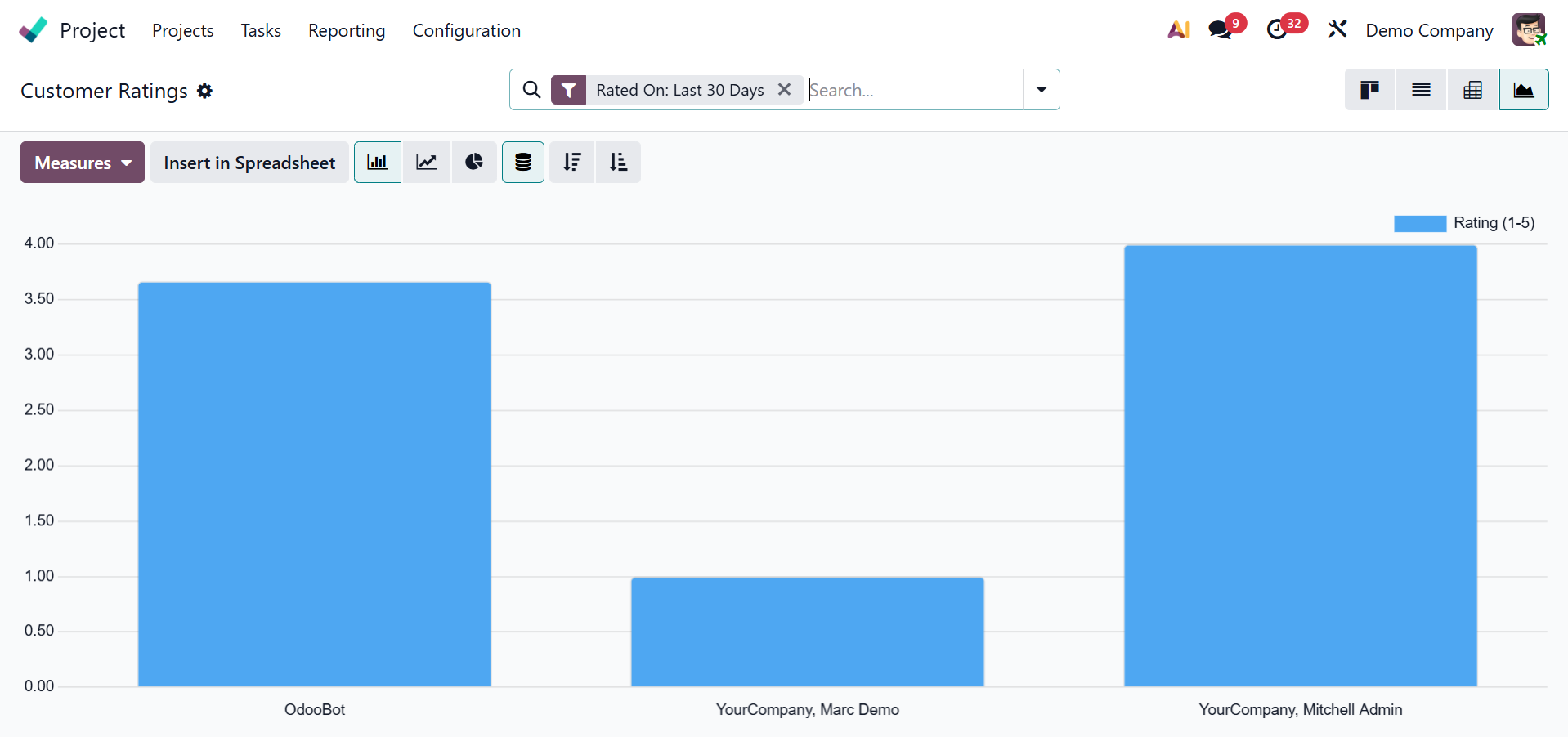
You now have access to the graphical view as well.
You may rely on the Odoo 19 Project module to keep an eye on and manage the projects and activities for your business.