Reporting:
The Odoo 19 Timesheets module's "Reporting" menu makes it possible to create dynamic reports depending on Employee, Project, Task, and Billing Type.
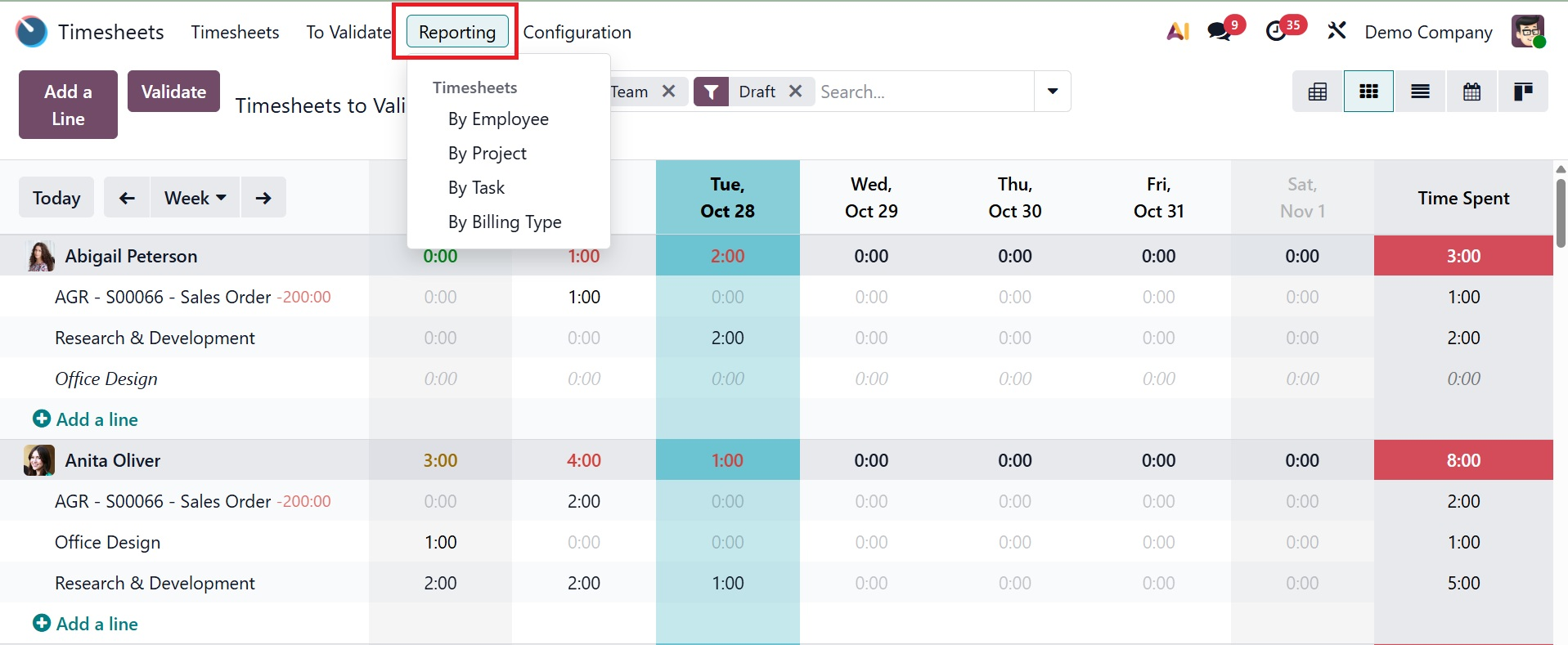
1.1 By Employee
This feature provides a thorough summary of timesheets broken down by employee. As shown below, the interface offers insights into the total number of hours worked by each employee in a given week or month in a Pivot view.
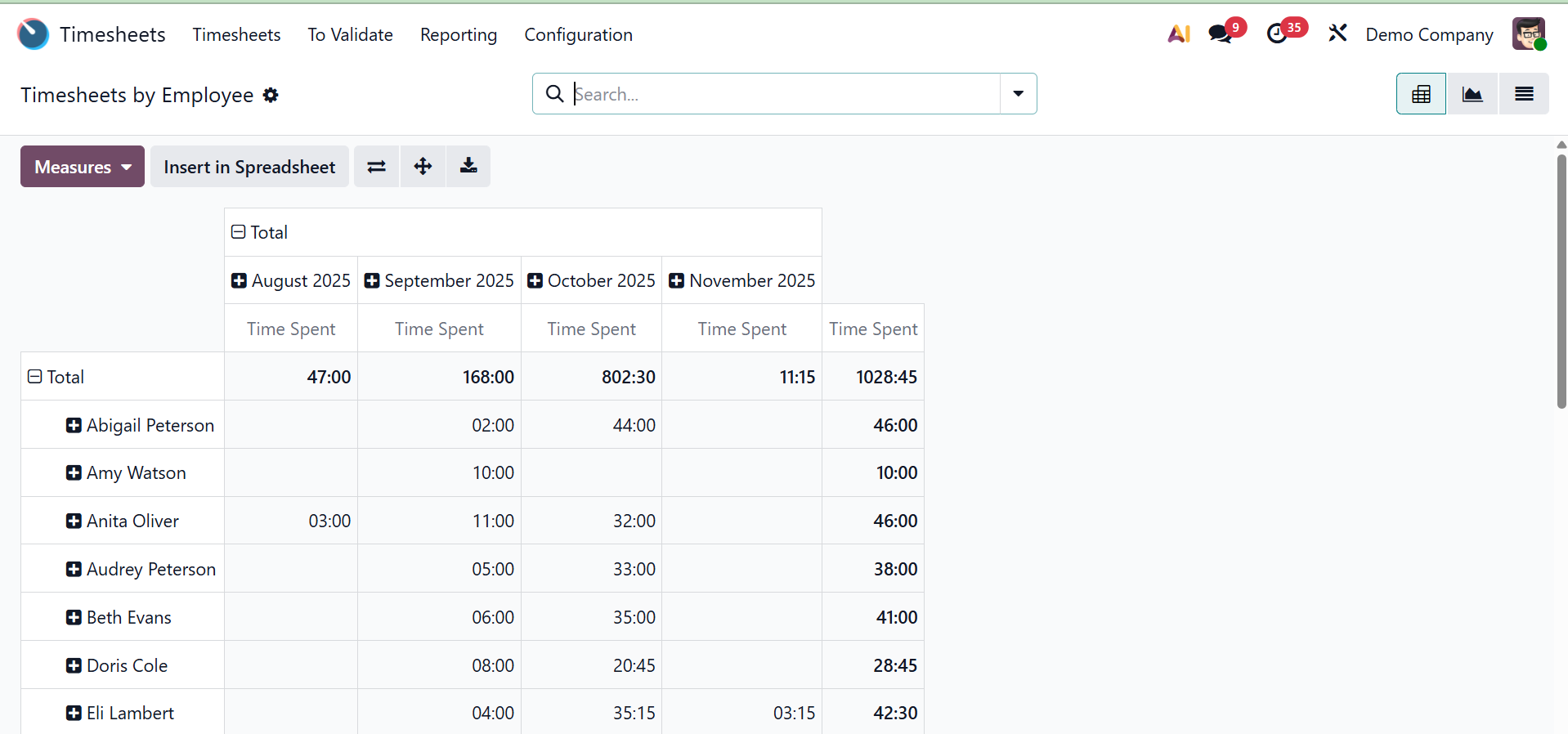
Analytical reports can be exported to spreadsheets using the Pivot view, and a variety of measuring tools are provided for accurate data retrieval. Additionally, there are other ways to visualize the reporting data, such as graphical, list, pivot, and Kanban views. As seen in the screenshot below, the "Measures" section displays a graphical depiction of the data with a variety of analytical metrics.
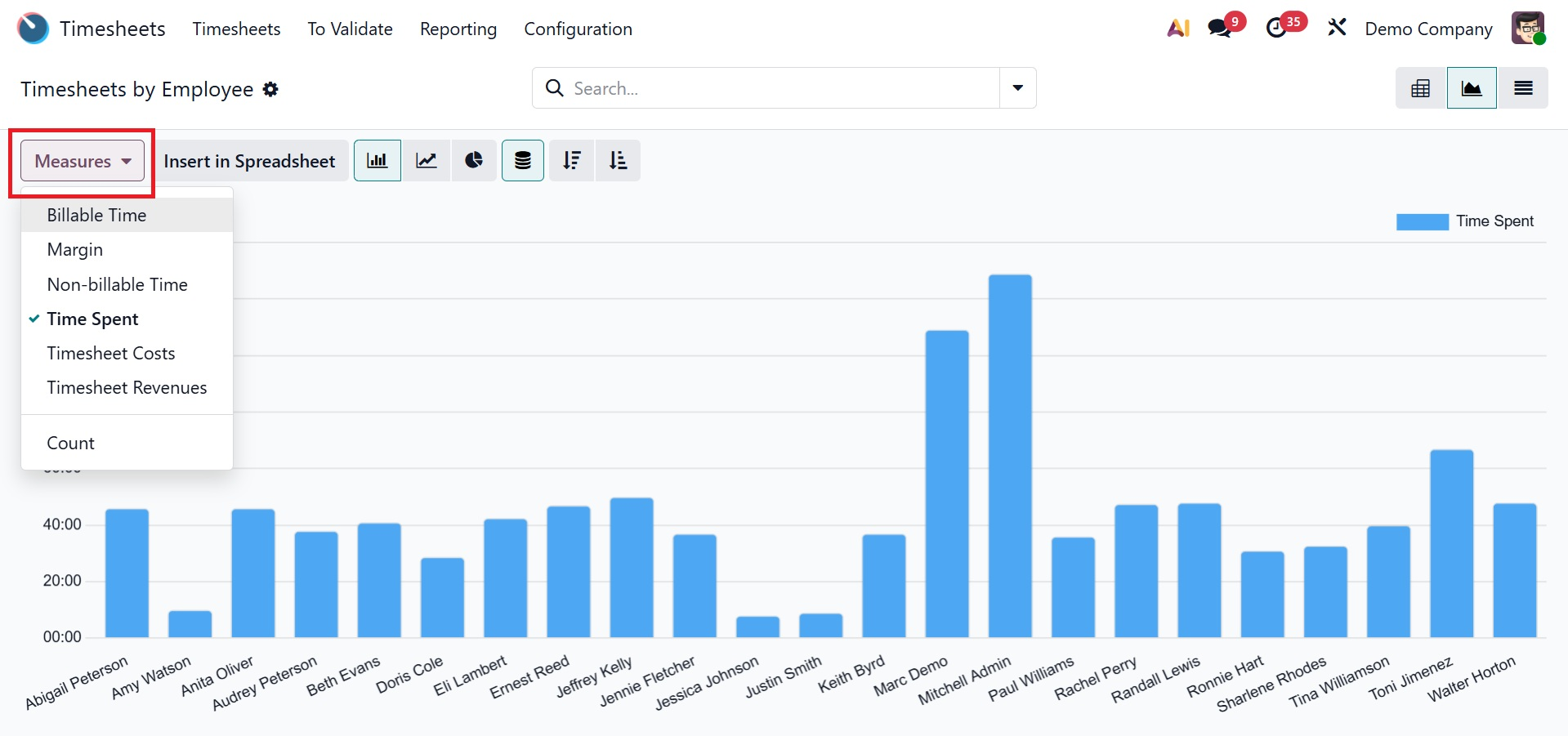
Using the necessary measures, such as Billable Time, Margin, Non-billable Time, Time Spent, Count, etc, you can alter the report's viewpoint.
The Filters, Group By, and Favorites functions in the search bar allow you to organize and filter your data based on particular criteria. You can apply relevant filters, group related information, and store frequently used views for quick access by marking them as Favorites. The "Add Custom Filter" and "Add Custom Group" buttons allow you to create custom filters and groups to further satisfy your reporting or analytical requirements.
1.2 By Project
The 'Reporting' menu's 'Timesheets by Project' option arranges timesheets according to projects. With the help of this function, users can monitor how many hours are spent on a certain project over a predetermined period of time. Grid, Kanban, List, Pivot, and Graphical views can all be used to visualize the data.
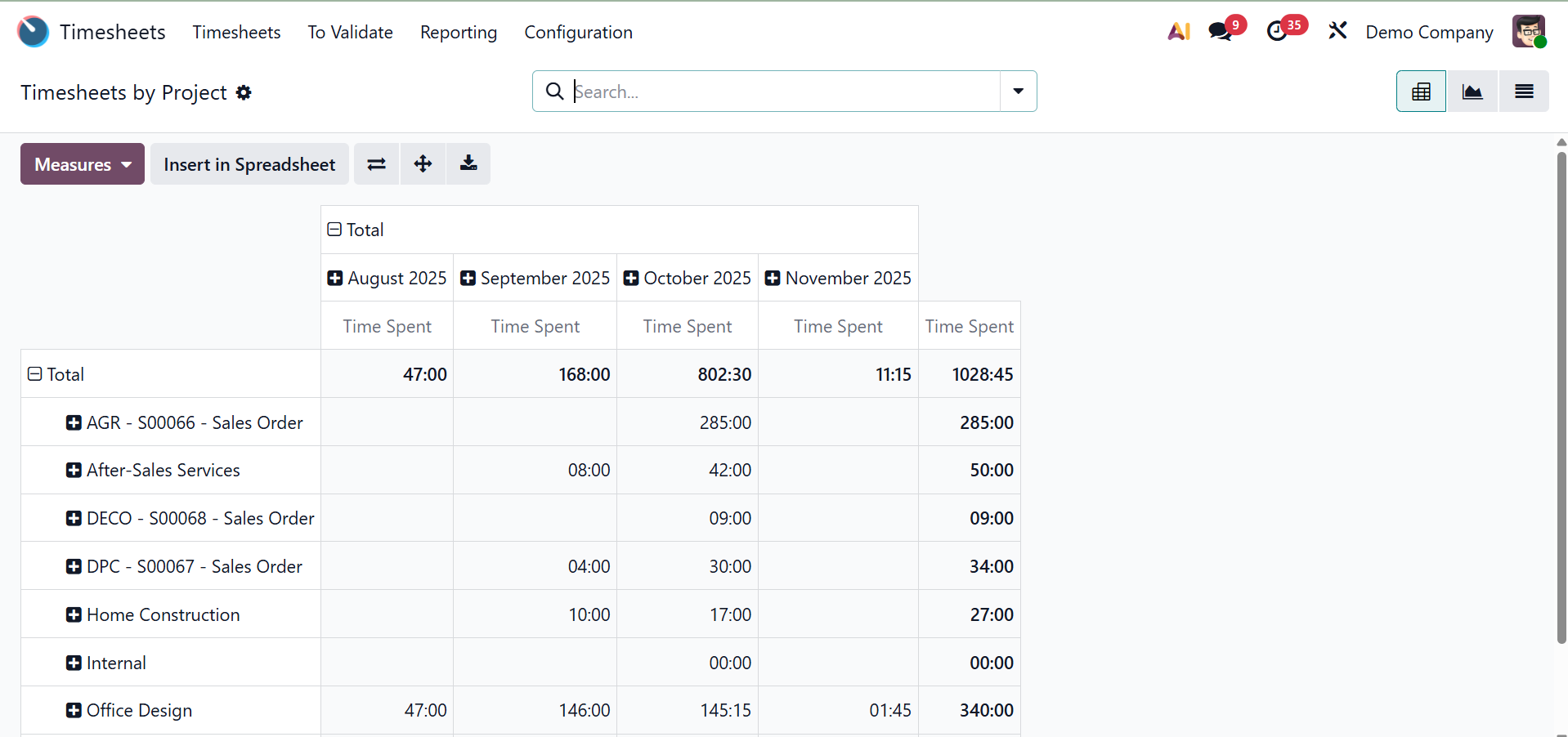
The crucial axis can be flipped, the rows and columns can be expanded, and the excel file containing the reporting data can be downloaded by using the Flip Axis, Expand All, and Download xlsx icons. The other features, such as the Measures section and several Filter and Group By choices, are comparable to those in the prior reporting window.
1.3 By Tasks
The 'Timesheets by Task' reporting window in Odoo 19's Timesheet module offers a comprehensive summary of time entries organized by individual tasks, making it an essential tool for tracking the amount of time spent on certain assignments across various projects or team members. Users can examine data in the most pertinent format with the report's pivot view, which offers customisable measures including Time Spent, Billable Time, Non-Billable Time, Count, and Cost. Additionally, it offers Favorites, Group by, and Filters for employee, project, or time period refinement.
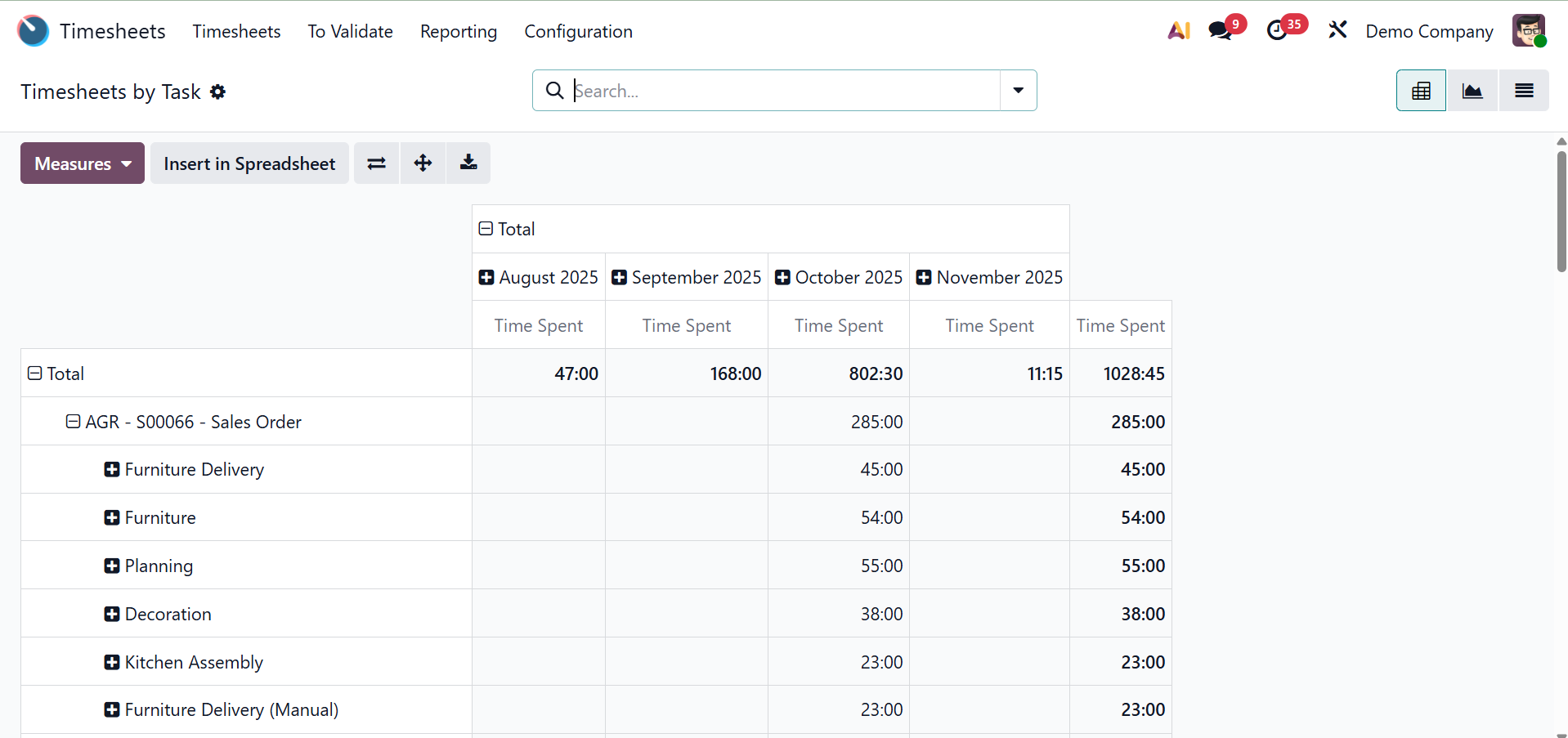
As seen below, the reporting window can easily be transformed into List and Graphical views based on your needs.
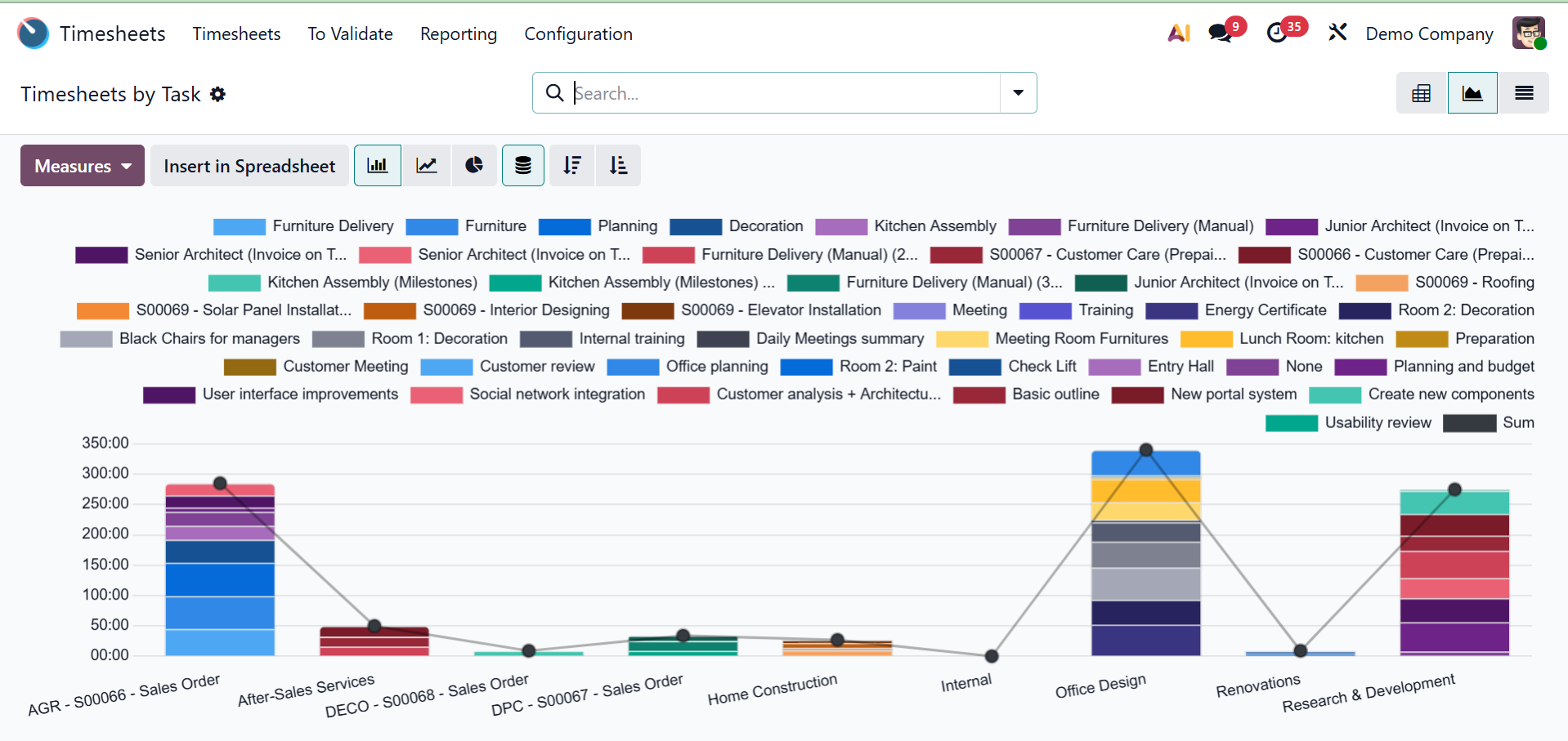
Users can evaluate time allocation and identify performance trends by turning on task-level analysis.
1.4 By Billing Type
Reports are categorized according to billing methods in the 'Timesheets by Billing Type' section. Companies have the option of using a set rate or timesheets to bill for services. The reports show how many hours were worked on each sort of billing, including non-billable tasks. For various analytical viewpoints, users can switch between metrics such as Time Spent, Count, Cost, and Margin. For targeted reporting, the interface offers sophisticated filtering, grouping, and favorites. Additionally, it facilitates invoicing, guaranteeing precise accountability and customer charging of billable time.
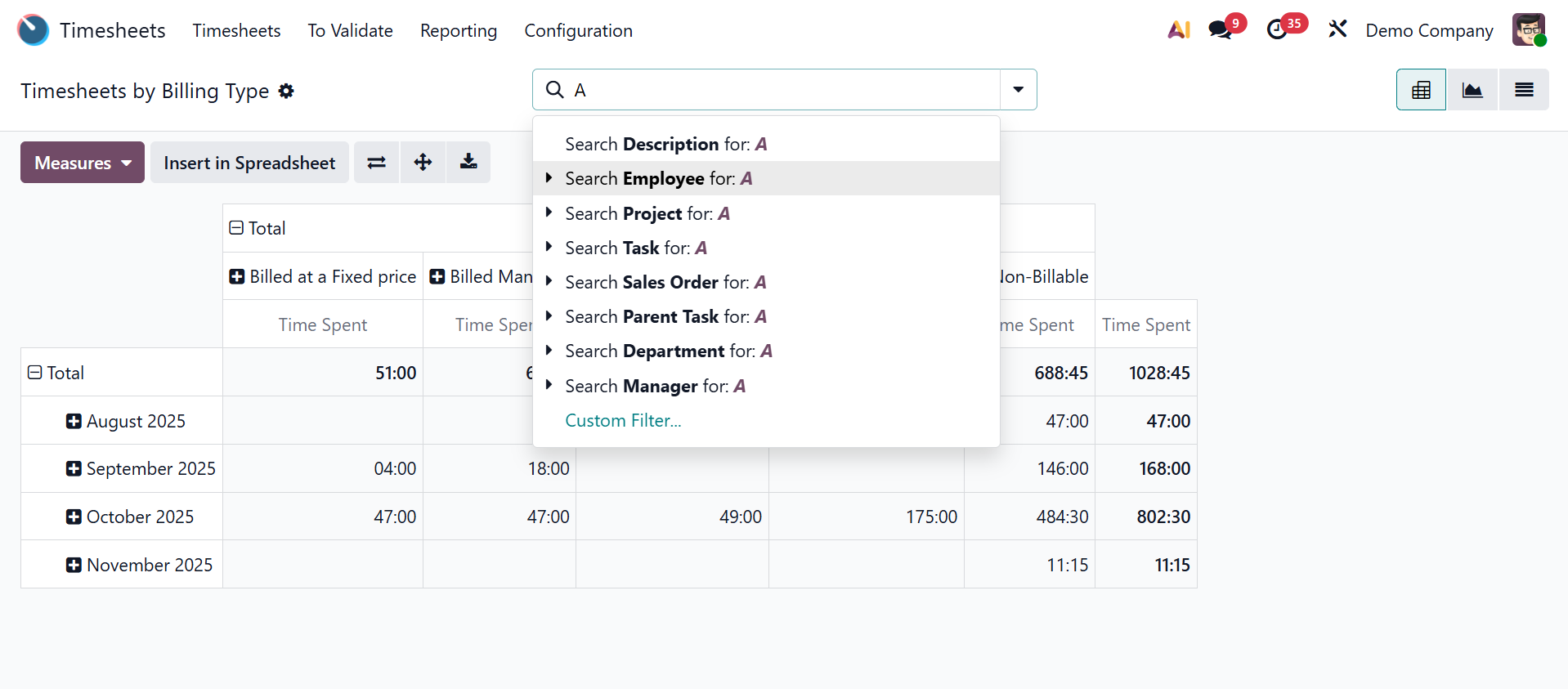
Businesses can immediately comprehend revenue-generating and non-billable operations thanks to the system's organization of recorded time by billing status. Additionally, it helps with revenue analysis, which makes precise forecasting and profitability monitoring possible. It helps managers find areas where too much time might be wasted on non-billable work by optimizing resource allocation.
By making it simple for employees to log their work hours, the Odoo 19 Timesheet module helps organizations monitor productivity, manage projects effectively, and guarantee proper billing. It makes time management more structured and effective by supporting real-time updates, analytical reporting, and a smooth connection with projects, payroll, and invoicing.