The speed and reliability of order fulfillment have become critical differentiators for businesses. At the heart of efficient order fulfillment lies lead time, the total duration required to move an order from initiation to final delivery. This period encompasses multiple stages, including the procurement of raw materials, production processes, internal handling, and transportation of finished goods to customers. However, lead times are rarely static. They are often affected by material shortages, supplier delays, transportation bottlenecks, and labour constraints, making accurate planning and delivery forecasting a persistent challenge.
To overcome these uncertainties, businesses increasingly rely on smart planning strategies such as Just-in-Time (JIT) production, automated stock replenishment, and system-driven scheduling. Yet, even with these approaches, variations in lead times across suppliers, warehouses, and delivery routes can result in delays or excess inventory, tying up valuable financial resources. This is where a robust ERP system like Odoo 19 plays a vital role by enabling precise control and configuration of lead times at different stages of the supply chain.
In Odoo 19, delivery-related lead times are particularly important for ensuring timely order fulfillment and customer satisfaction. Two key concepts introduced for effective delivery planning are Delivery Lead Time and Security Lead Time for Delivery.
- Delivery Lead Time refers to the expected number of days required to deliver a product to the customer after the sales order is confirmed. It accounts for internal handling, packing, and transportation, allowing businesses to provide realistic delivery dates to customers.
- Security Lead Time for Delivery, on the other hand, acts as a buffer period added to the planned delivery schedule. This extra time helps absorb unexpected delays such as courier disruptions, peak-season congestion, or last-minute operational issues, ensuring commitments are met even under uncertain conditions.
By accurately defining and configuring delivery lead time and security lead time in Odoo 19, businesses can significantly improve production planning, optimize inventory levels, and enhance delivery reliability. This blog explores how these lead time settings work, why they matter, and how they can be strategically used to streamline order fulfillment processes, reduce uncertainty, and consistently meet customer delivery expectations.
Configuring Delivery Lead Time in Odoo 19
In Odoo 19, configuring delivery lead time for products is a streamlined and flexible process that helps businesses provide customers with realistic delivery commitments while improving internal planning. Delivery lead time defines the expected number of days required for a product to reach the customer after an order is confirmed. By accurately configuring this value, organizations can align procurement, inventory, and delivery operations, thereby reducing uncertainty in order fulfillment.
To configure delivery lead time in Odoo 19, navigate to the Sales module and open the Products menu.
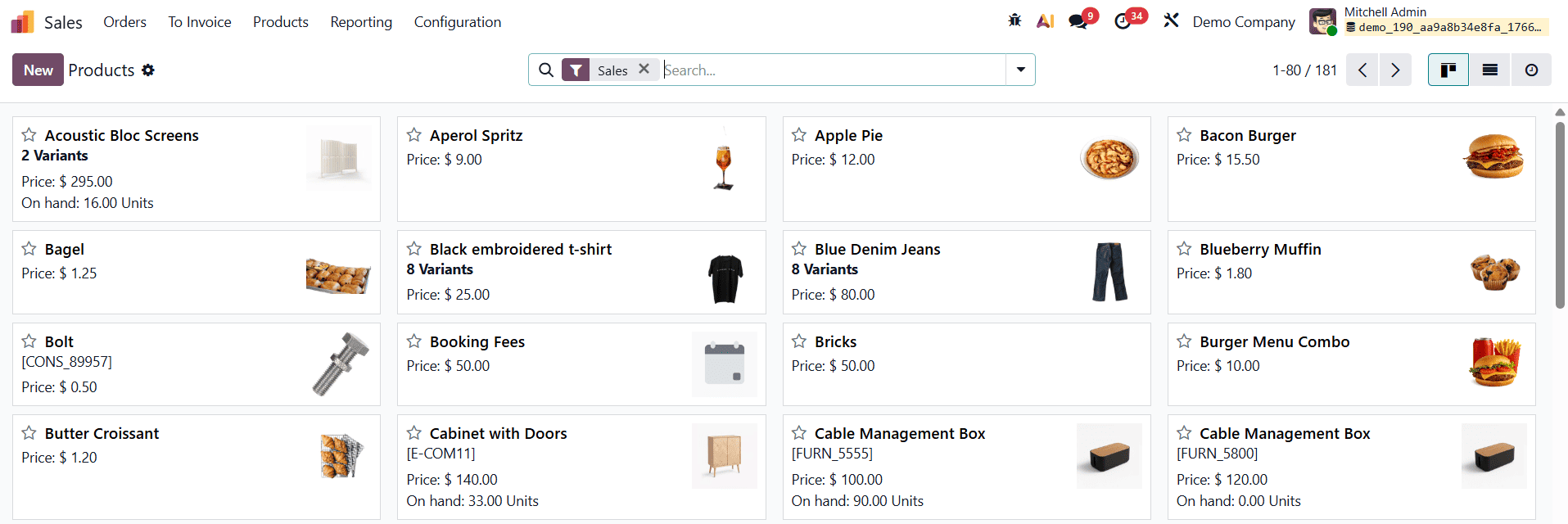
From the Products dashboard, you can either create a new product by clicking the New button or edit an existing product.
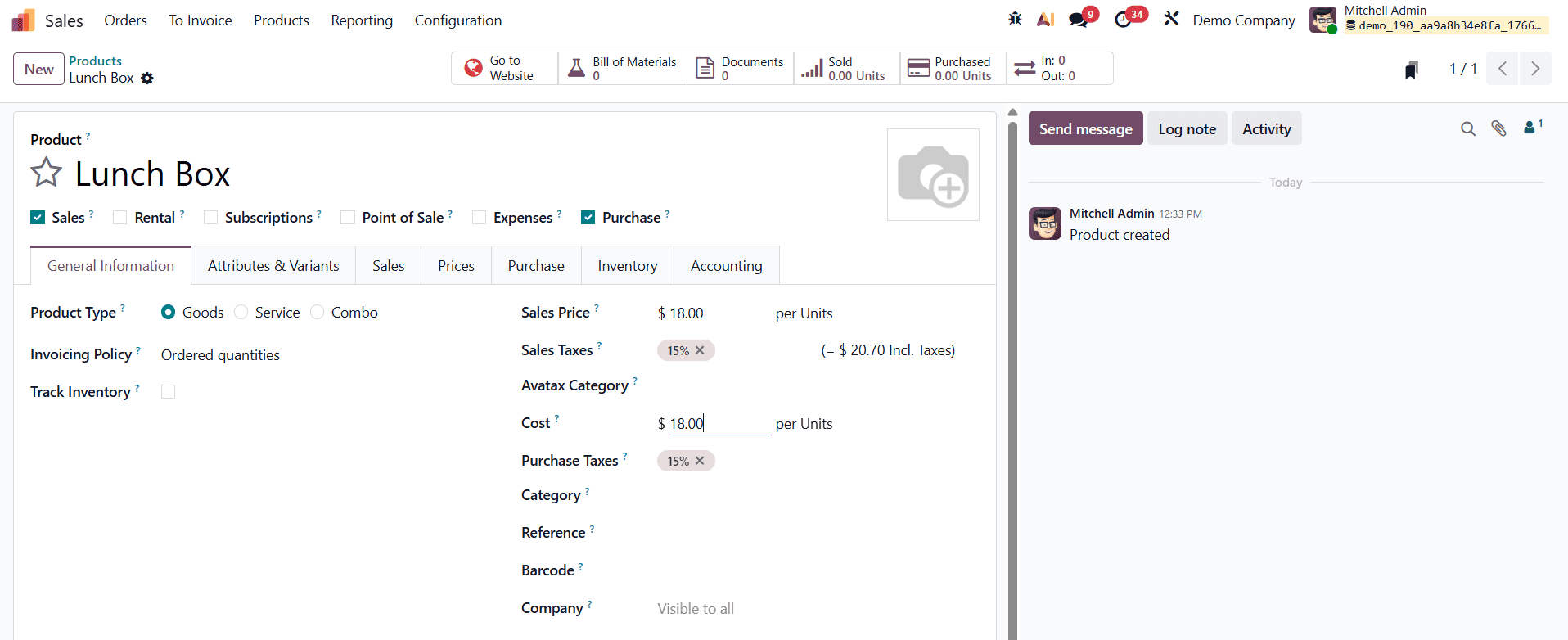
In the product form view, begin by entering the essential details such as the Product Name and enabling the relevant usage options, including Sales, Rental, Subscriptions, Point of Sale, Expenses, or Purchase, depending on the nature of the product. These settings determine how the product behaves across different Odoo modules.
Once the basic product information is defined, the delivery lead time configuration is managed through the Purchase tab.
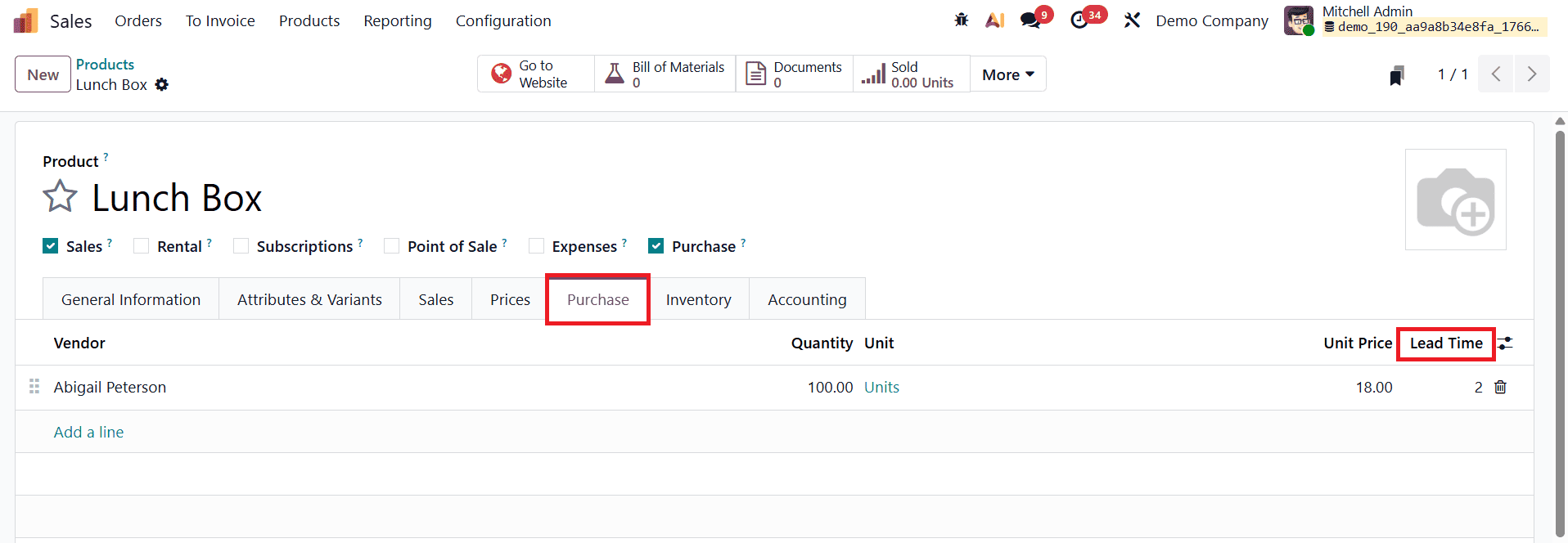
This section allows you to associate vendors with the product and specify procurement-related details. By clicking Add a line under the vendor section, you can select a vendor and define key attributes such as the vendor’s price, applicable currency, and the Delivery Lead Time. In Odoo 19, this delivery lead time represents the number of days the vendor typically takes to supply the product once a purchase order is confirmed.
A major advantage of Odoo 19 is its ability to support multiple vendors for the same product, each with different delivery lead times. This flexibility is particularly useful when sourcing products from suppliers with varying reliability or geographical locations.
Customer Lead Time plays a crucial role in managing delivery commitments from the customer’s perspective. This setting allows businesses to define the number of days required to prepare and deliver a product after an order is confirmed, ensuring that promised delivery dates are both realistic and achievable. By configuring customer lead time correctly, organizations can synchronize sales operations with inventory availability, packing, and shipping processes.
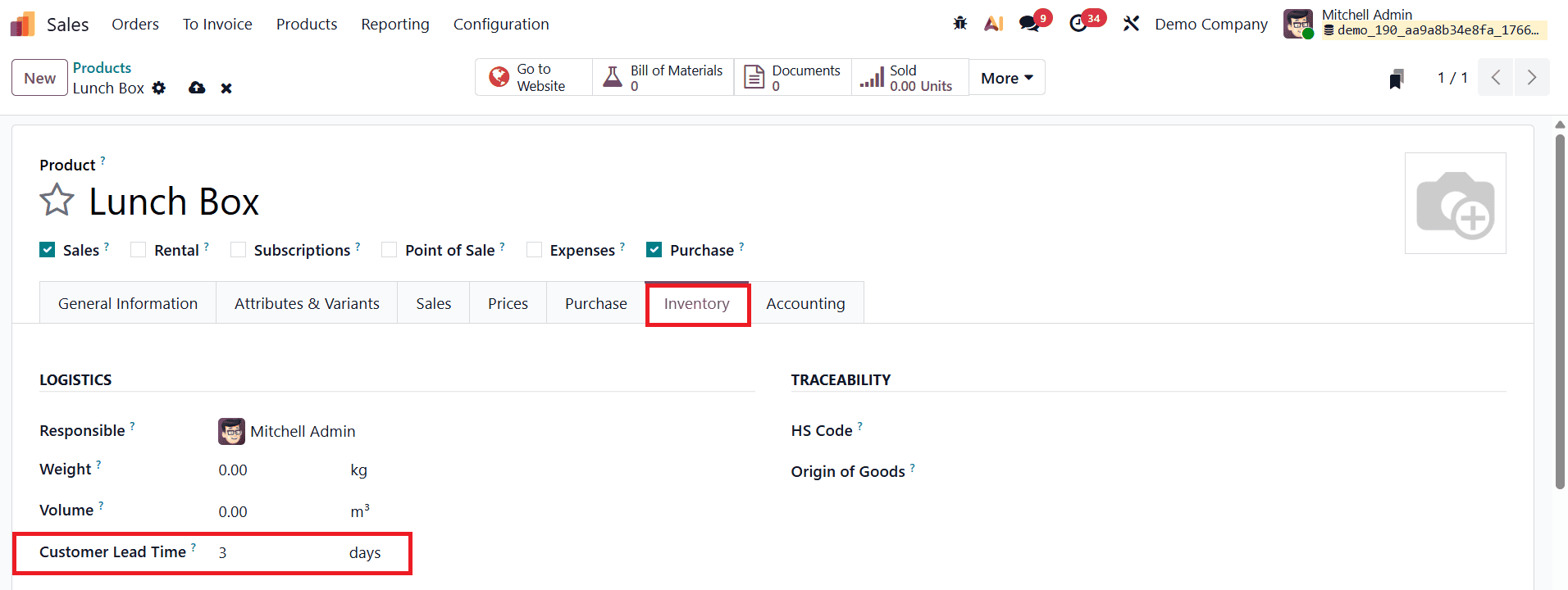
Customer lead time can be configured directly from the Inventory tab within the product configuration form. After opening a product record, administrators can locate the Customer Lead Time field and enter the required number of days. This value represents the minimum time needed to fulfill the order once a customer places a quotation or confirms a sales order. For example, if the customer lead time is set to 3 days, Odoo 19 automatically adjusts the delivery scheduling logic to account for this preparation period.
The impact of customer lead time becomes evident when creating a sales quotation.
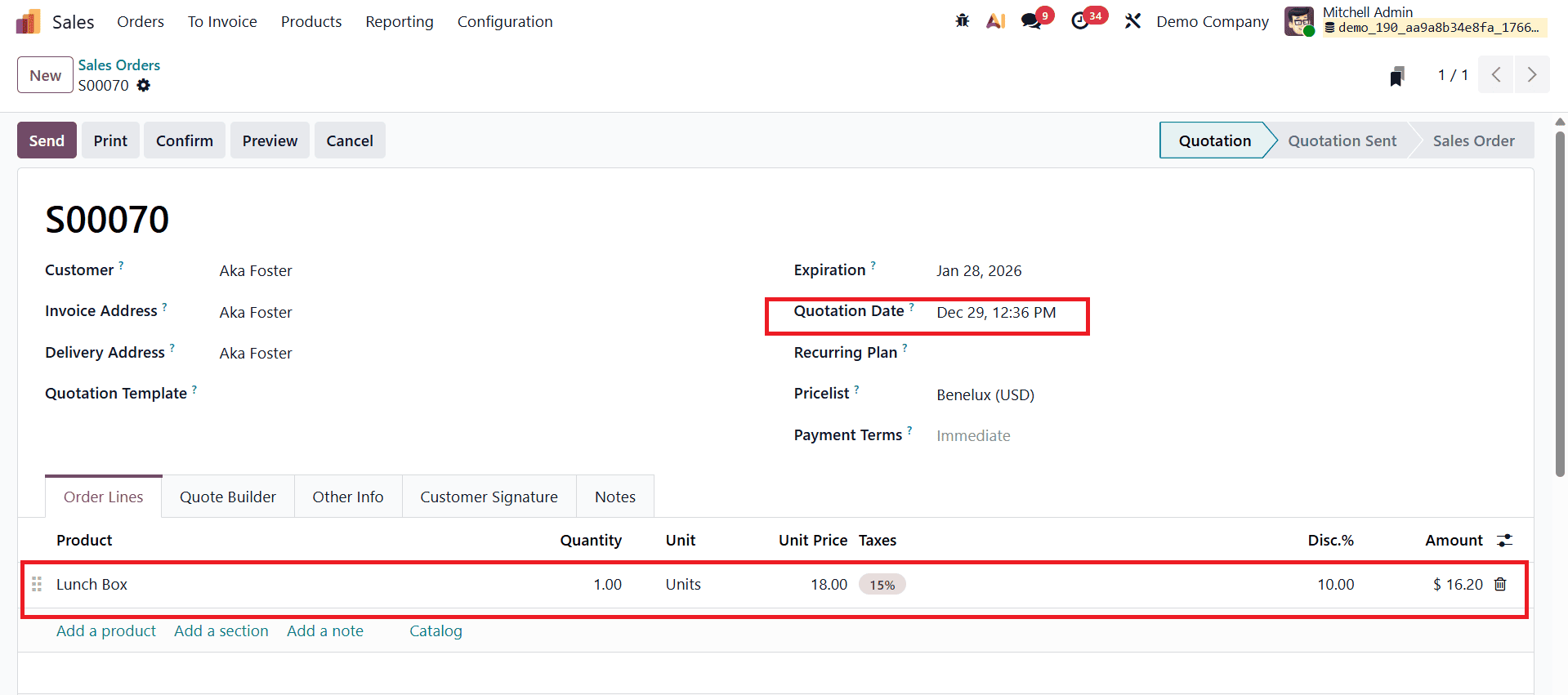
By navigating to the Sales module, opening the Orders menu, and selecting Quotations, users can create a new quotation and fill in all the required details such as the customer name, invoice and delivery addresses, quotation template, pricelist, payment terms, and other relevant information. Once the configured product is added to the order lines and the quotation is saved, Odoo 19 automatically calculates the delivery schedule based on the defined customer lead time.
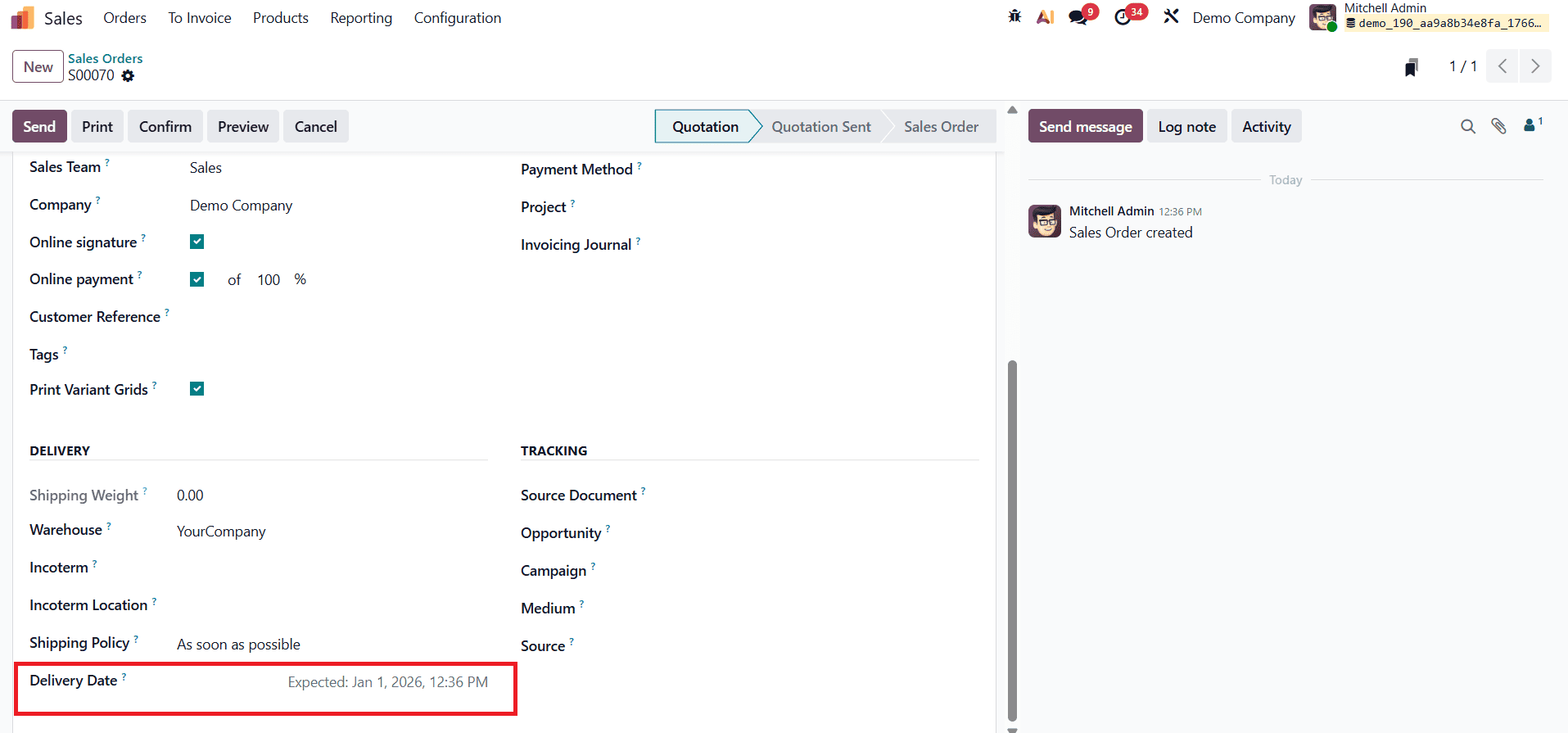
In this process, the order date and delivery date are dynamically adjusted. If a customer lead time of three days is configured, the system schedules the delivery date three days after the order or requested date, ensuring sufficient time for internal processing before shipment. This automated adjustment reduces manual planning errors, improves delivery accuracy, and helps sales teams communicate clear and reliable timelines to customers.
Configuring Security Lead Time in Odoo 19
In Odoo 19, Security Lead Time for Sales acts as a protective buffer that helps businesses handle unforeseen delays in the order fulfillment process. While delivery lead time and customer lead time define planned timelines, security lead time adds extra days to the scheduled delivery date to absorb uncertainties such as logistics disruptions, last-minute operational issues, or peak-season delays. This ensures that customer delivery commitments remain reliable even when unexpected challenges arise.
To configure the security lead time in Odoo 19, navigate to the Inventory module and open Settings from the Configuration menu.
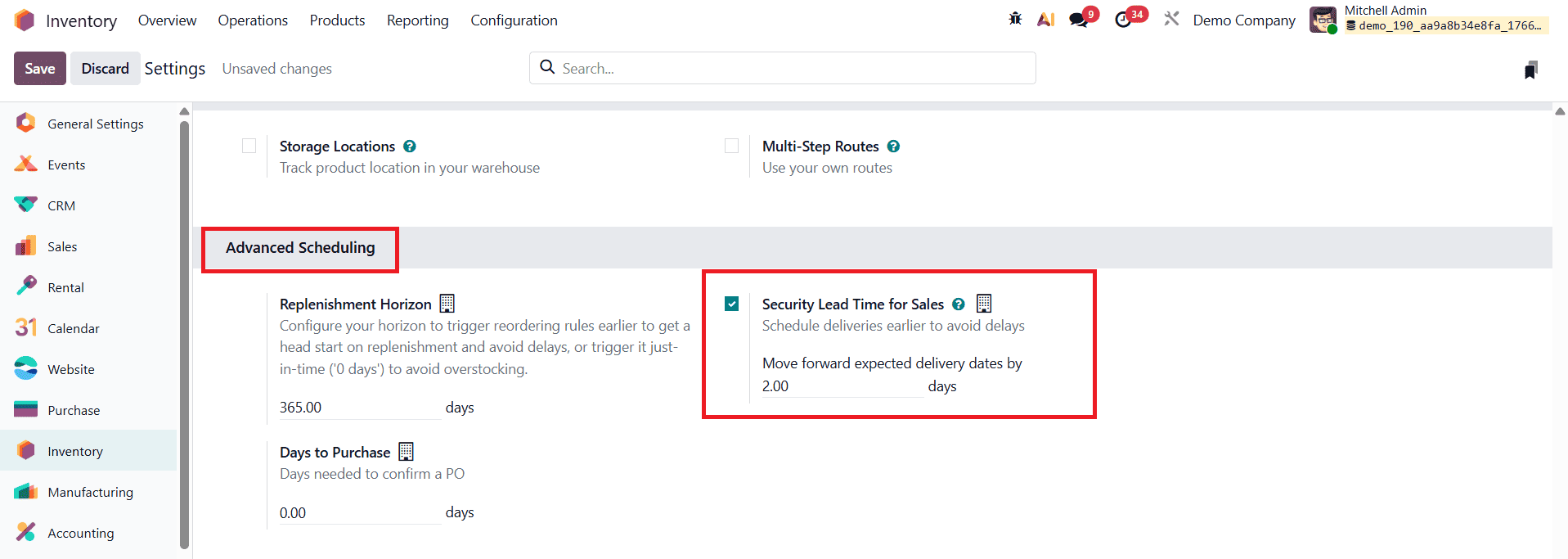
Within the logistics-related settings, you will find the Security Lead Time for Sales field. Here, administrators can define the number of buffer days to be added to all sales deliveries. Once the value is entered, saving the configuration immediately applies this buffer across relevant sales operations.
The effect of security lead time becomes visible when creating and confirming a sales quotation.
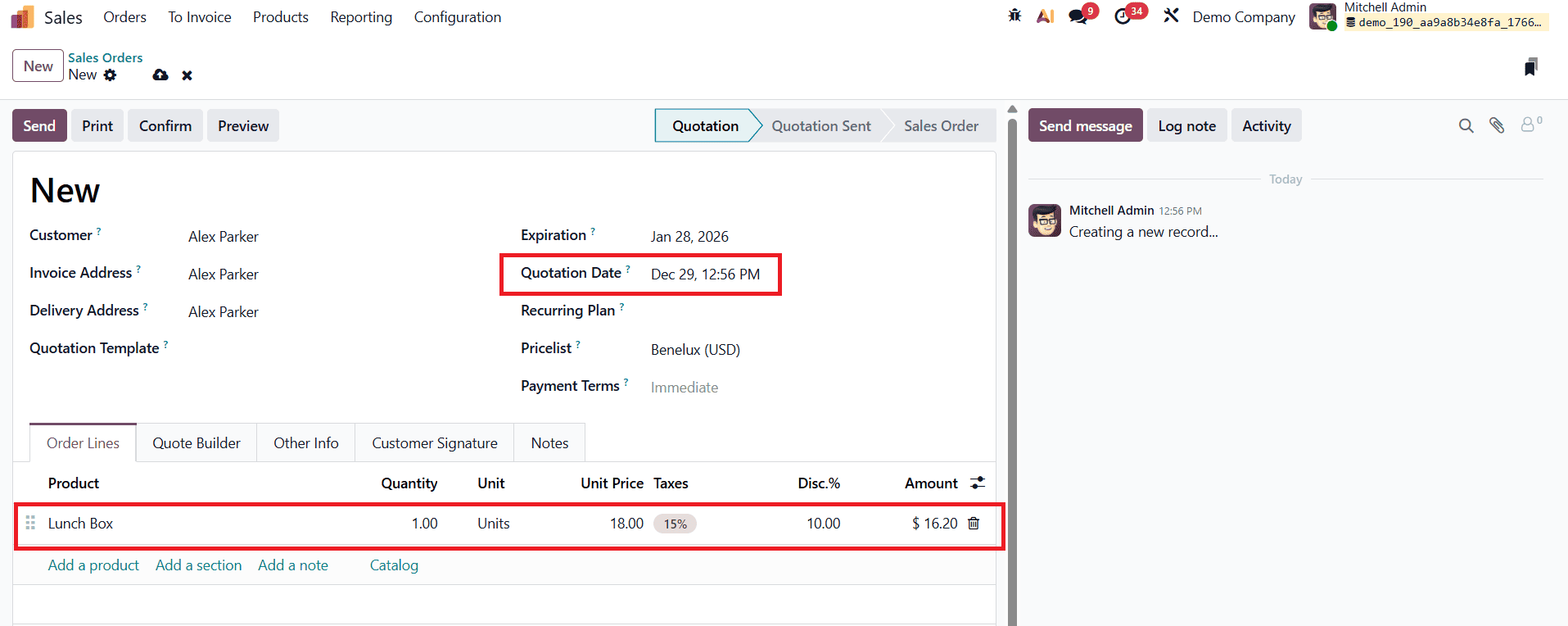
After preparing a quotation with all the required details and adding a product, confirming the quotation automatically generates the corresponding delivery order.
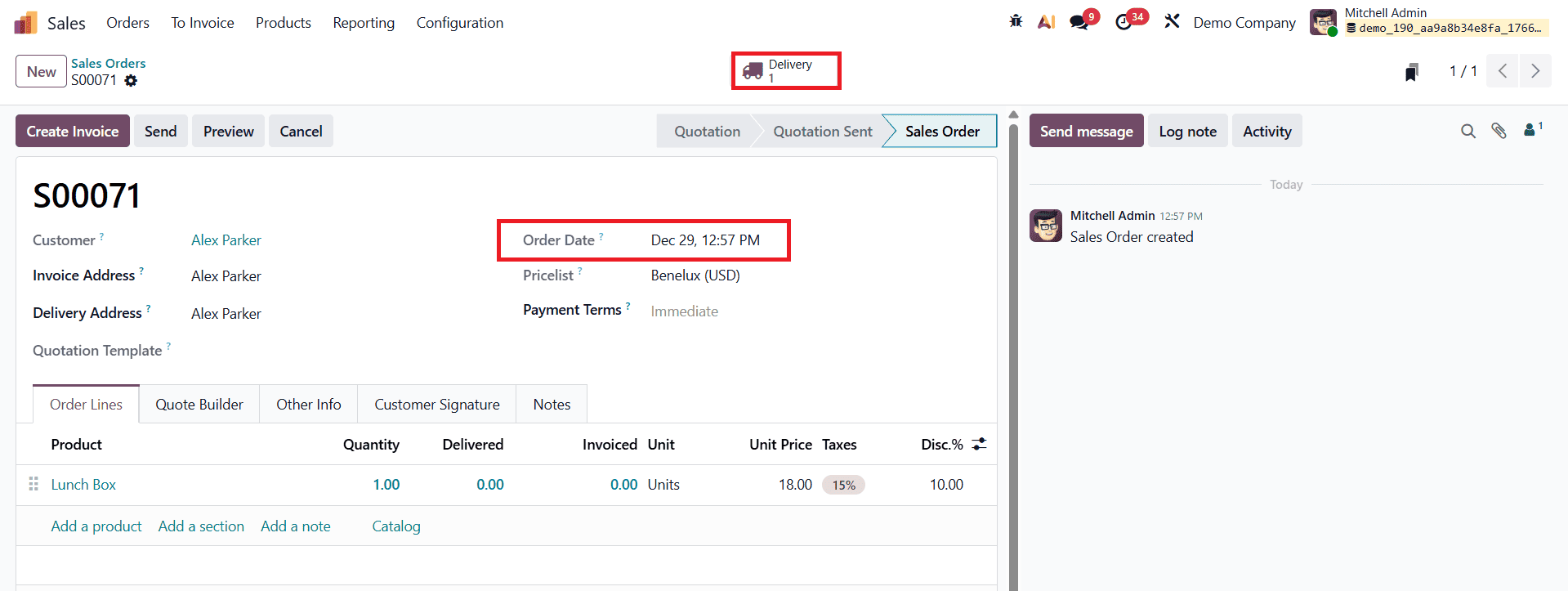
At this stage, a Delivery smart button appears on the sales order, allowing quick access to the delivery details associated with that order.
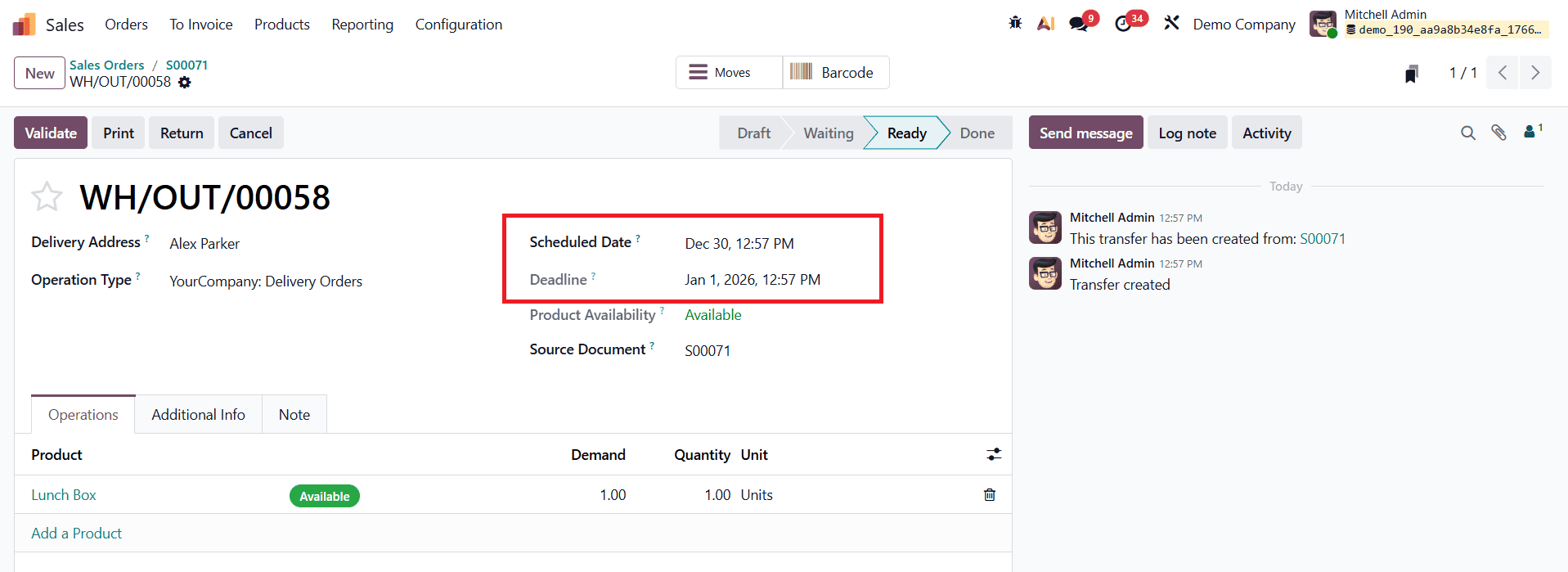
By opening the delivery record, users can view the Scheduled Date, where the system reflects the applied security lead time. For example, if a security lead time of two days is configured, Odoo 19 schedules the delivery two days earlier than the final commitment date. This proactive adjustment gives warehouse and logistics teams additional time to complete picking, packing, and shipping activities without risking late delivery to the customer.
Overall, the lead time configuration features in the Odoo 19 Sales and Inventory modules provide clear visibility into timelines related to purchasing, manufacturing, logistics, and delivery. By combining delivery lead time, customer lead time, and security lead time, businesses can create a more resilient order fulfillment process. This not only improves internal planning and coordination but also enables customers to place orders with confidence, knowing exactly when their products are expected to arrive.
To read more about How to Manage the Delivery Lead Time in Odoo 18, refer to our blog How to Manage the Delivery Lead Time in Odoo 18.