Odoo is a robust and adaptable ERP system that offers a variety of data presentation and interaction options. A complete and unified platform for effectively managing projects of any size or complexity is provided by Odoo 19's Project Management module. It enables teams to precisely organize, assign, and monitor tasks while guaranteeing efficient use of resources, precise timekeeping, and comprehensive performance reporting across all project stages. Odoo 19 has the flexibility and scalability to meet a variety of project requirements, whether you're managing daily operating chores or organizing multi-stage, large-scale initiatives with intricate workflows and dependencies.
We'll examine Views in the Odoo 19 Project in this blog article.
The module offers a variety of user-friendly project views to accommodate different management styles and enhance overall visibility:
- Kanban view, for a visual, drag-and-drop task flow, use the Kanban view.
- Gantt view for managing deadlines and dependencies, list view for thorough and organized job management
- Calendar view for time-based planning and scheduling
- Map view to monitor chores related to a certain location.
- Graph view for project data visualization using trends and charts.
- Pivot view for in-depth data analysis and personalized reports, and
- Activity view for scheduling deadlines, follow-ups, and subsequent actions.
Kanban View
Odoo 19's Kanban view is a dynamic, visual interface that facilitates teams' intuitive task and workflow management. Tasks are shown in this view as cards arranged into columns that correspond to various project or process stages (e.g., "To Do", "In Progress", "Done").
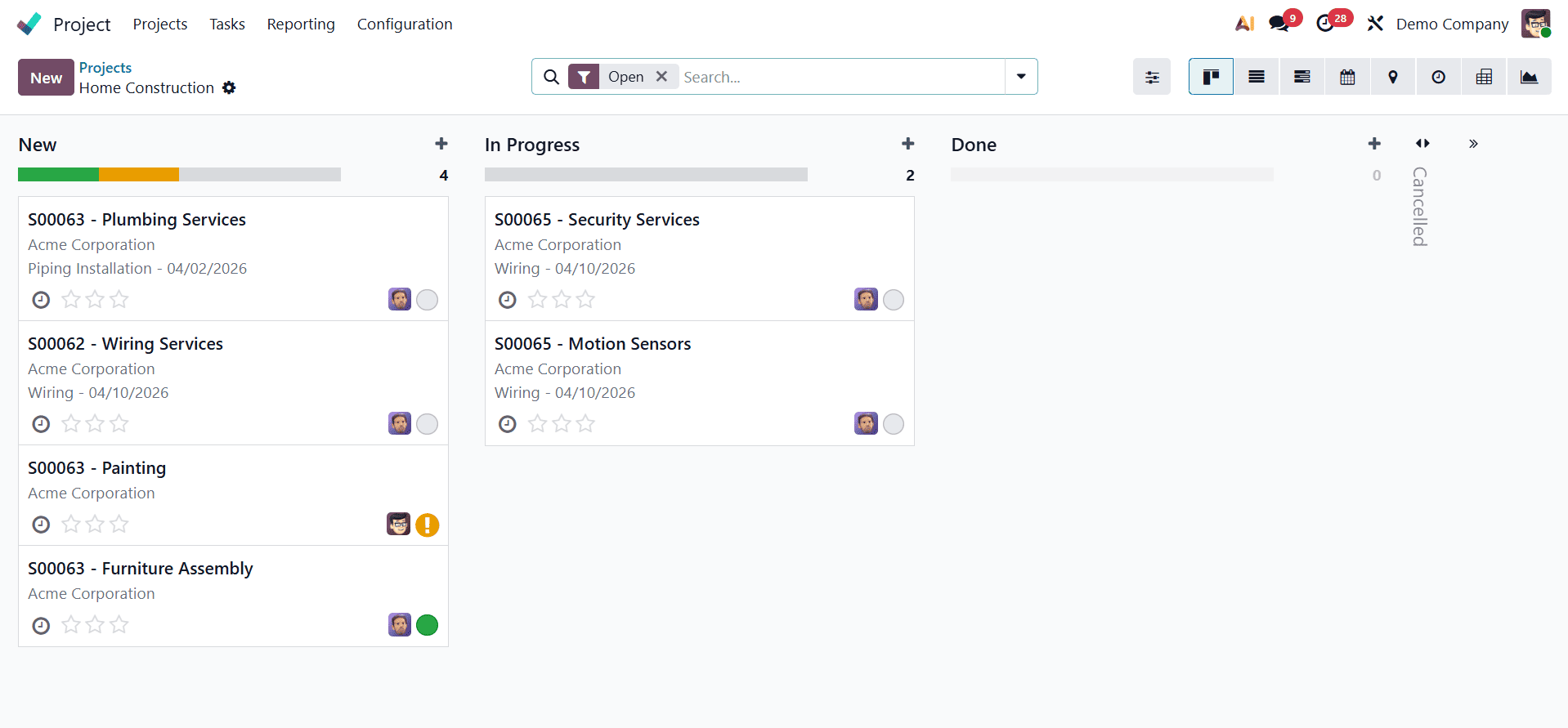
Important task information, including the work title, assignee, deadline, priority, and progress indicators, are shown on each card. It is easy for users to follow progress in real time by simply dragging and dropping jobs between columns to update their status. Tasks can be effectively prioritized and organized using color-coded labels and filters. Additionally, by selecting a new button, users can start a new task.
List View
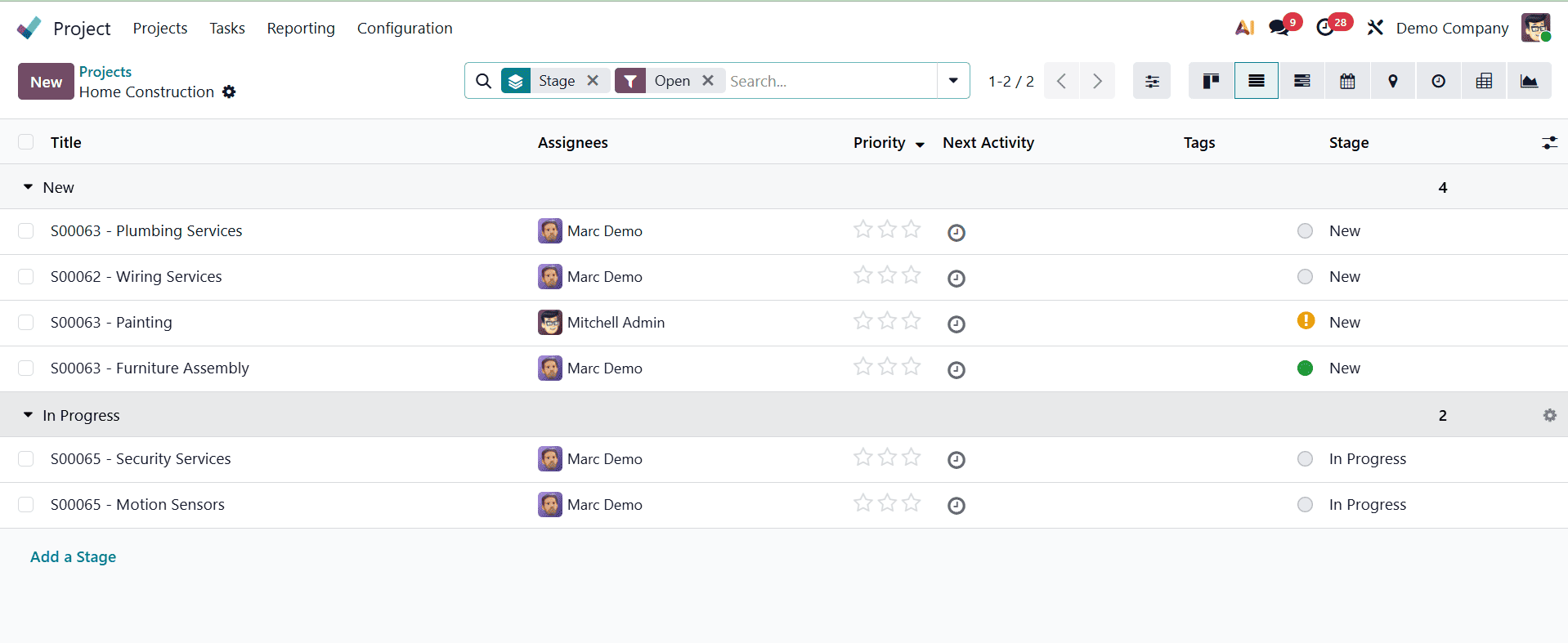
Every row in the list in this view corresponds to a single record. Fields like Title, Status, Date, Assigned User, Activity, and Time Spent are included in every entry. Support for sorting and filtering is one of the main characteristics of the List View. The view features adjustable columns so users may customize the view to suit their needs and permits mass operations, such as exporting or deleting several entries at once by clicking the toggle button. A robust search bar is also available for applying custom filters and groupings as well as doing keyword searches.
Gantt View
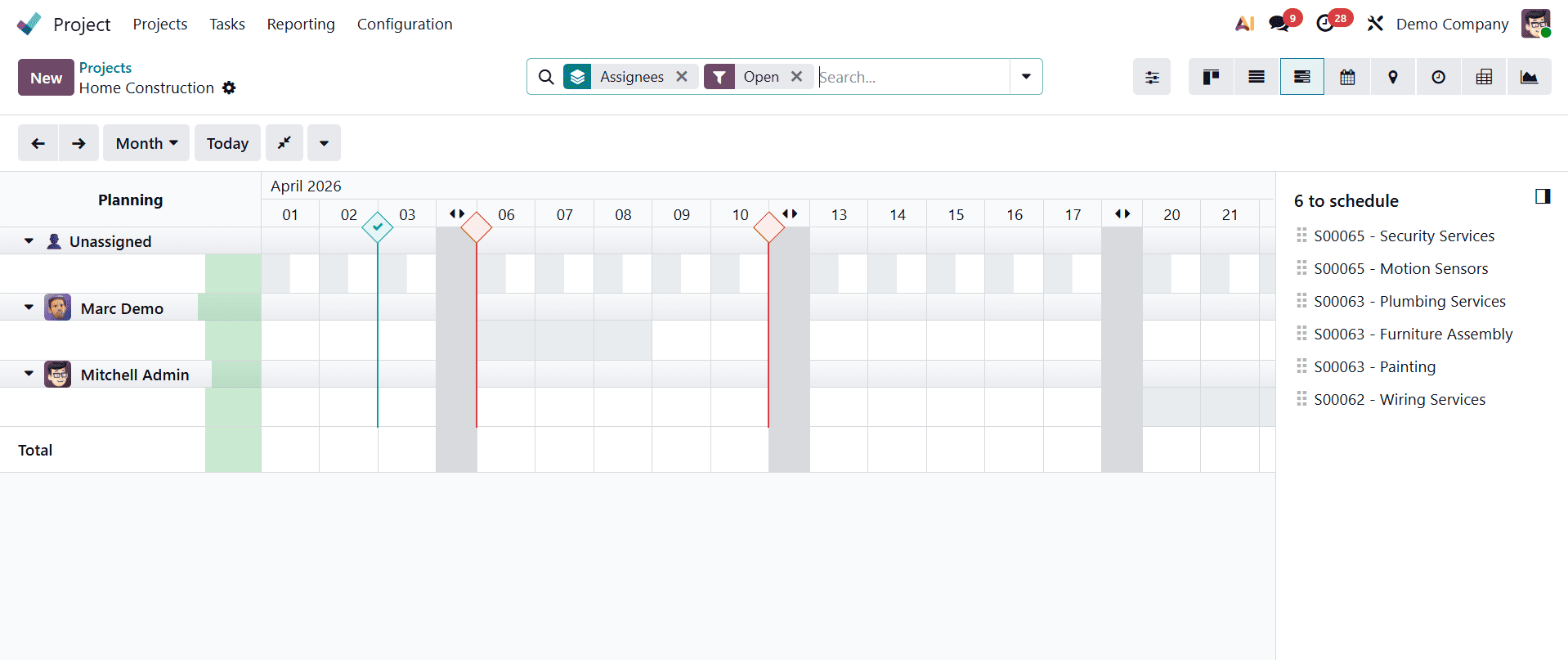
A visual timeline for organizing, scheduling, and overseeing project tasks over time is offered by the Gantt View. Tasks are shown as horizontal bars on a timeline that resembles a calendar in the Gantt view. Each bar's length and location indicate the beginning and ending dates of the task. It is simple to keep track of who is in charge of what and when because tasks are categorized by project or allocated user.
Users can actively interact with the timeline tasks in this view by dragging them to reschedule, extending them to modify deadlines, or linking them to create dependencies. By clicking on several time scales (day, week, month, year, and custom date), users may handle both short-term and long-term planning. Additionally, overlaps and delays are highlighted by the Gantt view, allowing for proactive changes to keep the project moving forward.
The Gantt view is an essential tool for efficient project execution because of its user-friendly design, which also helps team coordination, time management, and project visibility.
Calendar view
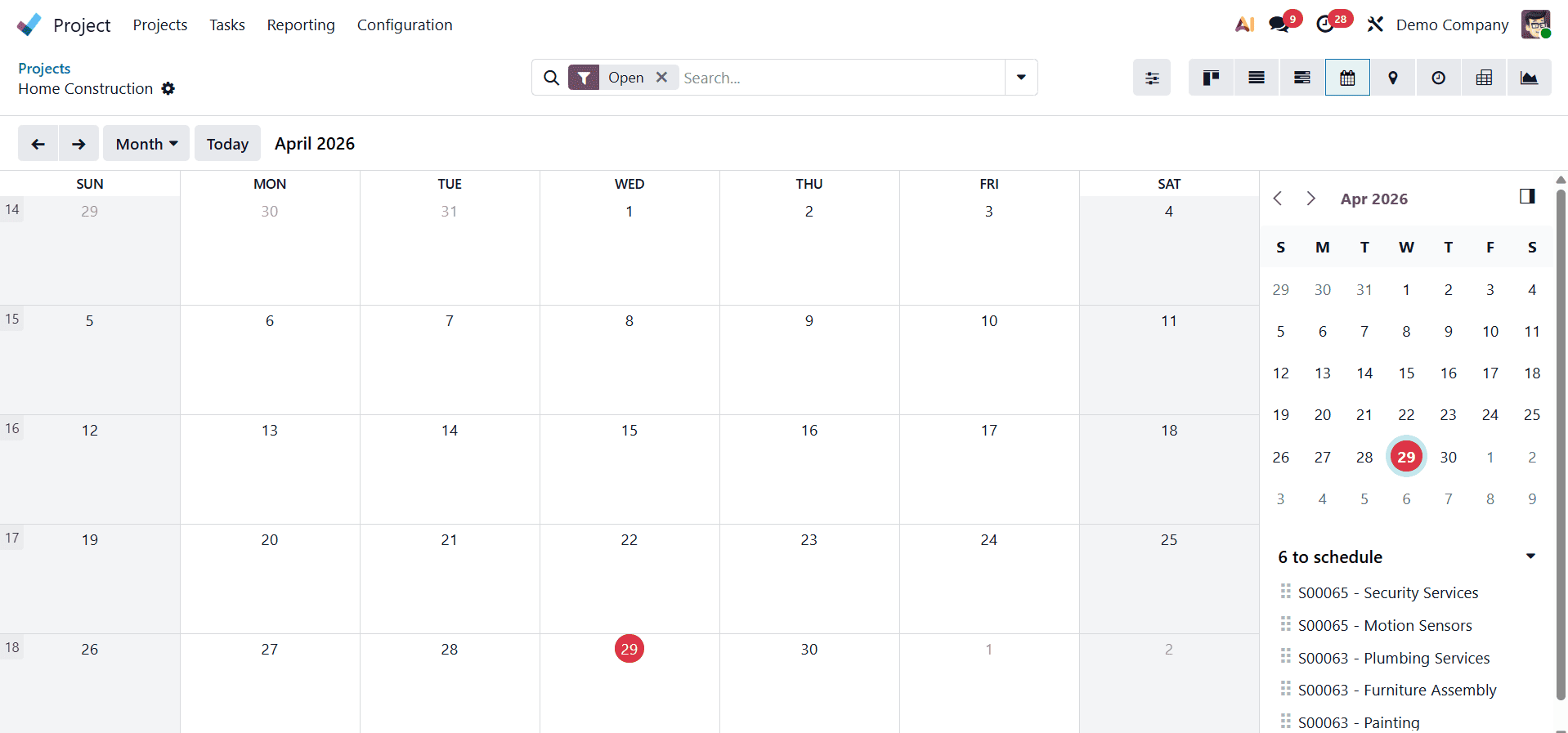
Odoo 19's Project module's Calendar View provides an easy-to-use method for managing and scheduling project activities according to their due dates. It offers flexibility for both short-term and long-term planning by enabling users to view tasks in a daily, weekly, or monthly format. It is simple to quickly identify responsibilities because tasks are color-coded by project or allocated user. By clicking on a date or time window, users may create new tasks straight from the calendar, and drag-and-drop capabilities makes it simple to reschedule already-existing activities. Project managers can evaluate individual workloads and team availability by using the view's user filtering feature. Planned events like meetings and task-related follow-ups are also accessible.
Map view
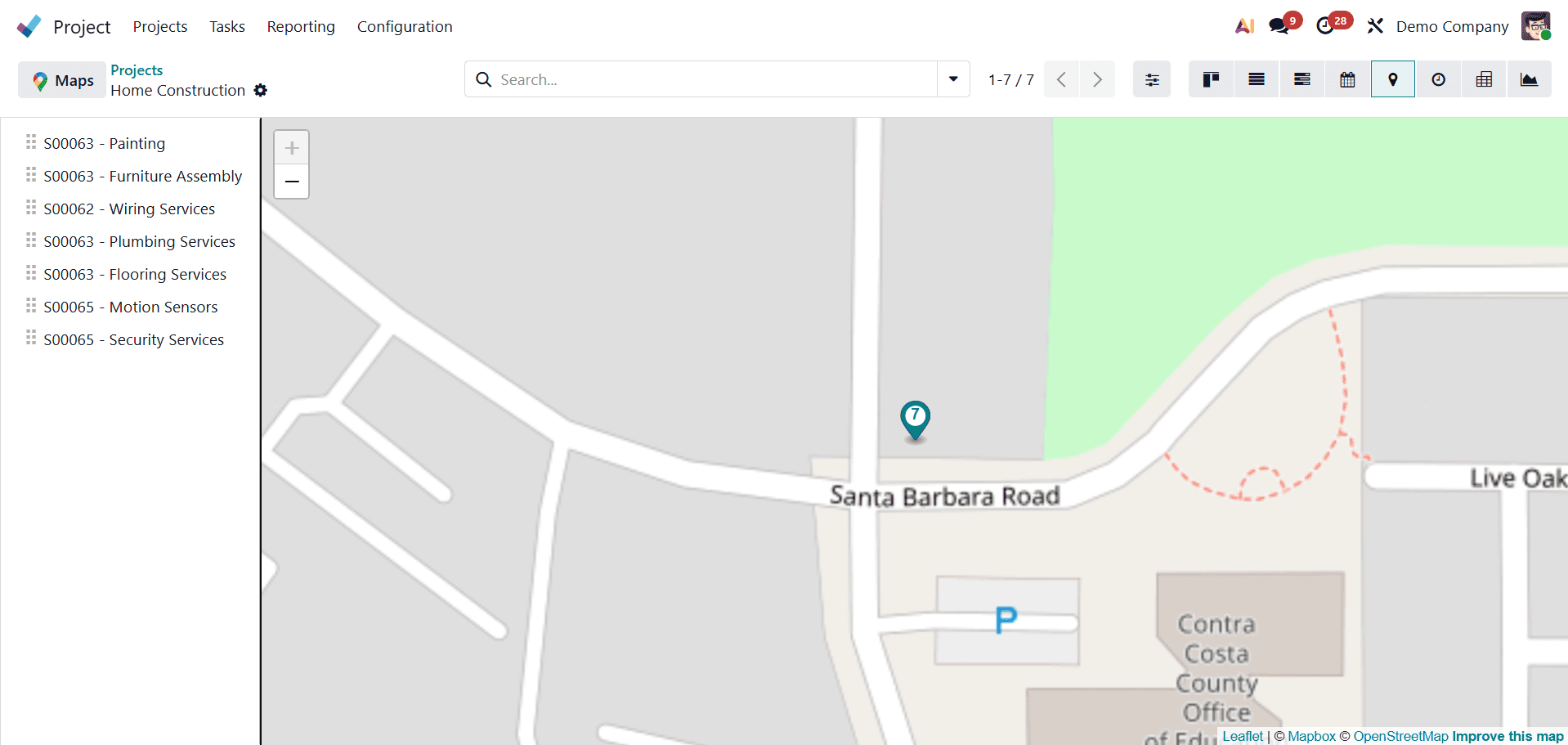
Tasks or projects that are connected to particular areas can be represented geographically using Map View. Businesses who oversee fieldwork, on-site services, or location-based initiatives will find this perspective extremely helpful.
Every task or project that has a location (like a work site or customer address) is displayed as a pin on the map in the Map View. Users can examine important task details, such as the task name, assigned user, and status, by clicking on a pin. This makes it possible for teams and project managers to see how their work is distributed geographically, spot task clusters in particular areas, and more effectively schedule fieldwork or visits.
Users can restrict what is shown depending on project, assignee, stage, or other criteria by using the Map View's filters and groupings. To deliver precise position information, it is also integrated with Google Maps or other mapping services. All things considered, the Map View improves location-based planning and coordination, which facilitates field operations management and boosts logistical effectiveness.
Pivot view
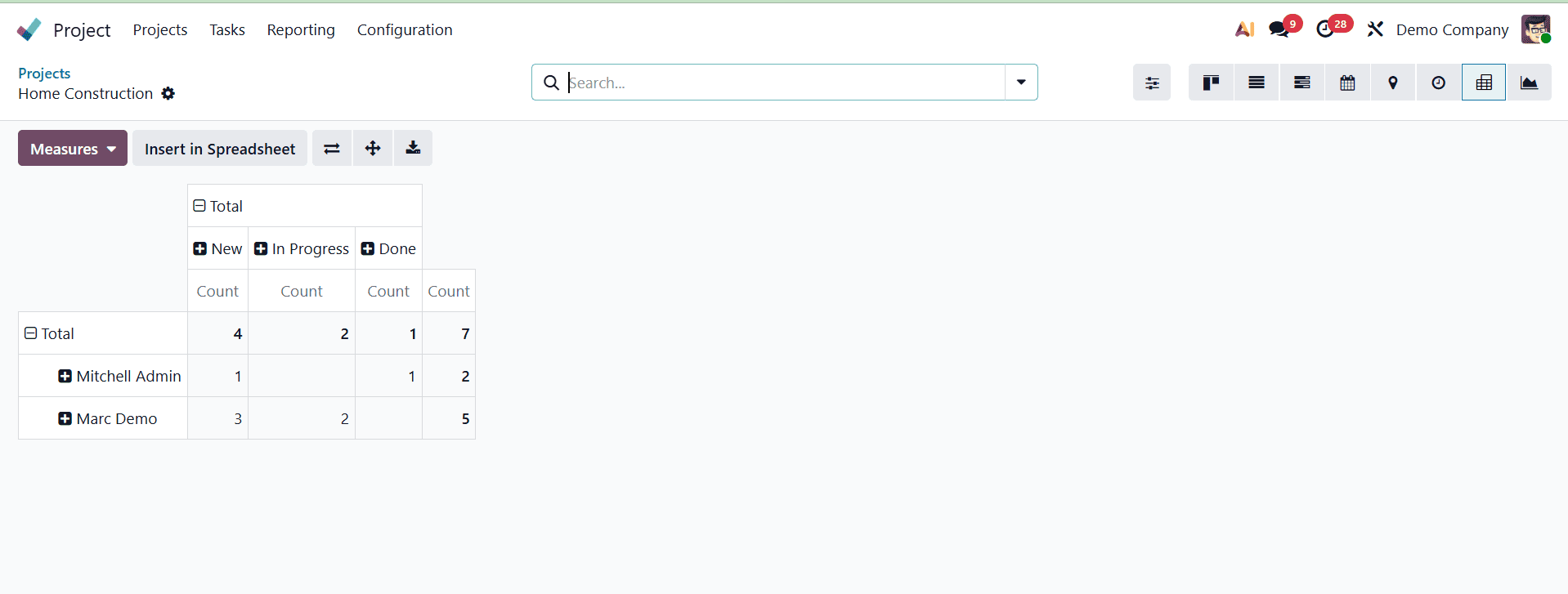
Odoo 19's Project module's Pivot View offers a robust analytical interface that lets users use dynamic tables to summarize and examine project-related data. It is perfect for collecting task statistics, reporting on project success, and learning about task progress, time allocation, and burden distribution.
In order to compute totals and averages across several dimensions, such as project, user, or task stage, users can choose measures like "Planned Hours", "Effective Hours", or "Remaining Hours" in this view. These metrics aid in comprehending how resources and time are used in each project.
Multiple categories and filters are supported by the Pivot View. Users can use filters to concentrate on particular time periods, task kinds, or statuses and group data by project, task stage, assigned user, or custom fields. By selecting totals, users can drill down into the data and directly examine the underlying records by applying an algorithmic filter.
The "Insert in Spreadsheet" option, which enables users to immediately enter pivot data into a spreadsheet within Odoo's integrated spreadsheet tool, is a notable feature. The pivot table can be downloaded as an Excel file using the "Export" option for users who need to share data outside of Odoo or who prefer offline analysis. This facilitates the incorporation of project analytics into reports or presentations. The Pivot View's interactive features assist project managers in monitoring performance indicators, locating bottlenecks, and making data-driven choices to enhance project results.
Graph view
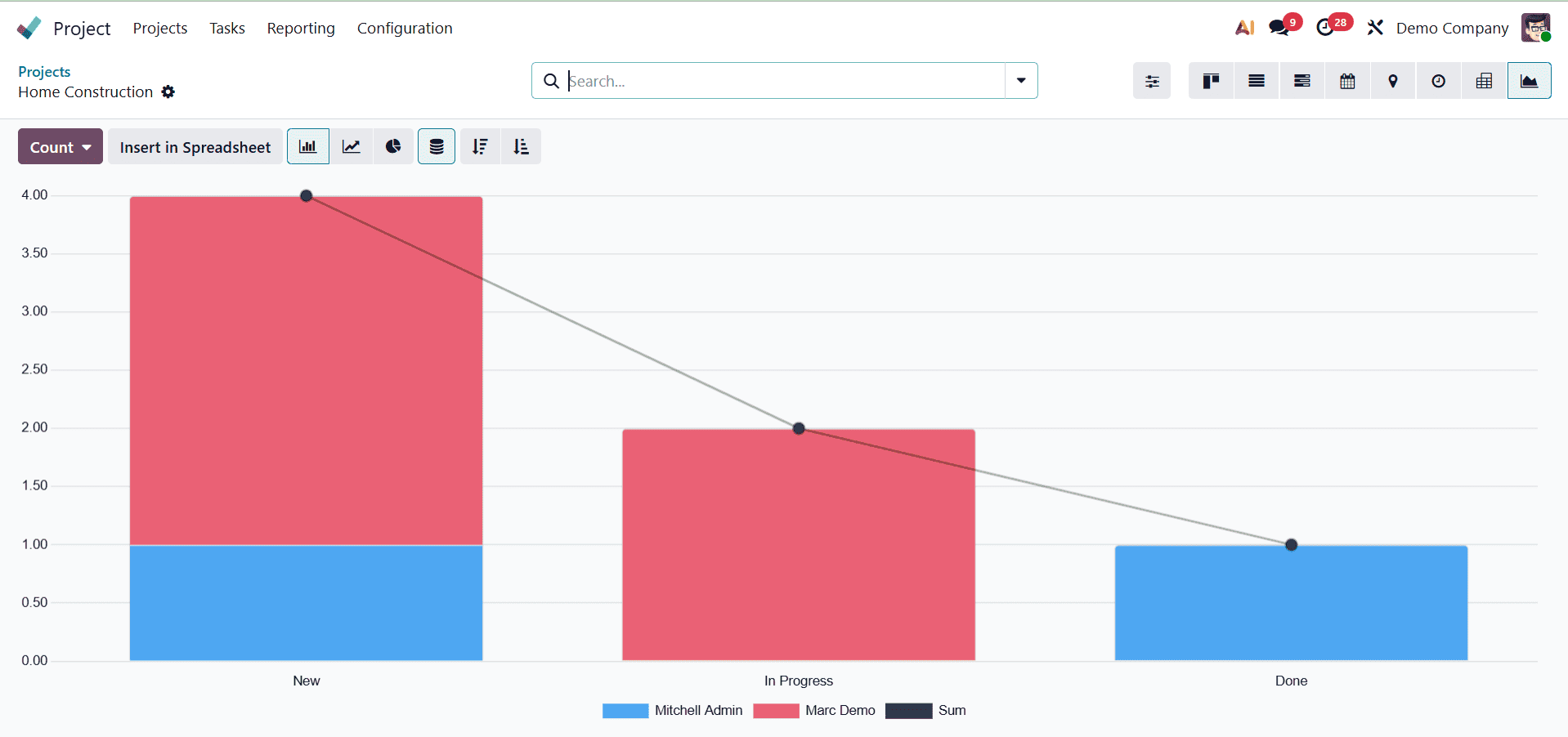
The Odoo 19 Project module's Graph View functions as a dashboard, providing a clear visual summary of project data through pie, bar, and line charts. With support for stacked bars, ascending/descending sorting, and color-coded separation for improved visibility, it aids in task progress monitoring, time tracking, and workload distribution. Users can choose from various measure options like Planned Hours, Effective Hours, Remaining Hours, and Task Count. Filtering, grouping, and custom date ranges for in-depth analysis are all supported by the view.
Activity view
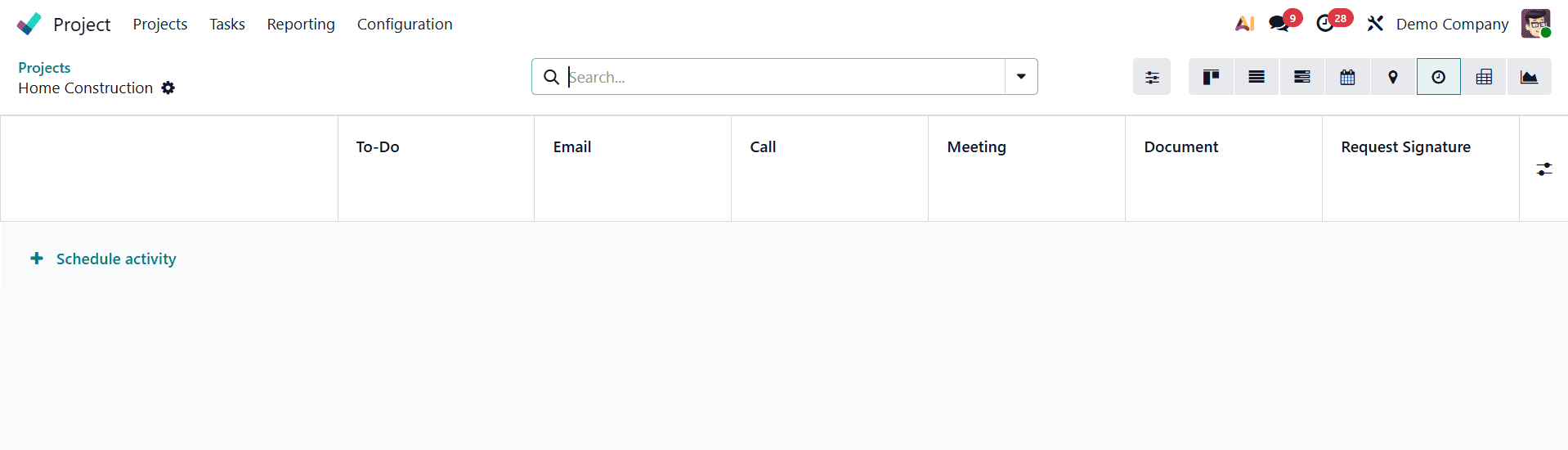
Calls, emails, meetings, and follow-ups connected to any record can all be managed and tracked with Odoo 19's Activity View. Clicking the "Schedule Activity" button on a record makes it simple to schedule a new action. It is simple to distinguish between pending, finished, and overdue actions because each activity is displayed as a colored icon according to its nature and status. By selecting fields such activity kind or due date with the "Measure" button, you may categorize or analyze activities using the view's filters. Better task tracking and increased team productivity across CRM, Project, and Sales modules are guaranteed by this view.
The Odoo 19 Project module's various views are essential for improving team efficiency, project visibility, and organization. Odoo enables customers to manage tasks and projects in a manner that best fits their workflow and decision-making requirements by providing a variety of perspectives, including Kanban, List, Gantt, Calendar, and Pivot views. Whether it's tracking progress, scheduling activities, evaluating performance, or managing deadlines, each view offers distinct insights that make project management more adaptable and effective. All things considered, having access to these various perspectives guarantees enhanced cooperation, better planning, and more knowledgeable project management within Odoo.
To read more about What are the View Types in Odoo 18, refer to our blog What are the View Types in Odoo 18.