Configuration
The Configuration menu helps to customize the AI module. Under the Configuration menu, you can see two options: Settings and Default Prompts.
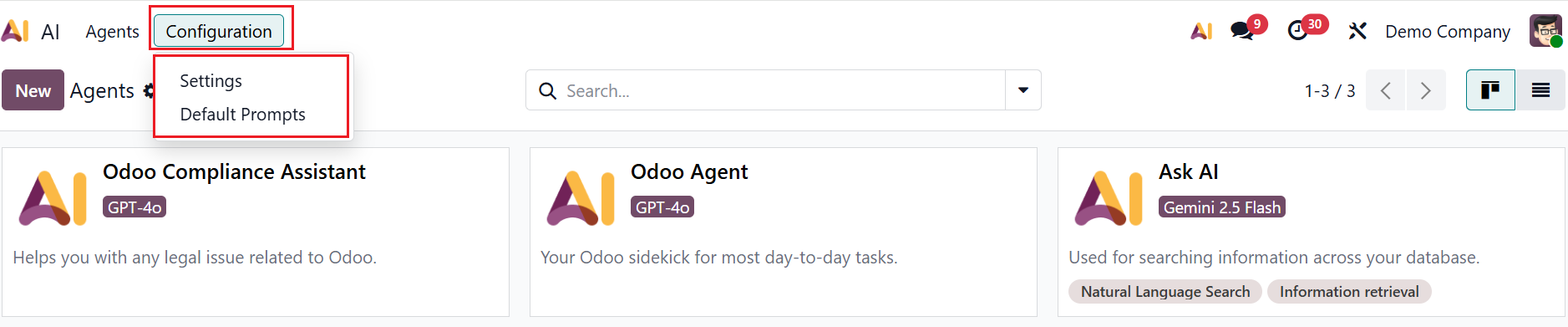
1.1 Settings:
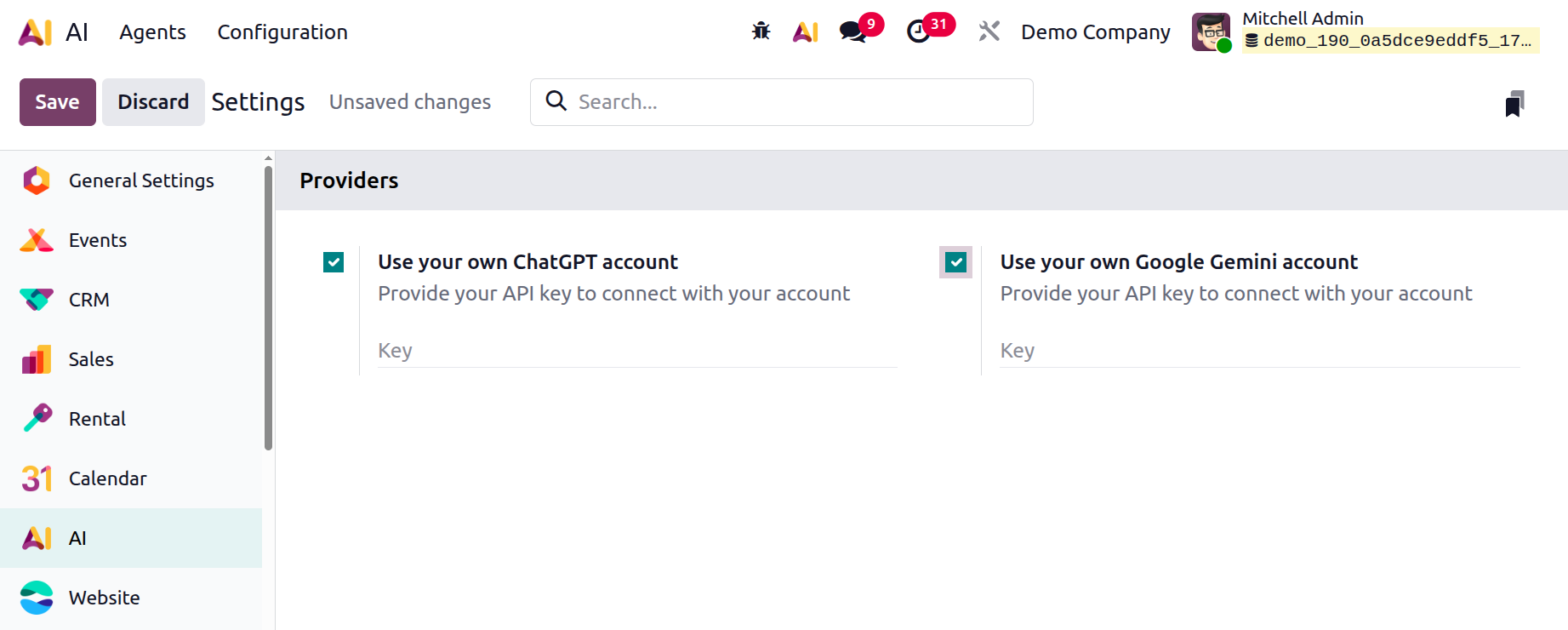
Under the Settings option, you can enable the AI providers such as ChatGPT and Gemini. Create API keys for ChatGPT and Gemini from the API Keys page. Then, enable Use your own ChatGPT account or Use your own Google Gemini account, and enter the keys created by the API.
1.2 Default Prompts:
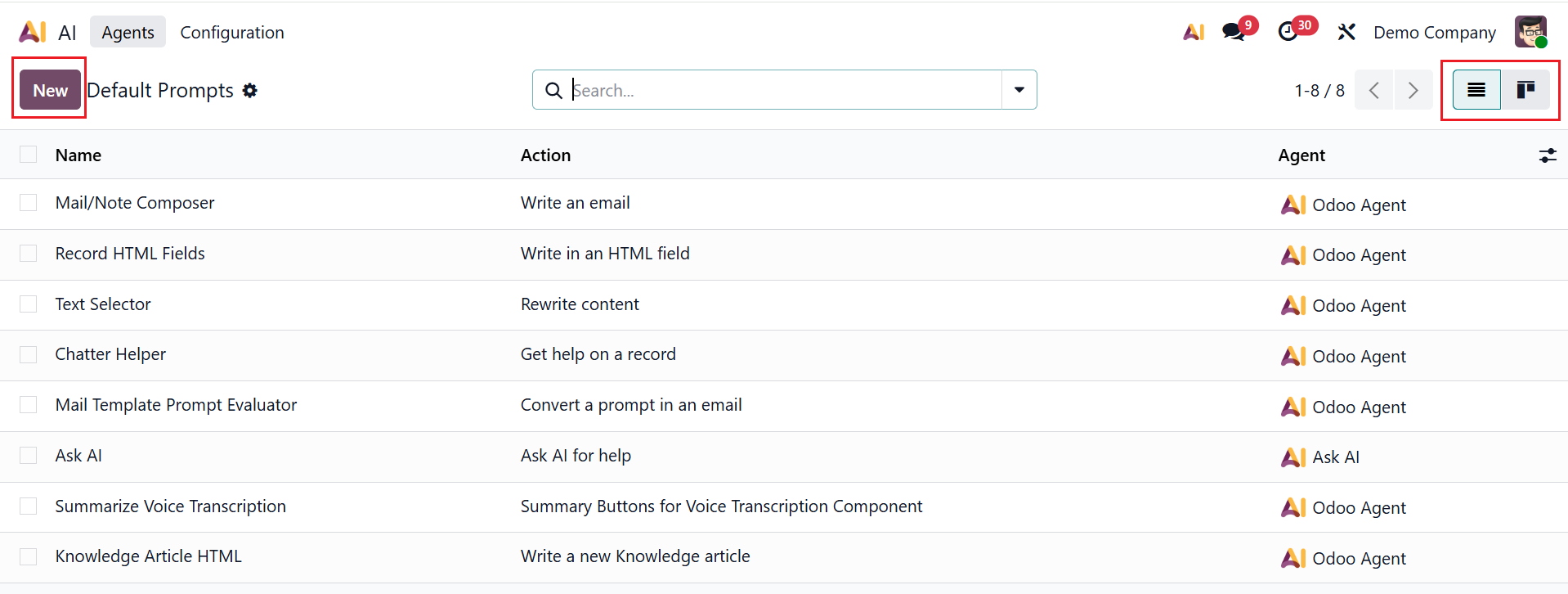
In Odoo 19, Default Prompts are predefined system instructions that tell the AI how to respond. This section displays a list of default prompts, and you can switch the view to Kanban. The details, such as Name, Action, and Agent, for the default prompts can be viewed in the dashboard. To create a new default prompt, click the New button.
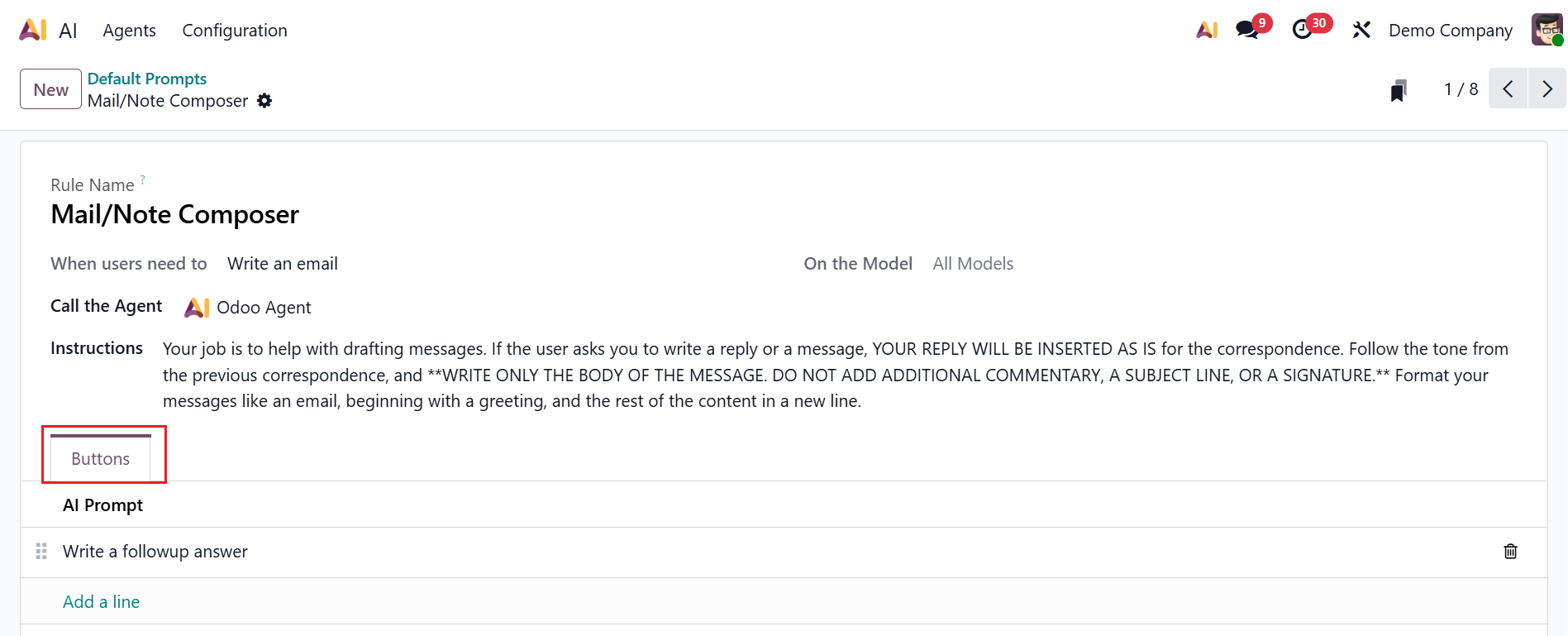
Here, add a Rule Name to identify a specific agent rule. Select an action from the dropdown menu in the When users need to field. Specify an Odoo model from the dropdown menu in the On the Model field. In the Call the Agent field, select an AI agent to perform the assigned task. In the Instructions field, add a summary of what the AI exactly does, what task to accomplish, and how to respond. Under the Buttons tab, click on the Add a line button to add an AI Prompt.
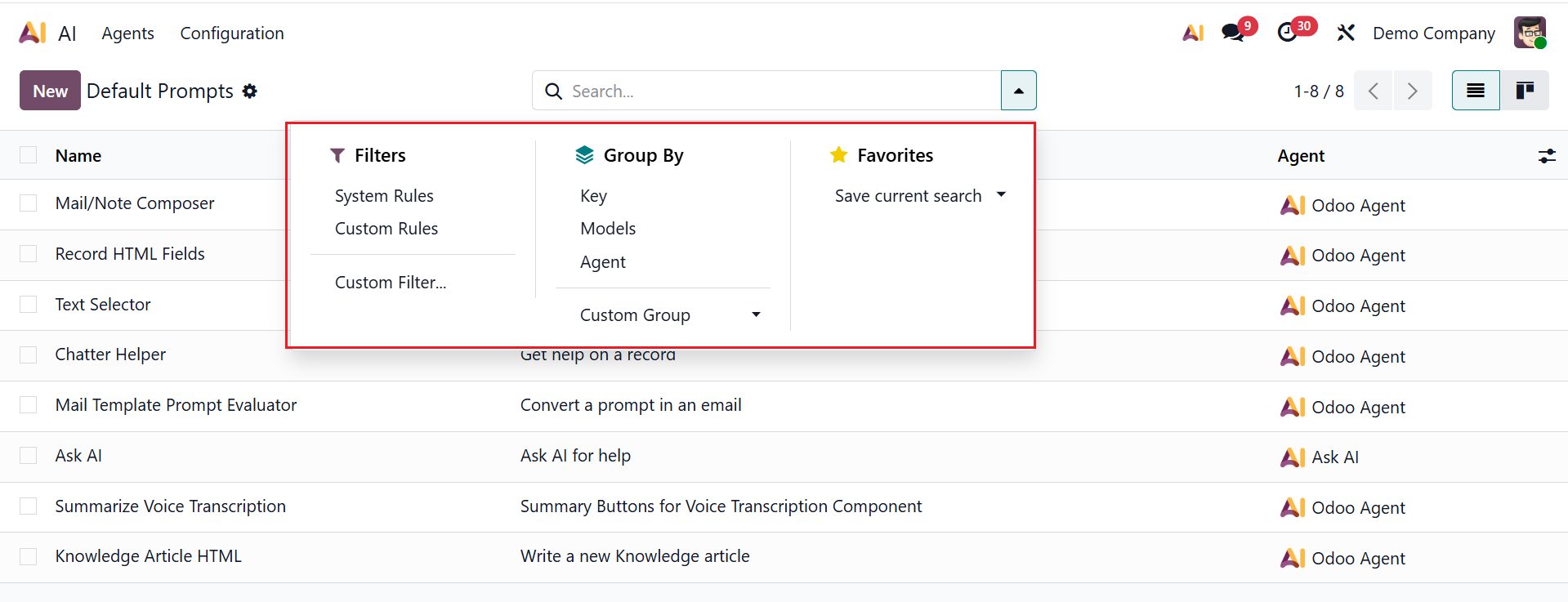
To access options like Filters, Group By, and Favorites, click the dropdown menu in the search bar. You can filter the data based on System Rules, Custom Rules, and Custom Filter. You can group the data based on Key, Models, Agents, and Custom Group. You can save the favorite search for future use.
Odoo 19 Enterprise’s AI module enhances daily business operations with intelligent automation and support. It helps users reduce manual labor and improve accuracy by leveraging agents, LLM models, chat interactivity, and rules. Features such as response styles, default prompts, and instructions ensure reliable, business-focused outputs. AI can effectively support Sales, Accounting, HR, Inventory, and customer communication with Odoo modules. Overall, the AI module makes Odoo 19 Enterprise a potent, future-ready platform for company management by increasing productivity, expediting decision-making, and empowering businesses.