Goals
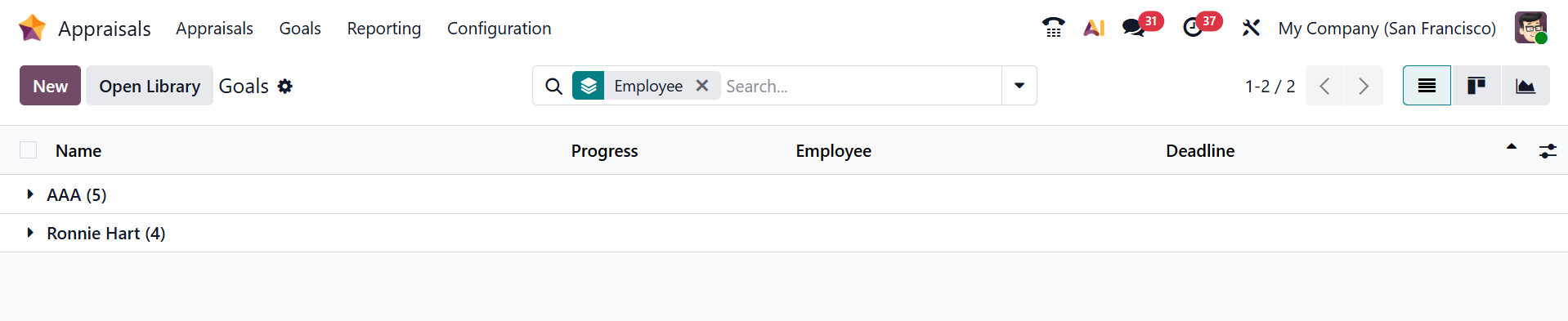
In Odoo 19 Appraisals, Goals are measurable objectives assigned to employees to evaluate their performance over a specific period. They can be linked to job positions or individual employees and tracked during appraisal cycles. Managers can assess progress on these goals and use them as a basis for structured feedback and performance reviews. Here, you can see a list of goals arranged in kanban view with details such as Name, Progress, Employee, and Deadline. You can switch the view to Pivot or Graph view. To add a new goal, click the New button.
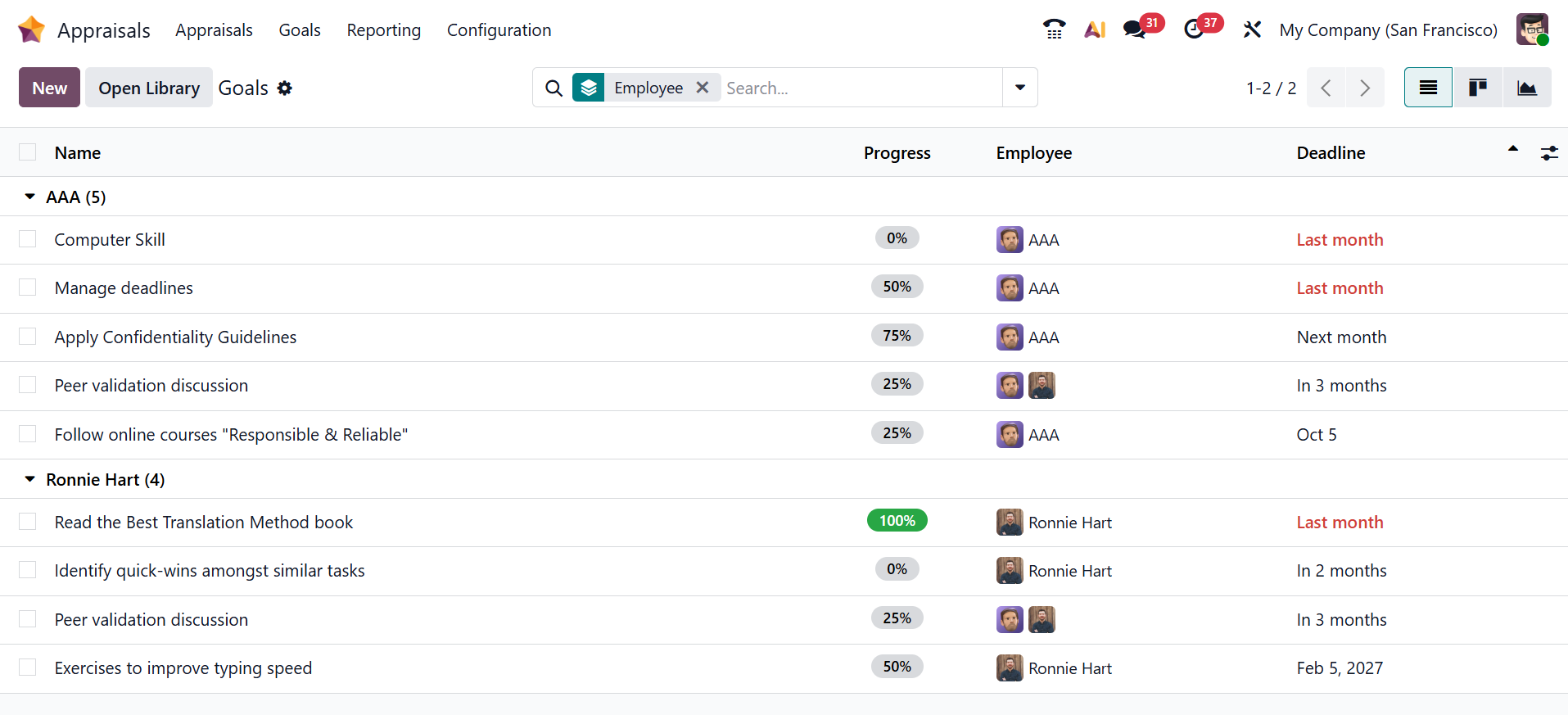
You can view all the goals of the employee by clicking on the specific employee's name, as shown below:
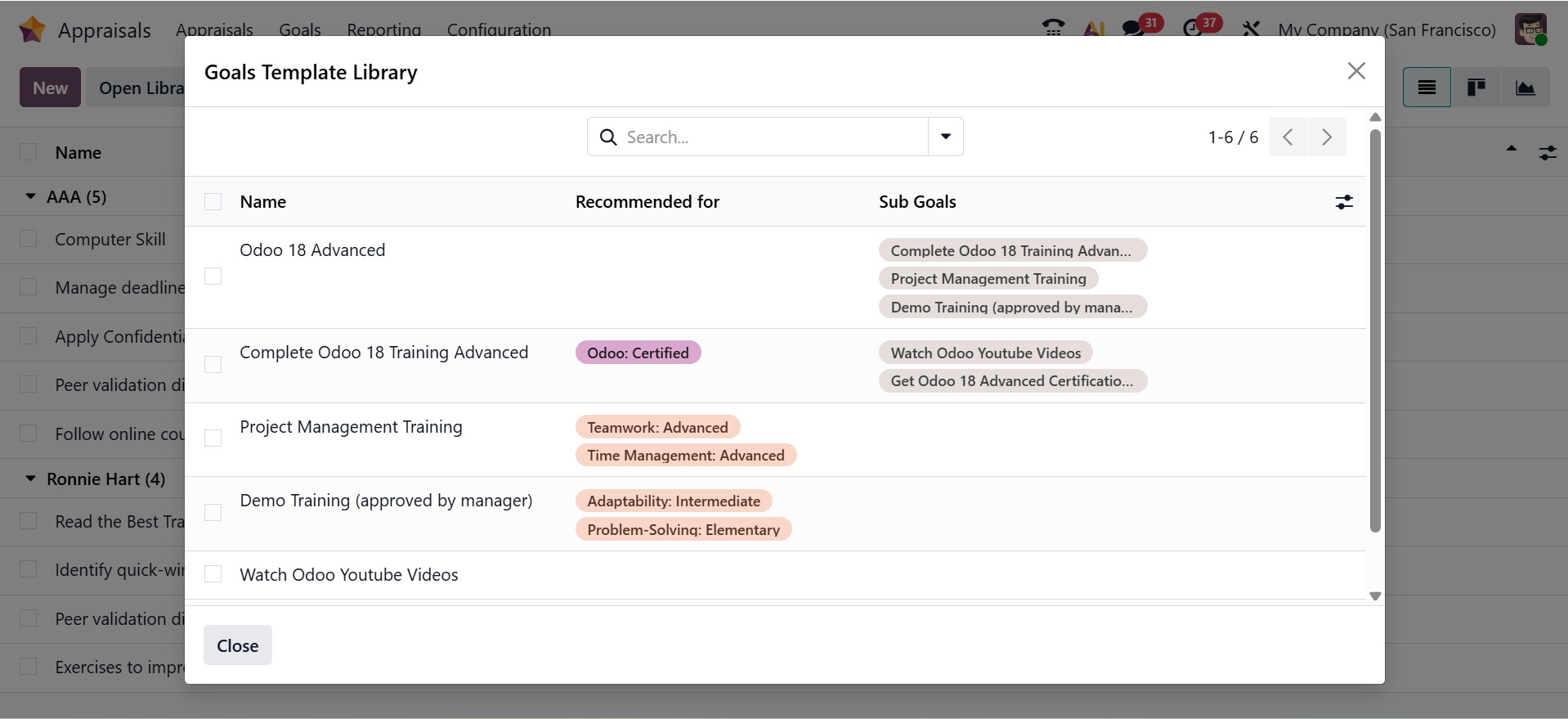
When you click on the Open Library button, a pop-up screen will appear as shown below. Here, you can see a list of goal templates with details such as Name, Recommended for, and Sub-Goals.
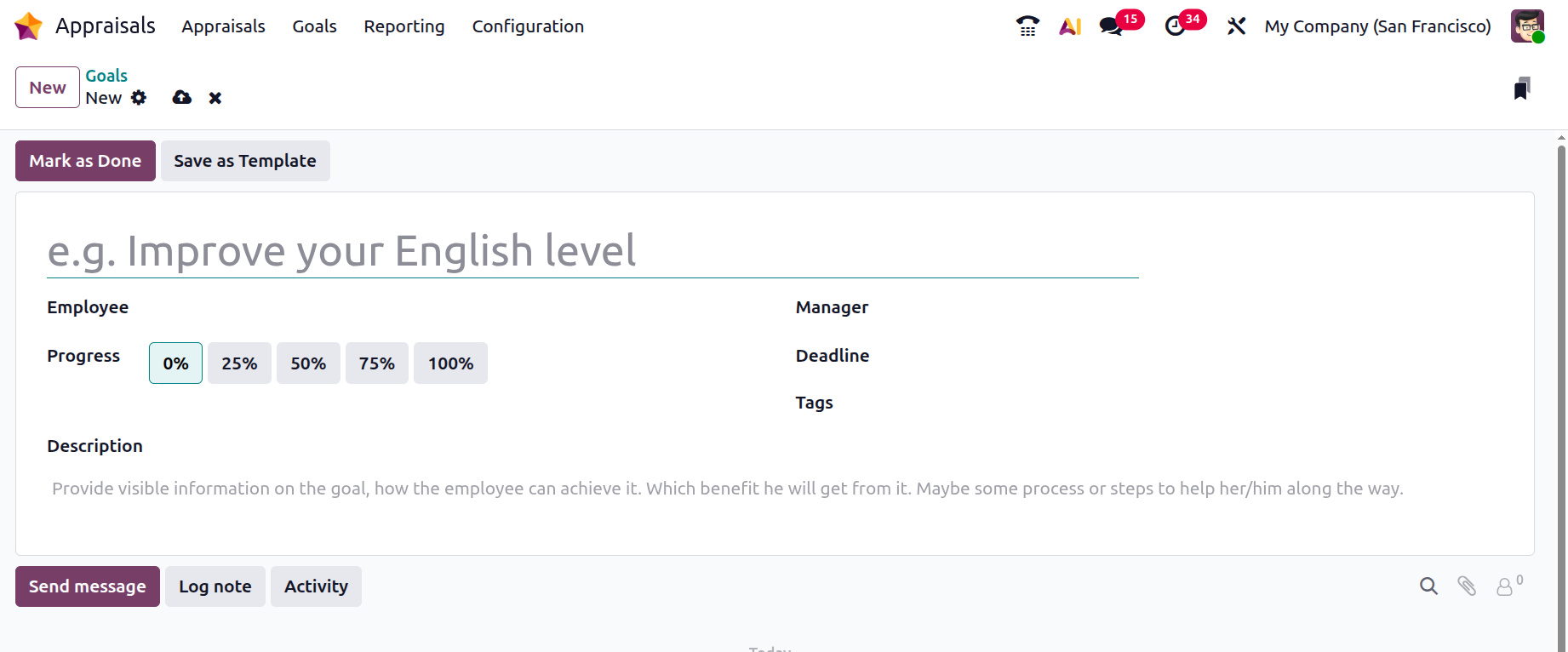
Clicking the New button will open a new window, as shown below. Here, you can enter a name for your goal and select an employee from the drop-down menu. In the Progress field, select the percentage of competency for the goal. Then, add the details such as Manager, Deadlines, and Tags. Under the Description tab, you can provide details about the goal. Once all information is added, click Mark as Done to complete the goal or Save as Template to store it as a reusable template.