Configuration
The Configuration menu helps you to customize the Approval module. Here, you can see three options: Approval Categories, Products, and Product Variants.
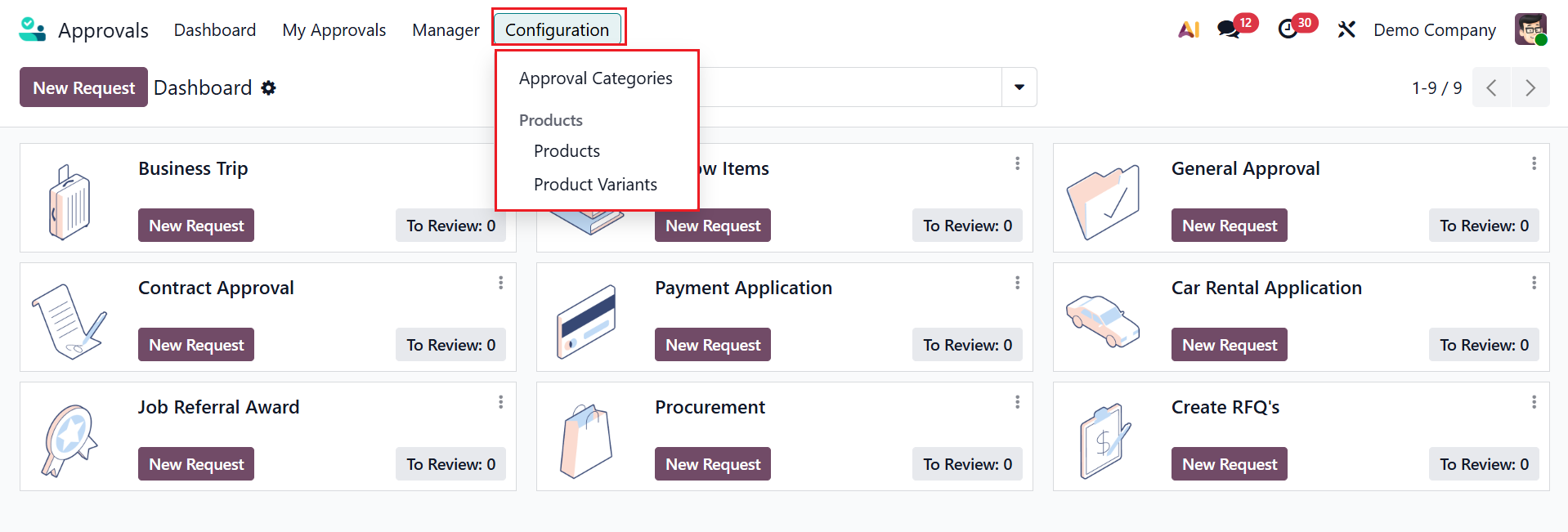
1.1 Approval Categories:
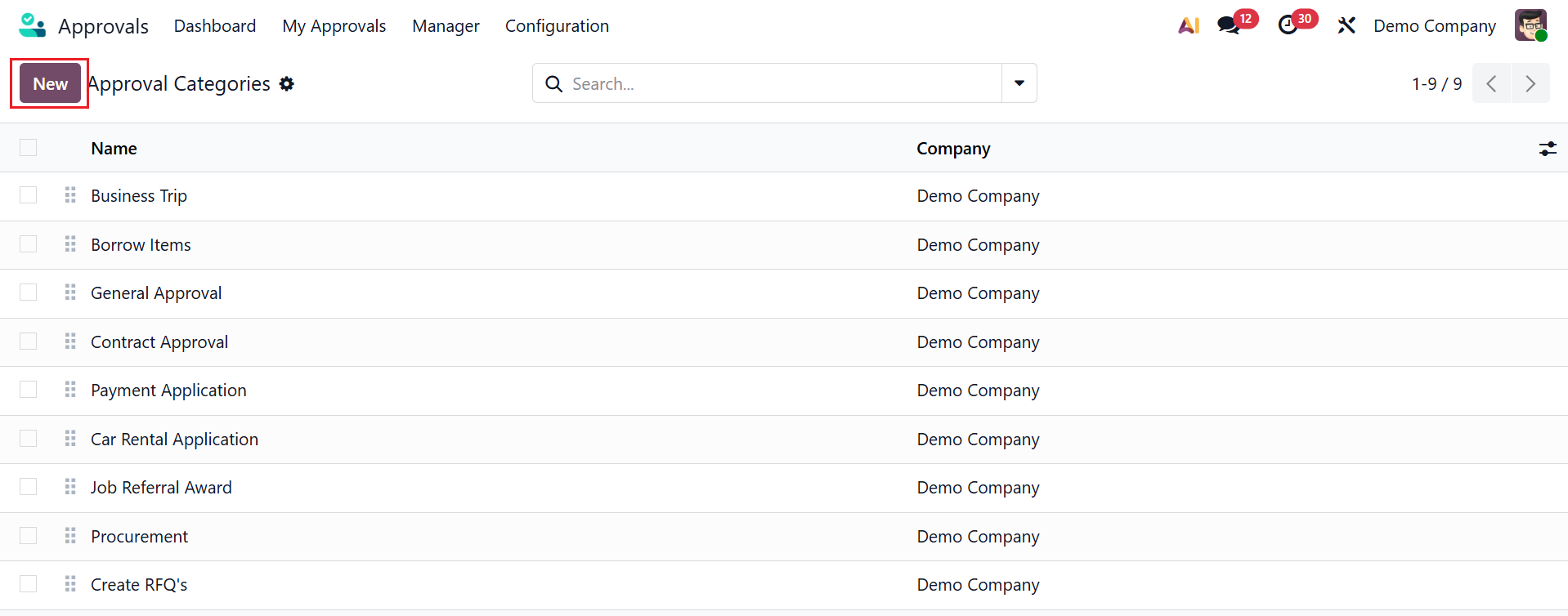
The Approval Categories define different types of approval requests. Each category lets you set specific approvers, approval rules, minimum amount, and documents. Here, you can see the Name and Company of the approval category. To create a new approval category, click the New button.
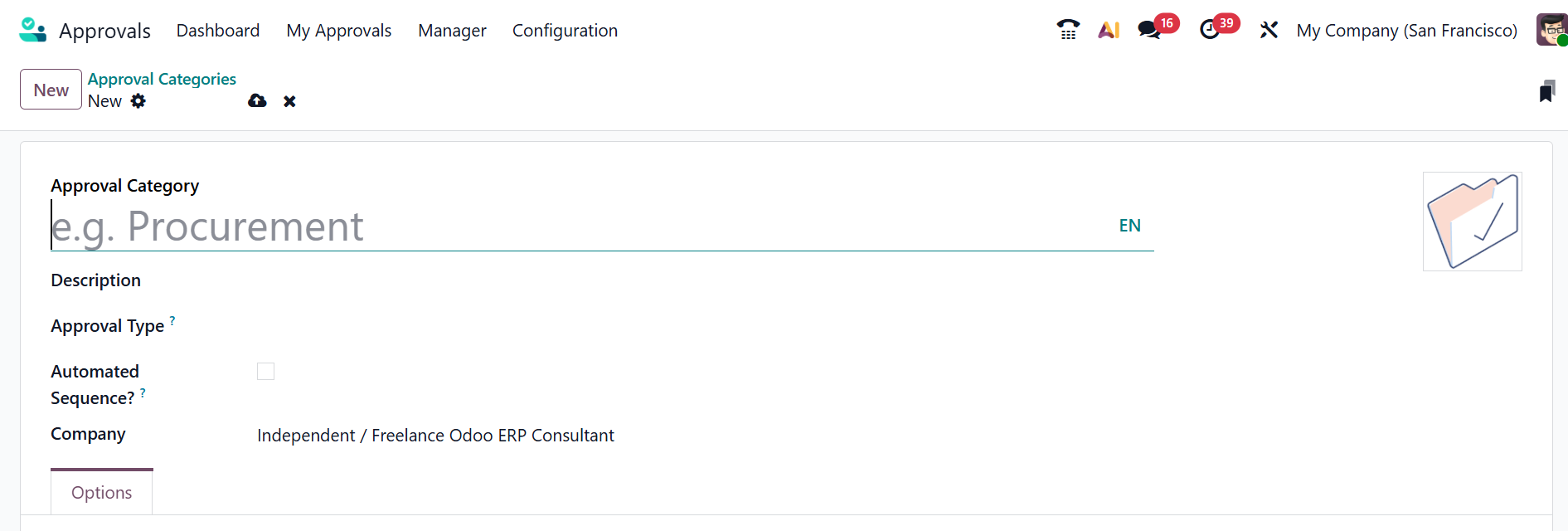
Provide a name and description for the category, and select the document to be created upon approval in the Approval Type field. When you enable the Automated Sequence field, the approval requests will have an automatically generated name based on the given Code. You can select an appropriate Company for the approval category.
Under the Options tab, you can see two sections: Fields and Approvers. Under the Fields section, you can select either Required, Optional, or None to indicate the relevance of the approval requests. Here, you can find different types of fields, such as Document, Contact, Date, Period, Product, Quantity, Amount, Reference, and Location.
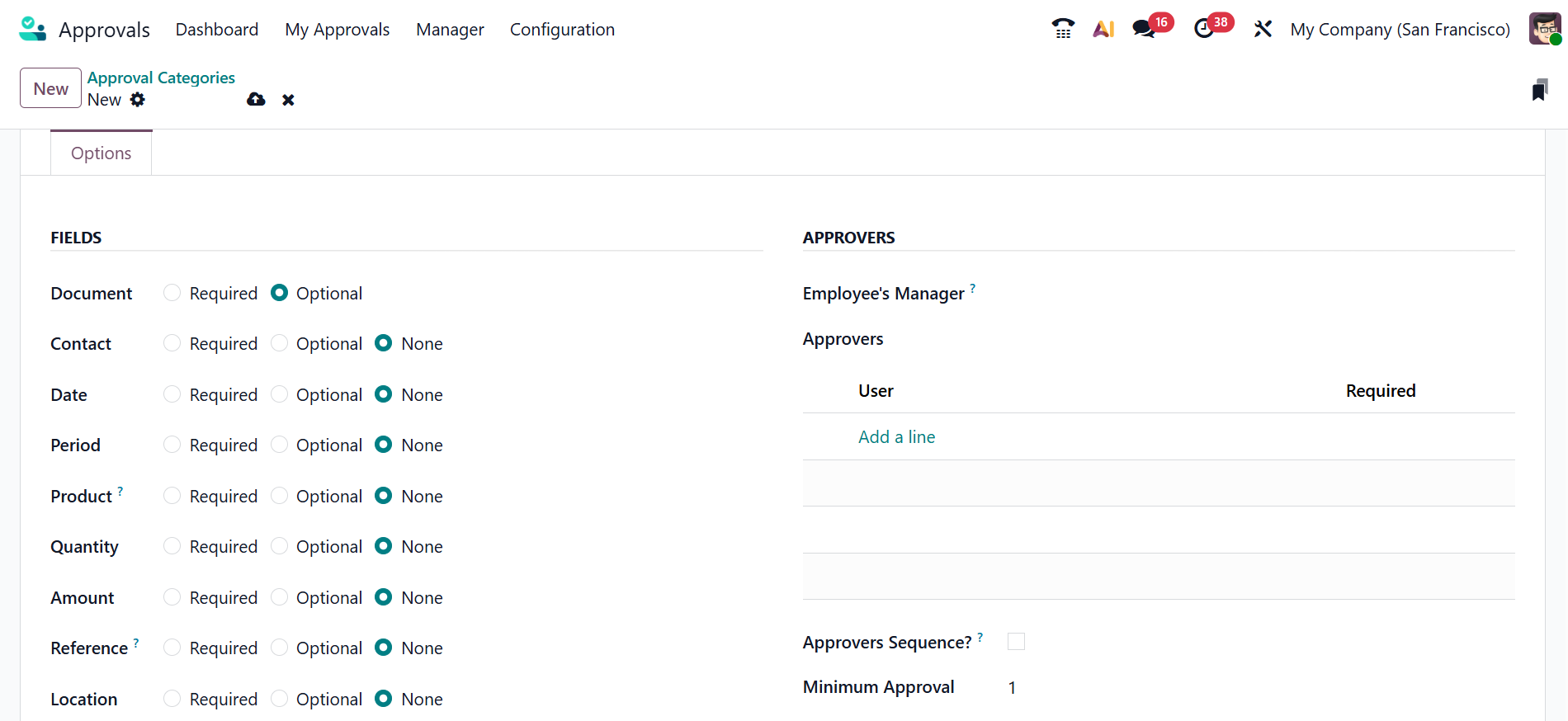
Under Approvers, the Employee’s Manager field allows you to define the manager’s involvement: choose Is Approver to include them in the approver list, or Is Required Approver to require their approval. Under the Approvers option, click the Add a line button to add Users, and enable the Required field if needed. To approve the approvals one after the other, enable the Approvers Sequence field. In the Minimum Approval field, you can view the minimum number of approval requests based on the number of approvers.
1.2 Products:
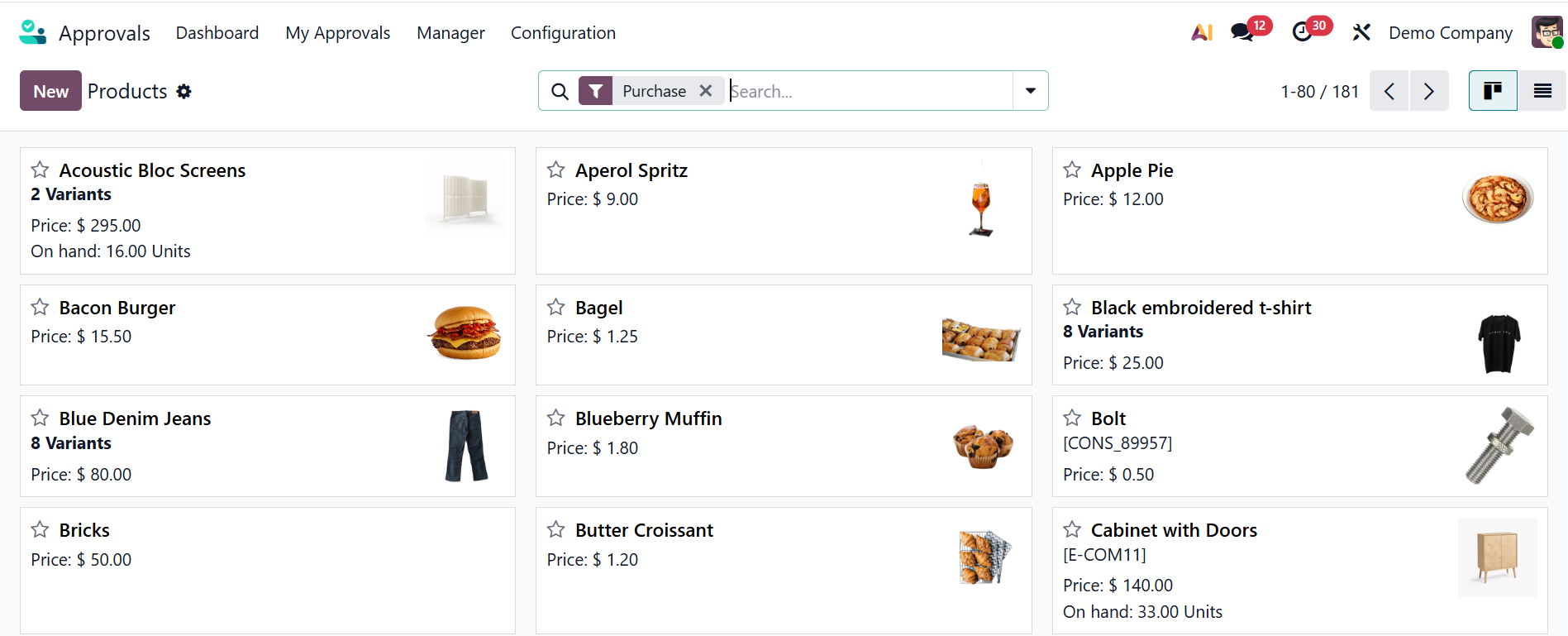
In the Odoo 19 Approval module, the Products option lets you link an approval request to a specific product. Here, you can view different product types and their details in a kanban card dashboard. Similar to other Odoo modules, you can add a new product in the approval module by clicking on the New button.
1.3 Product Variants:
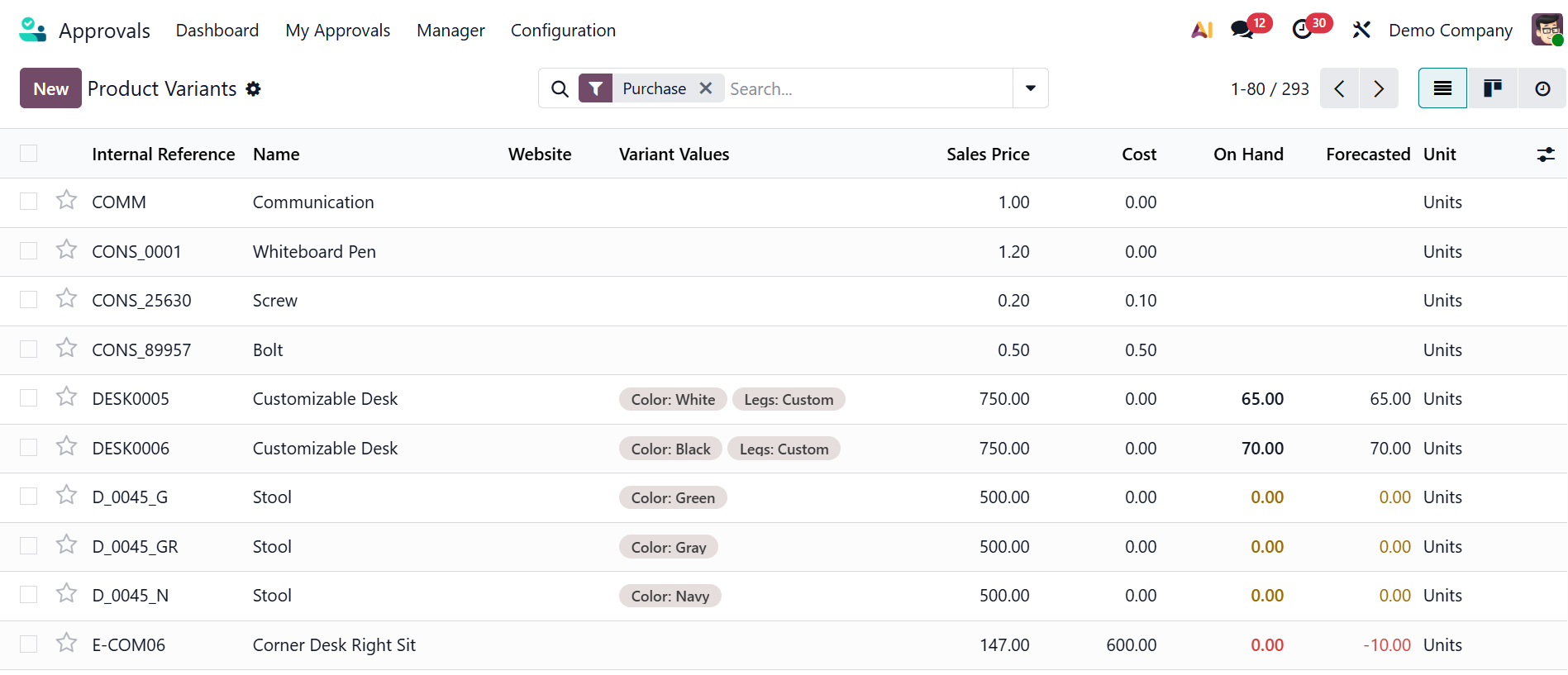
In the Odoo 19 Approval module, the Product Variants option helps link approval requests across different versions of the same product. To add a product variant to the list, click the New button, as described in earlier modules.
Organising and standardising approval processes within an organisation is a major function of the Odoo 19 Approval Module. It enables companies to establish organised approval processes for various requests, guaranteeing that the appropriate individuals examine and approve actions at the appropriate times. It increases visibility and reduces confusion or delays caused by manual communication by centralizing approvals into a single system. Because of its integration with other Odoo applications, approvals are directly connected to day-to-day operations, improving compliance and reducing errors. In conclusion, the module facilitates better internal control, more effective decision-making, and more seamless team coordination.