Reporting
It is possible for users to generate staff attendance records on a weekly, monthly, or annual basis. Select the Reporting tab in Odoo 19 Attendance to view attendance analysis results and Time Off Ledgers.
Attendances
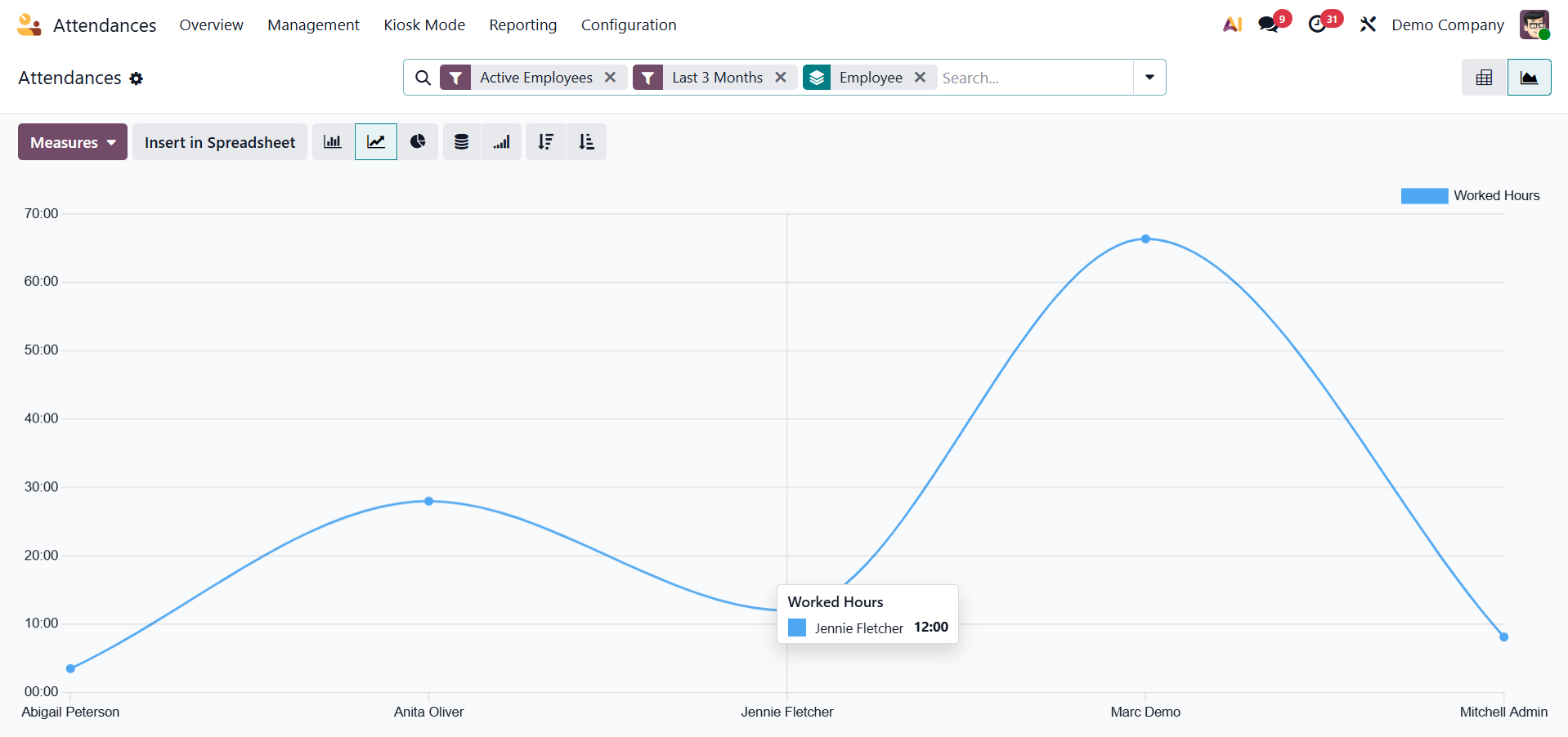
The Attendance Analysis window's graph displays the employee check-in data on the X-axis and the count on the Y-axis. The graphical depiction allows users to see each employee's check-in details in a variety of colors. We may add specific numbers to the graph, such as the number of hours worked and employee overtime, by selecting the MEASURES icon.
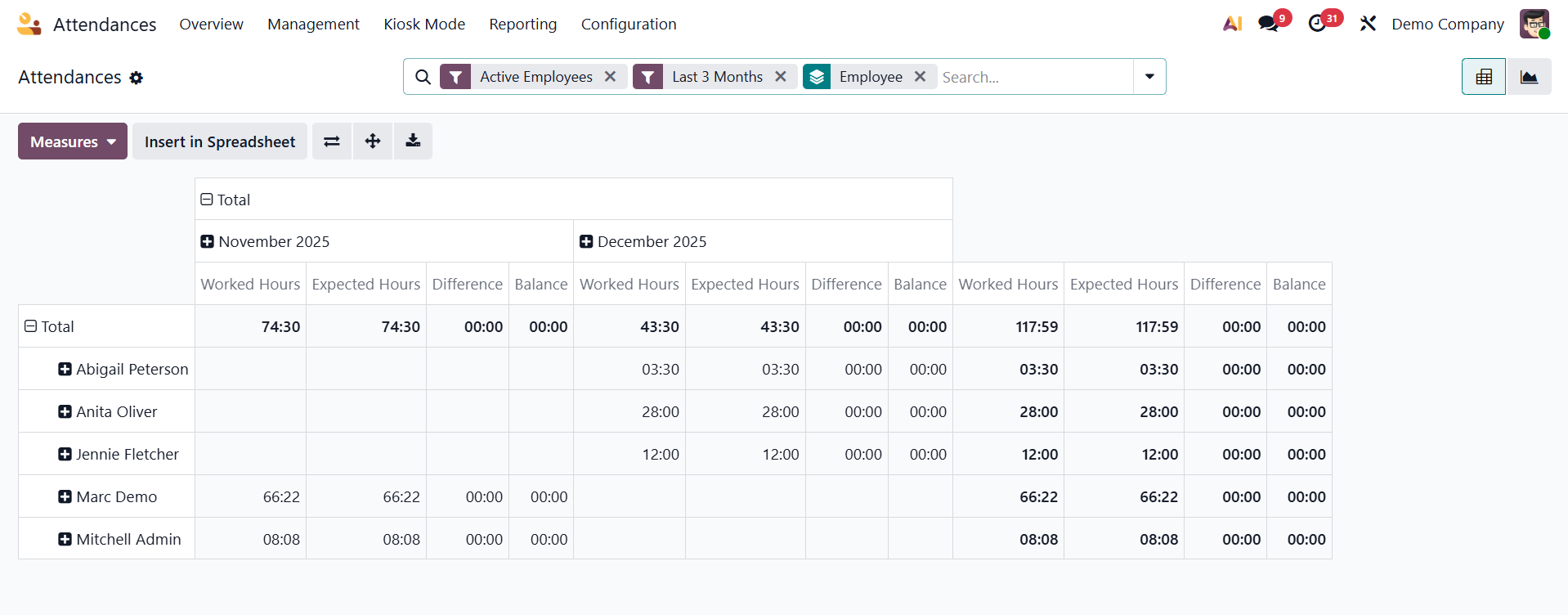
The pivot table allows the user to view each employee's total number of working hours separately. The user can determine an employee's actual working hours within the organization based on each month.
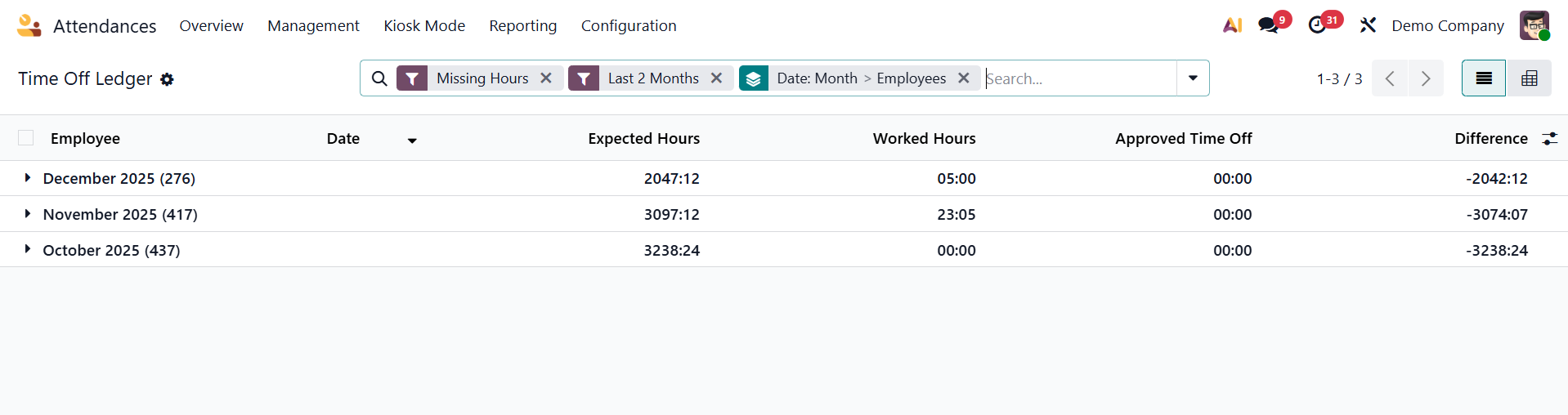
Time Off Ledger
HR teams can monitor how time off affects attendance and working hours by using the Time Off Ledger option in the Reporting menu of Odoo 19 Attendance, which offers a comprehensive picture of workers' validated leave allocations, leave taken, and remaining balances.
The Odoo 19 Attendance module makes it easy to manage an organization's employees' actual working hours. A company can assess reports to have a better understanding of employee performance and plan for the future.