Roles
In Odoo 19, the Discuss module includes a Roles feature that helps structure conversations and improve message targeting within chats and channels. Roles enable administrators to define specific user categories, such as consultants or developers, that can be mentioned collectively, ensuring the right audience is notified without requiring individual addresses.
To configure roles, navigate to Configuration > Roles. This section displays a list of all existing roles.
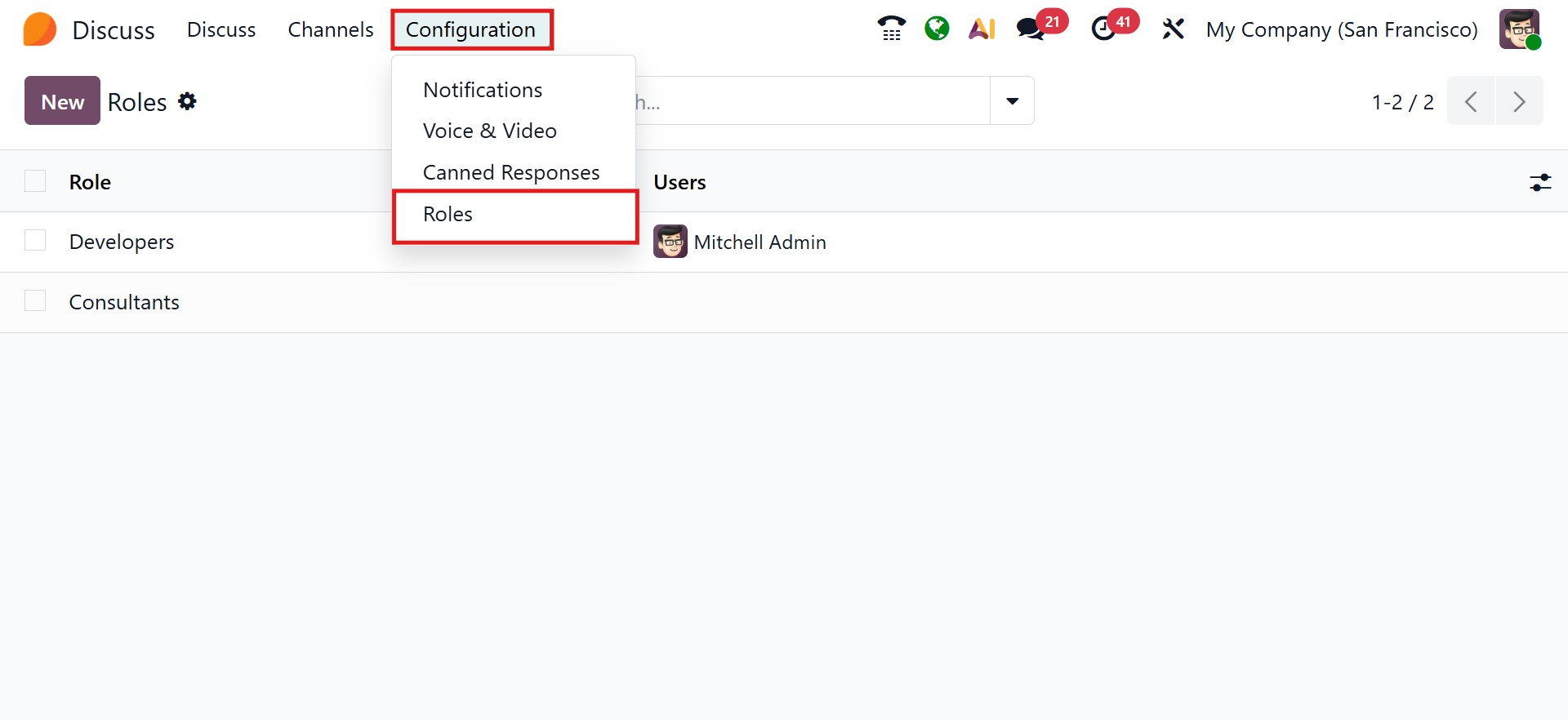
Clicking New lets you create a custom role, which will then become available across chats and channels. Once created, these roles are visible directly in the chat, making them easy to use during conversations.
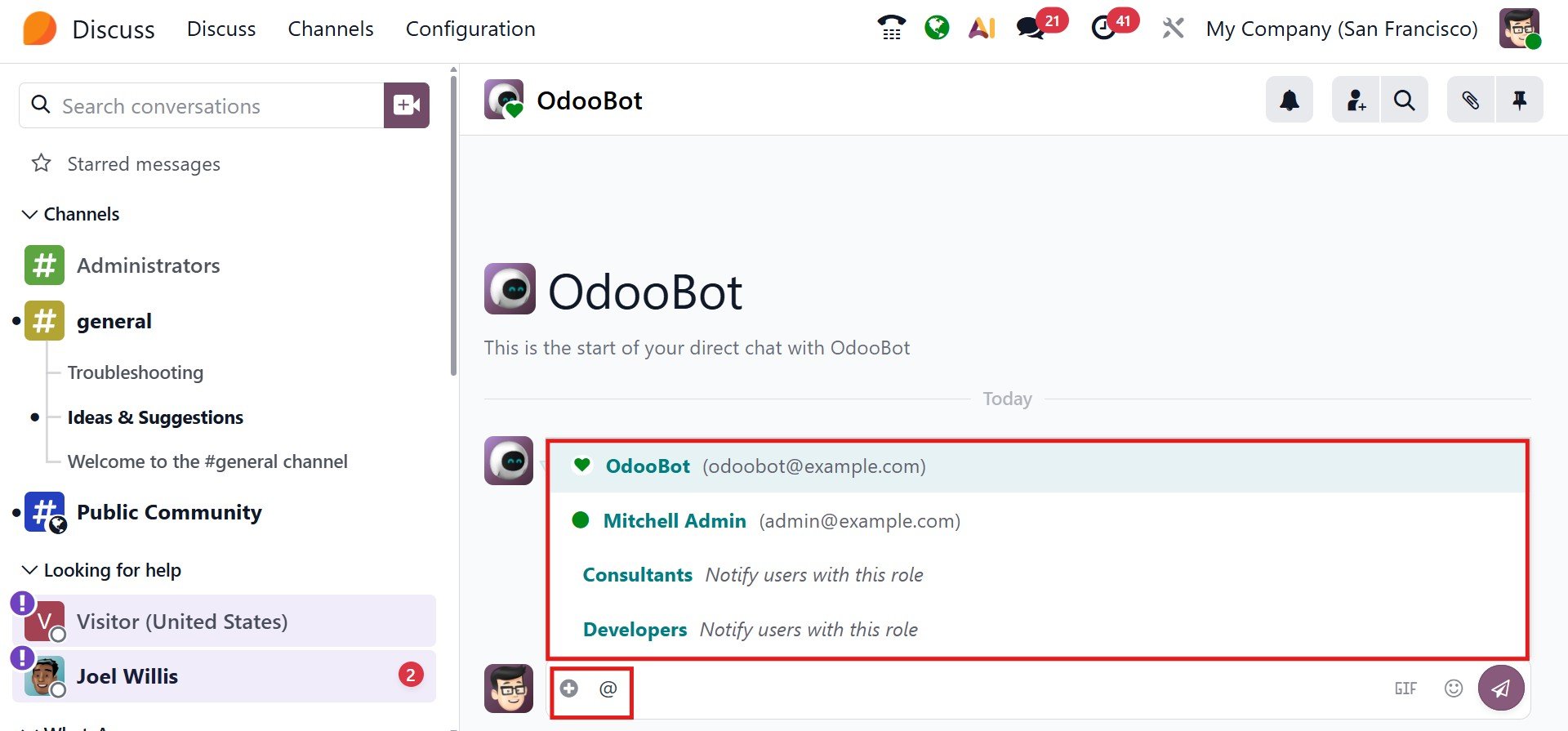
The primary advantage of roles is targeted communication. If you need to send an important update or request only to consultants, you can simply mention the corresponding role in the message. As soon as the role is used, all users assigned to that role receive a notification, ensuring timely visibility and response. This feature enhances clarity and responsiveness within the Discuss module, making communication in Odoo 19 more structured and purposeful.
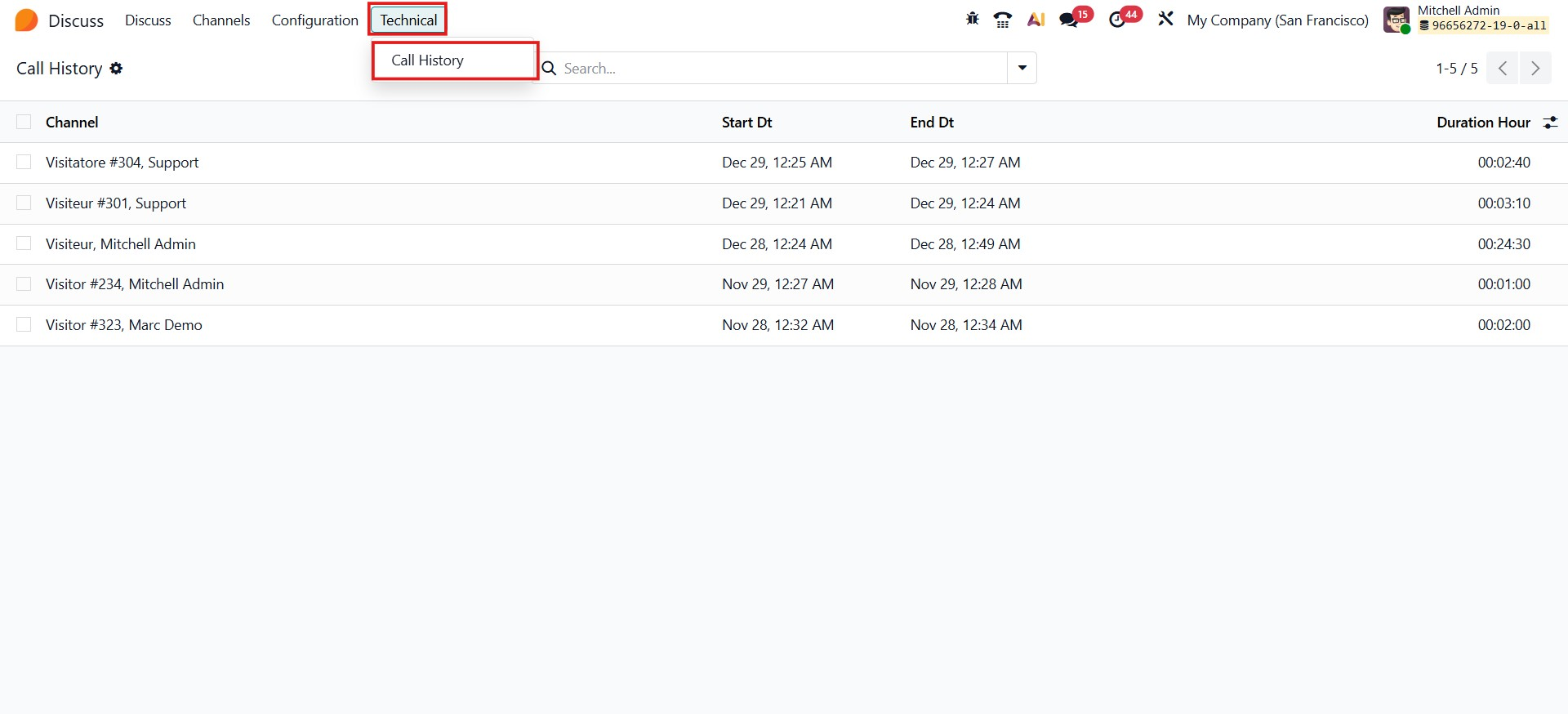
When navigating to the Technical menu, the Call History option becomes available. This is a newly introduced feature in Odoo 19, allowing users to view and track call records directly from the Discuss module.
In all, the Discuss module in Odoo 19 brings all internal communication into a single, integrated workspace, enabling teams to collaborate more efficiently, stay connected in real time, and streamline everyday interactions across the organization.