Overview
The Overview menu in Odoo 19 Time Off provides an HR-focused view of employee leave schedules in a single interface. This screen displays time-off information in a Gantt chart format, showing leave records for employees grouped by employee name and status. Each time-off entry appears in different colors, where the color represents the specific time-off type. The view displays leave requests that are approved or waiting for approval, enabling HR managers to easily monitor upcoming and pending leave schedules.
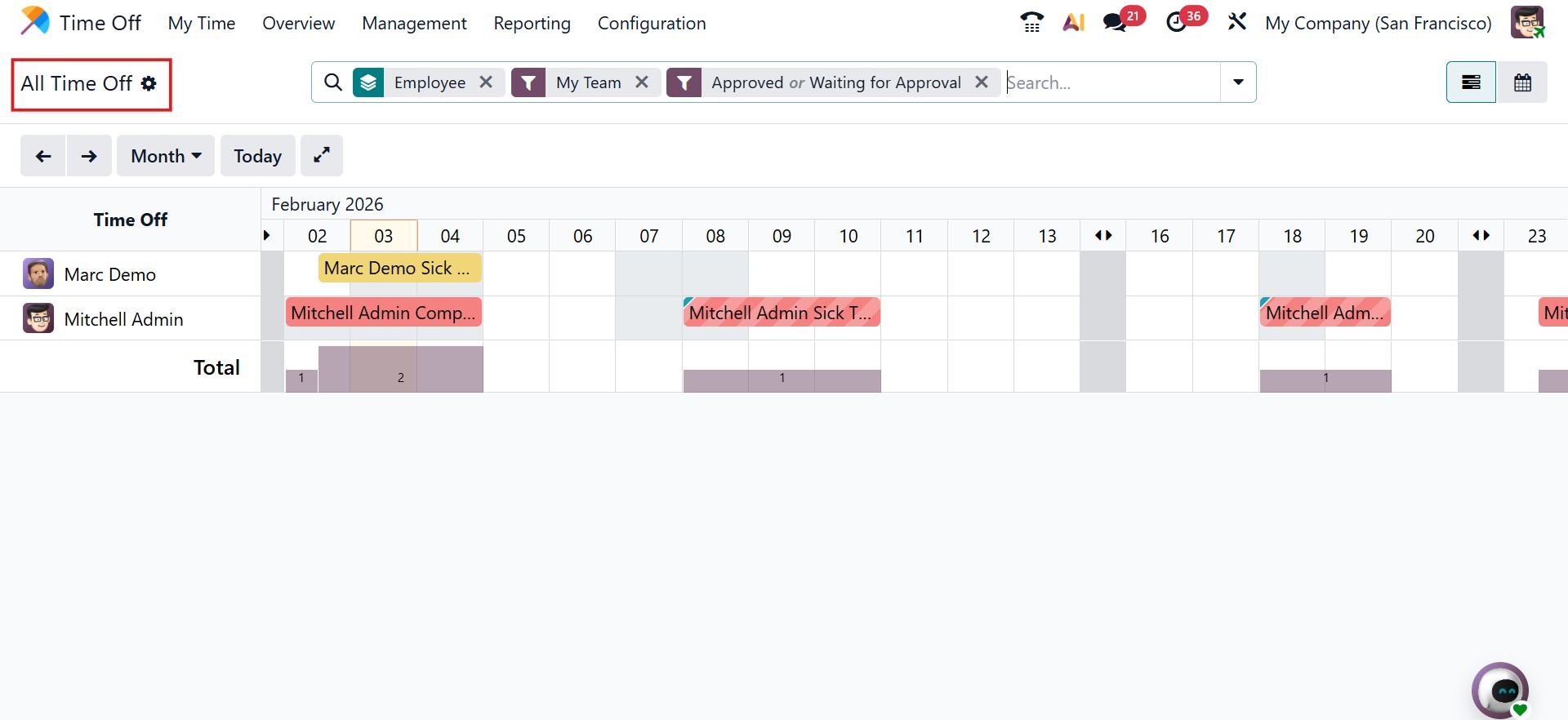
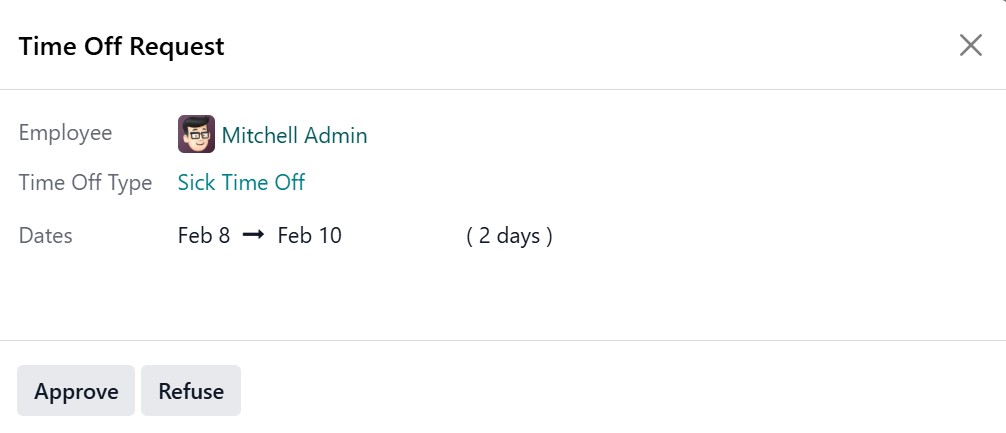
This view helps HR teams understand employee leave patterns and manage payroll more efficiently. Time-off records can be reviewed by Day, Week, Month, or Year. By clicking on any time-off entry, users can open a small pop-up window that shows basic details such as leave dates and duration. From this window, managers can quickly Approve or Refuse the request.
The All Time Off window in Odoo 19 includes several useful icons to improve navigation and visibility. The Focus Today icon centers the calendar on the current date. Zoom In and Zoom Out allow users to switch between detailed and summary views. Dense Mode increases the amount of information shown on the screen, while Collapse Rows hides detailed records for a compact view. Expand Rows displays detailed entries within grouped data.
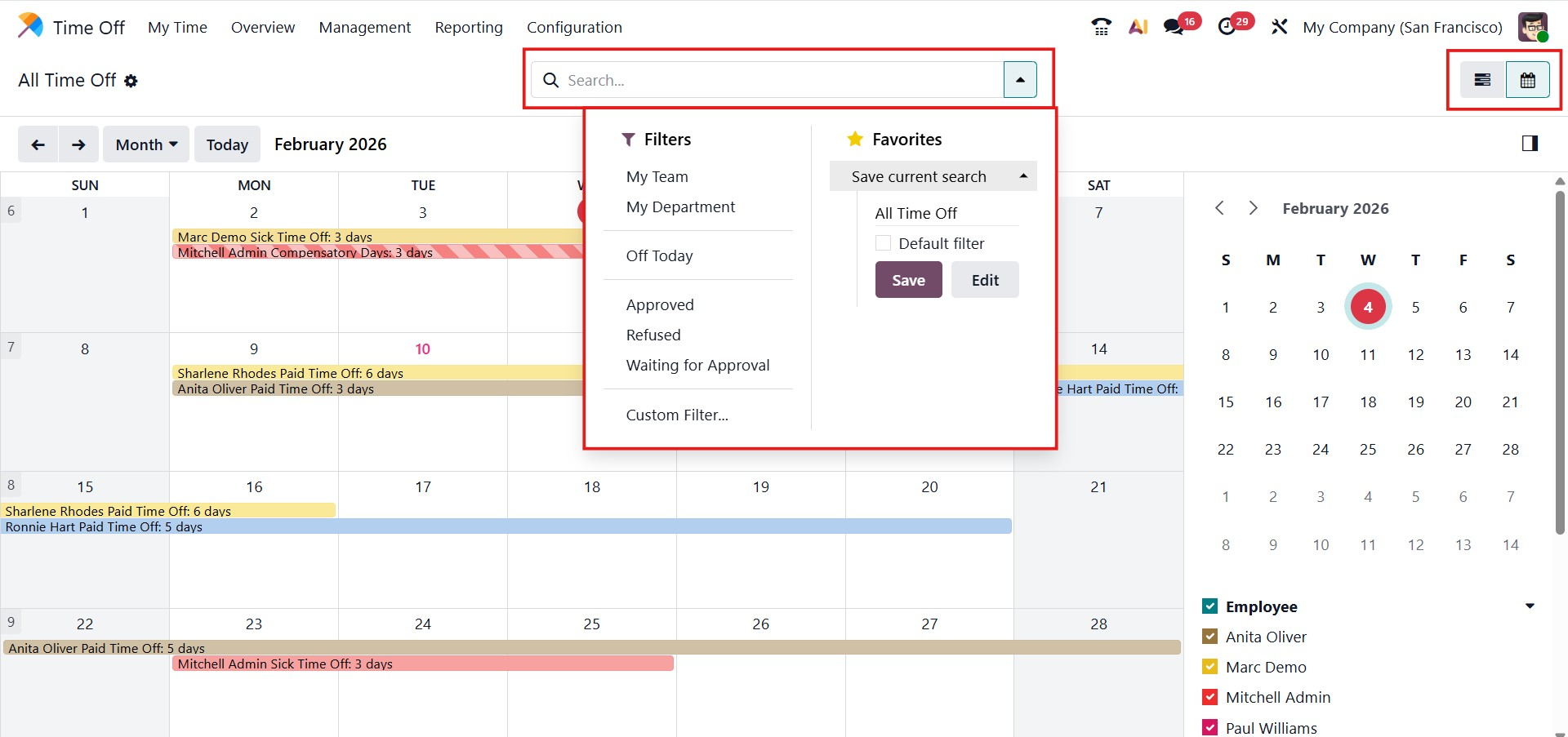
The advanced search bar includes filters such as My Team, My Department, Off Today, Approved, Refused, and Waiting for Approval, allowing users to quickly find specific records. Custom filters can also be created using the Add Custom Filter option. Important searches can be saved using the Favorites option for quick access later.