Activity types
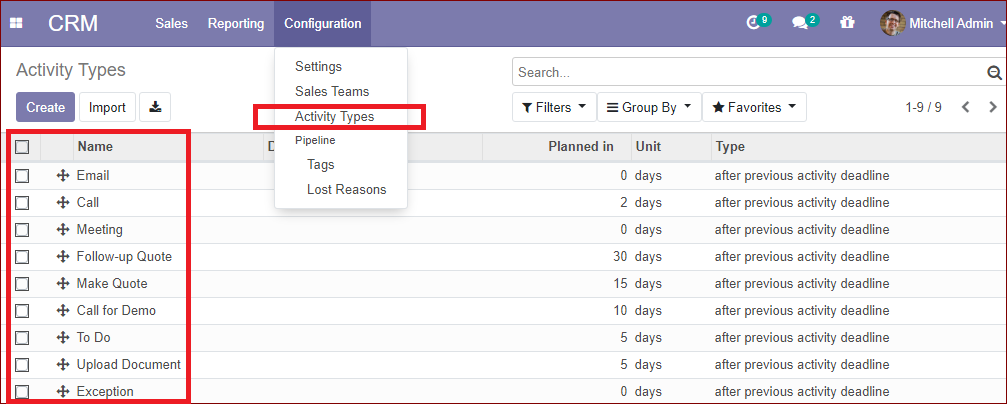
Under the configuration menu, there is an option named activity types which will help you to create and configure the various activities of the CRM module. This option is meant for listing out the various activities that will help greatly in creating a lead. These activities will be helpful for creating valuable communications in between you and your customers and provide more possibilities for an opportunity to make way for creating a customer.
Create a new activity type
We can create a new activity type by taking the route configuration -> activity types-> create.
On clicking the create button, the display comes as shown below:
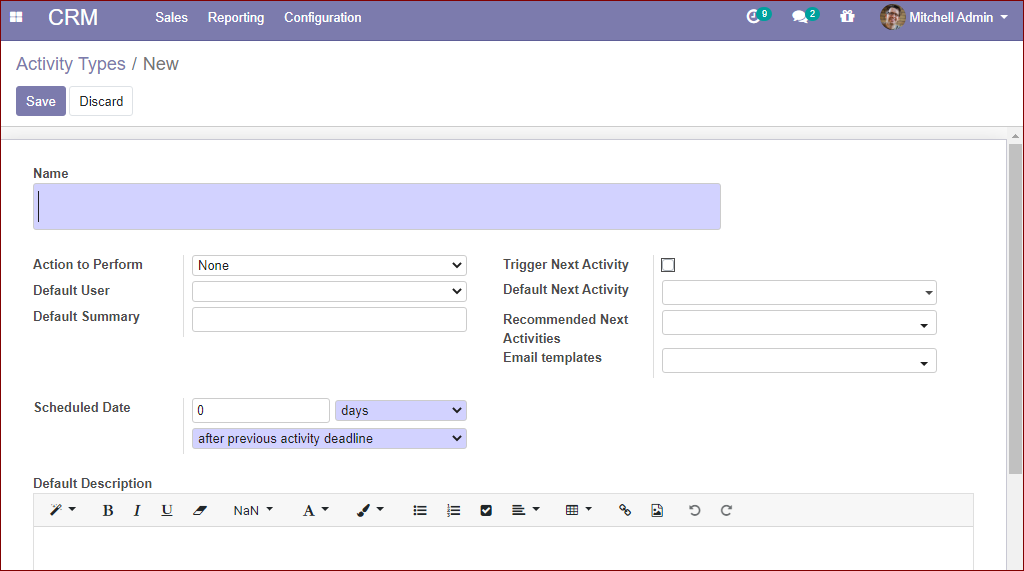
On this page, we have to provide the details such as - name, action to perform, the scheduled date of the activity to be done, set next deadline of prior activity, planning next activities, etc.