5. Requesting a Document
To request a necessary document from an employee or the responsible
individual, users can utilize the 'Request' button located under the
'New' button. This feature enables efficient document management
across the organization, ensuring seamless access and organization
of essential files.
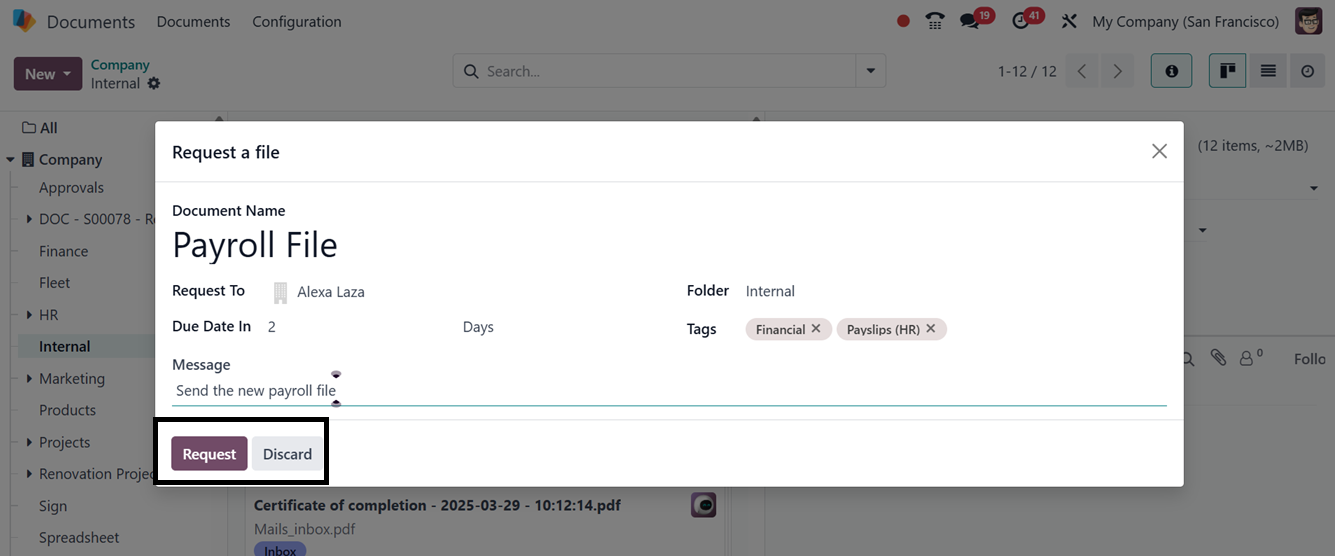
Clicking on the ‘Request’ button will open a pop-up window, where
you can mention the Document Name, Requested Person, Due Date,
Folder, Tags as well as any messages regarding the document as
depicted in the screenshot below.
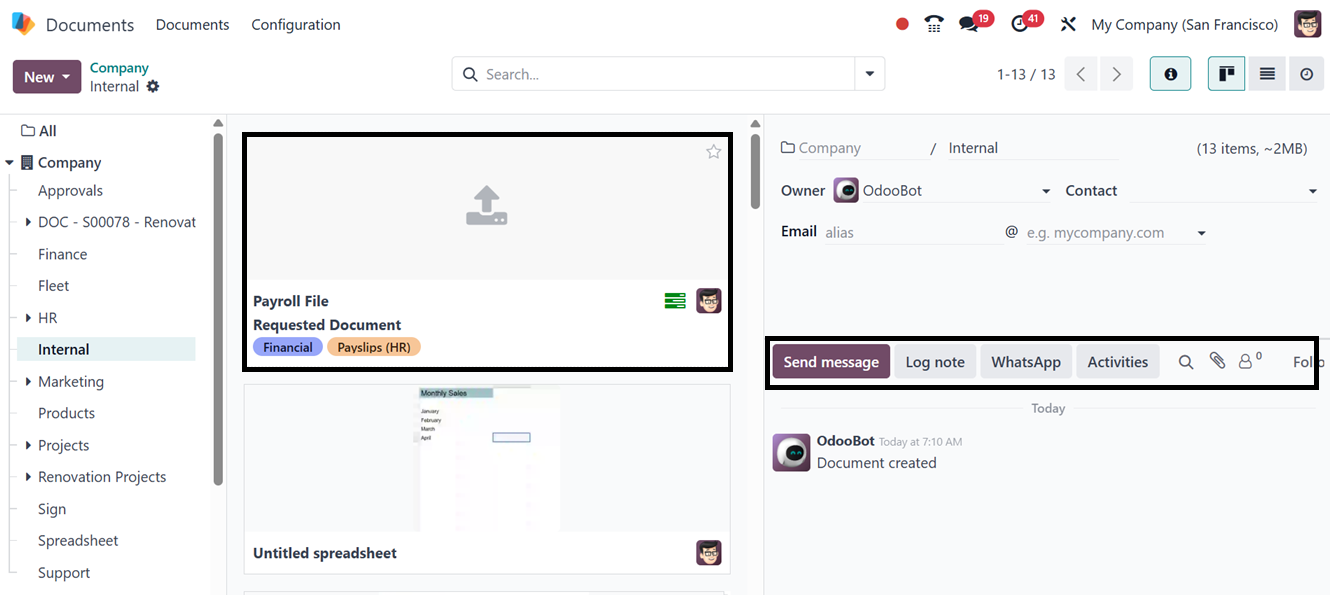
After editing all the file request details, click on the ‘Request’
button. Then, you can see the requested document inside the
dashboard.