5. Adding a Button in a Form
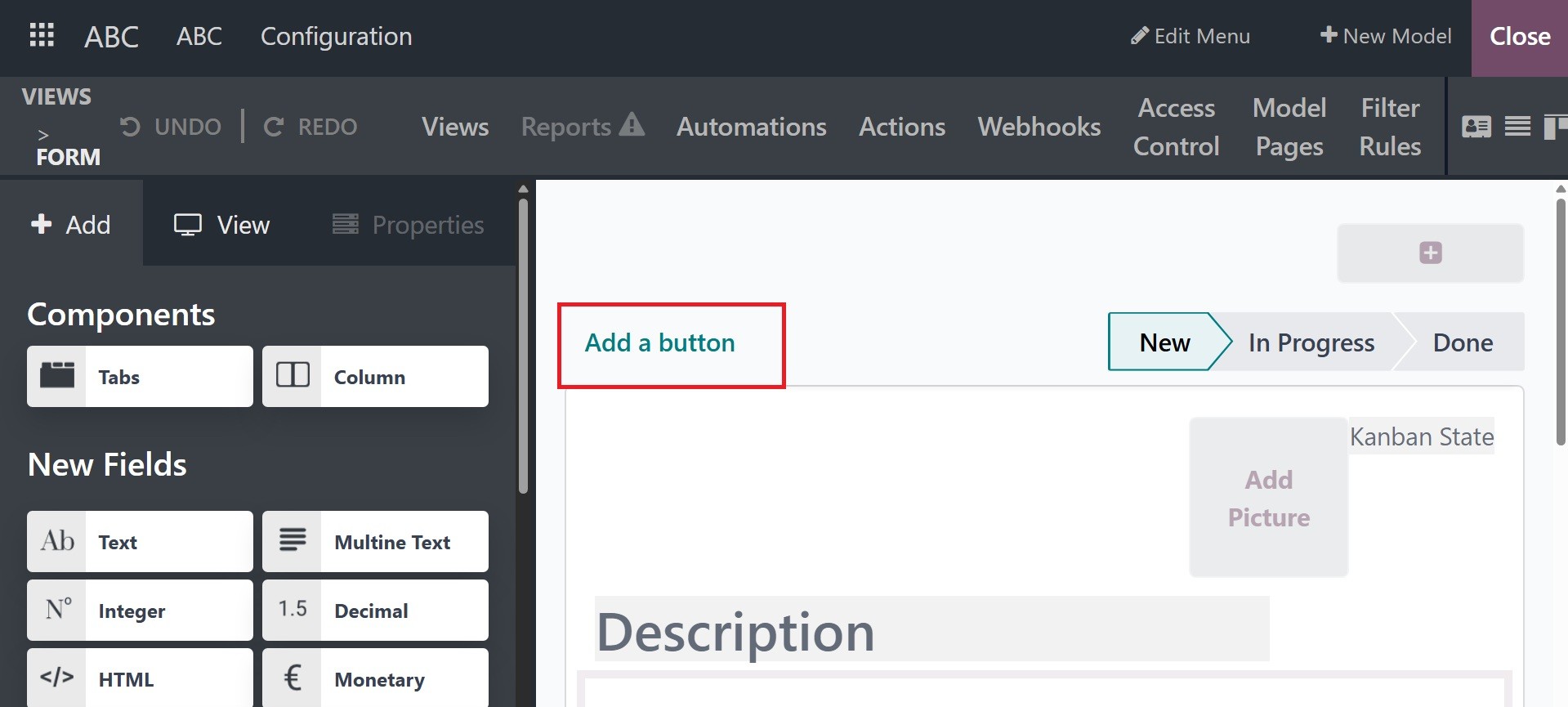
You may add a button to the form view in Odoo 18. They can be added
in Odoo 18's list view as well as form view. You can build a button
in the form view by clicking on a button choice that is visible in
the form view. View an illustration of how to add a button in the
form view.
This will ask you to set up its attributes, such as the button's
name, and set up its functionality.
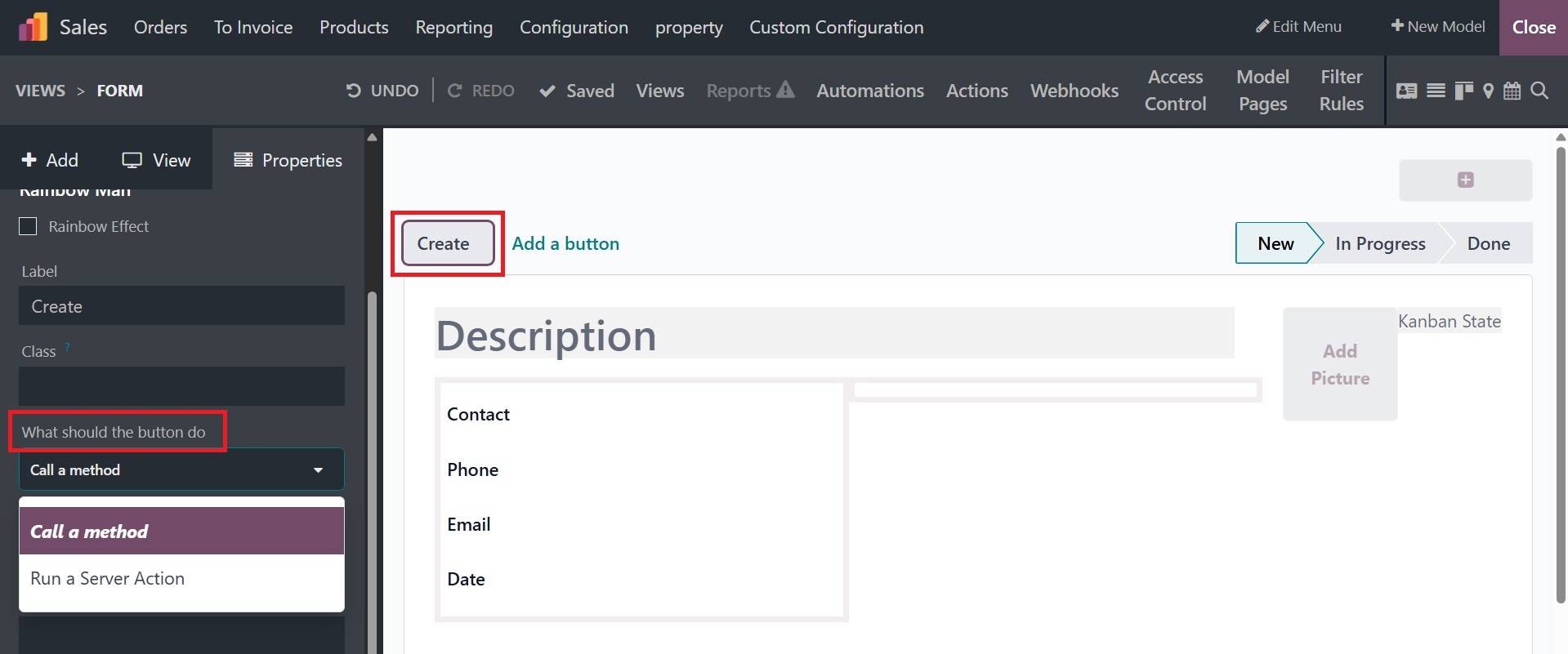
A specific function trigger can be inserted when the button is
pressed, either calling a method or doing a server operation.
The Setting itself can be used to create server action. Go to
Settings > Technical > Actions > Server Actions after activating
developer mode, then create one.
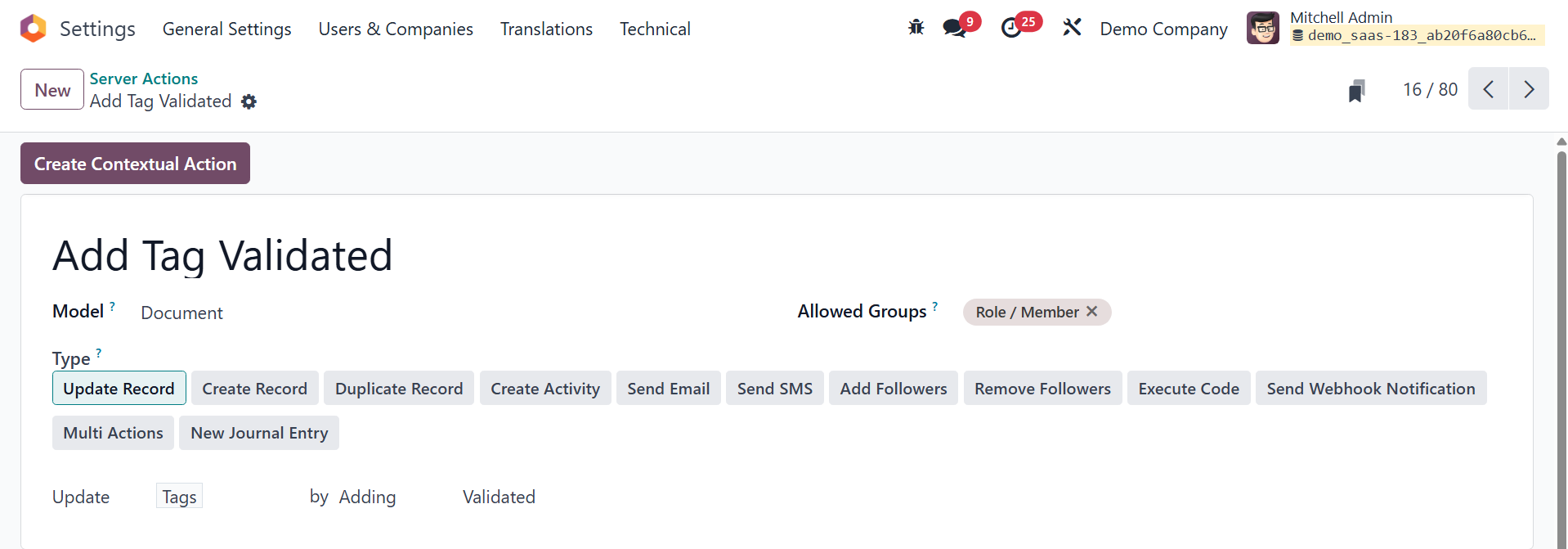
The server action is activated and made available for inclusion in
the studio application by selecting the "Create Contextual Action"
option.