The Accounting module in Odoo 18 Enterprise has been meticulously designed to streamline
and automate financial operations for businesses of all sizes. Whether you are managing
a startup or a large enterprise, Odoo's fully integrated accounting system enables
seamless bookkeeping, accurate financial reporting, and real-time financial oversight.
With significant improvements in user experience, reporting tools, and regulatory
compliance features, Odoo 18 stands out as a robust solution for modern-day financial
management.
This module encompasses a wide range of essential accounting functionalities, including
accounts receivable and payable, bank reconciliation, tax computation, budget management,
and analytic accounting. One of the key highlights of Odoo 18 is its enhanced dashboard,
which offers a dynamic view of the company’s financial health through key performance
indicators, graphical analytics, and smart widgets. The integration with other Odoo
modules, such as Sales, Purchase, Inventory, and Payroll, ensures that every financial
transaction is automatically recorded and updated, reducing manual errors and saving
valuable time.
For finance professionals, accountants, and business owners, mastering the Accounting
module in Odoo 18 is critical for maintaining compliance, optimizing cash flow,
and making informed business decisions. This guide will walk you through every major
feature, configuration setting, and best practice associated with Odoo’s Accounting
module, empowering you to take full control of your organization’s finances with
confidence and clarity.
When you click on the Odoo 18 Accounting module from the main dashboard, you are
immediately directed to the module’s Accounting Dashboard. This dashboard offers
a streamlined view of your financial activities and serves as the central hub for
managing all accounting operations.
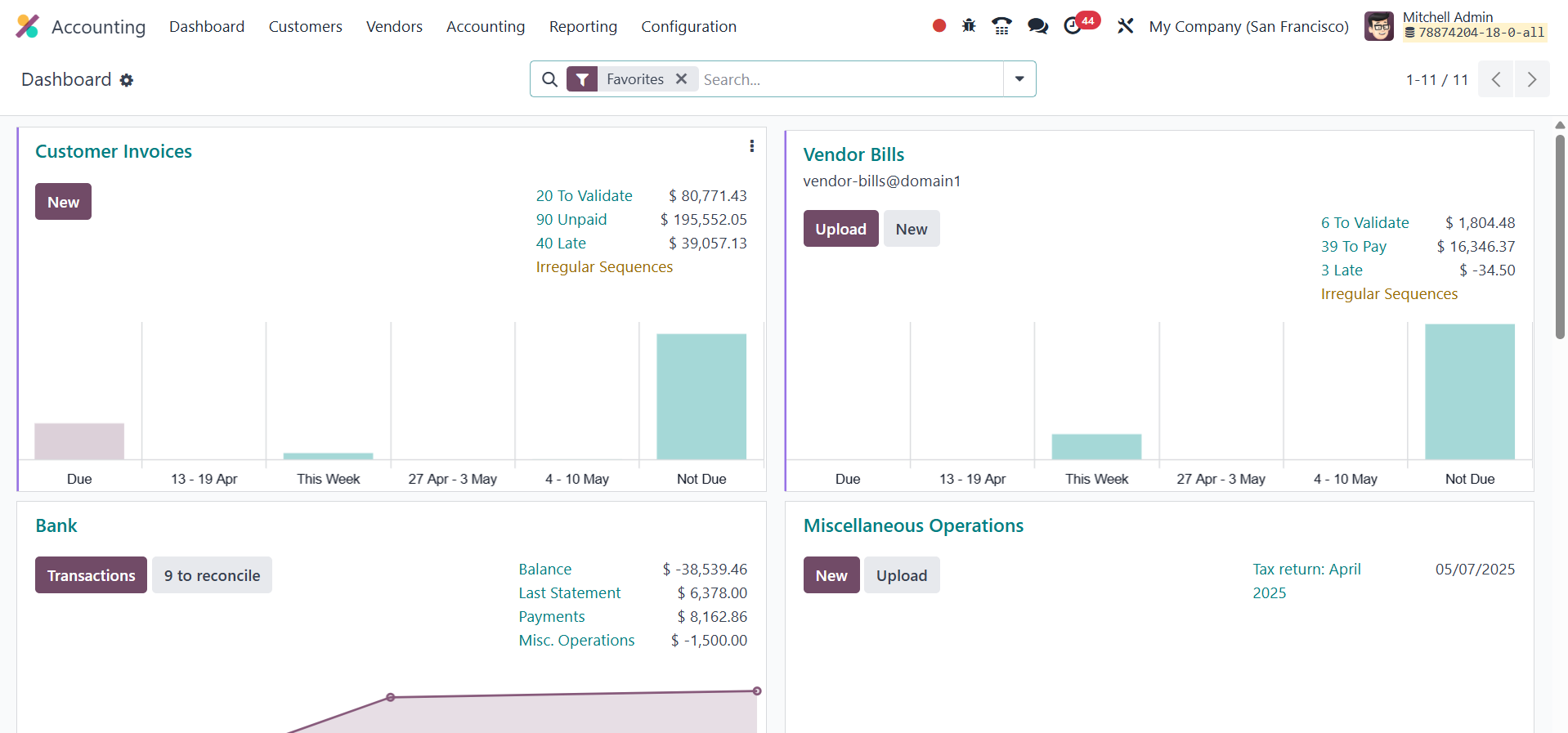
The Accounting Dashboard provides access to a wide range of actions, from customer
invoices and vendor bills to miscellaneous operations, point of sale, salaries,
expenses, and more. Each tab represents a specific financial activity and contains
all the necessary tools to perform related tasks efficiently. Filters such as Favorites,
Sales, Purchases, Liquidity, Miscellaneous, and Archived are available by default,
while additional grouping and filtering options allow for custom views tailored
to your operational needs. The journal entries on the dashboard also include a menu
(represented by three vertical dots), which provides shortcuts to view and manage
entries directly.
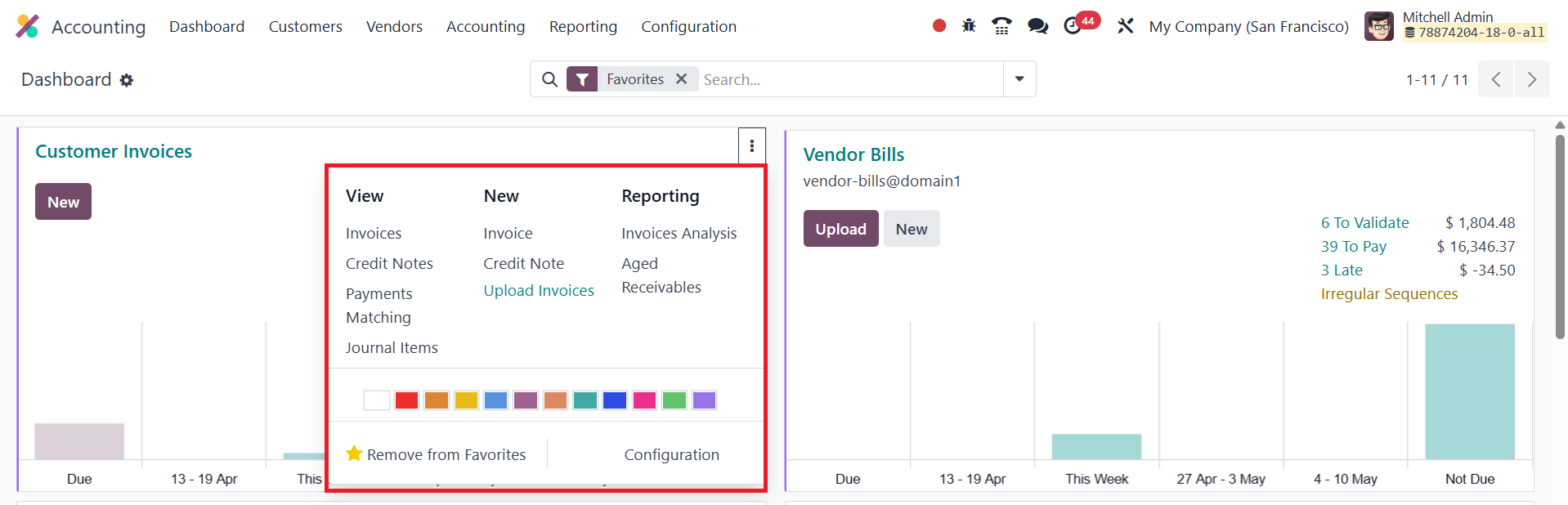
For example, in the Customer Invoices journal, you can access Invoices, Credit Notes,
Payment Matching, and Journal Items. The New section allows you to create and upload
invoices or credit notes. Additionally, you can generate aged receivables reports,
follow-up reports, and perform invoice analysis. Similar features and advanced options
are available for other journals, enabling precise control over each financial domain.