31. 1099 Boxes
It is essential to generate 1099 income statements for contract
workers who receive payments of $600 or more and work in the US, as
these reports are required to submit tax information for services
provided throughout the fiscal year. The Odoo Accounting module
makes it easier to generate 1099 reports electronically and export
related CSV files containing all the necessary data for submission.
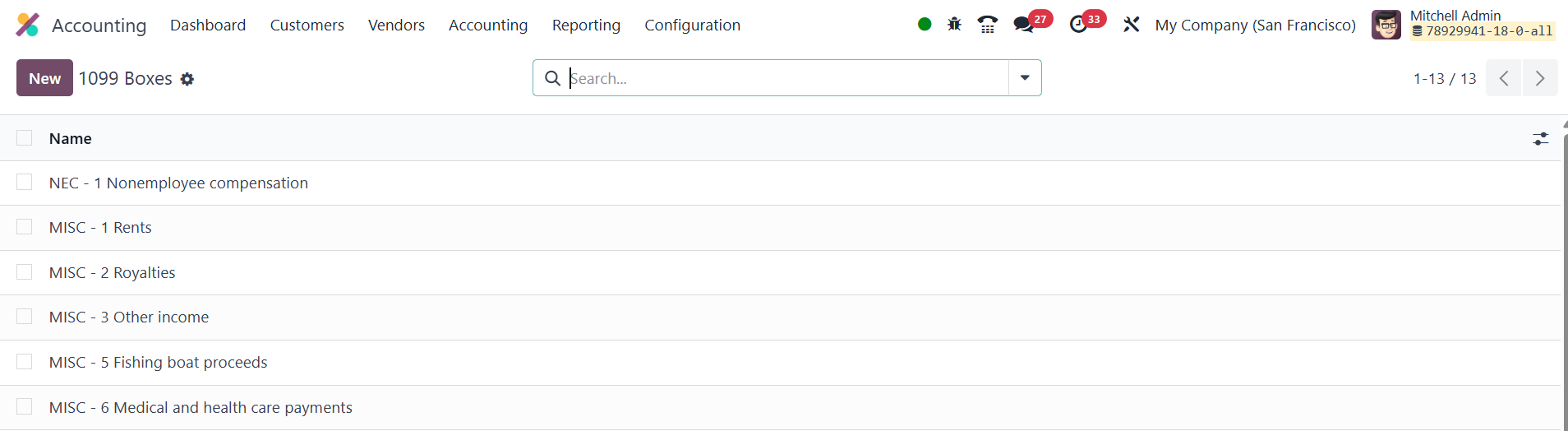
To create 1099 reports, you need to start by selecting the 1099 Boxes
option under the Configuration menu in the Accounting module. Here,
you can create and manage 1099 boxes, which are the categories under
which the payments are reported. To create a new box, click the New
button, where you can define the name and description of each 1099
box.
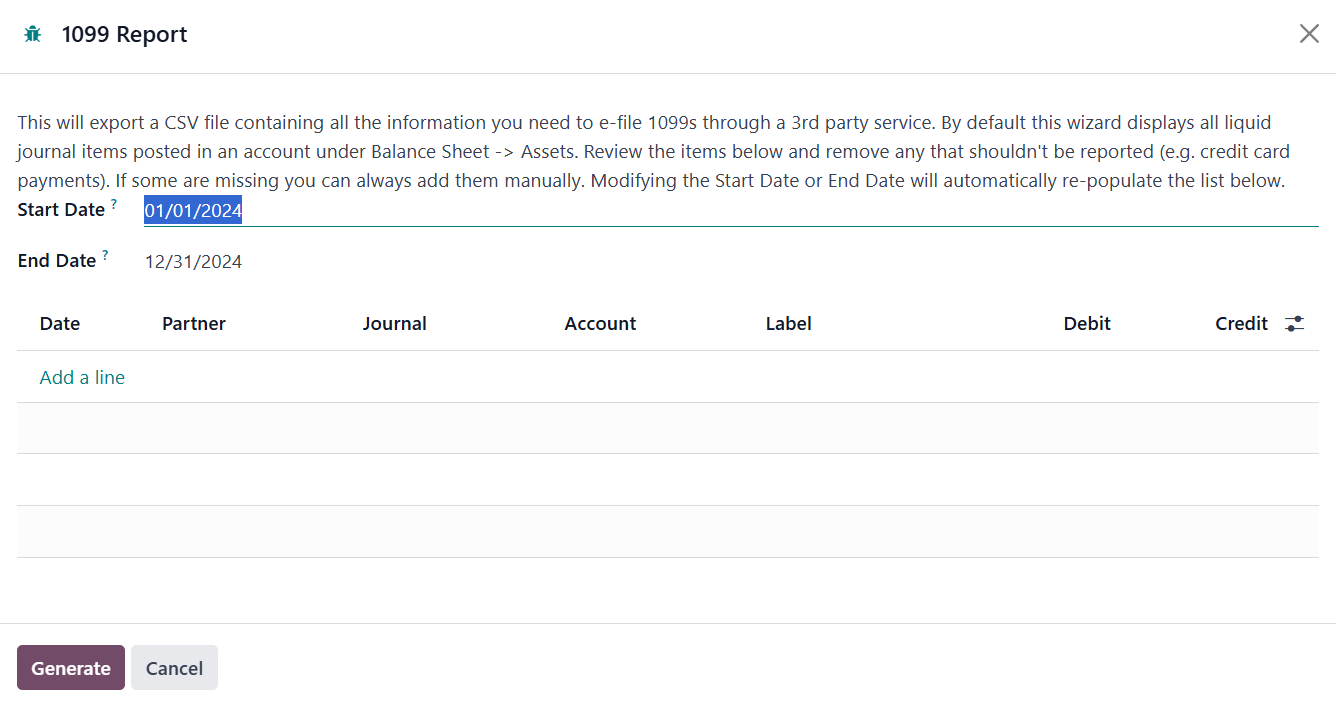
When it's time to generate the report, go to
Accounting ▸ Reporting ▸ 1099 Reports. Select the start and end
dates for the fiscal year, and click Generate. This will pull up a
list of journal entries that have been tagged with the relevant 1099
box information. The pop-up window will display details such as the
date, partner, journal, account, label, debit, and credit for each
entry. You can review and edit any entries as needed, and manually
add missing information if necessary.
Once all information is correct, click Generate again to export the
report as a CSV file. The CSV file will contain all the necessary
data for electronic filing, formatted for easy submission to
third-party e-filing providers or directly to the IRS. This process
simplifies and automates the creation of 1099 reports, ensuring
compliance and reducing the potential for errors.