41. Accounting Import
The Accounting Import feature in Odoo 18 Accounting introduces an efficient and streamlined way to set up and manage your financial data. This tool is designed to simplify accounting processes by enabling users to import essential accounting components with ease. It can be accessed from the Settings menu of the Accounting module, where users are given the flexibility to choose how they want to configure their Chart of Accounts.
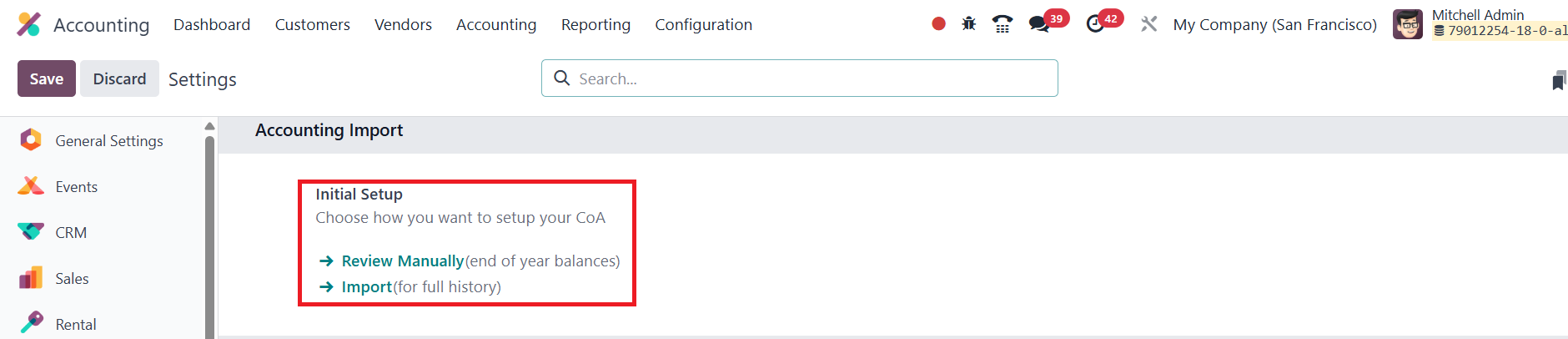
If a user chooses to Review Manually, they can view and manage the existing Chart of Accounts in their organization directly.
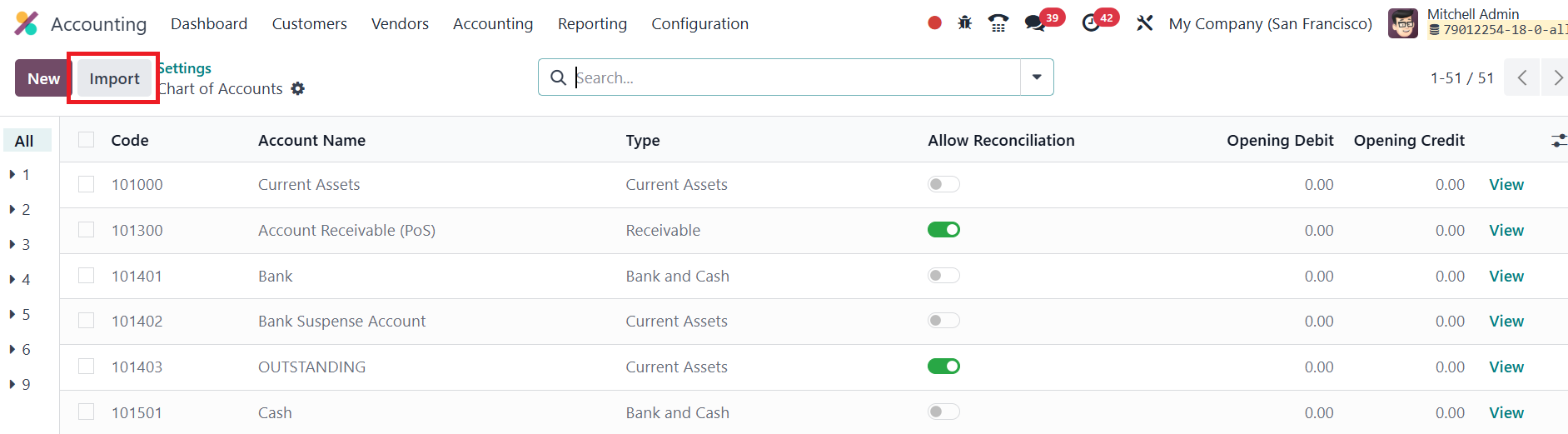
However, to accelerate the setup, Odoo offers an Import option. Clicking the Import button opens a new window with various data import options tailored for accounting configurations.
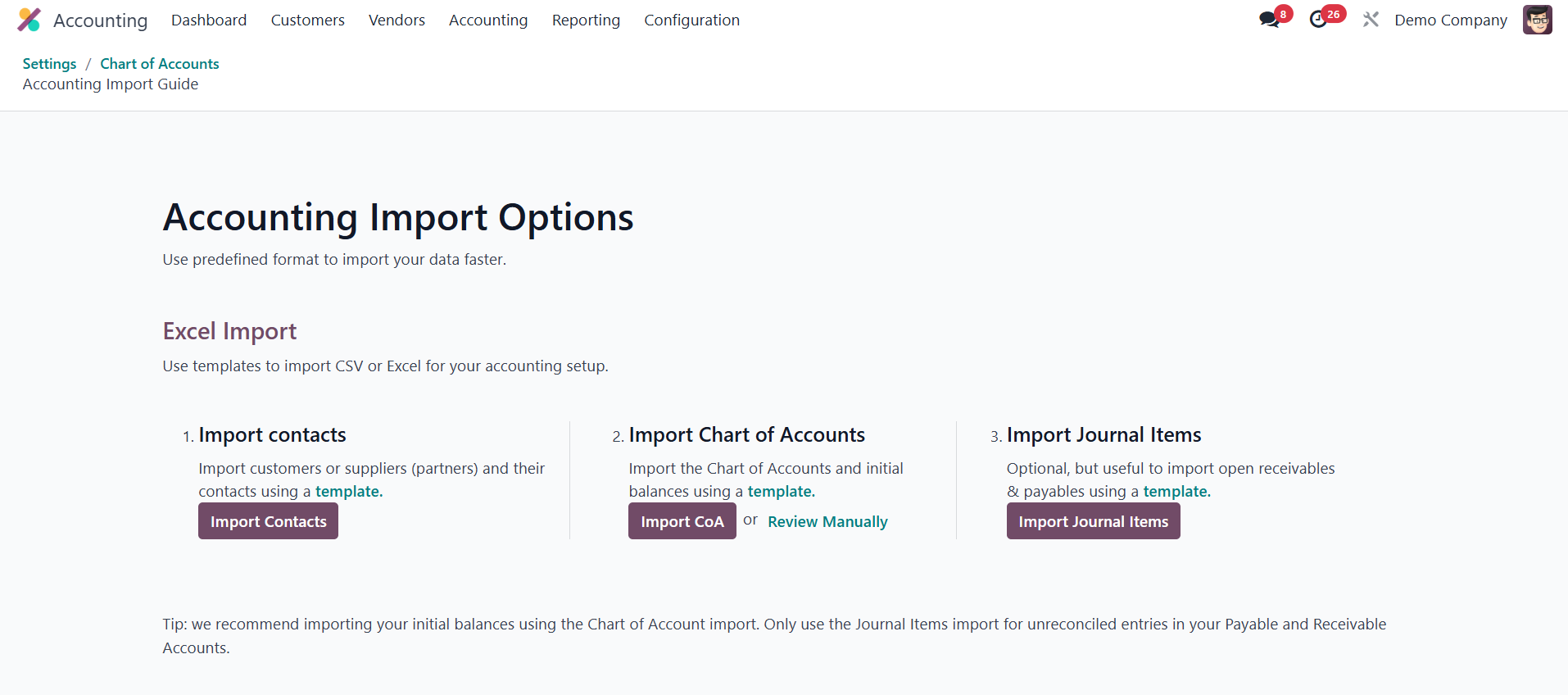
From this interface, users can import their accounting data using
predefined formats. This supports both CSV and Excel files, making
it adaptable to different organizational needs. The Import Contacts
option lets you upload customers, vendors, and associated contact
information. Similarly, the Import Chart of Accounts function allows
you to upload your accounts structure along with their initial
balances, which is useful during migrations or setting up a new
company profile. For companies needing to manage unreconciled
entries in receivable and payable accounts, the Import Journal Items
option provides a direct method to bring in those entries.
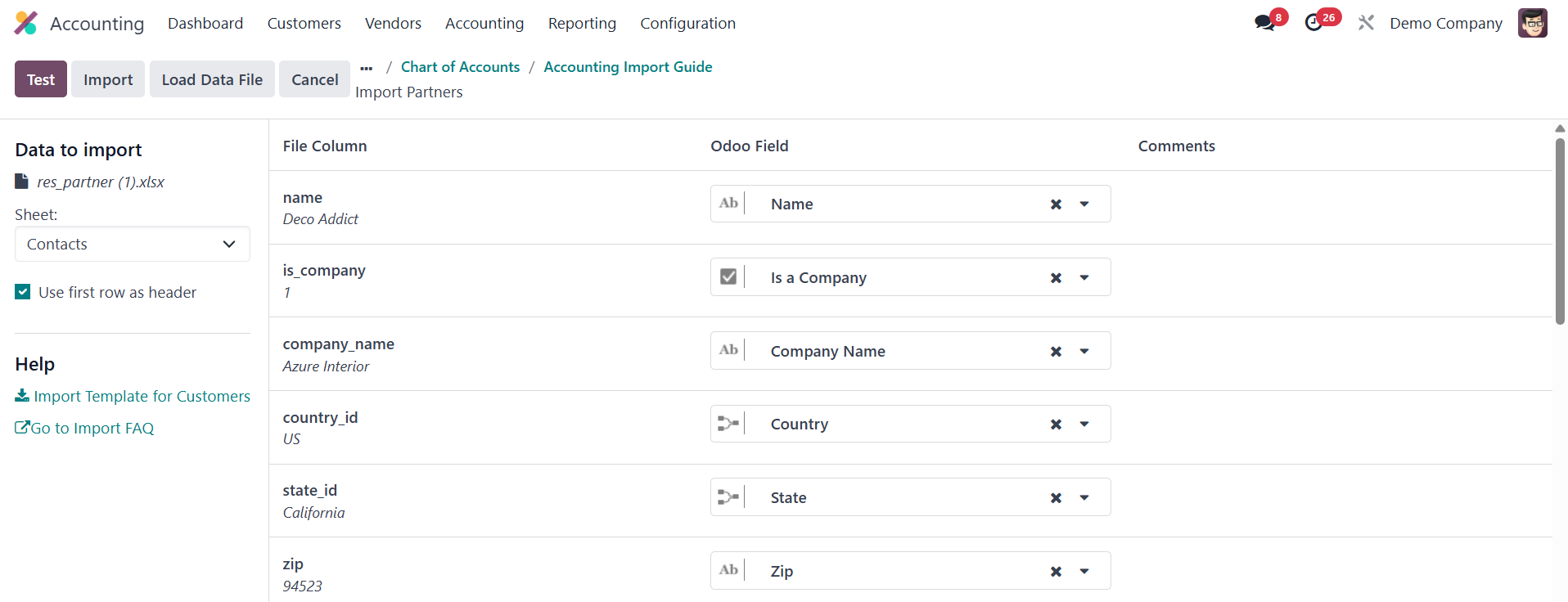
To import contacts, users can click the Import Contacts button.
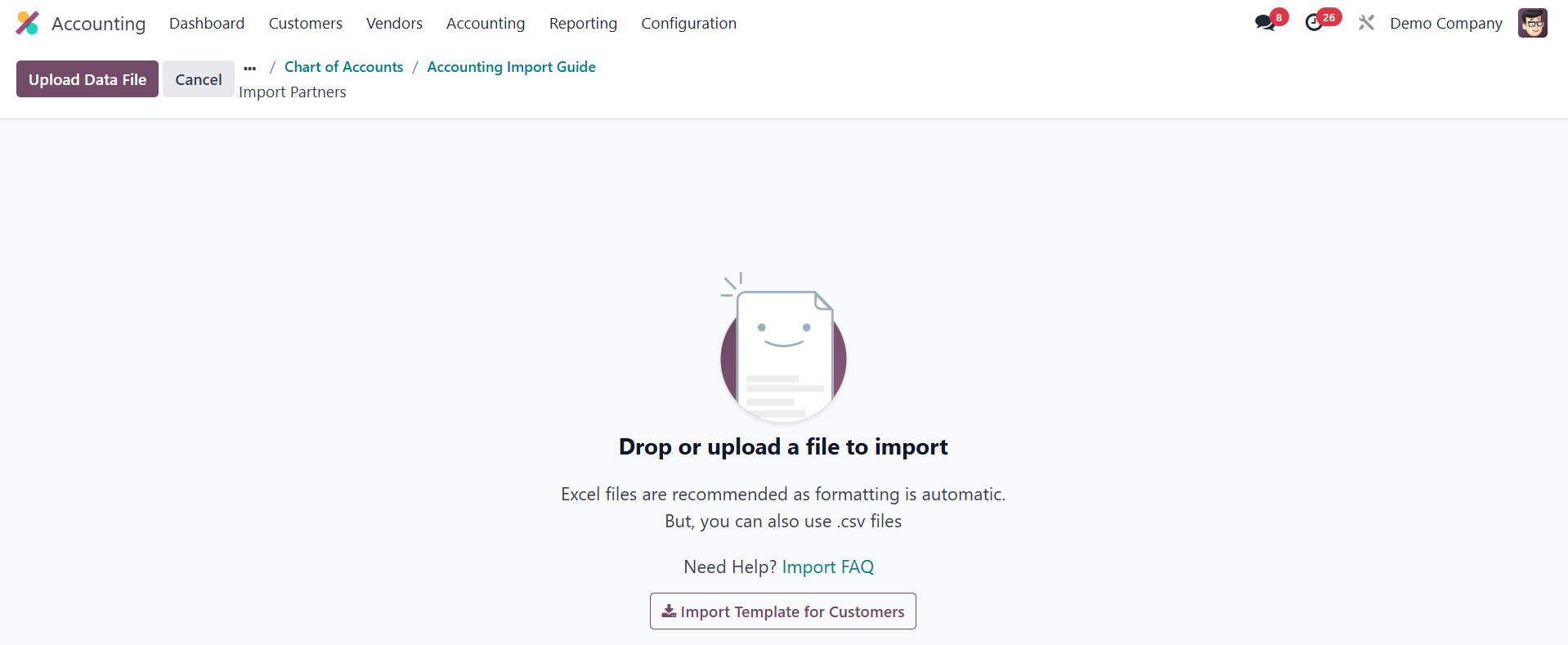
A new window opens where the user can upload their Excel or CSV file.
Once the file is uploaded, Odoo displays a preview of the data,
allowing users to verify everything before clicking the Import
button to complete the process.
This same approach can be used to import other components like Chart
of Accounts and Journal Items, ensuring a smooth and quick
transition during implementation or data updates.