16. Assets
In Odoo 18 Accounting, asset
management has been
streamlined to ensure
efficient tracking and
control over long-term
assets. The platform provides
a comprehensive structure for
handling fixed assets; those
that contribute to business
operations over a longer
duration but depreciate in
value over time.
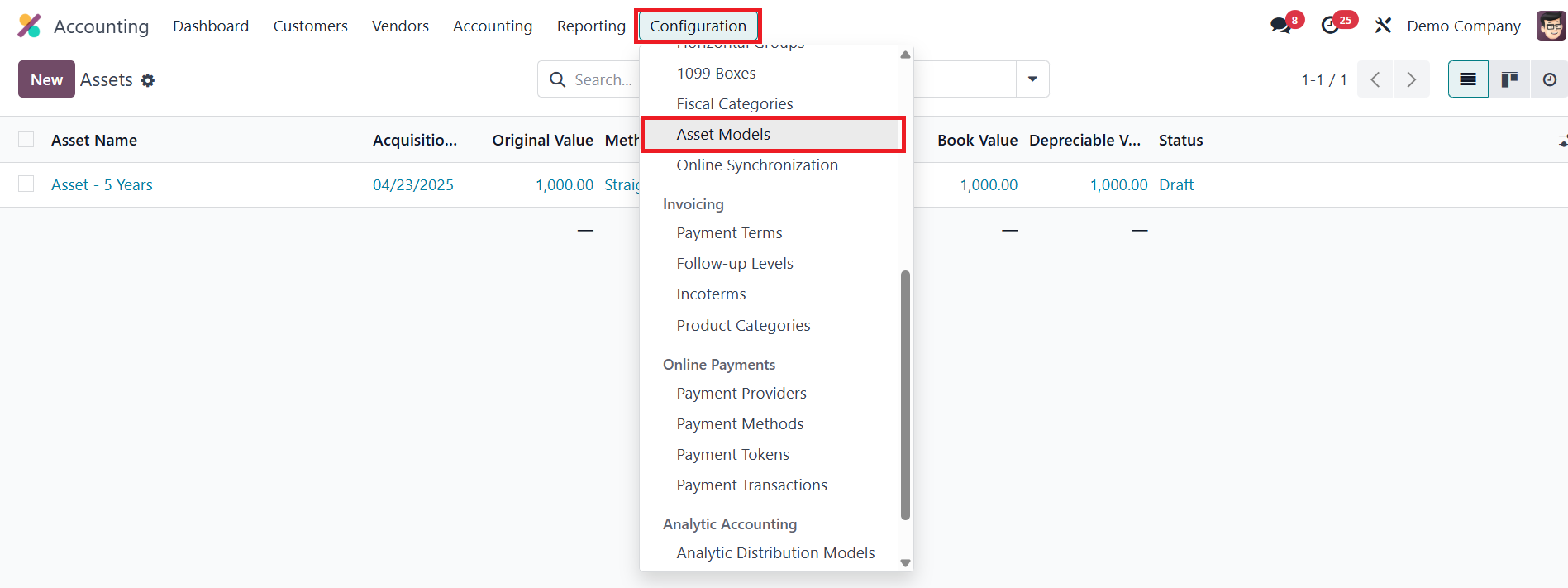
To begin with, users can
configure Asset Models via
the Configuration menu. These
models act as templates that
define the asset’s
depreciation method,
duration, accounts, and
related journal entries.
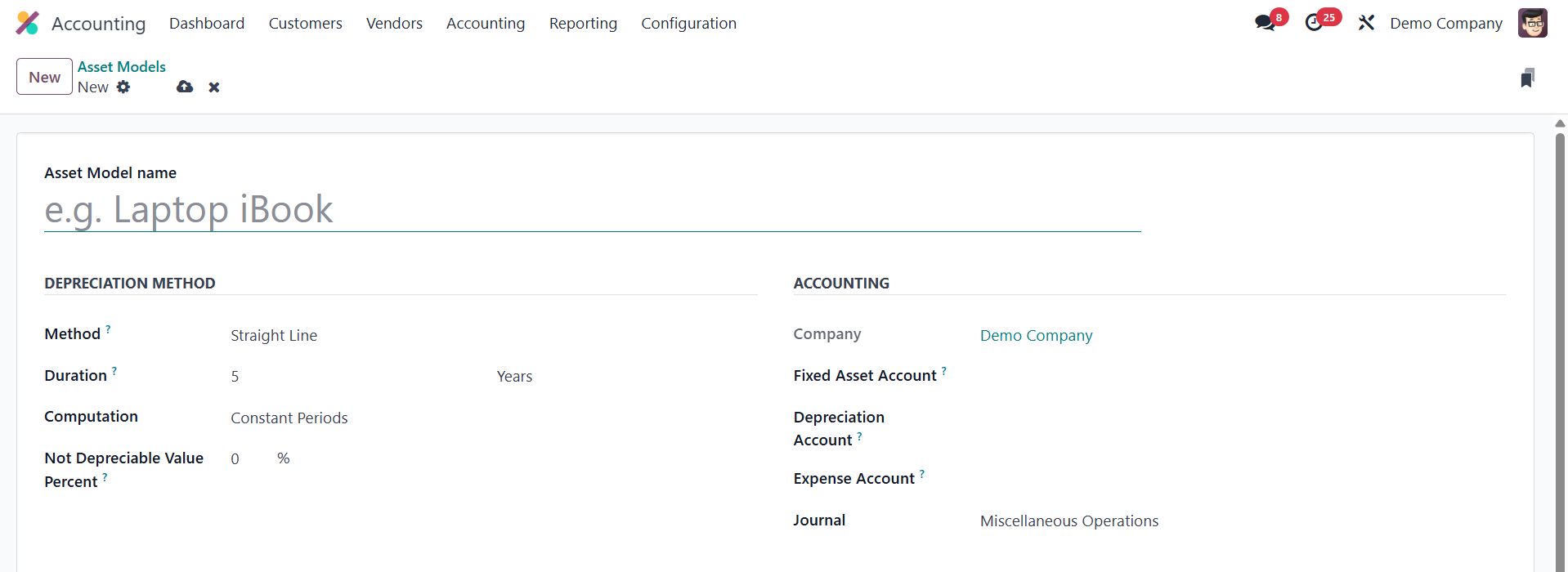
Each asset model includes fields
like the Asset Model Name,
Fixed Asset Account,
Depreciation Account,
Depreciation Method, Number
of Depreciations, and Period
Length.
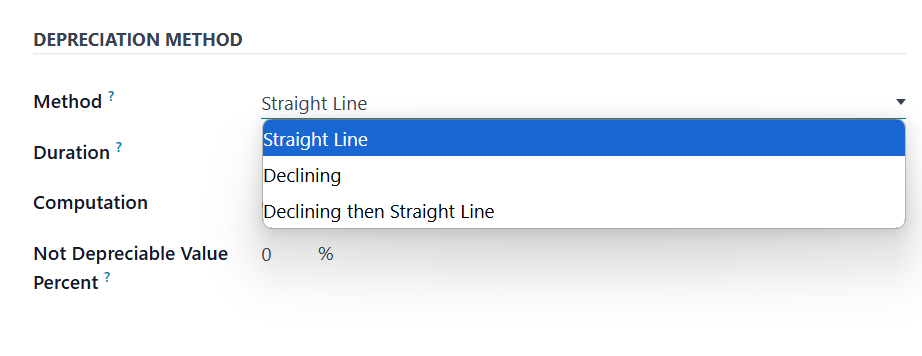
Odoo 18 continues to support the
three familiar depreciation
methods: Straight Line,
Declining, and Declining then
Straight Line. The Straight
Line method evenly spreads
the asset’s value across its
useful life. In contrast, the
Declining method applies a
consistent depreciation
factor to the remaining book
value, resulting in higher
depreciation in the earlier
years. The hybrid Declining
then Straight Line method
begins with the declining
approach and shifts to
straight-line once it becomes
more efficient.
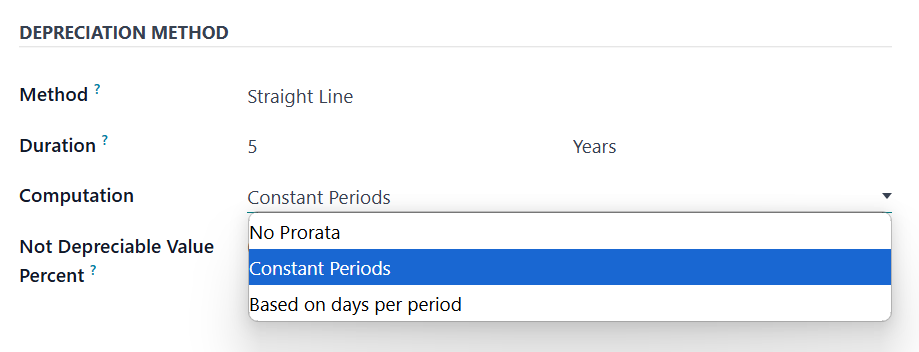
The system also allows you to set
depreciation frequency and
whether the method should
follow constant periods, no
pro-rata, or vary based on
actual days. Account settings
include the Fixed Asset
Account for the original
purchase, a Depreciation
Account for reducing the
asset value, and an Expense
Account to post periodic
depreciation. A specific
Journal can be assigned for
all accounting entries
related to this model.
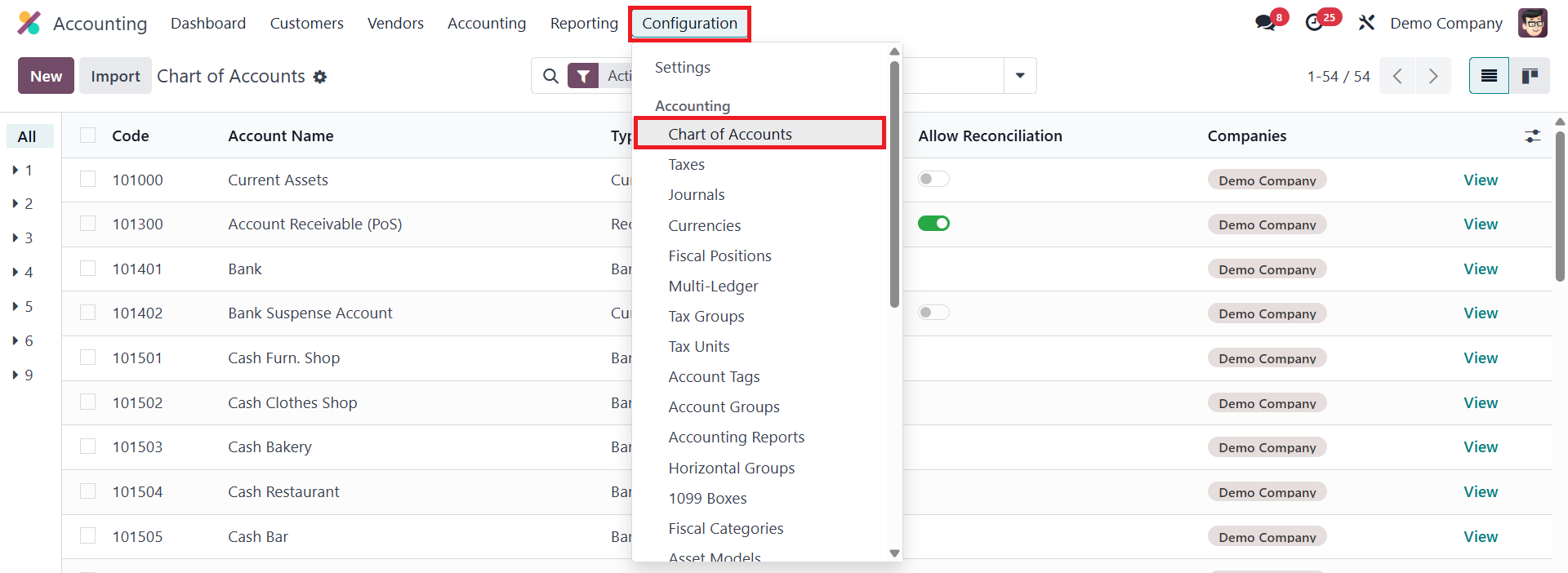
Automating asset creation is made
easy through the Chart of
Accounts.
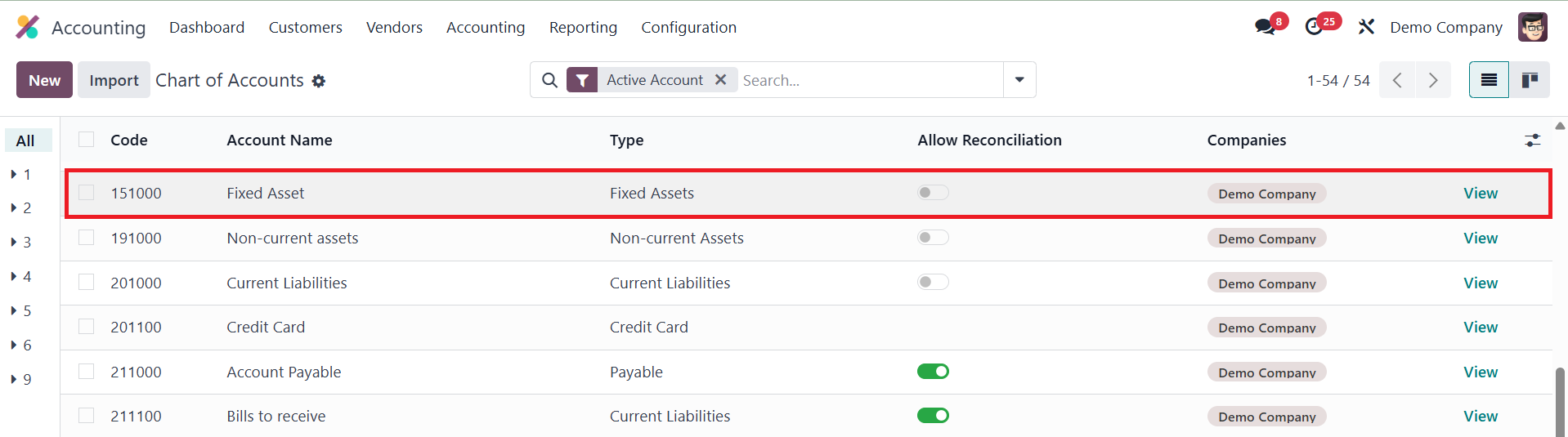
You can select an account and
configure it to automatically
create and validate assets
when vendor bills are posted.
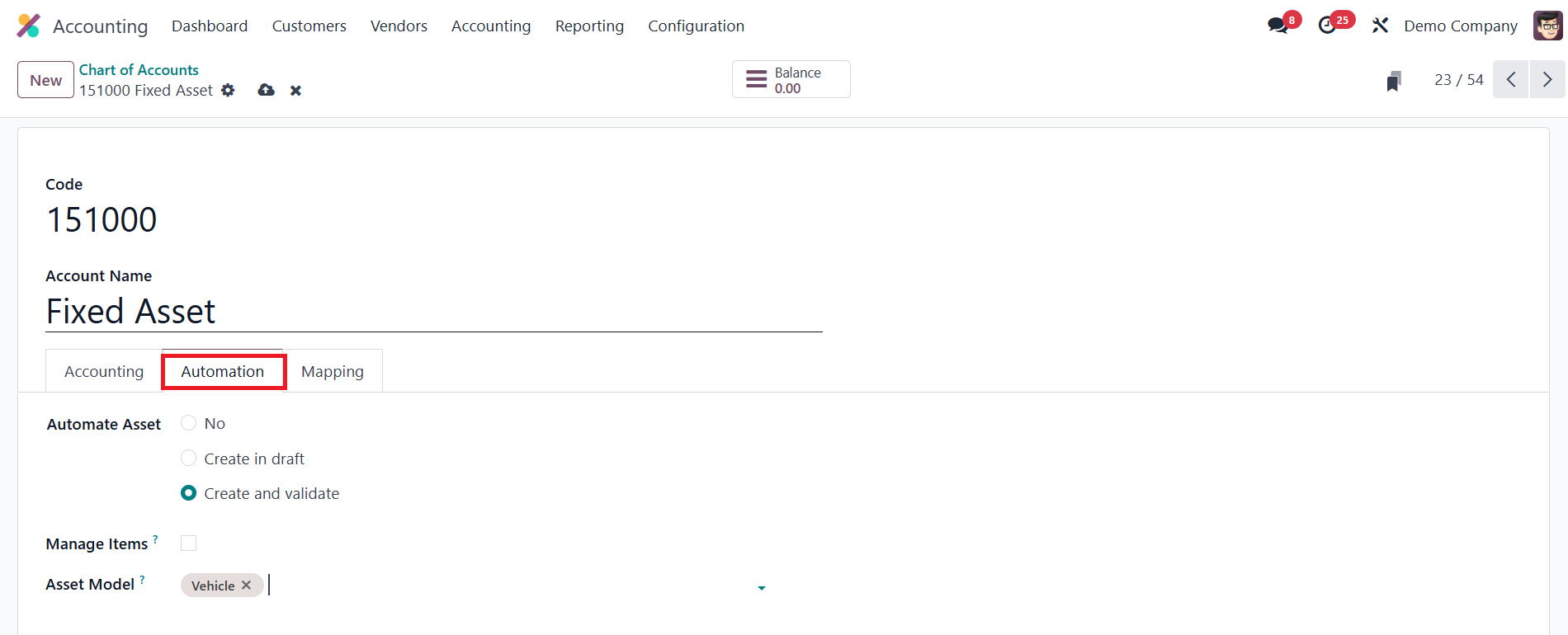
Assigning an Asset Model to the
selected account enables
automatic asset generation
during bill validation. Once
a vendor bill is posted using
this account, Odoo 18
activates the Asset smart
button on the bill.
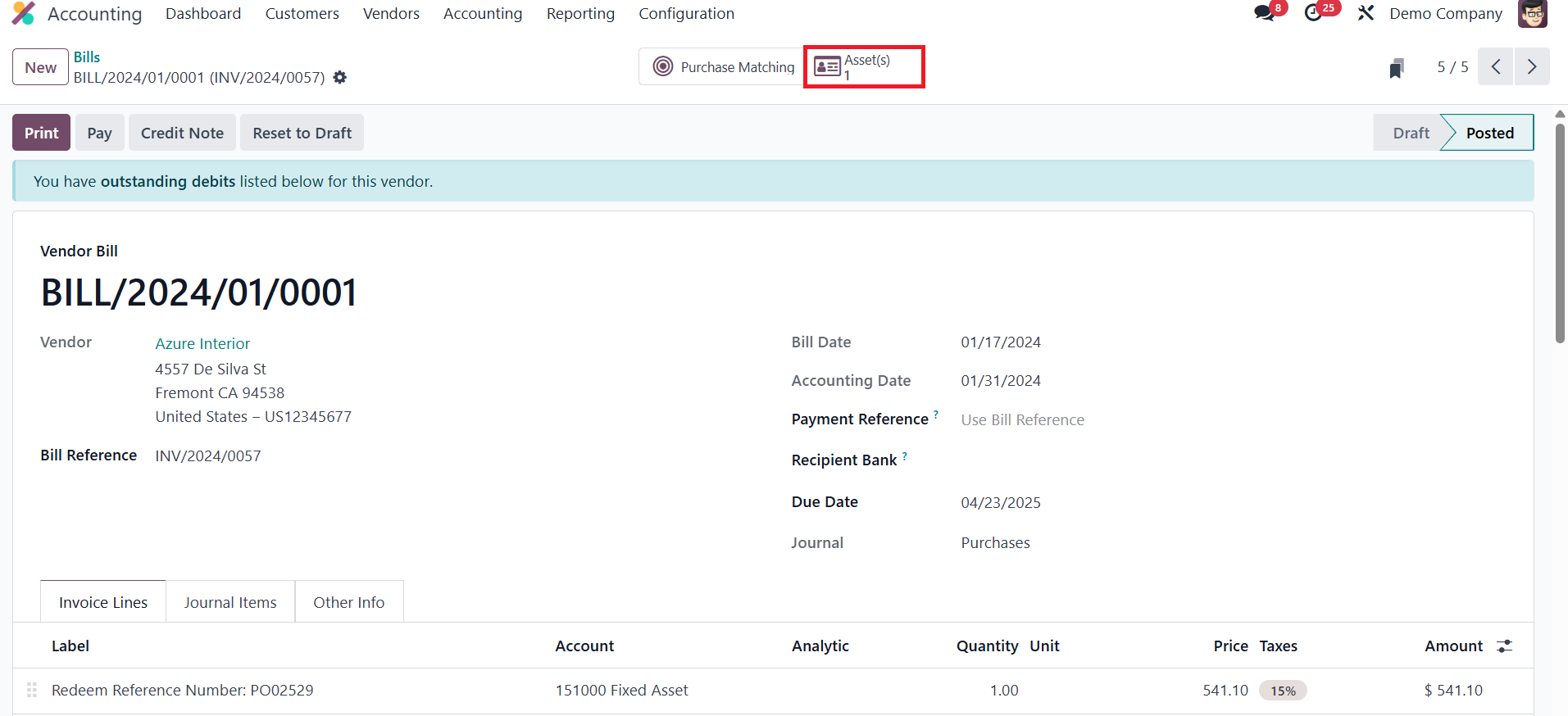
Clicking this reveals the
corresponding asset record.
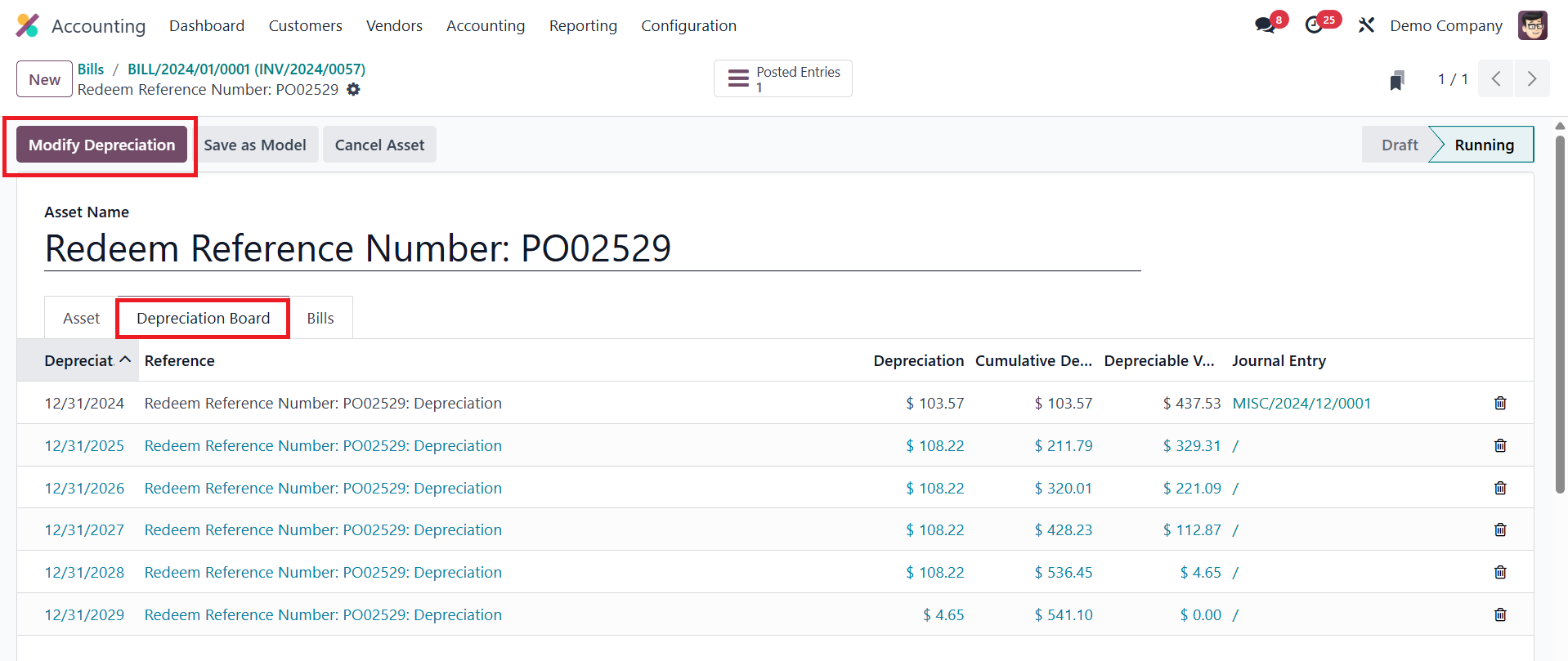
Each asset record includes
detailed tabs such as the
Depreciation Board, where you
can view scheduled
depreciation entries. The
Modify Depreciation button
opens a window where you can
manage asset lifecycle
events; like disposal,
reevaluation, or pausing
depreciation.
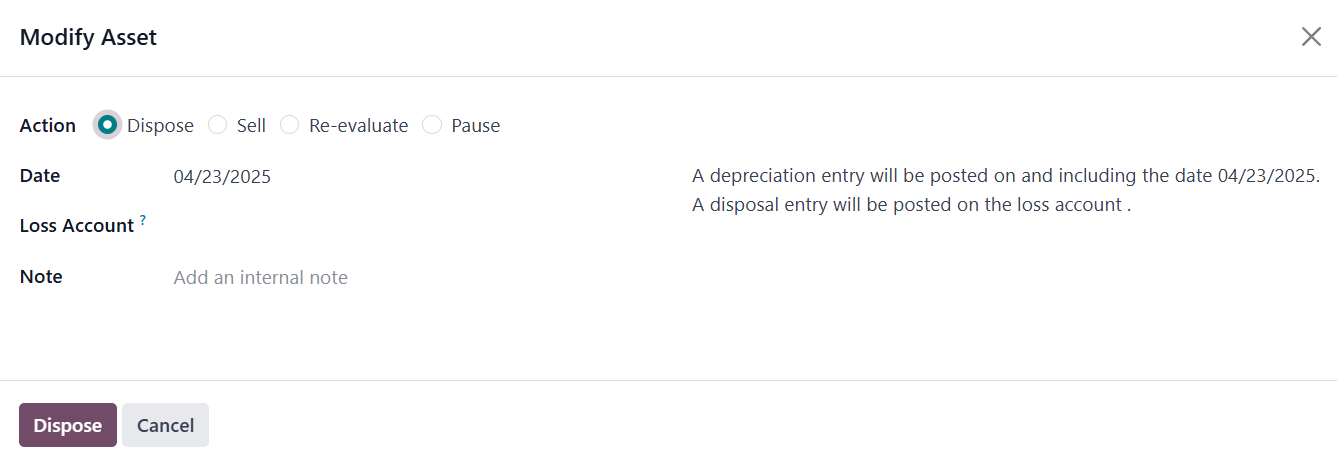
For disposals, you can input the
disposal date, a Loss
Account, and related invoice
information if the asset is
being sold.
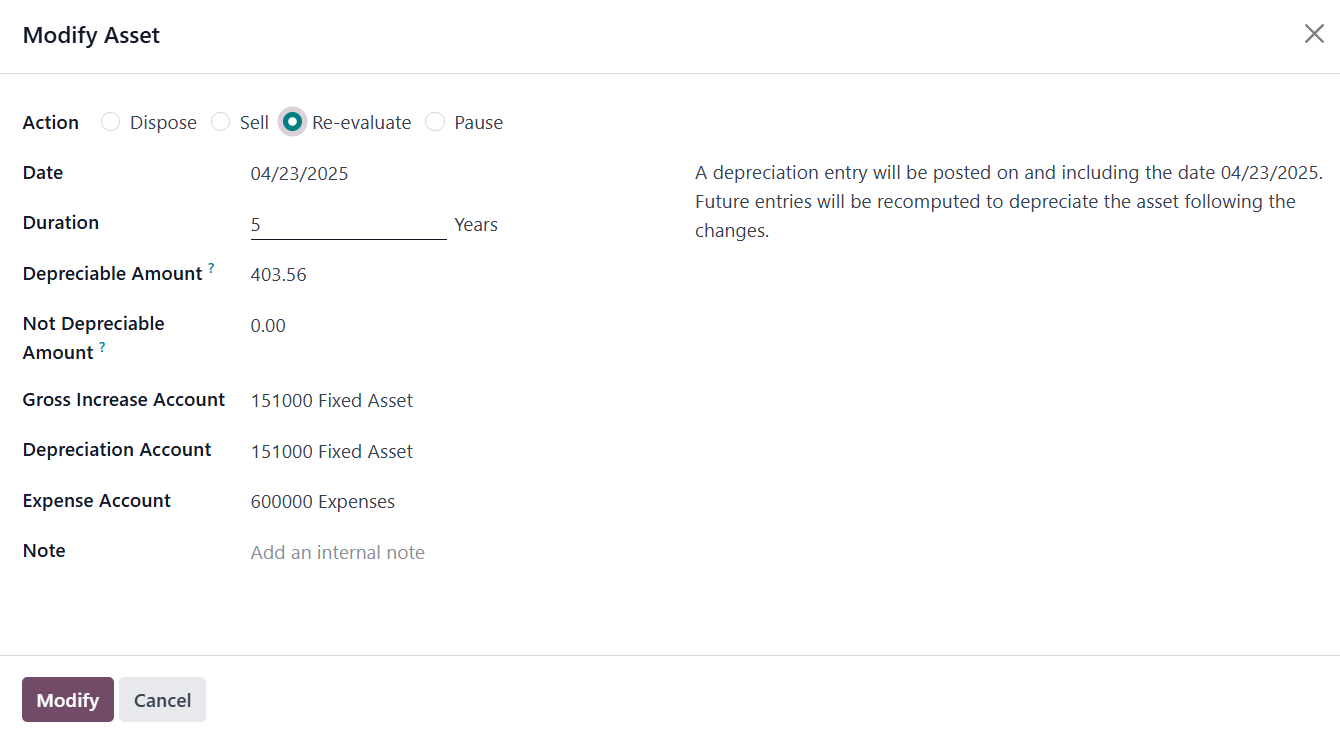
If the action is to reevaluate,
the user can update the
depreciable and
non-depreciable values, along
with related accounts such as
the Gross Increase Account
and Expense Account.
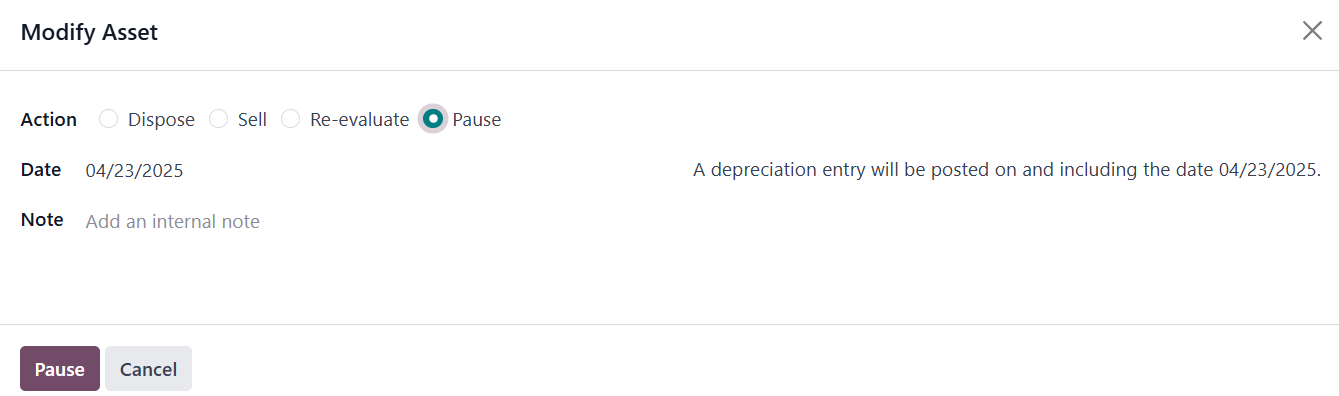
Pausing depreciation temporarily
halts the calculation and
updates the Depreciation
Board accordingly.
Odoo 18 also allows users to
manage assets manually
through the Accounting menu.
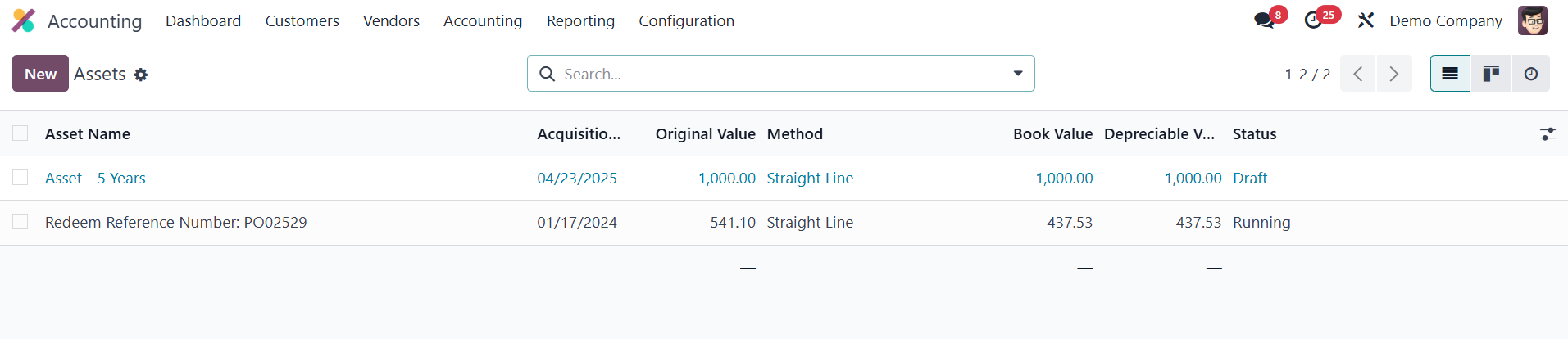
This overview lists all assets
with relevant details like
name, acquisition date,
original value, depreciation
method, book value, and
current status. You can click
the New button to create a
new asset manually.
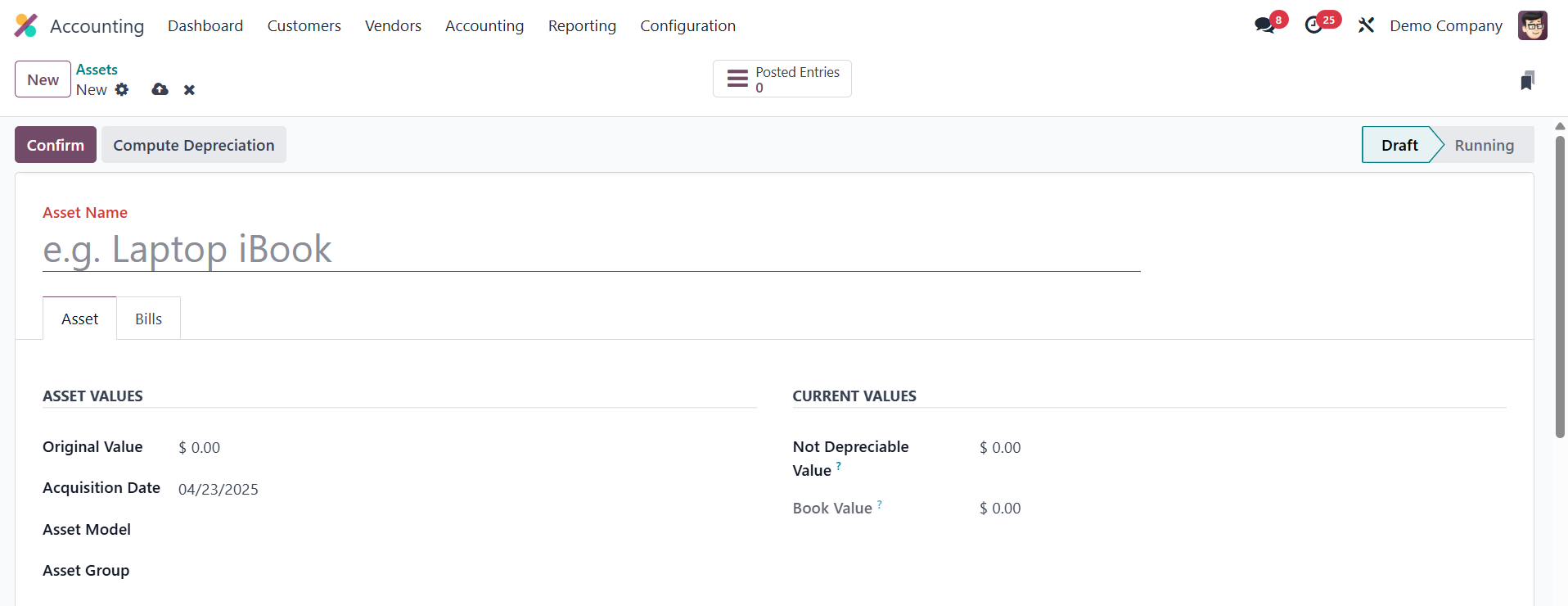
The asset setup window includes
fields such as Asset Name,
Acquisition Date, Original
Value, and links to a
predefined Asset Model. The
model will auto-fill the
depreciation method and
associated accounts.
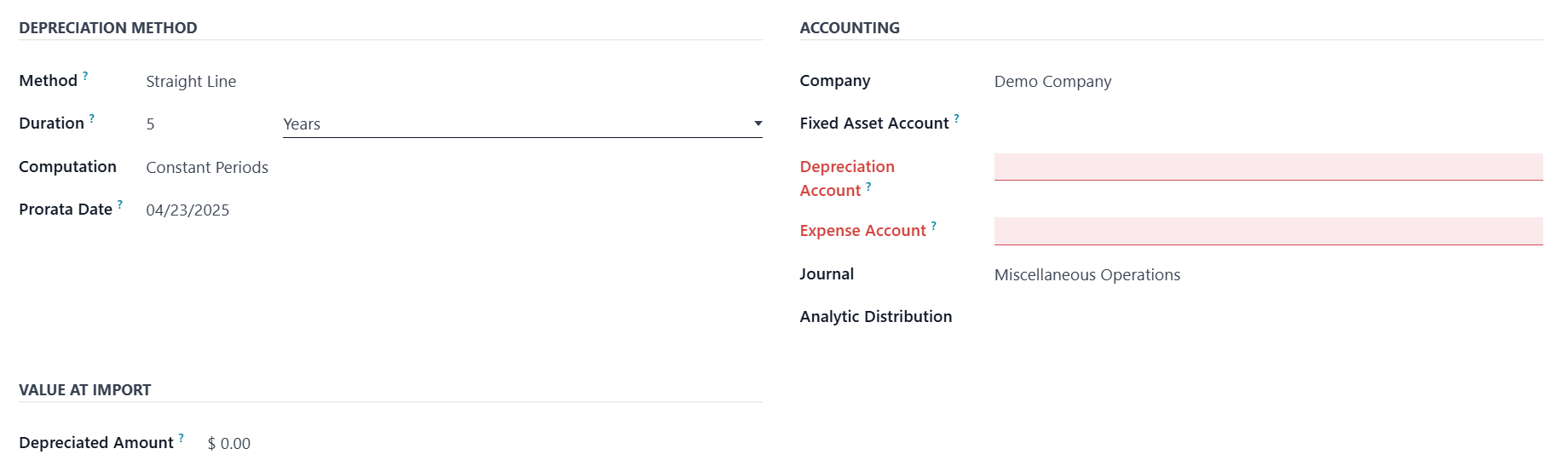
You can specify any portion of
the value that should not be
depreciated, and manually
enter the depreciated amount
if migrating from a different
system.
Bills associated with the asset
can be recorded under the
Bills tab.

Once confirmed, the asset status
changes to Running, and the
system begins computing
depreciation.
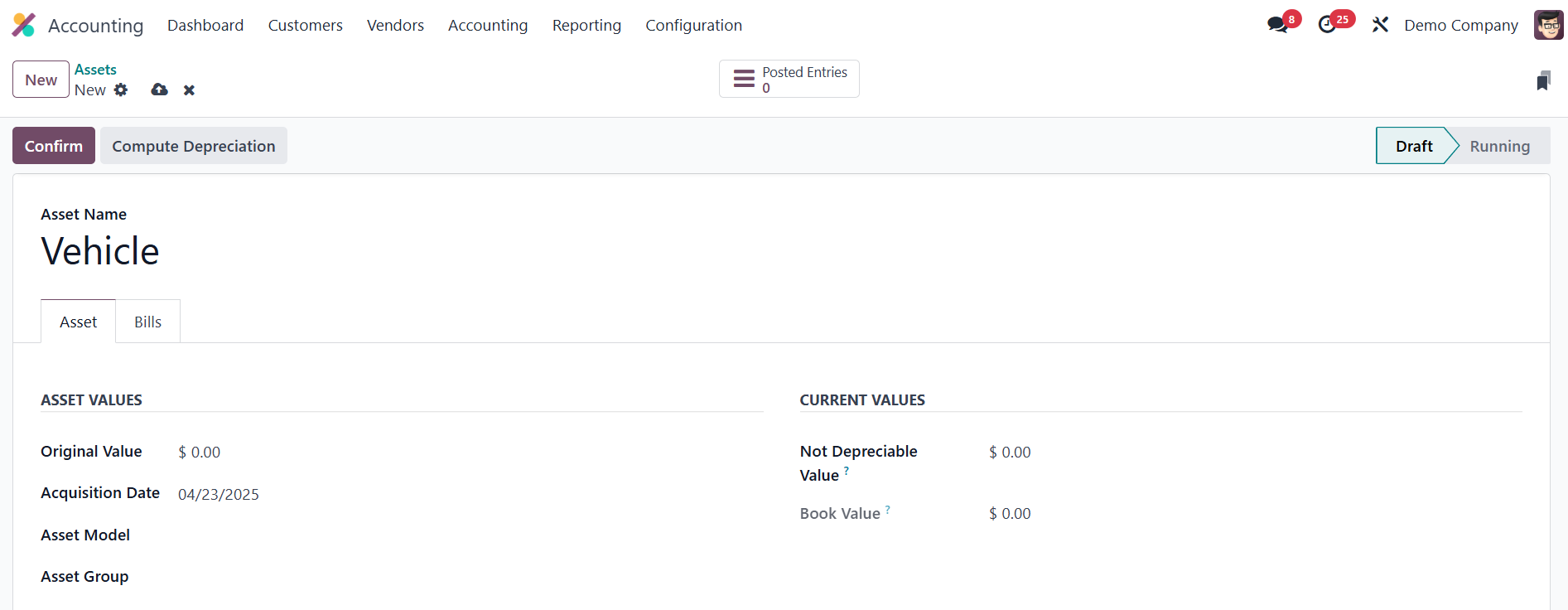
As with automated entries, users
can modify the asset later
using the Modify button to
reevaluate, pause, sell, or
dispose of it.
With Odoo 18, asset management
becomes more intuitive and
robust, allowing businesses
to maintain clear financial
oversight of long-term assets
while automating key
accounting operations.
16.1 Depreciation Schedule
In Odoo 18 Accounting, users can
quickly review an asset’s
entire depreciation history
by opening the Depreciation
Schedule found under the
Reporting tab.
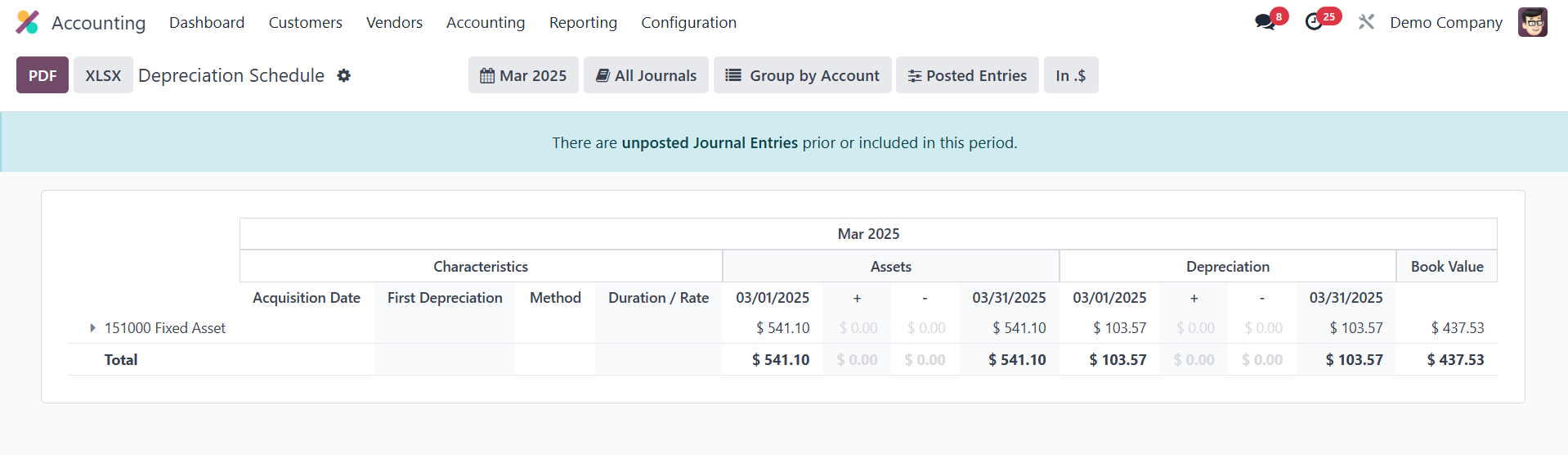
This report lists every
depreciation posting
associated with each fixed
asset, showing the posting
date, journal entry, amount,
residual value, and book
value after each calculation.
Because the schedule
refreshes automatically
whenever a new depreciation
line is posted; whether
generated by the system’s
scheduler, triggered
manually, or created through
a modification such as a
re-evaluation or disposal,
finance teams always have an
up‑to‑date view of how every
depreciation entry affects
the asset’s carrying value
and the company’s financial
statements.