5. Batch Payments
Odoo 18’s Batch Payments feature is designed to simplify and
streamline the process of handling multiple payments by grouping
them into a single transaction, making bank reconciliation more
efficient and manageable. Instead of reconciling each payment
individually, users can batch several payments together, which will
appear as a single entry on the bank statement, ideal for
organizations processing numerous customer or vendor payments.
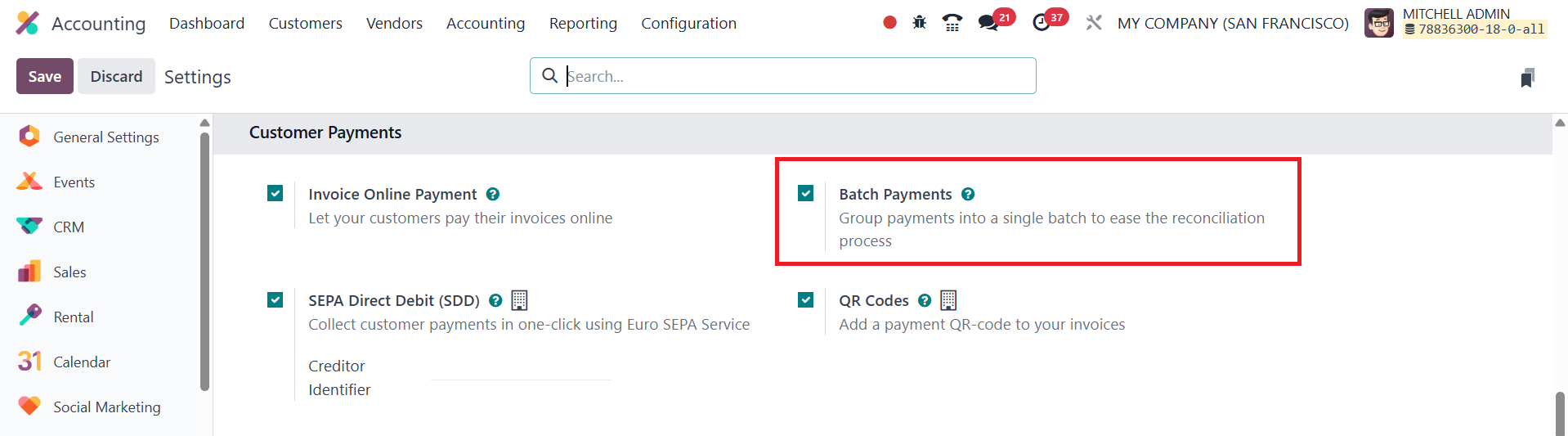
To activate this feature, navigate to the Settings of the Accounting
module and enable the Batch Payments option. Once enabled, you’ll
find a dedicated Batch Payments menu under both Customers and
Vendors, allowing you to initiate batch processing for incoming and
outgoing payments respectively.
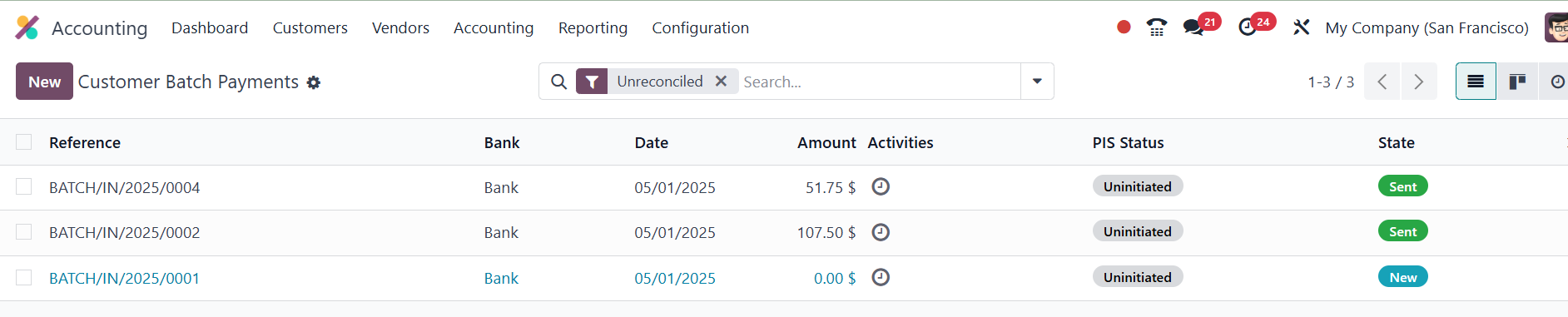
The Batch Payments dashboard displays a list view containing key
details such as Reference, Bank, Date, Total Amount, and Status. To
create a new batch payment, click the New button.
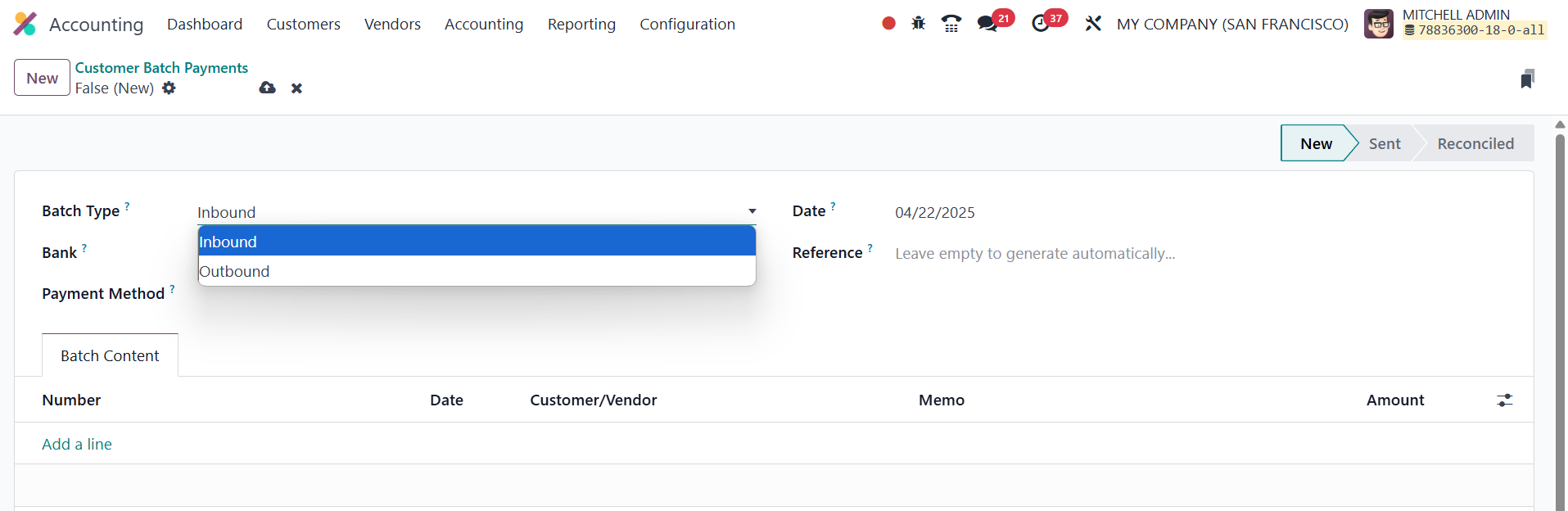
In the configuration window, you’ll begin by selecting the Batch
Type; either Inbound for customer payments or Outbound for vendor
payments.
Once the type is selected, specify the Bank, Payment Method, Date,
and Reference. The core functionality resides in the Batch Content
tab, where you can add individual payments to the batch by clicking
Add a Line. A pop-up window will appear, listing either customer
payments (for inbound batches) or vendor payments (for outbound
batches), depending on the type you've selected.
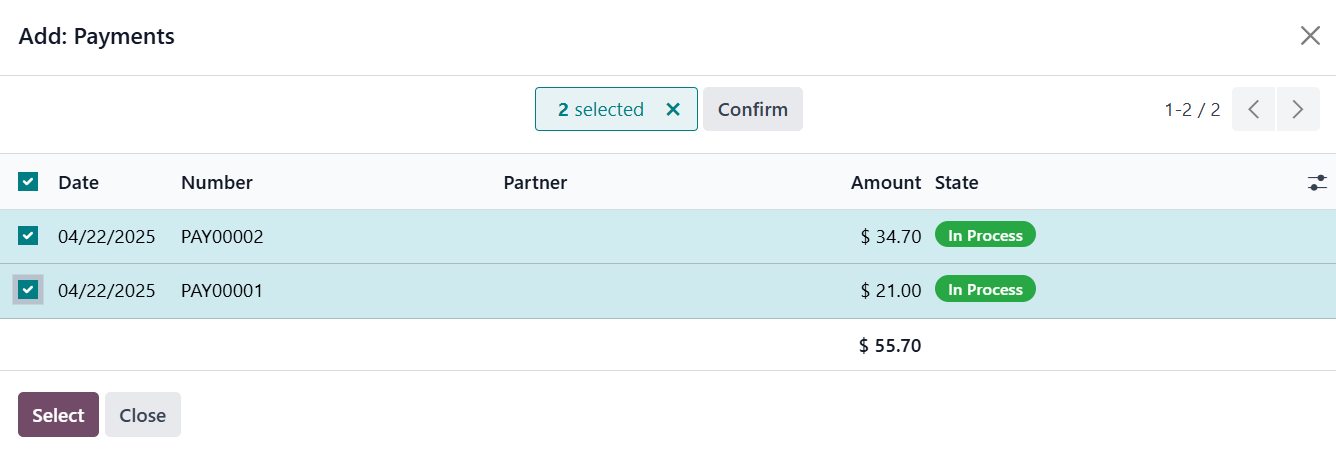
After selecting the payments to include, click the Validate button.
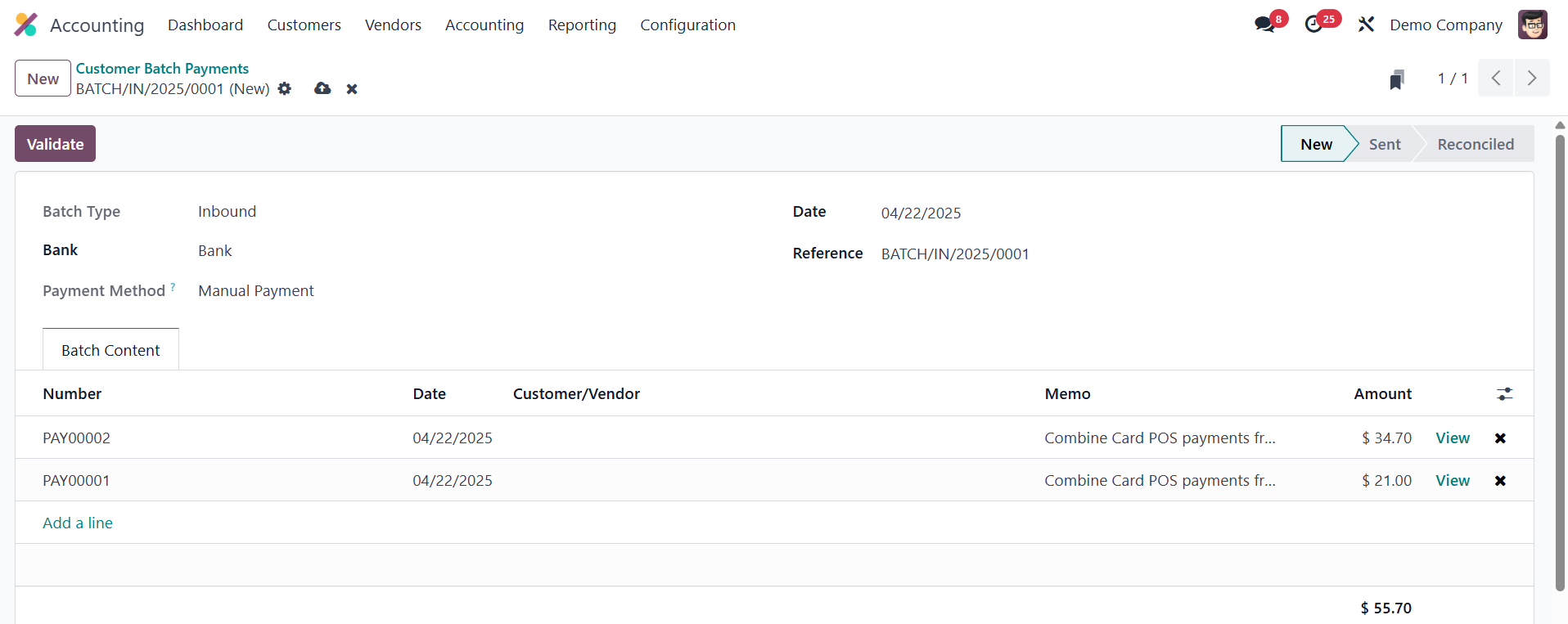
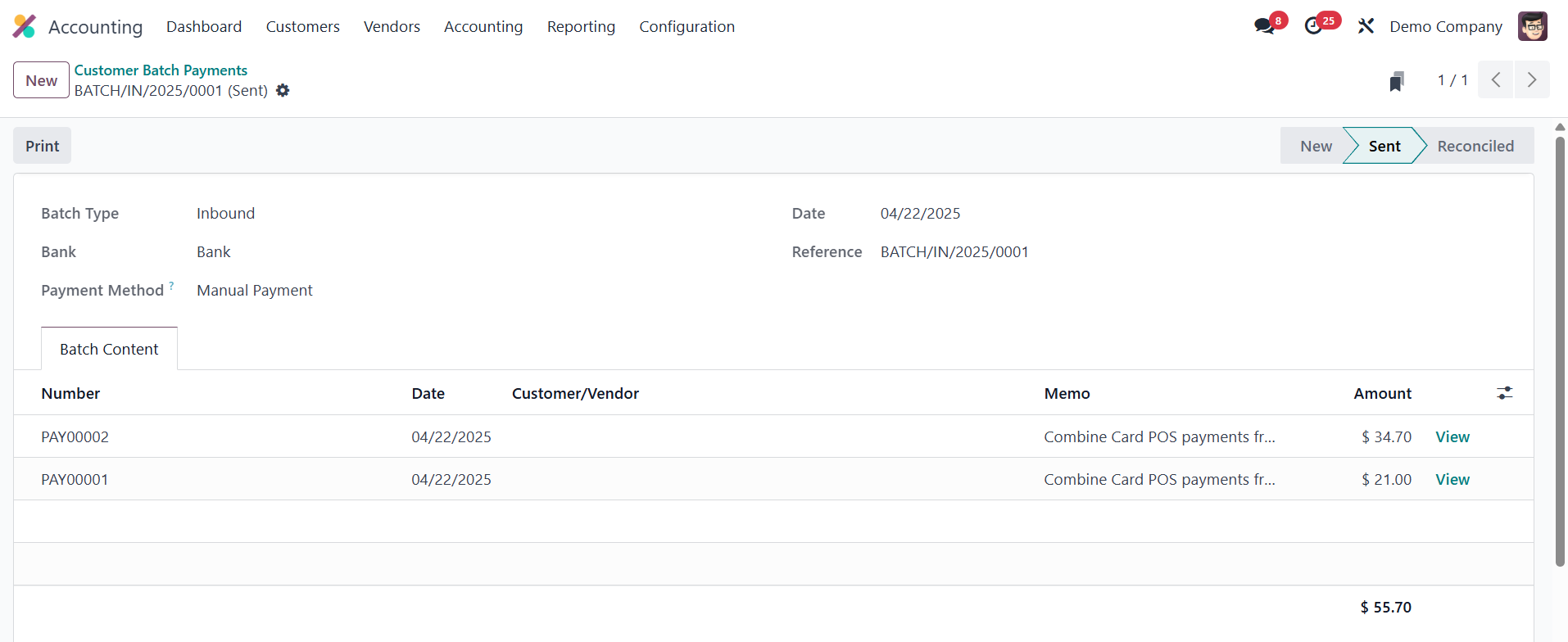
Once validated, the batch moves into the Sent state, indicating that
the batch is ready to be matched against bank statements.
This functionality is especially useful when payments are grouped
together during bank processing, allowing businesses to easily
reconcile them without confusion.