9. Bills
In Odoo 18 Accounting, vendor bills are essential records that
reflect the amounts payable to vendors for goods or services
purchased. When a purchase is confirmed through a purchase order,
Odoo provides the option to automatically generate a corresponding
vendor bill by selecting the Create Bill option.
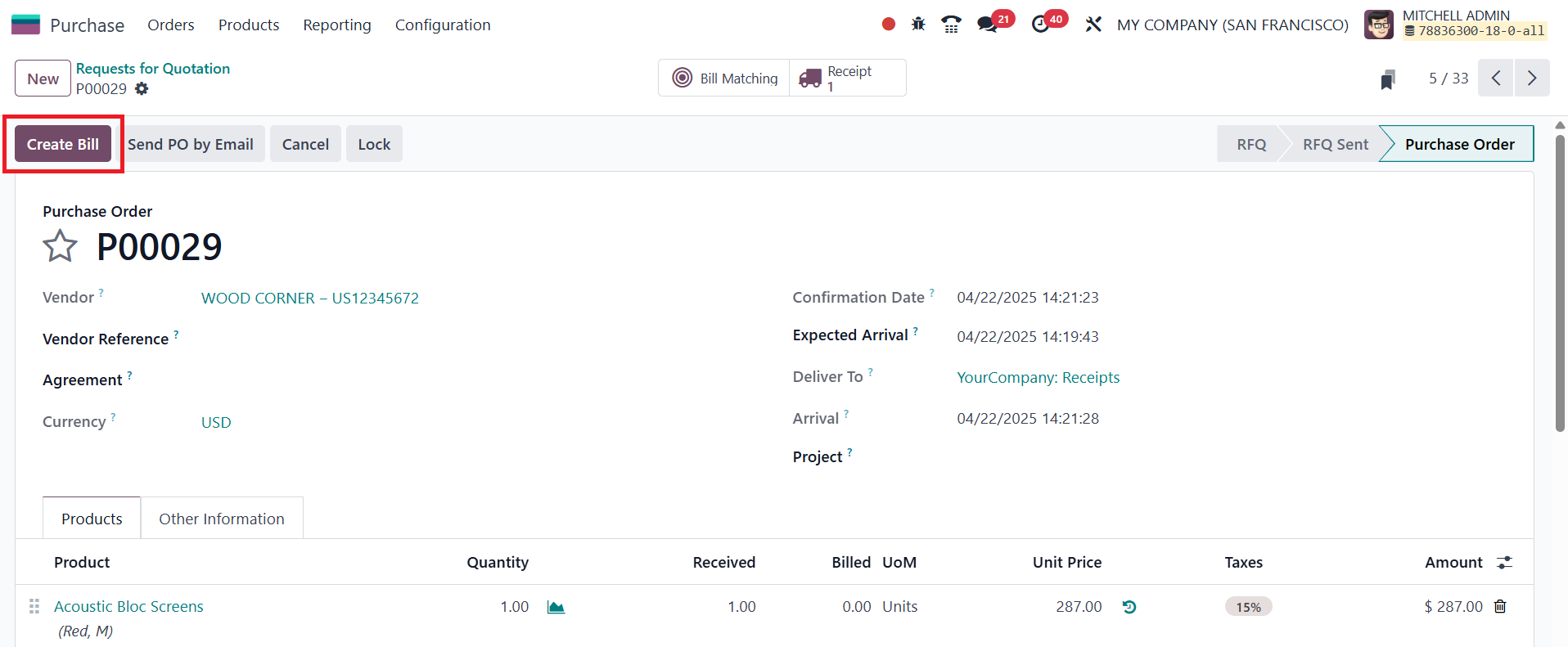
This integration streamlines the process and ensures that payment
obligations are accurately documented.
Vendor invoices created through the Purchase module are automatically
reflected in the Accounting module, making it easy to manage and
track all vendor-related financial transactions. To access these
records, navigate to the Bills option under the Vendors menu in the
Accounting module.
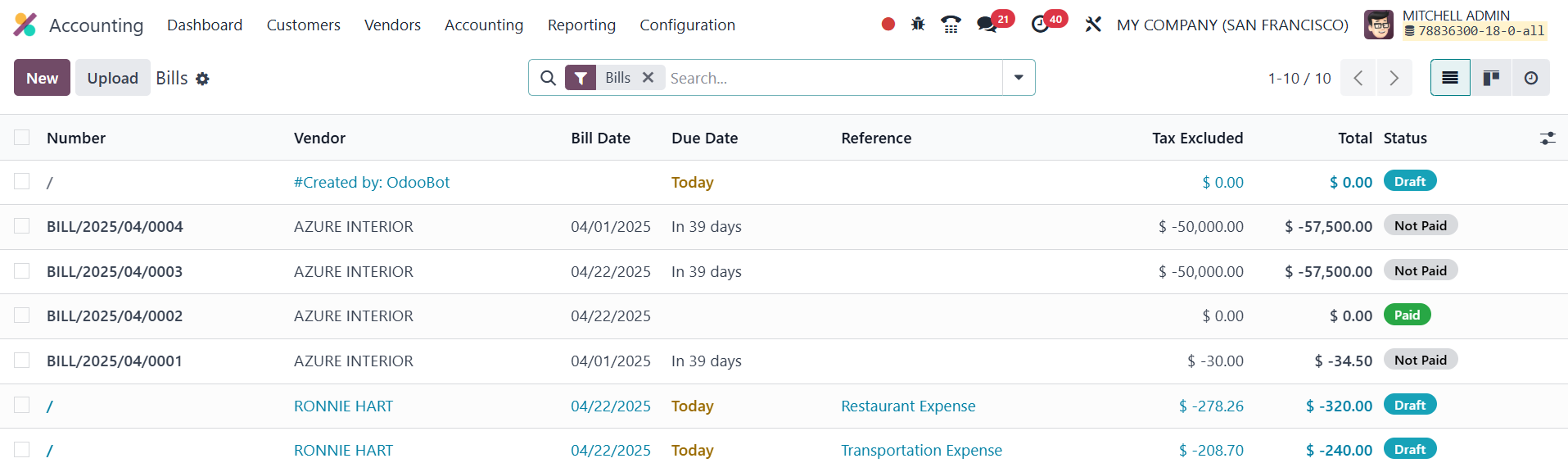
The list view displays details such as the bill number, vendor name,
bill date, due date, reference, payment status, tax information,
total amount, and the bill’s current status. Users can also switch
between the Kanban and List views for different visual perspectives.
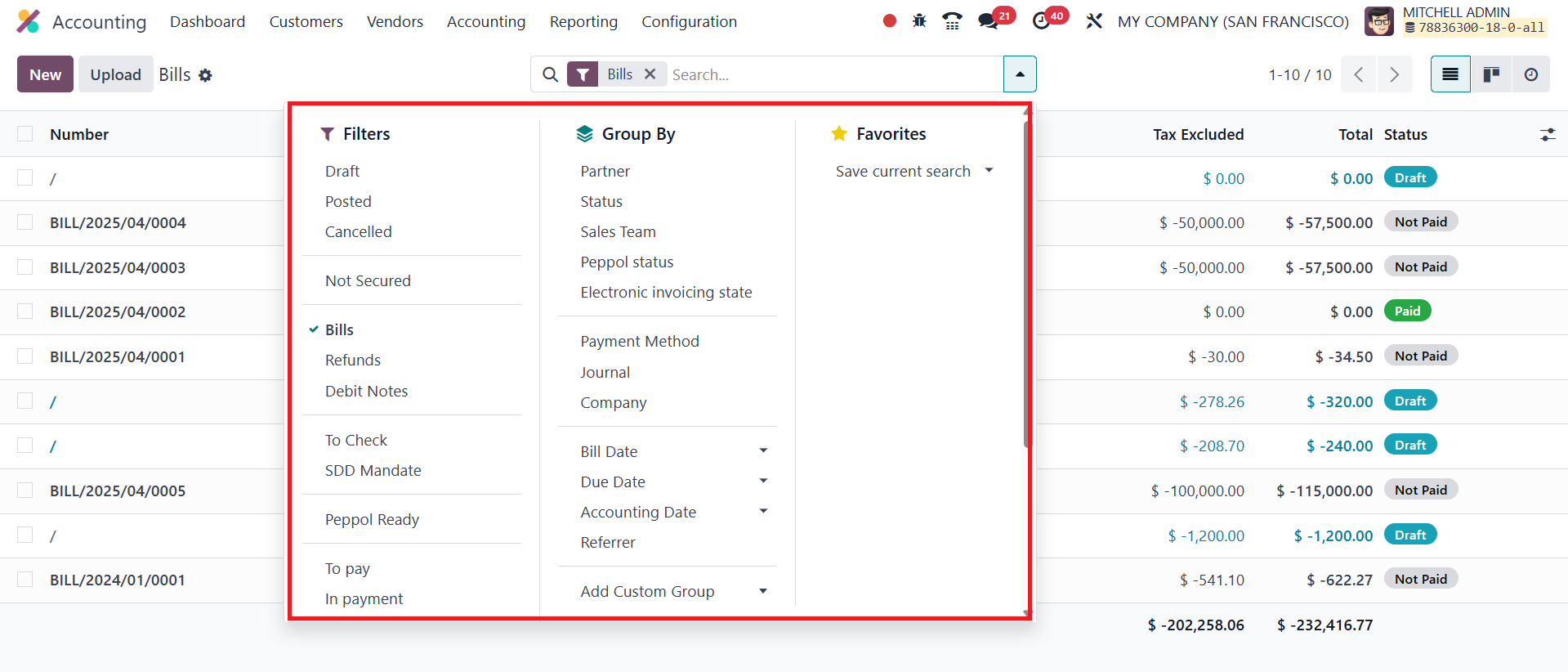
Filtering and grouping options are extensive in this section. Default
filters include categories like Draft, Posted, Cancelled, Bills,
Refunds, Debit Notes, To Check, To Pay, In Payment, Overdue, and
more. Additionally, users can apply custom filters and groupings
such as Partner, Salesperson, Status, Sales Team, Preferred Payment
Method, and various date-related options. This helps in organizing
and analyzing vendor bills more efficiently.
To manage vendor bills, users can either upload invoice copies using
the Upload button or create them manually by clicking the New
button.
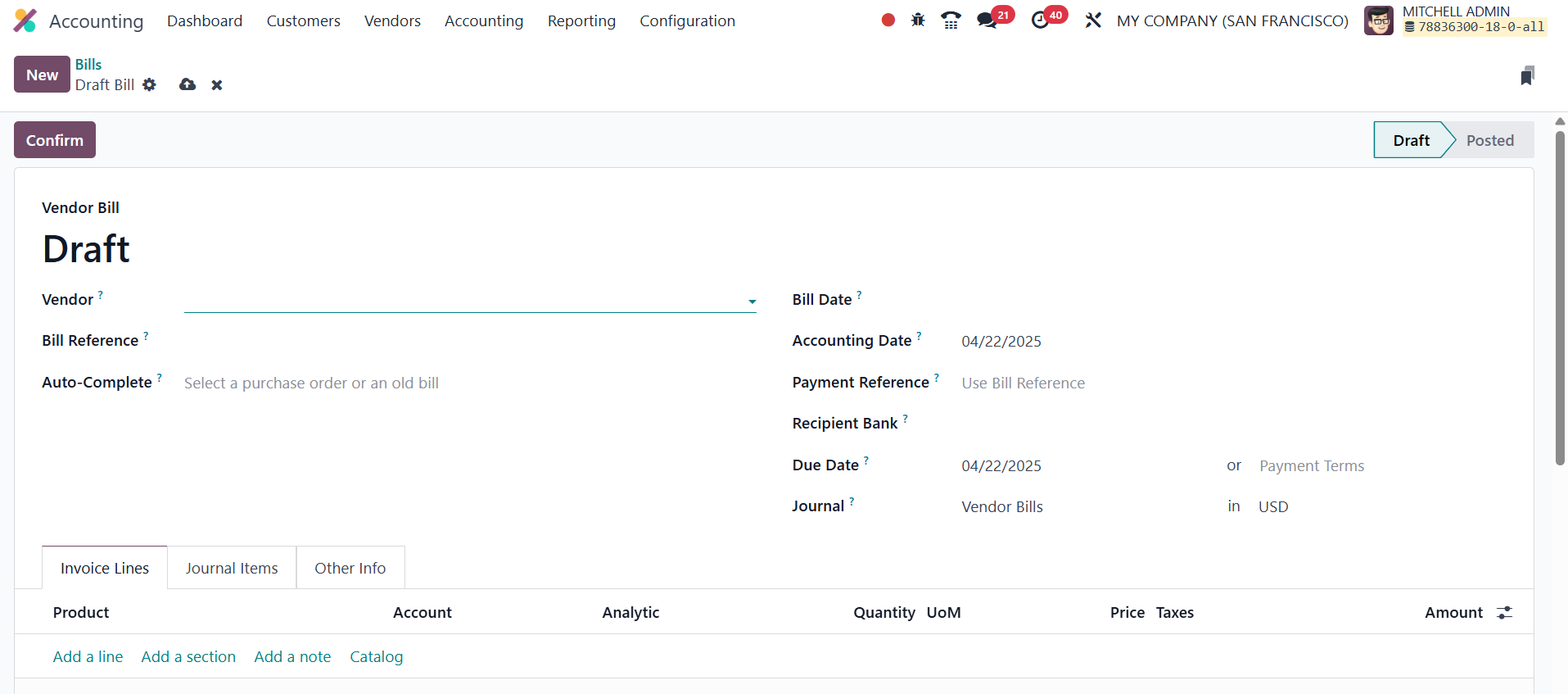
While creating a new bill, users must enter key details such as the
Vendor, Bill Reference, Bill Date, Accounting Date, Payment
Reference, Recipient Bank, and Due Date. In Odoo 18, the Vendor
field identifies the supplier issuing the bill, the Bill Reference
tracks the original invoice number provided by the vendor, the Bill
Date records the date the bill was issued, the Accounting Date
determines when the transaction is posted in the accounting books,
and the Recipient Bank Account indicates the vendor’s bank account
where the payment will be transferred. The Due Date specifies the
deadline by which the vendor bill must be paid, calculated based on
the payment terms set for the vendor. If a previous bill or purchase
order is linked in the Auto-Complete field, Odoo can auto-populate
the rest of the fields to save time and reduce errors.
The bill form includes tabs like Invoice Lines, Journal Items, and
Other Info, where users can input line items, review accounting
entries, and provide additional information. Once all required
details are completed, clicking the Confirm button changes the
bill's status from Draft to Posted, making it ready for further
processing or payment.
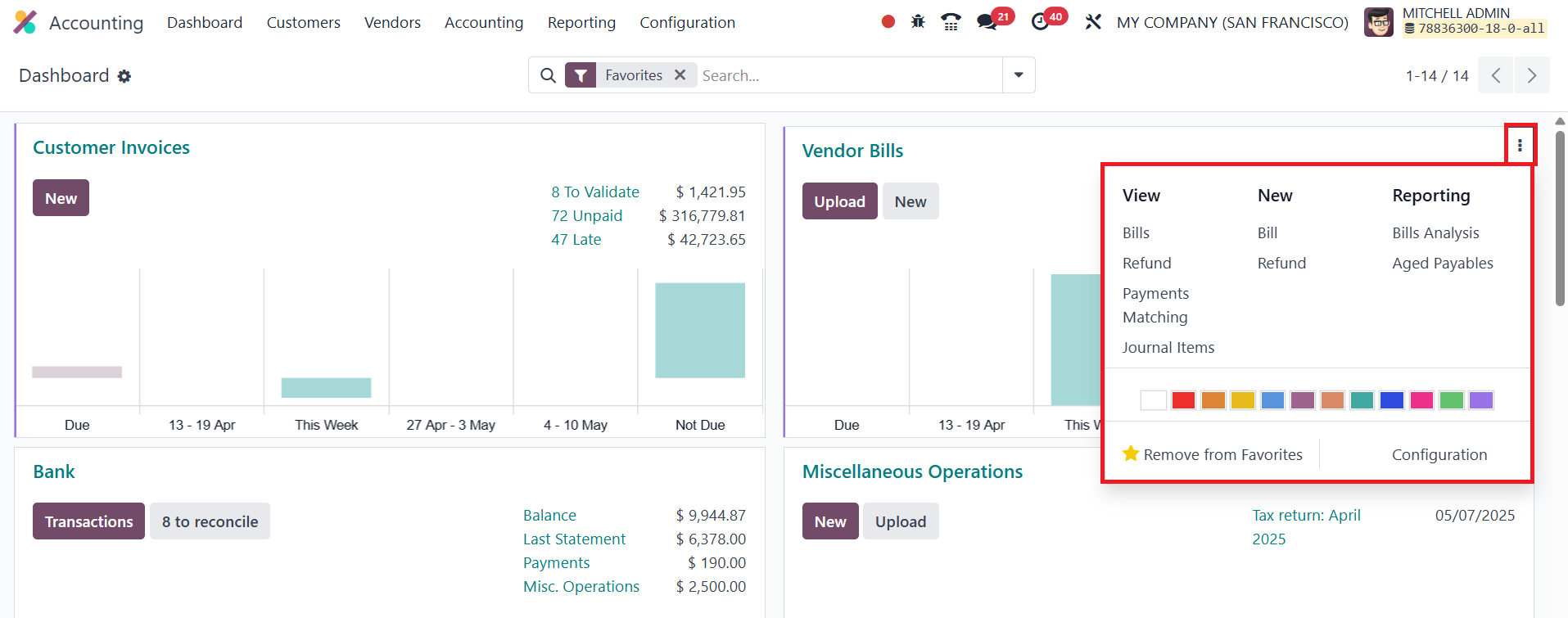
The Accounting Dashboard also facilitates vendor bill management,
allowing users to create bills, refunds, and journal entries
directly. Additionally, the Payment Matching feature helps reconcile
invoices with corresponding bank statements. Using the options
available in the New session, it is possible to create a new Bill
and Refund from the dashboard itself. The user will get Bills
Analysis and Aged Payables as Reporting options here.
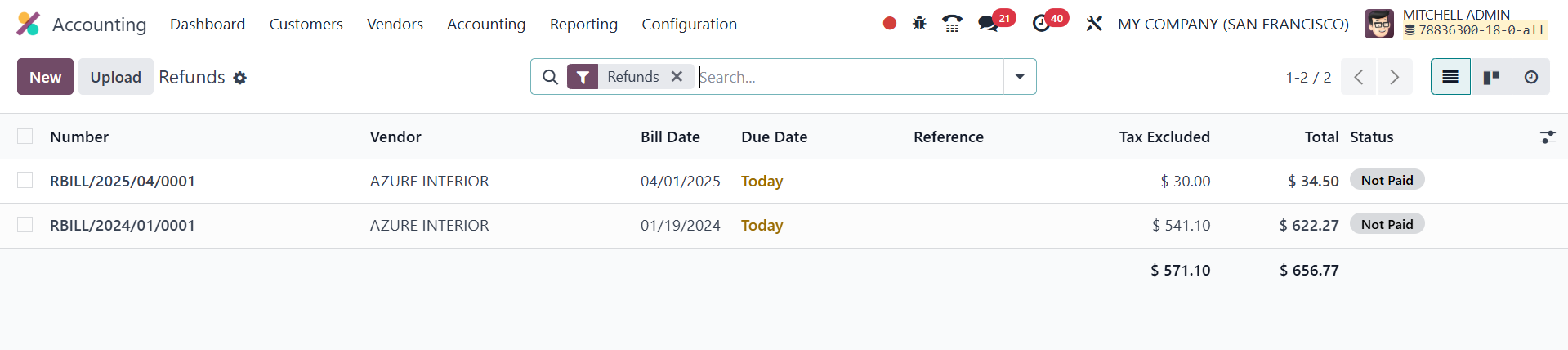
Vendor refunds are also handled smoothly in Odoo 18. From the Vendors
menu, users can access the Refunds section to create and manage
credit notes.
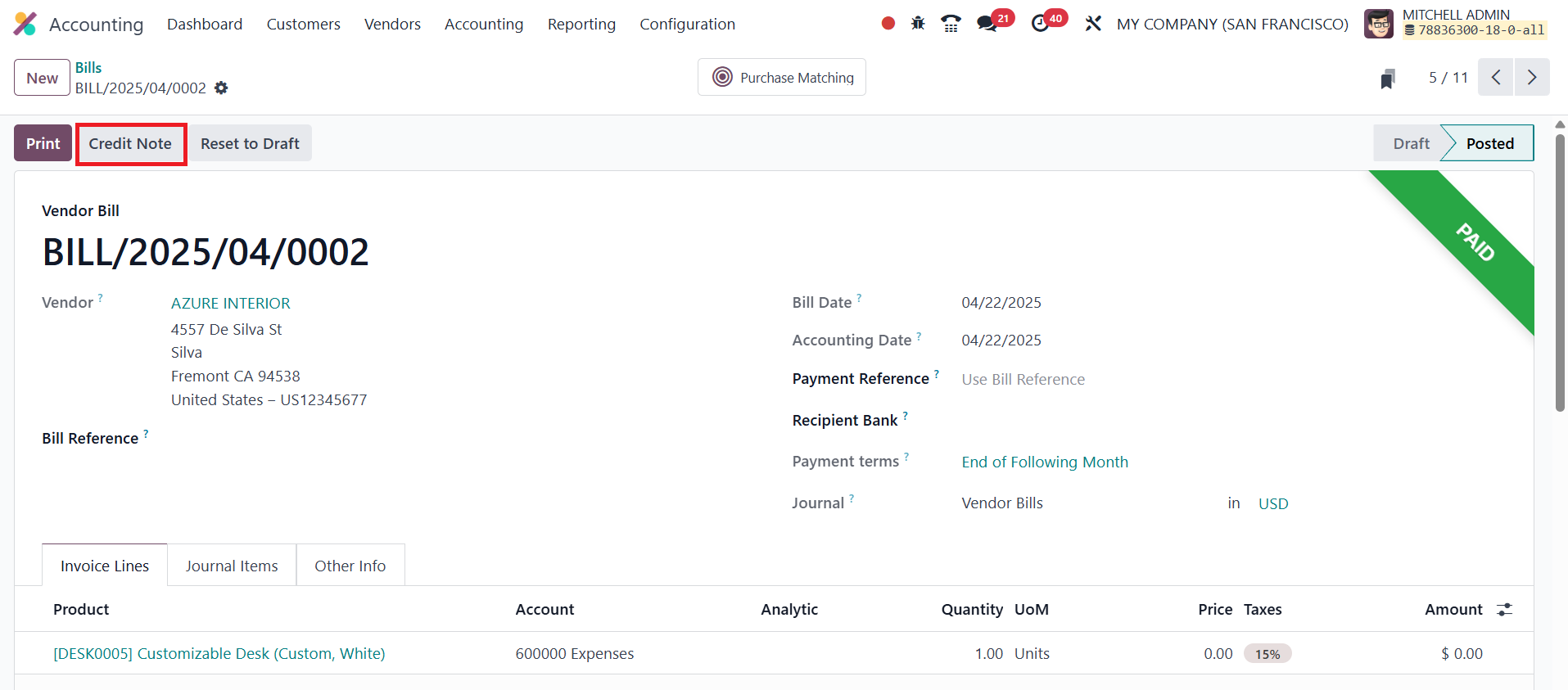
When viewing a vendor bill, the Add Credit Note button lets users
initiate a refund process, which then appears in the Refunds
section.
New refunds can also be created manually using the New button,
following a process similar to vendor bill creation. The Purchase
Matching smart tab in Odoo 18 allows users to easily match a vendor
bill with its corresponding purchase order, ensuring consistency
between ordered, received, and invoiced quantities and helping to
detect any discrepancies.
Overall, Odoo 18 offers a comprehensive and user-friendly system for
managing vendor bills and refunds, streamlining vendor relationships
and financial operations.