15. Budget
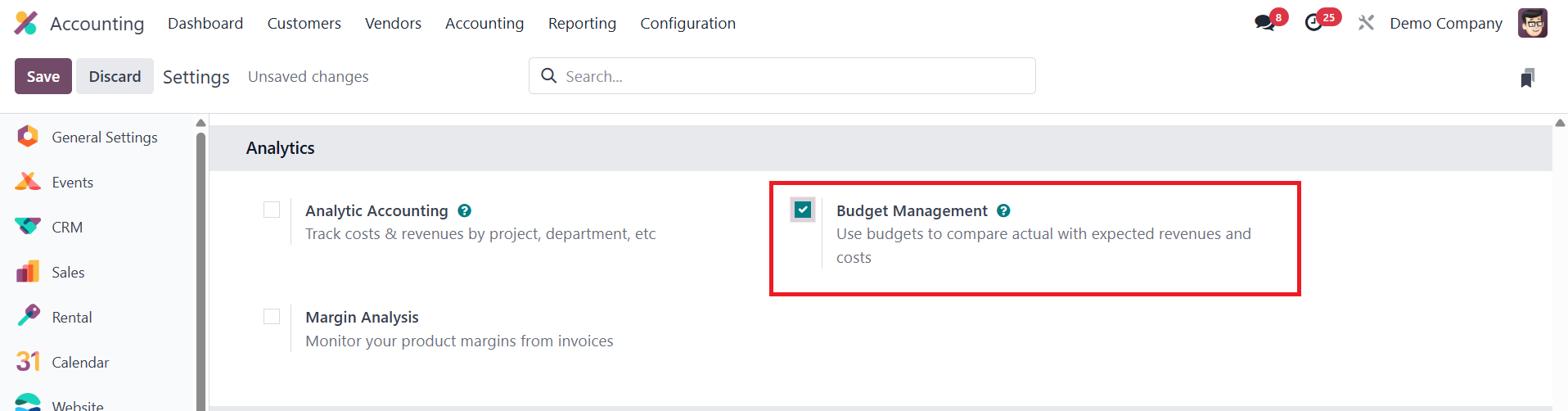
In Odoo 18 Accounting, budget management plays a vital role in
streamlining business operations by enabling users to plan and
allocate financial resources effectively across various departments
and activities. To begin using this feature, users must activate the
Budget Management option from the Settings menu.
Once enabled, the Analytic Budget platform becomes accessible through
the Accounting menu, offering a comprehensive overview of all
previously configured budgets.
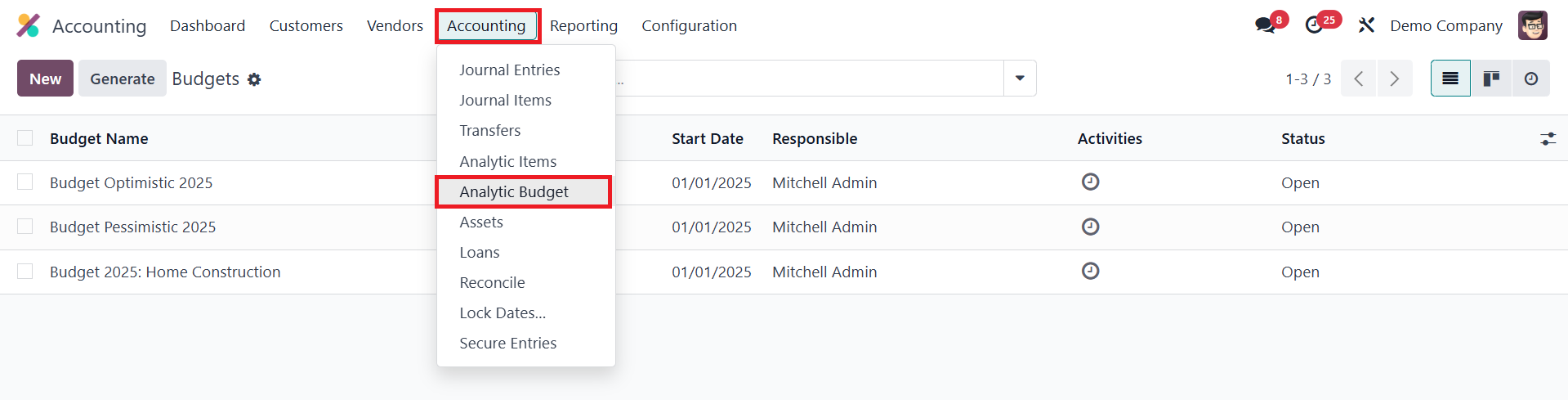
This includes details such as the budget name, start and end dates,
company information, the responsible person overseeing the budget,
and its current status. Creating a new budget is as simple as
clicking the New button, where you can assign a relevant name to the
budget and designate a responsible employee to monitor and manage
it.
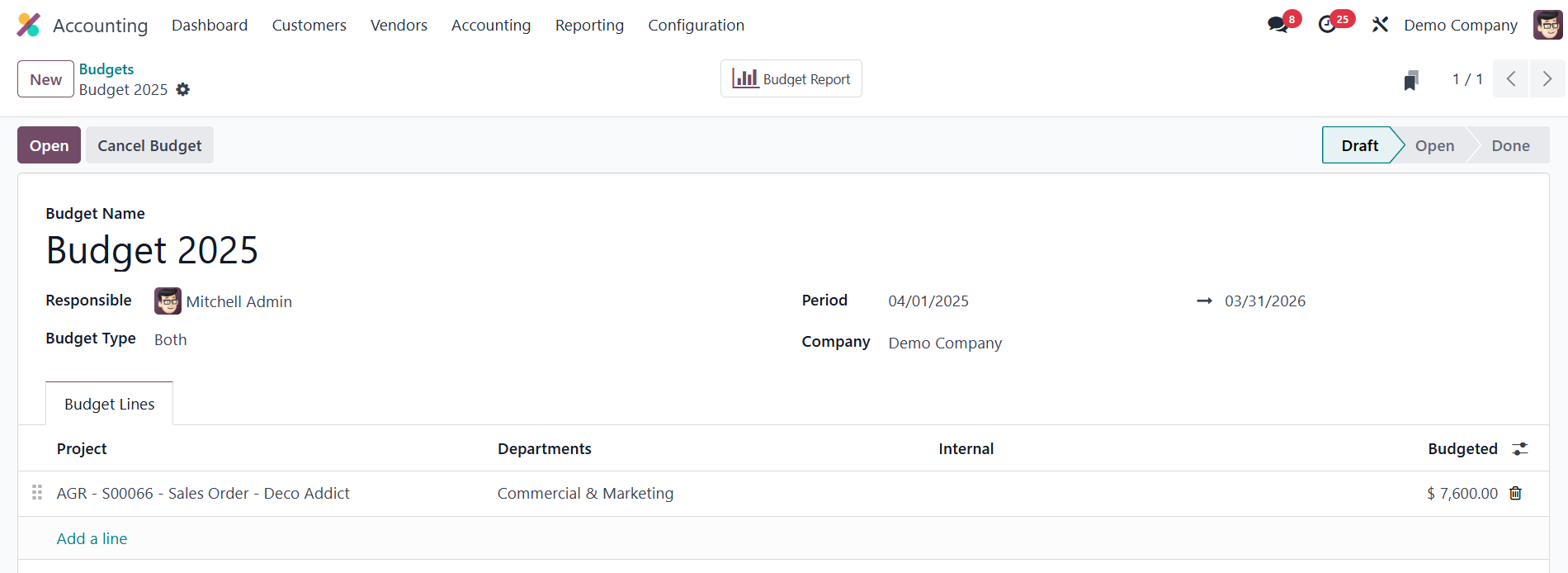
The user also sets the applicable time period for the budget using
the Period field. The company field is auto-filled based on the
configured database. The Budget Type can be set as Expense, Revenue,
or Both.
Under the Budget Lines tab in Odoo 18, users can define specific
budget lines by selecting the Add a Line option, which allows for
detailed financial tracking and management across different areas
and activities. Each budget line can be associated with various
criteria, such as a Project, which links the budget to a specific
project. The Departments field allows businesses to assign a budget
line to a particular department. The Internal field typically refers
to internal costs or projects, distinguishing between resources
allocated for external versus internal purposes. The Budgeted amount
represents the planned financial allocation for a given budget line,
reflecting the business's initial financial planning and goals.
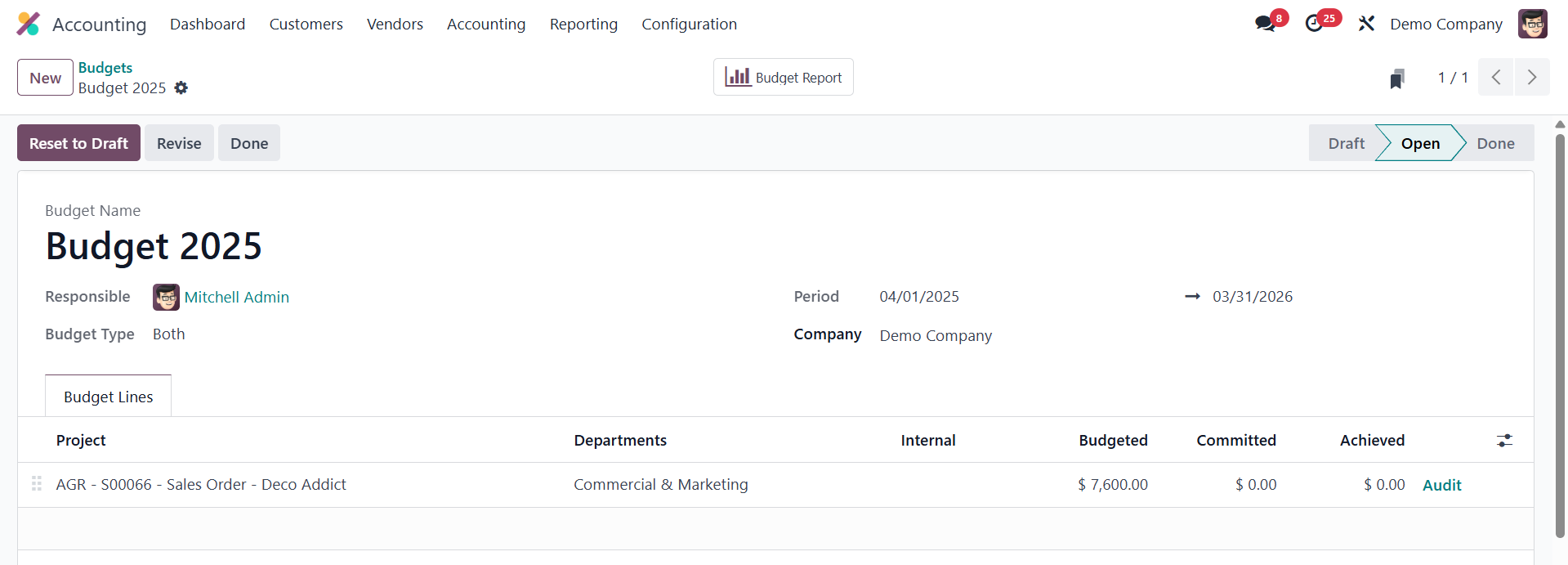
The Committed amount refers to expenses that have been planned or
committed to but have not yet been incurred, such as orders or
contracts that the business has agreed to but are still pending.
Lastly, the Achieved amount tracks the actual amount spent or earned
against a budget line, providing real-time insight into the
business's financial performance. Once all necessary lines are
added, users can open the budget using the Open button. If needed, a
budget can also be canceled using the Cancel Budget button.
Overall, the budgeting feature in Odoo 18 offers a structured and
efficient approach to financial planning and monitoring, ensuring
that business operations align with fiscal objectives.
15.1 Budget Report
In Odoo 18 Accounting, analyzing budgets is made simple through the
Budget Report feature, which can be accessed from the Reports menu.
This feature provides users with detailed insights into all budgets
created within the system, making it easier to monitor and evaluate
financial planning and performance.
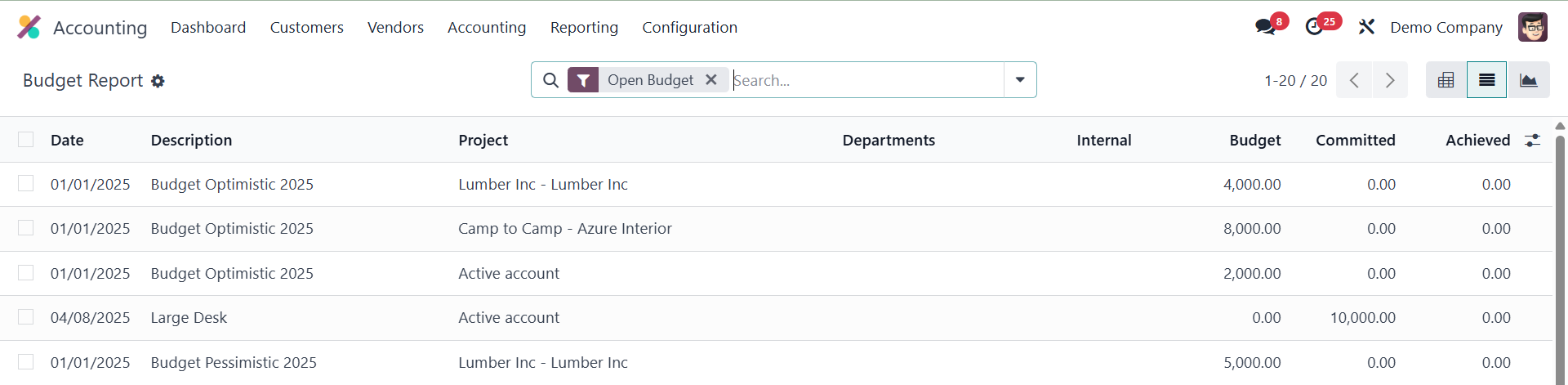
The report presents a comprehensive list view displaying essential
data such as Date, Description, Project, Department, Internal,
Budget, Committed, and Achieved. This clear presentation enables
users to compare planned and actual expenditures effectively,
identify variances, and assess the efficiency of budget
implementation.
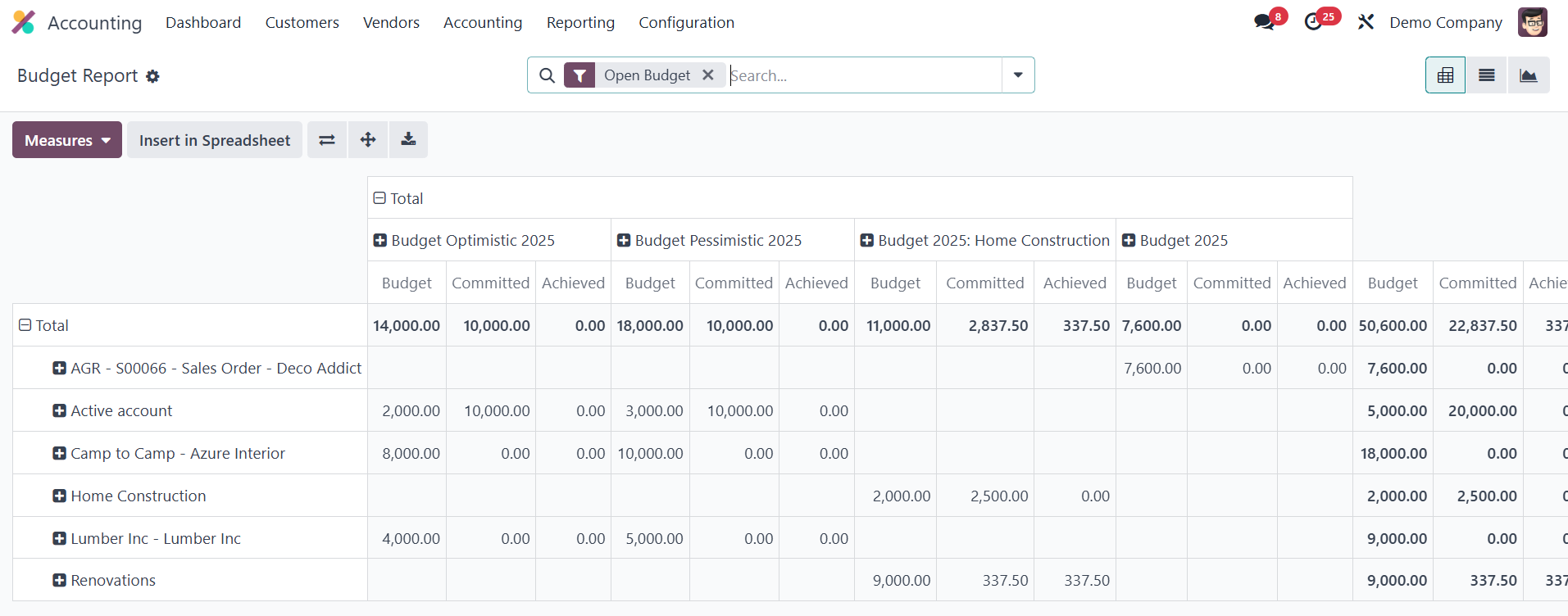
For enhanced visual analysis, the report also offers pivot and graph
views, allowing users to interpret the data more intuitively and
spot trends or discrepancies with ease.
15.2 Financial Budgets
In Odoo 18 Accounting, the Financial Budget feature lets you set
income and expense targets so you can track a company’s financial
health throughout the year. By comparing actual results with
budgeted figures, management can spot variances early, tighten
financial control, and make strategic decisions that support
long‑term goals.

You create and maintain budgets from
Accounting ▸ Configuration ▸ Financial Budget. The page lists every
existing budget by name and company; click New to add another.
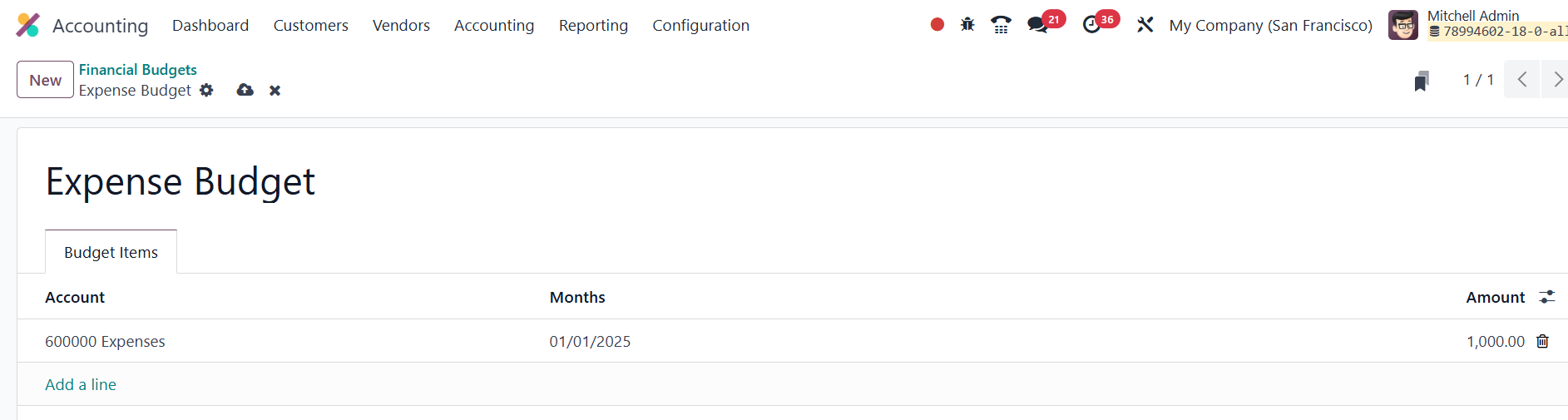
In the budget form you enter a clear Name (for example,
Expense Budget) and then define Budget Items; each line pairing an
Account with a Month (or other period) and a planned Amount.
Once a budget is saved it becomes available as a comparison layer
inside the Profit & Loss report.
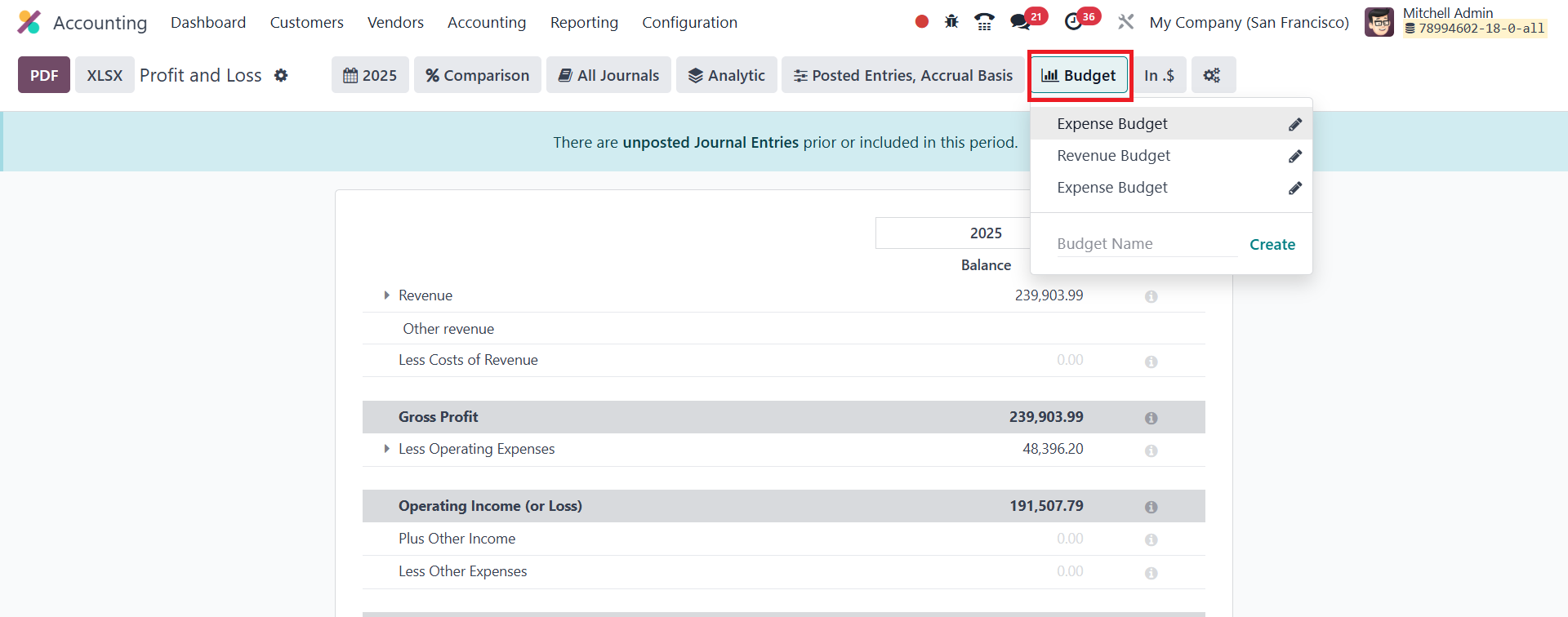
Open Accounting ▸ Reporting ▸ Profit & Loss, and you will see a new
Budget drop‑down in the upper‑right corner.
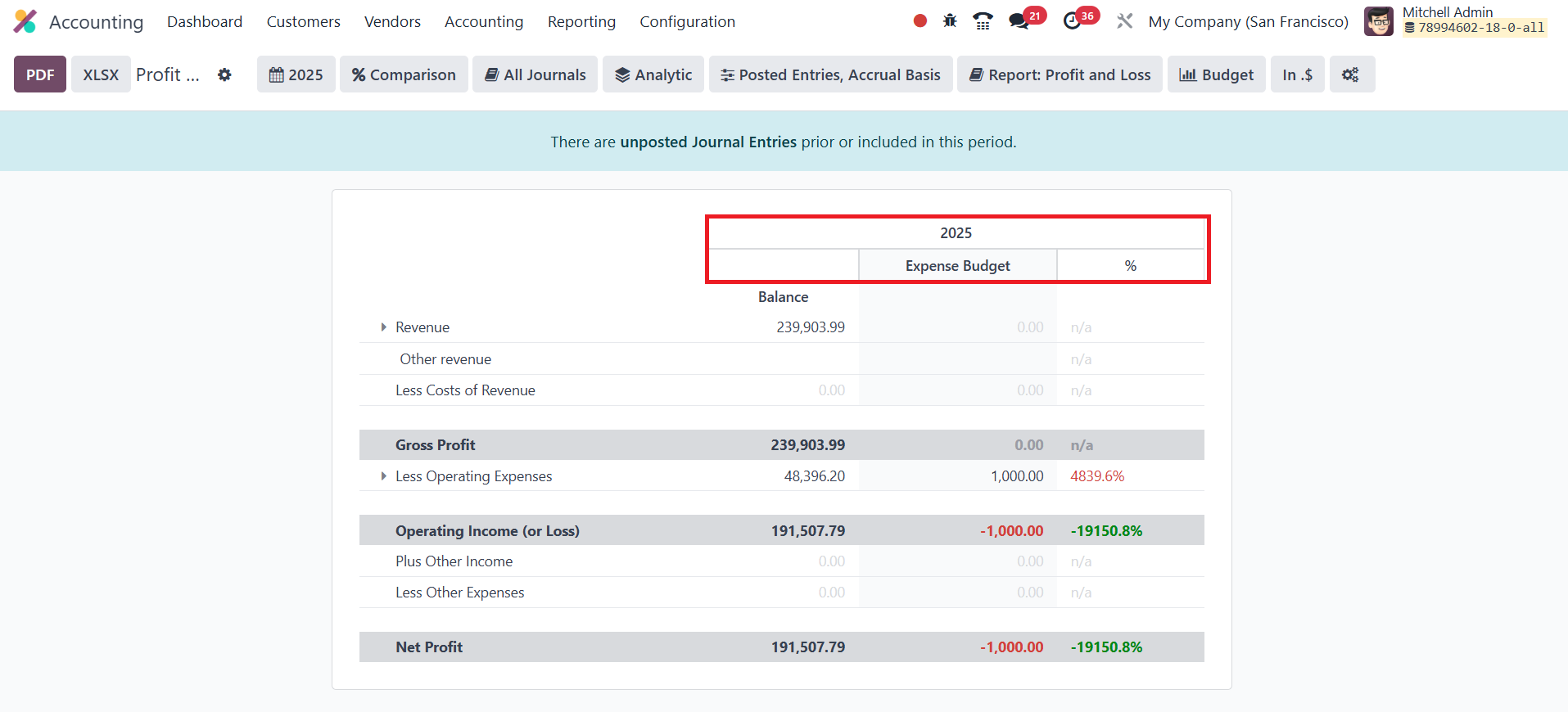
Select the budget you just created and the report will show, side by
side, the actual account balances and the budgeted amounts, making
it easy to gauge performance and investigate any significant
deviations.