34. Cash Roundings
Cash rounding refers to adjusting the total of a bill to the nearest
available currency denomination, ensuring that payments in cash can
be made with ease. In Odoo 18, you can activate this feature to
round invoice totals based on the smallest denomination used for
cash payments in your region. To enable cash rounding, go to
Accounting › Settings and activate the Cash Rounding option under
the Customer Invoices tab.
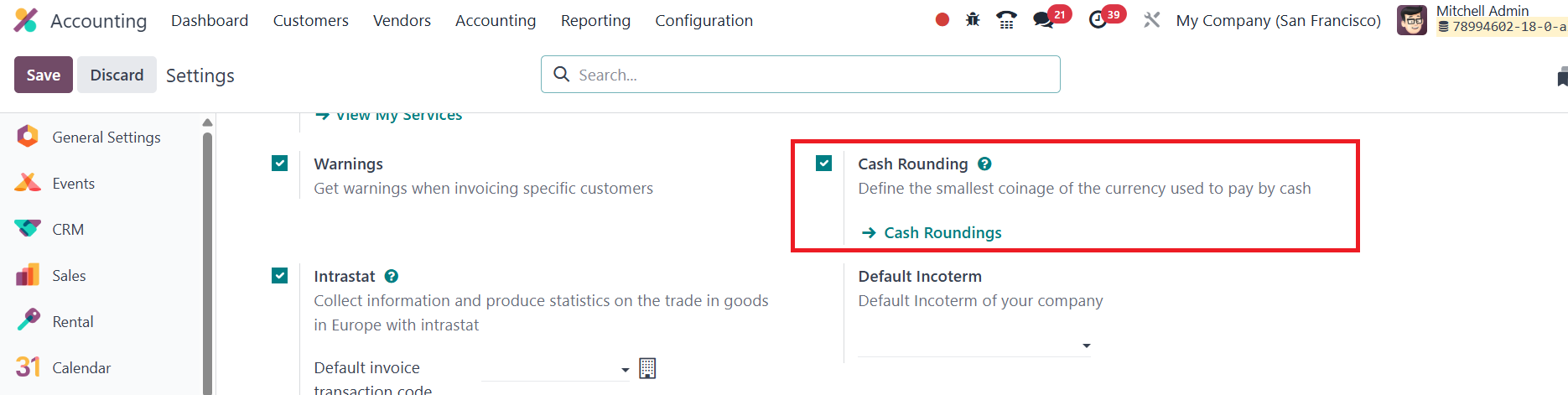
Once activated, navigate to Accounting › Configuration › Cash
Rounding to manage rounding methods.

In the list view, you’ll see existing rounding settings and can
create new ones by clicking New.
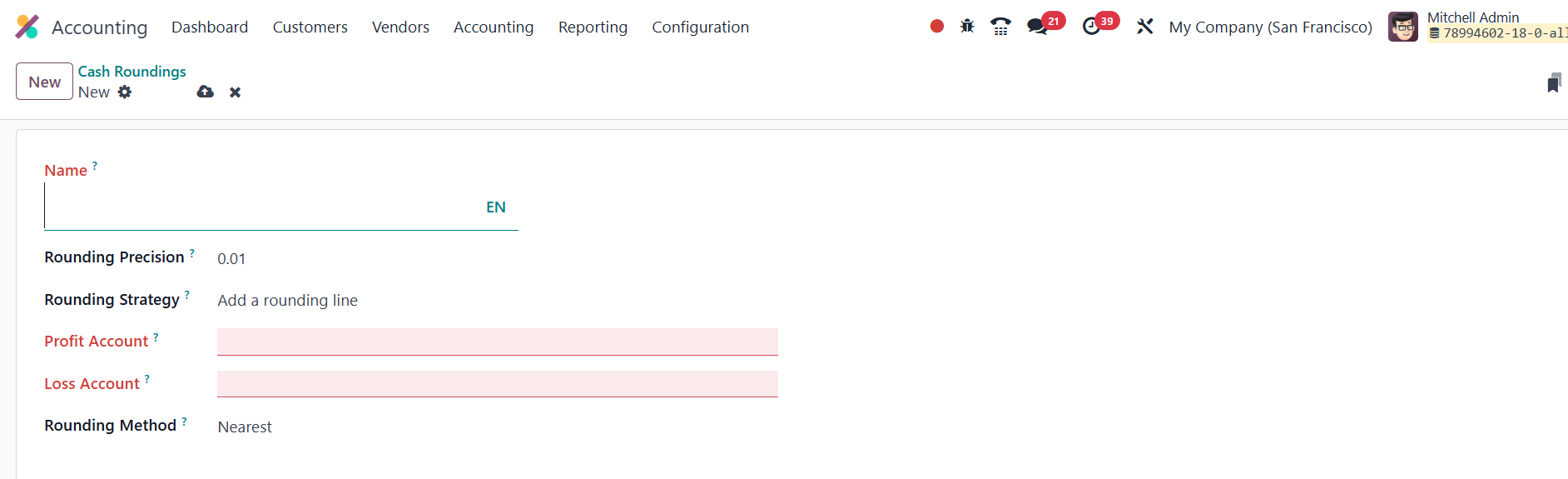
In the form view, specify a Name for the rounding method and enter
the Rounding Precision, which defines the smallest acceptable
denomination for rounding.
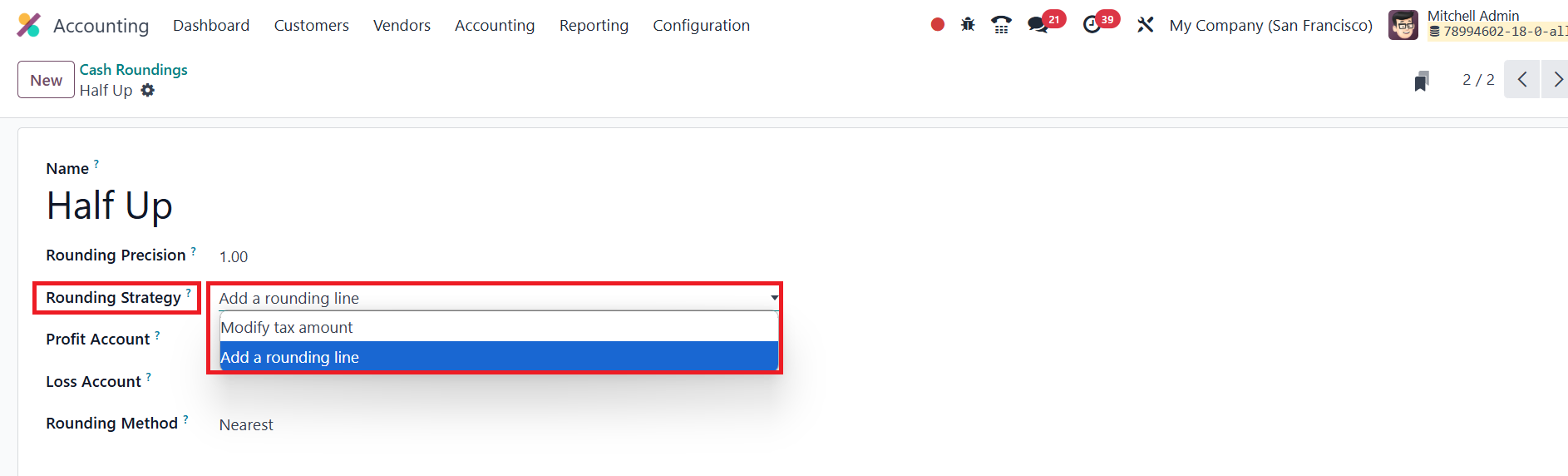
Next, choose a Rounding Strategy. There are two primary options:
Add a Rounding Line: This option adds a rounding line to the invoice.
Modify Tax Amount: This method adjusts the tax amount to ensure the
invoice total matches the rounding precision.
For Profit and Loss Accounts, enter the appropriate account details
in the designated fields.
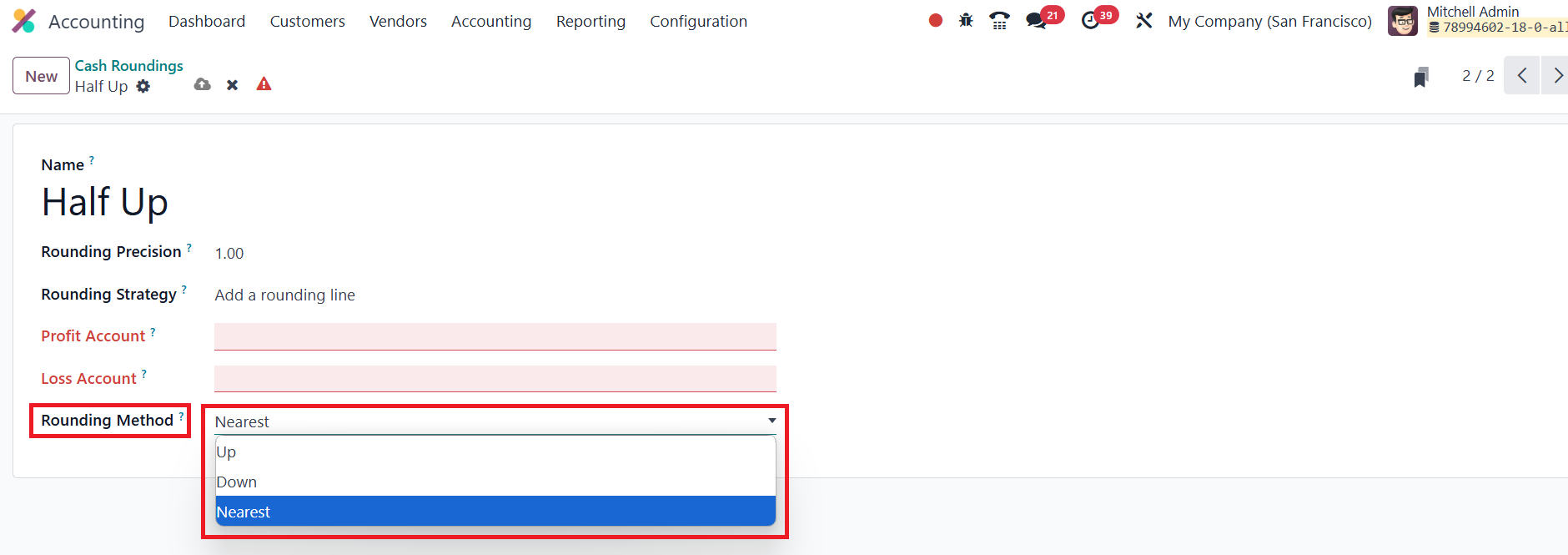
Odoo offers three rounding methods:
Up: Rounds the value up to the nearest denomination based on
the defined rounding precision.
Down: Rounds the value down to the nearest
denomination.
Half-Up: This approach rounds values with a fractional
portion of 0.5 or higher up to the nearest denomination, and values
below 0.5 are rounded down.
This feature also works with fractional values, ensuring your
invoices are rounded correctly according to your business's currency
conventions.