27. Currencies
Odoo 18 offers robust support for multiple currencies, allowing
businesses to expand into global markets. Through the Currencies
option in the Configuration menu of the Accounting module, you can
easily set up and manage various currencies within your system.
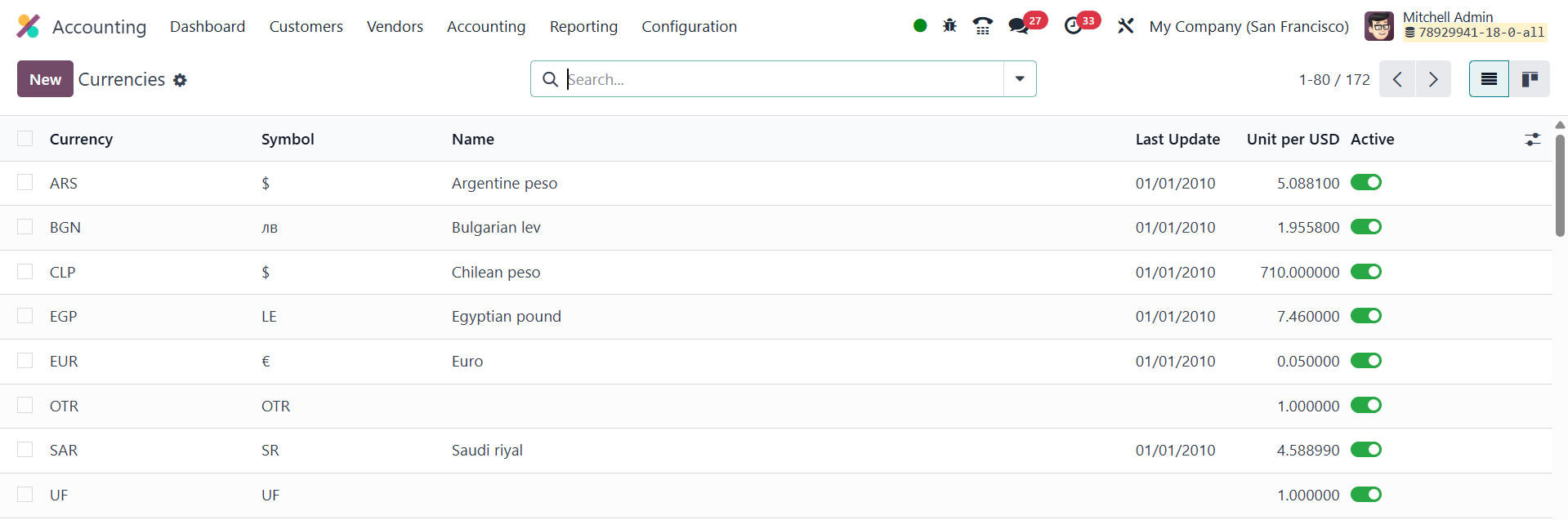
The currency list displays essential information about each currency,
such as its symbol, name, last update date, Unit per USD, and
whether the currency is active. This comprehensive overview helps
users keep track of the currencies in use.
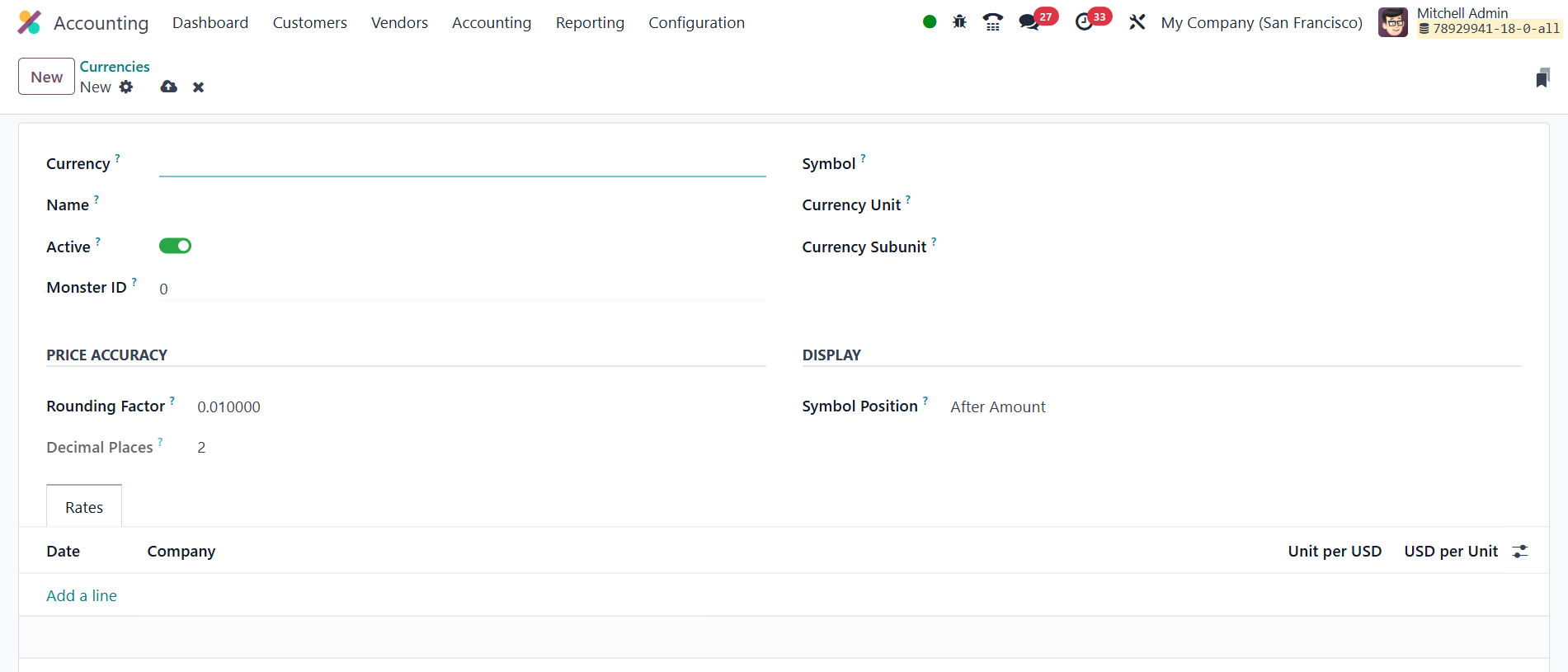
To configure a new currency, simply click on the New button. In the
currency setup panel, you can input the currency code, name,
currency unit, and currency subunit. By enabling the Active button,
the currency becomes available for use within the system.
Additionally, the Price Accuracy section allows you to set the
rounding factor for amounts in this currency, determining how the
decimal places will be rounded.
Under the Display section, you can define the symbol for the
currency, and choose whether it should appear before or after the
amount. The Rates tab allows you to input the exchange rates for the
primary currency your business uses. You can easily add exchange
rates by clicking on the Add a Line button.
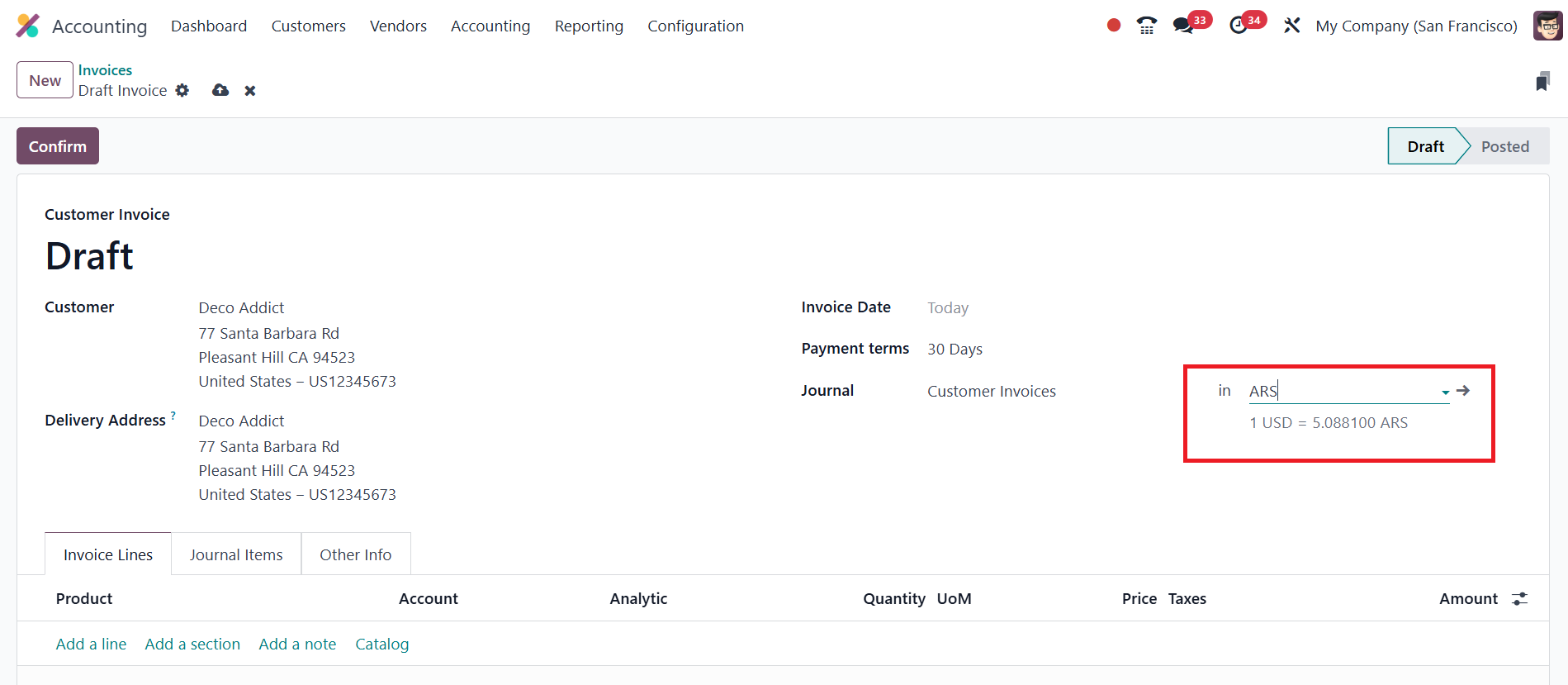
In Odoo 18, exchange rates are automatically updated and displayed
directly on invoices, ensuring that amounts involving multiple
currencies are accurately converted at the current rate. This
feature supports real-time currency management and enhances the
precision of financial reporting in international transactions.
To set the primary currency for your business transactions, navigate
to the Settings menu. In the Currencies tab, you'll find the Main
Currency field, where you can select the currency your business will
primarily operate in.
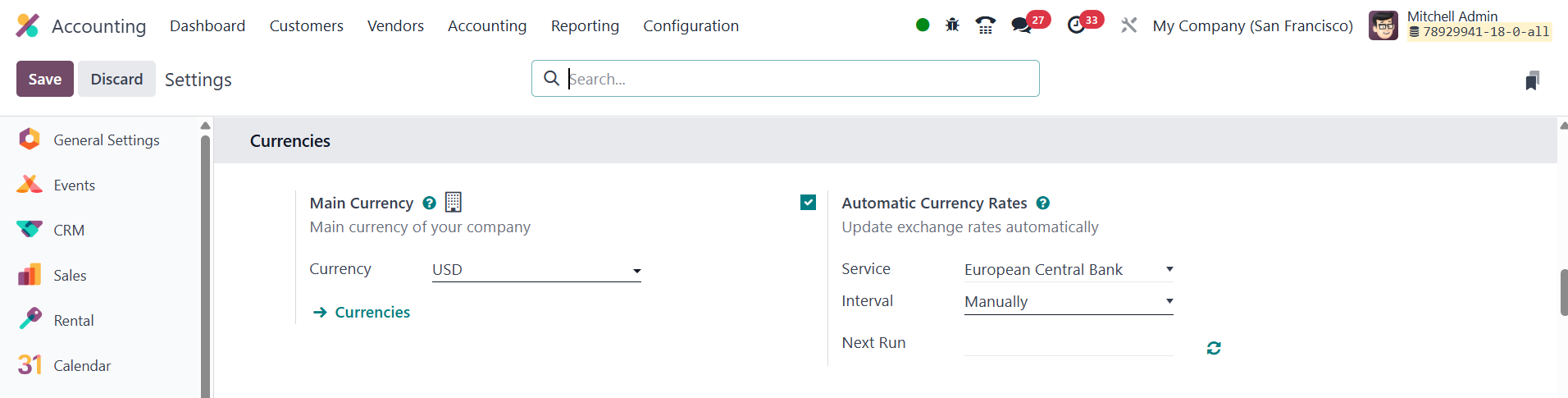
This feature ensures that all financial transactions are aligned with
your chosen primary currency, streamlining accounting processes. In
Odoo 18, the Automatic Currency Rate feature provides businesses
with the ability to update exchange rates seamlessly, ensuring that
financial transactions involving multiple currencies are always
based on the most current rates. To activate this feature, navigate
to the Settings menu within the Accounting module and enable the
option for automatic currency rate updates. Once enabled, businesses
can choose a service provider, to automatically fetch real-time
exchange rates. Additionally, Odoo allows users to define the
frequency of updates, which can be set to daily, weekly, or monthly,
depending on the needs of the business. The Next Run field displays
the scheduled time for the next exchange rate update, providing
users with a clear view of when the system will next refresh the
rates.