8. Customers
In Odoo 18 Accounting, managing customers is made efficient through
the integrated customer management feature. By selecting the
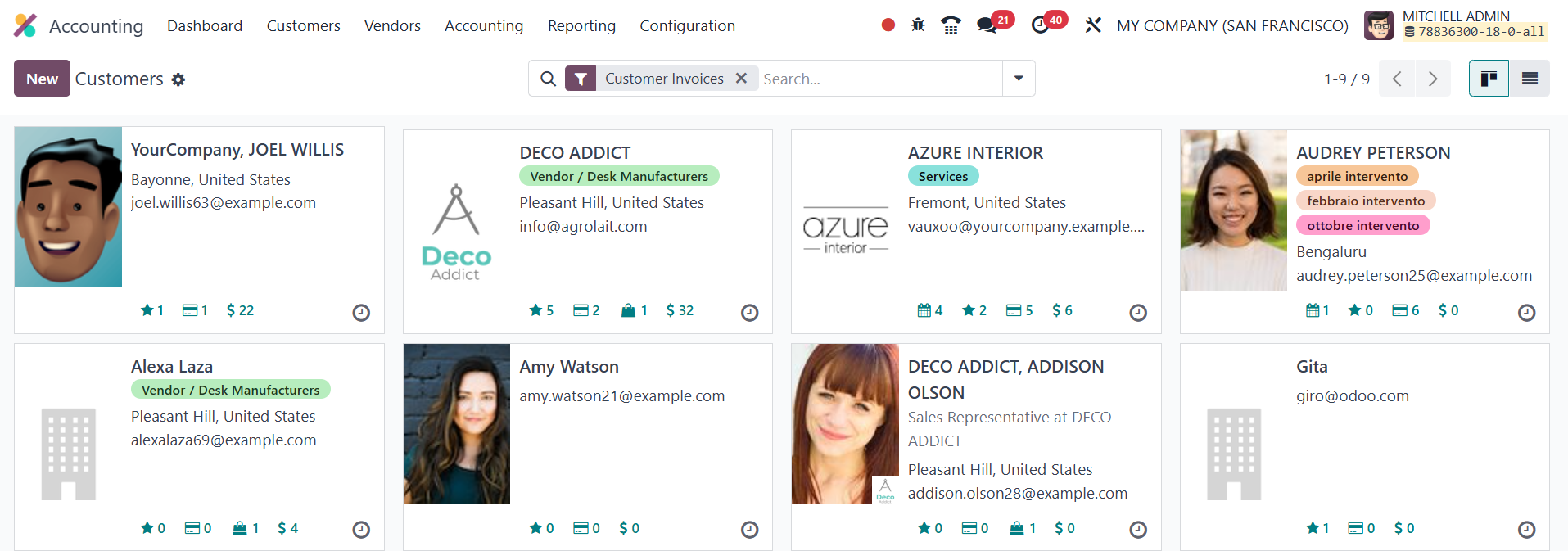
Customers submenu under the Customers menu, users can view a
comprehensive list of existing customers. The list view provides a
detailed display of customer information, while the Kanban view
offers a more visual representation, although it does not show
opening details at first glance. By default, the view applies the
Customer Invoices filter, which narrows down the list to display
only those partners who are marked as Customers and have at least
one posted invoice or related invoice activity.
To add a new customer, users can click the New button, which opens a
form where essential customer details can be entered. These include
the customer's name, contact information, associated company, and
fiscal details. The Accounting tab in Odoo allows businesses to
efficiently manage a customer's financial information. Under the
Bank Accounts section, users can add details such as the customer’s
account number and bank name by clicking the Add a Line button.
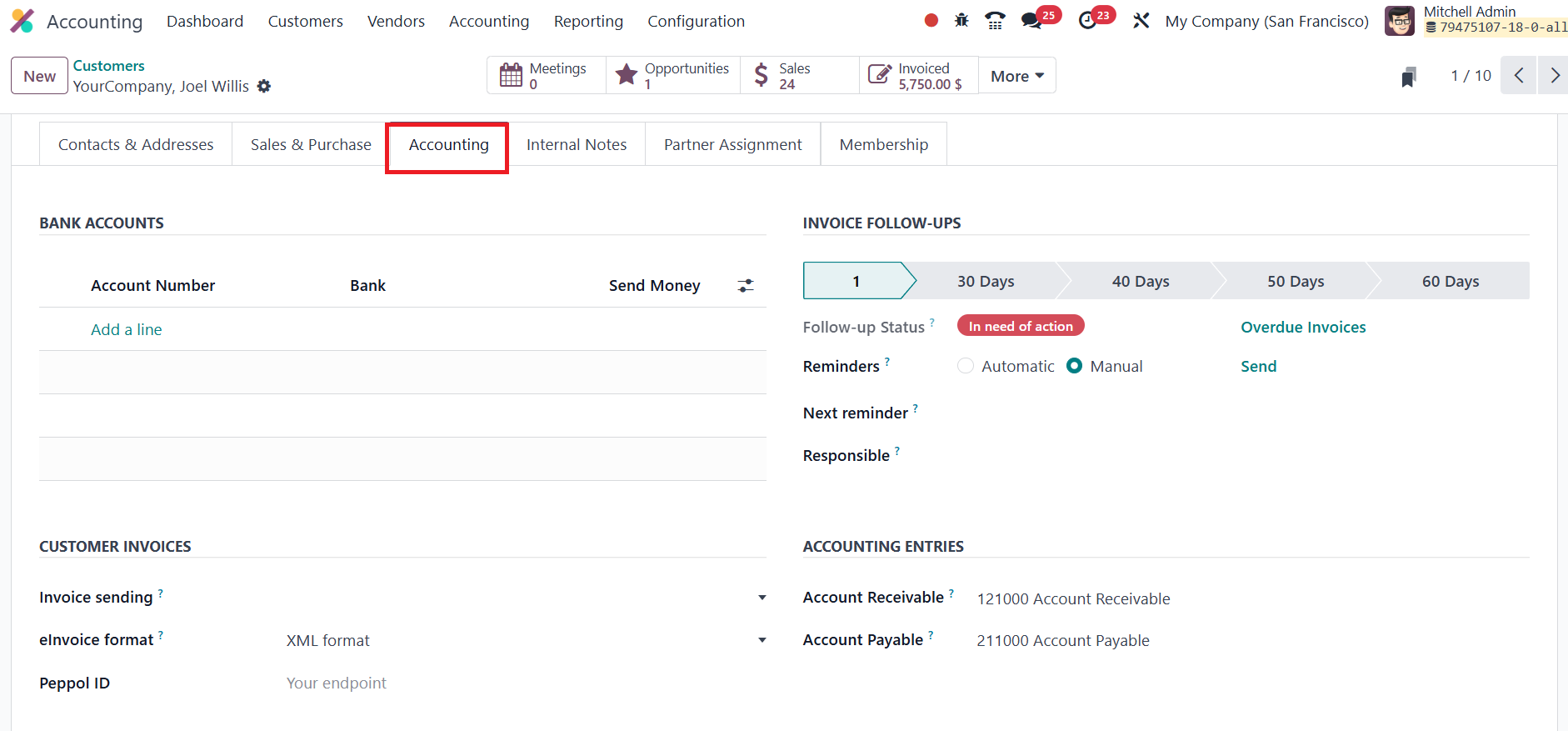
The Invoice Follow-ups feature helps businesses track overdue
invoices and ensure timely payments. The Follow-up Status provides a
quick overview of an invoice's current follow-up stage. Odoo
supports both Automatic and Manual Reminders; automatic reminders
are triggered based on predefined rules, such as a set number of
days after the invoice due date, while manual reminders offer more
flexibility by allowing users to initiate them as needed. Businesses
can also choose to send these reminders through various channels,
such as email, depending on customer preferences. The Next Reminder
field indicates when the next reminder is scheduled to be sent,
ensuring consistent communication, while the Responsible field
designates the team member or department accountable for managing
the follow-up.

The Account Receivable field is used to track payments owed by the
customer, recording all outstanding invoices and providing a clear
view of receivables. Similarly, the Account Payable field monitors
amounts the company owes to vendors or suppliers, ensuring accurate
tracking of payables. In the Customer Invoices section, the Invoice
Sending option allows businesses to define the preferred delivery
method for invoices; such as email, printed copies, or other
specified channels, ensuring timely and efficient communication. The
eInvoice Format feature supports the generation of electronic
invoices in standardized formats, helping businesses comply with
regional or international e-invoicing regulations. The Peppol ID is
used for customers participating in the Peppol e-invoicing network,
facilitating secure and standardized digital invoice exchange.
Additionally, the LEI (Legal Entity Identifier) option, available
under the Miscellaneous section, allows users to assign a globally
recognized unique identification code to legally distinct entities
involved in financial transactions, enhancing transparency and
regulatory compliance.
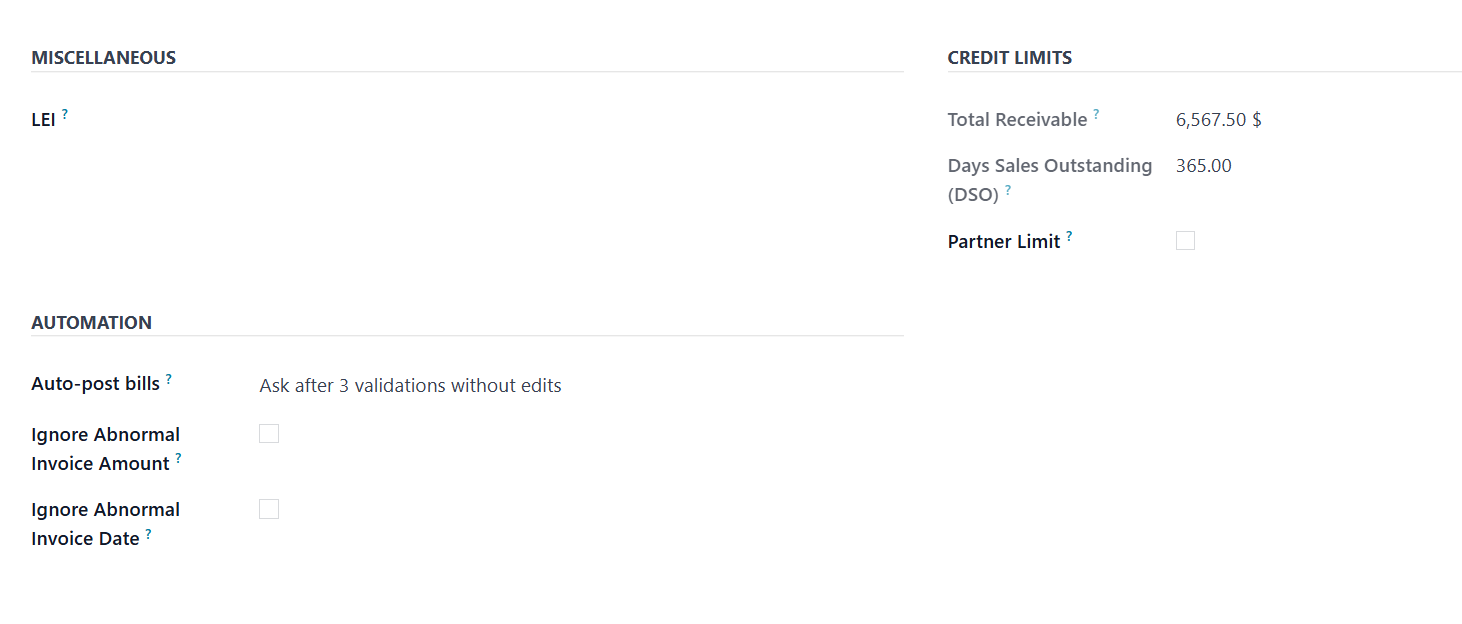
The Credit Limits section includes key financial indicators such as
Total Receivable, Days Sales Outstanding (DSO), and Partner Limit.
Total Receivable shows the total amount a customer owes the business
at any point in time, covering all unpaid invoices and pending
receivables. DSO is a financial metric that calculates the average
number of days it takes for a business to collect payment after a
sale, offering insights into cash flow efficiency. The Partner Limit
sets the maximum credit amount the business is willing to extend to
a specific customer, helping manage credit risk effectively.
The Auto-post Bills feature, when enabled, allows vendor bills to be
posted automatically without manual validation, streamlining
accounting workflows; particularly useful for recurring or trusted
transactions. To enhance data accuracy and prevent potential errors
or fraud, the Ignore Abnormal Invoice Amount setting flags invoices
with values that deviate significantly from typical amounts.
Similarly, the Ignore Abnormal Invoice Date option helps identify
invoices with unexpected or irregular dates, ensuring that financial
records remain consistent and reliable.