46. Default Terms and Conditions
The Default Terms and Conditions feature in Odoo 18 Accounting is a
useful customization tool designed to streamline the billing
process. It allows businesses to automatically include their
standard terms and conditions on every invoice. These terms can be
configured directly from the Customer Invoice section within the
Accounting module's Settings menu.
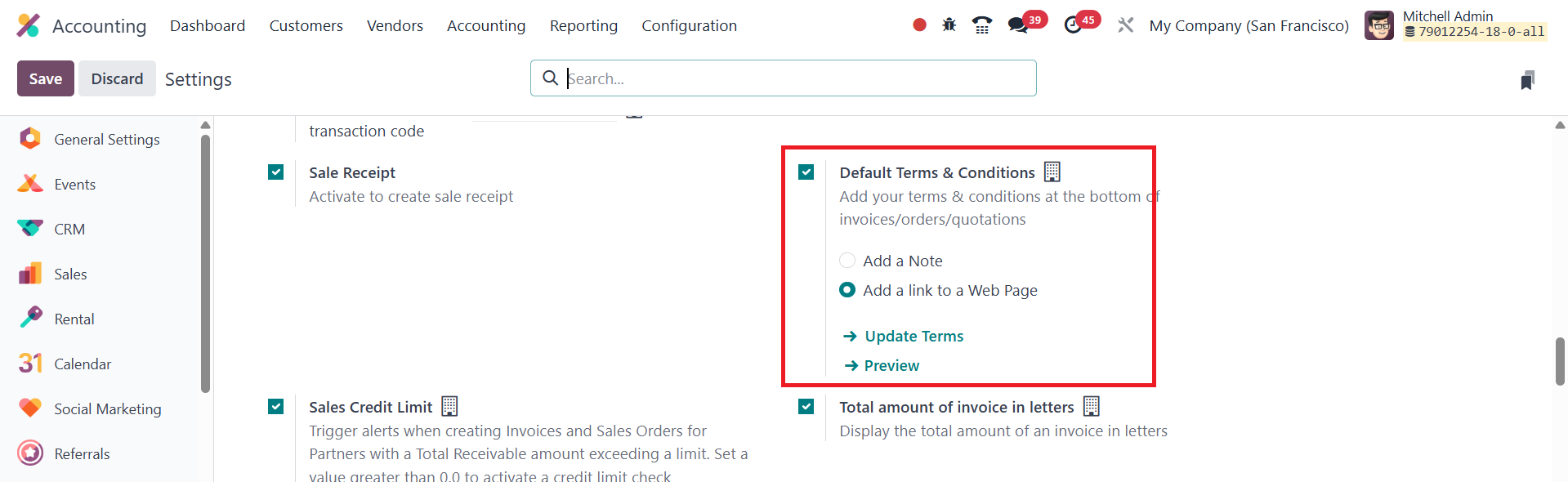
Users have the flexibility to add the terms either as plain text or
as a hyperlink to a webpage.
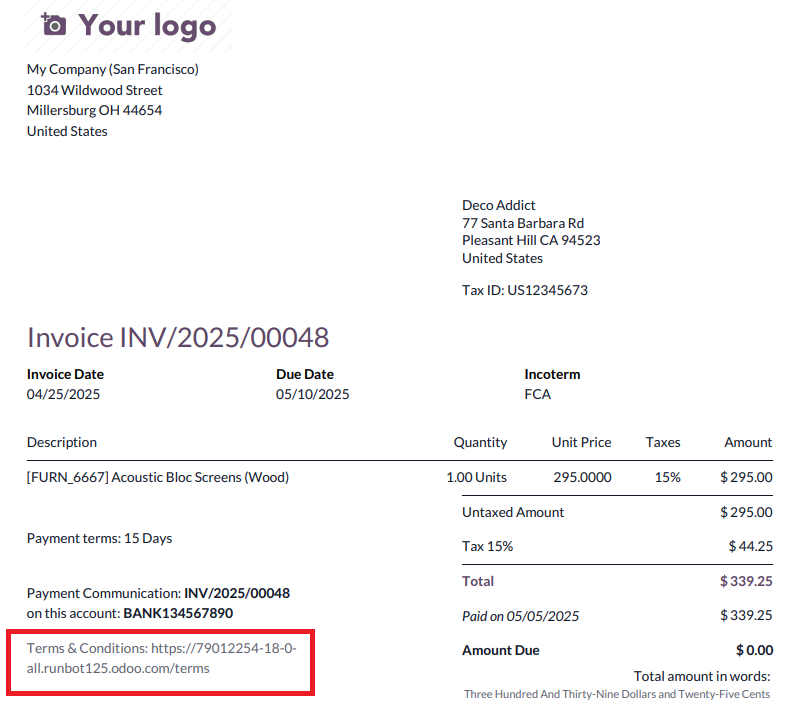
Once set up, the default terms and conditions will be automatically
displayed at the bottom of all orders, quotations, and invoices,
ensuring consistency and legal clarity across all customer-facing
documents.
46.1 Total Amount of Invoice in
Letters
One of the notable features available in Odoo 18 Accounting is the
Total Amount of Invoice in Letters option. This feature can be
enabled from the Settings menu under the Customer Invoice section.
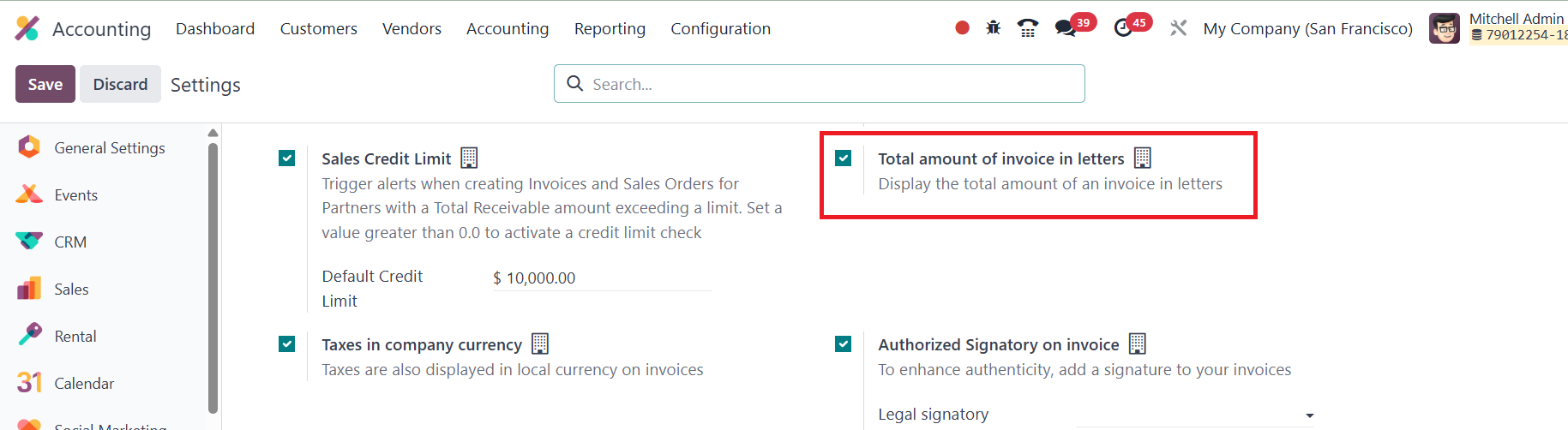
Once activated, it automatically displays the total amount of the
invoice in written words in addition to numerical figures.
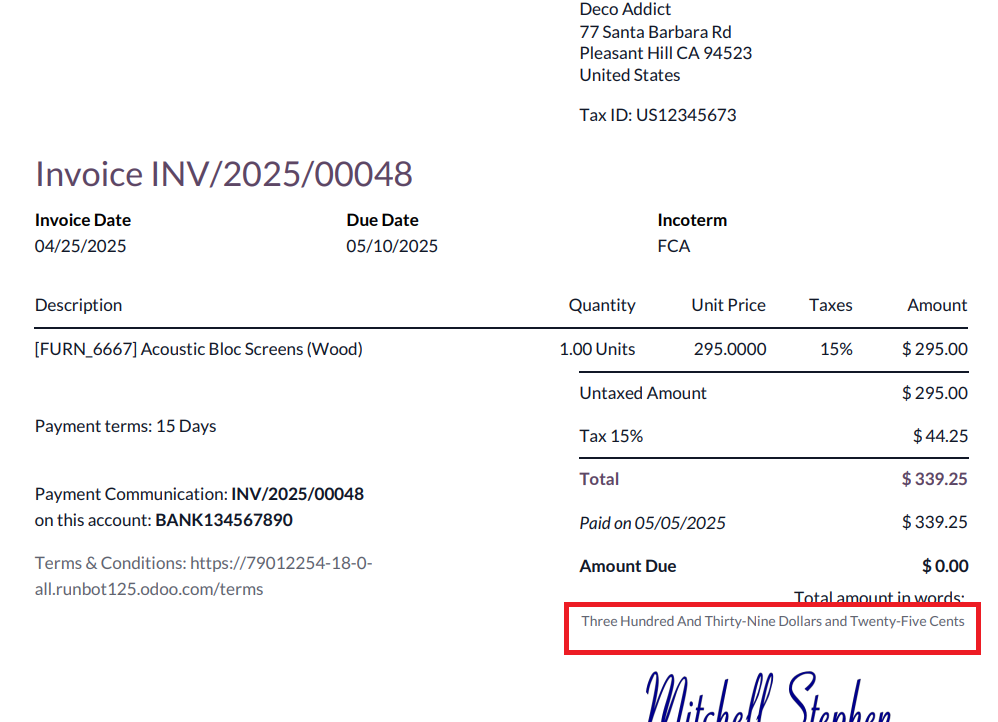
This addition enhances clarity and reduces the risk of
misinterpretation in financial documents, particularly in formal or
legal contexts where the amount in words is often required for
validation.
46.2 Invoice Online Payment
Invoice Online Payment is a convenient feature available in the Odoo
18 Accounting module, allowing customers to pay their invoices
directly through the online portal. This feature is accessible under
the Customer Payments section in the settings.
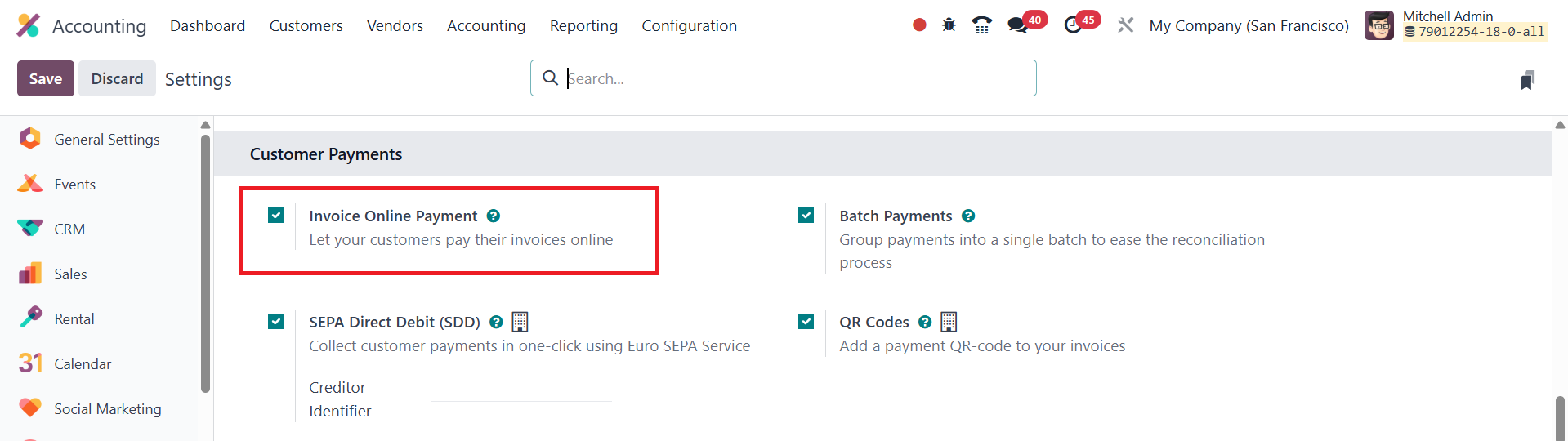
Once online invoicing is enabled, customers who access their invoices
via the portal will see a Pay Now button.
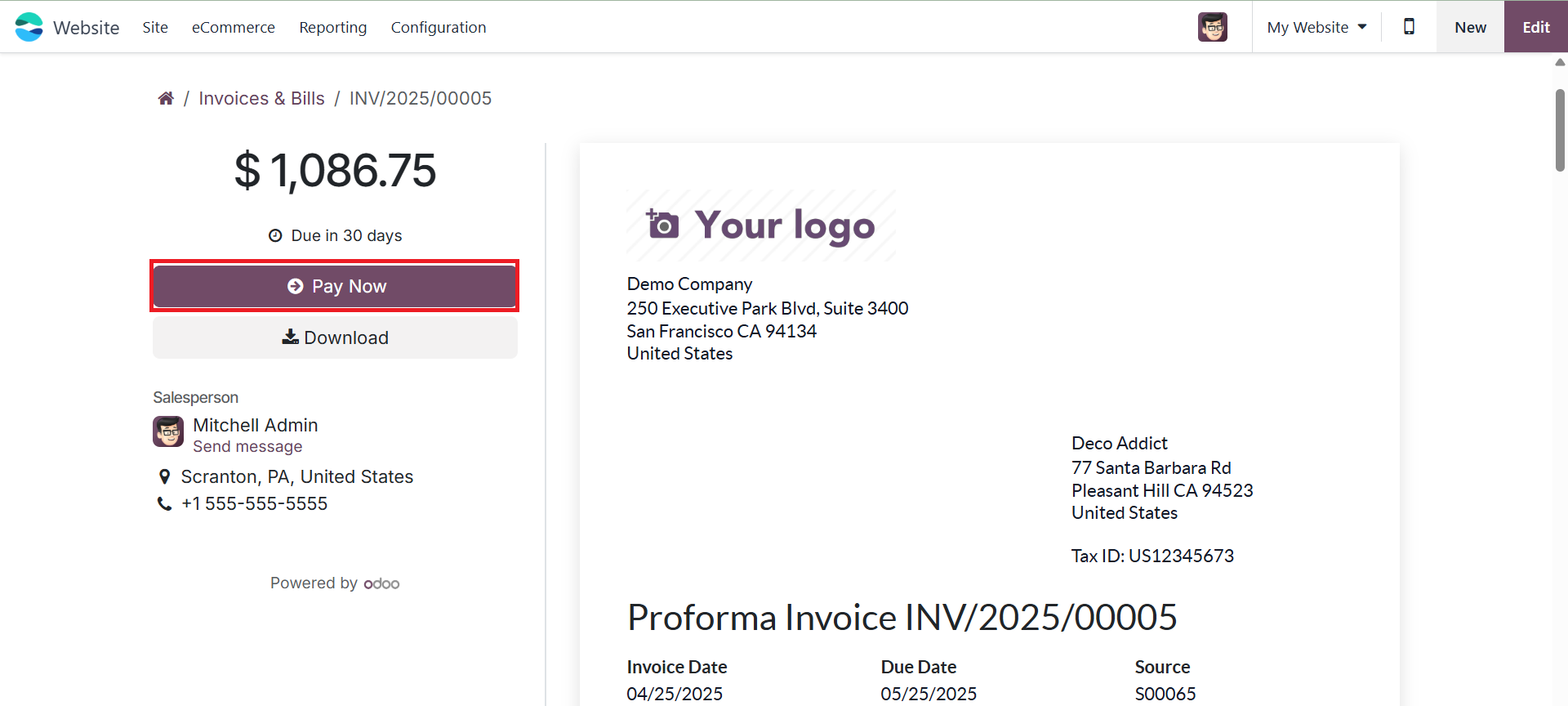
This option provides a seamless and efficient payment experience,
supporting various payment acquirers such as Stripe, PayPal, or
other integrated payment gateways. It not only accelerates the
payment process but also enhances customer satisfaction by offering
flexible and immediate payment options.