6. Direct Debit Mandates
The Direct Debit Mandate feature in Odoo 18 allows businesses to
securely and efficiently collect recurring payments directly from
their customers' bank accounts. This is particularly useful for
subscription-based services or long-term contractual agreements. A
mandate is an official document signed by the customer that
authorizes your company to withdraw funds automatically. Odoo 18
integrates with the EURO SEPA Direct Debit (SDD) service, enabling
businesses to manage these transactions seamlessly within the
Accounting module.
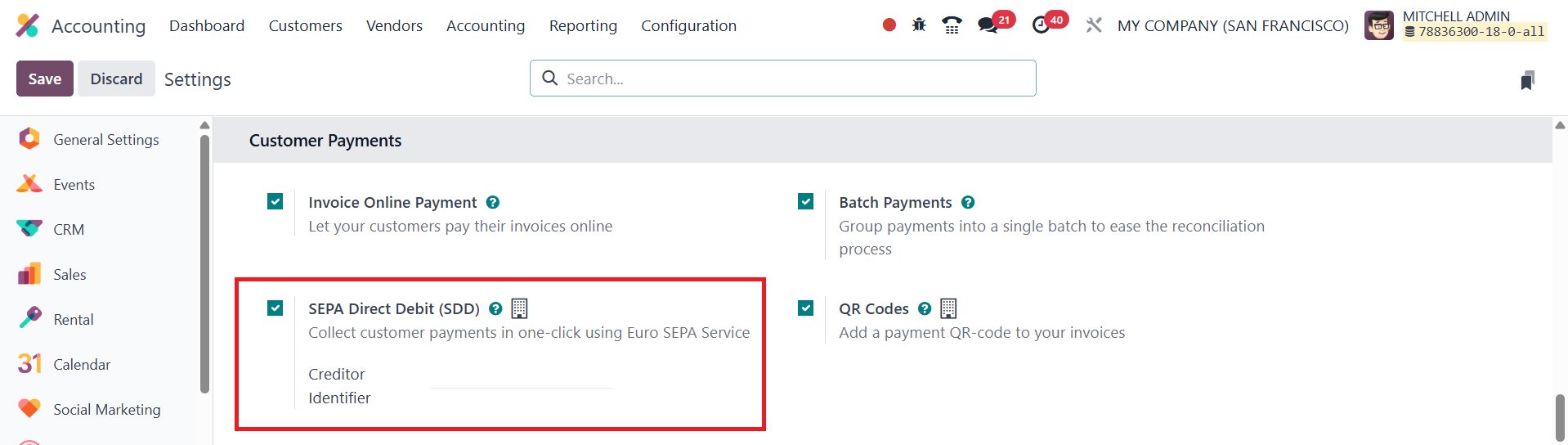
To get started, navigate to the Settings of the Accounting module and
activate the SEPA Direct Debit option. After enabling this feature,
you must enter your organization’s Creditor Identifier, which is
essential for initiating SEPA transactions.
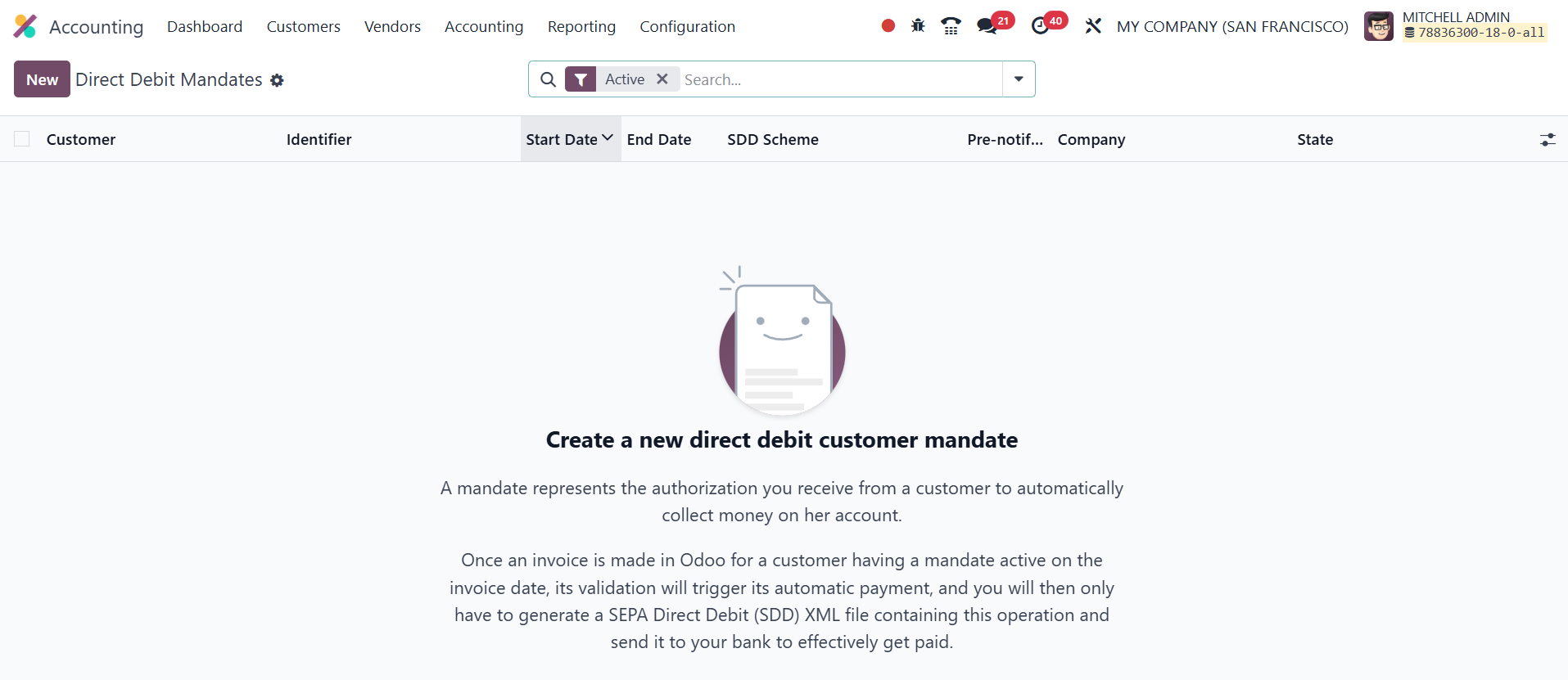
Once activated, you can create a new mandate from the Customers menu.
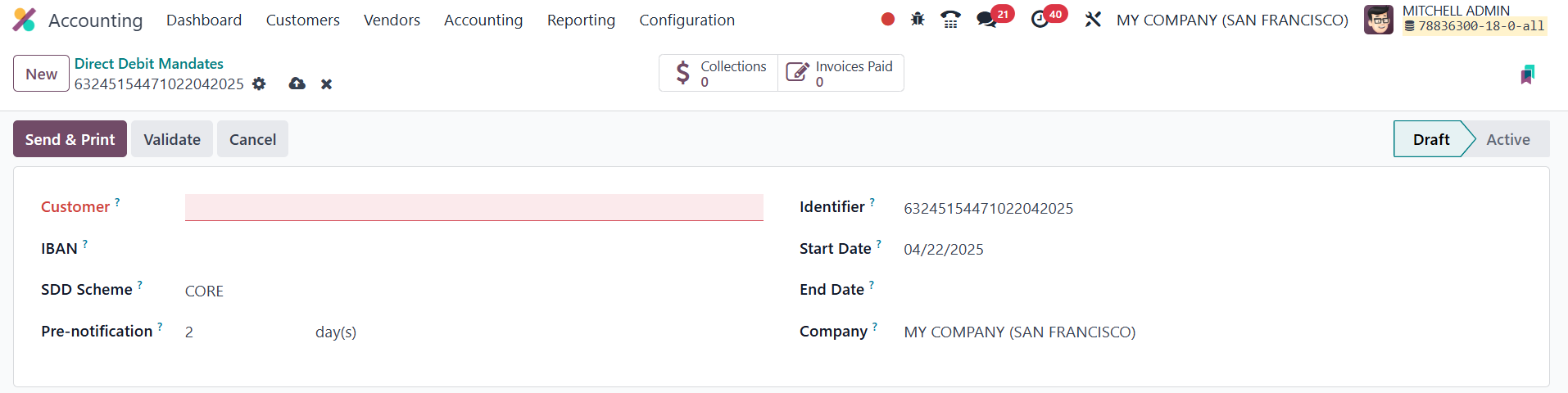
During configuration, specify the Customer and their IBAN, which is
the account to be debited. You’ll also define the Journal that will
track SEPA payments, the SDD Scheme being used (such as CORE or
B2B), and other relevant details like the Mandate Identifier, Start
Date, End Date, and Company. After completing the form, click the
Validate button to activate the mandate. When a customer with a
valid mandate is invoiced, Odoo will automatically generate a SEPA
Direct Debit (SDD) XML file. This file can be submitted to your bank
to initiate the payment collection process. The system also provides
smart buttons within the mandate record to view Invoices Paid using
this mandate and the Collections, offering a clear overview of all
related transactions.
By automating recurring payment collections through SEPA mandates,
Odoo 18 significantly enhances financial efficiency, reduces manual
intervention, and ensures secure fund transfers for businesses
operating within the SEPA region.