45. Document Digitization
The Document Digitization feature in the Odoo 18 Accounting module
utilizes OCR and AI technology to digitize PDF or scanned documents,
significantly simplifying the vendor billing, customer invoicing,
and bank statements process. With this advanced functionality
enabled, vendor bill lines, invoice lines, and bank statements can
be automatically populated by referencing the database’s history of
prior records.
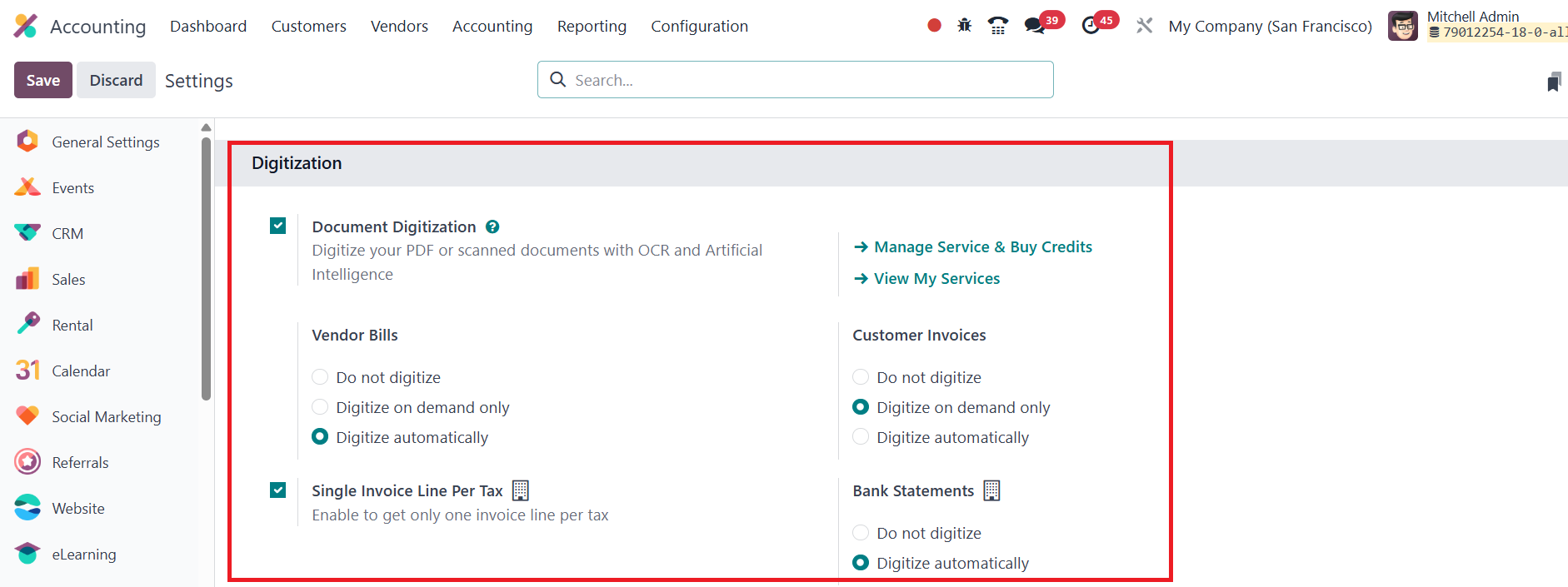
The digitized data is then entered directly into your Odoo 18
database. This option can be enabled from the Settings menu of the
Accounting module.
Once activated, users can define how invoices, bank statements and
bills should be digitized by choosing between Do Not Digitize,
Digitize on Demand Only, or Digitize Automatically. Based on these
preferences, Odoo can automatically encode physical bills into
vendor and customer invoices within the Accounting module. To
consolidate entries, the Single Invoice Line per Tax setting can be
used.
Invoices and bills can either be manually uploaded through the Upload
button available on the Customer Invoice and Vendor Bills pages, or
sent via email alias.
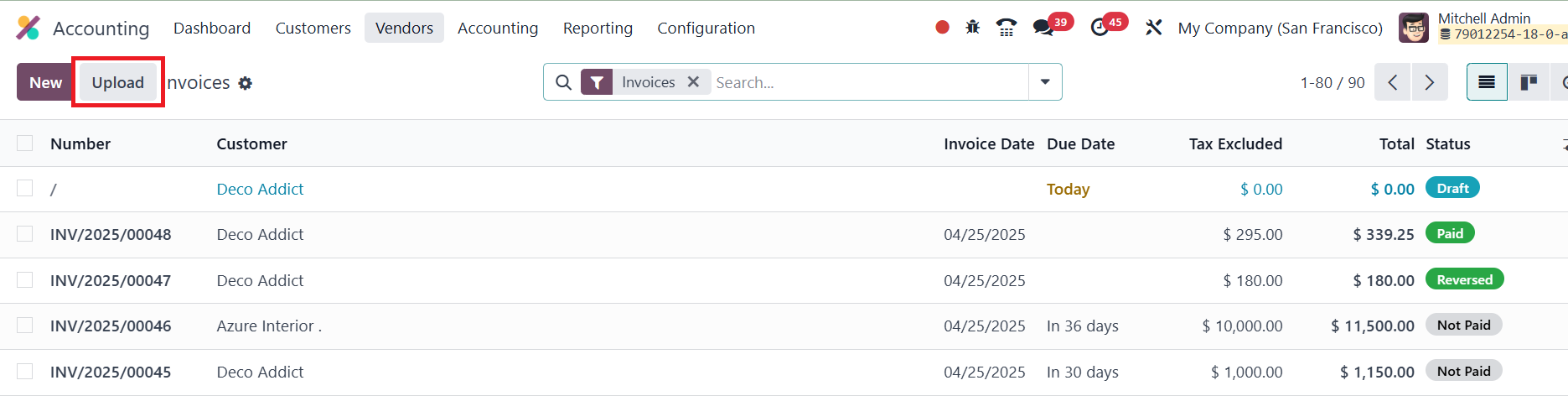
For example, using the Upload option from the Invoices menu allows
you to directly import a customer invoice. Once uploaded, the system
will automatically process the document according to your selected
settings and pre-fill the necessary invoice fields.
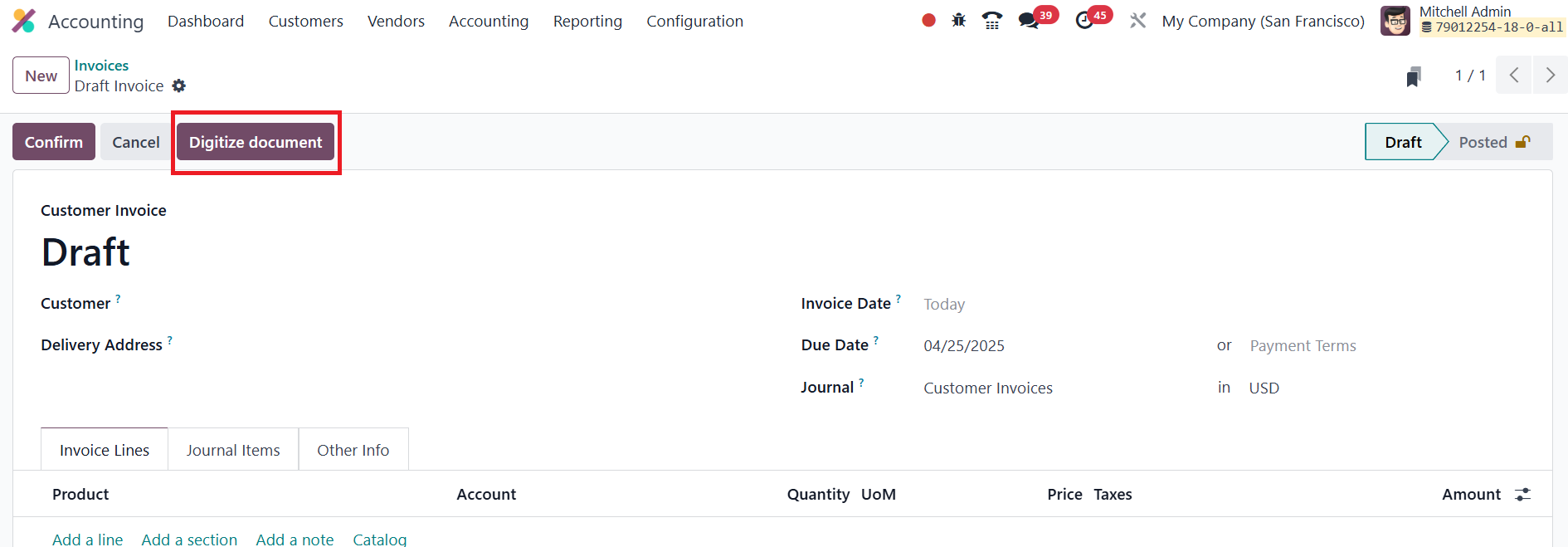
Alternatively, if you prefer to review the document before
processing, you can click the Digitize Document button. Once the
data from the scanned or PDF document has been extracted, you have
the flexibility to review and edit the information as needed.
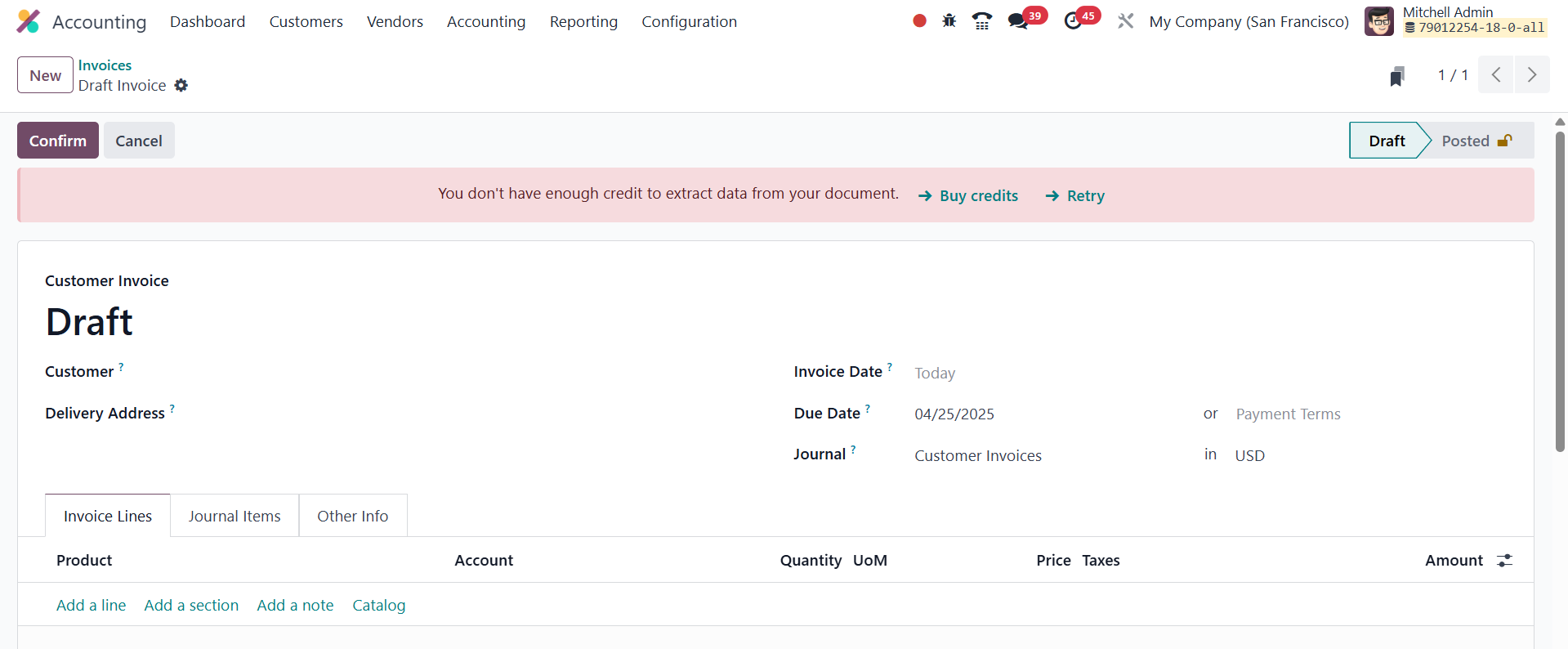
It's important to note that using this feature requires the purchase
of credits to retrieve and process invoice data.